Seedream 5.0:字节跳动的下一代人工智能图像生成技术
Seedream 5.0:智能AI图像生成技术的未来
掌握专业设计,运用更智能的提示、稳定的构图和高保真视觉效果。
Seedream 5.0:智能AI图像生成技术的未来
掌握专业设计,运用更智能的提示、稳定的构图和高保真视觉效果。
Seedream 5.0
提升工作室级图像的语义准确性
更智能的提示和更稳定的结果
Seedream 5.0 understands the "why" behind your prompt. It produces usable images on the first attempt by interpreting abstract intentions and maintaining a logical, stable composition across all generated variations.
实时网络搜索
此功能使 Seedream 5.0 能够利用最新信息,确保视觉效果与现代主题和流行风格保持一致。它避免了基础生成器千篇一律的外观,使其成为满足实际专业需求的理想之选。
高保真输出及高级图像编辑
Seedream 5.0 可提供高分辨率图像,图像细节清晰锐利,光线均衡。它还支持精细的图像编辑功能,用户可以添加、删除或替换视觉元素,从而在营销和商业项目中实现精准的创意控制。
创建只需三个简单步骤

1
选择模型并生成模板。
Akool 与世界顶级模型供应商合作,为您提供最新、最全、最实惠的模型。
2
Input your prompt
Type in the prompt you desire for the image
3
Generate image
Click generate to create your final image!为什么选择 Akool?
Diffusion-based Image-to-Video Synthesis
Instant Professional Rendering
Generate polished video assets from images in seconds using diffusion-based synthesis, neural frame interpolation, and high-fidelity visual rendering.
角色身份的跨帧一致性
角色身份始终一致
Maintain consistent faces, expressions, and identity attributes across frames using computer vision models optimized for high-fidelity video continuity.
API-driven Creative Exploration
Neural Workflow Inspiration
Explore community-generated examples to discover production patterns, diffusion-based video workflows, and scalable generative content ideas.
查看所有型号
Grok Imagine Image 2
Qwen Image
Recraft
Seedream
Flux
Nano Banana
GPT
Akool
Grok Imagine Image 2
Qwen Image
Recraft
Seedream
Flux
Nano Banana
GPT
Akool
Grok Imagine Image 2
Qwen Image
Recraft
Seedream
Flux
Nano Banana
GPT
Akool
Grok Imagine Image 2
Qwen Image
Recraft
Seedream
Flux
Nano Banana
GPT
Akool
Grok Imagine Image 2
Qwen Image
Recraft
Seedream
Flux
Nano Banana
GPT
Akool
Grok Imagine Image 2
Qwen Image
Recraft
Seedream
Flux
Nano Banana
GPT
Akool
Grok Imagine Image 2
Qwen Image
Recraft
Seedream
Flux
Nano Banana
GPT
Akool
Grok Imagine Image 2
Qwen Image
Recraft
Seedream
Flux
Nano Banana
GPT
Akool
我们的用户在说什么
Dominic Sterling
The prompt understanding in Seedream 5.0 is on another level. I described a very specific "cyberpunk-noir" mood for a banner, and it captured the lighting and atmosphere perfectly on the first try.
Valerie Vance
I've been using the image-to-image feature for my fashion blog, and the way it handles textures is incredible. The stylization is sharp, and it keeps the original reference's vibe while making it look professional.
Julian Thorne
Finally, an AI that can handle multi-text flyers! I needed a promotional poster with several lines of text, and Seedream 5.0 rendered them clearly without any of the usual AI gibberish.
Amara Okafor
The web-level contextual intelligence really shows. My generated visuals for a "modern eco-friendly" campaign felt fresh and on-trend, not like the generic stock-photo look you get elsewhere.
Silas Whitlock
I used Seedream 5.0 to create a series of eye-catching banners for my LinkedIn. The composition was stable and the colors were vibrant. It's definitely my new favorite design tool.
Elena Moretti
The brush-based editing in Seedream 5.0 photo editor is a game-changer. I could tweak the specific placement of a character in my generated image without losing the overall style.
Kaito Nakamura
I'm impressed by the high-fidelity visuals. I generated some concept art for a game project, and the level of detail in the background was production-ready.
Isabella Dubois
Seedream 5.0 is so much faster than the previous version. I can iterate through five different styles for a logo in the time it used to take to generate one.
Marcus Reed
The reference image adaptation is the best I've seen. It doesn't just copy the image; it understands the style and applies it intelligently to the new prompt.
Sophia Rossi
I love using Seedream 5.0 for social media posts. The platform-optimized layouts mean I don't have to spend forever cropping and resizing.
Dominic Sterling
The prompt understanding in Seedream 5.0 is on another level. I described a very specific "cyberpunk-noir" mood for a banner, and it captured the lighting and atmosphere perfectly on the first try.
Valerie Vance
I've been using the image-to-image feature for my fashion blog, and the way it handles textures is incredible. The stylization is sharp, and it keeps the original reference's vibe while making it look professional.
Julian Thorne
Finally, an AI that can handle multi-text flyers! I needed a promotional poster with several lines of text, and Seedream 5.0 rendered them clearly without any of the usual AI gibberish.
Amara Okafor
The web-level contextual intelligence really shows. My generated visuals for a "modern eco-friendly" campaign felt fresh and on-trend, not like the generic stock-photo look you get elsewhere.
Silas Whitlock
I used Seedream 5.0 to create a series of eye-catching banners for my LinkedIn. The composition was stable and the colors were vibrant. It's definitely my new favorite design tool.
Elena Moretti
The brush-based editing in Seedream 5.0 photo editor is a game-changer. I could tweak the specific placement of a character in my generated image without losing the overall style.
Kaito Nakamura
I'm impressed by the high-fidelity visuals. I generated some concept art for a game project, and the level of detail in the background was production-ready.
Isabella Dubois
Seedream 5.0 is so much faster than the previous version. I can iterate through five different styles for a logo in the time it used to take to generate one.
Marcus Reed
The reference image adaptation is the best I've seen. It doesn't just copy the image; it understands the style and applies it intelligently to the new prompt.
Sophia Rossi
I love using Seedream 5.0 for social media posts. The platform-optimized layouts mean I don't have to spend forever cropping and resizing.
Dominic Sterling
The prompt understanding in Seedream 5.0 is on another level. I described a very specific "cyberpunk-noir" mood for a banner, and it captured the lighting and atmosphere perfectly on the first try.
Valerie Vance
I've been using the image-to-image feature for my fashion blog, and the way it handles textures is incredible. The stylization is sharp, and it keeps the original reference's vibe while making it look professional.
Julian Thorne
Finally, an AI that can handle multi-text flyers! I needed a promotional poster with several lines of text, and Seedream 5.0 rendered them clearly without any of the usual AI gibberish.
Amara Okafor
The web-level contextual intelligence really shows. My generated visuals for a "modern eco-friendly" campaign felt fresh and on-trend, not like the generic stock-photo look you get elsewhere.
Silas Whitlock
I used Seedream 5.0 to create a series of eye-catching banners for my LinkedIn. The composition was stable and the colors were vibrant. It's definitely my new favorite design tool.
Elena Moretti
The brush-based editing in Seedream 5.0 photo editor is a game-changer. I could tweak the specific placement of a character in my generated image without losing the overall style.
Kaito Nakamura
I'm impressed by the high-fidelity visuals. I generated some concept art for a game project, and the level of detail in the background was production-ready.
Isabella Dubois
Seedream 5.0 is so much faster than the previous version. I can iterate through five different styles for a logo in the time it used to take to generate one.
Marcus Reed
The reference image adaptation is the best I've seen. It doesn't just copy the image; it understands the style and applies it intelligently to the new prompt.
Sophia Rossi
I love using Seedream 5.0 for social media posts. The platform-optimized layouts mean I don't have to spend forever cropping and resizing.
Dominic Sterling
The prompt understanding in Seedream 5.0 is on another level. I described a very specific "cyberpunk-noir" mood for a banner, and it captured the lighting and atmosphere perfectly on the first try.
Valerie Vance
I've been using the image-to-image feature for my fashion blog, and the way it handles textures is incredible. The stylization is sharp, and it keeps the original reference's vibe while making it look professional.
Julian Thorne
Finally, an AI that can handle multi-text flyers! I needed a promotional poster with several lines of text, and Seedream 5.0 rendered them clearly without any of the usual AI gibberish.
Amara Okafor
The web-level contextual intelligence really shows. My generated visuals for a "modern eco-friendly" campaign felt fresh and on-trend, not like the generic stock-photo look you get elsewhere.
Silas Whitlock
I used Seedream 5.0 to create a series of eye-catching banners for my LinkedIn. The composition was stable and the colors were vibrant. It's definitely my new favorite design tool.
Elena Moretti
The brush-based editing in Seedream 5.0 photo editor is a game-changer. I could tweak the specific placement of a character in my generated image without losing the overall style.
Kaito Nakamura
I'm impressed by the high-fidelity visuals. I generated some concept art for a game project, and the level of detail in the background was production-ready.
Isabella Dubois
Seedream 5.0 is so much faster than the previous version. I can iterate through five different styles for a logo in the time it used to take to generate one.
Marcus Reed
The reference image adaptation is the best I've seen. It doesn't just copy the image; it understands the style and applies it intelligently to the new prompt.
Sophia Rossi
I love using Seedream 5.0 for social media posts. The platform-optimized layouts mean I don't have to spend forever cropping and resizing.
Liam Gallagher
I had a few issues with very complex architectural prompts, but for character design and marketing assets, Seedream 5.0 is top-tier.
Chloe Bennett
Seedream 5.0 actually understands intent. I gave it a very abstract prompt about "digital serenity," and the result was exactly what I had in my head.
Daniel Wu
The image upscaler works wonders with Seedream 5.0 outputs. I took a generated concept and blew it up for a print poster, and it stayed crisp and clear.
Mia Thompson
I'm using it for commercial branding, and the fact that I can use these images for business projects is a huge plus. The quality is definitely professional enough.
Alexander Wright
The stable composition is what I appreciate most. I can generate a series of images for a storyboard and they all feel like they belong in the same world.
Grace Dumont
I love the new viewpoint control. Being able to expand the scene and see more of the environment around my subject gives me so much more creative freedom.
Samuel Jackson
Seedream 5.0 has made my workflow as a freelance designer so much more efficient. I can provide clients with high-quality mockups in half the time.
Olivia Martinez
It takes a little bit of practice to get the best out of the advanced settings, but the results are worth the effort. The depth and lighting are stunning.
Benjamin Scott
The integration of modern design trends into the model is obvious. Everything it generates looks like it was made by a human designer who actually follows the industry.
Natalie Fisher
I've tried a lot of AI art generators, but Seedream 5.0 is the most reliable for actual professional work. It's consistent, fast, and high-quality.
Liam Gallagher
I had a few issues with very complex architectural prompts, but for character design and marketing assets, Seedream 5.0 is top-tier.
Chloe Bennett
Seedream 5.0 actually understands intent. I gave it a very abstract prompt about "digital serenity," and the result was exactly what I had in my head.
Daniel Wu
The image upscaler works wonders with Seedream 5.0 outputs. I took a generated concept and blew it up for a print poster, and it stayed crisp and clear.
Mia Thompson
I'm using it for commercial branding, and the fact that I can use these images for business projects is a huge plus. The quality is definitely professional enough.
Alexander Wright
The stable composition is what I appreciate most. I can generate a series of images for a storyboard and they all feel like they belong in the same world.
Grace Dumont
I love the new viewpoint control. Being able to expand the scene and see more of the environment around my subject gives me so much more creative freedom.
Samuel Jackson
Seedream 5.0 has made my workflow as a freelance designer so much more efficient. I can provide clients with high-quality mockups in half the time.
Olivia Martinez
It takes a little bit of practice to get the best out of the advanced settings, but the results are worth the effort. The depth and lighting are stunning.
Benjamin Scott
The integration of modern design trends into the model is obvious. Everything it generates looks like it was made by a human designer who actually follows the industry.
Natalie Fisher
I've tried a lot of AI art generators, but Seedream 5.0 is the most reliable for actual professional work. It's consistent, fast, and high-quality.
Liam Gallagher
I had a few issues with very complex architectural prompts, but for character design and marketing assets, Seedream 5.0 is top-tier.
Chloe Bennett
Seedream 5.0 actually understands intent. I gave it a very abstract prompt about "digital serenity," and the result was exactly what I had in my head.
Daniel Wu
The image upscaler works wonders with Seedream 5.0 outputs. I took a generated concept and blew it up for a print poster, and it stayed crisp and clear.
Mia Thompson
I'm using it for commercial branding, and the fact that I can use these images for business projects is a huge plus. The quality is definitely professional enough.
Alexander Wright
The stable composition is what I appreciate most. I can generate a series of images for a storyboard and they all feel like they belong in the same world.
Grace Dumont
I love the new viewpoint control. Being able to expand the scene and see more of the environment around my subject gives me so much more creative freedom.
Samuel Jackson
Seedream 5.0 has made my workflow as a freelance designer so much more efficient. I can provide clients with high-quality mockups in half the time.
Olivia Martinez
It takes a little bit of practice to get the best out of the advanced settings, but the results are worth the effort. The depth and lighting are stunning.
Benjamin Scott
The integration of modern design trends into the model is obvious. Everything it generates looks like it was made by a human designer who actually follows the industry.
Natalie Fisher
I've tried a lot of AI art generators, but Seedream 5.0 is the most reliable for actual professional work. It's consistent, fast, and high-quality.
Liam Gallagher
I had a few issues with very complex architectural prompts, but for character design and marketing assets, Seedream 5.0 is top-tier.
Chloe Bennett
Seedream 5.0 actually understands intent. I gave it a very abstract prompt about "digital serenity," and the result was exactly what I had in my head.
Daniel Wu
The image upscaler works wonders with Seedream 5.0 outputs. I took a generated concept and blew it up for a print poster, and it stayed crisp and clear.
Mia Thompson
I'm using it for commercial branding, and the fact that I can use these images for business projects is a huge plus. The quality is definitely professional enough.
Alexander Wright
The stable composition is what I appreciate most. I can generate a series of images for a storyboard and they all feel like they belong in the same world.
Grace Dumont
I love the new viewpoint control. Being able to expand the scene and see more of the environment around my subject gives me so much more creative freedom.
Samuel Jackson
Seedream 5.0 has made my workflow as a freelance designer so much more efficient. I can provide clients with high-quality mockups in half the time.
Olivia Martinez
It takes a little bit of practice to get the best out of the advanced settings, but the results are worth the effort. The depth and lighting are stunning.
Benjamin Scott
The integration of modern design trends into the model is obvious. Everything it generates looks like it was made by a human designer who actually follows the industry.
Natalie Fisher
I've tried a lot of AI art generators, but Seedream 5.0 is the most reliable for actual professional work. It's consistent, fast, and high-quality.
客户成功案例


佳能在内部活动中展示由 Akool 提供支持的 AI Photo Booth
佳能近期在内部展示会上发布了其下一代AI拍照亭,该设备搭载了Akool先进的人脸交换和图像生成技术。此次活动旨在提供即时、个性化的拍照体验,让员工们亲身体验佳能即将推出的AI功能。


Akool 和 Google Cloud 在 NVIDIA GTC 上展示实时 AI 头像
AKOOL 与 Google Cloud 合作,在 NVIDIA 全球技术大会 (GTC) 上展示了尖端的实时虚拟形象技术。此次现场演示展示了 Akool 的虚拟形象(由 Google Cloud 可扩展的基础架构和先进的 AI 工具提供支持)如何改变企业在高流量实时环境中与用户互动的方式。


Akool 携手 AWS 在印度 AWS 峰会上推出实时 AI Avatar 体验
AKOOL 与亚马逊网络服务 (AWS) 合作,在印度地区首屈一指的 IT 和云创新盛会——AWS 峰会上,打造了实时虚拟形象体验。此次活动展示了 Akool 的虚拟形象如何与 AWS Bedrock 完全集成,并托管在 AWS 基础设施上,成为智能、实时的品牌代言人。


AKOOL 换脸技术如何助力卡塔尔航空的“AI 冒险”活动
Qatar Airways partners with AKOOL to launch "AI Adventure," an innovative campaign using Face Swap technology, allowing viewers to star in their own airline commercial, enhancing customer engagement through personalized and immersive experiences.


彻底改变活动管理:由 LiveX AI 提供支持的 GPT DAO 和 AKOOL 如何在 2024 年 GenAI 峰会上提升与会者参与度
GPT DAO 正在通过实施 AKOOL 的 AI 驱动化身技术,彻底改变 GenAI 峰会的活动管理。这项创新解决方案增强了与会者的互动,提供了即时支持和信息,同时降低了运营成本和人员需求,最终将活动体验转变为参与者的无缝且引人入胜的旅程。


AKOOL 与 Eros Digital 合作改变数字沉浸式体验和视频市场
AKOOL 与 Eros Digital 合作,彻底改变数字沉浸式和视频市场,通过创新技术解决方案增强内容交付和用户参与度。探索沉浸式数字体验的未来!


可口可乐的“终极你”游戏
AKOOL 助力可口可乐《英雄联盟》互动营销活动

罗技推出网络摄像头产品多语言网络研讨会系列,采用 AKOOL 视频翻译功能
罗技针对网络摄像头产品的多语言网络研讨会系列利用 AKOOL 的视频翻译功能,增强了全球可访问性和参与度,确保不同的受众能够有效地联系和学习。

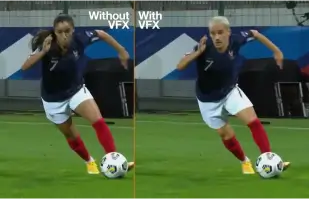
Orange Won the Top Prize for Entertainment for Sport for the MarcelParis, Campaign "WoMen's Football"
Orange's "WoMen's Football" won the top prize for Entertainment for Sport with AKOOL

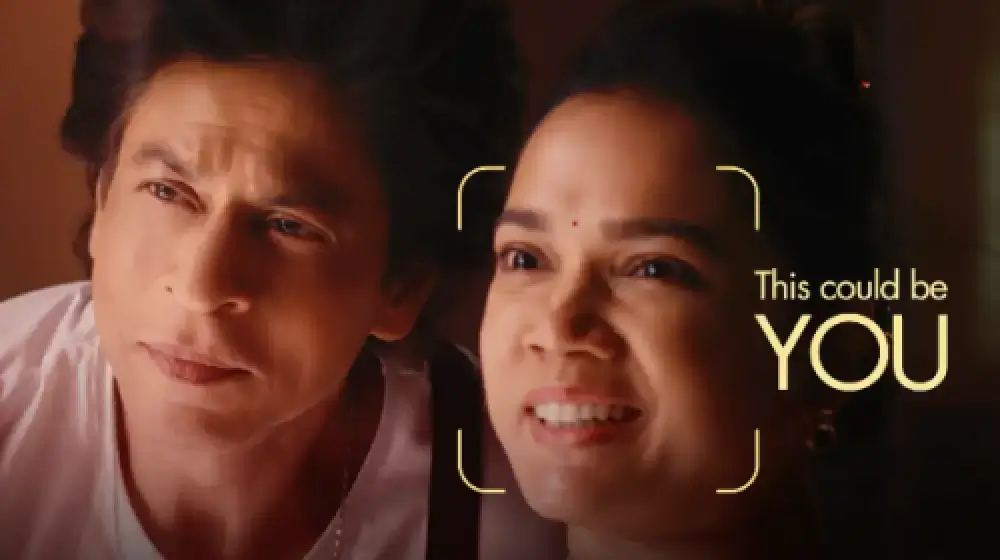
让我们将您与 SRK 一起展示在我们的广告中!
Sunfeast Dark Fantasy 使用 AKOOL 的技术让每个人都能与宝莱坞巨星沙鲁克汗一起出演广告。

AKOOL 与塔塔咨询服务公司合作转型人工智能驱动的营销
AKOOL 与塔塔咨询服务公司合作,转变人工智能驱动的营销,增强提高客户参与度和业务成果的战略和解决方案。

Sunfeast 推出限量版巧克力饼干,配以 AKOOL 的实时数字人
Sunfeast 推出限量版巧克力饼干,利用 AKOOL 的直播虚拟形象进行互动营销。这种创新方法增强了品牌互动性,并有效推广了新产品。

哈根达斯台湾中秋节活动与 AKOOL 的 FaceSwap 工具合作
台湾哈根达斯利用 AKOOL 的 FaceSwap 工具开展中秋节活动,创造出引人入胜的个性化内容,以增强顾客互动并弘扬节日气氛。


人工智能遇上美丽:凡士林印尼借助 AKOOL Avatar 大获成功
凡士林印度尼西亚与 AKOOL 合作,以提高用户参与度。他们利用 AKOOL 的虚拟化身技术,创建了一个以 Febby 为特色的登陆页面,Febby 是一个个性化的数字人,可以按名字向用户打招呼。该页面提供可定制、可下载的视频和聊天选项,促进互动并加强品牌与消费者之间的联系。


AKOOL 对 Curious Refuge 的 AI 电影制作课程的影响
AKOOL 大大增强了 Curious Refuge 的 AI 电影制作课程,提供用户友好的工具,如换脸,以实现一致的角色刻画。此次合作彻底改变了内容创作方式,让学生和教育工作者都能轻松有效地制作电影。


在电影制作和数字叙事中保持角色的一致性
电影制片人 Chrissie Pressman 利用 AKOOL 的生成式 AI 来增强其项目中角色的一致性。她平衡了自己的创意愿景与个人挑战,简化了制作流程,并因其在讲故事中创新使用技术而获得认可。

Deciem 与 AKOOL 合作推出角鲨烷洁面乳数字助理
Deciem 为其角鲨烷清洁剂推出了由 AKOOL 提供支持的数字人类助手,可增强客户参与度并提供个性化支持,以获得更好的购物体验。

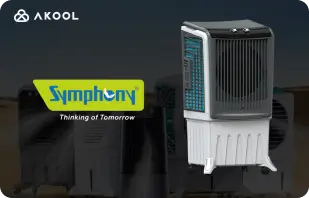
Symphony Coolers 利用 AKOOL 的实时数字人推出 Silenzo 100 沙漠空气冷却器
Symphony Coolers 利用 AKOOL 的实时数字人推出 Silenzo 100 沙漠空气冷却器,增强客户参与度并有效展示创新功能。

Avantis 和安格利亚鲁斯金大学利用直播虚拟化身改造虚拟解剖学课程
Avantis 和安格利亚鲁斯金大学使用 AKOOL 实时数字人增强虚拟解剖学课程,通过交互式和沉浸式教育工具提高学生的参与度和学习体验。

Off-White 利用 AKOOL 的直播虚拟形象推出全新时装系列
Off-White 利用 AKOOL 的实时数字人推出新的时装系列,增强品牌参与度并通过沉浸式数字演示展示创新设计。


AKOOL Avatar 助力 Il Fornaio 在线知名度的上升
意大利著名连锁餐厅 Il Fornaio 采用 AKOOL 的虚拟化身技术,创建了栩栩如生的虚拟形象,用于虚拟游览和信息共享。效果显著,Google Maps 虚拟形象视频平均观看次数达到 170 万次,吸引了更多访客。

Greenworks Tools 利用 AKOOL 的 AI 视频翻译简化全球营销
Greenworks Tools 利用 AKOOL 的 AI 视频翻译、简化内容本地化并提高不同市场的受众参与度来增强全球营销。了解 AI 如何改变营销策略!


对于 Ruth's Chris Steak House 来说,AKOOL 已证明不仅仅是一个图像生成工具。
Ruth's Chris Steak House 使用 AKOOL 的 AI 图像生成功能增强其营销策略,高效地创建定制的高质量视觉效果。

WPP 利用 AKOOL 的背景更改功能增强客户营销活动
WPP 使用 AKOOL 的背景变化功能增强客户活动,允许使用富有创意和定制的视觉效果来提高营销策略的参与度和有效性。


Pictofable 如何使用 AKOOL 的换脸技术创建个性化的儿童故事书
Pictofable 利用 AKOOL 的 Face Swap 技术提供个性化的儿童故事书,让父母可以将孩子的照片融入引人入胜的故事书中


Anshul Joshi's Award-Winning AI Film "Tamara" Using AKOOL
Anshul Joshi's award-winning AI film "Tamara" showcases the power of AKOOL's tools in modern filmmaking, enabling rapid creation and multilingual dubbing, ultimately transforming the creative process for filmmakers and enhancing audience engagement. Discover how AI is revolutionizing the film industry through innovative projects like "Tamara"!


Peeps.xyz 与 AKOOL 携手参加切尔滕纳姆科学节
Peeps.xyz 联合创始人理查德·诺顿 (Richard Norton) 利用 AKOOL 的生成式 AI 平台为切尔滕纳姆科学节 (Cheltenham Science Festival) 打造了一场以深度伪造人物为特色的引人入胜的营销活动。他对这项技术的有效性印象深刻,并对未来的项目充满期待,并强调 AI 具有彻底改变营销策略和增强受众参与度的潜力。


让您的内容、营销和广告更具吸引力和个性化。
Vishal Singh 利用 AKOOL 的 Faceswap 技术通过名人换脸来增强视频内容,强调其在个性化营销策略方面的优势。他强调了该平台的用户友好界面,同时建议改进处理速度,以提高性能并在内容创作中实现更广泛的应用。

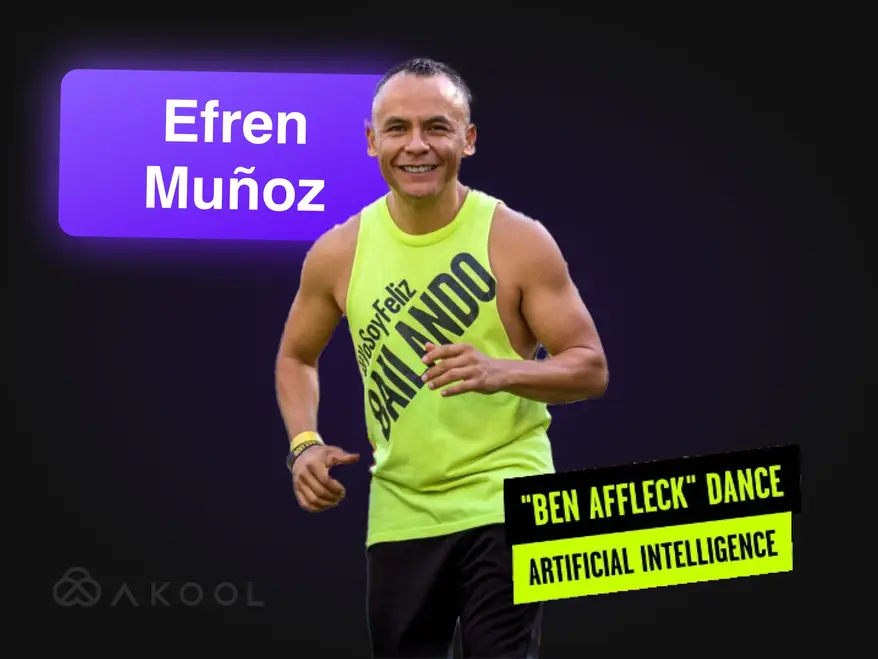
利用尊巴舞将您的营销视频转化为病毒式传播的视频!
来自墨西哥的舞蹈网红埃弗伦·穆诺兹 (Efren Munoz) 利用 AKOOL 提升了自己的线上影响力,并有效地推销了自己的课程。通过制作引人入胜的内容(包括热门舞蹈视频和宣传材料),他显著提高了自己的知名度和课程出勤率,展示了人工智能在营销领域的变革力量。

与 AKOOL 合作构建 Lina World
来认识一下 Lina:这位利用 AKOOL 吸引百万粉丝的虚拟影响者!

Docety 利用 AKOOL 的 Jarvis 进行对话主持,提升研讨会体验
Docety 利用 AKOOL 的 Jarvis 进行对话主持,增强参与度并确保有组织的讨论,从而改善研讨会体验,从而打造更高效的活动环境。探索 AI 驱动的主持优势!
相关文章

2025 年值得尝试的 60 多种 AI 工具
2025年5月29日
紧跟改变数字世界的最新 AI 工具。从内容创作到数据分析,探索这些智能应用如何让您的日常工作生活更加轻松。

最佳企业视频范例及制作方法
2025年5月14日
探索精彩的企业视频范例,学习如何为您的品牌打造引人入胜、专业的视频。获取专家建议和灵感!

最佳直播头像工具:Engage Digital Personas Live
2025年5月22日
探索 2024 年最热门的流媒体头像工具,并学习如何创建动态、引人入胜的数字头像,以增强您的直播内容并吸引观众。

产品视频制作者正在利用人工智能扩大规模——具体方法如下
2024 年 9 月 5 日
AI 产品视频制作者正在通过高效创建可扩展、个性化的内容来彻底改变电子商务。本文探讨了 AKOOL 的创新工具如何简化视频制作,使品牌能够提高参与度并保持质量,同时满足竞争环境中日益增长的消费者需求。立即探索视频营销的未来!

吸引社交媒体内容的最佳人工智能工具
2024 年 8 月 6 日
了解 AI 工具如何彻底改变社交媒体内容创作。本文探讨了制作引人入胜的帖子的最佳平台,重点介绍了 AKOOL 在简化视频制作和增强观众互动方面的能力,最终帮助品牌更有效、更高效地与消费者建立联系。

面向创作者和企业团队的视频营销工具
2024 年 8 月 3 日
本文回顾了创作者和企业团队必备的视频营销工具,重点介绍了它们在提高品牌知名度和参与度方面的优势。本文介绍了 AKOOL、Synthesia 和 HeyGen,强调了简化视频创作、节省时间和成本以及促进跨平台一致品牌推广的 AI 功能。

以下是用于最大化需求生成的 6 大生成式 AI 工具
2024 年 6 月 24 日
探索用于增强需求生成的顶级生成 AI 工具。本文重点介绍了个性化视频内容如何提高参与度、转化率和品牌忠诚度,展示了 AKOOL 作为高效创建定制营销体验的领先平台。

如何利用人工智能营销工具制作商业广告
2024 年 6 月 10 日
了解如何使用 AKOOL 等 AI 工具制作专业级广告。本文探讨了 AI 在广告制作中的优势,包括节省成本、提高效率和个性化内容创作,使各种规模的企业都能快速有效地制作引人入胜的广告。

人工智能营销世界中以人为本的品牌体验
2024 年 5 月 21 日
探索 AI 如何通过创建个性化、以人为本的互动来改变品牌体验。本文讨论了集成 AKOOL 等 AI 工具的重要性,以增强参与度、简化内容创建并保持品牌一致性,最终帮助企业在拥挤的数字环境中脱颖而出。

生成式人工智能如何彻底改变时尚产业
2024 年 4 月 16 日
生成式人工智能正在改变时尚行业,它能够实现快速设计、提升客户体验并减少浪费。本文探讨了品牌如何利用人工智能实现个性化购物、高效生产和创新服装创作,同时解决版权和劳动力影响等挑战。

如何建立有效的本地化营销策略
2024 年 3 月 25 日
了解如何制定有效的本地化营销策略,以适应特定市场的品牌和活动。本文探讨了必要的步骤,包括受众研究和利用 AKOOL 等 AI 工具进行翻译和换脸,以增强参与度并提高全球销量。探索本地化的力量!

最佳视频编辑联盟计划加入
2024 年 11 月 7 日
探索顶级视频编辑联盟计划,以提高您的收入。本文重点介绍最佳选择,包括 AKOOL,它提供有竞争力的佣金和宝贵的营销资源,帮助内容创作者有效地将其平台货币化,同时通过优质的视频编辑工具增强观众参与度。

最佳直播头像工具:Engage Digital Personas Live
2024 年 11 月 24 日
探索可增强直播内容创作的最佳实时数字人工具。本文回顾了顶级平台,重点介绍了可提高观众参与度和提高创作者直播质量的功能。

人工智能聊天机器人为公司和客户带来的最大好处
2024 年 11 月 8 日
了解 AI 聊天机器人为企业和客户带来的最大好处。本文重点介绍如何集成 AI 聊天机器人来增强客户服务、简化运营、降低成本并提高员工满意度,最终改变公司与客户互动的方式并提高整体效率。

人工智能聊天机器人为公司和客户带来的最大好处
2024 年 11 月 6 日
具有虚拟形象的人工智能聊天机器人正在通过提供实时、个性化的互动来改变客户服务。本文探讨了组织如何利用这些先进的工具来提高客户满意度、降低成本和简化运营,最终提高各行业的参与度和效率。

我们试用了 3 款实时直播虚拟形象工具,以下是我们的发现
2024 年 9 月 8 日
本文回顾了三款领先的实时实时数字人工具,重点介绍了它们对社交媒体内容创建者的功能和应用。它强调了 AKOOL 卓越的定制、交互能力和整体性能,帮助用户选择最佳平台来增强受众参与度并有效简化内容创建。

如何使用人工智能技术制作 YouTube 视频
2024 年 9 月 7 日
AI 技术正在改变 YouTube 视频创作,让创作者能够高效地制作优质内容。本文探讨了 AKOOL 的工具如何简化脚本编写、数字人定制和编辑,使用户能够增强参与度并优化视频性能,同时简化制作流程以实现更好的观众互动和增长。

西班牙语到英语的视频翻译:快速更改语言
2024 年 11 月 10 日
西班牙语到英语的视频翻译工具对于扩大内容覆盖范围和吸引全球观众至关重要。本文探讨了它们的优势,重点介绍了 AKOOL 等人工智能翻译器如何节省时间和金钱,同时提高营销活动的可访问性和参与度。

印地语至英语视频翻译器:快速更改语言
2024 年 11 月 9 日
使用 AKOOL 的印地语到英语视频翻译工具转变您的营销策略。本文介绍了人工智能驱动的翻译如何增强印地语企业的可访问性,使他们能够快速且经济高效地接触英语受众,同时保持高质量的内容。

最佳视频翻译应用
2024 年 11 月 7 日
发现有助于打破语言障碍并增强全球观众参与度的最佳视频翻译应用程序。本文回顾了包括 AKOOL、VEED.io 和 Kapwing 在内的顶级工具,重点介绍了它们高效创建多语言内容的功能。将您的视频转化为全球观众可访问的体验!

日语到英语的视频翻译器:快速更改语言
2024 年 10 月 6 日
借助 AI 技术,将视频内容从日语翻译成英语现在变得更加容易。本文探讨了 AKOOL 的视频翻译器如何简化流程,节省时间和成本,同时保留文化差异,使企业能够通过本地化营销活动有效地接触全球受众。探索 AI 驱动翻译的优势!

企业团队如何使用人工智能进行入职培训
2024 年 9 月 3 日
AI 入职工具可以快速且经济高效地创建引人入胜、文化相关的材料,从而简化员工融入流程。本文探讨了企业如何利用 AI 来增强入职体验、提高员工保留率并确保不同员工队伍的合规性,最终营造出更有效、更具包容性的工作环境。

旅行和旅游的最佳 AI 翻译工具
2024 年 7 月 17 日
探索人工智能如何改变旅行和旅游营销。本文讨论了人工智能工具(如 AKOOL)对创建多语言活动、增强客户参与度以及使小公司能够参与全球竞争的影响,最终彻底改变了企业在日益数字化的市场中与旅行者联系的方式。

人工智能培训视频:翻译工具如何简化全球劳动力发展
2024 年 5 月 19 日
AI 培训视频通过提供可扩展、可定制且引人入胜的培训解决方案,彻底改变了劳动力发展。本文探讨了 AI 和翻译工具如何增强全球培训工作,在克服语言障碍的同时确保可访问性和一致性,最终简化不同地区不同员工群体的培训流程。

如何在几分钟内翻译 YouTube 视频
2024 年 3 月 24 日
了解如何使用 AKOOL 的高级 AI 工具高效翻译 YouTube 视频。本文提供了创建高质量本地化内容的分步指南,可增强多种语言的观众参与度,同时简化视频制作流程,实现更好的国际影响力。

具有语音克隆功能的最佳文本转语音应用程序
2024 年 3 月 23 日
在本文中探索具有语音克隆功能的最佳文本转语音应用程序。探索 AKOOL 等顶级工具,它提供逼真的声音和高级功能,增强各种应用程序的内容创建和个性化。了解这些创新技术如何改变您的音频体验并提高跨平台的参与度!
%20-%20Akool%20Blog%20Banner-p-500.webp)
最佳在线 AI 视频配音工具(免费)
2024 年 3 月 22 日
发现最佳的在线 AI 视频配音工具,简化多语言内容创作。本文回顾了包括 AKOOL 在内的各种平台,重点介绍了它们的功能和能力,以提高视频的可访问性和参与度,使创作者能够更轻松地高效、有效地接触全球观众。
视频本地化:如何有效且轻松地进行
2024 年 3 月 21 日
视频本地化通过调整内容以适应不同的文化和语言,将企业与全球观众联系起来。本文概述了使用 AKOOL 视频翻译器等工具翻译视频的有效策略,以提高品牌在不同市场的知名度和参与度。

对最佳 AI 视频编辑软件进行基准测试
2024 年 8 月 2 日
探索当今最热门的 AI 视频编辑软件。本文回顾了包括 AKOOL 在内的领先工具,重点介绍了它们的用户友好功能和成本效益,使营销人员和创作者能够快速高效地制作专业品质的视频,从而改变了所有技能水平的视频编辑格局。

营销团队的五大 AI 视频制作工具
2024 年 7 月 8 日
AI 视频制作工具对于现代营销策略至关重要,可帮助团队快速高效地制作高质量视频。本文回顾了包括 AKOOL 在内的五大工具,重点介绍了它们的优势、功能和成本效益,帮助企业增强视频营销力度并更有效地吸引观众。

7 大视频营销 API,助力提升品牌参与度
2024 年 11 月 25 日
了解可增强内容创建和分发的七大视频营销 API。本文重点介绍 AKOOL API 的功能、优势以及它们如何有效提升您的视频营销策略。

最佳视频内容本地化 API:无缝多语言覆盖
2024 年 11 月 21 日
探索最佳的视频本地化 API,以增强全球影响力。本文回顾了可提高可访问性和参与度的 AKOOL API,确保您的内容有效地引起不同受众的共鸣。

最佳即时数字人 API:立即创建数字身份
2024 年 11 月 20 日
探索最佳的即时数字人 API,让开发人员能够快速轻松地创建个性化数字人。本文重点介绍包括 AKOOL 在内的顶级选项,展示它们在增强各种应用程序中的用户参与度方面的功能和优势。

最佳 AI 内容审核工具
2024 年 10 月 5 日
探索最佳的 AI 内容审核工具,以增强在线社区管理。本文回顾了包括 AKOOL 的 Jarvis 在内的顶级平台,重点介绍了它们的准确性、定制性和可扩展性,以帮助企业维护品牌完整性并有效地营造安全的数字环境。

人工智能内容审核:了解其工作原理
2024 年 10 月 4 日
AKOOL AI 内容审核可帮助组织管理社交媒体上大量的用户生成内容,确保遵守社区准则。本文介绍了其优势,包括成本效益和可扩展性,同时强调了 AI 工具如何通过有效过滤不适当的内容来增强用户安全性和参与度。

新的 API 正在帮助企业利用生成式 AI 工具扩大客户参与度
2024 年 5 月 13 日
生成式 AI 工具正在通过简化内容创建、增强受众参与度和自动化流程来改变企业营销。本文探讨了 AKOOL 的 Gen AI API 如何帮助企业创新营销策略并提高效率,确保他们在快速发展的环境中保持竞争力。

使用我们的唇形同步动画生成器转换您的内容
2024 年 4 月 24 日
了解 AKOOL 的口型同步动画生成器如何通过将角色嘴部动作与音频无缝同步来改变内容创作。本文探讨了它在各个行业的应用,通过与观众产生情感共鸣的动态动画来增强参与度和叙事性,使其成为营销人员、教育工作者和演艺人员的必备工具。

如何制作唇形同步视频来改变你的营销方式并提高参与度
2024 年 4 月 23 日
了解如何使用 AKOOL 制作引人入胜的口型同步视频。本文提供了分步指南,重点介绍了自动口型同步对营销、观众参与和跨各种平台高效内容创作的好处。

利用人工智能唇形同步技术打破语言障碍
2024 年 4 月 14 日
Lip Sync API 使企业能够快速且经济地制作本地化视频,打破语言障碍。本文探讨了它的好处,包括增强参与度、成本效益以及为全球观众制作超现实内容的能力,从而转变营销策略和内容创建流程。

最佳人工智能数字人生成器
2024 年 11 月 1 日
探索 AI 数字人生成器的创新世界,它允许用户创建个性化的数字数字人,以进行引人入胜的内容创作。本文重点介绍了最佳平台,包括 AKOOL,它提供高级定制和逼真的交互。了解这些工具如何有效地增强营销、客户服务和社交媒体策略。

对最佳 AI 虚拟形象资源进行基准测试
2024 年 7 月 8 日
探索 AI 数字人生成器在增强营销策略方面的强大功能。本文回顾了目前最好的工具,包括 AKOOL,它提供强大的自定义和用户友好功能,使品牌能够创建引人入胜且互动的内容,引起观众的共鸣并有效提升他们的营销效果。
%20-%20Akool%20Blog%20Banner.webp)
使用照片和脚本创建交互式演示(让 AI 完成剩下的工作!)
2024 年 6 月 10 日
了解如何使用 AKOOL 等 AI 工具创建引人入胜的交互式演示。本指南概述了将照片和脚本转换为沉浸式演示文稿的过程,增强了用户教育和产品理解,同时节省了演示创建的时间和精力。立即探索交互式内容的未来!

创意营销团队喜欢即时数字人……不要落后
2024 年 5 月 19 日
即时数字人正在改变营销策略,使品牌能够快速创建引人入胜的个性化内容。本文探讨了这些多功能工具如何增强受众互动并推动转化,帮助企业在竞争环境中脱颖而出,同时有效简化其内容创建流程。

最佳视频内容即时数字人工具
2024 年 5 月 18 日
AI 虚拟形象工具正在彻底改变营销方式,使企业能够高效地创建个性化、引人入胜的内容。本文探讨了目前最好的虚拟形象工具,强调了它们在增强客户互动和简化内容创建流程方面的潜力。立即了解这些创新如何改变您的营销策略!

生成式人工智能如何让员工入职视频变得简单
2024 年 5 月 13 日
员工入职视频对于向新员工介绍公司文化和价值观至关重要。本文探讨了生成式人工智能如何简化视频制作,提高参与度和效率,同时培养归属感,最终简化入职流程并改善整体员工体验。
如何轻松实现视频和电影的自动口型同步
2024 年 4 月 19 日
自动唇形同步技术通过将人工智能虚拟人物的唇形动作与音频无缝同步,彻底改变了视频创作。本文介绍了品牌如何利用这一创新工具高效制作内容,增强代言人视频的参与度和真实感,最终简化流程并改善跨平台的观众互动。

Synthesia 替代品(并排功能比较)
2024 年 4 月 11 日
探索用于 AI 视频创作的 Synthesia 的最佳替代方案。本文比较了包括 AKOOL 在内的各种平台,重点介绍了它们的独特功能和用户友好界面,使企业能够更轻松地高效、有效地制作引人入胜、以虚拟形象为主导的内容。探索哪种工具最适合您的需求!

如何使用人工智能创建自定义游戏数字人
2024 年 3 月 20 日
使用 AI 创建自定义游戏数字人可让玩家表达自己的个性并增强游戏体验。本指南探讨如何利用 AKOOL 的高级图像生成器制作独特的数字人,使其在 Twitch 和 Discord 等平台上脱颖而出,从而在充满活力的游戏社区中获得认可。

HeyGen 的 AI 视频和自定义数字人替代品
2024 年 3 月 17 日
探索 HeyGen 的最佳替代品,用于 AI 视频创作和自定义数字人。本文重点介绍了 AKOOL 作为其顶级竞争对手,其具有用户友好的数字人自定义工具和文本转视频功能。AKOOL 采用灵活的随用随付定价,非常适合希望释放创造力的初学者和普通用户。

最佳语音克隆软件
2024 年 11 月 2 日
探索市场上最热门的语音克隆软件,包括 AKOOL 和 Resemble AI。本文将介绍它们的功能、定价和最佳用例,帮助您选择理想的工具来创建符合您需求的逼真音频内容。

最佳员工培训视频示例
2024 年 10 月 8 日
本文展示了员工培训视频的最佳示例,重点介绍了增强组织内部学习和参与度的有效技术和策略。了解这些视频如何改善培训成果并培养高效的工作场所文化。

最佳 AI 文本转语音工具
2024 年 11 月 5 日
探索顶级 AI 文本转语音工具,这些工具通过将文本转换为自然语音来增强内容创作。本文回顾了包括 AKOOL 在内的各种平台,重点介绍了它们为视频、播客和交互式媒体制作高质量画外音的独特功能和能力。

最佳 AI 文本转视频生成器
2024 年 7 月 8 日
发现最佳的 AI 文本转视频生成器,简化营销人员的视频制作。本文回顾了包括 AKOOL 在内的顶级平台,重点介绍了它们的功能、自定义选项和成本效益,使企业能够快速高效地创建引人入胜的内容,而无需专业技能。

如何使用人工智能更改产品照片背景
2024 年 6 月 10 日
AKOOL 的 AI 背景编辑工具彻底改变了产品摄影,让用户能够轻松更改和自定义背景。这项技术可以节省时间、增强视觉吸引力并确保一致性,让企业能够创建专业品质的图像,从而提高参与度并有效推动销售。

7 款最佳照片换脸工具:轻松实现逼真的换脸效果
2024 年 11 月 23 日
AKOOL 提供创新的脸部替换工具,可增强照片编辑体验,使用户能够毫不费力地创建有趣且引人入胜的内容。

7 款最佳多人换脸应用,实现逼真、快速的群组编辑
2024 年 11 月 22 日
探索七款最佳的多脸交换应用,让用户可以创建有趣且引人入胜的内容。本文回顾了最佳选项,重点介绍了 AKOOL 脸部交换功能和易用性,可轻松转换照片和视频。探索这些创意工具,以增强您的社交媒体影响力!

最佳照片动画应用
2024 年 11 月 8 日
AKOOL 是一款功能强大、用户友好的应用程序,可以精确地为照片添加动画效果,让用户能够为社交媒体和个人项目创建令人惊叹的视觉效果。其直观的界面和各种叠加选项使其成为希望轻松增强图像的初学者和专业人士的理想选择。

最佳视频换脸应用
2024 年 11 月 3 日
AKOOL 是一款领先的换脸应用,可让用户在视频中创建令人惊叹、逼真的换脸效果。凭借其直观的界面和先进的 AI 技术,AKOOL 可满足初学者和专业人士的需求,使其成为任何希望以创造性和有效的方式增强视频内容的人的理想选择。

最佳人工智能照片应用
2024 年 10 月 31 日
发现适合内容创作者和社交媒体爱好者的顶级视频换脸应用。本文回顾了包括 AKOOL 在内的各种工具,重点介绍了它们的独特功能和能力,使用户能够轻松创建引人入胜且有趣的视频内容,同时增强他们的创意项目。

排名:HeyGen 顶级竞争对手
2024 年 8 月 1 日
本文对 HeyGen 的主要竞争对手进行了排名,并强调 AKOOL 是领先的替代方案。它比较了功能、用户体验和性能,展示了企业为何转向 AKOOL,因为它拥有卓越的工具和 AI 生成内容创建效率。发现最适合您营销需求的选项!

最佳视频换脸工具
2024 年 7 月 26 日
在本文中,您将发现最适合视频的换脸工具,并比较了 AKOOL 和 Reface 等顶级选项。了解这些创新工具如何通过创建个性化、引人入胜的内容来增强您的营销策略,从而吸引观众并推动转化,使视频营销更具活力和有效性。

哪种 AI 换脸工具可以提高营销投资回报率?
2024 年 5 月 11 日
了解 AI 换脸工具如何提高营销投资回报率。本文探讨了衡量效果的关键功能、成功案例研究和可行步骤,帮助企业利用这些创新工具开展个性化、引人入胜的广告活动,从而提高效果并改善受众联系。

使用 AKOOL 的 AI 人脸生成器生成与自己相似的照片
2024 年 4 月 18 日
AKOOL 的 AI 人脸生成器让用户能够轻松创建逼真的相似照片。本文探讨了它的功能、优势和应用,重点介绍了它如何改变个人和专业用途的内容创作,同时只需单击几下即可确保高质量和个性化的结果。

批量换脸:如何在集体照中交换多个面孔
2024 年 4 月 17 日
批量换脸技术简化了集体照中多张脸的交换过程,节省了时间并增强了创造力。本文探讨了 AKOOL 的工具如何实现高效的换脸,使其成为摄影师、营销人员和内容创作者的理想选择,他们希望简化工作流程,同时轻松获得高质量的结果。

12 款最佳 Deepfake 应用,可实现逼真的换脸效果
2024 年 4 月 13 日
在本文中探索用于逼真换脸的五大深度伪造应用程序。探索它们的独特功能、易用性以及在营销和娱乐领域的应用,帮助用户轻松创建引人入胜的内容,同时应对深度伪造技术的道德考量。

如何制作换脸视频
2024 年 4 月 12 日
了解如何使用 AKOOL 的换脸工具轻松更换视频中的脸部。本文提供了分步指南、获得真实效果的技巧,并重点介绍了 AI 技术在视频编辑中的优势,让初学者和希望增强内容创作能力的专业人士都能轻松掌握。

适用于 B2C 和企业营销团队的最佳 AI 视频换脸工具
2024 年 3 月 28 日
在本文中探索用于营销的最佳 AI 视频换脸工具。它将 AKOOL 的顶尖平台与九家竞争对手进行比较,突出其卓越的品质、真实感和用户友好的功能,使其成为创建引人入胜的广告和社交媒体内容的理想选择,可以吸引观众并有效推动销售。

如何免费在线更换照片性别
2024 年 3 月 27 日
了解如何使用 AKOOL 的换脸功能在线轻松转换照片的性别。本指南提供了转换图像的分步说明,让您探索不同的性别表达方式,并使用 AI 技术增强您的创造力。

如何处理营销中的危机管理
2024 年 3 月 26 日
AKOOL 提供创新的营销危机管理工具,包括换脸技术,可帮助品牌在争议期间迅速调整宣传材料,有效地维护声誉并维持消费者信任。

如何用
2024 年 3 月 18 日
了解如何使用 AI 技术创建引人入胜的会说话的面部动画。本文提供了使用 AKOOL 平台的分步指南,使用户能够制作逼真的数字人,以增强数字营销和讲故事的能力,使每个人都可以高效地创建内容,无论其技术专长如何。

如何制作 Deepfake 视频
2024 年 3 月 18 日
本文提供了使用 AKOOL 制作深度伪造视频的分步指南,涵盖了基本工具和技术,同时强调负责任使用时的道德考虑。

人工智能生成的图形设计如何降低你的营销成本
2024 年 6 月 10 日
人工智能生成的图形设计正在改变营销方式,让用户能够快速且经济地创建令人惊叹的视觉效果。本文探讨了 AKOOL 等平台如何降低成本、提高效率和实现设计民主化,让企业无需庞大的设计团队或专业技能即可制作出高质量的营销材料。

人工智能生成的产品图像正在打造令人难以置信的营销活动
2024 年 6 月 1 日
人工智能生成的产品图像正在通过快速且经济的方式提供令人惊叹的视觉效果,彻底改变电子商务营销。本文探讨了品牌如何利用 AKOOL 创建可定制的高质量图像,以增强参与度、简化工作流程并最终推动销售,从而改变数字领域的传统摄影实践。
%20-%20Akool%20Blog%20Banner.png-p-500.webp)
人工智能艺术的最佳提示(示例和灵感)
2024 年 3 月 19 日
使用 AKOOL 的图像生成器发现生成令人惊叹的 AI 艺术作品的最佳提示。本文提供了示例和技巧来增强您的创造力,使任何人都能轻松有效地创建独特的视觉效果,无论艺术技能水平如何。

使用此视频营销自动化工具大规模制作自定义消息
2024 年 9 月 6 日
视频营销自动化简化了个性化视频内容的创建和分发,使营销人员能够有效地大规模吸引潜在客户。本文探讨了 AKOOL 的工具,重点介绍了提高投资回报率、增强参与度和简化工作流程等优势,使通过定制消息传递更容易将潜在客户转化为忠实客户。

五大 AI 工具助您加速潜在客户生成和投资回报率
2024 年 6 月 24 日
了解 AI 潜在客户生成工具如何增强您的营销策略。本文重点介绍包括 AKOOL 在内的五大工具,这些工具可简化工作流程、降低成本并提高潜在客户质量,最终提高您的投资回报率并帮助您高效地将潜在客户转化为忠实客户。

最佳照片唱歌应用
2024 年 11 月 8 日
发现最好的照片歌唱应用,它们可以将图像动画化,创造出引人入胜的歌唱表演。本文回顾了包括 AKOOL 在内的各种平台,重点介绍了它们的功能和易用性,可以将静态照片转换为生动的音乐内容,非常适合社交媒体和个人项目。
新闻报道

实时 AI 视频会成为下一个 Zoom 吗?
May 29, 2025

当人工智能上线:实时人类存在的未来
June 16, 2025

Techcrunch - Building a Gen AI Unicorn with Global Resources, Innovation, and Efficiency: The AKOOL Way
Feb 28, 2025

G2 - 9 Best Generative AI Tools I Use: Which One Leads Today?
Feb 10, 2025

Microsoft - 5 key marketing tips for early-stage business startup founders
Dec 17, 2024

AKOOL Introduces AMD-Advanced Technology, Revolutionizing Digital Experiences with Simplified In-Device Avatars
Jan 3, 2025

AKOOL Achieves $40M in Invoiced ARR, Accelerating Growth in AI-Driven Content Creation for Diverse Industries
Nov 13, 2024

AKOOL Unveils Enhanced Streaming Avatars with Seamless LLM Integration to Revolutionize Human-Machine Interactions
Feb 26, 2025

AKOOL Announces Strategic Bollywood Partnership to Revolutionize AI in Digital Immersion and Video Markets
Nov 25, 2024

AKOOL 推出新一代人工智能虚拟形象,为自我表达树立新标准
April 12, 2024

Akool 的生成式 AI 平台为品牌参与树立新标准
Nov 30, 2023
了解更多人工智能驱动工具
Akool 拥有一整套 AI 工具,可用于图像创作、视频制作和头像设计,充分释放其潜力。无论您是构建营销内容、扩展电子学习规模,还是打造个性化沟通体验,Akool 都能为您的战略发展提供全程助力。


