Kling 2.6: Cinematic AI Video Generator with Native Audio & Immersive Sound Effects
Generate AI Video and Audio Together
Kling 2.6 introduces Native Audio, transforming your workflow from silent visuals to complete, immersive audio-visual experiences in a single, seamless step.
Generate AI Video and Audio Together
Kling 2.6 introduces Native Audio, transforming your workflow from silent visuals to complete, immersive audio-visual experiences in a single, seamless step.
Kling 2.6 Major Update
Native Audio Precision: Perfectly Matched Sound for Every Frame
Text-to-Audio-Visual in a Single Click
Simply type a prompt and receive a full, sound-rich scene. Go from a single sentence to a complete narrative, perfect for Vlogs, Product Demos, and Social Media Ads.
Image-to-Audio-Visual: Bring Stills to Life
Upload any static image and instantly generate dynamic video content complete with synchronized, high-fidelity audio. The fastest way to enhance existing assets.
Immersive "What You See Is What You Hear"
Kling deep semantic alignment ensures the audio perfectly matches the on-screen action, delivering a professional, captivating viewing experience for multi-character dialogues, music performances, and creative scenes.
Community Creations
3 Simple Steps to Create

1
Select a model and generate templates.
Akool partners with the world's top model providers, giving you access to the newest, widest, and most affordable models available.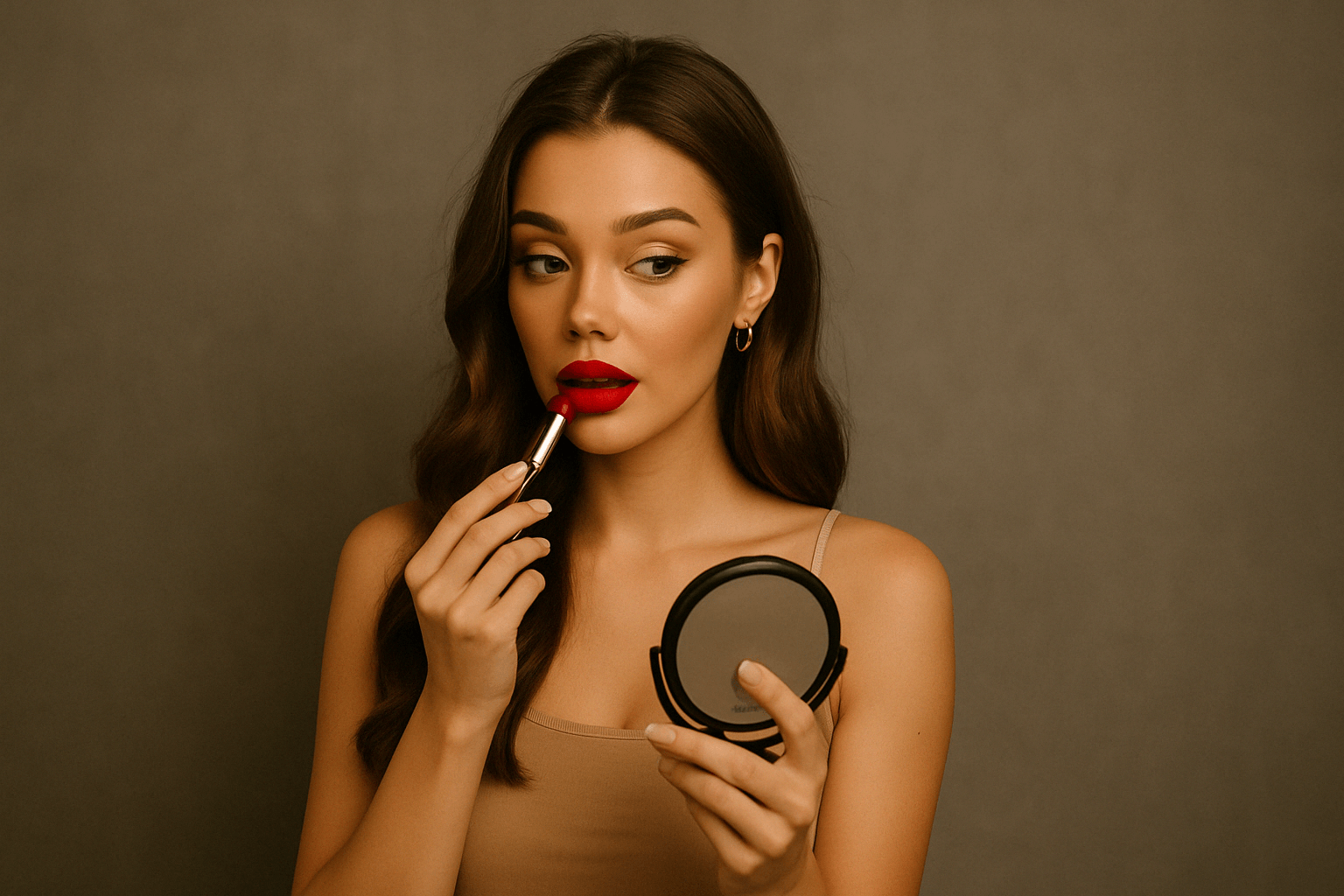
2
Add image
Upload or generate an image to start your generation.3
Get Video
Click generate to create your final video!Why Choose Akool?
Diffusion-based Image-to-Video Synthesis
Instant Professional Rendering
Generate polished video assets from images in seconds using diffusion-based synthesis, neural frame interpolation, and high-fidelity visual rendering.
Temporal Consistency in Character Identity
Seamless Identity Persistence
Maintain consistent faces, expressions, and identity attributes across frames using computer vision models optimized for high-fidelity video continuity.
API-driven Creative Exploration
Neural Workflow Inspiration
Explore community-generated examples to discover production patterns, diffusion-based video workflows, and scalable generative content ideas.
View All Models
Wan
Gemini
OpenAI
Sora
Seedance
Hailuo
Kling
Veo
GPT
Vidu Q3
PixVerse
HappyHorse
Grok
Wan
Gemini
OpenAI
Sora
Seedance
Hailuo
Kling
Veo
GPT
Vidu Q3
PixVerse
HappyHorse
Grok
Wan
Gemini
OpenAI
Sora
Seedance
Hailuo
Kling
Veo
GPT
Vidu Q3
PixVerse
HappyHorse
Grok
Wan
Gemini
OpenAI
Sora
Seedance
Hailuo
Kling
Veo
GPT
Vidu Q3
PixVerse
HappyHorse
Grok
Wan
Gemini
OpenAI
Sora
Seedance
Hailuo
Kling
Veo
GPT
Vidu Q3
PixVerse
HappyHorse
Grok
Wan
Gemini
OpenAI
Sora
Seedance
Hailuo
Kling
Veo
GPT
Vidu Q3
PixVerse
HappyHorse
Grok
Wan
Gemini
OpenAI
Sora
Seedance
Hailuo
Kling
Veo
GPT
Vidu Q3
PixVerse
HappyHorse
Grok
Wan
Gemini
OpenAI
Sora
Seedance
Hailuo
Kling
Veo
GPT
Vidu Q3
PixVerse
HappyHorse
Grok
What Our Users Are Saying
Sarah Johnson
Just tried Kling 2.6 and the native audio sync is a game-changer! No more post-production fiddling with dialogue. The characters' mouth shapes match the script perfectly. This is a massive leap forward for creating talking heads and narrative clips.
David Klein
Kling 2.6 is a game-changer for my social media content. The Image-to-Video feature is flawless—it animated my photo while keeping the person's identity and style intact. Plus, the speed is incredible for a 1080p output. Definitely recommend giving it a shot.
Alex Miller
It's good, but the 10-second limit is a real constraint for my longer projects. I have to chain clips, which adds time. I'm using Kling 2.6 for professional work, so every minute counts. The character consistency is beautiful, though.
Jessica Lee
The new cinematic camera control in Kling 2.6 is amazing! Being able to fine-tune the pans, zooms, and tracking shots makes a massive difference in the final look. This is what I've been waiting for in an image-to-video tool to get that professional feel.
Michael Brown
Solid update. Kling 2.6 delivers on its promise of better realism, especially with the physics-accurate motion. My animated objects move so much more naturally now. Still hoping for longer clip lengths in the future, but I'm happy with this.
Emily Rose
I'm a total beginner, and Kling 2.6 was so easy to pick up. I used the Text-to-Video feature to build an entirely new scene, and the natural ambience sound effects were generated automatically. Five stars for the all-in-one generation!
Chris Peterson
Okay, so I compared Kling 2.6 with another leading AI. While the other one had slightly better facial detail, Kling 2.6 absolutely crushed it on consistent identity, the outfit and face stayed the same across the whole 10-second clip. The video just feels more stable and less 'flickery.'
Laura Green
The Multi-image guidance feature in Kling 2.6 is subtle but powerful. I used four reference images to lock in the style and props, and the final video was exactly what I envisioned. It's a significant step up in creative control.
Sarah Johnson
Just tried Kling 2.6 and the native audio sync is a game-changer! No more post-production fiddling with dialogue. The characters' mouth shapes match the script perfectly. This is a massive leap forward for creating talking heads and narrative clips.
David Klein
Kling 2.6 is a game-changer for my social media content. The Image-to-Video feature is flawless—it animated my photo while keeping the person's identity and style intact. Plus, the speed is incredible for a 1080p output. Definitely recommend giving it a shot.
Alex Miller
It's good, but the 10-second limit is a real constraint for my longer projects. I have to chain clips, which adds time. I'm using Kling 2.6 for professional work, so every minute counts. The character consistency is beautiful, though.
Jessica Lee
The new cinematic camera control in Kling 2.6 is amazing! Being able to fine-tune the pans, zooms, and tracking shots makes a massive difference in the final look. This is what I've been waiting for in an image-to-video tool to get that professional feel.
Michael Brown
Solid update. Kling 2.6 delivers on its promise of better realism, especially with the physics-accurate motion. My animated objects move so much more naturally now. Still hoping for longer clip lengths in the future, but I'm happy with this.
Emily Rose
I'm a total beginner, and Kling 2.6 was so easy to pick up. I used the Text-to-Video feature to build an entirely new scene, and the natural ambience sound effects were generated automatically. Five stars for the all-in-one generation!
Chris Peterson
Okay, so I compared Kling 2.6 with another leading AI. While the other one had slightly better facial detail, Kling 2.6 absolutely crushed it on consistent identity, the outfit and face stayed the same across the whole 10-second clip. The video just feels more stable and less 'flickery.'
Laura Green
The Multi-image guidance feature in Kling 2.6 is subtle but powerful. I used four reference images to lock in the style and props, and the final video was exactly what I envisioned. It's a significant step up in creative control.
Sarah Johnson
Just tried Kling 2.6 and the native audio sync is a game-changer! No more post-production fiddling with dialogue. The characters' mouth shapes match the script perfectly. This is a massive leap forward for creating talking heads and narrative clips.
David Klein
Kling 2.6 is a game-changer for my social media content. The Image-to-Video feature is flawless—it animated my photo while keeping the person's identity and style intact. Plus, the speed is incredible for a 1080p output. Definitely recommend giving it a shot.
Alex Miller
It's good, but the 10-second limit is a real constraint for my longer projects. I have to chain clips, which adds time. I'm using Kling 2.6 for professional work, so every minute counts. The character consistency is beautiful, though.
Jessica Lee
The new cinematic camera control in Kling 2.6 is amazing! Being able to fine-tune the pans, zooms, and tracking shots makes a massive difference in the final look. This is what I've been waiting for in an image-to-video tool to get that professional feel.
Michael Brown
Solid update. Kling 2.6 delivers on its promise of better realism, especially with the physics-accurate motion. My animated objects move so much more naturally now. Still hoping for longer clip lengths in the future, but I'm happy with this.
Emily Rose
I'm a total beginner, and Kling 2.6 was so easy to pick up. I used the Text-to-Video feature to build an entirely new scene, and the natural ambience sound effects were generated automatically. Five stars for the all-in-one generation!
Chris Peterson
Okay, so I compared Kling 2.6 with another leading AI. While the other one had slightly better facial detail, Kling 2.6 absolutely crushed it on consistent identity, the outfit and face stayed the same across the whole 10-second clip. The video just feels more stable and less 'flickery.'
Laura Green
The Multi-image guidance feature in Kling 2.6 is subtle but powerful. I used four reference images to lock in the style and props, and the final video was exactly what I envisioned. It's a significant step up in creative control.
Sarah Johnson
Just tried Kling 2.6 and the native audio sync is a game-changer! No more post-production fiddling with dialogue. The characters' mouth shapes match the script perfectly. This is a massive leap forward for creating talking heads and narrative clips.
David Klein
Kling 2.6 is a game-changer for my social media content. The Image-to-Video feature is flawless—it animated my photo while keeping the person's identity and style intact. Plus, the speed is incredible for a 1080p output. Definitely recommend giving it a shot.
Alex Miller
It's good, but the 10-second limit is a real constraint for my longer projects. I have to chain clips, which adds time. I'm using Kling 2.6 for professional work, so every minute counts. The character consistency is beautiful, though.
Jessica Lee
The new cinematic camera control in Kling 2.6 is amazing! Being able to fine-tune the pans, zooms, and tracking shots makes a massive difference in the final look. This is what I've been waiting for in an image-to-video tool to get that professional feel.
Michael Brown
Solid update. Kling 2.6 delivers on its promise of better realism, especially with the physics-accurate motion. My animated objects move so much more naturally now. Still hoping for longer clip lengths in the future, but I'm happy with this.
Emily Rose
I'm a total beginner, and Kling 2.6 was so easy to pick up. I used the Text-to-Video feature to build an entirely new scene, and the natural ambience sound effects were generated automatically. Five stars for the all-in-one generation!
Chris Peterson
Okay, so I compared Kling 2.6 with another leading AI. While the other one had slightly better facial detail, Kling 2.6 absolutely crushed it on consistent identity, the outfit and face stayed the same across the whole 10-second clip. The video just feels more stable and less 'flickery.'
Laura Green
The Multi-image guidance feature in Kling 2.6 is subtle but powerful. I used four reference images to lock in the style and props, and the final video was exactly what I envisioned. It's a significant step up in creative control.
Robert Harris
I'm still getting artifacts on high-motion scenes, especially when trying to simulate complex physics. It's better than 2.5, but not perfect. Kling 2.6 needs to work on improving the motion realism for fast action. For simple pans and zooms, it's fantastic.
Sophia White
My biggest issue is the credit system. I love the quality of Kling 2.6, but I burn through credits too fast, especially since it generates both video and audio now. Maybe offer a better subscription tier for heavy users? The perfect lip-sync is worth it, but the cost adds up quickly.
Daniel Flores
I've been using AI video tools since the beginning, and Kling 2.6 is the first one that genuinely feels like a professional tool. The bilingual audio support for both English and Chinese is a huge plus for my international clients. The attention to detail in the lighting and shadow work is incredible.
Olivia Chen
Has anyone tried the singing generation feature? The video from Kling 2.6 is perfect, but when I try to make a character sing, the lip-sync is almost perfect but not quite there yet. It's probably user error, but a quick fix or tutorial would be great! Otherwise, the visual output is stunning.
Ethan Smith
Just a quick note to say that Kling 2.6 is the best AI tool I've used this year. The quality-to-speed ratio is unmatched, and the fact that it generates 1080p output in one go is fantastic. Keep up the great work, team!
Mia Thompson
The community tutorials for Kling 2.6 are really helpful. I was struggling with prompt engineering, but after watching a few videos, I'm getting much better results, especially with specifying the dialogue and sound effects. The tool itself is powerful, but the learning curve for getting perfect results is still there.
Noah Zimmerman
I'm skeptical of all these AI tools, but Kling 2.6 actually impressed me. I used a very old, low-resolution image, and the resulting video was surprisingly clean and high-def. It's not just animating the image; it's intelligently upscaling and enhancing it while maintaining consistent identity. Color me converted. This is a powerful piece of software.
Robert Harris
I'm still getting artifacts on high-motion scenes, especially when trying to simulate complex physics. It's better than 2.5, but not perfect. Kling 2.6 needs to work on improving the motion realism for fast action. For simple pans and zooms, it's fantastic.
Sophia White
My biggest issue is the credit system. I love the quality of Kling 2.6, but I burn through credits too fast, especially since it generates both video and audio now. Maybe offer a better subscription tier for heavy users? The perfect lip-sync is worth it, but the cost adds up quickly.
Daniel Flores
I've been using AI video tools since the beginning, and Kling 2.6 is the first one that genuinely feels like a professional tool. The bilingual audio support for both English and Chinese is a huge plus for my international clients. The attention to detail in the lighting and shadow work is incredible.
Olivia Chen
Has anyone tried the singing generation feature? The video from Kling 2.6 is perfect, but when I try to make a character sing, the lip-sync is almost perfect but not quite there yet. It's probably user error, but a quick fix or tutorial would be great! Otherwise, the visual output is stunning.
Ethan Smith
Just a quick note to say that Kling 2.6 is the best AI tool I've used this year. The quality-to-speed ratio is unmatched, and the fact that it generates 1080p output in one go is fantastic. Keep up the great work, team!
Mia Thompson
The community tutorials for Kling 2.6 are really helpful. I was struggling with prompt engineering, but after watching a few videos, I'm getting much better results, especially with specifying the dialogue and sound effects. The tool itself is powerful, but the learning curve for getting perfect results is still there.
Noah Zimmerman
I'm skeptical of all these AI tools, but Kling 2.6 actually impressed me. I used a very old, low-resolution image, and the resulting video was surprisingly clean and high-def. It's not just animating the image; it's intelligently upscaling and enhancing it while maintaining consistent identity. Color me converted. This is a powerful piece of software.
Robert Harris
I'm still getting artifacts on high-motion scenes, especially when trying to simulate complex physics. It's better than 2.5, but not perfect. Kling 2.6 needs to work on improving the motion realism for fast action. For simple pans and zooms, it's fantastic.
Sophia White
My biggest issue is the credit system. I love the quality of Kling 2.6, but I burn through credits too fast, especially since it generates both video and audio now. Maybe offer a better subscription tier for heavy users? The perfect lip-sync is worth it, but the cost adds up quickly.
Daniel Flores
I've been using AI video tools since the beginning, and Kling 2.6 is the first one that genuinely feels like a professional tool. The bilingual audio support for both English and Chinese is a huge plus for my international clients. The attention to detail in the lighting and shadow work is incredible.
Olivia Chen
Has anyone tried the singing generation feature? The video from Kling 2.6 is perfect, but when I try to make a character sing, the lip-sync is almost perfect but not quite there yet. It's probably user error, but a quick fix or tutorial would be great! Otherwise, the visual output is stunning.
Ethan Smith
Just a quick note to say that Kling 2.6 is the best AI tool I've used this year. The quality-to-speed ratio is unmatched, and the fact that it generates 1080p output in one go is fantastic. Keep up the great work, team!
Mia Thompson
The community tutorials for Kling 2.6 are really helpful. I was struggling with prompt engineering, but after watching a few videos, I'm getting much better results, especially with specifying the dialogue and sound effects. The tool itself is powerful, but the learning curve for getting perfect results is still there.
Noah Zimmerman
I'm skeptical of all these AI tools, but Kling 2.6 actually impressed me. I used a very old, low-resolution image, and the resulting video was surprisingly clean and high-def. It's not just animating the image; it's intelligently upscaling and enhancing it while maintaining consistent identity. Color me converted. This is a powerful piece of software.
Robert Harris
I'm still getting artifacts on high-motion scenes, especially when trying to simulate complex physics. It's better than 2.5, but not perfect. Kling 2.6 needs to work on improving the motion realism for fast action. For simple pans and zooms, it's fantastic.
Sophia White
My biggest issue is the credit system. I love the quality of Kling 2.6, but I burn through credits too fast, especially since it generates both video and audio now. Maybe offer a better subscription tier for heavy users? The perfect lip-sync is worth it, but the cost adds up quickly.
Daniel Flores
I've been using AI video tools since the beginning, and Kling 2.6 is the first one that genuinely feels like a professional tool. The bilingual audio support for both English and Chinese is a huge plus for my international clients. The attention to detail in the lighting and shadow work is incredible.
Olivia Chen
Has anyone tried the singing generation feature? The video from Kling 2.6 is perfect, but when I try to make a character sing, the lip-sync is almost perfect but not quite there yet. It's probably user error, but a quick fix or tutorial would be great! Otherwise, the visual output is stunning.
Ethan Smith
Just a quick note to say that Kling 2.6 is the best AI tool I've used this year. The quality-to-speed ratio is unmatched, and the fact that it generates 1080p output in one go is fantastic. Keep up the great work, team!
Mia Thompson
The community tutorials for Kling 2.6 are really helpful. I was struggling with prompt engineering, but after watching a few videos, I'm getting much better results, especially with specifying the dialogue and sound effects. The tool itself is powerful, but the learning curve for getting perfect results is still there.
Noah Zimmerman
I'm skeptical of all these AI tools, but Kling 2.6 actually impressed me. I used a very old, low-resolution image, and the resulting video was surprisingly clean and high-def. It's not just animating the image; it's intelligently upscaling and enhancing it while maintaining consistent identity. Color me converted. This is a powerful piece of software.
Customer Success Story


Canon Showcases AI Photo Booth Powered by Akool at Internal Event
Canon unveiled its next-generation AI photo booth at a recent internal showcase, powered by Akool's advanced face-swapping and image generation technology. Designed to deliver instant, personalized photo experiences, the activation gave employees a hands-on preview of Canon's upcoming AI capabilities.


Akool and Google Cloud Showcase Real-Time AI Avatars at NVIDIA GTC
AKOOL partnered with Google Cloud to present cutting-edge, real-time avatar technology at NVIDIA's Global Technology Conference (GTC). This live demonstration showed how Akool's avatars—powered by Google Cloud's scalable infrastructure and advanced AI tools—can transform how enterprises engage users in high-traffic, real-time environments.


Akool and AWS Launch Real-Time AI Avatar Experience at AWS Summit India
AKOOL partnered with Amazon Web Services (AWS) to power a live avatar experience at AWS Summit India—the region's premier IT and cloud innovation event. The activation demonstrated how Akool's avatars, fully integrated with AWS Bedrock and hosted on AWS infrastructure, can serve as intelligent, real-time brand representatives.


How AKOOLs Face Swap Technology Powered Qatar Airways’ 'AI Adventure' Campaign
Qatar Airways partners with AKOOL to launch "AI Adventure," an innovative campaign using Face Swap technology, allowing viewers to star in their own airline commercial, enhancing customer engagement through personalized and immersive experiences.


Revolutionizing Event Management: How GPT DAO and AKOOL, Powered by LiveX AI, Enhanced Attendee Engagement at GenAI Summit 2024
GPT DAO is revolutionizing event management for the GenAI Summit by implementing AKOOL's AI-driven avatar technology. This innovative solution enhances attendee interactions, providing instant support and information, while reducing operational costs and staffing needs, ultimately transforming the event experience into a seamless and engaging journey for participants.

AKOOL and Eros Digital Partner to Transform the Digital Immersion and Video Markets
AKOOL partners with Eros Digital to revolutionize the digital immersion and video markets, enhancing content delivery and user engagement through innovative technology solutions. Discover the future of immersive digital experiences!


Coca Cola's 'Ultimate You' Game
AKOOL Powers Coca-Cola's Interactive Marketing Campaign with League of Legends

Logitech’s Multilingual Webinar Series for Webcam Products with AKOOL's Video Translation
Logitech's multilingual webinar series for webcam products utilizes AKOOL's video translation, enhancing global accessibility and engagement, ensuring that diverse audiences can connect and learn effectively.

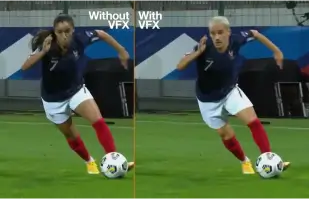
Orange Won the Top Prize for Entertainment for Sport for the MarcelParis, Campaign "WoMen's Football"
Orange's "WoMen's Football" won the top prize for Entertainment for Sport with AKOOL


Let's Feature You in Our Ad with SRK!
Sunfeast Dark Fantasy uses AKOOL's technology to allow everyone to star in ads alongside Bollywood superstar Shah Rukh Khan.

AKOOL and Tata Consultancy Services Collaborate to Transform AI-Driven Marketing
AKOOL collaborates with Tata Consultancy Services to transform AI-driven marketing, enhancing strategies and solutions that improve customer engagement and business outcomes.

Sunfeast Launches Limited Edition Choco Cookies with AKOOL’s Streaming Avatars
Sunfeast introduces limited-edition choco cookies, utilizing AKOOL's streaming avatars for engaging marketing. This innovative approach enhances brand interaction and promotes the new product effectively.

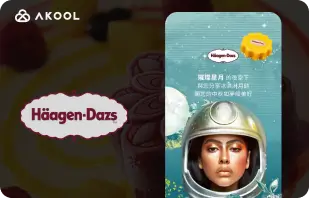
Häagen-Dazs Taiwan’s Moon Festival Campaign with AKOOL’s FaceSwap Tool
Haagen-Dazs Taiwan utilizes AKOOL's FaceSwap tool for its Moon Festival campaign, creating engaging and personalized content that enhances customer interaction and celebrates the festive spirit.


AI Meets Beauty: Vaseline Indonesia's Success with AKOOL Avatar
Vaseline Indonesia partnered with AKOOL to enhance user engagement. Using AKOOL's virtual avatar technology, they created a landing page featuring Febby, a personalized avatar that greeted users by name. The page offered customizable, downloadable videos and chat options, boosting interaction and strengthening the brand-consumer connection.


AKOOL's Impact on Curious Refuge's AI Filmmaking Courses
AKOOL significantly enhances Curious Refuge's AI filmmaking courses, offering user-friendly tools like face-swapping for consistent character portrayal. This partnership revolutionizes content creation, making filmmaking accessible and effective for students and educators alike.


Maintaining Character Consistency in Film Making and Digital Storytelling
Chrissie Pressman, a filmmaker, leverages AKOOL's generative AI to enhance character consistency in her projects. Balancing her creative vision with personal challenges, she streamlines production and gains recognition for her innovative use of technology in storytelling.

Deciem Launches Digital Human Assistant for Squalane Cleanser with AKOOL
Deciem launches a digital human assistant for its squalane cleanser, powered by AKOOL, enhancing customer engagement and providing personalized support for a better shopping experience.
Symphony Coolers Uses AKOOL’s Streaming Avatars to Launch the Silenzo 100 Desert Air Cooler
Symphony Coolers utilizes AKOOL's streaming avatars to launch the Silenzo 100 desert air cooler, enhancing customer engagement and showcasing innovative features effectively.

Avantis and Anglia Ruskin University Transform Virtual Anatomy Classes with Streaming Avatars
Avantis and Anglia Ruskin University enhance virtual anatomy classes using AKOOL streaming avatars, improving student engagement and learning experiences through interactive and immersive educational tools.

Off-White Uses AKOOL's Streaming Avatars to Launch a New Fashion Line
Off-White utilizes AKOOL's streaming avatars to launch a new fashion line, enhancing brand engagement and showcasing innovative designs through immersive digital presentations.


AKOOL Avatar Powers Il Fornaio’s Rise in Online Visibility
By adopting AKOOL's virtual avatar technology, Il Fornaio, a renowned Italian restaurant chain, created lifelike avatars for virtual tours and info sharing. The results were remarkable, with Google Maps avatar videos averaging 1.7 million views and driving more visits.

Greenworks Tools Streamlines Global Marketing with AKOOL’s AI Video Translation
Greenworks Tools enhances global marketing by utilizing AKOOL's AI video translation, streamlining content localization and improving audience engagement across diverse markets. Discover how AI transforms marketing strategies!


For Ruth's Chris Steak House, AKOOL HasProven to Be Much More Than Just anlmage-Generating Tool.
Ruth's Chris Steak House enhances its marketing strategy using AKOOL's AI-powered image generation, creating tailored, high-quality visuals efficiently.

WPP Enhances Client Campaigns with AKOOL’s Background Change Feature
WPP enhances client campaigns using AKOOL's background change feature, allowing for creative and customized visuals that boost engagement and effectiveness in marketing strategies.


How Pictofable Uses AKOOL’s Face Swap Technology to Create Personalized Children’s Storybooks
Pictofable offers personalized children's storybooks using AKOOL’s Face Swap technology, allowing parents to integrate their child's photo into engaging storybook


Anshul Joshi's Award-Winning AI Film "Tamara" Using AKOOL
Anshul Joshi's award-winning AI film "Tamara" showcases the power of AKOOL's tools in modern filmmaking, enabling rapid creation and multilingual dubbing, ultimately transforming the creative process for filmmakers and enhancing audience engagement. Discover how AI is revolutionizing the film industry through innovative projects like "Tamara"!


Peeps.xyz's Journey with AKOOL for Cheltenham Science Festival
Richard Norton, co-founder of Peeps.xyz, utilized AKOOL's generative AI platform for the Cheltenham Science Festival, creating an engaging marketing campaign featuring a deepfake personality. Impressed by its effectiveness, he looks forward to future projects, highlighting AI's potential to revolutionize marketing strategies and enhance audience engagement.


Making Your Content, Marketing, and Ads More Engaging and Personalized.
Vishal Singh utilizes AKOOL's Faceswap technology to enhance video content through celebrity face swaps, emphasizing its superiority for personalized marketing strategies. He highlights the platform's user-friendly interface while suggesting improvements in processing speed for better performance and broader applications in content creation.

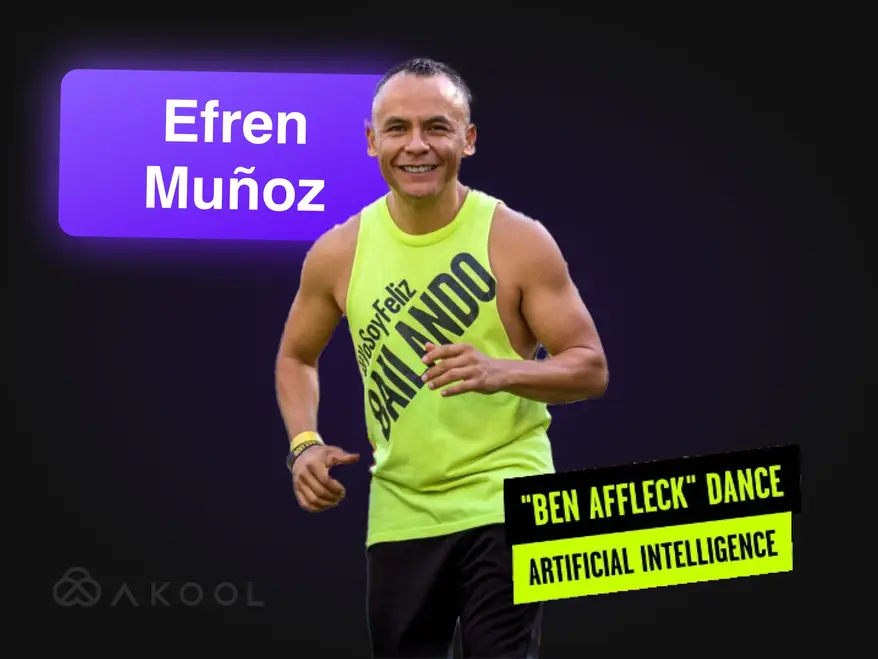
Transform Your Marketing Video into aViral Sensation with Zumba!
Efren Munoz, a dance influencer from Mexico, leveraged AKOOL to enhance his online presence and market his classes effectively. By creating engaging content, including viral dance videos and promotional materials, he significantly increased his visibility and class attendance, showcasing the transformative power of AI in marketing.

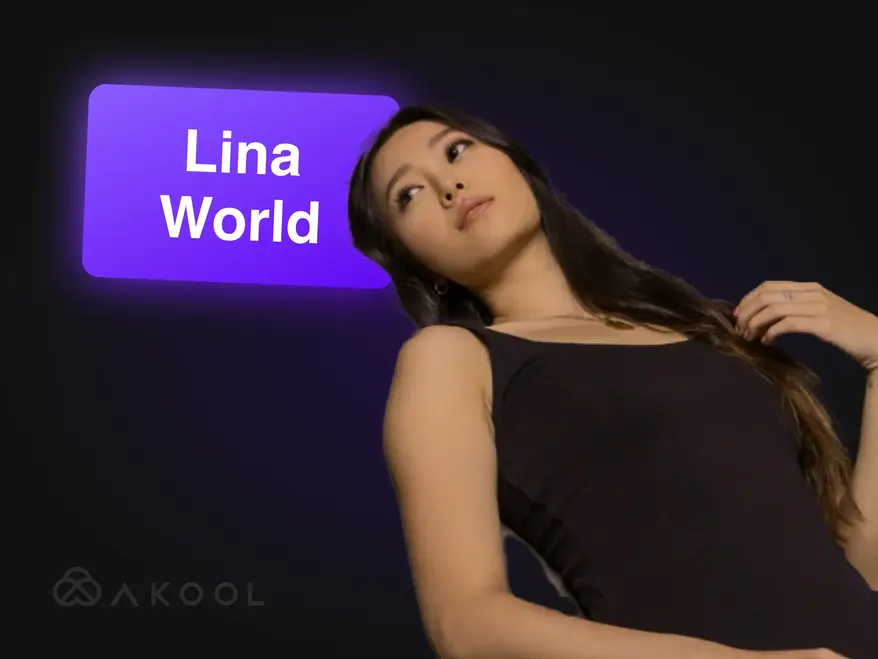
Building Lina World with AKOOL
Meet Lina: The Virtual Influencer Who Captivated a Million Fans with AKOOL!

Docety Enhances Seminar Experience with AKOOL's Jarvis for Conversation Moderation
Docety improves seminar experiences by utilizing AKOOL's Jarvis for conversation moderation, enhancing engagement and ensuring organized discussions for a more productive event environment. Discover the advantages of AI-driven moderation!
Related Articles

Top 60+ AI Tools To Try in 2025
May 29, 2025
Keep up with the latest AI tools transforming the digital world. From content creation to data analysis, explore how these intelligent applications can make your everyday work life easier.

Best Corporate Video Examples & How to Make Yours
May 14, 2025
Discover the best corporate video examples and learn how to create an engaging, professional video for your brand. Get expert tips and inspiration!

Best Streaming Avatar Tools: Engage Digital Personas Live
May 22, 2025
Discover the top streaming avatar tools for 2024 and learn how to create dynamic, engaging digital avatars that enhance your live content and captivate viewers.

Product Video Makers Are Using AI To Scale—Here's How
September 5, 2024
AI product video makers are revolutionizing ecommerce by creating scalable, personalized content efficiently. This article explores how AKOOL's innovative tools streamline video production, enabling brands to enhance engagement and maintain quality while meeting growing consumer demands in a competitive landscape. Discover the future of video marketing today!

The Best AI Tools for Engaging Social Media Content
August 6, 2024
Discover how AI tools are revolutionizing social media content creation. This article explores the best platforms for producing engaging posts, highlighting AKOOL's capabilities in streamlining video production and enhancing audience interaction, ultimately helping brands connect with consumers more effectively and efficiently.

Video Marketing Tools For Creators & Enterprise Teams
August 3, 2024
This article reviews essential video marketing tools for creators and enterprise teams, highlighting their benefits in enhancing brand awareness and engagement. It features AKOOL, Synthesia, and HeyGen, emphasizing AI capabilities that simplify video creation, save time and costs, and promote consistent branding across various platforms.

Here Are The Top 6 Generative AI Tools For Maximizing Demand Generation
June 24, 2024
Discover the top generative AI tools for enhancing demand generation. This article highlights how personalized video content can boost engagement, conversion rates, and brand loyalty, showcasing AKOOL as a leading platform for creating customized marketing experiences efficiently.

How to Make a Commercial With AI Marketing Tools
June 10, 2024
Learn how to create professional-grade commercials using AI tools like AKOOL. This article explores the benefits of AI in commercial production, including cost savings, efficiency, and personalized content creation, empowering businesses of all sizes to produce engaging advertisements quickly and effectively.

Human-Centric Brand Experiences In The World Of AI Marketing
May 21, 2024
Explore how AI is transforming brand experiences by creating personalized, human-centric interactions. This article discusses the importance of integrating AI tools like AKOOL to enhance engagement, streamline content creation, and maintain brand consistency, ultimately helping businesses stand out in a crowded digital landscape.

How Generative AI is Revolutionizing the Fashion Industry
April 16, 2024
Generative AI is transforming the fashion industry by enabling rapid design, enhancing customer experiences, and reducing waste. This article explores how brands leverage AI for personalized shopping, efficient production, and innovative garment creation, while addressing challenges like copyright and workforce impacts.

How to Build an Effective Localized Marketing Strategy
March 25, 2024
Learn how to build an effective localized marketing strategy that adapts branding and campaigns for specific markets. This article explores essential steps, including audience research and leveraging AI tools like AKOOL for translation and face swapping, to enhance engagement and boost sales globally. Discover the power of localization!

Best Video Editing Affiliate Programs to Join
November 7, 2024
Explore top video editing affiliate programs to boost your revenue. This article highlights the best options, including AKOOL, which offers competitive commissions and valuable marketing resources, helping content creators monetize their platforms effectively while enhancing audience engagement through quality video editing tools.

Best Streaming Avatar Tools: Engage Digital Personas Live
November 24, 2024
Explore the best streaming avatar tools that enhance live content creation. This article reviews top platforms, highlighting features that boost audience engagement and improve streaming quality for creators.

Top Benefits of AI Chatbots for Companies and Customers
November 8, 2024
Discover the top benefits of AI chatbots for businesses and customers. This article highlights how integrating AI chatbots can enhance customer service, streamline operations, reduce costs, and improve employee satisfaction, ultimately transforming the way companies interact with their clients and boosting overall efficiency.

Top Benefits of AI Chatbots for Companies and Customers
November 6, 2024
AI chatbots with avatars are transforming customer service by providing real-time, personalized interactions. This article explores how organizations can leverage these advanced tools to enhance customer satisfaction, reduce costs, and streamline operations, ultimately improving engagement and efficiency across various industries.

We Tried 3 Real-Time Streaming Avatar Tools-Here's What We Found
September 8, 2024
This article reviews three leading real-time streaming avatar tools, focusing on their features and applications for social media content creators. It highlights AKOOL's superior customization, interactive capabilities, and overall performance, helping users choose the best platform to enhance audience engagement and streamline content creation effectively.

How to Make YouTube Videos Using AI Technology
September 7, 2024
AI technology is transforming YouTube video creation, allowing creators to produce high-quality content efficiently. This article explores how AKOOL's tools streamline scripting, avatar customization, and editing, enabling users to enhance engagement and optimize video performance while simplifying the production process for better audience interaction and growth.

Spanish to English Video Translator: Change Languages Fast
November 10, 2024
Spanish to English video translator tools are essential for expanding content reach and engaging global audiences. This article explores their benefits, highlighting how AI-driven translators like AKOOL save time and money while enhancing accessibility and engagement in marketing efforts.

Hindi to English Video Translator: Change Languages Fast
November 9, 2024
Transform your marketing strategy with AKOOL's Hindi to English video translation tool. This article explains how AI-driven translations enhance accessibility for Hindi-speaking businesses, enabling them to reach English-speaking audiences quickly and cost-effectively while maintaining high-quality content.

Best Video Translation Apps
November 7, 2024
Discover the best video translation apps that help break language barriers and enhance global audience engagement. This article reviews top tools, including AKOOL, VEED.io, and Kapwing, highlighting their features for creating multilingual content efficiently and effectively. Transform your videos into accessible experiences for viewers worldwide!

Japanese to English Video Translator: Change Languages Fast
October 6, 2024
Translating video content from Japanese to English is now easier with AI technology. This article explores how AKOOL’s video translator streamlines the process, saving time and costs while maintaining cultural nuances, enabling businesses to effectively reach global audiences with localized marketing campaigns. Discover the benefits of AI-driven translation!

How Corporate Teams Use AI For Onboarding
September 3, 2024
AI onboarding tools streamline the employee integration process by creating engaging, culturally relevant materials quickly and cost-effectively. This article explores how businesses can leverage AI to enhance onboarding experiences, improve retention, and ensure compliance across diverse workforces, ultimately fostering a more effective and inclusive workplace environment.

Best AI Translation Tools for Travel & Tourism
July 17, 2024
Explore how AI is transforming travel and tourism marketing. This article discusses the impact of AI tools, like AKOOL, on creating multilingual campaigns, enhancing customer engagement, and enabling smaller companies to compete globally, ultimately revolutionizing how businesses connect with travelers in an increasingly digital marketplace.

AI Training Videos: How Translation Tools Simplify Global Workforce Development
May 19, 2024
AI training videos are revolutionizing workforce development by providing scalable, customizable, and engaging training solutions. This article explores how AI and translation tools enhance global training efforts, ensuring accessibility and consistency while overcoming language barriers, ultimately streamlining the training process for diverse employee groups across various regions.

How to Translate a YouTube Video in Minutes
March 24, 2024
Learn how to efficiently translate YouTube videos using AKOOL's advanced AI tools. This article provides a step-by-step guide to creating high-quality, localized content, enhancing audience engagement across multiple languages while streamlining your video production process for better international reach.

The Best Text to Speech Apps with Voice Cloning
March 23, 2024
Discover the best text-to-speech apps with voice cloning capabilities in this article. Explore top tools like AKOOL, which offers realistic voices and advanced features, enhancing content creation and personalization for various applications. Uncover how these innovative technologies can transform your audio experience and improve engagement across platforms!
%20-%20Akool%20Blog%20Banner-p-500.webp)
Best Online AI Video Dubbing Tools (Free)
March 22, 2024
Discover the best online AI video dubbing tools that simplify multilingual content creation. This article reviews various platforms, including AKOOL, highlighting their features and capabilities to enhance video accessibility and engagement, making it easier for creators to reach global audiences efficiently and effectively.
Video Localization: How to Do It Effectively & Easily
March 21, 2024
Video localization connects businesses to global audiences by adapting content for different cultures and languages. This article outlines effective strategies for translating videos, using tools like AKOOL's video translator, to enhance brand visibility and engagement across diverse markets.

Benchmarking The Best AI Video Editing Software
August 2, 2024
Discover the top AI video editing software available today. This article reviews leading tools, including AKOOL, highlighting their user-friendly features and cost-effectiveness, enabling marketers and creators to produce professional-quality videos quickly and efficiently, transforming the video editing landscape for all skill levels.

Top 5 AI Video Production Tools For Marketing Teams
July 8, 2024
AI video production tools are essential for modern marketing strategies, enabling teams to create high-quality videos quickly and efficiently. This article reviews the top five tools,including AKOOL, highlighting their benefits, features, and cost-effectiveness, helping businesses enhance their video marketing efforts and engage audiences more effectively.

Top 7 Video Marketing APIs to Supercharge Your Brand’s Engagement
November 25, 2024
Discover the top seven video marketing APIs that enhance content creation and distribution. This article highlights AKOOL API features, benefits, and how they can elevate your video marketing strategy effectively.

Best Localization APIs for Video Content: Seamless Multilingual Reach
November 21, 2024
Explore the best localization APIs for video to enhance global reach. This article reviews AKOOL API that improves accessibility and engagement, ensuring your content resonates with diverse audiences effectively.

Best Instant Avatar APIs: Create Digital Identities Instantly
November 20, 2024
Explore the best instant avatar APIs available, enabling developers to create personalized avatars quickly and easily. This article highlights top options, including AKOOL, showcasing their features and benefits for enhancing user engagement in various applications.

Best AI Content Moderation Tools
October 5, 2024
Explore the best AI content moderation tools to enhance online community management. This article reviews top platforms, including AKOOL's Jarvis, highlighting their accuracy, customization, and scalability to help businesses maintain brand integrity and foster a safe digital environment effectively.

AI Content Moderation: Understanding How it Works
October 4, 2024
AKOOL AI content moderation helps organizations manage the overwhelming volume of user-generated content on social media, ensuring compliance with community guidelines. This article explains its benefits, including cost-effectiveness and scalability, while highlighting how AI tools can enhance user safety and engagement by efficiently filtering inappropriate content.

New API Is Helping Enterprises Scale Customer Engagement With Generative AI Tools
May 13, 2024
Generative AI tools are transforming enterprise marketing by streamlining content creation, enhancing audience engagement, and automating processes. This article explores how AKOOL’s Gen AI API empowers businesses to innovate their marketing strategies and improve efficiency, ensuring they stay competitive in a rapidly evolving landscape.

Transform Your Content with Our Lip Sync Animation Generator
April 24, 2024
Discover how AKOOL's lip sync animation generator transforms content creation by synchronizing character mouth movements with audio seamlessly. This article explores its applications across industries, enhancing engagement and storytelling through dynamic animations that resonate emotionally with audiences, making it an essential tool for marketers, educators, and entertainers alike.

How to Make Lip Sync Videos That Transform Your Marketing & Boost Engagement
April 23, 2024
Learn how to create engaging lip sync videos using AKOOL. This article provides a step-by-step guide, highlighting the benefits of automated lip syncing for marketing, audience engagement, and efficient content creation across various platforms.

Break Down Language Barriers With AI Lip-Synching Technology
April 14, 2024
The Lip Sync API enables businesses to create localized videos quickly and affordably, breaking language barriers. This article explores its benefits, including enhanced engagement, cost-effectiveness, and the ability to produce hyper-realistic content for global audiences, transforming marketing strategies and content creation processes.

Best AI Avatar Generators
November 1, 2024
Explore the innovative world of AI avatar generators that allow users to create personalized digital avatars for engaging content creation. This article highlights the best platforms, including AKOOL, which offers advanced customization and lifelike interactions. Discover how these tools can enhance marketing, customer service, and social media strategies effectively.

Benchmarking The Best AI Avatar Resources
July 8, 2024
Discover the power of AI avatar generators in enhancing marketing strategies. This article reviews the best tools available, including AKOOL, which offers robust customization and user-friendly features, enabling brands to create engaging and interactive content that resonates with audiences and elevates their marketing efforts effectively.
%20-%20Akool%20Blog%20Banner.webp)
Create Interactive Demos With a Photo and a Script (Let AI Do the Rest!)
June 10, 2024
Learn how to create engaging interactive demos using AI tools like AKOOL. This guide outlines the process of transforming photos and scripts into immersive presentations, enhancing user education and product understanding while saving time and effort in demo creation. Discover the future of interactive content today!

Creative Marketing Teams LOVE Instant Avatars … Don’t Get Left Behind
May 19, 2024
Instant avatars are transforming marketing strategies by enabling brands to create engaging, personalized content quickly. This article explores how these versatile tools can enhance audience interaction and drive conversions, helping businesses stand out in a competitive landscape while streamlining their content creation process effectively.

Best Instant Avatar Tools for Video Content
May 18, 2024
AI avatar tools are revolutionizing marketing by enabling businesses to create personalized, engaging content efficiently. This article explores the best avatar tools available, highlighting their potential to enhance customer interaction and streamline content creation processes. Discover how these innovations can transform your marketing strategy today!

How Generative AI Makes Employee Onboarding Videos Easy
May 13, 2024
Employee onboarding videos are essential for introducing new hires to company culture and values. This article explores how generative AI simplifies video creation, enhancing engagement and efficiency while fostering a sense of belonging, ultimately streamlining the onboarding process and improving the overall employee experience.
How to Auto Lip Sync Videos & Movies Easily
April 19, 2024
Auto lip sync technology revolutionizes video creation by synchronizing AI avatars' lip movements with audio seamlessly. This article explains how brands can leverage this innovative tool for efficient content production, enhancing engagement and realism in spokesperson videos, ultimately streamlining the process and improving audience interaction across various platforms.

Synthesia Alternatives (Side-by-Side Feature Comparisons)
April 11, 2024
Explore the best alternatives to Synthesia for AI video creation. This article compares various platforms, including AKOOL, highlighting their unique features and user-friendly interfaces, making it easier for businesses to produce engaging, avatar-driven content efficiently and effectively. Discover which tool suits your needs best!

How to Create a Custom Gaming Avatar Using AI
March 20, 2024
Creating a custom gaming avatar using AI allows players to express their individuality and enhance their gaming experience. This guide explores how to utilize AKOOL’s advanced image generator to craft unique avatars that stand out on platforms like Twitch and Discord, fostering recognition in vibrant gaming communities.

HeyGen Alternatives for AI Videos & Custom Avatars
March 17, 2024
Discover the best alternatives to HeyGen for AI video creation and custom avatars. This article highlights AKOOL as a top competitor, featuring user-friendly tools for avatar customization and text-to-video capabilities. With its flexible pay-as-you-go pricing, AKOOL is perfect for beginners and casual users looking to unleash their creativity.

Best Voice Cloning Software
November 2, 2024
Explore the top voice cloning software available, including AKOOL and Resemble AI. This article reviews their features, pricing, and best use cases, helping you choose the ideal tool for creating realistic audio content tailored to your needs.

Best Employee Training Videos Examples
October 8, 2024
The article showcases the best examples of employee training videos, highlighting effective techniques and strategies to enhance learning and engagement within organizations. Discover how these videos can improve training outcomes and foster a productive workplace culture.

Best AI Text to Voice Tools
November 5, 2024
Explore the top AI text-to-voice tools that enhance content creation by converting text into natural-sounding speech. This article reviews various platforms, including AKOOL, highlighting their unique features and capabilities for producing high-quality voiceovers for videos, podcasts, and interactive media.

The Best AI Text to Video Generators
July 8, 2024
Discover the best AI text-to-video generators that simplify video production for marketers. This article reviews top platforms, including AKOOL, highlighting their features, customization options, and cost-effectiveness, enabling businesses to create engaging content quickly and efficiently without needing specialized skills.

How To Change Product Photo Backgrounds Using AI
June 10, 2024
AKOOL's AI background editing tools revolutionize product photography by enabling users to effortlessly change and customize backgrounds. This technology saves time, enhances visual appeal, and ensures consistency, allowing businesses to create professional-quality images that boost engagement and drive sales effectively.

7 Best Face Swap Tools for Photos: Create Realistic Swaps Easily
November 23, 2024
AKOOL offers innovative face swap tools that enhance photo editing experiences, enabling users to create fun and engaging content effortlessly.

7 Best Multiple Face Swap Apps for Realistic and Fast Group Edits
November 22, 2024
Discover the seven best multiple face swap apps that allow users to create fun and engaging content. This article reviews top options, highlighting AKOOL faceswap features and ease of use for transforming photos and videos effortlessly. Explore these creative tools to enhance your social media presence!

Best App to Animate Photos
November 8, 2024
AKOOL is a powerful, user-friendly app that animates photos with precision, allowing users to create stunning visuals for social media and personal projects. Its intuitive interface and various overlay options make it ideal for both beginners and professionals looking to enhance their images effortlessly.

Best Face Swap Apps for Videos
November 3, 2024
AKOOL is a leading face swap app that empowers users to create stunning, realistic face swaps in videos. With its intuitive interface and advanced AI technology, AKOOL caters to both beginners and professionals, making it an ideal choice for anyone looking to enhance their video content creatively and effectively.

Best AI Photo Apps
October 31, 2024
Discover the top face swap apps for videos that cater to content creators and social media enthusiasts. This article reviews various tools, including AKOOL, highlighting their unique features and capabilities, enabling users to create engaging and entertaining video content effortlessly while enhancing their creative projects.

Ranked: Top HeyGen Competitors
August 1, 2024
This article ranks the top competitors to HeyGen, highlighting AKOOL as a leading alternative. It compares features, user experience, and performance, showcasing why businesses are shifting to AKOOL for its superior tools and efficiency in AI-generated content creation. Discover the best options for your marketing needs!

Best Face Swap Tools for Videos
July 26, 2024
Discover the best face swap tools for videos in this article, which compares top options like AKOOL and Reface. Learn how these innovative tools can enhance your marketing strategies by creating personalized, engaging content that captivates audiences and drives conversions, making video marketing more dynamic and effective.

Which AI Face-Swapping Tool Drives Marketing ROI?
May 11, 2024
Discover how AI face-swapping tools can enhance marketing ROI. This article explores key features, successful case studies, and actionable steps for measuring effectiveness, helping businesses leverage these innovative tools for personalized and engaging advertising campaigns that drive results and improve audience connection.

Generate Look-Alike Photos of Yourself Using AKOOL's AI Face Generator
April 18, 2024
AKOOL's AI Face Generator allows users to create realistic look-alike photos effortlessly. This article explores its features, benefits, and applications, highlighting how it transforms content creation for personal and professional use while ensuring high-quality and personalized results with just a few clicks.

Batch Face Swap: How to Swap Multiple Faces in Group Photos
April 17, 2024
Batch face swap technology simplifies the process of swapping multiple faces in group photos, saving time and enhancing creativity. This article explores how AKOOL's tools enable efficient face replacement, making it ideal for photographers, marketers, and content creators seeking to streamline their workflows while achieving high-quality results effortlessly.

12 Best Deepfake Apps for Realistic Face Swaps
April 13, 2024
Discover the top five deepfake apps for realistic face swaps in this article. Explore their unique features, ease of use, and applications in marketing and entertainment, helping users create engaging content effortlessly while navigating the ethical considerations surrounding deepfake technology.

How to Make Face Swap Videos
April 12, 2024
Learn how to easily change faces in videos using AKOOL's face swap tool. This article provides a step-by-step guide, tips for realistic results, and highlights the benefits of AI technology in video editing, making it accessible for both beginners and professionals looking to enhance their content creation.

Best AI Video Face Swap Tool For B2C & Enterprise Marketing Teams
March 28, 2024
Discover the best AI video face swap tools for marketing in this article. It evaluates AKOOL's cutting-edge platform against nine competitors, highlighting its superior quality, realism, and user-friendly features, making it ideal for creating engaging advertisements and social media content that captivates audiences and drives sales effectively.

How to Gender Swap Your Photo Online for Free
March 27, 2024
Learn how to easily gender swap your photos online using AKOOL's face swap feature. This guide provides step-by-step instructions for transforming images, allowing you to explore different gender expressions and enhance your creativity with AI technology.

How to Handle Crisis Management in Marketing
March 26, 2024
AKOOL provides innovative tools for crisis management in marketing, including a face swap technology that helps brands swiftly adapt promotional materials during controversies, preserving reputation and maintaining consumer trust effectively.

How to Create a Talking Face Animation with A
March 18, 2024
Learn how to create engaging talking face animations using AI technology. This article provides a step-by-step guide with AKOOL's platform, enabling users to produce realistic avatars that enhance digital marketing and storytelling, making content creation accessible and efficient for everyone, regardless of technical expertise.

How to Make A Deepfake Video
March 18, 2024
The article provides a step-by-step guide on creating deepfake videos with AKOOL, covering essential tools and techniques while emphasizing ethical considerations for responsible usage.

How AI-Generated Graphic Design Can Cut Your Marketing Costs
June 10, 2024
AI-generated graphic design is transforming marketing by enabling users to create stunning visuals quickly and affordably. This article explores how platforms like AKOOL reduce costs, enhance efficiency, and democratize design, allowing businesses to produce high-quality marketing materials without the need for extensive design teams or specialized skills.

AI-Generated Product Images Are Making Incredible Marketing Campaigns
June 1, 2024
AI-generated product images are revolutionizing e-commerce marketing by providing stunning visuals quickly and affordably. This article explores how brands can leverage AKOOL to create customizable, high-quality images that enhance engagement, streamline workflows, and ultimately drive sales, transforming traditional photography practices in the digital landscape.
%20-%20Akool%20Blog%20Banner.png-p-500.webp)
The Best Prompts for AI Art (Examples & Inspiration)
March 19, 2024
Discover the best prompts for generating stunning AI art with AKOOL's image generator. This article provides examples and tips to enhance your creativity, enabling anyone to create unique visuals effortlessly and effectively, regardless of artistic skill level.

Make Custom Messages at Scale With This Video Marketing Automation Tool
September 6, 2024
Video marketing automation simplifies the creation and distribution of personalized video content, enabling marketers to efficiently engage leads at scale. This article explores AKOOL's tools, highlighting benefits like improved ROI, enhanced engagement, and streamlined workflows, making it easier to convert leads into loyal customers through tailored messaging.

Top 5 AI Tools to Turbocharge Your Lead Generation and ROI
June 24, 2024
Discover how AI lead generation tools can enhance your marketing strategy. This article highlights the top five tools, including AKOOL, that streamline workflows, reduce costs, and improve lead quality, ultimately boosting your ROI and helping you convert leads into loyal customers efficiently.

Best Photo Singing App
November 8, 2024
Discover the best photo singing apps that animate images to create engaging singing performances. This article reviews various platforms, including AKOOL, highlighting their features and ease of use for transforming static photos into lively, musical content perfect for social media and personal projects.
In the news

Could Live AI Video Become The Next Zoom?
May 29, 2025

When AI Goes Live: The Future of Real-Time Human Presence
June 16, 2025

Techcrunch - Building a Gen AI Unicorn with Global Resources, Innovation, and Efficiency: The AKOOL Way
Feb 28, 2025

G2 - 9 Best Generative AI Tools I Use: Which One Leads Today?
Feb 10, 2025

Microsoft - 5 key marketing tips for early-stage business startup founders
Dec 17, 2024
AKOOL Introduces AMD-Advanced Technology, Revolutionizing Digital Experiences with Simplified In-Device Avatars
Jan 3, 2025

AKOOL Achieves $40M in Invoiced ARR, Accelerating Growth in AI-Driven Content Creation for Diverse Industries
Nov 13, 2024

AKOOL Unveils Enhanced Streaming Avatars with Seamless LLM Integration to Revolutionize Human-Machine Interactions
Feb 26, 2025

AKOOL Announces Strategic Bollywood Partnership to Revolutionize AI in Digital Immersion and Video Markets
Nov 25, 2024

AKOOL Introduces New Class ofGen Al Avatars, Setting a New Standard for Self-Expression
April 12, 2024

Akool's Generative AI Platform Sets New Standard for Brand Engagement
Nov 30, 2023
Explore More AI-Powered Tools
Unlock the full potential of Akool with a complete suite of AI tools for image creation, video production, and avatar design. Whether you're building marketing content, scaling e-learning, or personalizing communication, Akool empowers your strategy at every step.


