Kling 2.6: Cinematic AI Video Generator with Native Audio & Immersive Sound Effects
Generate AI Video and Audio Together
Kling 2.6 introduces Native Audio, transforming your workflow from silent visuals to complete, immersive audio-visual experiences in a single, seamless step.
Generate AI Video and Audio Together
Kling 2.6 introduces Native Audio, transforming your workflow from silent visuals to complete, immersive audio-visual experiences in a single, seamless step.
Kling 2.6 Major Update
Native Audio Precision: Perfectly Matched Sound for Every Frame
Text-to-Audio-Visual in a Single Click
Simply type a prompt and receive a full, sound-rich scene. Go from a single sentence to a complete narrative, perfect for Vlogs, Product Demos, and Social Media Ads.
Image-to-Audio-Visual: Bring Stills to Life
Upload any static image and instantly generate dynamic video content complete with synchronized, high-fidelity audio. The fastest way to enhance existing assets.
Immersive "What You See Is What You Hear"
Kling deep semantic alignment ensures the audio perfectly matches the on-screen action, delivering a professional, captivating viewing experience for multi-character dialogues, music performances, and creative scenes.
Community Creations
3 простых шага для создания

1
Выберите модель и сгенерируйте шаблоны.
Akool сотрудничает с ведущими мировыми поставщиками моделей, предоставляя вам доступ к новейшим, самым широким и доступным моделям.
2
Добавить изображение
Загрузите или сгенерируйте изображение, чтобы начать генерацию.3
Получить видео
Нажмите «Сгенерировать», чтобы создать финальное видео!Почему стоит выбрать Akool?
Diffusion-based Image-to-Video Synthesis
Instant Professional Rendering
Generate polished video assets from images in seconds using diffusion-based synthesis, neural frame interpolation, and high-fidelity visual rendering.
Временная согласованность в идентичности персонажей
Бесперебойное сохранение идентификационных данных
Maintain consistent faces, expressions, and identity attributes across frames using computer vision models optimized for high-fidelity video continuity.
API-driven Creative Exploration
Neural Workflow Inspiration
Explore community-generated examples to discover production patterns, diffusion-based video workflows, and scalable generative content ideas.
Посмотреть все модели
Wan
Gemini
OpenAI
Sora
Seedance
Hailuo
Kling
Veo
GPT
Vidu Q3
PixVerse
HappyHorse
Grok
Wan
Gemini
OpenAI
Sora
Seedance
Hailuo
Kling
Veo
GPT
Vidu Q3
PixVerse
HappyHorse
Grok
Wan
Gemini
OpenAI
Sora
Seedance
Hailuo
Kling
Veo
GPT
Vidu Q3
PixVerse
HappyHorse
Grok
Wan
Gemini
OpenAI
Sora
Seedance
Hailuo
Kling
Veo
GPT
Vidu Q3
PixVerse
HappyHorse
Grok
Wan
Gemini
OpenAI
Sora
Seedance
Hailuo
Kling
Veo
GPT
Vidu Q3
PixVerse
HappyHorse
Grok
Wan
Gemini
OpenAI
Sora
Seedance
Hailuo
Kling
Veo
GPT
Vidu Q3
PixVerse
HappyHorse
Grok
Wan
Gemini
OpenAI
Sora
Seedance
Hailuo
Kling
Veo
GPT
Vidu Q3
PixVerse
HappyHorse
Grok
Wan
Gemini
OpenAI
Sora
Seedance
Hailuo
Kling
Veo
GPT
Vidu Q3
PixVerse
HappyHorse
Grok
Что говорят наши пользователи
Sarah Johnson
Just tried Kling 2.6 and the native audio sync is a game-changer! No more post-production fiddling with dialogue. The characters' mouth shapes match the script perfectly. This is a massive leap forward for creating talking heads and narrative clips.
David Klein
Kling 2.6 is a game-changer for my social media content. The Image-to-Video feature is flawless—it animated my photo while keeping the person's identity and style intact. Plus, the speed is incredible for a 1080p output. Definitely recommend giving it a shot.
Alex Miller
It's good, but the 10-second limit is a real constraint for my longer projects. I have to chain clips, which adds time. I'm using Kling 2.6 for professional work, so every minute counts. The character consistency is beautiful, though.
Jessica Lee
The new cinematic camera control in Kling 2.6 is amazing! Being able to fine-tune the pans, zooms, and tracking shots makes a massive difference in the final look. This is what I've been waiting for in an image-to-video tool to get that professional feel.
Michael Brown
Solid update. Kling 2.6 delivers on its promise of better realism, especially with the physics-accurate motion. My animated objects move so much more naturally now. Still hoping for longer clip lengths in the future, but I'm happy with this.
Emily Rose
I'm a total beginner, and Kling 2.6 was so easy to pick up. I used the Text-to-Video feature to build an entirely new scene, and the natural ambience sound effects were generated automatically. Five stars for the all-in-one generation!
Chris Peterson
Okay, so I compared Kling 2.6 with another leading AI. While the other one had slightly better facial detail, Kling 2.6 absolutely crushed it on consistent identity, the outfit and face stayed the same across the whole 10-second clip. The video just feels more stable and less 'flickery.'
Laura Green
The Multi-image guidance feature in Kling 2.6 is subtle but powerful. I used four reference images to lock in the style and props, and the final video was exactly what I envisioned. It's a significant step up in creative control.
Sarah Johnson
Just tried Kling 2.6 and the native audio sync is a game-changer! No more post-production fiddling with dialogue. The characters' mouth shapes match the script perfectly. This is a massive leap forward for creating talking heads and narrative clips.
David Klein
Kling 2.6 is a game-changer for my social media content. The Image-to-Video feature is flawless—it animated my photo while keeping the person's identity and style intact. Plus, the speed is incredible for a 1080p output. Definitely recommend giving it a shot.
Alex Miller
It's good, but the 10-second limit is a real constraint for my longer projects. I have to chain clips, which adds time. I'm using Kling 2.6 for professional work, so every minute counts. The character consistency is beautiful, though.
Jessica Lee
The new cinematic camera control in Kling 2.6 is amazing! Being able to fine-tune the pans, zooms, and tracking shots makes a massive difference in the final look. This is what I've been waiting for in an image-to-video tool to get that professional feel.
Michael Brown
Solid update. Kling 2.6 delivers on its promise of better realism, especially with the physics-accurate motion. My animated objects move so much more naturally now. Still hoping for longer clip lengths in the future, but I'm happy with this.
Emily Rose
I'm a total beginner, and Kling 2.6 was so easy to pick up. I used the Text-to-Video feature to build an entirely new scene, and the natural ambience sound effects were generated automatically. Five stars for the all-in-one generation!
Chris Peterson
Okay, so I compared Kling 2.6 with another leading AI. While the other one had slightly better facial detail, Kling 2.6 absolutely crushed it on consistent identity, the outfit and face stayed the same across the whole 10-second clip. The video just feels more stable and less 'flickery.'
Laura Green
The Multi-image guidance feature in Kling 2.6 is subtle but powerful. I used four reference images to lock in the style and props, and the final video was exactly what I envisioned. It's a significant step up in creative control.
Sarah Johnson
Just tried Kling 2.6 and the native audio sync is a game-changer! No more post-production fiddling with dialogue. The characters' mouth shapes match the script perfectly. This is a massive leap forward for creating talking heads and narrative clips.
David Klein
Kling 2.6 is a game-changer for my social media content. The Image-to-Video feature is flawless—it animated my photo while keeping the person's identity and style intact. Plus, the speed is incredible for a 1080p output. Definitely recommend giving it a shot.
Alex Miller
It's good, but the 10-second limit is a real constraint for my longer projects. I have to chain clips, which adds time. I'm using Kling 2.6 for professional work, so every minute counts. The character consistency is beautiful, though.
Jessica Lee
The new cinematic camera control in Kling 2.6 is amazing! Being able to fine-tune the pans, zooms, and tracking shots makes a massive difference in the final look. This is what I've been waiting for in an image-to-video tool to get that professional feel.
Michael Brown
Solid update. Kling 2.6 delivers on its promise of better realism, especially with the physics-accurate motion. My animated objects move so much more naturally now. Still hoping for longer clip lengths in the future, but I'm happy with this.
Emily Rose
I'm a total beginner, and Kling 2.6 was so easy to pick up. I used the Text-to-Video feature to build an entirely new scene, and the natural ambience sound effects were generated automatically. Five stars for the all-in-one generation!
Chris Peterson
Okay, so I compared Kling 2.6 with another leading AI. While the other one had slightly better facial detail, Kling 2.6 absolutely crushed it on consistent identity, the outfit and face stayed the same across the whole 10-second clip. The video just feels more stable and less 'flickery.'
Laura Green
The Multi-image guidance feature in Kling 2.6 is subtle but powerful. I used four reference images to lock in the style and props, and the final video was exactly what I envisioned. It's a significant step up in creative control.
Sarah Johnson
Just tried Kling 2.6 and the native audio sync is a game-changer! No more post-production fiddling with dialogue. The characters' mouth shapes match the script perfectly. This is a massive leap forward for creating talking heads and narrative clips.
David Klein
Kling 2.6 is a game-changer for my social media content. The Image-to-Video feature is flawless—it animated my photo while keeping the person's identity and style intact. Plus, the speed is incredible for a 1080p output. Definitely recommend giving it a shot.
Alex Miller
It's good, but the 10-second limit is a real constraint for my longer projects. I have to chain clips, which adds time. I'm using Kling 2.6 for professional work, so every minute counts. The character consistency is beautiful, though.
Jessica Lee
The new cinematic camera control in Kling 2.6 is amazing! Being able to fine-tune the pans, zooms, and tracking shots makes a massive difference in the final look. This is what I've been waiting for in an image-to-video tool to get that professional feel.
Michael Brown
Solid update. Kling 2.6 delivers on its promise of better realism, especially with the physics-accurate motion. My animated objects move so much more naturally now. Still hoping for longer clip lengths in the future, but I'm happy with this.
Emily Rose
I'm a total beginner, and Kling 2.6 was so easy to pick up. I used the Text-to-Video feature to build an entirely new scene, and the natural ambience sound effects were generated automatically. Five stars for the all-in-one generation!
Chris Peterson
Okay, so I compared Kling 2.6 with another leading AI. While the other one had slightly better facial detail, Kling 2.6 absolutely crushed it on consistent identity, the outfit and face stayed the same across the whole 10-second clip. The video just feels more stable and less 'flickery.'
Laura Green
The Multi-image guidance feature in Kling 2.6 is subtle but powerful. I used four reference images to lock in the style and props, and the final video was exactly what I envisioned. It's a significant step up in creative control.
Robert Harris
I'm still getting artifacts on high-motion scenes, especially when trying to simulate complex physics. It's better than 2.5, but not perfect. Kling 2.6 needs to work on improving the motion realism for fast action. For simple pans and zooms, it's fantastic.
Sophia White
My biggest issue is the credit system. I love the quality of Kling 2.6, but I burn through credits too fast, especially since it generates both video and audio now. Maybe offer a better subscription tier for heavy users? The perfect lip-sync is worth it, but the cost adds up quickly.
Daniel Flores
I've been using AI video tools since the beginning, and Kling 2.6 is the first one that genuinely feels like a professional tool. The bilingual audio support for both English and Chinese is a huge plus for my international clients. The attention to detail in the lighting and shadow work is incredible.
Olivia Chen
Has anyone tried the singing generation feature? The video from Kling 2.6 is perfect, but when I try to make a character sing, the lip-sync is almost perfect but not quite there yet. It's probably user error, but a quick fix or tutorial would be great! Otherwise, the visual output is stunning.
Ethan Smith
Just a quick note to say that Kling 2.6 is the best AI tool I've used this year. The quality-to-speed ratio is unmatched, and the fact that it generates 1080p output in one go is fantastic. Keep up the great work, team!
Mia Thompson
The community tutorials for Kling 2.6 are really helpful. I was struggling with prompt engineering, but after watching a few videos, I'm getting much better results, especially with specifying the dialogue and sound effects. The tool itself is powerful, but the learning curve for getting perfect results is still there.
Noah Zimmerman
I'm skeptical of all these AI tools, but Kling 2.6 actually impressed me. I used a very old, low-resolution image, and the resulting video was surprisingly clean and high-def. It's not just animating the image; it's intelligently upscaling and enhancing it while maintaining consistent identity. Color me converted. This is a powerful piece of software.
Robert Harris
I'm still getting artifacts on high-motion scenes, especially when trying to simulate complex physics. It's better than 2.5, but not perfect. Kling 2.6 needs to work on improving the motion realism for fast action. For simple pans and zooms, it's fantastic.
Sophia White
My biggest issue is the credit system. I love the quality of Kling 2.6, but I burn through credits too fast, especially since it generates both video and audio now. Maybe offer a better subscription tier for heavy users? The perfect lip-sync is worth it, but the cost adds up quickly.
Daniel Flores
I've been using AI video tools since the beginning, and Kling 2.6 is the first one that genuinely feels like a professional tool. The bilingual audio support for both English and Chinese is a huge plus for my international clients. The attention to detail in the lighting and shadow work is incredible.
Olivia Chen
Has anyone tried the singing generation feature? The video from Kling 2.6 is perfect, but when I try to make a character sing, the lip-sync is almost perfect but not quite there yet. It's probably user error, but a quick fix or tutorial would be great! Otherwise, the visual output is stunning.
Ethan Smith
Just a quick note to say that Kling 2.6 is the best AI tool I've used this year. The quality-to-speed ratio is unmatched, and the fact that it generates 1080p output in one go is fantastic. Keep up the great work, team!
Mia Thompson
The community tutorials for Kling 2.6 are really helpful. I was struggling with prompt engineering, but after watching a few videos, I'm getting much better results, especially with specifying the dialogue and sound effects. The tool itself is powerful, but the learning curve for getting perfect results is still there.
Noah Zimmerman
I'm skeptical of all these AI tools, but Kling 2.6 actually impressed me. I used a very old, low-resolution image, and the resulting video was surprisingly clean and high-def. It's not just animating the image; it's intelligently upscaling and enhancing it while maintaining consistent identity. Color me converted. This is a powerful piece of software.
Robert Harris
I'm still getting artifacts on high-motion scenes, especially when trying to simulate complex physics. It's better than 2.5, but not perfect. Kling 2.6 needs to work on improving the motion realism for fast action. For simple pans and zooms, it's fantastic.
Sophia White
My biggest issue is the credit system. I love the quality of Kling 2.6, but I burn through credits too fast, especially since it generates both video and audio now. Maybe offer a better subscription tier for heavy users? The perfect lip-sync is worth it, but the cost adds up quickly.
Daniel Flores
I've been using AI video tools since the beginning, and Kling 2.6 is the first one that genuinely feels like a professional tool. The bilingual audio support for both English and Chinese is a huge plus for my international clients. The attention to detail in the lighting and shadow work is incredible.
Olivia Chen
Has anyone tried the singing generation feature? The video from Kling 2.6 is perfect, but when I try to make a character sing, the lip-sync is almost perfect but not quite there yet. It's probably user error, but a quick fix or tutorial would be great! Otherwise, the visual output is stunning.
Ethan Smith
Just a quick note to say that Kling 2.6 is the best AI tool I've used this year. The quality-to-speed ratio is unmatched, and the fact that it generates 1080p output in one go is fantastic. Keep up the great work, team!
Mia Thompson
The community tutorials for Kling 2.6 are really helpful. I was struggling with prompt engineering, but after watching a few videos, I'm getting much better results, especially with specifying the dialogue and sound effects. The tool itself is powerful, but the learning curve for getting perfect results is still there.
Noah Zimmerman
I'm skeptical of all these AI tools, but Kling 2.6 actually impressed me. I used a very old, low-resolution image, and the resulting video was surprisingly clean and high-def. It's not just animating the image; it's intelligently upscaling and enhancing it while maintaining consistent identity. Color me converted. This is a powerful piece of software.
Robert Harris
I'm still getting artifacts on high-motion scenes, especially when trying to simulate complex physics. It's better than 2.5, but not perfect. Kling 2.6 needs to work on improving the motion realism for fast action. For simple pans and zooms, it's fantastic.
Sophia White
My biggest issue is the credit system. I love the quality of Kling 2.6, but I burn through credits too fast, especially since it generates both video and audio now. Maybe offer a better subscription tier for heavy users? The perfect lip-sync is worth it, but the cost adds up quickly.
Daniel Flores
I've been using AI video tools since the beginning, and Kling 2.6 is the first one that genuinely feels like a professional tool. The bilingual audio support for both English and Chinese is a huge plus for my international clients. The attention to detail in the lighting and shadow work is incredible.
Olivia Chen
Has anyone tried the singing generation feature? The video from Kling 2.6 is perfect, but when I try to make a character sing, the lip-sync is almost perfect but not quite there yet. It's probably user error, but a quick fix or tutorial would be great! Otherwise, the visual output is stunning.
Ethan Smith
Just a quick note to say that Kling 2.6 is the best AI tool I've used this year. The quality-to-speed ratio is unmatched, and the fact that it generates 1080p output in one go is fantastic. Keep up the great work, team!
Mia Thompson
The community tutorials for Kling 2.6 are really helpful. I was struggling with prompt engineering, but after watching a few videos, I'm getting much better results, especially with specifying the dialogue and sound effects. The tool itself is powerful, but the learning curve for getting perfect results is still there.
Noah Zimmerman
I'm skeptical of all these AI tools, but Kling 2.6 actually impressed me. I used a very old, low-resolution image, and the resulting video was surprisingly clean and high-def. It's not just animating the image; it's intelligently upscaling and enhancing it while maintaining consistent identity. Color me converted. This is a powerful piece of software.
История успеха клиента


Canon представила ИИ-фотобудку на базе Akool на внутреннем мероприятии
На недавней внутренней презентации Canon представила свою фотобудку нового поколения на базе искусственного интеллекта (ИИ), работающую на базе передовой технологии Akool для замены лиц и генерации изображений. Эта функция, разработанная для мгновенного персонализированного фотографирования, позволила сотрудникам наглядно ознакомиться с новыми возможностями ИИ от Canon.


Akool и Google Cloud продемонстрировали искусственный интеллект в реальном времени на NVIDIA GTC
Компания AKOOL в сотрудничестве с Google Cloud представила передовую технологию создания аватаров в реальном времени на Глобальной технологической конференции NVIDIA (GTC). Эта демонстрация наглядно продемонстрировала, как аватары Akool, работающие на базе масштабируемой инфраструктуры Google Cloud и передовых инструментов искусственного интеллекта, могут преобразить способы взаимодействия компаний с пользователями в условиях интенсивного трафика в режиме реального времени.


Akool и AWS представили опыт использования искусственного интеллекта в режиме реального времени на саммите AWS в Индии
Компания AKOOL в сотрудничестве с Amazon Web Services (AWS) организовала интерактивный опыт использования аватаров на AWS Summit India — главном региональном мероприятии, посвящённом инновациям в сфере ИТ и облачных технологий. Активация продемонстрировала, как аватары Akool, полностью интегрированные с AWS Bedrock и размещённые в инфраструктуре AWS, могут выступать в качестве интеллектуальных представителей бренда в режиме реального времени.


Как технология обмена AKOOLs Face Swap легла в основу кампании Qatar Airways «Приключение с искусственным интеллектом»
Qatar Airways partners with AKOOL to launch "AI Adventure," an innovative campaign using Face Swap technology, allowing viewers to star in their own airline commercial, enhancing customer engagement through personalized and immersive experiences.


Революция в управлении мероприятиями: как GPT DAO и AKOOL на базе LiveX AI повысили вовлеченность участников саммита GenAI Summit 2024
GPT DAO производит революцию в управлении мероприятиями саммита GenAI, внедряя технологию аватаров на базе искусственного интеллекта AKOOL. Это инновационное решение улучшает взаимодействие с участниками, предоставляя мгновенную поддержку и информацию, одновременно сокращая операционные расходы и потребность в персонале, в конечном итоге превращая мероприятие в увлекательное и беспроблемное путешествие для участников.

AKOOL и Eros Digital объединяются для трансформации рынков цифрового погружения и видео
AKOOL сотрудничает с Eros Digital, чтобы произвести революцию на рынках цифрового погружения и видео, улучшая доставку контента и взаимодействие с пользователями благодаря инновационным технологическим решениям. Откройте для себя будущее цифровых впечатлений с эффектом погружения!


Игра «Ultimate You» от Coca Cola
AKOOL поддерживает интерактивную маркетинговую кампанию Coca-Cola с League of Legends


Многоязычная серия веб-семинаров Logitech по веб-камерам с видеопереводчиком AKOOL
Многоязычная серия веб-семинаров Logitech для веб-камер использует функцию видеоперевода AKOOL, что повышает глобальную доступность и вовлеченность, гарантируя, что различные аудитории смогут эффективно общаться и учиться.

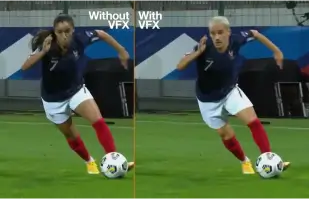
Orange Won the Top Prize for Entertainment for Sport for the MarcelParis, Campaign "WoMen's Football"
Orange's "WoMen's Football" won the top prize for Entertainment for Sport with AKOOL


Давайте покажем вас в нашей рекламе с SRK!
Sunfeast Dark Fantasy использует технологию AKOOL, чтобы позволить каждому сняться в рекламе вместе с суперзвездой Болливуда Шахрукх Кханом.

AKOOL и Tata Consultancy Services объединяют усилия для трансформации маркетинга на основе искусственного интеллекта
AKOOL сотрудничает с Tata Consultancy Services с целью трансформации маркетинга на основе искусственного интеллекта, совершенствования стратегий и решений, которые повышают вовлеченность клиентов и улучшают бизнес-результаты.

Sunfeast выпускает ограниченную серию шоколадного печенья с потоковыми аватарами AKOOL
Sunfeast представляет лимитированную серию шоколадного печенья, используя потоковые аватары AKOOL для увлекательного маркетинга. Этот инновационный подход усиливает взаимодействие с брендом и эффективно продвигает новый продукт.

Кампания Häagen-Dazs в честь Лунного фестиваля на Тайване с инструментом FaceSwap от AKOOL
Haagen-Dazs Taiwan использует инструмент FaceSwap от AKOOL для своей кампании, посвященной Празднику Луны, создавая интересный и персонализированный контент, который улучшает взаимодействие с клиентами и подчеркивает праздничный дух.


Искусственный интеллект и красота: успех Vaseline Indonesia с AKOOL Avatar
Компания Vaseline Indonesia сотрудничала с AKOOL для повышения вовлеченности пользователей. Используя технологию виртуальных аватаров AKOOL, они создали лендинг с Febby — персонализированным аватаром, который приветствовал пользователей по имени. На странице предлагались настраиваемые видео для скачивания и функции чата, что способствовало взаимодействию и укреплению связи между брендом и потребителем.


Влияние AKOOL на курсы по созданию фильмов с использованием искусственного интеллекта от Curious Refuge
AKOOL значительно расширяет возможности курсов Curious Refuge по созданию фильмов с использованием искусственного интеллекта, предлагая удобные инструменты, такие как замена лиц для точной передачи персонажей. Это партнерство производит революцию в создании контента, делая кинопроизводство доступным и эффективным как для студентов, так и для преподавателей.


Сохранение единообразия персонажей в кинопроизводстве и цифровом повествовании
Крисси Прессман, кинорежиссер, использует генеративный искусственный интеллект AKOOL для повышения целостности персонажей в своих проектах. Сочетая творческое видение с личными задачами, она оптимизирует производство и получает признание за инновационное использование технологий в повествовании.

Deciem запускает цифрового помощника для очистителя Squalane Cleanser совместно с AKOOL
Компания Deciem запускает цифрового помощника для своего очищающего средства со скваланом на базе AKOOL, что повышает вовлеченность клиентов и обеспечивает персонализированную поддержку для более комфортного совершения покупок.

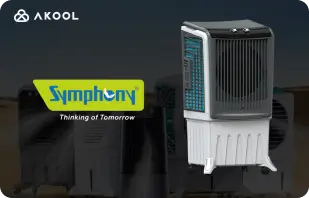
Symphony Coolers использует потоковые аватары AKOOL для запуска охладителя воздуха Silenzo 100 Desert
Symphony Coolers использует потоковые аватары AKOOL для презентации охладителя воздуха Silenzo 100 Desert, повышая вовлеченность клиентов и эффективно демонстрируя инновационные функции.


Avantis и университет Anglia Ruskin преобразуют виртуальные занятия по анатомии с помощью потоковых аватаров
Avantis и университет Anglia Ruskin расширяют возможности виртуальных занятий по анатомии с помощью потоковых аватаров AKOOL, повышая вовлеченность студентов и качество обучения с помощью интерактивных и иммерсивных образовательных инструментов.

Off-White использует потоковые аватары AKOOL для запуска новой линии одежды
Off-White использует потоковые аватары AKOOL для запуска новой линии одежды, усиливая взаимодействие с брендом и демонстрируя инновационные дизайны с помощью захватывающих цифровых презентаций.


Аватар AKOOL способствует росту популярности Il Fornaio в Интернете
Используя технологию виртуальных аватаров AKOOL, известная итальянская сеть ресторанов Il Fornaio создала реалистичные аватары для виртуальных туров и обмена информацией. Результаты оказались впечатляющими: среднее количество просмотров видео с аватарами в Google Картах составило 1,7 миллиона, что увеличило количество посещений.

Greenworks Tools оптимизирует глобальный маркетинг с помощью ИИ-видеоперевода AKOOL
Greenworks Tools улучшает глобальный маркетинг, используя ИИ-видеопереводчик AKOOL, оптимизируя локализацию контента и повышая вовлеченность аудитории на различных рынках. Узнайте, как ИИ меняет маркетинговые стратегии!


Для Ruth's Chris Steak House AKOOL оказался чем-то большим, чем просто инструмент для создания изображений.
Ресторан Ruth's Chris Steak House совершенствует свою маркетинговую стратегию, используя технологию генерации изображений AKOOL на базе искусственного интеллекта, эффективно создавая персонализированные, высококачественные визуальные материалы.

WPP улучшает клиентские кампании с помощью функции изменения фона AKOOL
WPP улучшает клиентские кампании с помощью функции изменения фона AKOOL, позволяя создавать креативные и индивидуальные визуальные эффекты, которые повышают вовлеченность и эффективность маркетинговых стратегий.


Как Pictofable использует технологию замены лиц AKOOL для создания персонализированных детских книжек с историями
Pictofable предлагает персонализированные детские книги с рассказами, используя технологию Face Swap от AKOOL, которая позволяет родителям интегрировать фотографию своего ребенка в увлекательную книгу с рассказами.


Anshul Joshi's Award-Winning AI Film "Tamara" Using AKOOL
Anshul Joshi's award-winning AI film "Tamara" showcases the power of AKOOL's tools in modern filmmaking, enabling rapid creation and multilingual dubbing, ultimately transforming the creative process for filmmakers and enhancing audience engagement. Discover how AI is revolutionizing the film industry through innovative projects like "Tamara"!


Путешествие Peeps.xyz с AKOOL на Челтнемский научный фестиваль
Ричард Нортон, соучредитель Peeps.xyz, использовал платформу искусственного интеллекта AKOOL для Челтнемского научного фестиваля, создав увлекательную маркетинговую кампанию с использованием дипфейкового персонажа. Впечатлённый её эффективностью, он с нетерпением ждёт новых проектов, подчёркивая потенциал ИИ для революционных маркетинговых стратегий и повышения вовлечённости аудитории.


Сделайте свой контент, маркетинг и рекламу более интересными и персонализированными.
Вишал Сингх использует технологию Faceswap от AKOOL для улучшения видеоконтента путём замены лиц знаменитостей, подчёркивая её превосходство в персонализированных маркетинговых стратегиях. Он отмечает удобный интерфейс платформы, предлагая повысить скорость обработки для повышения производительности и расширения возможностей создания контента.

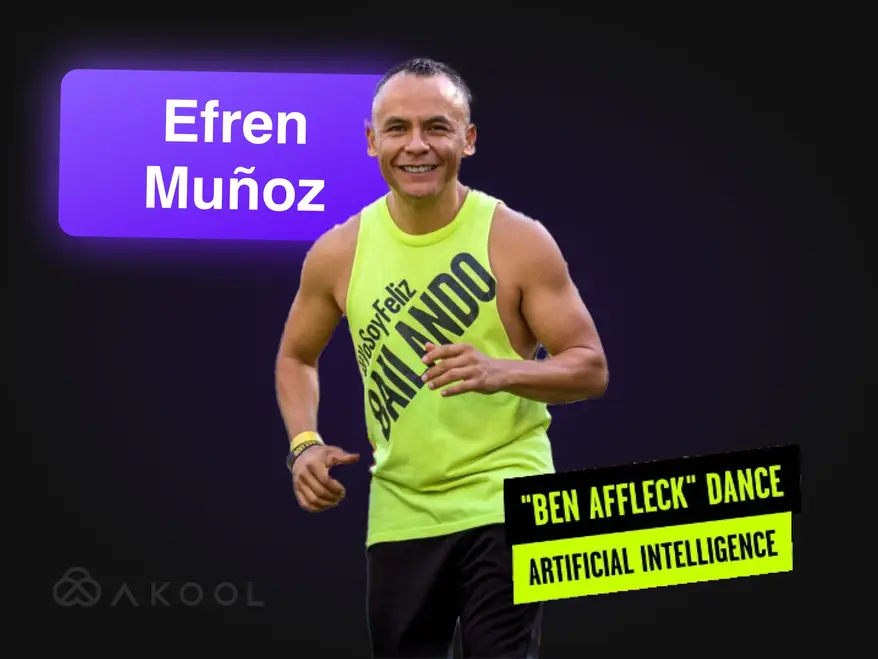
Превратите свой маркетинговый ролик в вирусную сенсацию с помощью Zumba!
Эфрен Муньос, танцевальный инфлюенсер из Мексики, использовал AKOOL для расширения своего присутствия в интернете и эффективного продвижения своих занятий. Создавая увлекательный контент, включая вирусные танцевальные видео и рекламные материалы, он значительно повысил свою узнаваемость и посещаемость занятий, продемонстрировав преобразующую силу искусственного интеллекта в маркетинге.

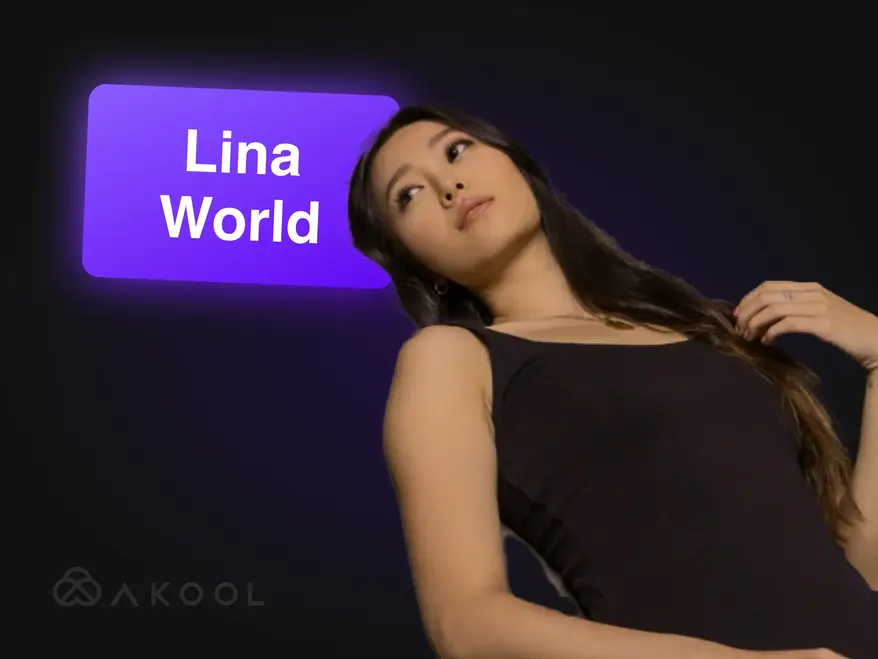
Создаём мир Lina с AKOOL
Знакомьтесь, Лина: виртуальный инфлюенсер, покоривший миллион поклонников с помощью AKOOL!

Docety улучшает качество проведения семинаров с помощью Jarvis от AKOOL для модерирования бесед
Docety улучшает качество проведения семинаров, используя Jarvis от AKOOL для модерации обсуждений, повышения вовлеченности и организации дискуссий для более продуктивной атмосферы мероприятия. Откройте для себя преимущества модерации на основе искусственного интеллекта!
Похожие статьи

Более 60 лучших инструментов искусственного интеллекта, которые стоит попробовать в 2025 году
29 мая 2025 г.
Будьте в курсе новейших инструментов искусственного интеллекта, преобразующих цифровой мир. От создания контента до анализа данных: узнайте, как эти интеллектуальные приложения могут облегчить вашу повседневную работу.

Лучшие примеры корпоративных видеороликов и как создать свой собственный
14 мая 2025 г.
Откройте для себя лучшие примеры корпоративных видеороликов и узнайте, как создать увлекательное и профессиональное видео для вашего бренда. Получите советы экспертов и вдохновение!

Лучшие инструменты для создания аватаров для потокового вещания: привлекайте цифровых персонажей в прямом эфире
22 мая 2025 г.
Откройте для себя лучшие инструменты для создания аватаров для потокового вещания в 2024 году и научитесь создавать динамичные, привлекательные цифровые аватары, которые улучшат ваш прямой эфир и привлекут зрителей.

Создатели продуктовых видеороликов используют ИИ для масштабирования — вот как
5 сентября 2024 г.
Создатели видеороликов о продуктах на основе ИИ совершают революцию в электронной коммерции, эффективно создавая масштабируемый и персонализированный контент. В этой статье мы рассмотрим, как инновационные инструменты AKOOL оптимизируют производство видео, позволяя брендам повышать вовлеченность и поддерживать качество, удовлетворяя растущие потребности потребителей в условиях жесткой конкуренции. Откройте для себя будущее видеомаркетинга уже сегодня!

Лучшие инструменты искусственного интеллекта для создания интересного контента в социальных сетях
6 августа 2024 г.
Узнайте, как инструменты искусственного интеллекта меняют процесс создания контента в социальных сетях. В этой статье рассматриваются лучшие платформы для создания увлекательных постов, а также возможности AKOOL по оптимизации видеопроизводства и улучшению взаимодействия с аудиторией, что в конечном итоге помогает брендам эффективнее и продуктивнее взаимодействовать с потребителями.

Инструменты видеомаркетинга для создателей контента и корпоративных команд
3 августа 2024 г.
В этой статье рассматриваются основные инструменты видеомаркетинга для авторов контента и корпоративных команд, а также их преимущества в повышении узнаваемости бренда и вовлеченности. В статье рассматриваются AKOOL, Synthesia и HeyGen, а также возможности искусственного интеллекта, которые упрощают создание видео, экономят время и деньги, а также способствуют единообразию брендинга на различных платформах.

Вот 6 лучших инструментов искусственного интеллекта для максимального увеличения спроса
24 июня 2024 г.
Откройте для себя лучшие инструменты генеративного ИИ для повышения эффективности формирования спроса. В этой статье рассказывается о том, как персонализированный видеоконтент может повысить вовлечённость, конверсию и лояльность к бренду, демонстрируя AKOOL как ведущую платформу для эффективного создания персонализированного маркетингового опыта.

Как создать рекламу с помощью маркетинговых инструментов на основе искусственного интеллекта
10 июня 2024 г.
Узнайте, как создавать рекламные ролики профессионального уровня с помощью инструментов искусственного интеллекта, таких как AKOOL. В этой статье рассматриваются преимущества искусственного интеллекта в производстве коммерческой рекламы, включая экономию средств, эффективность и создание персонализированного контента, что позволяет компаниям любого размера быстро и эффективно создавать увлекательную рекламу.

Брендинговый опыт, ориентированный на человека, в мире маркетинга на основе искусственного интеллекта
21 мая 2024 г.
Узнайте, как искусственный интеллект меняет восприятие бренда, создавая персонализированные, ориентированные на человека взаимодействия. В этой статье обсуждается важность интеграции инструментов искусственного интеллекта, таких как AKOOL, для повышения вовлеченности, оптимизации создания контента и поддержания целостности бренда, что в конечном итоге помогает компаниям выделяться в насыщенной цифровой среде.

Как генеративный ИИ меняет индустрию моды
16 апреля 2024 г.
Генеративный ИИ преобразует индустрию моды, обеспечивая быстрое проектирование, улучшая взаимодействие с клиентами и сокращая количество отходов. В этой статье рассматривается, как бренды используют ИИ для персонализированного шопинга, эффективного производства и создания инновационной одежды, одновременно решая такие проблемы, как авторское право и влияние на рабочую силу.

Как создать эффективную локализованную маркетинговую стратегию
25 марта 2024 г.
Узнайте, как создать эффективную локализованную маркетинговую стратегию, адаптирующую брендинг и кампании к конкретным рынкам. В этой статье рассматриваются основные этапы, включая исследование аудитории и использование инструментов искусственного интеллекта, таких как AKOOL, для перевода и замены лиц, для повышения вовлеченности и роста продаж по всему миру. Откройте для себя силу локализации!

Лучшие партнерские программы по видеомонтажу, к которым стоит присоединиться
7 ноября 2024 г.
Изучите лучшие партнёрские программы для видеомонтажа, чтобы увеличить свой доход. В этой статье рассматриваются лучшие варианты, включая AKOOL, предлагающий конкурентоспособные комиссионные и ценные маркетинговые ресурсы, помогая создателям контента эффективно монетизировать свои платформы и повышать вовлечённость аудитории благодаря качественным инструментам для видеомонтажа.

Лучшие инструменты для создания аватаров для потокового вещания: привлекайте цифровых персонажей в прямом эфире
24 ноября 2024 г.
Узнайте о лучших инструментах для создания аватаров для стриминга, которые улучшают создание контента в прямом эфире. В этой статье рассматриваются ведущие платформы и освещаются функции, которые повышают вовлеченность аудитории и улучшают качество трансляций для создателей.

Основные преимущества чат-ботов на основе искусственного интеллекта для компаний и клиентов
8 ноября 2024 г.
Узнайте о главных преимуществах чат-ботов на основе искусственного интеллекта для бизнеса и клиентов. В этой статье рассказывается, как интеграция чат-ботов на основе искусственного интеллекта может улучшить обслуживание клиентов, оптимизировать операции, сократить расходы и повысить удовлетворенность сотрудников, в конечном итоге преобразуя способы взаимодействия компаний с клиентами и повышая общую эффективность.

Основные преимущества чат-ботов на основе искусственного интеллекта для компаний и клиентов
6 ноября 2024 г.
Чат-боты на основе искусственного интеллекта с аватарами меняют подход к обслуживанию клиентов, обеспечивая персонализированное взаимодействие в режиме реального времени. В этой статье рассматривается, как организации могут использовать эти передовые инструменты для повышения удовлетворенности клиентов, снижения затрат и оптимизации операций, что в конечном итоге повышает вовлеченность и эффективность в различных отраслях.

Мы попробовали 3 инструмента для создания потоковых аватаров в реальном времени — вот что мы обнаружили
8 сентября 2024 г.
В этой статье рассматриваются три ведущих инструмента для создания аватаров в режиме реального времени, с акцентом на их функции и применение для создателей контента в социальных сетях. Подчеркиваются превосходные возможности настройки, интерактивные возможности и общая производительность AKOOL, помогающие пользователям выбрать оптимальную платформу для повышения вовлеченности аудитории и оптимизации процесса создания контента.

Как создавать видео для YouTube с использованием технологии искусственного интеллекта
7 сентября 2024 г.
Технологии искусственного интеллекта меняют процесс создания видео на YouTube, позволяя авторам эффективно создавать высококачественный контент. В этой статье мы рассмотрим, как инструменты AKOOL оптимизируют написание сценариев, настройку аватаров и монтаж, позволяя пользователям повышать вовлеченность и оптимизировать качество видео, одновременно упрощая процесс производства для лучшего взаимодействия с аудиторией и роста.

Видеопереводчик с испанского на английский: быстро меняйте языки
10 ноября 2024 г.
Инструменты для видеоперевода с испанского на английский необходимы для расширения охвата контента и привлечения международной аудитории. В этой статье рассматриваются их преимущества, а также то, как переводчики на базе искусственного интеллекта, такие как AKOOL, экономят время и деньги, одновременно повышая доступность и вовлеченность в маркетинговые кампании.

Видеопереводчик с хинди на английский: быстро меняйте языки
9 ноября 2024 г.
Трансформируйте свою маркетинговую стратегию с помощью инструмента видеоперевода с хинди на английский от AKOOL. В этой статье объясняется, как переводы на основе искусственного интеллекта повышают доступность контента для компаний, говорящих на хинди, позволяя им быстро и экономично охватить англоязычную аудиторию, сохраняя при этом высокое качество контента.

Лучшие приложения для перевода видео
7 ноября 2024 г.
Откройте для себя лучшие приложения для перевода видео, которые помогают преодолеть языковые барьеры и повысить вовлеченность аудитории по всему миру. В этой статье рассматриваются лучшие инструменты, включая AKOOL, VEED.io и Kapwing, с акцентом на их функциях для эффективного создания многоязычного контента. Превратите свои видео в доступный контент для зрителей по всему миру!

Видеопереводчик с японского на английский: быстро меняйте языки
6 октября 2024 г.
Перевод видеоконтента с японского на английский стал проще благодаря технологиям искусственного интеллекта. В этой статье рассказывается, как видеопереводчик AKOOL оптимизирует процесс, экономя время и деньги, сохраняя при этом культурные нюансы и позволяя компаниям эффективно охватывать глобальную аудиторию с помощью локализованных маркетинговых кампаний. Откройте для себя преимущества перевода на основе искусственного интеллекта!

Как корпоративные команды используют ИИ для адаптации новых сотрудников
3 сентября 2024 г.
Инструменты на основе ИИ для адаптации сотрудников оптимизируют процесс интеграции, быстро и экономично создавая увлекательные, культурно значимые материалы. В этой статье рассматривается, как компании могут использовать ИИ для улучшения процесса адаптации, повышения удержания и обеспечения соответствия требованиям в различных коллективах, что в конечном итоге способствует созданию более эффективной и инклюзивной рабочей среды.

Лучшие инструменты ИИ-перевода для путешествий и туризма
17 июля 2024 г.
Узнайте, как искусственный интеллект меняет маркетинг в сфере путешествий и туризма. В этой статье обсуждается влияние инструментов искусственного интеллекта, таких как AKOOL, на создание многоязычных кампаний, повышение вовлеченности клиентов и обеспечение глобальной конкуренции для малых компаний, что в конечном итоге кардинально меняет способы взаимодействия компаний с путешественниками на всё более цифровом рынке.

Обучающие видео по ИИ: как инструменты перевода упрощают развитие глобальной рабочей силы
19 мая 2024 г.
Обучающие видеоматериалы с использованием ИИ производят революцию в развитии персонала, предоставляя масштабируемые, настраиваемые и увлекательные решения для обучения. В этой статье рассматривается, как ИИ и инструменты перевода улучшают глобальные учебные программы, обеспечивая доступность и единообразие, преодолевая языковые барьеры и, в конечном итоге, оптимизируя процесс обучения для различных групп сотрудников в разных регионах.

Как перевести видео на YouTube за считанные минуты
24 марта 2024 г.
Узнайте, как эффективно переводить видео с YouTube с помощью передовых инструментов искусственного интеллекта AKOOL. Эта статья представляет собой пошаговое руководство по созданию высококачественного локализованного контента, повышению вовлеченности аудитории на разных языках и оптимизации процесса видеопроизводства для расширения международного охвата.

Лучшие приложения для преобразования текста в речь с функцией клонирования голоса
23 марта 2024 г.
В этой статье вы найдете лучшие приложения для преобразования текста в речь с возможностью клонирования голоса. Познакомьтесь с такими популярными инструментами, как AKOOL, который предлагает реалистичные голоса и расширенные функции, расширяя возможности создания и персонализации контента для различных приложений. Узнайте, как эти инновационные технологии могут преобразить ваш опыт работы со звуком и повысить вовлеченность пользователей на разных платформах!
%20-%20Akool%20Blog%20Banner-p-500.webp)
Лучшие онлайн-инструменты для озвучивания видео с использованием ИИ (бесплатно)
22 марта 2024 г.
Откройте для себя лучшие онлайн-инструменты для озвучивания видео на базе искусственного интеллекта, которые упрощают создание многоязычного контента. В этой статье рассматриваются различные платформы, включая AKOOL, с акцентом на их функциях и возможностях для повышения доступности и вовлеченности видео, что позволяет авторам эффективно и результативно охватить международную аудиторию.
Локализация видео: как сделать это эффективно и легко
21 марта 2024 г.
Локализация видео позволяет компаниям находить глобальную аудиторию, адаптируя контент для разных культур и языков. В этой статье описываются эффективные стратегии перевода видео с использованием таких инструментов, как видеопереводчик AKOOL, для повышения узнаваемости бренда и вовлеченности на различных рынках.

Сравнительный анализ лучшего программного обеспечения для редактирования видео на базе искусственного интеллекта
2 августа 2024 г.
Откройте для себя лучшее программное обеспечение для видеомонтажа на базе искусственного интеллекта, доступное сегодня. В этой статье рассматриваются ведущие инструменты, включая AKOOL, с акцентом на их удобство использования и экономичность, позволяющие маркетологам и создателям контента быстро и эффективно создавать видео профессионального качества, что меняет рынок видеомонтажа для людей любого уровня подготовки.

Пять лучших инструментов ИИ для создания видео для маркетинговых команд
8 июля 2024 г.
Инструменты видеопроизводства на основе ИИ играют ключевую роль в современных маркетинговых стратегиях, позволяя командам быстро и эффективно создавать высококачественные видеоролики. В этой статье рассматриваются пять лучших инструментов, включая AKOOL, с акцентом на их преимуществах, функциях и экономической эффективности, которые помогают компаниям повысить эффективность видеомаркетинга и эффективнее вовлекать аудиторию.

7 лучших API для видеомаркетинга, которые повысят вовлеченность вашего бренда
25 ноября 2024 г.
Откройте для себя семь лучших API для видеомаркетинга, которые улучшают создание и распространение контента. В этой статье рассматриваются функции и преимущества API AKOOL, а также то, как они могут эффективно улучшить вашу стратегию видеомаркетинга.

Лучшие API локализации для видеоконтента: бесперебойный многоязычный охват
21 ноября 2024 г.
Изучите лучшие API локализации видео для расширения глобального охвата. В этой статье рассматривается API AKOOL, который улучшает доступность и вовлечённость, обеспечивая эффективный отклик вашего контента у разнообразной аудитории.

Лучшие API для мгновенных аватаров: мгновенное создание цифровых идентификаторов
20 ноября 2024 г.
Изучите лучшие доступные API для создания мгновенных аватаров, позволяющие разработчикам быстро и легко создавать персонализированные аватары. В этой статье рассматриваются лучшие решения, включая AKOOL, а также их функции и преимущества для повышения вовлеченности пользователей в различных приложениях.

Лучшие инструменты модерации контента на основе ИИ
5 октября 2024 г.
Ознакомьтесь с лучшими инструментами модерации контента на основе ИИ для более эффективного управления онлайн-сообществом. В этой статье рассматриваются ведущие платформы, включая Jarvis от AKOOL, с акцентом на их точности, гибкости и масштабируемости, которые помогают компаниям поддерживать целостность бренда и эффективно создавать безопасную цифровую среду.

Модерация контента с помощью ИИ: понимание того, как это работает
4 октября 2024 г.
Модерация контента на основе искусственного интеллекта (ИИ) AKOOL помогает организациям управлять огромным объёмом пользовательского контента в социальных сетях, обеспечивая соблюдение правил сообщества. В этой статье объясняются преимущества этой функции, включая экономичность и масштабируемость, а также то, как инструменты ИИ могут повысить безопасность и вовлечённость пользователей за счёт эффективной фильтрации нежелательного контента.

Новый API помогает предприятиям масштабировать взаимодействие с клиентами с помощью инструментов генеративного ИИ
13 мая 2024 г.
Инструменты генеративного ИИ трансформируют корпоративный маркетинг, оптимизируя создание контента, повышая вовлеченность аудитории и автоматизируя процессы. В этой статье рассматривается, как API генеративного ИИ от AKOOL позволяет компаниям внедрять инновации в свои маркетинговые стратегии и повышать эффективность, обеспечивая конкурентоспособность в быстро меняющейся среде.

Преобразите свой контент с помощью нашего генератора анимации синхронизации губ
24 апреля 2024 г.
Узнайте, как генератор анимации с синхронизацией губ AKOOL преображает процесс создания контента, идеально синхронизируя движения губ персонажей со звуком. В этой статье рассматриваются возможности его применения в различных отраслях, что повышает вовлеченность и эффективность повествования благодаря динамичной анимации, которая вызывает эмоциональный отклик у аудитории, что делает его незаменимым инструментом для маркетологов, педагогов и артистов.

Как создать видеоролики с фонограммой, которые изменят ваш маркетинг и повысят вовлеченность
23 апреля 2024 г.
Узнайте, как создавать захватывающие видеоролики с синхронизацией губ с помощью AKOOL. Эта статья представляет собой пошаговое руководство, описывающее преимущества автоматизированной синхронизации губ для маркетинга, вовлечения аудитории и эффективного создания контента на различных платформах.

Разрушьте языковые барьеры с помощью технологии искусственного интеллекта, синхронизирующего речь с губами
14 апреля 2024 г.
API Lip Sync позволяет компаниям быстро и недорого создавать локализованные видеоролики, преодолевая языковые барьеры. В этой статье рассматриваются его преимущества, включая повышение вовлеченности, экономическую эффективность и возможность создания гиперреалистичного контента для глобальной аудитории, что меняет маркетинговые стратегии и процессы создания контента.

Лучшие генераторы аватаров на основе ИИ
1 ноября 2024 г.
Откройте для себя инновационный мир генераторов аватаров на основе искусственного интеллекта, позволяющих пользователям создавать персонализированные цифровые аватары для создания увлекательного контента. В этой статье рассматриваются лучшие платформы, включая AKOOL, предлагающую расширенные возможности настройки и реалистичное взаимодействие. Узнайте, как эти инструменты могут эффективно улучшить стратегии маркетинга, обслуживания клиентов и работы в социальных сетях.

Сравнительный анализ лучших ресурсов для создания аватара ИИ
8 июля 2024 г.
Откройте для себя возможности генераторов аватаров на основе искусственного интеллекта для улучшения маркетинговых стратегий. В этой статье рассматриваются лучшие доступные инструменты, включая AKOOL, предлагающий широкие возможности настройки и удобные функции, позволяющие брендам создавать увлекательный и интерактивный контент, который находит отклик у аудитории и повышает эффективность их маркетинговых усилий.
%20-%20Akool%20Blog%20Banner.webp)
Создавайте интерактивные демонстрации с помощью фотографии и сценария (пусть ИИ сделает все остальное!)
10 июня 2024 г.
Узнайте, как создавать увлекательные интерактивные демонстрации с помощью инструментов искусственного интеллекта, таких как AKOOL. В этом руководстве описывается процесс преобразования фотографий и сценариев в захватывающие презентации, которые повышают уровень обучения пользователей и понимание продукта, а также экономят время и силы на создание демонстраций. Откройте для себя будущее интерактивного контента уже сегодня!

Креативные маркетинговые команды обожают мгновенные аватары… Не отставайте!
19 мая 2024 г.
Мгновенные аватары меняют маркетинговые стратегии, позволяя брендам быстро создавать интересный и персонализированный контент. В этой статье рассматривается, как эти универсальные инструменты могут улучшить взаимодействие с аудиторией и повысить конверсию, помогая компаниям выделиться в конкурентной среде и эффективно оптимизировать процесс создания контента.

Лучшие инструменты для создания мгновенных аватаров для видеоконтента
18 мая 2024 г.
Инструменты для создания аватаров на основе ИИ производят революцию в маркетинге, позволяя компаниям эффективно создавать персонализированный и вовлекающий контент. В этой статье рассматриваются лучшие доступные инструменты для создания аватаров, а также подчеркивается их потенциал для улучшения взаимодействия с клиентами и оптимизации процессов создания контента. Узнайте, как эти инновации могут преобразовать вашу маркетинговую стратегию уже сегодня!

Как генеративный ИИ упрощает создание обучающих видеороликов для сотрудников
13 мая 2024 г.
Видеоролики для адаптации сотрудников играют ключевую роль в ознакомлении новых сотрудников с корпоративной культурой и ценностями компании. В этой статье рассматривается, как генеративный ИИ упрощает создание видеороликов, повышает вовлечённость и эффективность, одновременно укрепляя чувство принадлежности, что в конечном итоге оптимизирует процесс адаптации и улучшает общее впечатление сотрудников.
Как легко автоматически синхронизировать губы с видео и фильмами
19 апреля 2024 г.
Технология автоматической синхронизации губ произвела революцию в создании видео, плавно синхронизируя движения губ ИИ-аватара со звуком. В этой статье объясняется, как бренды могут использовать этот инновационный инструмент для эффективного производства контента, повышения вовлеченности и реалистичности в видеороликах спикеров, в конечном итоге оптимизируя процесс и улучшая взаимодействие с аудиторией на различных платформах.

Альтернативы Synthesia (параллельное сравнение характеристик)
11 апреля 2024 г.
Изучите лучшие альтернативы Synthesia для создания видео с использованием ИИ. В этой статье сравниваются различные платформы, включая AKOOL, с акцентом на их уникальные функции и удобные интерфейсы, которые позволяют компаниям эффективно и результативно создавать увлекательный контент с использованием аватаров. Узнайте, какой инструмент лучше всего подходит именно вам!

Как создать игровой аватар с помощью ИИ
20 марта 2024 г.
Создание собственного игрового аватара с помощью искусственного интеллекта позволяет игрокам выразить свою индивидуальность и улучшить игровой опыт. В этом руководстве рассказывается, как использовать продвинутый генератор изображений AKOOL для создания уникальных аватаров, которые выделяются на таких платформах, как Twitch и Discord, способствуя узнаваемости в динамичных игровых сообществах.

Альтернативы HeyGen для видео с ИИ и пользовательских аватаров
17 марта 2024 г.
Откройте для себя лучшие альтернативы HeyGen для создания видео с использованием ИИ и создания аватаров. В этой статье AKOOL представлен как ведущий конкурент, предлагающий удобные инструменты для настройки аватаров и возможности преобразования текста в видео. Благодаря гибкой системе оплаты по факту использования AKOOL идеально подходит для новичков и непрофессиональных пользователей, стремящихся раскрыть свой творческий потенциал.

Лучшее программное обеспечение для клонирования голоса
2 ноября 2024 г.
Ознакомьтесь с лучшими программами для клонирования голоса, включая AKOOL и Resemble AI. В этой статье рассматриваются их функции, цены и лучшие примеры использования, что поможет вам выбрать идеальный инструмент для создания реалистичного аудиоконтента, отвечающего вашим потребностям.

Лучшие примеры видеообучения сотрудников
8 октября 2024 г.
В статье представлены лучшие примеры обучающих видеороликов для сотрудников, демонстрирующие эффективные методы и стратегии повышения эффективности обучения и вовлеченности в организациях. Узнайте, как эти видеоролики могут улучшить результаты обучения и способствовать созданию продуктивной корпоративной культуры.

Лучшие инструменты для преобразования текста в голос с помощью ИИ
5 ноября 2024 г.
Познакомьтесь с лучшими инструментами искусственного интеллекта для озвучивания текста, которые улучшают процесс создания контента, преобразуя текст в естественную речь. В этой статье рассматриваются различные платформы, включая AKOOL, с акцентом на их уникальных функциях и возможностях для создания высококачественной озвучки видео, подкастов и интерактивных медиа.

Лучшие генераторы текста в видео на базе ИИ
8 июля 2024 г.
Откройте для себя лучшие генераторы текстов в видео на базе ИИ, которые упрощают создание видео для маркетологов. В этой статье рассматриваются ведущие платформы, включая AKOOL, с акцентом на их функциях, возможностях настройки и экономической эффективности, что позволяет компаниям быстро и эффективно создавать увлекательный контент без специальных навыков.

Как изменить фон фотографий продукта с помощью ИИ
10 июня 2024 г.
Инструменты AKOOL для редактирования фона на базе искусственного интеллекта (ИИ) произвели революцию в предметной фотографии, позволяя пользователям легко менять и настраивать фон. Эта технология экономит время, повышает визуальную привлекательность и обеспечивает единообразие, позволяя компаниям создавать изображения профессионального качества, которые повышают вовлеченность и эффективно стимулируют продажи.

7 лучших инструментов для замены лиц на фотографиях: создавайте реалистичные замены легко
23 ноября 2024 г.
AKOOL предлагает инновационные инструменты для замены лиц, которые расширяют возможности редактирования фотографий, позволяя пользователям без труда создавать интересный и увлекательный контент.

7 лучших приложений для замены нескольких лиц для реалистичного и быстрого группового редактирования
22 ноября 2024 г.
Откройте для себя семь лучших приложений для замены лиц, которые позволяют создавать увлекательный и интересный контент. В этой статье рассматриваются лучшие приложения, освещаются функции AKOOL Faceswap и простота использования для лёгкого преобразования фотографий и видео. Ознакомьтесь с этими креативными инструментами, чтобы улучшить своё присутствие в социальных сетях!

Лучшее приложение для анимации фотографий
8 ноября 2024 г.
AKOOL — это мощное и удобное приложение для точной анимации фотографий, позволяющее создавать потрясающие визуальные эффекты для социальных сетей и личных проектов. Интуитивно понятный интерфейс и различные варианты наложения делают его идеальным как для новичков, так и для профессионалов, желающих легко улучшить свои изображения.

Лучшие приложения для замены лиц в видео
3 ноября 2024 г.
AKOOL — ведущее приложение для замены лиц, позволяющее пользователям создавать потрясающие и реалистичные эффекты в видео. Благодаря интуитивно понятному интерфейсу и передовым технологиям искусственного интеллекта, AKOOL подходит как новичкам, так и профессионалам, что делает его идеальным выбором для всех, кто хочет креативно и эффективно улучшить свой видеоконтент.

Лучшие приложения для обработки фотографий с использованием ИИ
31 октября 2024 г.
Откройте для себя лучшие приложения для замены лиц в видео, которые подойдут создателям контента и любителям социальных сетей. В этой статье рассматриваются различные инструменты, включая AKOOL, с акцентом на их уникальные функции и возможности, позволяющие пользователям легко создавать увлекательный и интересный видеоконтент, одновременно улучшая свои творческие проекты.

Рейтинг: Лучшие конкуренты HeyGen
1 августа 2024 г.
В этой статье представлен рейтинг основных конкурентов HeyGen, где AKOOL выделяется как ведущая альтернатива. Сравниваются функции, пользовательский опыт и производительность, а также объясняются причины, по которым компании переходят на AKOOL благодаря его превосходным инструментам и эффективности создания контента с помощью ИИ. Найдите лучшие решения для своих маркетинговых задач!

Лучшие инструменты для замены лиц в видео
26 июля 2024 г.
В этой статье мы сравниваем лучшие инструменты для замены лиц в видео, такие как AKOOL и Reface. Узнайте, как эти инновационные инструменты могут улучшить ваши маркетинговые стратегии, создавая персонализированный, вовлекающий контент, который захватывает аудиторию и повышает конверсию, делая видеомаркетинг более динамичным и эффективным.

Какой инструмент ИИ для подмены лиц повышает рентабельность инвестиций в маркетинг?
11 мая 2024 г.
Узнайте, как инструменты искусственного интеллекта для подмены лиц могут повысить рентабельность инвестиций в маркетинг. В этой статье рассматриваются ключевые особенности, успешные примеры и практические шаги для измерения эффективности, помогающие компаниям использовать эти инновационные инструменты для персонализированных и вовлекающих рекламных кампаний, которые приносят результаты и укрепляют связь с аудиторией.

Создавайте похожие фотографии с помощью генератора лиц на основе искусственного интеллекта AKOOL
18 апреля 2024 г.
Генератор лиц на основе искусственного интеллекта от AKOOL позволяет пользователям без труда создавать реалистичные фотографии с похожими лицами. В этой статье рассматриваются его функции, преимущества и области применения, а также то, как он меняет процесс создания контента для личного и профессионального использования, обеспечивая высококачественные и персонализированные результаты всего за несколько кликов.

Пакетная замена лиц: как поменять местами несколько лиц на групповых фотографиях
17 апреля 2024 г.
Технология пакетной замены лиц упрощает процесс замены нескольких лиц на групповых фотографиях, экономя время и стимулируя творческий подход. В этой статье рассказывается, как инструменты AKOOL обеспечивают эффективную замену лиц, делая их идеальным решением для фотографов, маркетологов и создателей контента, стремящихся оптимизировать свои рабочие процессы и без труда добиваться высококачественных результатов.

12 лучших приложений для реалистичной замены лиц
13 апреля 2024 г.
В этой статье вы найдете пять лучших приложений для создания дипфейков для реалистичной замены лиц. Узнайте об их уникальных функциях, удобстве использования и применении в маркетинге и индустрии развлечений, помогая пользователям легко создавать увлекательный контент, учитывая при этом этические аспекты технологии дипфейков.

Как сделать видео с заменой лиц
12 апреля 2024 г.
Узнайте, как легко менять лица в видео с помощью инструмента замены лиц AKOOL. В этой статье представлено пошаговое руководство, советы для достижения реалистичных результатов и рассматриваются преимущества технологии искусственного интеллекта в видеомонтаже, что делает её доступной как для новичков, так и для профессионалов, стремящихся улучшить качество создания контента.

Лучший инструмент ИИ для замены лиц на видео для B2C и корпоративных маркетинговых команд
28 марта 2024 г.
В этой статье вы найдете лучшие инструменты для замены лиц на видео с помощью ИИ для маркетинга. В ней передовая платформа AKOOL сравнивается с девятью конкурентами, отмечая её превосходное качество, реалистичность и удобство использования, что делает её идеальным инструментом для создания увлекательной рекламы и контента для социальных сетей, который захватывает аудиторию и эффективно стимулирует продажи.

Как бесплатно поменять пол на фото онлайн
27 марта 2024 г.
Узнайте, как легко изменить пол на фотографиях онлайн с помощью функции замены лиц в AKOOL. Это руководство содержит пошаговые инструкции по преобразованию изображений, позволяя вам исследовать различные гендерные проявления и развивать творческие способности с помощью технологий искусственного интеллекта.

Как управлять кризисом в маркетинге
26 марта 2024 г.
AKOOL предоставляет инновационные инструменты для управления кризисными ситуациями в маркетинге, включая технологию замены лиц, которая помогает брендам быстро адаптировать рекламные материалы в периоды разногласий, эффективно сохраняя репутацию и поддерживая доверие потребителей.

Как создать анимацию говорящего лица с помощью A
18 марта 2024 г.
Узнайте, как создавать захватывающие анимации говорящих лиц с помощью технологий искусственного интеллекта. Эта статья представляет собой пошаговое руководство по использованию платформы AKOOL, позволяющей пользователям создавать реалистичные аватары, которые улучшают цифровой маркетинг и сторителлинг, делая создание контента доступным и эффективным для всех, независимо от уровня технических знаний.

Как создать фейковое видео
18 марта 2024 г.
В статье представлено пошаговое руководство по созданию deepfake-видео с помощью AKOOL, в котором рассматриваются основные инструменты и методы, а также подчеркиваются этические аспекты ответственного использования.

Как графический дизайн, созданный с помощью ИИ, может сократить ваши расходы на маркетинг
10 июня 2024 г.
Графический дизайн, созданный с помощью искусственного интеллекта, меняет маркетинг, позволяя пользователям быстро и недорого создавать впечатляющие визуальные материалы. В этой статье рассматривается, как платформы, такие как AKOOL, снижают затраты, повышают эффективность и демократизируют дизайн, позволяя компаниям создавать высококачественные маркетинговые материалы без необходимости привлечения больших команд дизайнеров или специальных навыков.

Изображения продуктов, созданные с помощью искусственного интеллекта, создают невероятные маркетинговые кампании
1 июня 2024 г.
Изображения продуктов, созданные с помощью искусственного интеллекта, производят революцию в маркетинге электронной коммерции, предоставляя впечатляющие визуальные материалы быстро и по доступной цене. В этой статье мы рассмотрим, как бренды могут использовать AKOOL для создания персонализированных высококачественных изображений, которые повышают вовлеченность, оптимизируют рабочие процессы и, в конечном итоге, стимулируют продажи, преобразуя традиционные методы фотографии в цифровую среду.
%20-%20Akool%20Blog%20Banner.png-p-500.webp)
Лучшие идеи для ИИ-арта (примеры и вдохновение)
19 марта 2024 г.
Откройте для себя лучшие идеи для создания потрясающих изображений с помощью ИИ-генератора изображений AKOOL. В этой статье представлены примеры и советы по развитию творческих способностей, позволяющие любому человеку, независимо от уровня художественного мастерства, легко и эффективно создавать уникальные визуальные эффекты.

Создавайте индивидуальные сообщения в любом масштабе с помощью этого инструмента автоматизации видеомаркетинга
6 сентября 2024 г.
Автоматизация видеомаркетинга упрощает создание и распространение персонализированного видеоконтента, позволяя маркетологам эффективно вовлекать лидов в любых масштабах. В этой статье рассматриваются инструменты AKOOL, выделяя такие преимущества, как повышение рентабельности инвестиций, повышение вовлеченности и оптимизация рабочих процессов, что упрощает превращение лидов в лояльных клиентов благодаря персонализированным сообщениям.

5 лучших инструментов искусственного интеллекта для ускорения лидогенерации и повышения рентабельности инвестиций
24 июня 2024 г.
Узнайте, как инструменты лидогенерации на основе искусственного интеллекта могут улучшить вашу маркетинговую стратегию. В этой статье рассматриваются пять лучших инструментов, включая AKOOL, которые оптимизируют рабочие процессы, сокращают затраты и повышают качество лидов, что в конечном итоге повышает рентабельность инвестиций и помогает эффективно конвертировать лиды в лояльных клиентов.

Лучшее приложение для пения по фото
8 ноября 2024 г.
Откройте для себя лучшие приложения для фотопения, которые анимируют изображения и создают захватывающие вокальные выступления. В этой статье рассматриваются различные платформы, включая AKOOL, с акцентом на их функциях и простоте использования для преобразования статичных фотографий в живой музыкальный контент, идеально подходящий для социальных сетей и личных проектов.
В новостях

Может ли живое видео с ИИ стать следующим Zoom?
May 29, 2025

Когда ИИ выйдет на рынок: будущее человеческого присутствия в реальном времени
June 16, 2025

Techcrunch - Building a Gen AI Unicorn with Global Resources, Innovation, and Efficiency: The AKOOL Way
Feb 28, 2025

G2 - 9 Best Generative AI Tools I Use: Which One Leads Today?
Feb 10, 2025

Microsoft - 5 key marketing tips for early-stage business startup founders
Dec 17, 2024

AKOOL Introduces AMD-Advanced Technology, Revolutionizing Digital Experiences with Simplified In-Device Avatars
Jan 3, 2025

AKOOL Achieves $40M in Invoiced ARR, Accelerating Growth in AI-Driven Content Creation for Diverse Industries
Nov 13, 2024

AKOOL Unveils Enhanced Streaming Avatars with Seamless LLM Integration to Revolutionize Human-Machine Interactions
Feb 26, 2025

AKOOL Announces Strategic Bollywood Partnership to Revolutionize AI in Digital Immersion and Video Markets
Nov 25, 2024

AKOOL представляет новый класс аватаров Gen Al, устанавливая новый стандарт самовыражения
April 12, 2024

Платформа генеративного искусственного интеллекта Akool устанавливает новый стандарт взаимодействия с брендом
Nov 30, 2023
Узнать больше На базе искусственного интеллекта Инструменты
Раскройте весь потенциал Akool с помощью полного набора инструментов искусственного интеллекта для создания изображений, видеопроизводства и дизайна аватаров. Разрабатываете ли вы маркетинговый контент, масштабируете онлайн-обучение или персонализируете коммуникацию, Akool поможет вам реализовать вашу стратегию на каждом этапе.


