Seedance 2.0: O melhor gerador de vídeo com IA multimodal e consistência de caracteres.
Seedance 2.0: Controlo ao nível do diretor com precisão multimodal
Domine a narrativa cinematográfica com referências precisas ao nível dos pixéis e uma estabilidade de cena incomparável.
Seedance 2.0: Controlo ao nível do diretor com precisão multimodal
Domine a narrativa cinematográfica com referências precisas ao nível dos pixéis e uma estabilidade de cena incomparável.
Seedance 2.0: Geração de vídeo profissional com IA para uma criação consistente e cinematográfica.
Sistema de referência multimodal de nível profissional com consistência inovadora.
Geração avançada de vídeo por IA baseada em referência multimodal
Faça o upload de até 9 imagens, 3 vídeos e 3 ficheiros de áudio num único projeto (máximo de 12 ficheiros mistos). O Seedance 2.0 analisa com precisão a composição visual, o fluxo de movimento, o movimento da câmara, o tempo e o ritmo dos seus materiais de referência.
Consistência de personagens e cenas líder do setor
Mantenha a estabilidade dos rostos, personagens, roupas e estilo visual em planos longos e vídeos com várias cenas. O Seedance 2.0 resolve problemas comuns de IA em vídeos, como o desvio de identidade e a oscilação de cenas.
Edição de vídeo inteligente com IA e extensão de vídeo ilimitada.
Crie novos vídeos ou edite gravações existentes com controlo criativo de nível profissional. Substitua personagens, adicione ou remova elementos, estenda cenas ou ligue clipes facilmente utilizando comandos de texto.
Community Creations
3 passos simples para criar

1
Selecione um modelo e gere modelos.
A Akool estabelece parcerias com os principais fornecedores de modelos do mundo, dando-lhe acesso aos modelos mais recentes, mais variados e mais acessíveis disponíveis.
2
Adicionar imagem
Faça o upload ou gere uma imagem para iniciar a sua geração.3
Obtenha o vídeo
Clique em "Gerar" para criar o seu vídeo final!Porquê escolher Akool?
Diffusion-based Image-to-Video Synthesis
Instant Professional Rendering
Generate polished video assets from images in seconds using diffusion-based synthesis, neural frame interpolation, and high-fidelity visual rendering.
Consistência temporal na identidade da personagem
Persistência de identidade perfeita
Maintain consistent faces, expressions, and identity attributes across frames using computer vision models optimized for high-fidelity video continuity.
API-driven Creative Exploration
Neural Workflow Inspiration
Explore community-generated examples to discover production patterns, diffusion-based video workflows, and scalable generative content ideas.
Ver todos os modelos
Wan
Gemini
OpenAI
Sora
Seedance
Hailuo
Kling
Veo
GPT
Vidu Q3
PixVerse
HappyHorse
Grok
Wan
Gemini
OpenAI
Sora
Seedance
Hailuo
Kling
Veo
GPT
Vidu Q3
PixVerse
HappyHorse
Grok
Wan
Gemini
OpenAI
Sora
Seedance
Hailuo
Kling
Veo
GPT
Vidu Q3
PixVerse
HappyHorse
Grok
Wan
Gemini
OpenAI
Sora
Seedance
Hailuo
Kling
Veo
GPT
Vidu Q3
PixVerse
HappyHorse
Grok
Wan
Gemini
OpenAI
Sora
Seedance
Hailuo
Kling
Veo
GPT
Vidu Q3
PixVerse
HappyHorse
Grok
Wan
Gemini
OpenAI
Sora
Seedance
Hailuo
Kling
Veo
GPT
Vidu Q3
PixVerse
HappyHorse
Grok
Wan
Gemini
OpenAI
Sora
Seedance
Hailuo
Kling
Veo
GPT
Vidu Q3
PixVerse
HappyHorse
Grok
Wan
Gemini
OpenAI
Sora
Seedance
Hailuo
Kling
Veo
GPT
Vidu Q3
PixVerse
HappyHorse
Grok
O que os nossos utilizadores estão a dizer
Marcus Thorne
The multimodal reference system is a game-changer. I uploaded 5 character sketches and a reference video for the camera movement, and Seedance 2.0 nailed the composition perfectly. It's finally more about directing than just prompting.
Elena Rodriguez
I've tried every AI video tool out there, but the character consistency in Seedance 2.0 is on another level. I ran a 15-second sequence and the protagonist's face didn't flicker once. Truly breakthrough stuff.
David Chen
The native audio sync is surprisingly good. I used a custom audio track for a product reveal, and the visual transitions matched the beat perfectly. It saves so much time in post-production.
Sarah Jenkins
Being able to upload 9 images as references is huge for my workflow. I can lock in the environment, the character, and the lighting all at once. Seedance 2.0 is definitely the most precise tool I've used.
Liam O'Connor
I used the video extension feature to "continue shooting" a scene I started last week. The transition was seamless, and it kept the outfit and lighting exactly the same. Best AI for storytelling right now.
Aisha Khan
The multilingual text rendering is actually accurate! I needed a poster with both English and Chinese text for a global campaign, and Seedance 2.0 rendered the characters without any weird artifacts.
Thomas Miller
I replaced a character in an existing video using the intelligent editing tool. It was so much easier than reshooting. The motion stayed fluid and the new character blended in naturally.
Sophia Rossi
1080p output looks crisp. Most AI video generators still feel a bit blurry, but Seedance 2.0 has that cinematic clarity that makes it usable for professional client work.
James Wilson
The physics accuracy is what impressed me most. I did a scene with falling fabric and it behaved exactly like real silk. No more weird AI "melting" effects.
Isabella Garcia
I love the director-level control. Using a reference video for camera movement meant I could get that specific "dolly zoom" effect without fighting with the prompt for hours.
Marcus Thorne
The multimodal reference system is a game-changer. I uploaded 5 character sketches and a reference video for the camera movement, and Seedance 2.0 nailed the composition perfectly. It's finally more about directing than just prompting.
Elena Rodriguez
I've tried every AI video tool out there, but the character consistency in Seedance 2.0 is on another level. I ran a 15-second sequence and the protagonist's face didn't flicker once. Truly breakthrough stuff.
David Chen
The native audio sync is surprisingly good. I used a custom audio track for a product reveal, and the visual transitions matched the beat perfectly. It saves so much time in post-production.
Sarah Jenkins
Being able to upload 9 images as references is huge for my workflow. I can lock in the environment, the character, and the lighting all at once. Seedance 2.0 is definitely the most precise tool I've used.
Liam O'Connor
I used the video extension feature to "continue shooting" a scene I started last week. The transition was seamless, and it kept the outfit and lighting exactly the same. Best AI for storytelling right now.
Aisha Khan
The multilingual text rendering is actually accurate! I needed a poster with both English and Chinese text for a global campaign, and Seedance 2.0 rendered the characters without any weird artifacts.
Thomas Miller
I replaced a character in an existing video using the intelligent editing tool. It was so much easier than reshooting. The motion stayed fluid and the new character blended in naturally.
Sophia Rossi
1080p output looks crisp. Most AI video generators still feel a bit blurry, but Seedance 2.0 has that cinematic clarity that makes it usable for professional client work.
James Wilson
The physics accuracy is what impressed me most. I did a scene with falling fabric and it behaved exactly like real silk. No more weird AI "melting" effects.
Isabella Garcia
I love the director-level control. Using a reference video for camera movement meant I could get that specific "dolly zoom" effect without fighting with the prompt for hours.
Marcus Thorne
The multimodal reference system is a game-changer. I uploaded 5 character sketches and a reference video for the camera movement, and Seedance 2.0 nailed the composition perfectly. It's finally more about directing than just prompting.
Elena Rodriguez
I've tried every AI video tool out there, but the character consistency in Seedance 2.0 is on another level. I ran a 15-second sequence and the protagonist's face didn't flicker once. Truly breakthrough stuff.
David Chen
The native audio sync is surprisingly good. I used a custom audio track for a product reveal, and the visual transitions matched the beat perfectly. It saves so much time in post-production.
Sarah Jenkins
Being able to upload 9 images as references is huge for my workflow. I can lock in the environment, the character, and the lighting all at once. Seedance 2.0 is definitely the most precise tool I've used.
Liam O'Connor
I used the video extension feature to "continue shooting" a scene I started last week. The transition was seamless, and it kept the outfit and lighting exactly the same. Best AI for storytelling right now.
Aisha Khan
The multilingual text rendering is actually accurate! I needed a poster with both English and Chinese text for a global campaign, and Seedance 2.0 rendered the characters without any weird artifacts.
Thomas Miller
I replaced a character in an existing video using the intelligent editing tool. It was so much easier than reshooting. The motion stayed fluid and the new character blended in naturally.
Sophia Rossi
1080p output looks crisp. Most AI video generators still feel a bit blurry, but Seedance 2.0 has that cinematic clarity that makes it usable for professional client work.
James Wilson
The physics accuracy is what impressed me most. I did a scene with falling fabric and it behaved exactly like real silk. No more weird AI "melting" effects.
Isabella Garcia
I love the director-level control. Using a reference video for camera movement meant I could get that specific "dolly zoom" effect without fighting with the prompt for hours.
Marcus Thorne
The multimodal reference system is a game-changer. I uploaded 5 character sketches and a reference video for the camera movement, and Seedance 2.0 nailed the composition perfectly. It's finally more about directing than just prompting.
Elena Rodriguez
I've tried every AI video tool out there, but the character consistency in Seedance 2.0 is on another level. I ran a 15-second sequence and the protagonist's face didn't flicker once. Truly breakthrough stuff.
David Chen
The native audio sync is surprisingly good. I used a custom audio track for a product reveal, and the visual transitions matched the beat perfectly. It saves so much time in post-production.
Sarah Jenkins
Being able to upload 9 images as references is huge for my workflow. I can lock in the environment, the character, and the lighting all at once. Seedance 2.0 is definitely the most precise tool I've used.
Liam O'Connor
I used the video extension feature to "continue shooting" a scene I started last week. The transition was seamless, and it kept the outfit and lighting exactly the same. Best AI for storytelling right now.
Aisha Khan
The multilingual text rendering is actually accurate! I needed a poster with both English and Chinese text for a global campaign, and Seedance 2.0 rendered the characters without any weird artifacts.
Thomas Miller
I replaced a character in an existing video using the intelligent editing tool. It was so much easier than reshooting. The motion stayed fluid and the new character blended in naturally.
Sophia Rossi
1080p output looks crisp. Most AI video generators still feel a bit blurry, but Seedance 2.0 has that cinematic clarity that makes it usable for professional client work.
James Wilson
The physics accuracy is what impressed me most. I did a scene with falling fabric and it behaved exactly like real silk. No more weird AI "melting" effects.
Isabella Garcia
I love the director-level control. Using a reference video for camera movement meant I could get that specific "dolly zoom" effect without fighting with the prompt for hours.
Robert Taylor
Seedance 2.0 is fast. I got a high-quality 10-second clip in under two minutes. For the level of detail it provides, the speed is pretty incredible.
Chloe Bennett
The scene stability is a massive improvement. I did a multi-scene narrative and the background didn't shift or morph between shots. It feels like a real movie.
Daniel Lee
I used the audio-driven creation to sync a character's movement to a specific rhythm. It's a bit of a learning curve to get the @ mentions right, but the results are worth it.
Mia Thompson
Finally, an AI that understands "pacing." By referencing a video for the edit rhythm, I got a montage that felt professionally cut right out of the box.
Alexander Wright
The identity preservation is solid. I used my own photo as a reference and the AI version of me actually looked like me throughout the entire 12-second clip.
Grace Dumont
I'm using Seedance 2.0 for UI mockups. The ability to render clean text and stable layouts makes it a great tool for presenting app concepts to stakeholders.
Samuel Jackson
The "continue shooting" capability is addictive. I started with a simple walk and ended up with a full 45-second short film by extending the clips. Consistency stayed 10/10.
Olivia Martinez
I had some trouble with very complex audio files, but for standard background music and sound effects, the native audio generation is a lifesaver.
Benjamin Scott
The multimodal precision is what sets this apart. It's not just guessing what I want; it's looking at my references and actually following them. Huge win for creators.
Natalie Fisher
Seedance 2.0 has replaced three other tools in my stack. Having editing, extension, and high-fidelity generation in one engine is just more efficient.
Robert Taylor
Seedance 2.0 is fast. I got a high-quality 10-second clip in under two minutes. For the level of detail it provides, the speed is pretty incredible.
Chloe Bennett
The scene stability is a massive improvement. I did a multi-scene narrative and the background didn't shift or morph between shots. It feels like a real movie.
Daniel Lee
I used the audio-driven creation to sync a character's movement to a specific rhythm. It's a bit of a learning curve to get the @ mentions right, but the results are worth it.
Mia Thompson
Finally, an AI that understands "pacing." By referencing a video for the edit rhythm, I got a montage that felt professionally cut right out of the box.
Alexander Wright
The identity preservation is solid. I used my own photo as a reference and the AI version of me actually looked like me throughout the entire 12-second clip.
Grace Dumont
I'm using Seedance 2.0 for UI mockups. The ability to render clean text and stable layouts makes it a great tool for presenting app concepts to stakeholders.
Samuel Jackson
The "continue shooting" capability is addictive. I started with a simple walk and ended up with a full 45-second short film by extending the clips. Consistency stayed 10/10.
Olivia Martinez
I had some trouble with very complex audio files, but for standard background music and sound effects, the native audio generation is a lifesaver.
Benjamin Scott
The multimodal precision is what sets this apart. It's not just guessing what I want; it's looking at my references and actually following them. Huge win for creators.
Natalie Fisher
Seedance 2.0 has replaced three other tools in my stack. Having editing, extension, and high-fidelity generation in one engine is just more efficient.
Robert Taylor
Seedance 2.0 is fast. I got a high-quality 10-second clip in under two minutes. For the level of detail it provides, the speed is pretty incredible.
Chloe Bennett
The scene stability is a massive improvement. I did a multi-scene narrative and the background didn't shift or morph between shots. It feels like a real movie.
Daniel Lee
I used the audio-driven creation to sync a character's movement to a specific rhythm. It's a bit of a learning curve to get the @ mentions right, but the results are worth it.
Mia Thompson
Finally, an AI that understands "pacing." By referencing a video for the edit rhythm, I got a montage that felt professionally cut right out of the box.
Alexander Wright
The identity preservation is solid. I used my own photo as a reference and the AI version of me actually looked like me throughout the entire 12-second clip.
Grace Dumont
I'm using Seedance 2.0 for UI mockups. The ability to render clean text and stable layouts makes it a great tool for presenting app concepts to stakeholders.
Samuel Jackson
The "continue shooting" capability is addictive. I started with a simple walk and ended up with a full 45-second short film by extending the clips. Consistency stayed 10/10.
Olivia Martinez
I had some trouble with very complex audio files, but for standard background music and sound effects, the native audio generation is a lifesaver.
Benjamin Scott
The multimodal precision is what sets this apart. It's not just guessing what I want; it's looking at my references and actually following them. Huge win for creators.
Natalie Fisher
Seedance 2.0 has replaced three other tools in my stack. Having editing, extension, and high-fidelity generation in one engine is just more efficient.
Robert Taylor
Seedance 2.0 is fast. I got a high-quality 10-second clip in under two minutes. For the level of detail it provides, the speed is pretty incredible.
Chloe Bennett
The scene stability is a massive improvement. I did a multi-scene narrative and the background didn't shift or morph between shots. It feels like a real movie.
Daniel Lee
I used the audio-driven creation to sync a character's movement to a specific rhythm. It's a bit of a learning curve to get the @ mentions right, but the results are worth it.
Mia Thompson
Finally, an AI that understands "pacing." By referencing a video for the edit rhythm, I got a montage that felt professionally cut right out of the box.
Alexander Wright
The identity preservation is solid. I used my own photo as a reference and the AI version of me actually looked like me throughout the entire 12-second clip.
Grace Dumont
I'm using Seedance 2.0 for UI mockups. The ability to render clean text and stable layouts makes it a great tool for presenting app concepts to stakeholders.
Samuel Jackson
The "continue shooting" capability is addictive. I started with a simple walk and ended up with a full 45-second short film by extending the clips. Consistency stayed 10/10.
Olivia Martinez
I had some trouble with very complex audio files, but for standard background music and sound effects, the native audio generation is a lifesaver.
Benjamin Scott
The multimodal precision is what sets this apart. It's not just guessing what I want; it's looking at my references and actually following them. Huge win for creators.
Natalie Fisher
Seedance 2.0 has replaced three other tools in my stack. Having editing, extension, and high-fidelity generation in one engine is just more efficient.
Caso de sucesso do cliente


Canon apresenta cabine fotográfica com IA da Akool em evento interno
A Canon revelou a sua cabine fotográfica de IA de última geração numa recente apresentação interna, equipada com a tecnologia avançada de troca de rosto e geração de imagens da Akool. Concebida para proporcionar experiências fotográficas instantâneas e personalizadas, a ativação proporcionou aos colaboradores uma pré-visualização prática das próximas funcionalidades de IA da Canon.


Akool e Google Cloud apresentam avatares de IA em tempo real no NVIDIA GTC
A AKOOL estabeleceu uma parceria com a Google Cloud para apresentar a tecnologia de avatar de ponta em tempo real na Conferência Global de Tecnologia (GTC) da NVIDIA. Esta demonstração ao vivo mostrou como os avatares da Akool — impulsionados pela infraestrutura escalável e pelas ferramentas avançadas de IA da Google Cloud — podem transformar a forma como as empresas interagem com os utilizadores em ambientes de alto tráfego em tempo real.


Akool e AWS lançam experiência de avatar de IA em tempo real no AWS Summit Índia
A AKOOL estabeleceu uma parceria com a Amazon Web Services (AWS) para oferecer uma experiência de avatar ao vivo no AWS Summit Índia — o principal evento de inovação em TI e cloud da região. A ativação demonstrou como os avatares da Akool, totalmente integrados no AWS Bedrock e alojados na infraestrutura da AWS, podem atuar como representantes inteligentes da marca em tempo real.


Como a tecnologia Face Swap da AKOOL impulsionou a campanha "AI Adventure" da Qatar Airways
Qatar Airways partners with AKOOL to launch "AI Adventure," an innovative campaign using Face Swap technology, allowing viewers to star in their own airline commercial, enhancing customer engagement through personalized and immersive experiences.


Revolucionar a gestão de eventos: como a GPT DAO e a AKOOL, impulsionadas pela IA LiveX, aumentaram o envolvimento dos participantes no GenAI Summit 2024
A GPT DAO está a revolucionar a gestão de eventos para o GenAI Summit com a implementação da tecnologia de avatares baseada em IA da AKOOL. Esta solução inovadora melhora as interações dos participantes, fornecendo apoio e informações instantâneas, ao mesmo tempo que reduz os custos operacionais e as necessidades de pessoal, transformando a experiência do evento numa viagem fluida e envolvente para os participantes.

AKOOL e Eros Digital estabelecem parceria para transformar os mercados de imersão digital e vídeo
A AKOOL estabeleceu uma parceria com a Eros Digital para revolucionar os mercados de imersão digital e vídeo, melhorando a entrega de conteúdos e o envolvimento dos utilizadores através de soluções tecnológicas inovadoras. Descubra o futuro das experiências digitais imersivas!


O jogo "Ultimate You" da Coca-Cola
AKOOL impulsiona campanha de marketing interativo da Coca-Cola com League of Legends


Série de webinars multilingues da Logitech para produtos de webcam com tradução de vídeo da AKOOL
A série de webinars multilingues da Logitech para produtos de webcam utiliza a tradução de vídeo da AKOOL, melhorando a acessibilidade e o envolvimento globais, garantindo que os públicos diversificados se podem ligar e aprender de forma eficaz.

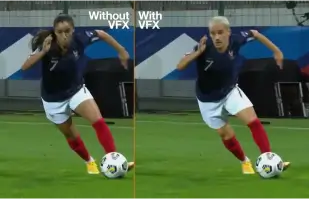
Orange Won the Top Prize for Entertainment for Sport for the MarcelParis, Campaign "WoMen's Football"
Orange's "WoMen's Football" won the top prize for Entertainment for Sport with AKOOL

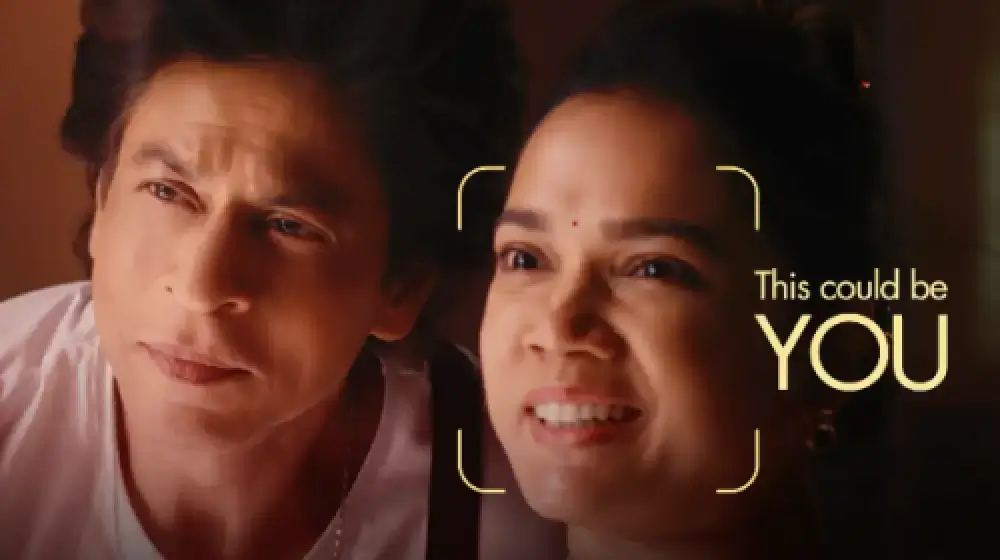
Vamos apresentá-lo no nosso anúncio com a SRK!
Sunfeast Dark Fantasy utiliza a tecnologia da AKOOL para permitir que todos possam protagonizar anúncios ao lado da estrela de Bollywood Shah Rukh Khan.

AKOOL e Tata Consultancy Services colaboram para transformar o marketing baseado em IA
A AKOOL colabora com a Tata Consultancy Services para transformar o marketing orientado por IA, melhorando estratégias e soluções que melhoram o envolvimento do cliente e os resultados comerciais.

Sunfeast lança bolachas de chocolate em edição limitada com avatares de streaming da AKOOL
A Sunfeast lança cookies de chocolate em edição limitada, utilizando os avatares de streaming da AKOOL para um marketing envolvente. Esta abordagem inovadora melhora a interação com a marca e promove o novo produto de forma eficaz.

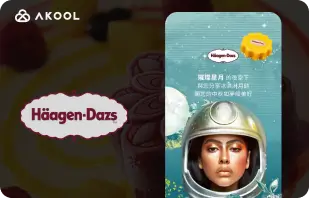
Campanha do Festival da Lua da Häagen-Dazs Taiwan com a ferramenta FaceSwap da AKOOL
A Haagen-Dazs Taiwan utiliza a ferramenta FaceSwap da AKOOL para a sua campanha do Festival da Lua, criando conteúdo envolvente e personalizado que melhora a interação com o cliente e celebra o espírito festivo.


IA encontra a beleza: o sucesso da Vaseline Indonesia com o AKOOL Avatar
A Vaseline Indonesia estabeleceu uma parceria com a AKOOL para melhorar o envolvimento do utilizador. Utilizando a tecnologia de avatar virtual da AKOOL, criaram uma landing page com Febby, um avatar personalizado que cumprimentava os utilizadores pelo nome. A página oferecia vídeos e opções de chat personalizáveis e para download, impulsionando a interação e fortalecendo a ligação entre marca e consumidor.


O impacto da AKOOL nos cursos de produção cinematográfica com IA da Curious Refuge
A AKOOL melhora significativamente os cursos de produção cinematográfica com IA da Curious Refuge, oferecendo ferramentas intuitivas, como a troca de rostos, para uma representação consistente das personagens. Esta parceria revoluciona a criação de conteúdos, tornando a produção cinematográfica acessível e eficaz para alunos e educadores.


Mantendo a consistência das personagens na produção cinematográfica e na narrativa digital
Chrissie Pressman, cineasta, utiliza a IA generativa da AKOOL para melhorar a consistência das personagens nos seus projetos. Equilibrando a sua visão criativa com os desafios pessoais, otimiza a produção e ganha reconhecimento pelo seu uso inovador da tecnologia na narrativa.

Deciem lança assistente humano digital para limpador de esqualano com AKOOL
A Deciem lança um assistente humano digital para o seu limpador de esqualano, desenvolvido pela AKOOL, melhorando o envolvimento do cliente e fornecendo suporte personalizado para uma melhor experiência de compra.

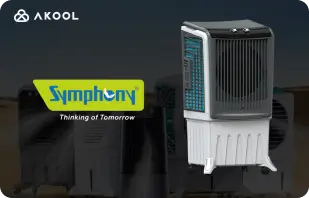
Symphony Coolers utiliza avatares de streaming da AKOOL para lançar o refrigerador de ar Silenzo 100 Desert Air
A Symphony Coolers utiliza os avatares de streaming da AKOOL para lançar o refrigerador de ar para deserto Silenzo 100, aumentando o envolvimento do cliente e exibindo funcionalidades inovadoras de forma eficaz.

Avantis e Anglia Ruskin University transformam aulas virtuais de anatomia com avatares de streaming
A Avantis e a Anglia Ruskin University melhoram as aulas virtuais de anatomia utilizando avatares de streaming AKOOL, melhorando o envolvimento dos alunos e as experiências de aprendizagem através de ferramentas educativas interativas e imersivas.

Off-White usa avatares de streaming da AKOOL para lançar uma nova linha de moda
A Off-White utiliza os avatares de streaming da AKOOL para lançar uma nova linha de moda, aumentando o envolvimento da marca e exibindo designs inovadores através de apresentações digitais imersivas.


Avatar AKOOL impulsiona ascensão de Il Fornaio em visibilidade online
Ao adotar a tecnologia de avatar virtual da AKOOL, a conceituada cadeia de restaurantes italianos Il Fornaio criou avatares realistas para visitas virtuais e partilha de informação. Os resultados foram impressionantes, com os vídeos de avatar do Google Maps a terem uma média de 1,7 milhões de visualizações, gerando mais visitas.

A Greenworks Tools simplifica o marketing global com a tradução de vídeo de IA da AKOOL
A Greenworks Tools melhora o marketing global utilizando a tradução de vídeo por IA da AKOOL, otimizando a localização de conteúdos e melhorando o envolvimento do público em diversos mercados. Descubra como a IA transforma as estratégias de marketing!


Para o Chris Steak House de Ruth, o AKOOL provou ser muito mais do que apenas uma ferramenta de geração de imagens.
A Ruth's Chris Steak House melhora a sua estratégia de marketing utilizando a geração de imagens com tecnologia de IA da AKOOL, criando visuais personalizados e de alta qualidade de forma eficiente.

A WPP melhora as campanhas de clientes com a funcionalidade de alteração de fundo da AKOOL
A WPP melhora as campanhas dos clientes utilizando a funcionalidade de alteração de fundo da AKOOL, permitindo visuais criativos e personalizados que aumentam o envolvimento e a eficácia nas estratégias de marketing.


Como a Pictofable utiliza a tecnologia de troca de rostos da AKOOL para criar livros de histórias infantis personalizados
A Pictofable oferece livros de histórias infantis personalizados, utilizando a tecnologia Face Swap da AKOOL, permitindo aos pais integrar a fotografia dos seus filhos num livro de histórias envolvente.


Anshul Joshi's Award-Winning AI Film "Tamara" Using AKOOL
Anshul Joshi's award-winning AI film "Tamara" showcases the power of AKOOL's tools in modern filmmaking, enabling rapid creation and multilingual dubbing, ultimately transforming the creative process for filmmakers and enhancing audience engagement. Discover how AI is revolutionizing the film industry through innovative projects like "Tamara"!


A viagem do Peeps.xyz com a AKOOL para o Festival de Ciência de Cheltenham
Richard Norton, cofundador da Peeps.xyz, utilizou a plataforma de IA generativa da AKOOL para o Festival de Ciência de Cheltenham, criando uma campanha de marketing envolvente com uma personalidade deepfake. Impressionado com a eficácia, aguarda projetos futuros, destacando o potencial da IA para revolucionar as estratégias de marketing e aumentar o envolvimento do público.


Tornando o seu conteúdo, marketing e anúncios mais envolventes e personalizados.
Vishal Singh utiliza a tecnologia Faceswap da AKOOL para melhorar o conteúdo de vídeo através de trocas de rostos de celebridades, enfatizando a sua superioridade para estratégias de marketing personalizadas. Destaca a interface de fácil utilização da plataforma e sugere melhorias na velocidade de processamento para um melhor desempenho e aplicações mais amplas na criação de conteúdos.

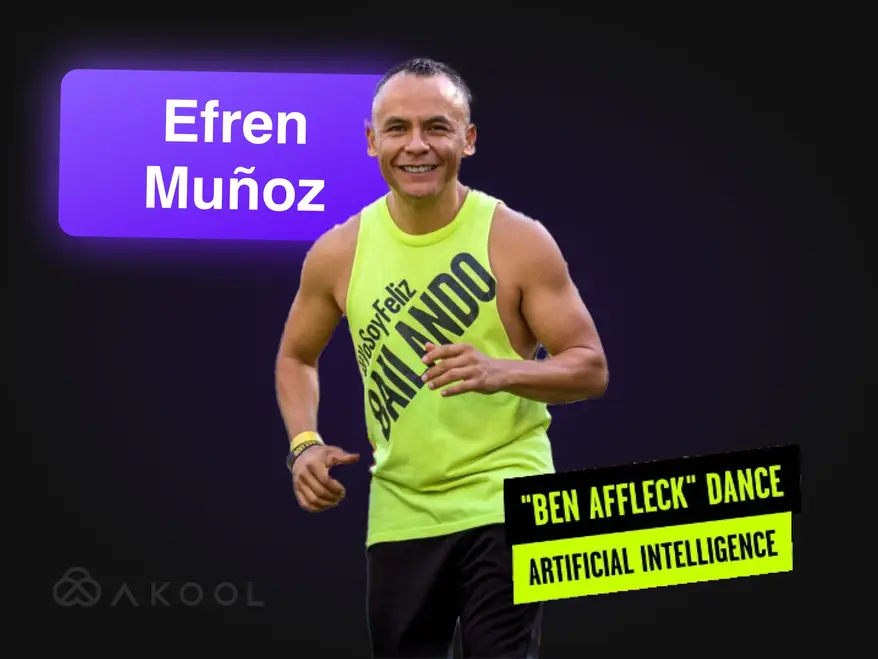
Transforme o seu vídeo de marketing numa sensação viral com Zumba!
Efren Munoz, um influenciador de dança mexicano, utilizou o AKOOL para melhorar a sua presença online e divulgar as suas aulas de forma eficaz. Ao criar conteúdo envolvente, incluindo vídeos de dança virais e materiais promocionais, aumentou significativamente a sua visibilidade e assiduidade às aulas, demonstrando o poder transformador da IA no marketing.

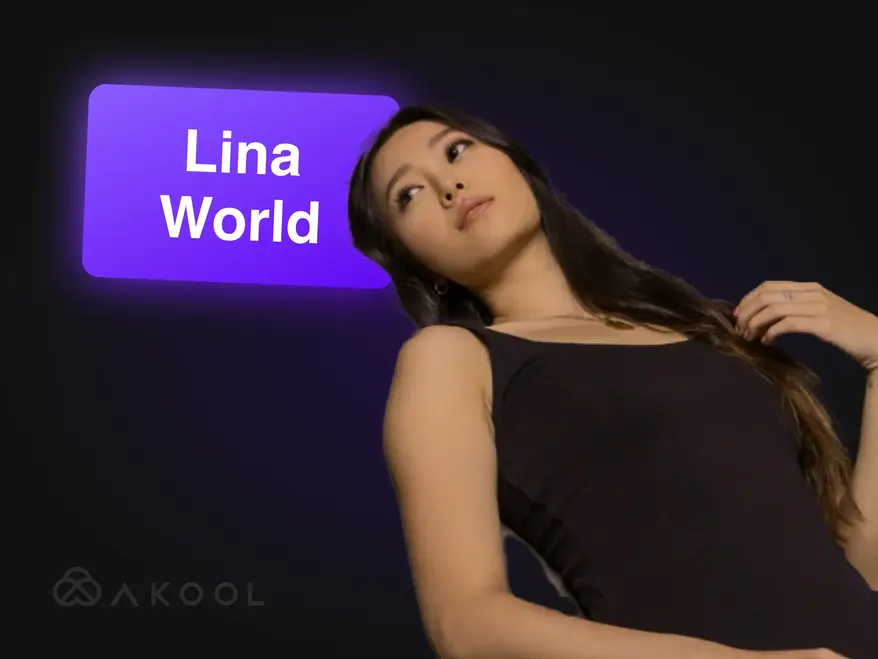
Construir o mundo Lina com AKOOL
Conheça a Lina: a influencer virtual que cativou um milhão de fãs com o AKOOL!

Docety melhora experiência de seminário com Jarvis da AKOOL para moderação de conversas
A Docety melhora a experiência em seminários utilizando o Jarvis da AKOOL para moderação de conversas, aumentando o engagement e garantindo discussões organizadas para um ambiente de evento mais produtivo. Descubra as vantagens da moderação orientada pela IA!
Artigos relacionados

Mais de 60 ferramentas de IA para experimentar em 2025
29 de maio de 2025
Acompanhe as mais recentes ferramentas de IA que estão a transformar o mundo digital. Da criação de conteúdos à análise de dados, explore como estas aplicações inteligentes podem facilitar o seu dia a dia no trabalho.

Melhores exemplos de vídeos corporativos e como fazer o seu
14 de maio de 2025
Descubra os melhores exemplos de vídeos corporativos e aprenda a criar um vídeo envolvente e profissional para a sua marca. Receba dicas de especialistas e inspiração!

Melhores ferramentas de streaming para avatares: envolva as personas digitais ao vivo
22 de maio de 2025
Descubra as principais ferramentas de avatares de streaming para 2024 e aprenda a criar avatares digitais dinâmicos e envolventes que melhoram o seu conteúdo ao vivo e cativam os espectadores.

Os criadores de vídeos de produtos estão a utilizar a IA para escalar — veja como
5 de setembro de 2024
Os criadores de vídeos de produtos com IA estão a revolucionar o e-commerce ao criar conteúdo escalável e personalizado de forma eficiente. Este artigo explora como as ferramentas inovadoras da AKOOL otimizam a produção de vídeo, permitindo às marcas aumentar o envolvimento e manter a qualidade, ao mesmo tempo que satisfazem as crescentes exigências dos consumidores num cenário competitivo. Descubra hoje mesmo o futuro do marketing de vídeo!

As melhores ferramentas de IA para conteúdo envolvente nas redes sociais
6 de agosto de 2024
Descubra como as ferramentas de IA estão a revolucionar a criação de conteúdo para as redes sociais. Este artigo explora as melhores plataformas para produzir posts envolventes, destacando as capacidades da AKOOL na otimização da produção de vídeos e na melhoria da interação com o público, ajudando as marcas a conectarem-se com os consumidores de forma mais eficaz e eficiente.

Ferramentas de marketing de vídeo para criadores e equipas empresariais
3 de agosto de 2024
Este artigo analisa ferramentas essenciais de marketing de vídeo para criadores e equipas corporativas, destacando os seus benefícios para aumentar a notoriedade e o envolvimento da marca. Apresenta o AKOOL, o Synthesia e o HeyGen, enfatizando as características de IA que simplificam a criação de vídeos, poupam tempo e custos e promovem uma marca consistente em diversas plataformas.

Aqui estão as 6 principais ferramentas de IA generativa para maximizar a geração de procura
24 de junho de 2024
Descubra as principais ferramentas de IA generativa para melhorar a geração de procura. Este artigo destaca como o conteúdo de vídeo personalizado pode impulsionar o envolvimento, as taxas de conversão e a lealdade à marca, destacando a AKOOL como uma plataforma líder na criação eficiente de experiências de marketing personalizadas.

Como fazer um anúncio publicitário com ferramentas de marketing de IA
10 de junho de 2024
Aprenda a criar anúncios publicitários de nível profissional utilizando ferramentas de IA como a AKOOL. Este artigo explora os benefícios da IA na produção de anúncios publicitários, incluindo a redução de custos, a eficiência e a criação de conteúdo personalizado, capacitando empresas de todas as dimensões para produzir anúncios envolventes de forma rápida e eficaz.

Experiências de marca centradas no ser humano no mundo do marketing de IA
21 de maio de 2024
Descubra como a IA está a transformar as experiências de marca, criando interações personalizadas e centradas no ser humano. Este artigo discute a importância da integração de ferramentas de IA como o AKOOL para aumentar o envolvimento, otimizar a criação de conteúdos e manter a consistência da marca, ajudando as empresas a destacarem-se num cenário digital saturado.

Como a IA generativa está a revolucionar a indústria da moda
16 de abril de 2024
A IA generativa está a transformar a indústria da moda, permitindo um design rápido, melhorando a experiência do cliente e reduzindo o desperdício. Este artigo explora a forma como as marcas utilizam a IA para compras personalizadas, produção eficiente e criação inovadora de vestuário, ao mesmo tempo que abordam desafios como os direitos de autor e os impactos na força de trabalho.

Como construir uma estratégia de marketing localizada eficaz
25 de março de 2024
Aprenda a construir uma estratégia de marketing localizada eficaz que adapte a marca e as campanhas a mercados específicos. Este artigo explora etapas essenciais, incluindo a pesquisa de audiências e a utilização de ferramentas de IA como o AKOOL para tradução e troca de rostos, para aumentar o envolvimento e impulsionar as vendas a nível global. Descubra o poder da localização!

Melhores programas de afiliados de edição de vídeo para aderir
7 de novembro de 2024
Explore os melhores programas de afiliados de edição de vídeo para aumentar as suas receitas. Este artigo destaca as melhores opções, incluindo o AKOOL, que oferece comissões competitivas e recursos de marketing valiosos, ajudando os criadores de conteúdos a rentabilizar as suas plataformas de forma eficaz, ao mesmo tempo que melhoram o envolvimento do público através de ferramentas de edição de vídeo de qualidade.

Melhores ferramentas de streaming para avatares: envolva as personas digitais ao vivo
24 de novembro de 2024
Explore as melhores ferramentas de avatar de streaming que melhoram a criação de conteúdos em direto. Este artigo analisa as principais plataformas, destacando características que impulsionam o envolvimento do público e melhoram a qualidade do streaming para os criadores.

Principais benefícios dos chatbots de IA para empresas e clientes
8 de novembro de 2024
Descubra os principais benefícios dos chatbots de IA para empresas e clientes. Este artigo destaca como a integração de chatbots de IA pode melhorar o atendimento ao cliente, otimizar as operações, reduzir custos e aumentar a satisfação dos colaboradores, transformando a forma como as empresas interagem com os seus clientes e aumentando a eficiência global.

Principais benefícios dos chatbots de IA para empresas e clientes
6 de novembro de 2024
Os chatbots de IA com avatares estão a transformar o atendimento ao cliente, proporcionando interações personalizadas em tempo real. Este artigo explora como as organizações podem tirar partido destas ferramentas avançadas para aumentar a satisfação do cliente, reduzir custos e otimizar as operações, melhorando, em última análise, o envolvimento e a eficiência em diversos setores.

Testámos 3 ferramentas de streaming de avatar em tempo real - eis o que descobrimos
8 de setembro de 2024
Este artigo analisa três das principais ferramentas de avatar para streaming em tempo real, com foco nas suas características e aplicações para criadores de conteúdo nas redes sociais. Destaca a personalização superior, as características interativas e o desempenho geral do AKOOL, ajudando os utilizadores a escolher a melhor plataforma para aumentar o envolvimento do público e otimizar a criação de conteúdos de forma eficaz.

Como fazer vídeos para o YouTube usando tecnologia de IA
7 de setembro de 2024
A tecnologia de IA está a transformar a criação de vídeos no YouTube, permitindo aos criadores produzir conteúdo de alta qualidade de forma eficiente. Este artigo explora como as ferramentas da AKOOL otimizam a criação de guiões, a personalização de avatares e a edição, permitindo aos utilizadores aumentar o envolvimento e otimizar o desempenho do vídeo, simplificando o processo de produção para uma melhor interação e crescimento do público.

Tradutor de vídeo de espanhol para inglês: mude de idioma rapidamente
10 de novembro de 2024
As ferramentas de tradução de vídeo de espanhol para inglês são essenciais para expandir o alcance do conteúdo e envolver audiências globais. Este artigo explora os seus benefícios, destacando como os tradutores com inteligência artificial, como a AKOOL, poupam tempo e dinheiro, ao mesmo tempo que melhoram a acessibilidade e o envolvimento nas campanhas de marketing.

Tradutor de vídeo de hindi para inglês: mude o idioma rapidamente
9 de novembro de 2024
Transforme a sua estratégia de marketing com a ferramenta de tradução de vídeos de hindi para inglês da AKOOL. Este artigo explica como as traduções baseadas em IA melhoram a acessibilidade para empresas de língua hindi, permitindo-lhes alcançar públicos de língua inglesa de forma rápida e económica, mantendo ao mesmo tempo conteúdo de alta qualidade.

Melhores aplicações de tradução de vídeo
7 de novembro de 2024
Descubra as melhores aplicações de tradução de vídeos que ajudam a quebrar barreiras linguísticas e a aumentar o envolvimento do público global. Este artigo analisa as principais ferramentas, incluindo AKOOL, VEED.io e Kapwing, destacando as suas capacidades para criar conteúdo multilingue de forma eficiente e eficaz. Transforme os seus vídeos em experiências acessíveis para espectadores de todo o mundo!

Tradutor de vídeo de japonês para inglês: mude de idioma rapidamente
6 de outubro de 2024
Traduzir conteúdo de vídeo do japonês para o inglês é agora mais fácil com a tecnologia de IA. Este artigo explora como o tradutor de vídeo da AKOOL simplifica o processo, poupando tempo e custos, mantendo as nuances culturais, permitindo às empresas alcançar públicos globais de forma eficaz com campanhas de marketing localizadas. Descubra os benefícios da tradução orientada por IA!

Como as equipas corporativas usam a IA para a integração
3 de setembro de 2024
As ferramentas de integração de IA simplificam o processo de integração de colaboradores, criando materiais envolventes e culturalmente relevantes de forma rápida e económica. Este artigo explora como as empresas podem utilizar a IA para melhorar as experiências de integração, aumentar a retenção e garantir a conformidade entre forças de trabalho diversificadas, promovendo, em última análise, um ambiente de trabalho mais eficaz e inclusivo.

Melhores ferramentas de tradução de IA para viagens e turismo
17 de julho de 2024
Descubra como a IA está a transformar o marketing de viagens e turismo. Este artigo discute o impacto de ferramentas de IA, como o AKOOL, na criação de campanhas multilingues, na melhoria do envolvimento do cliente e na capacitação de empresas mais pequenas para competir globalmente, revolucionando a forma como as empresas se ligam aos viajantes num mercado cada vez mais digital.

Vídeos de formação em IA: como as ferramentas de tradução simplificam o desenvolvimento da força de trabalho global
19 de maio de 2024
Os vídeos de formação com IA estão a revolucionar o desenvolvimento da força de trabalho, fornecendo soluções de formação escaláveis, personalizáveis e envolventes. Este artigo explora como a IA e as ferramentas de tradução melhoram os esforços globais de formação, garantindo acessibilidade e consistência, ultrapassando as barreiras linguísticas e, em última análise, otimizando o processo de formação para diversos grupos de colaboradores em diversas regiões.

Como traduzir um vídeo do YouTube em poucos minutos
24 de março de 2024
Aprenda a traduzir vídeos do YouTube de forma eficiente, utilizando as ferramentas avançadas de IA da AKOOL. Este artigo oferece um guia passo a passo para criar conteúdo localizado de alta qualidade, aumentando o envolvimento do público em vários idiomas e, ao mesmo tempo, otimizando o seu processo de produção de vídeo para um melhor alcance internacional.

As melhores aplicações de conversão de texto em voz com clonagem de voz
23 de março de 2024
Descubra as melhores aplicações de conversão de texto em voz com capacidades de clonagem de voz neste artigo. Explore as principais ferramentas, como o AKOOL, que oferece vozes realistas e funcionalidades avançadas, melhorando a criação e a personalização de conteúdos para diversas aplicações. Descubra como estas tecnologias inovadoras podem transformar a sua experiência áudio e melhorar o envolvimento em todas as plataformas!
%20-%20Akool%20Blog%20Banner-p-500.webp)
Melhores ferramentas de dobragem de vídeo com IA online (gratuito)
22 de março de 2024
Descubra as melhores ferramentas online de dobragem de vídeo com IA que simplificam a criação de conteúdos multilingues. Este artigo analisa diversas plataformas, incluindo a AKOOL, destacando as suas características e capacidades para melhorar a acessibilidade e o envolvimento dos vídeos, facilitando o alcance de audiências globais por parte dos criadores de conteúdos de forma eficiente e eficaz.
Localização de vídeo: como fazê-lo de forma eficaz e fácil
21 de março de 2024
A localização de vídeos liga as empresas a públicos globais, adaptando os conteúdos a diferentes culturas e línguas. Este artigo descreve estratégias eficazes para traduzir vídeos, utilizando ferramentas como o tradutor de vídeo da AKOOL, para aumentar a visibilidade e o envolvimento da marca em diversos mercados.

Comparando o melhor software de edição de vídeo com a IA
2 de agosto de 2024
Descubra os melhores softwares de edição de vídeo com IA atualmente disponíveis. Este artigo analisa as principais ferramentas, incluindo o AKOOL, destacando as suas características intuitivas e a sua relação custo-benefício, permitindo aos profissionais de marketing e criadores produzir vídeos com qualidade profissional de forma rápida e eficiente, transformando o panorama da edição de vídeo para todos os níveis de competências.

As 5 principais ferramentas de produção de vídeo com IA para equipas de marketing
8 de julho de 2024
As ferramentas de produção de vídeo com IA são essenciais para as estratégias de marketing modernas, permitindo que as equipas criem vídeos de alta qualidade de forma rápida e eficiente. Este artigo analisa as cinco principais ferramentas, incluindo a AKOOL, destacando os seus benefícios, características e relação custo-benefício, ajudando as empresas a melhorar os seus esforços de marketing de vídeo e a envolver o público de forma mais eficaz.

As 7 principais APIs de marketing de vídeo para impulsionar o engagement da sua marca
25 de novembro de 2024
Descubra as sete principais APIs de marketing de vídeo que melhoram a criação e distribuição de conteúdos. Este artigo destaca as características e benefícios da API AKOOL e como podem melhorar a sua estratégia de marketing de vídeo de forma eficaz.

Melhores APIs de localização para conteúdos de vídeo: alcance multilingue contínuo
21 de novembro de 2024
Explore as melhores APIs de localização para vídeos e aumente o seu alcance global. Este artigo analisa a API AKOOL, que melhora a acessibilidade e o envolvimento, garantindo que o seu conteúdo tem repercussões eficazes em públicos diversificados.

Melhores APIs de Avatar Instantâneo: Crie Identidades Digitais Instantaneamente
20 de novembro de 2024
Explore as melhores APIs de avatares instantâneos disponíveis, permitindo aos programadores criar avatares personalizados de forma rápida e fácil. Este artigo destaca as principais opções, incluindo o AKOOL, apresentando as suas características e benefícios para melhorar o envolvimento do utilizador em diversas aplicações.

Melhores ferramentas de moderação de conteúdos de IA
5 de outubro de 2024
Explore as melhores ferramentas de moderação de conteúdos de IA para melhorar a gestão de comunidades online. Este artigo analisa as principais plataformas, incluindo o Jarvis da AKOOL, destacando a sua precisão, personalização e escalabilidade para ajudar as empresas a manter a integridade da marca e a promover um ambiente digital seguro de forma eficaz.

Moderação de conteúdos de IA: compreender como funciona
4 de outubro de 2024
A moderação de conteúdos de IA da AKOOL ajuda as organizações a gerir o enorme volume de conteúdos gerados pelos utilizadores nas redes sociais, garantindo a conformidade com as diretrizes da comunidade. Este artigo explica os seus benefícios, incluindo a relação custo-benefício e a escalabilidade, e destaca como as ferramentas de IA podem aumentar a segurança e o envolvimento do utilizador, filtrando eficientemente conteúdo impróprio.

Nova API está a ajudar as empresas a ampliar o envolvimento do cliente com ferramentas de IA generativas
13 de maio de 2024
As ferramentas de IA generativa estão a transformar o marketing empresarial, otimizando a criação de conteúdos, melhorando o envolvimento do público e automatizando processos. Este artigo explora como a API Gen AI da AKOOL capacita as empresas a inovar as suas estratégias de marketing e a aumentar a eficiência, garantindo que se mantêm competitivas num cenário em rápida evolução.

Transforme o seu conteúdo com o nosso gerador de animação de sincronização labial
24 de abril de 2024
Descubra como o gerador de animação com sincronização labial da AKOOL transforma a criação de conteúdos, sincronizando perfeitamente os movimentos da boca das personagens com o áudio. Este artigo explora as suas aplicações em diversos setores, melhorando o envolvimento e a narrativa através de animações dinâmicas que ressoam emocionalmente no público, tornando-o uma ferramenta essencial para profissionais de marketing, educadores e artistas.

Como fazer vídeos de dobragem labial que transformam o seu marketing e aumentam o engagement
23 de abril de 2024
Aprenda a criar vídeos envolventes de sincronização labial utilizando o AKOOL. Este artigo fornece um guia passo a passo, destacando os benefícios da sincronização labial automatizada para marketing, envolvimento do público e criação eficiente de conteúdos em diversas plataformas.

Quebre as barreiras linguísticas com a tecnologia de sincronização labial da IA
14 de abril de 2024
A API Lip Sync permite às empresas criar vídeos localizados de forma rápida e acessível, quebrando as barreiras linguísticas. Este artigo explora os seus benefícios, incluindo o maior envolvimento, a relação custo-benefício e a capacidade de produzir conteúdo hiper-realista para públicos globais, transformando as estratégias de marketing e os processos de criação de conteúdo.

Melhores geradores de avatares de IA
1 de novembro de 2024
Explore o mundo inovador dos geradores de avatares de IA, que permitem aos utilizadores criar avatares digitais personalizados para a criação de conteúdos envolventes. Este artigo destaca as melhores plataformas, incluindo a AKOOL, que oferece personalização avançada e interações realistas. Descubra como estas ferramentas podem melhorar as estratégias de marketing, atendimento ao cliente e redes sociais de forma eficaz.

Comparando os melhores recursos de avatar de IA
8 de julho de 2024
Descubra o poder dos geradores de avatares de IA para melhorar as estratégias de marketing. Este artigo analisa as melhores ferramentas disponíveis, incluindo o AKOOL, que oferece uma personalização robusta e recursos intuitivos, permitindo às marcas criar conteúdo envolvente e interativo que ressoe com o público e eleve os seus esforços de marketing de forma eficaz.
%20-%20Akool%20Blog%20Banner.webp)
Crie demonstrações interativas com uma foto e um guião (deixe a IA fazer o resto!)
10 de junho de 2024
Aprenda a criar demonstrações interativas envolventes utilizando ferramentas de IA como o AKOOL. Este guia descreve o processo de transformação de fotos e guiões em apresentações imersivas, melhorando a educação do utilizador e a compreensão do produto, bem como poupando tempo e esforço na criação de demonstrações. Descubra hoje mesmo o futuro do conteúdo interativo!

As equipas de marketing criativas ADORAM avatares instantâneos… Não fique para trás
19 de maio de 2024
Os avatares instantâneos estão a transformar as estratégias de marketing, permitindo que as marcas criem conteúdo envolvente e personalizado rapidamente. Este artigo explora como estas ferramentas versáteis podem melhorar a interação com o público e gerar conversões, ajudando as empresas a destacarem-se num cenário competitivo e, ao mesmo tempo, a otimizar o seu processo de criação de conteúdos de forma eficaz.

Melhores ferramentas de avatar instantâneo para conteúdo de vídeo
18 de maio de 2024
As ferramentas de avatar de IA estão a revolucionar o marketing, permitindo que as empresas criem conteúdo personalizado e envolvente de forma eficiente. Este artigo explora as melhores ferramentas de avatar disponíveis, destacando o seu potencial para melhorar a interação com o cliente e otimizar os processos de criação de conteúdos. Descubra como estas inovações podem transformar a sua estratégia de marketing hoje mesmo!

Como a IA Generativa Facilita os Vídeos de Integração de Colaboradores
13 de maio de 2024
Os vídeos de integração de colaboradores são essenciais para apresentar aos novos contratados a cultura e os valores da empresa. Este artigo explora como a IA generativa simplifica a criação de vídeos, aumentando o envolvimento e a eficiência, ao mesmo tempo que promove um sentimento de pertença, agilizando o processo de integração e melhorando a experiência global dos colaboradores.
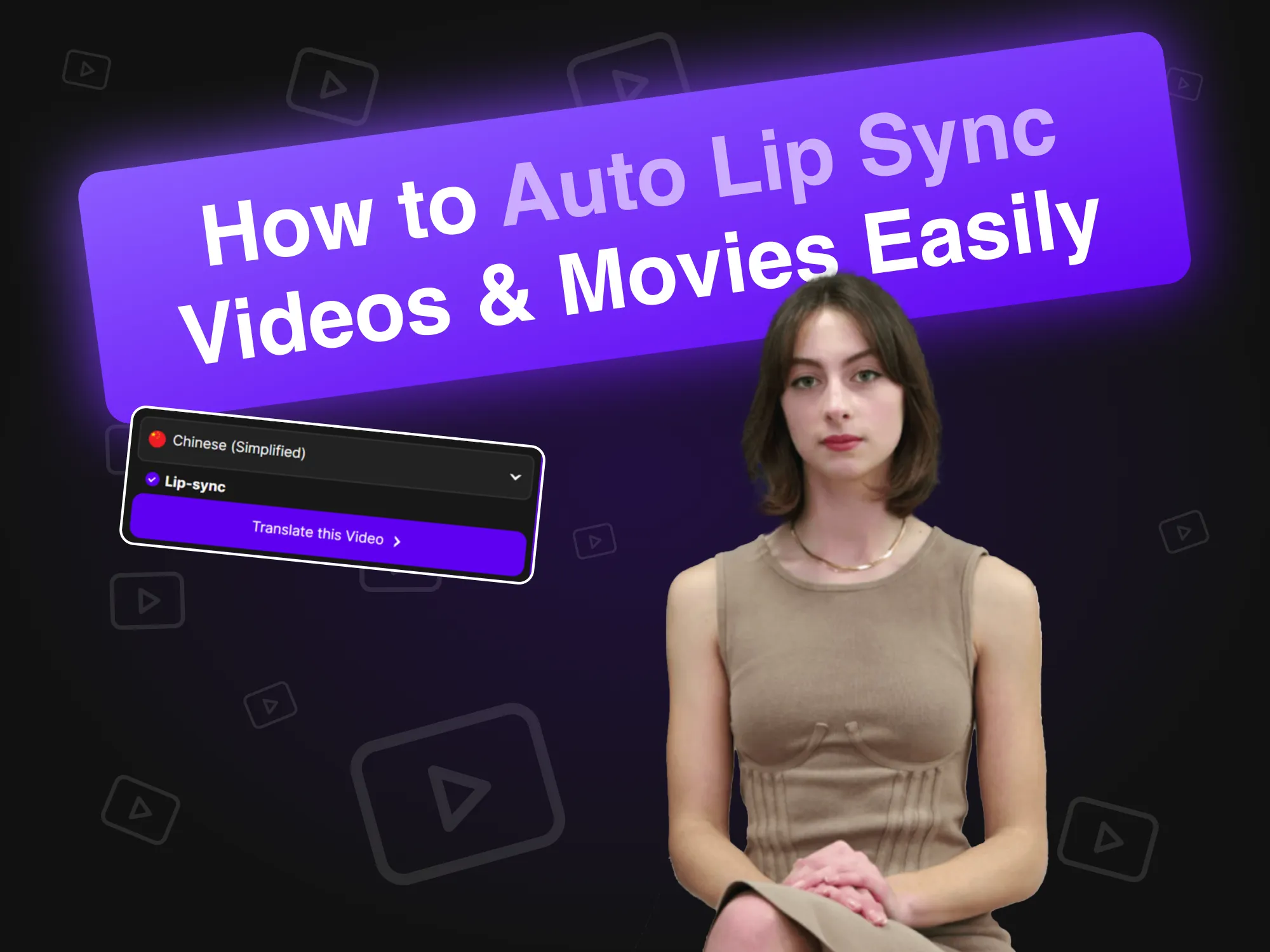
Como fazer sincronização automática dos lábios em vídeos e filmes facilmente
19 de abril de 2024
A tecnologia de sincronização labial automática revoluciona a criação de vídeos ao sincronizar perfeitamente os movimentos labiais dos avatares de IA com o áudio. Este artigo explica como as marcas podem tirar partido desta ferramenta inovadora para uma produção de conteúdos eficiente, aumentando o engagement e o realismo nos vídeos dos porta-vozes, agilizando o processo e melhorando a interação com o público em diversas plataformas.

Alternativas ao Synthesia (comparações de características lado a lado)
11 de abril de 2024
Explore as melhores alternativas ao Synthesia para a criação de vídeos com IA. Este artigo compara diversas plataformas, incluindo a AKOOL, destacando as suas características únicas e interfaces intuitivas, facilitando a produção de conteúdo envolvente e baseado em avatares, de forma eficiente e eficaz, para as empresas. Descubra qual a ferramenta que melhor se adequa às suas necessidades!

Como criar um avatar de jogo personalizado utilizando IA
20 de março de 2024
Criar um avatar gamer personalizado utilizando IA permite aos jogadores expressar a sua individualidade e melhorar a sua experiência de jogo. Este guia explora como utilizar o avançado gerador de imagens da AKOOL para criar avatares únicos que se destacam em plataformas como o Twitch e o Discord, promovendo o reconhecimento em comunidades gamer vibrantes.

Alternativas ao HeyGen para vídeos de IA e avatares personalizados
17 de março de 2024
Descubra as melhores alternativas ao HeyGen para a criação de vídeos com IA e avatares personalizados. Este artigo destaca o AKOOL como um concorrente de topo, com ferramentas fáceis de utilizar para a personalização de avatares e capacidades de conversão de texto em vídeo. Com os seus preços flexíveis e pré-pagos, o AKOOL é perfeito para principiantes e utilizadores casuais que procuram libertar a sua criatividade.

Melhor Software de Clonagem de Voz
2 de novembro de 2024
Explore os principais softwares de clonagem de voz disponíveis, incluindo o AKOOL e o Resemble AI. Este artigo analisa as suas características, preços e melhores casos de utilização, ajudando-o a escolher a ferramenta ideal para criar conteúdo áudio realista e personalizado às suas necessidades.

Melhores exemplos de vídeos de formação para colaboradores
8 de outubro de 2024
O artigo apresenta os melhores exemplos de vídeos de formação para colaboradores, destacando técnicas e estratégias eficazes para melhorar a aprendizagem e o envolvimento dentro das organizações. Descubra como estes vídeos podem melhorar os resultados da formação e promover uma cultura produtiva no local de trabalho.

Melhores ferramentas de conversão de texto em voz por IA
5 de novembro de 2024
Explore as principais ferramentas de IA para conversão de texto em voz que melhoram a criação de conteúdo, convertendo texto em discurso natural. Este artigo analisa diversas plataformas, incluindo a AKOOL, destacando as suas características e capacidades únicas para a produção de locuções de alta qualidade para vídeos, podcasts e media interativa.

Os melhores geradores de texto para vídeo com IA
8 de julho de 2024
Descubra os melhores geradores de texto para vídeo com IA que simplificam a produção de vídeos para os profissionais de marketing. Este artigo analisa as principais plataformas, incluindo a AKOOL, destacando as suas características, opções de personalização e relação custo-benefício, permitindo às empresas criar conteúdo envolvente de forma rápida e eficiente, sem a necessidade de competências especializadas.

Como alterar o fundo de fotografias de produtos utilizando IA
10 de junho de 2024
As ferramentas de edição de fundos de IA da AKOOL revolucionam a fotografia de produtos, permitindo aos utilizadores alterar e personalizar fundos sem esforço. Esta tecnologia poupa tempo, melhora o apelo visual e garante consistência, permitindo às empresas criar imagens com qualidade profissional que aumentam o envolvimento e impulsionam as vendas de forma eficaz.

7 melhores ferramentas de troca de rostos para fotografias: crie trocas realistas facilmente
23 de novembro de 2024
A AKOOL oferece ferramentas inovadoras de troca de rostos que melhoram as experiências de edição de fotografias, permitindo aos utilizadores criar conteúdo divertido e envolvente sem esforço.

7 melhores aplicações de troca de rosto para edições de grupo realistas e rápidas
22 de novembro de 2024
Descubra as sete melhores aplicações de troca de rostos múltiplos que permitem aos utilizadores criar conteúdo divertido e envolvente. Este artigo analisa as principais opções, destacando as características de troca de rostos do AKOOL e a facilidade de utilização para transformar fotografias e vídeos sem esforço. Explore estas ferramentas criativas para melhorar a sua presença nas redes sociais!

Melhor aplicação para animar fotos
8 de novembro de 2024
AKOOL é uma aplicação poderosa e fácil de usar que anima fotos com precisão, permitindo aos utilizadores criar visuais impressionantes para redes sociais e projetos pessoais. A sua interface intuitiva e as diversas opções de sobreposição tornam-no ideal para principiantes e profissionais que procuram melhorar as suas imagens sem esforço.

Melhores aplicações de troca de rosto para vídeos
3 de novembro de 2024
AKOOL é uma aplicação líder em troca de rostos que permite aos utilizadores criar trocas de rostos impressionantes e realistas em vídeos. Com a sua interface intuitiva e tecnologia de IA avançada, o AKOOL é adequado tanto a principiantes como a profissionais, sendo a escolha ideal para quem procura melhorar o seu conteúdo de vídeo de forma criativa e eficaz.

Melhores aplicações de fotos com IA
31 de outubro de 2024
Descubra as melhores aplicações de troca de rosto para vídeos, destinadas a criadores de conteúdo e entusiastas de redes sociais. Este artigo analisa diversas ferramentas, incluindo o AKOOL, destacando as suas características e funcionalidades únicas, permitindo aos utilizadores criar conteúdo de vídeo envolvente e divertido sem esforço, ao mesmo tempo que melhoram os seus projetos criativos.

Classificado: Principais concorrentes do HeyGen
1 de agosto de 2024
Este artigo classifica os principais concorrentes do HeyGen, destacando o AKOOL como uma alternativa líder. Compara as características, a experiência do utilizador e o desempenho, mostrando porque é que as empresas estão a migrar para o AKOOL devido às suas ferramentas superiores e eficiência na criação de conteúdo gerado por IA. Descubra as melhores opções para as suas necessidades de marketing!

Melhores ferramentas de troca de rostos para vídeos
26 de julho de 2024
Descubra as melhores ferramentas de troca de rostos para vídeos neste artigo, que compara as principais opções, como o AKOOL e o Reface. Saiba como estas ferramentas inovadoras podem melhorar as suas estratégias de marketing, criando conteúdo personalizado e envolvente que cativa o público e gera conversões, tornando o marketing de vídeo mais dinâmico e eficaz.

Que ferramenta de troca de rostos com IA impulsiona o ROI de marketing?
11 de maio de 2024
Descubra como as ferramentas de IA para troca de rostos podem aumentar o ROI do marketing. Este artigo explora os principais recursos, estudos de caso de sucesso e passos práticos para medir a eficácia, ajudando as empresas a aproveitar estas ferramentas inovadoras para campanhas publicitárias personalizadas e envolventes que geram resultados e melhoram a ligação com o público.

Crie fotos semelhantes a si usando o gerador de rostos de IA da AKOOL
18 de abril de 2024
O Gerador de Rostos com IA da AKOOL permite aos utilizadores criar fotografias realistas e semelhantes sem esforço. Este artigo explora as suas características, benefícios e aplicações, destacando como transforma a criação de conteúdos para uso pessoal e profissional, garantindo resultados personalizados e de alta qualidade com apenas alguns cliques.

Troca de rostos em lote: como trocar vários rostos em fotografias de grupo
17 de abril de 2024
A tecnologia de troca de rostos em lote simplifica o processo de troca de vários rostos em fotografias de grupo, poupando tempo e potenciando a criatividade. Este artigo explora como as ferramentas da AKOOL permitem a substituição eficiente de rostos, tornando-a ideal para fotógrafos, profissionais de marketing e criadores de conteúdos que procuram otimizar os seus fluxos de trabalho e, ao mesmo tempo, obter resultados de alta qualidade sem esforço.

12 melhores aplicações de deepfake para trocas de rosto realistas
13 de abril de 2024
Descubra os cinco melhores aplicativos de deepfake para trocas faciais realistas neste artigo. Explore as suas características únicas, facilidade de utilização e aplicações em marketing e entretenimento, ajudando os utilizadores a criar conteúdo envolvente sem esforço, enquanto navegam pelas considerações éticas que rodeiam a tecnologia deepfake.

Como fazer vídeos de troca de rosto
12 de abril de 2024
Aprenda a trocar rostos facilmente em vídeos utilizando a ferramenta de troca de rostos da AKOOL. Este artigo oferece um guia passo a passo, dicas para resultados realistas e destaca os benefícios da tecnologia de IA na edição de vídeos, tornando-a acessível tanto para principiantes como para profissionais que procuram melhorar a sua criação de conteúdos.

Melhor ferramenta de troca de rostos com vídeo de IA para equipas de marketing B2C e corporativo
28 de março de 2024
Descubra as melhores ferramentas de troca de rostos com IA para marketing neste artigo. Avalia a plataforma de ponta da AKOOL em comparação com nove concorrentes, destacando a sua qualidade superior, realismo e características intuitivas, tornando-a ideal para criar anúncios envolventes e conteúdo para as redes sociais que cativam o público e impulsionam as vendas de forma eficaz.

Como trocar de género na sua foto online gratuitamente
27 de março de 2024
Aprenda a trocar facilmente o género das suas fotos online utilizando a funcionalidade de troca de rosto do AKOOL. Este guia fornece instruções passo a passo para transformar imagens, permitindo-lhe explorar diferentes expressões de género e melhorar a sua criatividade com a tecnologia de IA.

Como lidar com a gestão de crises em marketing
26 de março de 2024
A AKOOL fornece ferramentas inovadoras para a gestão de crises em marketing, incluindo uma tecnologia de troca de rostos que ajuda as marcas a adaptar rapidamente os materiais promocionais durante as controvérsias, preservando a reputação e mantendo a confiança do consumidor de forma eficaz.

Como criar uma animação de rosto falante com A
18 de março de 2024
Aprenda a criar animações envolventes de rostos falantes, utilizando tecnologia de IA. Este artigo fornece um guia passo a passo com a plataforma da AKOOL, permitindo aos utilizadores produzir avatares realistas que melhoram o marketing digital e a narrativa, tornando a criação de conteúdo acessível e eficiente para todos, independentemente da experiência técnica.

Como fazer um vídeo deepfake
18 de março de 2024
O artigo fornece um guia passo a passo sobre como criar vídeos deepfake com o AKOOL, abordando ferramentas e técnicas essenciais e enfatizando as considerações éticas para uma utilização responsável.

Como o design gráfico gerado pela IA pode reduzir os seus custos de marketing
10 de junho de 2024
O design gráfico gerado pela IA está a transformar o marketing, permitindo aos utilizadores criar visuais impressionantes de forma rápida e acessível. Este artigo explora como plataformas como a AKOOL reduzem custos, aumentam a eficiência e democratizam o design, permitindo às empresas produzir materiais de marketing de alta qualidade sem a necessidade de equipas de design extensas ou competências especializadas.

As imagens de produtos geradas por IA estão a criar campanhas de marketing incríveis
1 de junho de 2024
As imagens de produtos geradas por IA estão a revolucionar o marketing de e-commerce, fornecendo visuais impressionantes de forma rápida e acessível. Este artigo explora como as marcas podem aproveitar o AKOOL para criar imagens personalizáveis e de alta qualidade que aumentam o envolvimento, otimizam os fluxos de trabalho e, por fim, impulsionam as vendas, transformando as práticas tradicionais de fotografia no panorama digital.
%20-%20Akool%20Blog%20Banner.png-p-500.webp)
Os melhores prompts para arte com IA (exemplos e inspiração)
19 de março de 2024
Descubra os melhores avisos para gerar arte de IA impressionante com o gerador de imagens da AKOOL. Este artigo fornece exemplos e dicas para melhorar a sua criatividade, permitindo que qualquer pessoa crie visuais únicos com facilidade e eficácia, independentemente do nível de habilidade artística.

Crie mensagens personalizadas à escala com esta ferramenta de automação de marketing de vídeo
6 de setembro de 2024
A automação de marketing em vídeo simplifica a criação e distribuição de conteúdo em vídeo personalizado, permitindo aos profissionais de marketing envolver leads de forma eficiente e em grande escala. Este artigo explora as ferramentas da AKOOL, destacando benefícios como o ROI melhorado, o envolvimento melhorado e os fluxos de trabalho otimizados, facilitando a conversão de leads em clientes fiéis através de mensagens personalizadas.

As 5 principais ferramentas de IA para impulsionar a sua geração de leads e ROI
24 de junho de 2024
Descubra como as ferramentas de geração de leads com IA podem melhorar a sua estratégia de marketing. Este artigo destaca as cinco principais ferramentas, incluindo a AKOOL, que otimizam os fluxos de trabalho, reduzem os custos e melhoram a qualidade dos leads, impulsionando o seu ROI e ajudando-o a converter leads em clientes fiéis de forma eficiente.

Melhor aplicação para cantar fotos
8 de novembro de 2024
Descubra as melhores aplicações de fotografia cantada que animam imagens para criar performances de canto envolventes. Este artigo analisa diversas plataformas, incluindo o AKOOL, destacando as suas capacidades e facilidade de utilização para transformar fotos estáticas em conteúdo musical animado, perfeito para redes sociais e projetos pessoais.
Nas notícias

Poderá o vídeo ao vivo com IA tornar-se o próximo Zoom?
May 29, 2025

Quando a IA entra em funcionamento: o futuro da presença humana em tempo real
June 16, 2025

Techcrunch - Building a Gen AI Unicorn with Global Resources, Innovation, and Efficiency: The AKOOL Way
Feb 28, 2025

G2 - 9 Best Generative AI Tools I Use: Which One Leads Today?
Feb 10, 2025

Microsoft - 5 key marketing tips for early-stage business startup founders
Dec 17, 2024
AKOOL Introduces AMD-Advanced Technology, Revolutionizing Digital Experiences with Simplified In-Device Avatars
Jan 3, 2025

AKOOL Achieves $40M in Invoiced ARR, Accelerating Growth in AI-Driven Content Creation for Diverse Industries
Nov 13, 2024

AKOOL Unveils Enhanced Streaming Avatars with Seamless LLM Integration to Revolutionize Human-Machine Interactions
Feb 26, 2025

AKOOL Announces Strategic Bollywood Partnership to Revolutionize AI in Digital Immersion and Video Markets
Nov 25, 2024

AKOOL apresenta uma nova classe de avatares da Geração Al, estabelecendo um novo padrão de auto-expressão
April 12, 2024

A plataforma de IA generativa da Akool define um novo padrão para o envolvimento da marca
Nov 30, 2023
Explore Mais Com inteligência artificial Ferramentas
Liberte todo o potencial do Akool com um conjunto completo de ferramentas de IA para a criação de imagens, produção de vídeos e design de avatares. Seja para criar conteúdo de marketing, expandir o e-learning ou personalizar a comunicação, o Akool potencia a sua estratégia em cada etapa.


