Kling 2.6: Cinematic AI Video Generator with Native Audio & Immersive Sound Effects
Generate AI Video and Audio Together
Kling 2.6 introduces Native Audio, transforming your workflow from silent visuals to complete, immersive audio-visual experiences in a single, seamless step.
Generate AI Video and Audio Together
Kling 2.6 introduces Native Audio, transforming your workflow from silent visuals to complete, immersive audio-visual experiences in a single, seamless step.
Kling 2.6 Major Update
Native Audio Precision: Perfectly Matched Sound for Every Frame
Text-to-Audio-Visual in a Single Click
Simply type a prompt and receive a full, sound-rich scene. Go from a single sentence to a complete narrative, perfect for Vlogs, Product Demos, and Social Media Ads.
Image-to-Audio-Visual: Bring Stills to Life
Upload any static image and instantly generate dynamic video content complete with synchronized, high-fidelity audio. The fastest way to enhance existing assets.
Immersive "What You See Is What You Hear"
Kling deep semantic alignment ensures the audio perfectly matches the on-screen action, delivering a professional, captivating viewing experience for multi-character dialogues, music performances, and creative scenes.
Community Creations
3가지 간단한 단계로 만들기

1
모델을 선택하고 템플릿을 생성하세요.
Akool은 세계 최고의 모델 공급업체와 협력하여 최신, 가장 폭넓고 가장 저렴한 모델을 제공합니다.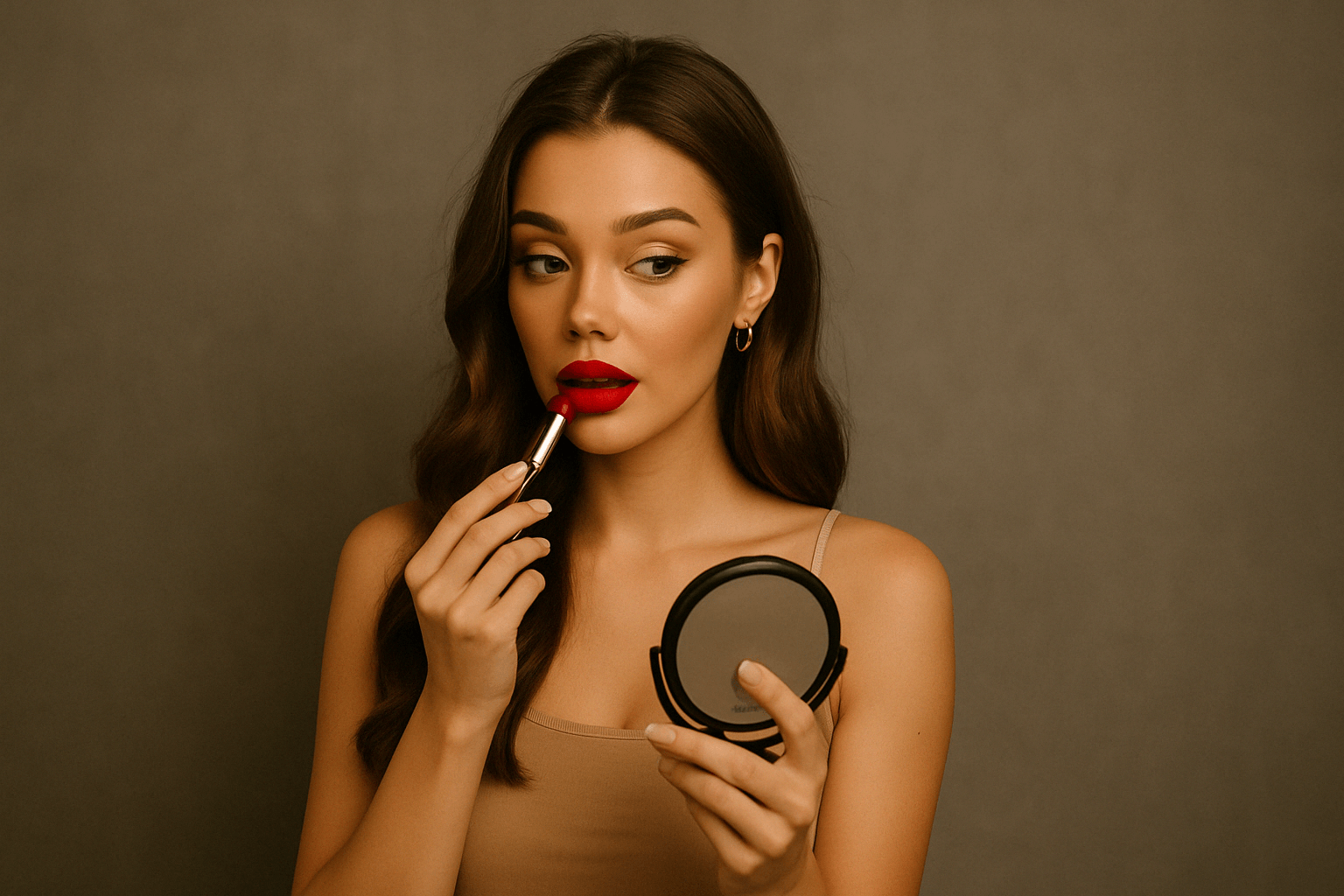
2
이미지 추가
생성을 시작하려면 이미지를 업로드하거나 생성하세요.3
비디오 받기
생성'을 클릭하여 최종 영상을 만들어 보세요!왜 Akool을 선택해야 하나요?
Diffusion-based Image-to-Video Synthesis
Instant Professional Rendering
Generate polished video assets from images in seconds using diffusion-based synthesis, neural frame interpolation, and high-fidelity visual rendering.
캐릭터 정체성의 시간적 일관성
끊김 없는 신원 유지
Maintain consistent faces, expressions, and identity attributes across frames using computer vision models optimized for high-fidelity video continuity.
API-driven Creative Exploration
Neural Workflow Inspiration
Explore community-generated examples to discover production patterns, diffusion-based video workflows, and scalable generative content ideas.
모든 모델 보기
Wan
Gemini
OpenAI
Sora
Seedance
Hailuo
Kling
Veo
GPT
Vidu Q3
PixVerse
HappyHorse
Grok
Wan
Gemini
OpenAI
Sora
Seedance
Hailuo
Kling
Veo
GPT
Vidu Q3
PixVerse
HappyHorse
Grok
Wan
Gemini
OpenAI
Sora
Seedance
Hailuo
Kling
Veo
GPT
Vidu Q3
PixVerse
HappyHorse
Grok
Wan
Gemini
OpenAI
Sora
Seedance
Hailuo
Kling
Veo
GPT
Vidu Q3
PixVerse
HappyHorse
Grok
Wan
Gemini
OpenAI
Sora
Seedance
Hailuo
Kling
Veo
GPT
Vidu Q3
PixVerse
HappyHorse
Grok
Wan
Gemini
OpenAI
Sora
Seedance
Hailuo
Kling
Veo
GPT
Vidu Q3
PixVerse
HappyHorse
Grok
Wan
Gemini
OpenAI
Sora
Seedance
Hailuo
Kling
Veo
GPT
Vidu Q3
PixVerse
HappyHorse
Grok
Wan
Gemini
OpenAI
Sora
Seedance
Hailuo
Kling
Veo
GPT
Vidu Q3
PixVerse
HappyHorse
Grok
우리 사용자들의 의견
Sarah Johnson
Just tried Kling 2.6 and the native audio sync is a game-changer! No more post-production fiddling with dialogue. The characters' mouth shapes match the script perfectly. This is a massive leap forward for creating talking heads and narrative clips.
David Klein
Kling 2.6 is a game-changer for my social media content. The Image-to-Video feature is flawless—it animated my photo while keeping the person's identity and style intact. Plus, the speed is incredible for a 1080p output. Definitely recommend giving it a shot.
Alex Miller
It's good, but the 10-second limit is a real constraint for my longer projects. I have to chain clips, which adds time. I'm using Kling 2.6 for professional work, so every minute counts. The character consistency is beautiful, though.
Jessica Lee
The new cinematic camera control in Kling 2.6 is amazing! Being able to fine-tune the pans, zooms, and tracking shots makes a massive difference in the final look. This is what I've been waiting for in an image-to-video tool to get that professional feel.
Michael Brown
Solid update. Kling 2.6 delivers on its promise of better realism, especially with the physics-accurate motion. My animated objects move so much more naturally now. Still hoping for longer clip lengths in the future, but I'm happy with this.
Emily Rose
I'm a total beginner, and Kling 2.6 was so easy to pick up. I used the Text-to-Video feature to build an entirely new scene, and the natural ambience sound effects were generated automatically. Five stars for the all-in-one generation!
Chris Peterson
Okay, so I compared Kling 2.6 with another leading AI. While the other one had slightly better facial detail, Kling 2.6 absolutely crushed it on consistent identity, the outfit and face stayed the same across the whole 10-second clip. The video just feels more stable and less 'flickery.'
Laura Green
The Multi-image guidance feature in Kling 2.6 is subtle but powerful. I used four reference images to lock in the style and props, and the final video was exactly what I envisioned. It's a significant step up in creative control.
Sarah Johnson
Just tried Kling 2.6 and the native audio sync is a game-changer! No more post-production fiddling with dialogue. The characters' mouth shapes match the script perfectly. This is a massive leap forward for creating talking heads and narrative clips.
David Klein
Kling 2.6 is a game-changer for my social media content. The Image-to-Video feature is flawless—it animated my photo while keeping the person's identity and style intact. Plus, the speed is incredible for a 1080p output. Definitely recommend giving it a shot.
Alex Miller
It's good, but the 10-second limit is a real constraint for my longer projects. I have to chain clips, which adds time. I'm using Kling 2.6 for professional work, so every minute counts. The character consistency is beautiful, though.
Jessica Lee
The new cinematic camera control in Kling 2.6 is amazing! Being able to fine-tune the pans, zooms, and tracking shots makes a massive difference in the final look. This is what I've been waiting for in an image-to-video tool to get that professional feel.
Michael Brown
Solid update. Kling 2.6 delivers on its promise of better realism, especially with the physics-accurate motion. My animated objects move so much more naturally now. Still hoping for longer clip lengths in the future, but I'm happy with this.
Emily Rose
I'm a total beginner, and Kling 2.6 was so easy to pick up. I used the Text-to-Video feature to build an entirely new scene, and the natural ambience sound effects were generated automatically. Five stars for the all-in-one generation!
Chris Peterson
Okay, so I compared Kling 2.6 with another leading AI. While the other one had slightly better facial detail, Kling 2.6 absolutely crushed it on consistent identity, the outfit and face stayed the same across the whole 10-second clip. The video just feels more stable and less 'flickery.'
Laura Green
The Multi-image guidance feature in Kling 2.6 is subtle but powerful. I used four reference images to lock in the style and props, and the final video was exactly what I envisioned. It's a significant step up in creative control.
Sarah Johnson
Just tried Kling 2.6 and the native audio sync is a game-changer! No more post-production fiddling with dialogue. The characters' mouth shapes match the script perfectly. This is a massive leap forward for creating talking heads and narrative clips.
David Klein
Kling 2.6 is a game-changer for my social media content. The Image-to-Video feature is flawless—it animated my photo while keeping the person's identity and style intact. Plus, the speed is incredible for a 1080p output. Definitely recommend giving it a shot.
Alex Miller
It's good, but the 10-second limit is a real constraint for my longer projects. I have to chain clips, which adds time. I'm using Kling 2.6 for professional work, so every minute counts. The character consistency is beautiful, though.
Jessica Lee
The new cinematic camera control in Kling 2.6 is amazing! Being able to fine-tune the pans, zooms, and tracking shots makes a massive difference in the final look. This is what I've been waiting for in an image-to-video tool to get that professional feel.
Michael Brown
Solid update. Kling 2.6 delivers on its promise of better realism, especially with the physics-accurate motion. My animated objects move so much more naturally now. Still hoping for longer clip lengths in the future, but I'm happy with this.
Emily Rose
I'm a total beginner, and Kling 2.6 was so easy to pick up. I used the Text-to-Video feature to build an entirely new scene, and the natural ambience sound effects were generated automatically. Five stars for the all-in-one generation!
Chris Peterson
Okay, so I compared Kling 2.6 with another leading AI. While the other one had slightly better facial detail, Kling 2.6 absolutely crushed it on consistent identity, the outfit and face stayed the same across the whole 10-second clip. The video just feels more stable and less 'flickery.'
Laura Green
The Multi-image guidance feature in Kling 2.6 is subtle but powerful. I used four reference images to lock in the style and props, and the final video was exactly what I envisioned. It's a significant step up in creative control.
Sarah Johnson
Just tried Kling 2.6 and the native audio sync is a game-changer! No more post-production fiddling with dialogue. The characters' mouth shapes match the script perfectly. This is a massive leap forward for creating talking heads and narrative clips.
David Klein
Kling 2.6 is a game-changer for my social media content. The Image-to-Video feature is flawless—it animated my photo while keeping the person's identity and style intact. Plus, the speed is incredible for a 1080p output. Definitely recommend giving it a shot.
Alex Miller
It's good, but the 10-second limit is a real constraint for my longer projects. I have to chain clips, which adds time. I'm using Kling 2.6 for professional work, so every minute counts. The character consistency is beautiful, though.
Jessica Lee
The new cinematic camera control in Kling 2.6 is amazing! Being able to fine-tune the pans, zooms, and tracking shots makes a massive difference in the final look. This is what I've been waiting for in an image-to-video tool to get that professional feel.
Michael Brown
Solid update. Kling 2.6 delivers on its promise of better realism, especially with the physics-accurate motion. My animated objects move so much more naturally now. Still hoping for longer clip lengths in the future, but I'm happy with this.
Emily Rose
I'm a total beginner, and Kling 2.6 was so easy to pick up. I used the Text-to-Video feature to build an entirely new scene, and the natural ambience sound effects were generated automatically. Five stars for the all-in-one generation!
Chris Peterson
Okay, so I compared Kling 2.6 with another leading AI. While the other one had slightly better facial detail, Kling 2.6 absolutely crushed it on consistent identity, the outfit and face stayed the same across the whole 10-second clip. The video just feels more stable and less 'flickery.'
Laura Green
The Multi-image guidance feature in Kling 2.6 is subtle but powerful. I used four reference images to lock in the style and props, and the final video was exactly what I envisioned. It's a significant step up in creative control.
Robert Harris
I'm still getting artifacts on high-motion scenes, especially when trying to simulate complex physics. It's better than 2.5, but not perfect. Kling 2.6 needs to work on improving the motion realism for fast action. For simple pans and zooms, it's fantastic.
Sophia White
My biggest issue is the credit system. I love the quality of Kling 2.6, but I burn through credits too fast, especially since it generates both video and audio now. Maybe offer a better subscription tier for heavy users? The perfect lip-sync is worth it, but the cost adds up quickly.
Daniel Flores
I've been using AI video tools since the beginning, and Kling 2.6 is the first one that genuinely feels like a professional tool. The bilingual audio support for both English and Chinese is a huge plus for my international clients. The attention to detail in the lighting and shadow work is incredible.
Olivia Chen
Has anyone tried the singing generation feature? The video from Kling 2.6 is perfect, but when I try to make a character sing, the lip-sync is almost perfect but not quite there yet. It's probably user error, but a quick fix or tutorial would be great! Otherwise, the visual output is stunning.
Ethan Smith
Just a quick note to say that Kling 2.6 is the best AI tool I've used this year. The quality-to-speed ratio is unmatched, and the fact that it generates 1080p output in one go is fantastic. Keep up the great work, team!
Mia Thompson
The community tutorials for Kling 2.6 are really helpful. I was struggling with prompt engineering, but after watching a few videos, I'm getting much better results, especially with specifying the dialogue and sound effects. The tool itself is powerful, but the learning curve for getting perfect results is still there.
Noah Zimmerman
I'm skeptical of all these AI tools, but Kling 2.6 actually impressed me. I used a very old, low-resolution image, and the resulting video was surprisingly clean and high-def. It's not just animating the image; it's intelligently upscaling and enhancing it while maintaining consistent identity. Color me converted. This is a powerful piece of software.
Robert Harris
I'm still getting artifacts on high-motion scenes, especially when trying to simulate complex physics. It's better than 2.5, but not perfect. Kling 2.6 needs to work on improving the motion realism for fast action. For simple pans and zooms, it's fantastic.
Sophia White
My biggest issue is the credit system. I love the quality of Kling 2.6, but I burn through credits too fast, especially since it generates both video and audio now. Maybe offer a better subscription tier for heavy users? The perfect lip-sync is worth it, but the cost adds up quickly.
Daniel Flores
I've been using AI video tools since the beginning, and Kling 2.6 is the first one that genuinely feels like a professional tool. The bilingual audio support for both English and Chinese is a huge plus for my international clients. The attention to detail in the lighting and shadow work is incredible.
Olivia Chen
Has anyone tried the singing generation feature? The video from Kling 2.6 is perfect, but when I try to make a character sing, the lip-sync is almost perfect but not quite there yet. It's probably user error, but a quick fix or tutorial would be great! Otherwise, the visual output is stunning.
Ethan Smith
Just a quick note to say that Kling 2.6 is the best AI tool I've used this year. The quality-to-speed ratio is unmatched, and the fact that it generates 1080p output in one go is fantastic. Keep up the great work, team!
Mia Thompson
The community tutorials for Kling 2.6 are really helpful. I was struggling with prompt engineering, but after watching a few videos, I'm getting much better results, especially with specifying the dialogue and sound effects. The tool itself is powerful, but the learning curve for getting perfect results is still there.
Noah Zimmerman
I'm skeptical of all these AI tools, but Kling 2.6 actually impressed me. I used a very old, low-resolution image, and the resulting video was surprisingly clean and high-def. It's not just animating the image; it's intelligently upscaling and enhancing it while maintaining consistent identity. Color me converted. This is a powerful piece of software.
Robert Harris
I'm still getting artifacts on high-motion scenes, especially when trying to simulate complex physics. It's better than 2.5, but not perfect. Kling 2.6 needs to work on improving the motion realism for fast action. For simple pans and zooms, it's fantastic.
Sophia White
My biggest issue is the credit system. I love the quality of Kling 2.6, but I burn through credits too fast, especially since it generates both video and audio now. Maybe offer a better subscription tier for heavy users? The perfect lip-sync is worth it, but the cost adds up quickly.
Daniel Flores
I've been using AI video tools since the beginning, and Kling 2.6 is the first one that genuinely feels like a professional tool. The bilingual audio support for both English and Chinese is a huge plus for my international clients. The attention to detail in the lighting and shadow work is incredible.
Olivia Chen
Has anyone tried the singing generation feature? The video from Kling 2.6 is perfect, but when I try to make a character sing, the lip-sync is almost perfect but not quite there yet. It's probably user error, but a quick fix or tutorial would be great! Otherwise, the visual output is stunning.
Ethan Smith
Just a quick note to say that Kling 2.6 is the best AI tool I've used this year. The quality-to-speed ratio is unmatched, and the fact that it generates 1080p output in one go is fantastic. Keep up the great work, team!
Mia Thompson
The community tutorials for Kling 2.6 are really helpful. I was struggling with prompt engineering, but after watching a few videos, I'm getting much better results, especially with specifying the dialogue and sound effects. The tool itself is powerful, but the learning curve for getting perfect results is still there.
Noah Zimmerman
I'm skeptical of all these AI tools, but Kling 2.6 actually impressed me. I used a very old, low-resolution image, and the resulting video was surprisingly clean and high-def. It's not just animating the image; it's intelligently upscaling and enhancing it while maintaining consistent identity. Color me converted. This is a powerful piece of software.
Robert Harris
I'm still getting artifacts on high-motion scenes, especially when trying to simulate complex physics. It's better than 2.5, but not perfect. Kling 2.6 needs to work on improving the motion realism for fast action. For simple pans and zooms, it's fantastic.
Sophia White
My biggest issue is the credit system. I love the quality of Kling 2.6, but I burn through credits too fast, especially since it generates both video and audio now. Maybe offer a better subscription tier for heavy users? The perfect lip-sync is worth it, but the cost adds up quickly.
Daniel Flores
I've been using AI video tools since the beginning, and Kling 2.6 is the first one that genuinely feels like a professional tool. The bilingual audio support for both English and Chinese is a huge plus for my international clients. The attention to detail in the lighting and shadow work is incredible.
Olivia Chen
Has anyone tried the singing generation feature? The video from Kling 2.6 is perfect, but when I try to make a character sing, the lip-sync is almost perfect but not quite there yet. It's probably user error, but a quick fix or tutorial would be great! Otherwise, the visual output is stunning.
Ethan Smith
Just a quick note to say that Kling 2.6 is the best AI tool I've used this year. The quality-to-speed ratio is unmatched, and the fact that it generates 1080p output in one go is fantastic. Keep up the great work, team!
Mia Thompson
The community tutorials for Kling 2.6 are really helpful. I was struggling with prompt engineering, but after watching a few videos, I'm getting much better results, especially with specifying the dialogue and sound effects. The tool itself is powerful, but the learning curve for getting perfect results is still there.
Noah Zimmerman
I'm skeptical of all these AI tools, but Kling 2.6 actually impressed me. I used a very old, low-resolution image, and the resulting video was surprisingly clean and high-def. It's not just animating the image; it's intelligently upscaling and enhancing it while maintaining consistent identity. Color me converted. This is a powerful piece of software.
고객 성공 사례


캐논, 내부 행사에서 Akool 기반 AI 포토부스 선보여
캐논은 최근 사내 쇼케이스에서 Akool의 첨단 얼굴 인식 및 이미지 생성 기술을 기반으로 하는 차세대 AI 포토 부스를 공개했습니다. 즉각적이고 개인화된 사진 경험을 제공하도록 설계된 이 기능을 통해 직원들은 캐논의 향후 AI 기능을 미리 체험할 수 있었습니다.


Akool과 Google Cloud, NVIDIA GTC에서 실시간 AI 아바타 선보여
AKOOL은 Google Cloud와 협력하여 NVIDIA의 글로벌 테크놀로지 컨퍼런스(GTC)에서 최첨단 실시간 아바타 기술을 선보였습니다. 이 라이브 시연은 Google Cloud의 확장 가능한 인프라와 고급 AI 도구로 구동되는 Akool의 아바타가 트래픽이 많은 실시간 환경에서 기업의 사용자 참여 방식을 어떻게 변화시킬 수 있는지 보여주었습니다.


Akool과 AWS, AWS Summit India에서 실시간 AI 아바타 경험 출시
AKOOL은 아마존 웹 서비스(AWS)와 협력하여 인도 지역 최고의 IT 및 클라우드 혁신 행사인 AWS Summit India에서 라이브 아바타 경험을 제공했습니다. 이번 행사는 AWS Bedrock과 완벽하게 통합되고 AWS 인프라에 호스팅되는 Akool의 아바타가 지능형 실시간 브랜드 담당자 역할을 어떻게 수행할 수 있는지 보여주었습니다.

AKOOL의 얼굴 교환 기술이 카타르 항공의 'AI 어드벤처' 캠페인에 어떻게 활용되었는지
Qatar Airways partners with AKOOL to launch "AI Adventure," an innovative campaign using Face Swap technology, allowing viewers to star in their own airline commercial, enhancing customer engagement through personalized and immersive experiences.


이벤트 관리 혁신: LiveX AI 기반 GPT DAO와 AKOOL이 GenAI Summit 2024에서 참석자 참여도를 향상시킨 사례
GPT DAO는 AKOOL의 AI 기반 아바타 기술을 구현하여 GenAI Summit의 이벤트 관리에 혁신을 일으키고 있습니다. 이 혁신적인 솔루션은 참석자 상호 작용을 향상시키고 즉각적인 지원과 정보를 제공하는 동시에 운영 비용과 인력 수요를 줄여 궁극적으로 참석자에게 매끄럽고 매력적인 이벤트 경험을 제공합니다.

AKOOL과 Eros Digital, 디지털 몰입 및 비디오 시장 혁신을 위한 파트너십 체결
AKOOL은 Eros Digital과 협력하여 디지털 몰입형 및 비디오 시장에 혁신을 일으키고 있으며, 혁신적인 기술 솔루션을 통해 콘텐츠 전달과 사용자 참여를 향상시키고 있습니다. 몰입형 디지털 경험의 미래를 경험해 보세요!


코카콜라의"궁극의 당신"게임
AKOOL, 리그 오브 레전드와 함께 코카콜라의 인터랙티브 마케팅 캠페인에 참여

AKOOL의 비디오 번역을 활용한 웹캠 제품을 위한 Logitech의 다국어 웨비나 시리즈
웹캠 제품을 위한 Logitech의 다국어 웨비나 시리즈는 AKOOL의 비디오 번역을 활용하여 전 세계 접근성과 참여를 향상시키고, 다양한 대상 고객이 효과적으로 연결하고 학습할 수 있도록 보장합니다.

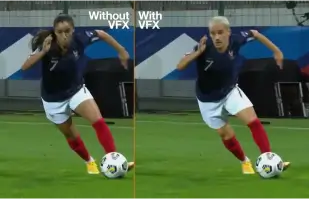
Orange Won the Top Prize for Entertainment for Sport for the MarcelParis, Campaign "WoMen's Football"
Orange's "WoMen's Football" won the top prize for Entertainment for Sport with AKOOL

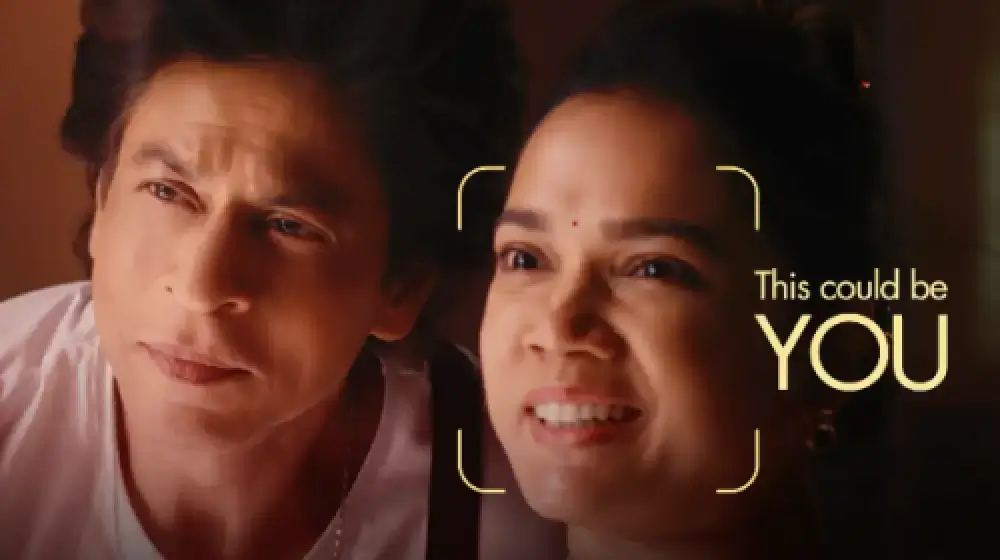
SRK와 함께 광고에 귀사를 소개하세요!
선피스트 다크 판타지는 AKOOL의 기술을 사용하여 모든 사람이 볼리우드 슈퍼스타 샤룩 칸과 함께 광고에 출연할 수 있게 해줍니다.

AKOOL과 Tata Consultancy Services, AI 기반 마케팅 혁신을 위해 협력
AKOOL은 Tata Consultancy Services와 협력하여 AI 기반 마케팅을 혁신하고, 고객 참여와 비즈니스 성과를 개선하는 전략과 솔루션을 강화합니다.

선피스트, AKOOL 스트리밍 아바타와 함께 한정판 초코 쿠키 출시
선피스트(Sunfeast)는 AKOOL의 스트리밍 아바타를 활용한 매력적인 마케팅을 통해 한정판 초코 쿠키를 출시했습니다. 이러한 혁신적인 접근 방식은 브랜드 상호작용을 강화하고 신제품을 효과적으로 홍보합니다.

하겐다즈 대만의 중추절 캠페인, AKOOL의 FaceSwap 도구와 함께
하겐다즈 대만은 중추절 캠페인에 AKOOL의 FaceSwap 도구를 활용하여 고객 상호작용을 강화하고 축제 분위기를 기념하는 매력적이고 개인화된 콘텐츠를 제작했습니다.


AI와 뷰티의 만남: 바세린 인도네시아의 AKOOL 아바타 성공 사례
바셀린 인도네시아는 사용자 참여를 강화하기 위해 AKOOL과 협력했습니다. AKOOL의 가상 아바타 기술을 활용하여 사용자의 이름을 부르며 인사하는 개인화된 아바타인 페비(Febby)가 등장하는 랜딩 페이지를 제작했습니다. 이 페이지는 사용자 지정 및 다운로드 가능한 동영상과 채팅 옵션을 제공하여 상호작용을 촉진하고 브랜드와 소비자 간의 유대감을 강화했습니다.


Curious Refuge의 AI 영화 제작 과정에 대한 AKOOL의 영향
AKOOL은 Curious Refuge의 AI 영화 제작 과정을 크게 향상시켜, 일관된 캐릭터 묘사를 위한 얼굴 바꾸기와 같은 사용자 친화적인 도구를 제공합니다. 이러한 파트너십은 콘텐츠 제작에 혁신을 일으켜 학생과 교육자 모두에게 영화 제작의 접근성과 효율성을 높여줍니다.


영화 제작 및 디지털 스토리텔링에서 캐릭터 일관성 유지
영화 제작자 크리시 프레스먼은 AKOOL의 생성 AI를 활용하여 프로젝트에서 캐릭터의 일관성을 향상시킵니다. 창의적인 비전과 개인적인 도전의 균형을 맞추면서 제작 과정을 간소화하고, 스토리텔링에 기술을 혁신적으로 활용한 공로를 인정받고 있습니다.

Deciem, AKOOL과 함께 스쿠알렌 클렌저용 디지털 휴먼 어시스턴트 출시
Deciem은 AKOOL을 기반으로 한 스쿠알렌 클렌저용 디지털 인간 비서를 출시하여 고객 참여를 강화하고 더 나은 쇼핑 경험을 위한 개인화된 지원을 제공합니다.
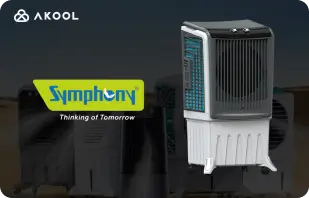
Symphony Coolers, AKOOL 스트리밍 아바타를 활용해 Silenzo 100 Desert 에어 쿨러 출시
심포니 쿨러는 AKOOL의 스트리밍 아바타를 활용하여 Silenzo 100 사막 에어쿨러를 출시하여 고객 참여를 강화하고 혁신적인 기능을 효과적으로 선보였습니다.

Avantis와 Anglia Ruskin University, 스트리밍 아바타로 가상 해부학 수업 혁신
Avantis와 Anglia Ruskin University는 AKOOL 스트리밍 아바타를 사용하여 가상 해부학 수업을 개선하고, 대화형 몰입형 교육 도구를 통해 학생 참여도와 학습 경험을 개선합니다.

오프화이트, AKOOL 스트리밍 아바타 활용해 새로운 패션 라인 출시
오프화이트는 AKOOL의 스트리밍 아바타를 활용해 새로운 패션 라인을 출시하고, 몰입형 디지털 프레젠테이션을 통해 브랜드 참여를 강화하고 혁신적인 디자인을 선보였습니다.


AKOOL 아바타로 Il Fornaio의 온라인 가시성 향상
유명 이탈리아 레스토랑 체인인 일 포르나이오(Il Fornaio)는 AKOOL의 가상 아바타 기술을 도입하여 가상 투어 및 정보 공유를 위한 실물 크기의 아바타를 제작했습니다. 그 결과는 놀라웠으며, 구글 지도 아바타 동영상은 평균 170만 회 조회수를 기록하고 방문 횟수를 늘렸습니다.

Greenworks Tools, AKOOL의 AI 비디오 번역으로 글로벌 마케팅 간소화
Greenworks Tools는 AKOOL의 AI 비디오 번역을 활용하여 글로벌 마케팅을 강화하고, 콘텐츠 현지화를 간소화하며, 다양한 시장에서 고객 참여를 향상시킵니다. AI가 마케팅 전략을 어떻게 변화시키는지 알아보세요!


루스 크리스 스테이크 하우스에 있어서 AKOOL은 단순한 이미지 생성 도구 그 이상의 역할을 한다는 것이 입증되었습니다.
루스 크리스 스테이크 하우스는 AKOOL의 AI 기반 이미지 생성 기술을 활용하여 마케팅 전략을 강화하고, 효율적으로 맞춤형 고품질 비주얼을 제작합니다.

WPP, AKOOL의 배경 변경 기능으로 클라이언트 캠페인 강화
WPP는 AKOOL의 배경 변경 기능을 사용하여 클라이언트 캠페인을 강화하고, 마케팅 전략에서 참여도와 효과를 높이는 창의적이고 맞춤형 비주얼을 제공합니다.


Pictofable이 AKOOL의 얼굴 교체 기술을 사용하여 개인화된 어린이 동화책을 만드는 방법
Pictofable은 AKOOL의 Face Swap 기술을 사용하여 개인화된 어린이용 스토리북을 제공하며, 이를 통해 부모는 자녀의 사진을 매력적인 스토리북에 통합할 수 있습니다.


Anshul Joshi's Award-Winning AI Film "Tamara" Using AKOOL
Anshul Joshi's award-winning AI film "Tamara" showcases the power of AKOOL's tools in modern filmmaking, enabling rapid creation and multilingual dubbing, ultimately transforming the creative process for filmmakers and enhancing audience engagement. Discover how AI is revolutionizing the film industry through innovative projects like "Tamara"!


첼트넘 과학 축제를 위한 AKOOL과 함께하는 Peeps.xyz의 여정
Peeps.xyz의 공동 창립자인 리처드 노튼은 첼트넘 과학 축제에서 AKOOL의 생성 AI 플랫폼을 활용하여 딥페이크 인물을 활용한 매력적인 마케팅 캠페인을 제작했습니다. 캠페인의 효과에 깊은 인상을 받은 그는 AI가 마케팅 전략에 혁신을 일으키고 고객 참여를 증진시킬 수 있는 잠재력을 보여주는 향후 프로젝트들을 기대하고 있습니다.


콘텐츠, 마케팅, 광고를 더욱 매력적이고 개인화하세요.
비샬 싱은 AKOOL의 Faceswap 기술을 활용하여 유명인의 얼굴 스왑을 통해 비디오 콘텐츠를 향상시키고, 개인 맞춤형 마케팅 전략에 있어 이 기술이 탁월함을 강조합니다. 그는 이 플랫폼의 사용자 친화적인 인터페이스를 강조하는 동시에, 콘텐츠 제작에서 더 나은 성능과 더 폭넓은 활용을 위해 처리 속도 개선을 제안합니다.

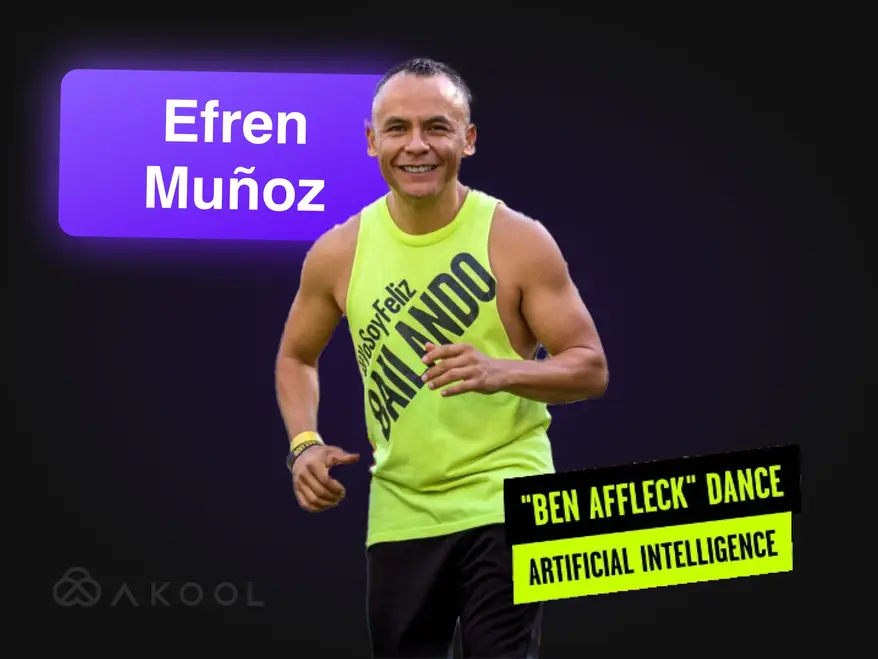
줌바를 이용해 마케팅 영상을 바이럴 영상으로 바꿔보세요!
멕시코 출신의 댄스 인플루언서 에프렌 무노즈는 AKOOL을 활용하여 온라인 존재감을 강화하고 수업을 효과적으로 마케팅했습니다. 바이럴 댄스 영상과 홍보 자료를 포함한 매력적인 콘텐츠를 제작하여 인지도와 수업 참여율을 크게 높였고, 이는 마케팅 분야에서 AI가 가진 혁신적인 힘을 여실히 보여주었습니다.

AKOOL과 함께 리나 월드 만들기
리나를 만나보세요: AKOOL로 백만 명의 팬을 사로잡은 가상 인플루언서!

Docety, AKOOL의 Jarvis를 통해 대화 진행으로 세미나 경험 향상
Docety는 AKOOL의 Jarvis를 활용하여 대화 진행을 개선하고, 참여도를 높이며, 체계적인 토론을 보장하여 더욱 생산적인 행사 환경을 조성함으로써 세미나 경험을 향상시킵니다. AI 기반 진행의 장점을 알아보세요!
관련 기사

2025년에 시도해 볼 만한 60가지 이상의 AI 도구
2025년 5월 29일
디지털 세상을 혁신하는 최신 AI 도구를 살펴보세요. 콘텐츠 제작부터 데이터 분석까지, 이러한 지능형 애플리케이션이 일상 업무를 어떻게 더 편리하게 만들어 줄 수 있는지 알아보세요.

최고의 기업용 비디오 예시 및 제작 방법
2025년 5월 14일
최고의 기업 영상 예시를 살펴보고 브랜드를 위한 매력적이고 전문적인 영상 제작 방법을 알아보세요. 전문가의 조언과 영감을 얻으세요!

최고의 스트리밍 아바타 도구: 디지털 페르소나를 실시간으로 참여시키세요
2025년 5월 22일
2024년 최고의 스트리밍 아바타 도구를 알아보고 라이브 콘텐츠를 향상시키고 시청자를 사로잡는 역동적이고 매력적인 디지털 아바타를 만드는 방법을 알아보세요.

제품 비디오 제작자들이 AI를 사용하여 확장하는 방법
2024년 9월 5일
AI 제품 비디오 제작자들은 확장 가능하고 개인화된 콘텐츠를 효율적으로 제작하여 전자상거래에 혁신을 일으키고 있습니다. 이 글에서는 AKOOL의 혁신적인 도구가 비디오 제작을 간소화하여 브랜드가 참여도를 높이고 품질을 유지하는 동시에 경쟁이 치열한 환경에서 증가하는 소비자 요구를 충족할 수 있도록 지원하는 방법을 살펴봅니다. 지금 바로 비디오 마케팅의 미래를 알아보세요!

소셜 미디어 콘텐츠 참여를 위한 최고의 AI 도구
2024년 8월 6일
AI 도구가 소셜 미디어 콘텐츠 제작에 어떤 혁신을 가져오는지 알아보세요. 이 글에서는 매력적인 게시물 제작에 가장 적합한 플랫폼을 살펴보고, AKOOL의 영상 제작 간소화 및 시청자 상호작용 향상 기능을 집중 조명하여 브랜드가 소비자와 더욱 효과적이고 효율적으로 소통할 수 있도록 지원합니다.

크리에이터 및 기업 팀을 위한 비디오 마케팅 도구
2024년 8월 3일
이 글에서는 크리에이터와 기업 팀을 위한 필수 비디오 마케팅 도구를 살펴보고, 브랜드 인지도와 참여도를 높이는 데 도움이 되는 도구들을 집중적으로 다룹니다. AKOOL, Synthesia, HeyGen을 소개하며, 비디오 제작을 간소화하고, 시간과 비용을 절감하며, 다양한 플랫폼에서 일관된 브랜딩을 촉진하는 AI 기능을 강조합니다.

수요 창출을 극대화하기 위한 최고의 6가지 생성 AI 도구
2024년 6월 24일
수요 창출을 위한 최고의 생성형 AI 도구를 알아보세요. 이 글에서는 개인화된 비디오 콘텐츠가 참여도, 전환율, 브랜드 충성도를 높이는 방법을 강조하며, AKOOL을 맞춤형 마케팅 경험을 효율적으로 구축하는 선도적인 플랫폼으로 소개합니다.

AI 마케팅 도구를 활용한 광고 제작 방법
2024년 6월 10일
AKOOL과 같은 AI 도구를 사용하여 전문가급 광고를 제작하는 방법을 알아보세요. 이 글에서는 비용 절감, 효율성 향상, 개인 맞춤형 콘텐츠 제작 등 광고 제작에 있어 AI의 이점을 살펴보고, 모든 규모의 기업이 매력적인 광고를 빠르고 효과적으로 제작할 수 있도록 지원합니다.

AI 마케팅 세계에서의 인간 중심 브랜드 경험
2024년 5월 21일
AI가 개인화된 인간 중심 상호작용을 구축하여 브랜드 경험을 어떻게 변화시키고 있는지 살펴보세요. 이 글에서는 AKOOL과 같은 AI 도구를 통합하여 참여도를 높이고, 콘텐츠 제작을 간소화하며, 브랜드 일관성을 유지하고, 궁극적으로 경쟁이 치열한 디지털 환경에서 기업이 두각을 나타내는 데 도움을 주는 것의 중요성을 설명합니다.

생성 AI가 패션 산업에 혁명을 일으키는 방식
2024년 4월 16일
생성적 AI는 신속한 디자인, 고객 경험 향상, 그리고 낭비 감소를 통해 패션 산업을 혁신하고 있습니다. 이 글에서는 브랜드가 개인 맞춤형 쇼핑, 효율적인 생산, 그리고 혁신적인 의류 제작을 위해 AI를 활용하는 동시에 저작권 및 인력 문제 등의 과제를 해결하는 방법을 살펴봅니다.

효과적인 현지화 마케팅 전략을 구축하는 방법
2024년 3월 25일
특정 시장에 맞춰 브랜딩과 캠페인을 조정하는 효과적인 현지화 마케팅 전략을 구축하는 방법을 알아보세요. 이 글에서는 잠재고객 조사, AKOOL과 같은 AI 도구를 활용한 번역 및 얼굴 교환 등 글로벌 참여도 향상 및 매출 증대를 위한 필수 단계를 살펴봅니다. 현지화의 힘을 경험해 보세요!

가입할 수 있는 최고의 비디오 편집 제휴 프로그램
2024년 11월 7일
수익을 증대할 수 있는 최고의 비디오 편집 제휴 프로그램을 살펴보세요. 이 글에서는 경쟁력 있는 수수료와 유용한 마케팅 리소스를 제공하는 AKOOL을 포함한 최고의 옵션들을 소개합니다. AKOOL은 콘텐츠 제작자가 플랫폼에서 효과적으로 수익을 창출하고 고품질 비디오 편집 도구를 통해 시청자 참여도를 높일 수 있도록 지원합니다.

최고의 스트리밍 아바타 도구: 디지털 페르소나를 실시간으로 참여시키세요
2024년 11월 24일
라이브 콘텐츠 제작을 향상시키는 최고의 스트리밍 아바타 도구를 살펴보세요. 이 글에서는 주요 플랫폼을 살펴보고, 시청자 참여도를 높이고 크리에이터의 스트리밍 품질을 개선하는 기능을 집중적으로 다룹니다.

기업과 고객을 위한 AI 챗봇의 주요 이점
2024년 11월 8일
기업과 고객을 위한 AI 챗봇의 주요 이점을 알아보세요. 이 글에서는 AI 챗봇을 통합하여 고객 서비스를 향상하고, 운영을 간소화하고, 비용을 절감하고, 직원 만족도를 높이는 방법을 집중적으로 살펴보겠습니다. 궁극적으로 기업이 고객과 소통하는 방식을 혁신하고 전반적인 효율성을 높이는 데 기여할 것입니다.

기업과 고객을 위한 AI 챗봇의 주요 이점
2024년 11월 6일
아바타를 활용한 AI 챗봇은 실시간으로 개인화된 상호작용을 제공하여 고객 서비스를 혁신하고 있습니다. 이 글에서는 기업이 이러한 고급 도구를 활용하여 고객 만족도를 높이고, 비용을 절감하고, 운영을 간소화하여 궁극적으로 다양한 산업 분야에서 참여도와 효율성을 개선하는 방법을 살펴봅니다.

3가지 실시간 스트리밍 아바타 도구를 사용해 본 결과, 다음과 같은 결과가 나왔습니다.
2024년 9월 8일
이 글에서는 세 가지 주요 실시간 스트리밍 아바타 도구를 살펴보고, 소셜 미디어 콘텐츠 제작자를 위한 기능과 활용법을 중점적으로 살펴봅니다. AKOOL의 탁월한 맞춤 설정, 인터랙티브 기능, 그리고 전반적인 성능을 강조하여 사용자가 시청자 참여도를 높이고 콘텐츠 제작 과정을 효율적으로 간소화할 수 있는 최적의 플랫폼을 선택할 수 있도록 지원합니다.

AI 기술을 활용한 YouTube 동영상 제작 방법
2024년 9월 7일
AI 기술은 YouTube 동영상 제작 방식을 혁신하여 크리에이터가 고품질 콘텐츠를 효율적으로 제작할 수 있도록 지원합니다. 이 글에서는 AKOOL의 도구가 스크립팅, 아바타 맞춤 설정 및 편집을 간소화하여 사용자의 참여도를 높이고 동영상 성과를 최적화하는 동시에 제작 프로세스를 간소화하여 시청자와의 상호작용을 개선하고 성장을 도모하는 방법을 살펴봅니다.

스페인어-영어 비디오 번역기: 빠른 언어 변경
2024년 11월 10일
스페인어-영어 비디오 번역 도구는 콘텐츠 도달 범위를 확대하고 전 세계 시청자의 참여를 유도하는 데 필수적입니다. 이 글에서는 이러한 도구의 이점을 살펴보고, AKOOL과 같은 AI 기반 번역 도구가 어떻게 시간과 비용을 절약하는 동시에 마케팅 활동의 접근성과 참여도를 높이는지 집중 조명합니다.

힌디어-영어 비디오 번역기: 빠른 언어 변경
2024년 11월 9일
AKOOL의 힌디어-영어 비디오 번역 도구로 마케팅 전략을 혁신하세요. 이 글에서는 AI 기반 번역이 힌디어 사용 기업의 접근성을 향상시켜 고품질 콘텐츠를 유지하면서도 영어 사용 고객에게 빠르고 비용 효율적으로 도달할 수 있는 방법을 설명합니다.

최고의 비디오 번역 앱
2024년 11월 7일
언어 장벽을 허물고 전 세계 시청자 참여를 높이는 데 도움이 되는 최고의 비디오 번역 앱을 알아보세요. 이 글에서는 AKOOL, VEED.io, Kapwing을 비롯한 최고의 도구들을 살펴보고, 다국어 콘텐츠를 효율적이고 효과적으로 제작하는 데 필요한 기능들을 집중적으로 다룹니다. 전 세계 시청자가 쉽게 접근할 수 있는 경험으로 비디오를 변환하세요!

일본어-영어 비디오 번역기: 빠른 언어 변경
2024년 10월 6일
AI 기술 덕분에 이제 일본어에서 영어로 비디오 콘텐츠를 번역하는 것이 더욱 쉬워졌습니다. 이 글에서는 AKOOL의 비디오 번역기가 어떻게 번역 과정을 간소화하여 시간과 비용을 절약하고 문화적 차이를 유지하면서도 기업이 현지화된 마케팅 캠페인을 통해 전 세계 고객에게 효과적으로 다가갈 수 있도록 지원하는지 살펴봅니다. AI 기반 번역의 이점을 확인해 보세요!

기업 팀이 온보딩에 AI를 활용하는 방법
2024년 9월 3일
AI 온보딩 도구는 매력적이고 문화적으로 관련성 있는 자료를 빠르고 비용 효율적으로 제작하여 직원 적응 과정을 간소화합니다. 이 글에서는 기업이 AI를 활용하여 온보딩 경험을 개선하고, 직원 유지율을 향상시키며, 다양한 인력의 규정 준수를 보장하고, 궁극적으로 더욱 효과적이고 포용적인 직장 환경을 조성하는 방법을 살펴봅니다.

여행 및 관광을 위한 최고의 AI 번역 도구
2024년 7월 17일
AI가 여행 및 관광 마케팅을 어떻게 변화시키고 있는지 살펴보세요. 이 글에서는 AKOOL과 같은 AI 도구가 다국어 캠페인 구축, 고객 참여 향상, 그리고 중소기업의 글로벌 경쟁력 강화에 미치는 영향을 살펴보고, 궁극적으로 점점 더 디지털화되는 시장에서 기업이 여행객과 소통하는 방식에 혁명을 일으키는 데 어떤 영향을 미치는지 살펴봅니다.

AI 교육 비디오: 번역 도구가 글로벌 인력 개발을 간소화하는 방법
2024년 5월 19일
AI 교육 비디오는 확장 가능하고, 맞춤 설정 가능하며, 매력적인 교육 솔루션을 제공함으로써 인력 개발에 혁신을 일으키고 있습니다. 이 글에서는 AI와 번역 도구가 어떻게 글로벌 교육 활동을 강화하고, 접근성과 일관성을 보장하며, 언어 장벽을 극복하고, 궁극적으로 여러 지역의 다양한 직원 집단을 위한 교육 프로세스를 간소화하는지 살펴봅니다.

몇 분 안에 YouTube 비디오를 번역하는 방법
2024년 3월 24일
AKOOL의 고급 AI 도구를 사용하여 YouTube 동영상을 효율적으로 번역하는 방법을 알아보세요. 이 글에서는 고품질의 현지화된 콘텐츠를 제작하고, 여러 언어에 걸쳐 시청자 참여를 높이는 동시에 동영상 제작 프로세스를 간소화하여 더 큰 국제적 도달 범위를 확보하는 단계별 가이드를 제공합니다.

음성 복제 기능을 갖춘 최고의 텍스트 음성 변환 앱
2024년 3월 23일
이 글에서 음성 복제 기능을 갖춘 최고의 텍스트 음성 변환 앱을 알아보세요. AKOOL과 같은 최고의 도구들을 살펴보세요. AKOOL은 사실적인 음성과 고급 기능을 제공하여 다양한 애플리케이션의 콘텐츠 제작 및 개인 맞춤 설정을 향상시킵니다. 이러한 혁신적인 기술이 어떻게 오디오 경험을 혁신하고 플랫폼 전반의 참여도를 높일 수 있는지 알아보세요!
%20-%20Akool%20Blog%20Banner-p-500.webp)
최고의 온라인 AI 비디오 더빙 도구(무료)
2024년 3월 22일
다국어 콘텐츠 제작을 간소화하는 최고의 온라인 AI 비디오 더빙 도구를 알아보세요. 이 글에서는 AKOOL을 비롯한 다양한 플랫폼을 살펴보며, 비디오 접근성과 참여도를 높여 크리에이터가 전 세계 시청자에게 효율적이고 효과적으로 다가갈 수 있도록 지원하는 다양한 플랫폼의 기능을 소개합니다.
비디오 현지화: 효과적이고 쉽게 수행하는 방법
2024년 3월 21일
비디오 현지화는 다양한 문화와 언어에 맞춰 콘텐츠를 조정하여 기업을 전 세계 고객과 연결합니다. 이 글에서는 AKOOL의 비디오 번역기와 같은 도구를 활용하여 다양한 시장에서 브랜드 인지도와 참여도를 높이는 효과적인 비디오 번역 전략을 소개합니다.

최고의 AI 비디오 편집 소프트웨어 벤치마킹
2024년 8월 2일
오늘날 사용 가능한 최고의 AI 비디오 편집 소프트웨어를 알아보세요. 이 글에서는 AKOOL을 비롯한 주요 도구들을 살펴보며, 사용자 친화적인 기능과 비용 효율성을 강조합니다. 이러한 도구들은 마케터와 크리에이터가 전문가 수준의 비디오를 빠르고 효율적으로 제작할 수 있도록 지원하여 모든 수준의 비디오 편집 환경을 혁신하고 있습니다.

마케팅 팀을 위한 최고의 AI 비디오 제작 도구 5가지
2024년 7월 8일
AI 비디오 제작 도구는 현대적인 마케팅 전략에 필수적이며, 팀이 고품질 비디오를 빠르고 효율적으로 제작할 수 있도록 지원합니다. 이 글에서는 AKOOL을 포함한 5가지 주요 도구를 살펴보고, 각 도구의 장점, 기능, 비용 효율성을 강조하여 기업이 비디오 마케팅을 강화하고 잠재고객과 더욱 효과적으로 소통할 수 있도록 지원합니다.

브랜드 참여를 극대화하는 최고의 7가지 비디오 마케팅 API
2024년 11월 25일
콘텐츠 제작 및 배포를 향상시키는 최고의 비디오 마케팅 API 7가지를 알아보세요. 이 글에서는 AKOOL API의 기능과 이점, 그리고 이를 통해 비디오 마케팅 전략을 효과적으로 개선하는 방법을 소개합니다.

비디오 콘텐츠를 위한 최고의 현지화 API: 원활한 다국어 도달 범위
2024년 11월 21일
글로벌 도달 범위를 넓히는 최고의 비디오 현지화 API를 살펴보세요. 이 글에서는 접근성과 참여도를 향상시켜 콘텐츠가 다양한 잠재고객에게 효과적으로 공감을 얻을 수 있도록 돕는 AKOOL API를 살펴봅니다.

최고의 인스턴트 아바타 API: 디지털 ID를 즉시 생성하세요
2024년 11월 20일
개발자가 개인화된 아바타를 빠르고 쉽게 제작할 수 있도록 지원하는 최고의 인스턴트 아바타 API를 살펴보세요. 이 글에서는 AKOOL을 포함한 주요 옵션들을 소개하고, 다양한 애플리케이션에서 사용자 참여를 향상시키는 기능과 이점을 소개합니다.

최고의 AI 콘텐츠 관리 도구
2024년 10월 5일
온라인 커뮤니티 관리를 강화하는 최고의 AI 콘텐츠 관리 도구를 살펴보세요. 이 글에서는 AKOOL의 Jarvis를 비롯한 주요 플랫폼을 살펴보며, 기업이 브랜드 가치를 유지하고 안전한 디지털 환경을 효과적으로 조성하는 데 도움이 되는 정확성, 맞춤 설정 및 확장성을 강조합니다.

AI 콘텐츠 조정: 작동 방식 이해
2024년 10월 4일
AKOOL AI 콘텐츠 관리 솔루션은 조직이 소셜 미디어에서 엄청난 양의 사용자 생성 콘텐츠를 관리하고 커뮤니티 가이드라인을 준수하도록 지원합니다. 이 글에서는 비용 효율성과 확장성을 포함한 AKOOL AI 콘텐츠 관리 솔루션의 이점을 설명하고, AI 도구가 부적절한 콘텐츠를 효율적으로 필터링하여 사용자 안전과 참여도를 높이는 방법을 집중적으로 다룹니다.

새로운 API는 기업이 생성적 AI 도구를 사용하여 고객 참여를 확장하는 데 도움이 됩니다.
2024년 5월 13일
생성적 AI 도구는 콘텐츠 제작을 간소화하고, 고객 참여를 향상시키며, 프로세스를 자동화하여 기업 마케팅을 혁신하고 있습니다. 이 글에서는 AKOOL의 Gen AI API가 기업이 마케팅 전략을 혁신하고 효율성을 향상시켜 급변하는 환경에서 경쟁력을 유지할 수 있도록 지원하는 방법을 살펴봅니다.

립싱크 애니메이션 생성기로 콘텐츠를 변형하세요
2024년 4월 24일
AKOOL의 립싱크 애니메이션 생성기가 캐릭터의 입 모양과 오디오를 완벽하게 동기화하여 콘텐츠 제작에 어떤 변화를 가져오는지 알아보세요. 이 글에서는 다양한 산업 분야에서 AKOOL의 활용 사례를 살펴보고, 시청자의 감정에 공감하는 역동적인 애니메이션을 통해 참여도와 스토리텔링을 향상시켜 마케터, 교육자, 엔터테이너 모두에게 필수적인 도구가 될 수 있는 방법을 제시합니다.

마케팅을 혁신하고 참여도를 높이는 립싱크 영상 제작 방법
2024년 4월 23일
AKOOL을 사용하여 매력적인 립싱크 영상을 제작하는 방법을 알아보세요. 이 글에서는 다양한 플랫폼에서 마케팅, 시청자 참여, 효율적인 콘텐츠 제작을 위한 자동 립싱크의 이점을 강조하는 단계별 가이드를 제공합니다.

AI 립싱크 기술로 언어 장벽 허물다
2024년 4월 14일
Lip Sync API를 사용하면 기업은 언어 장벽을 허물고 현지화된 비디오를 빠르고 저렴하게 제작할 수 있습니다. 이 글에서는 참여도 향상, 비용 효율성, 그리고 전 세계 시청자를 위한 초현실적인 콘텐츠 제작 능력 등 Lip Sync API의 이점을 살펴보고, 마케팅 전략과 콘텐츠 제작 프로세스를 혁신합니다.

최고의 AI 아바타 생성기
2024년 11월 1일
사용자가 매력적인 콘텐츠 제작을 위해 개인화된 디지털 아바타를 만들 수 있도록 지원하는 혁신적인 AI 아바타 생성기의 세계를 살펴보세요. 이 글에서는 고급 맞춤 설정과 생생한 인터랙션을 제공하는 AKOOL을 비롯한 최고의 플랫폼을 소개합니다. 이러한 도구가 마케팅, 고객 서비스, 소셜 미디어 전략을 효과적으로 향상시키는 방법을 알아보세요.

최고의 AI 아바타 리소스 벤치마킹
2024년 7월 8일
AI 아바타 생성기를 활용한 마케팅 전략 강화의 힘을 알아보세요. 이 글에서는 강력한 맞춤 설정 기능과 사용자 친화적인 기능을 제공하는 AKOOL을 비롯한 최고의 도구들을 살펴봅니다. AKOOL은 브랜드가 잠재고객의 공감을 얻고 마케팅 효과를 극대화하는 매력적이고 인터랙티브한 콘텐츠를 제작할 수 있도록 지원합니다.
%20-%20Akool%20Blog%20Banner.webp)
사진과 스크립트로 대화형 데모 만들기 (나머지는 AI에게 맡기세요!)
2024년 6월 10일
AKOOL과 같은 AI 도구를 사용하여 매력적인 인터랙티브 데모를 제작하는 방법을 알아보세요. 이 가이드에서는 사진과 스크립트를 몰입형 프레젠테이션으로 변환하여 사용자 교육 및 제품 이해를 높이고 데모 제작에 드는 시간과 노력을 절감하는 과정을 간략하게 설명합니다. 지금 바로 인터랙티브 콘텐츠의 미래를 경험해 보세요!

창의적인 마케팅 팀은 인스턴트 아바타를 좋아합니다… 뒤처지지 마세요
2024년 5월 19일
인스턴트 아바타는 브랜드가 매력적이고 개인화된 콘텐츠를 신속하게 제작할 수 있도록 지원하여 마케팅 전략을 혁신하고 있습니다. 이 글에서는 이러한 다재다능한 도구가 어떻게 고객 상호작용을 강화하고 전환율을 높이는지 살펴보고, 경쟁이 치열한 환경에서 기업이 두각을 나타내는 동시에 콘텐츠 제작 프로세스를 효과적으로 간소화하는 데 도움을 줄 수 있는지 알아봅니다.

비디오 콘텐츠를 위한 최고의 인스턴트 아바타 도구
2024년 5월 18일
AI 아바타 도구는 기업이 개인화되고 매력적인 콘텐츠를 효율적으로 제작할 수 있도록 지원하여 마케팅에 혁신을 일으키고 있습니다. 이 글에서는 최고의 아바타 도구를 살펴보고, 고객 상호작용을 향상시키고 콘텐츠 제작 프로세스를 간소화할 수 있는 잠재력을 강조합니다. 이러한 혁신이 마케팅 전략을 어떻게 변화시킬 수 있는지 지금 바로 확인해 보세요!

생성 AI가 직원 온보딩 비디오를 쉽게 만드는 방법
2024년 5월 13일
직원 온보딩 비디오는 신입사원에게 회사 문화와 가치를 소개하는 데 필수적입니다. 이 글에서는 생성적 AI가 비디오 제작을 간소화하고, 참여도와 효율성을 높이는 동시에 소속감을 조성하여 궁극적으로 온보딩 프로세스를 간소화하고 전반적인 직원 경험을 개선하는 방법을 살펴봅니다.
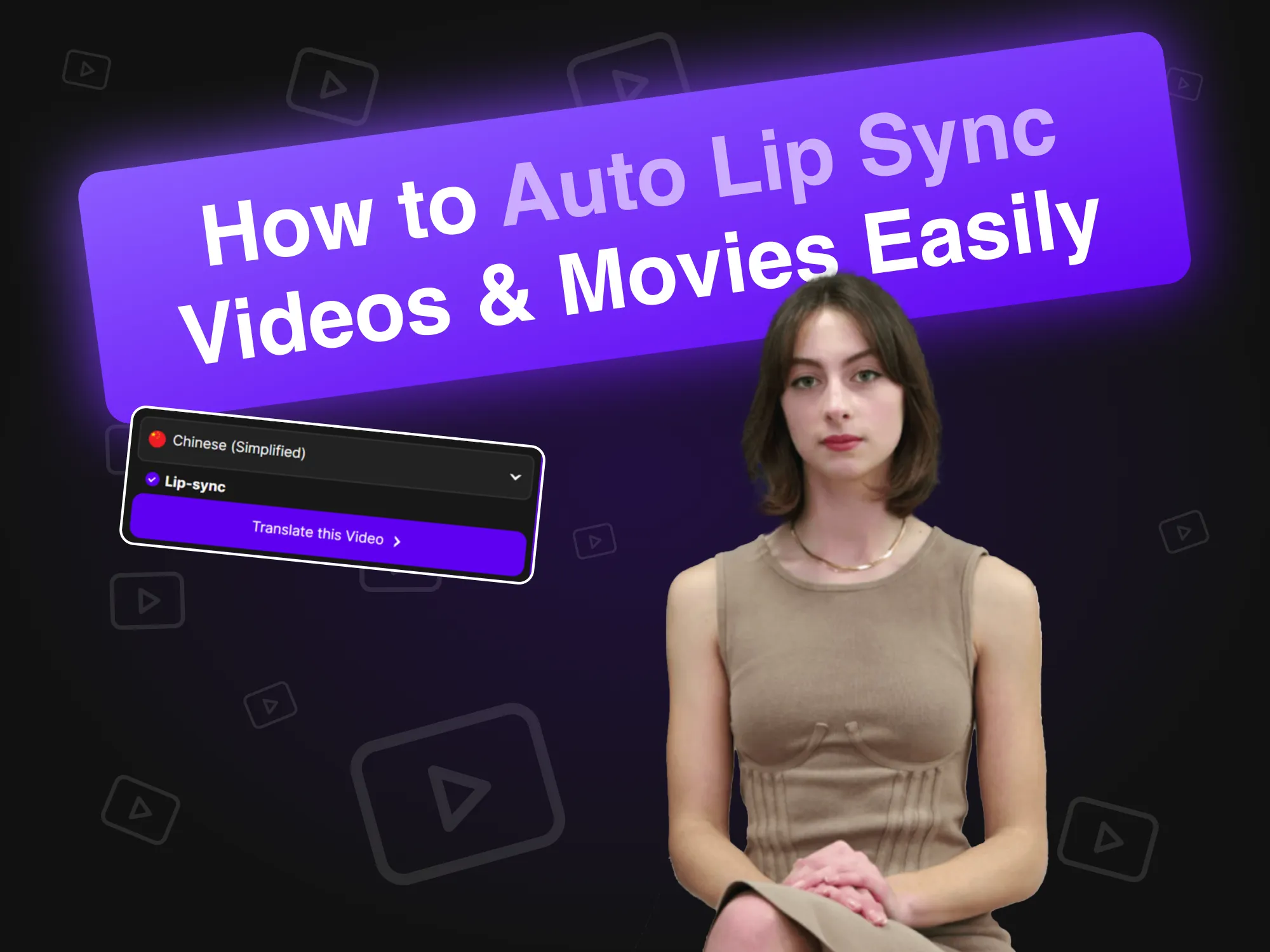
비디오 및 영화를 쉽게 자동 립싱크하는 방법
2024년 4월 19일
자동 립싱크 기술은 AI 아바타의 입술 움직임을 오디오와 완벽하게 동기화하여 영상 제작에 혁신을 불러옵니다. 이 글에서는 브랜드가 이 혁신적인 도구를 활용하여 효율적인 콘텐츠 제작, 스포일러 영상의 참여도와 사실성 향상, 궁극적으로 다양한 플랫폼에서 시청자와의 상호작용 개선을 실현하는 방법을 설명합니다.

Synthesia 대안(병렬 기능 비교)
2024년 4월 11일
AI 비디오 제작을 위한 Synthesia의 최고의 대안을 살펴보세요. 이 글에서는 AKOOL을 비롯한 다양한 플랫폼을 비교하며, 각 플랫폼의 고유한 기능과 사용자 친화적인 인터페이스를 강조하여 기업이 매력적이고 아바타 중심적인 콘텐츠를 효율적이고 효과적으로 제작할 수 있도록 지원합니다. 어떤 도구가 귀사의 필요에 가장 적합한지 확인해 보세요!

AI를 사용하여 맞춤형 게임 아바타를 만드는 방법
2024년 3월 20일
AI를 활용하여 맞춤형 게임 아바타를 제작하면 플레이어는 개성을 표현하고 게임 경험을 향상시킬 수 있습니다. 이 가이드에서는 AKOOL의 고급 이미지 생성기를 활용하여 Twitch 및 Discord와 같은 플랫폼에서 눈에 띄는 개성 있는 아바타를 제작하고, 활발한 게임 커뮤니티에서 인지도를 높이는 방법을 살펴봅니다.

AI 비디오 및 맞춤 아바타를 위한 HeyGen 대안
2024년 3월 17일
AI 영상 제작 및 맞춤 아바타 제작을 위한 HeyGen의 최고의 대안을 알아보세요. 이 글에서는 아바타 맞춤 설정 및 텍스트-비디오 변환 기능을 위한 사용자 친화적인 도구를 갖춘 AKOOL을 최고의 경쟁자로 소개합니다. AKOOL은 유연한 종량제 요금제를 통해 창의력을 발휘하고 싶은 초보자와 일반 사용자에게 적합합니다.

최고의 음성 복제 소프트웨어
2024년 11월 2일
AKOOL과 Resemble AI를 포함하여 최고의 음성 복제 소프트웨어를 살펴보세요. 이 글에서는 각 소프트웨어의 기능, 가격, 그리고 최적의 사용 사례를 살펴보고, 필요에 맞는 사실적인 오디오 콘텐츠를 제작하는 데 적합한 도구를 선택하는 데 도움을 드립니다.

최고의 직원 교육 비디오 예시
2024년 10월 8일
이 기사에서는 직원 교육 비디오의 가장 훌륭한 사례를 소개하고, 조직 내 학습 및 참여를 강화하는 효과적인 기법과 전략을 강조합니다. 이러한 비디오가 어떻게 교육 성과를 개선하고 생산적인 직장 문화를 조성할 수 있는지 알아보세요.

최고의 AI 텍스트 음성 변환 도구
2024년 11월 5일
텍스트를 자연스러운 음성으로 변환하여 콘텐츠 제작을 향상시키는 최고의 AI 텍스트-음성 변환 도구를 살펴보세요. 이 글에서는 AKOOL을 포함한 다양한 플랫폼을 살펴보며, 비디오, 팟캐스트, 인터랙티브 미디어용 고품질 음성 해설 제작을 위한 각 플랫폼의 고유한 기능과 역량을 집중적으로 다룹니다.

최고의 AI 텍스트-비디오 생성기
2024년 7월 8일
마케터의 비디오 제작을 간소화하는 최고의 AI 텍스트-비디오 생성기를 알아보세요. 이 글에서는 AKOOL을 비롯한 주요 플랫폼들을 살펴보며, 각 플랫폼의 기능, 맞춤 설정 옵션, 비용 효율성을 중점적으로 살펴보고, 기업이 전문 기술 없이도 매력적인 콘텐츠를 빠르고 효율적으로 제작할 수 있도록 지원합니다.

AI를 사용하여 제품 사진 배경을 변경하는 방법
2024년 6월 10일
AKOOL의 AI 배경 편집 도구는 사용자가 배경을 손쉽게 변경하고 맞춤 설정할 수 있도록 하여 제품 사진 촬영에 혁신을 불러옵니다. 이 기술은 시간을 절약하고 시각적 매력을 높이며 일관성을 보장하여 기업이 참여도를 높이고 매출을 효과적으로 늘리는 전문가 수준의 이미지를 제작할 수 있도록 지원합니다.

사진을 위한 최고의 얼굴 교체 도구 7가지: 사실적인 얼굴 교체를 쉽게 만들어 보세요
2024년 11월 23일
AKOOL은 사진 편집 경험을 향상시키는 혁신적인 얼굴 교체 도구를 제공하여 사용자가 재미있고 매력적인 콘텐츠를 손쉽게 만들 수 있도록 해줍니다.

사실적이고 빠른 그룹 편집을 위한 최고의 다중 얼굴 교체 앱 7가지
2024년 11월 22일
사용자가 재미있고 매력적인 콘텐츠를 제작할 수 있도록 지원하는 최고의 다중 얼굴 스왑 앱 7가지를 알아보세요. 이 글에서는 AKOOL 얼굴 스왑 기능과 사진 및 비디오를 손쉽게 변환하는 사용 편의성을 강조하며, 최고의 옵션들을 살펴봅니다. 소셜 미디어에서 영향력을 강화할 수 있는 이 창의적인 도구들을 살펴보세요!

사진에 애니메이션을 입히는 최고의 앱
2024년 11월 8일
AKOOL은 사진에 정밀한 애니메이션을 적용하는 강력하고 사용자 친화적인 앱으로, 소셜 미디어 및 개인 프로젝트에 사용할 멋진 비주얼을 제작할 수 있도록 지원합니다. 직관적인 인터페이스와 다양한 오버레이 옵션은 초보자와 전문가 모두에게 적합하며, 이미지를 손쉽게 보정하고 싶은 분들에게도 적합합니다.

비디오용 최고의 얼굴 바꾸기 앱
2024년 11월 3일
AKOOL은 사용자가 영상에서 놀랍고 사실적인 얼굴 바꾸기를 할 수 있도록 지원하는 업계 최고의 얼굴 바꾸기 앱입니다. 직관적인 인터페이스와 첨단 AI 기술을 갖춘 AKOOL은 초보자와 전문가 모두에게 적합하며, 영상 콘텐츠를 창의적이고 효과적으로 향상시키고자 하는 모든 사람에게 이상적인 선택입니다.

최고의 AI 사진 앱
2024년 10월 31일
콘텐츠 제작자와 소셜 미디어 애호가를 위한 최고의 동영상용 얼굴 바꾸기 앱을 알아보세요. 이 글에서는 AKOOL을 비롯한 다양한 도구를 살펴보고, 각 도구의 고유한 기능과 성능을 집중적으로 조명하여 사용자가 매력적이고 재미있는 동영상 콘텐츠를 손쉽게 제작하고 창의적인 프로젝트를 더욱 발전시킬 수 있도록 지원합니다.

순위: 상위 HeyGen 경쟁자
2024년 8월 1일
이 글에서는 HeyGen의 주요 경쟁 업체들을 평가하고, AKOOL을 선도적인 대안으로 강조합니다. 기능, 사용자 경험, 성능을 비교하며, 기업들이 AI 기반 콘텐츠 제작에서 탁월한 도구와 효율성을 갖춘 AKOOL로 전환하는 이유를 설명합니다. 마케팅 니즈에 가장 적합한 옵션을 찾아보세요!

비디오를 위한 최고의 얼굴 바꾸기 도구
2024년 7월 26일
이 글에서 AKOOL과 Reface 같은 최고의 영상용 얼굴 스왑 도구를 비교해 보세요. 이러한 혁신적인 도구가 어떻게 잠재고객을 사로잡고 전환율을 높이는 개인화되고 매력적인 콘텐츠를 제작하여 마케팅 전략을 강화하고, 영상 마케팅을 더욱 역동적이고 효과적으로 만들어 주는지 알아보세요.

어떤 AI 얼굴 교환 도구가 마케팅 ROI를 높일수 있을가요?
2024년 5월 11일
AI 얼굴 바꾸기 도구가 마케팅 ROI를 어떻게 향상시킬 수 있는지 알아보세요. 이 글에서는 주요 기능, 성공 사례 연구, 그리고 효과 측정을 위한 실행 가능한 단계를 살펴보고, 기업이 이러한 혁신적인 도구를 활용하여 개인화되고 매력적인 광고 캠페인을 통해 성과를 높이고 고객과의 연결을 개선하는 데 도움을 드립니다.

AKOOL의 AI 얼굴 생성기를 사용하여 자신과 닮은 사진을 만들어 보세요
2024년 4월 18일
AKOOL의 AI 얼굴 생성기를 사용하면 실제 얼굴과 흡사한 사진을 손쉽게 만들 수 있습니다. 이 글에서는 AKOOL의 기능, 이점, 그리고 활용법을 살펴보고, 몇 번의 클릭만으로 고품질의 개인 맞춤형 결과물을 보장하면서 개인 및 전문가용 콘텐츠 제작 방식을 어떻게 혁신하는지 집중적으로 다룹니다.

일괄 얼굴 바꾸기: 그룹 사진에서 여러 얼굴을 바꾸는 방법
2024년 4월 17일
일괄 얼굴 교체 기술은 단체 사진에서 여러 얼굴을 교체하는 과정을 간소화하여 시간을 절약하고 창의성을 향상시킵니다. 이 글에서는 AKOOL의 도구가 어떻게 효율적인 얼굴 교체를 지원하는지 살펴보겠습니다. AKOOL은 사진작가, 마케터, 콘텐츠 제작자에게 워크플로우를 간소화하면서 고품질 결과물을 손쉽게 얻고자 하는 사람들에게 이상적인 솔루션입니다.

현실적인 얼굴 바꾸기를 위한 최고의 딥페이크 앱 12개
2024년 4월 13일
이 글에서 사실적인 얼굴 바꾸기를 위한 최고의 딥페이크 앱 5개를 알아보세요. 각 앱의 고유한 기능, 사용 편의성, 그리고 마케팅 및 엔터테인먼트 분야에서의 활용도를 살펴보고, 딥페이크 기술과 관련된 윤리적 고려 사항을 고려하면서 사용자가 매력적인 콘텐츠를 손쉽게 제작할 수 있도록 지원합니다.

얼굴 바꾸기 영상 만드는 방법
2024년 4월 12일
AKOOL의 얼굴 교체 도구를 사용하여 동영상에서 얼굴을 쉽게 바꾸는 방법을 알아보세요. 이 글에서는 단계별 가이드와 현실적인 결과를 위한 팁을 제공하며, 영상 편집에서 AI 기술이 제공하는 이점을 강조하여 초보자와 콘텐츠 제작을 개선하려는 전문가 모두에게 도움이 될 것입니다.

B2C 및 기업 마케팅 팀을 위한 최고의 AI 비디오 얼굴 교체 도구
2024년 3월 28일
이 글에서 마케팅에 가장 적합한 AI 비디오 얼굴 스왑 도구를 알아보세요. AKOOL의 최첨단 플랫폼을 9개의 경쟁 플랫폼과 비교 평가하며, 뛰어난 품질, 사실성, 사용자 친화적인 기능을 강조합니다. AKOOL은 잠재고객을 사로잡고 매출을 효과적으로 증대하는 매력적인 광고 및 소셜 미디어 콘텐츠 제작에 이상적입니다.

온라인에서 무료로 사진의 성별을 바꾸는 방법
2024년 3월 27일
AKOOL의 얼굴 스왑 기능을 사용하여 온라인에서 사진의 성별을 쉽게 바꾸는 방법을 알아보세요. 이 가이드는 이미지를 변형하는 단계별 지침을 제공하여 다양한 성별 표현을 탐색하고 AI 기술을 통해 창의력을 향상시킬 수 있도록 도와줍니다.

마케팅에서 위기 관리를 처리하는 방법
2024년 3월 26일
AKOOL은 마케팅 위기 관리를 위한 혁신적인 도구를 제공합니다. 여기에는 브랜드가 논란이 있는 상황에서 홍보 자료를 신속하게 조정하고, 평판을 보존하고, 소비자의 신뢰를 효과적으로 유지하는 데 도움이 되는 얼굴 교체 기술이 포함됩니다.

A를 사용하여 말하는 얼굴 애니메이션을 만드는 방법
2024년 3월 18일
AI 기술을 활용하여 매력적인 말하는 얼굴 애니메이션을 제작하는 방법을 알아보세요. 이 글에서는 AKOOL 플랫폼에 대한 단계별 가이드를 제공하여 사용자가 디지털 마케팅과 스토리텔링을 향상시키는 사실적인 아바타를 제작할 수 있도록 지원합니다. 이를 통해 기술 전문 지식에 관계없이 누구나 쉽고 효율적으로 콘텐츠를 제작할 수 있습니다.

딥페이크 영상 만드는 방법
2024년 3월 18일
이 기사에서는 AKOOL을 사용하여 딥페이크 비디오를 만드는 방법에 대한 단계별 가이드를 제공하며, 필수적인 도구와 기술을 다루는 동시에 책임감 있는 사용을 위한 윤리적 고려 사항을 강조합니다.

AI가 생성하는 그래픽 디자인으로 마케팅 비용을 절감하는 방법
2024년 6월 10일
AI 기반 그래픽 디자인은 사용자가 멋진 비주얼을 빠르고 저렴하게 제작할 수 있도록 지원하여 마케팅을 혁신하고 있습니다. 이 글에서는 AKOOL과 같은 플랫폼이 어떻게 비용을 절감하고, 효율성을 높이며, 디자인을 대중화하여 기업이 대규모 디자인팀이나 전문 기술 없이도 고품질 마케팅 자료를 제작할 수 있도록 하는지 살펴봅니다.

AI가 생성한 제품 이미지로 놀라운 마케팅 캠페인을 펼치다
2024년 6월 1일
AI가 생성하는 제품 이미지는 놀라운 비주얼을 빠르고 저렴하게 제공함으로써 전자상거래 마케팅에 혁명을 일으키고 있습니다. 이 글에서는 브랜드가 AKOOL을 활용하여 참여도를 높이고, 워크플로우를 간소화하며, 궁극적으로 매출을 증대시키는 맞춤형 고품질 이미지를 제작하는 방법을 살펴보고, 디지털 환경에서 기존 사진 촬영 방식을 혁신할 수 있는 방법을 제시합니다.
%20-%20Akool%20Blog%20Banner.png-p-500.webp)
AI 아트를 위한 최고의 아이디어 (예시 및 영감)
2024년 3월 19일
AKOOL의 이미지 생성기로 멋진 AI 아트를 제작하는 데 가장 적합한 프롬프트를 확인해 보세요. 이 글에서는 창의력을 향상시키는 예시와 팁을 제공하여 예술적 기량에 관계없이 누구나 쉽고 효과적으로 독창적인 비주얼을 제작할 수 있도록 지원합니다.

이 비디오 마케팅 자동화 도구를 사용하여 대규모 맞춤 메시지 작성
2024년 9월 6일
비디오 마케팅 자동화는 개인화된 비디오 콘텐츠의 제작 및 배포를 간소화하여 마케터가 대규모 리드와 효율적으로 소통할 수 있도록 지원합니다. 이 글에서는 AKOOL의 도구를 살펴보고, ROI 향상, 참여도 향상, 워크플로 간소화 등의 이점을 강조하며, 맞춤형 메시지를 통해 리드를 충성 고객으로 전환하는 과정을 간소화합니다.

리드 생성 및 ROI를 가속화하는 5가지 최고의 AI 도구
2024년 6월 24일
AI 리드 생성 도구가 마케팅 전략을 어떻게 향상시킬 수 있는지 알아보세요. 이 글에서는 AKOOL을 포함하여 워크플로우를 간소화하고, 비용을 절감하고, 리드 품질을 향상시켜 궁극적으로 ROI를 높이고 리드를 충성 고객으로 효율적으로 전환하는 데 도움이 되는 5가지 주요 도구를 소개합니다.

최고의 사진 노래 앱
2024년 11월 8일
이미지에 애니메이션을 적용하여 매력적인 노래 퍼포먼스를 만들어내는 최고의 사진 노래 앱을 만나보세요. 이 글에서는 AKOOL을 비롯한 다양한 플랫폼을 살펴보며, 정적인 사진을 생동감 넘치는 음악 콘텐츠로 변환하는 기능과 사용 편의성을 강조하여 소셜 미디어 및 개인 프로젝트에 적합한 앱들을 소개합니다.
뉴스

실시간 AI 비디오가 차세대 줌이 될 수 있을까?
May 29, 2025

AI가 현실이 되는 순간: 실시간 인간 존재의 미래
June 16, 2025

Techcrunch - Building a Gen AI Unicorn with Global Resources, Innovation, and Efficiency: The AKOOL Way
Feb 28, 2025

G2 - 9 Best Generative AI Tools I Use: Which One Leads Today?
Feb 10, 2025

Microsoft - 5 key marketing tips for early-stage business startup founders
Dec 17, 2024
AKOOL Introduces AMD-Advanced Technology, Revolutionizing Digital Experiences with Simplified In-Device Avatars
Jan 3, 2025

AKOOL Achieves $40M in Invoiced ARR, Accelerating Growth in AI-Driven Content Creation for Diverse Industries
Nov 13, 2024

AKOOL Unveils Enhanced Streaming Avatars with Seamless LLM Integration to Revolutionize Human-Machine Interactions
Feb 26, 2025

AKOOL Announces Strategic Bollywood Partnership to Revolutionize AI in Digital Immersion and Video Markets
Nov 25, 2024

AKOOL, 새로운 Gen Al 아바타 클래스 출시로 자기표현의 새로운 기준 제시
April 12, 2024

Akool의 생성형 AI 플랫폼, 브랜드 참여를 위한 새로운 표준을 제시합니다
Nov 30, 2023
더 알아보기 AI 기반 도구
이미지 제작, 비디오 제작, 아바타 디자인을 위한 완벽한 AI 도구 모음으로 Akool의 잠재력을 최대한 활용하세요. 마케팅 콘텐츠 제작, 이러닝 확장, 커뮤니케이션 개인화 등 어떤 작업을 하든 Akool은 모든 단계에서 귀사의 전략을 강화해 드립니다.


