Kling 2.6: Cinematic AI Video Generator with Native Audio & Immersive Sound Effects
Generate AI Video and Audio Together
Kling 2.6 introduces Native Audio, transforming your workflow from silent visuals to complete, immersive audio-visual experiences in a single, seamless step.
Generate AI Video and Audio Together
Kling 2.6 introduces Native Audio, transforming your workflow from silent visuals to complete, immersive audio-visual experiences in a single, seamless step.
Kling 2.6 Major Update
Native Audio Precision: Perfectly Matched Sound for Every Frame
Text-to-Audio-Visual in a Single Click
Simply type a prompt and receive a full, sound-rich scene. Go from a single sentence to a complete narrative, perfect for Vlogs, Product Demos, and Social Media Ads.
Image-to-Audio-Visual: Bring Stills to Life
Upload any static image and instantly generate dynamic video content complete with synchronized, high-fidelity audio. The fastest way to enhance existing assets.
Immersive "What You See Is What You Hear"
Kling deep semantic alignment ensures the audio perfectly matches the on-screen action, delivering a professional, captivating viewing experience for multi-character dialogues, music performances, and creative scenes.
Community Creations
3つの簡単なステップで作成

1
モデルを選択してテンプレートを生成します。
Akool は世界トップクラスのモデルプロバイダーと提携しており、最新、最も幅広く、最も手頃な価格のモデルへのアクセスを提供しています。
2
画像を追加
生成を開始するには、画像をアップロードまたは生成します。3
ビデオを入手
「生成」をクリックして、最終的なビデオを作成してください。Akool を選ぶ理由
Diffusion-based Image-to-Video Synthesis
Instant Professional Rendering
Generate polished video assets from images in seconds using diffusion-based synthesis, neural frame interpolation, and high-fidelity visual rendering.
キャラクター同一性における時間的一貫性
シームレスなID永続性
Maintain consistent faces, expressions, and identity attributes across frames using computer vision models optimized for high-fidelity video continuity.
API-driven Creative Exploration
Neural Workflow Inspiration
Explore community-generated examples to discover production patterns, diffusion-based video workflows, and scalable generative content ideas.
すべてのモデルを見る
Wan
Gemini
OpenAI
Sora
Seedance
Hailuo
Kling
Veo
GPT
Vidu Q3
PixVerse
HappyHorse
Grok
Wan
Gemini
OpenAI
Sora
Seedance
Hailuo
Kling
Veo
GPT
Vidu Q3
PixVerse
HappyHorse
Grok
Wan
Gemini
OpenAI
Sora
Seedance
Hailuo
Kling
Veo
GPT
Vidu Q3
PixVerse
HappyHorse
Grok
Wan
Gemini
OpenAI
Sora
Seedance
Hailuo
Kling
Veo
GPT
Vidu Q3
PixVerse
HappyHorse
Grok
Wan
Gemini
OpenAI
Sora
Seedance
Hailuo
Kling
Veo
GPT
Vidu Q3
PixVerse
HappyHorse
Grok
Wan
Gemini
OpenAI
Sora
Seedance
Hailuo
Kling
Veo
GPT
Vidu Q3
PixVerse
HappyHorse
Grok
Wan
Gemini
OpenAI
Sora
Seedance
Hailuo
Kling
Veo
GPT
Vidu Q3
PixVerse
HappyHorse
Grok
Wan
Gemini
OpenAI
Sora
Seedance
Hailuo
Kling
Veo
GPT
Vidu Q3
PixVerse
HappyHorse
Grok
ユーザーの声
Sarah Johnson
Just tried Kling 2.6 and the native audio sync is a game-changer! No more post-production fiddling with dialogue. The characters' mouth shapes match the script perfectly. This is a massive leap forward for creating talking heads and narrative clips.
David Klein
Kling 2.6 is a game-changer for my social media content. The Image-to-Video feature is flawless—it animated my photo while keeping the person's identity and style intact. Plus, the speed is incredible for a 1080p output. Definitely recommend giving it a shot.
Alex Miller
It's good, but the 10-second limit is a real constraint for my longer projects. I have to chain clips, which adds time. I'm using Kling 2.6 for professional work, so every minute counts. The character consistency is beautiful, though.
Jessica Lee
The new cinematic camera control in Kling 2.6 is amazing! Being able to fine-tune the pans, zooms, and tracking shots makes a massive difference in the final look. This is what I've been waiting for in an image-to-video tool to get that professional feel.
Michael Brown
Solid update. Kling 2.6 delivers on its promise of better realism, especially with the physics-accurate motion. My animated objects move so much more naturally now. Still hoping for longer clip lengths in the future, but I'm happy with this.
Emily Rose
I'm a total beginner, and Kling 2.6 was so easy to pick up. I used the Text-to-Video feature to build an entirely new scene, and the natural ambience sound effects were generated automatically. Five stars for the all-in-one generation!
Chris Peterson
Okay, so I compared Kling 2.6 with another leading AI. While the other one had slightly better facial detail, Kling 2.6 absolutely crushed it on consistent identity, the outfit and face stayed the same across the whole 10-second clip. The video just feels more stable and less 'flickery.'
Laura Green
The Multi-image guidance feature in Kling 2.6 is subtle but powerful. I used four reference images to lock in the style and props, and the final video was exactly what I envisioned. It's a significant step up in creative control.
Sarah Johnson
Just tried Kling 2.6 and the native audio sync is a game-changer! No more post-production fiddling with dialogue. The characters' mouth shapes match the script perfectly. This is a massive leap forward for creating talking heads and narrative clips.
David Klein
Kling 2.6 is a game-changer for my social media content. The Image-to-Video feature is flawless—it animated my photo while keeping the person's identity and style intact. Plus, the speed is incredible for a 1080p output. Definitely recommend giving it a shot.
Alex Miller
It's good, but the 10-second limit is a real constraint for my longer projects. I have to chain clips, which adds time. I'm using Kling 2.6 for professional work, so every minute counts. The character consistency is beautiful, though.
Jessica Lee
The new cinematic camera control in Kling 2.6 is amazing! Being able to fine-tune the pans, zooms, and tracking shots makes a massive difference in the final look. This is what I've been waiting for in an image-to-video tool to get that professional feel.
Michael Brown
Solid update. Kling 2.6 delivers on its promise of better realism, especially with the physics-accurate motion. My animated objects move so much more naturally now. Still hoping for longer clip lengths in the future, but I'm happy with this.
Emily Rose
I'm a total beginner, and Kling 2.6 was so easy to pick up. I used the Text-to-Video feature to build an entirely new scene, and the natural ambience sound effects were generated automatically. Five stars for the all-in-one generation!
Chris Peterson
Okay, so I compared Kling 2.6 with another leading AI. While the other one had slightly better facial detail, Kling 2.6 absolutely crushed it on consistent identity, the outfit and face stayed the same across the whole 10-second clip. The video just feels more stable and less 'flickery.'
Laura Green
The Multi-image guidance feature in Kling 2.6 is subtle but powerful. I used four reference images to lock in the style and props, and the final video was exactly what I envisioned. It's a significant step up in creative control.
Sarah Johnson
Just tried Kling 2.6 and the native audio sync is a game-changer! No more post-production fiddling with dialogue. The characters' mouth shapes match the script perfectly. This is a massive leap forward for creating talking heads and narrative clips.
David Klein
Kling 2.6 is a game-changer for my social media content. The Image-to-Video feature is flawless—it animated my photo while keeping the person's identity and style intact. Plus, the speed is incredible for a 1080p output. Definitely recommend giving it a shot.
Alex Miller
It's good, but the 10-second limit is a real constraint for my longer projects. I have to chain clips, which adds time. I'm using Kling 2.6 for professional work, so every minute counts. The character consistency is beautiful, though.
Jessica Lee
The new cinematic camera control in Kling 2.6 is amazing! Being able to fine-tune the pans, zooms, and tracking shots makes a massive difference in the final look. This is what I've been waiting for in an image-to-video tool to get that professional feel.
Michael Brown
Solid update. Kling 2.6 delivers on its promise of better realism, especially with the physics-accurate motion. My animated objects move so much more naturally now. Still hoping for longer clip lengths in the future, but I'm happy with this.
Emily Rose
I'm a total beginner, and Kling 2.6 was so easy to pick up. I used the Text-to-Video feature to build an entirely new scene, and the natural ambience sound effects were generated automatically. Five stars for the all-in-one generation!
Chris Peterson
Okay, so I compared Kling 2.6 with another leading AI. While the other one had slightly better facial detail, Kling 2.6 absolutely crushed it on consistent identity, the outfit and face stayed the same across the whole 10-second clip. The video just feels more stable and less 'flickery.'
Laura Green
The Multi-image guidance feature in Kling 2.6 is subtle but powerful. I used four reference images to lock in the style and props, and the final video was exactly what I envisioned. It's a significant step up in creative control.
Sarah Johnson
Just tried Kling 2.6 and the native audio sync is a game-changer! No more post-production fiddling with dialogue. The characters' mouth shapes match the script perfectly. This is a massive leap forward for creating talking heads and narrative clips.
David Klein
Kling 2.6 is a game-changer for my social media content. The Image-to-Video feature is flawless—it animated my photo while keeping the person's identity and style intact. Plus, the speed is incredible for a 1080p output. Definitely recommend giving it a shot.
Alex Miller
It's good, but the 10-second limit is a real constraint for my longer projects. I have to chain clips, which adds time. I'm using Kling 2.6 for professional work, so every minute counts. The character consistency is beautiful, though.
Jessica Lee
The new cinematic camera control in Kling 2.6 is amazing! Being able to fine-tune the pans, zooms, and tracking shots makes a massive difference in the final look. This is what I've been waiting for in an image-to-video tool to get that professional feel.
Michael Brown
Solid update. Kling 2.6 delivers on its promise of better realism, especially with the physics-accurate motion. My animated objects move so much more naturally now. Still hoping for longer clip lengths in the future, but I'm happy with this.
Emily Rose
I'm a total beginner, and Kling 2.6 was so easy to pick up. I used the Text-to-Video feature to build an entirely new scene, and the natural ambience sound effects were generated automatically. Five stars for the all-in-one generation!
Chris Peterson
Okay, so I compared Kling 2.6 with another leading AI. While the other one had slightly better facial detail, Kling 2.6 absolutely crushed it on consistent identity, the outfit and face stayed the same across the whole 10-second clip. The video just feels more stable and less 'flickery.'
Laura Green
The Multi-image guidance feature in Kling 2.6 is subtle but powerful. I used four reference images to lock in the style and props, and the final video was exactly what I envisioned. It's a significant step up in creative control.
Robert Harris
I'm still getting artifacts on high-motion scenes, especially when trying to simulate complex physics. It's better than 2.5, but not perfect. Kling 2.6 needs to work on improving the motion realism for fast action. For simple pans and zooms, it's fantastic.
Sophia White
My biggest issue is the credit system. I love the quality of Kling 2.6, but I burn through credits too fast, especially since it generates both video and audio now. Maybe offer a better subscription tier for heavy users? The perfect lip-sync is worth it, but the cost adds up quickly.
Daniel Flores
I've been using AI video tools since the beginning, and Kling 2.6 is the first one that genuinely feels like a professional tool. The bilingual audio support for both English and Chinese is a huge plus for my international clients. The attention to detail in the lighting and shadow work is incredible.
Olivia Chen
Has anyone tried the singing generation feature? The video from Kling 2.6 is perfect, but when I try to make a character sing, the lip-sync is almost perfect but not quite there yet. It's probably user error, but a quick fix or tutorial would be great! Otherwise, the visual output is stunning.
Ethan Smith
Just a quick note to say that Kling 2.6 is the best AI tool I've used this year. The quality-to-speed ratio is unmatched, and the fact that it generates 1080p output in one go is fantastic. Keep up the great work, team!
Mia Thompson
The community tutorials for Kling 2.6 are really helpful. I was struggling with prompt engineering, but after watching a few videos, I'm getting much better results, especially with specifying the dialogue and sound effects. The tool itself is powerful, but the learning curve for getting perfect results is still there.
Noah Zimmerman
I'm skeptical of all these AI tools, but Kling 2.6 actually impressed me. I used a very old, low-resolution image, and the resulting video was surprisingly clean and high-def. It's not just animating the image; it's intelligently upscaling and enhancing it while maintaining consistent identity. Color me converted. This is a powerful piece of software.
Robert Harris
I'm still getting artifacts on high-motion scenes, especially when trying to simulate complex physics. It's better than 2.5, but not perfect. Kling 2.6 needs to work on improving the motion realism for fast action. For simple pans and zooms, it's fantastic.
Sophia White
My biggest issue is the credit system. I love the quality of Kling 2.6, but I burn through credits too fast, especially since it generates both video and audio now. Maybe offer a better subscription tier for heavy users? The perfect lip-sync is worth it, but the cost adds up quickly.
Daniel Flores
I've been using AI video tools since the beginning, and Kling 2.6 is the first one that genuinely feels like a professional tool. The bilingual audio support for both English and Chinese is a huge plus for my international clients. The attention to detail in the lighting and shadow work is incredible.
Olivia Chen
Has anyone tried the singing generation feature? The video from Kling 2.6 is perfect, but when I try to make a character sing, the lip-sync is almost perfect but not quite there yet. It's probably user error, but a quick fix or tutorial would be great! Otherwise, the visual output is stunning.
Ethan Smith
Just a quick note to say that Kling 2.6 is the best AI tool I've used this year. The quality-to-speed ratio is unmatched, and the fact that it generates 1080p output in one go is fantastic. Keep up the great work, team!
Mia Thompson
The community tutorials for Kling 2.6 are really helpful. I was struggling with prompt engineering, but after watching a few videos, I'm getting much better results, especially with specifying the dialogue and sound effects. The tool itself is powerful, but the learning curve for getting perfect results is still there.
Noah Zimmerman
I'm skeptical of all these AI tools, but Kling 2.6 actually impressed me. I used a very old, low-resolution image, and the resulting video was surprisingly clean and high-def. It's not just animating the image; it's intelligently upscaling and enhancing it while maintaining consistent identity. Color me converted. This is a powerful piece of software.
Robert Harris
I'm still getting artifacts on high-motion scenes, especially when trying to simulate complex physics. It's better than 2.5, but not perfect. Kling 2.6 needs to work on improving the motion realism for fast action. For simple pans and zooms, it's fantastic.
Sophia White
My biggest issue is the credit system. I love the quality of Kling 2.6, but I burn through credits too fast, especially since it generates both video and audio now. Maybe offer a better subscription tier for heavy users? The perfect lip-sync is worth it, but the cost adds up quickly.
Daniel Flores
I've been using AI video tools since the beginning, and Kling 2.6 is the first one that genuinely feels like a professional tool. The bilingual audio support for both English and Chinese is a huge plus for my international clients. The attention to detail in the lighting and shadow work is incredible.
Olivia Chen
Has anyone tried the singing generation feature? The video from Kling 2.6 is perfect, but when I try to make a character sing, the lip-sync is almost perfect but not quite there yet. It's probably user error, but a quick fix or tutorial would be great! Otherwise, the visual output is stunning.
Ethan Smith
Just a quick note to say that Kling 2.6 is the best AI tool I've used this year. The quality-to-speed ratio is unmatched, and the fact that it generates 1080p output in one go is fantastic. Keep up the great work, team!
Mia Thompson
The community tutorials for Kling 2.6 are really helpful. I was struggling with prompt engineering, but after watching a few videos, I'm getting much better results, especially with specifying the dialogue and sound effects. The tool itself is powerful, but the learning curve for getting perfect results is still there.
Noah Zimmerman
I'm skeptical of all these AI tools, but Kling 2.6 actually impressed me. I used a very old, low-resolution image, and the resulting video was surprisingly clean and high-def. It's not just animating the image; it's intelligently upscaling and enhancing it while maintaining consistent identity. Color me converted. This is a powerful piece of software.
Robert Harris
I'm still getting artifacts on high-motion scenes, especially when trying to simulate complex physics. It's better than 2.5, but not perfect. Kling 2.6 needs to work on improving the motion realism for fast action. For simple pans and zooms, it's fantastic.
Sophia White
My biggest issue is the credit system. I love the quality of Kling 2.6, but I burn through credits too fast, especially since it generates both video and audio now. Maybe offer a better subscription tier for heavy users? The perfect lip-sync is worth it, but the cost adds up quickly.
Daniel Flores
I've been using AI video tools since the beginning, and Kling 2.6 is the first one that genuinely feels like a professional tool. The bilingual audio support for both English and Chinese is a huge plus for my international clients. The attention to detail in the lighting and shadow work is incredible.
Olivia Chen
Has anyone tried the singing generation feature? The video from Kling 2.6 is perfect, but when I try to make a character sing, the lip-sync is almost perfect but not quite there yet. It's probably user error, but a quick fix or tutorial would be great! Otherwise, the visual output is stunning.
Ethan Smith
Just a quick note to say that Kling 2.6 is the best AI tool I've used this year. The quality-to-speed ratio is unmatched, and the fact that it generates 1080p output in one go is fantastic. Keep up the great work, team!
Mia Thompson
The community tutorials for Kling 2.6 are really helpful. I was struggling with prompt engineering, but after watching a few videos, I'm getting much better results, especially with specifying the dialogue and sound effects. The tool itself is powerful, but the learning curve for getting perfect results is still there.
Noah Zimmerman
I'm skeptical of all these AI tools, but Kling 2.6 actually impressed me. I used a very old, low-resolution image, and the resulting video was surprisingly clean and high-def. It's not just animating the image; it's intelligently upscaling and enhancing it while maintaining consistent identity. Color me converted. This is a powerful piece of software.
顧客成功事例


キヤノン、社内イベントでAkool搭載のAIフォトブースを披露
キヤノンは先日、社内展示会で次世代AIフォトブースを公開しました。このブースは、Akoolの高度な顔交換・画像生成技術を搭載しています。瞬時にパーソナライズされた写真撮影体験を提供することを目的として設計されたこのブースでは、社員がキヤノンの今後のAI機能を実際に体験する機会が設けられました。


Akool と Google Cloud が NVIDIA GTC でリアルタイム AI アバターを披露
AKOOLはGoogle Cloudと提携し、NVIDIAのグローバルテクノロジーカンファレンス(GTC)で最先端のリアルタイムアバター技術を発表しました。このライブデモンストレーションでは、Google Cloudのスケーラブルなインフラストラクチャと高度なAIツールを活用したAkoolのアバターが、高トラフィックのリアルタイム環境における企業のユーザーエンゲージメントを変革する方法を示しました。


Akool と AWS が AWS Summit India でリアルタイム AI アバター体験を発表
AKOOLは、アマゾン ウェブ サービス(AWS)と提携し、インド地域最大級のITおよびクラウドイノベーションイベントであるAWS Summit Indiaにおいて、ライブアバター体験を提供しました。このアクティベーションでは、AWS Bedrockに完全に統合され、AWSインフラストラクチャ上でホストされたAkoolのアバターが、インテリジェントでリアルタイムなブランドプレゼンターとして機能できることを実証しました。

AKOOL の顔交換技術がカタール航空の「AI アドベンチャー」キャンペーンにどのように役立ったか
Qatar Airways partners with AKOOL to launch "AI Adventure," an innovative campaign using Face Swap technology, allowing viewers to star in their own airline commercial, enhancing customer engagement through personalized and immersive experiences.


イベント管理の革新:GPT DAOとAKOOLが、LiveX AIの支援を受けて、GenAIサミット2024で参加者のエンゲージメントをどのように向上させたか
GPT DAOは、AKOOLのAI駆動型アバター技術を導入することで、GenAIサミットのイベント管理を革新しています。この革新的なソリューションは、参加者とのインタラクションを強化し、瞬時にサポートと情報を提供することで、運営コストやスタッフのニーズを削減します。最終的に、参加者にとってシームレスで魅力的なイベント体験を実現します。

AKOOLとEros Digitalが提携し、デジタルイマージョンとビデオ市場を変革
AKOOLはEros Digitalと提携し、デジタル没入感とビデオ市場を革新しています。革新的な技術ソリューションを通じて、コンテンツの配信とユーザーエンゲージメントを強化し、没入型デジタル体験の未来を切り開いています。


コカ・コーラ社の「Ultimate You」ゲーム
AKOOL が、コカ・コーラの League of Legends とのインタラクティブマーケティングキャンペーンを支援

AKOOL のビデオ翻訳による Logitech のウェブカメラ製品向け多言語ウェビナーシリーズ
Logitech のウェブカメラ製品向け多言語ウェビナーシリーズでは、AKOOLのビデオ翻訳を利用して、グローバルなアクセシビリティとエンゲージメントを強化し、多様な視聴者がつながり、効果的に学習できるようにします。

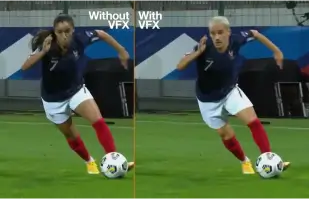
Orange Won the Top Prize for Entertainment for Sport for the MarcelParis, Campaign "WoMen's Football"
Orange's "WoMen's Football" won the top prize for Entertainment for Sport with AKOOL

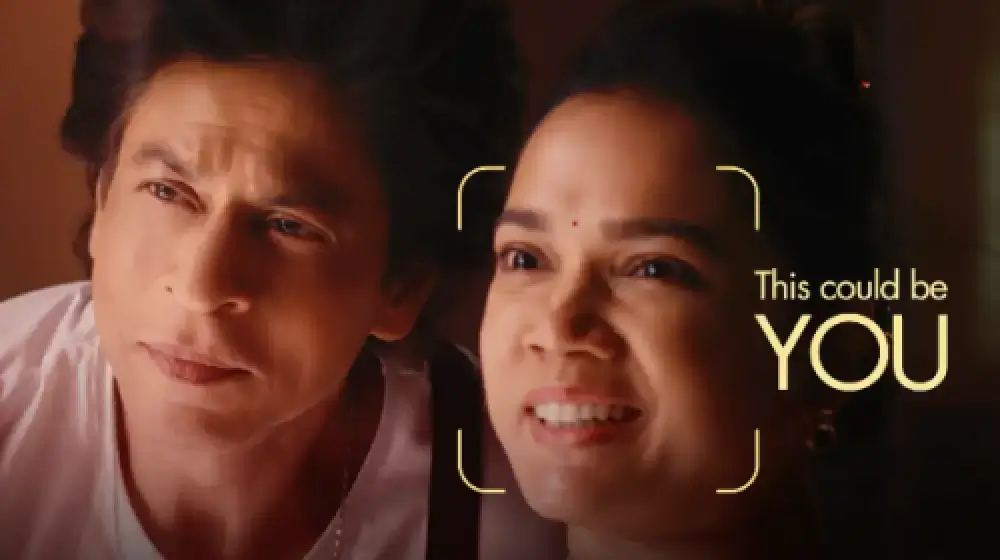
SRK の広告にあなたを掲載しましょう!
Sunfeast Dark Fantasy は AKOOL のテクノロジーを使用して、誰もがボリウッドのスーパースター、シャー・ルク・カーンと一緒に広告に出演できるようにしています。

AKOOLとタタ・コンサルタンシー・サービスが協力し、AI主導のマーケティングを変革
AKOOL は Tata Consultancy Services と連携して AI 主導のマーケティングを変革し、顧客エンゲージメントとビジネス成果を向上させる戦略とソリューションを強化します。

Sunfeast が AKOOL のストリーミング アバターを使用した限定版チョコ クッキーを発売
Sunfeast は、AKOOL のストリーミング アバターを魅力的なマーケティングに活用し、限定版のチョコ クッキーを導入しました。この革新的なアプローチにより、ブランドのインタラクションが強化され、新製品が効果的に宣伝されます。

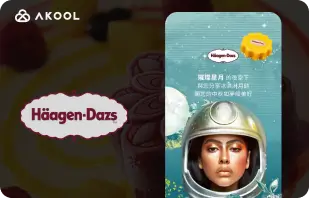
ハーゲンダッツ台湾のムーンフェスティバルキャンペーンにAKOOLのフェイススワップツールを採用
ハーゲンダッツ台湾は、中秋節キャンペーンに AKOOL の FaceSwap ツールを活用し、顧客との交流を促進し、祝祭の雰囲気を盛り上げる魅力的でパーソナライズされたコンテンツを作成しています。


AIと美容の出会い:ワセリンインドネシアのAKOOLアバターによる成功
Vaseline Indonesia は、ユーザー エンゲージメントを強化するために AKOOL と提携しました。AKOOL の仮想アバター テクノロジーを使用して、名前でユーザーを迎えるパーソナライズされたアバターである Febby をフィーチャーしたランディング ページを作成しました。このページでは、カスタマイズ可能でダウンロード可能なビデオとチャット オプションが提供され、インタラクションが促進され、ブランドと消費者のつながりが強化されました。


AKOOL が Curious Refuge の AI 映画制作コースに与える影響
AKOOL は、Curious Refuge の AI 映画制作コースを大幅に強化し、一貫したキャラクター描写のための顔のスワッピングなどのユーザーフレンドリーなツールを提供します。このパートナーシップはコンテンツ作成に革命をもたらし、学生と教育者の両方にとって映画制作がアクセスしやすく効果的なものになります。


映画制作とデジタルストーリーテリングにおけるキャラクターの一貫性の維持
映画製作者の Chrissie Pressman は、AKOOL の生成 AI を活用して、プロジェクトにおけるキャラクターの一貫性を高めています。彼女は、クリエイティブなビジョンと個人的な課題のバランスを取りながら、制作を効率化し、ストーリーテリングにおけるテクノロジーの革新的な使用で高い評価を得ています。

Deciem、AKOOLと共同でスクワラン洗顔料用のデジタルヒューマンアシスタントを発売
Deciem は、AKOOL を搭載したスクワラン クレンザー用のデジタル ヒューマン アシスタントをリリースし、顧客エンゲージメントを強化し、より良いショッピング体験のためにパーソナライズされたサポートを提供します。
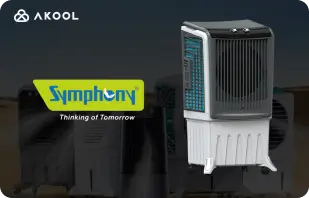
Symphony Coolers は AKOOL のストリーミング アバターを使用して Silenzo 100 Desert Air Cooler を発売しました
Symphony Coolers は、AKOOL のストリーミング アバターを活用して Silenzo 100 デザート エア クーラーを発売し、顧客エンゲージメントを強化し、革新的な機能を効果的に紹介しています。

アバンティスとアングリア・ラスキン大学がストリーミングアバターでバーチャル解剖学の授業を変革
Avantis と Anglia Ruskin University は、AKOOL ストリーミング アバターを使用して仮想解剖学の授業を強化し、インタラクティブで没入型の教育ツールを通じて学生の関与と学習体験を向上させます。

Off-White が AKOOL のストリーミング アバターを使用して新しいファッション ラインを立ち上げる
Off-White は AKOOL のストリーミング アバターを活用して新しいファッション ラインを立ち上げ、ブランド エンゲージメントを強化し、没入型デジタル プレゼンテーションを通じて革新的なデザインを披露します。


AKOOL アバターが Il Fornaio のオンライン認知度向上を後押し
有名なイタリア料理レストランチェーンの Il Fornaio は、AKOOL の仮想アバター技術を採用して、仮想ツアーや情報共有のための本物そっくりのアバターを作成しました。その結果は目覚ましく、Google マップのアバター動画は平均 170 万回再生され、訪問者数が増加しました。

Greenworks Tools、AKOOL の AI ビデオ翻訳でグローバル マーケティングを効率化
Greenworks Tools は、AKOOL の AI ビデオ翻訳を活用し、コンテンツのローカリゼーションを合理化し、多様な市場での視聴者のエンゲージメントを向上させることで、グローバル マーケティングを強化します。AI がマーケティング戦略をどのように変革するかをご覧ください。


Ruth's Chris Steak House にとって、AKOOL は単なる画像生成ツール以上のものであることが証明されました。
Ruth's Chris Steak House は、AKOOL の AI を活用した画像生成を使用してマーケティング戦略を強化し、カスタマイズされた高品質のビジュアルを効率的に作成します。

WPP は AKOOL の背景変更機能でクライアントのキャンペーンを強化
WPP は、AKOOL の背景変更機能を使用してクライアントのキャンペーンを強化し、マーケティング戦略におけるエンゲージメントと有効性を高めるクリエイティブでカスタマイズされたビジュアルを実現します。


Pictofable が AKOOL の Face Swap テクノロジーを使用してパーソナライズされた子供向けストーリーブックを作成する方法
Pictofableは、AKOOLのFace Swapテクノロジーを使用してパーソナライズされた子供向けストーリーブックを提供しており、親は子供の写真を魅力的なストーリーブックに組み込むことができます。


Anshul Joshi's Award-Winning AI Film "Tamara" Using AKOOL
Anshul Joshi's award-winning AI film "Tamara" showcases the power of AKOOL's tools in modern filmmaking, enabling rapid creation and multilingual dubbing, ultimately transforming the creative process for filmmakers and enhancing audience engagement. Discover how AI is revolutionizing the film industry through innovative projects like "Tamara"!


Peeps.xyz と AKOOL によるチェルトナム サイエンス フェスティバルの旅
Peeps.xyzの共同創設者、リチャード・ノートンは、AKOOLの生成AIプラットフォームを活用し、チェルトナム科学フェスティバルのために深層偽造(ディープフェイク)パーソナリティを特徴とした魅力的なマーケティングキャンペーンを作成しました。その効果に感銘を受け、彼は今後のプロジェクトに期待を寄せており、AIがマーケティング戦略を革新し、観客とのエンゲージメントを強化する可能性を強調しています。


コンテンツ、マーケティング、広告をより魅力的でパーソナライズされたものにします。
ヴィシャール・シンは、AKOOLのフェイススワップ技術を活用して、セレブの顔を交換することでビデオコンテンツを強化し、その優れたパーソナライズされたマーケティング戦略における活用方法を強調しています。彼は、プラットフォームのユーザーフレンドリーなインターフェースを評価しつつ、より優れたパフォーマンスとコンテンツ制作での幅広い活用を実現するためには処理速度の改善が必要だと提案しています。

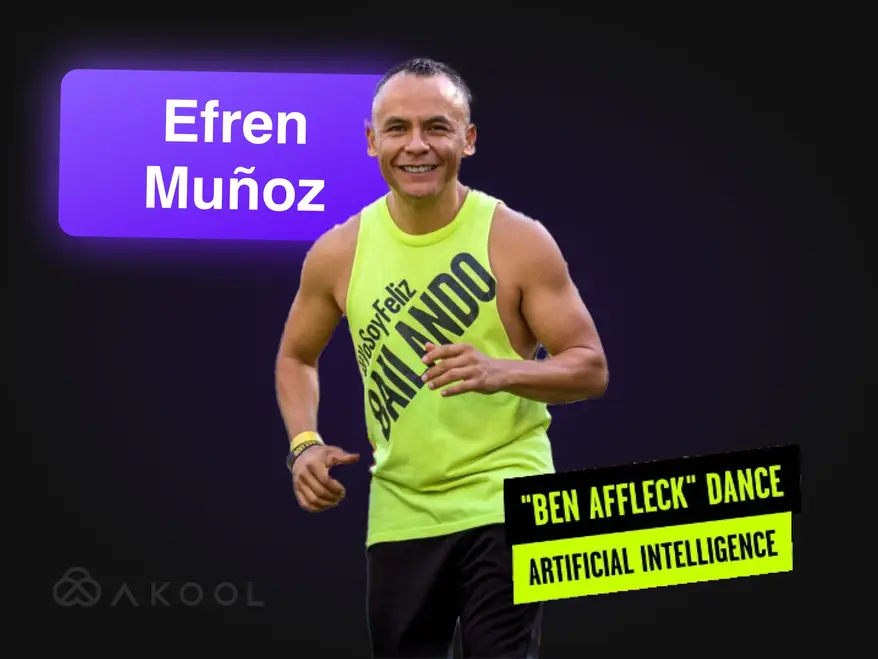
Zumba でマーケティング ビデオをバイラル センセーションに変えましょう!
メキシコのダンス インフルエンサーである Efren Munoz 氏は、AKOOL を活用してオンラインでの存在感を高め、クラスを効果的に宣伝しました。バイラル ダンス ビデオやプロモーション マテリアルなどの魅力的なコンテンツを作成することで、知名度とクラス出席率が大幅に向上し、マーケティングにおける AI の変革力を実証しました。

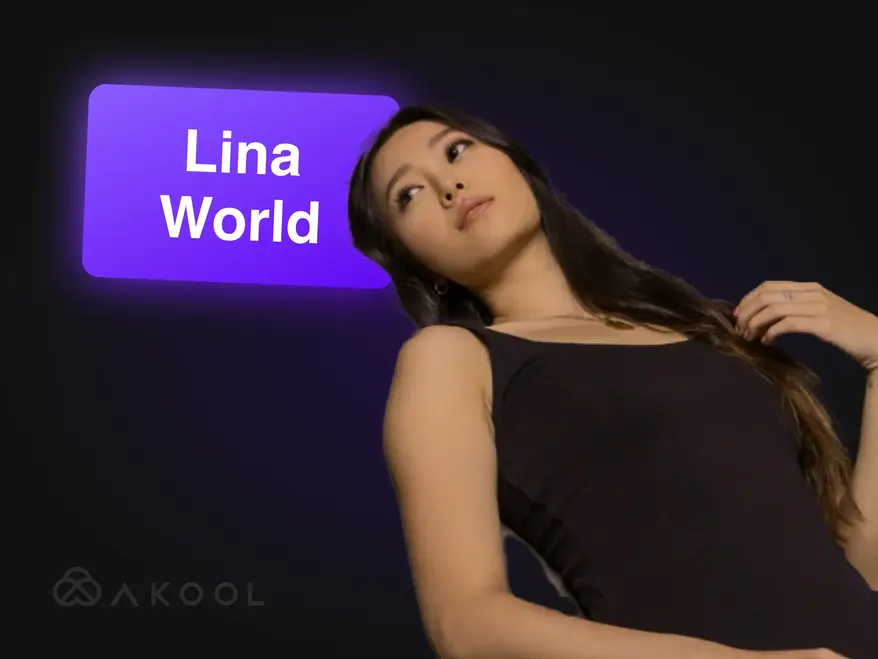
AKOOL で Lina World を構築
AKOOL で 100 万人のファンを魅了したバーチャル インフルエンサー、Lina に会いましょう。

Docety は会話のモデレーションに AKOOL の Jarvis を使用し、セミナー体験を向上
Docety は、会話のモデレーションに AKOOL の Jarvis を活用し、エンゲージメントを高め、より生産性の高いイベント環境のために組織的なディスカッションを確実に行うことで、セミナー体験を向上させています。AI 主導のモデレーションの利点をご確認ください。
関連記事

2025年に試すべきAIツール60選
2025年5月29日
デジタル世界を変革する最新のAIツールを常に把握しましょう。コンテンツ作成からデータ分析まで、これらのインテリジェントなアプリケーションが日々の仕事をどのように楽にしてくれるかを探ります。

最高の企業ビデオの例と作成方法
2025年5月14日
優れた企業ビデオの事例をご覧いただき、魅力的でプロフェッショナルなブランドビデオの制作方法を学びましょう。専門家のヒントとインスピレーションもぜひご活用ください!

最高のストリーミングアバターツール:デジタルペルソナをライブでエンゲージ
2025年5月22日
2024 年のトップストリーミングアバターツールを発見し、ライブコンテンツを強化して視聴者を魅了するダイナミックで魅力的なデジタルアバターを作成する方法を学びます。

製品ビデオ制作者は AI を活用して規模を拡大しています。その方法は次のとおりです。
2024年9月5日
AI 製品ビデオ制作者は、スケーラブルでパーソナライズされたコンテンツを効率的に作成することで、ECに革命をもたらしています。この記事では、AKOOL の革新的なツールがどのようにビデオ制作を効率化し、ブランドはエンゲージメントを高め、品質を維持しながら、競争の激しい環境で高まる消費者の需要に応えているかを紹介します。ビデオマーケティングの未来を今すぐご覧ください!

ソーシャルメディアのコンテンツに魅力をもたらす最高の AI ツール
2024年8月6日
AIツールがソーシャルメディア・コンテンツ制作にどのような革命をもたらしているかをご紹介します。この記事では、魅力的な投稿を作成するための最適なプラットフォームを探るとともに、ビデオ制作を効率化し、視聴者とのインタラクションを強化するAKOOLの機能を紹介し、最終的にブランドが消費者とより効果的かつ効率的につながることを支援します。

クリエイターとエンタープライズチーム向けのビデオマーケティングツール
2024年8月3日
本記事では、クリエイターや企業チームにとって不可欠なビデオマーケティングツールをレビューし、ブランドの認知度やエンゲージメントを高める利点に焦点を当てます。AKOOL、Synthesia、HeyGenを取り上げ、ビデオ作成を簡素化し、時間とコストを節約し、さまざまなプラットフォームで一貫したブランディングを促進するAI機能を強調しています。

需要創出を最大化するためのトップ 6 生成 AI ツールをご紹介します
2024年6月24日
デマンドジェネレーションを強化するためのトップジェネレーティブAIツールをご紹介します。この記事では、パーソナライズされたビデオコンテンツがいかにエンゲージメント、コンバージョン率、ブランド・ロイヤルティを高めるかを紹介し、カスタマイズされたマーケティング体験を効率的に作成するための主要プラットフォームとしてAKOOLを紹介します。

AIマーケティングツールを使ったコマーシャルの作り方
2024年6月10日
AKOOLのようなAIツールを使って、プロ級のCMを制作する方法をご紹介します。この記事では、コスト削減、効率化、パーソナライズされたコンテンツ作成など、CM制作におけるAIの利点について説明します。

AIマーケティングの世界における人間中心のブランド体験
2024年5月21日
パーソナライズされた人間中心のインタラクションを実現することで、AIがどのようにブランド体験を変革しているかをご紹介します。この記事では、AKOOLのようなAIツールを統合してエンゲージメントを強化し、コンテンツ作成を効率化し、ブランドの一貫性を維持することの重要性について説明します。

ジェネレーティブAIはいかにしてファッション業界に革命をもたらすか
2024年4月16日
ジェネレーティブAIは、迅速なデザインを可能にし、顧客体験を向上させ、無駄を削減することで、ファッション業界を変革しています。本記事では、著作権や労働力への影響といった課題に対処しながら、パーソナライズされたショッピング、効率的な生産、革新的な衣服作りのためにブランドがどのようにAIを活用しているかを説明します。

効果的なローカライズマーケティング戦略の構築方法
2024年3月25日
特定の市場向けにブランディングやキャンペーンを適応させる効果的なローカライズマーケティング戦略の構築方法をご紹介します。この記事では、視聴者調査や、翻訳やフェイススワップにAKOOLのようなAIツールを活用するなど、エンゲージメントを強化し、グローバルに売上を伸ばすために不可欠なステップをご紹介します。ローカリゼーションのパワーをご覧ください!

参加すべき最高のビデオ編集アフィリエイトプログラム
2024年11月7日
ビデオ編集のアフィリエイトプログラムで収益を上げましょう。この記事では、競争力のあるコミッションと貴重なマーケティング リソースを提供し、質の高いビデオ編集ツールで視聴者のエンゲージメントを高めながら、コンテンツ クリエイターがプラットフォームを効果的に収益化できるよう支援する、AKOOL を含む最高のオプションを紹介します。

最高のストリーミングアバターツール:デジタルペルソナをライブでエンゲージ
2024年11月24日
ライブコンテンツ制作を向上させる最高のストリーミングアバターツールをご紹介します。この記事では、トップのプラットフォームをレビューし、視聴者のエンゲージメントを高め、クリエイターのストリーミング品質を向上させる機能に焦点を当てます。

企業と顧客にとってのAIチャットボットの主なメリット
2024年11月8日
企業と顧客にとってのAIチャットボットの最大のメリットをご覧ください。この記事では、AIチャットボットを統合することで、顧客サービスの強化、業務の効率化、コスト削減、従業員満足度の向上がどのように実現し、最終的に企業が顧客と対話する方法を変革し、全体的な効率を高めることができるかを紹介します。

企業と顧客にとってのAIチャットボットの主なメリット
2024年11月6日
アバターを使ったAIチャットボットは、リアルタイムでパーソナライズされたインタラクションを提供することで、顧客サービスに変革をもたらしつつある。この記事では、組織がこれらの高度なツールを活用して顧客満足度を高め、コストを削減し、業務を合理化し、最終的にさまざまな業界のエンゲージメントと効率を向上させる方法を探ります。

リアルタイムストリーミングアバターツール3つを試してみた - 結果はこちら
2024年9月8日
この記事では、主要なリアルタイムストリーミングアバターツール3社について、その特徴とソーシャルメディアコンテンツ制作者向けのアプリケーションに焦点を当ててレビューします。AKOOLの優れたカスタマイズ性、インタラクティブ機能、総合的なパフォーマンスに注目し、視聴者のエンゲージメントを高め、コンテンツ制作を効率化するために最適なプラットフォームを選択する際の参考にしてください。

AIテクノロジーを使ってYouTube動画を作る方法
2024年9月7日
AI技術はYouTubeのビデオ制作に変革をもたらし、クリエイターは高品質なコンテンツを効率的に制作できるようになりました。この記事では、AKOOLのツールがスクリプト作成、アバターのカスタマイズ、編集を効率化し、エンゲージメントを高め、ビデオパフォーマンスを最適化する一方で、制作プロセスを簡素化することで、視聴者とのインタラクションを向上させ、視聴者を増やす方法を紹介します。

スペイン語から英語へのビデオ翻訳:言語を素早く変更
2024年11月10日
スペイン語から英語へのビデオ翻訳ツールは、コンテンツのリーチを広げ、世界中の視聴者を惹きつけるために不可欠です。この記事では、AKOOL のような AI を活用した翻訳ツールがいかに時間とコストを節約し、マーケティング活動におけるアクセシビリティとエンゲージメントを向上させるか、そのメリットについてご紹介します。

ヒンディー語から英語へのビデオ翻訳:言語を素早く変更
2024年11月9日
AKOOLのヒンディー語から英語へのビデオ翻訳ツールを使って、マーケティング戦略を変革しましょう。この記事では、AI による翻訳がヒンディー語圏の企業のアクセシビリティを向上させ、高品質のコンテンツを維持しながら、英語圏の視聴者に迅速かつコスト効率よくリーチできるようにする方法について説明します。

最高のビデオ翻訳アプリ
2024年11月7日
言語の壁を打ち破り、グローバルな視聴者のエンゲージメントを高めるのに役立つ最高のビデオ翻訳アプリをご紹介します。この記事では、AKOOL、VEED.io、Kapwing などのトップツールをレビューし、多言語コンテンツを効率的かつ効果的に作成するための機能を紹介します。あなたのビデオを、世界中の視聴者がアクセスしやすい体験に変えましょう!

日本語から英語へのビデオ翻訳:言語を素早く変更
2024年10月6日
ビデオコンテンツの日本語から英語への翻訳は、AI技術によってより簡単になりました。この記事では、AKOOL のビデオ翻訳ツールがどのようにプロセスを合理化し、時間とコストを節約しながら、文化的なニュアンスを維持し、企業がローカライズされたマーケティングキャンペーンで世界中の視聴者に効果的にアプローチできるようになったかをご紹介します。AI を活用した翻訳のメリットをご覧ください!

企業チームがオンボーディングに AI を活用する方法
2024年9月3日
AIオンボーディングツールは、魅力的で文化的に適切な資料を迅速かつコスト効率よく作成することで、従業員の統合プロセスを合理化します。この記事では、企業がAIを活用することで、多様な従業員に対するオンボーディング・エクスペリエンスを向上させ、定着率を高め、コンプライアンスを確保し、最終的により効果的で包括的な職場環境を醸成する方法を紹介します。

旅行・観光に最適な AI 翻訳ツール
2024年7月17日
AIが旅行・観光マーケティングにどのような変革をもたらすかを探る。この記事では、AKOOLのようなAIツールが、多言語キャンペーンの作成、顧客エンゲージメントの強化、中小企業のグローバルな競争力強化に与える影響について説明します。

AI トレーニング ビデオ: 翻訳ツールがグローバル人材の育成を簡素化する方法
2024年5月19日
AIトレーニングビデオは、スケーラブルでカスタマイズ可能な魅力的なトレーニングソリューションを提供することで、人材育成に革命をもたらしている。この記事では、AIと翻訳ツールがどのようにグローバルなトレーニングの取り組みを強化し、言語の障壁を克服しながらアクセシビリティと一貫性を確保し、最終的にさまざまな地域にまたがる多様な従業員グループのトレーニングプロセスを合理化するかを説明します。

YouTube 動画を数分で翻訳する方法
2024年3月24日
AKOOL の高度な AI ツールを使用して、YouTube ビデオを効率的に翻訳する方法をご紹介します。この記事では、高品質でローカライズされたコンテンツを作成するためのステップバイステップのガイドを提供します。

オーディオクローンを使った最高のオーディオ合成アプリ
2024年3月23日
この記事では、オーディオクローン機能を備えた最高のオーディオ合成アプリをご紹介します。リアルなオーディオと高度な機能を提供し、様々なアプリケーションのコンテンツ作成とパーソナライズを強化するAKOOLのようなトップツールをご覧ください。これらの革新的なテクノロジーが、オーディオ体験をどのように変化させ、プラットフォーム全体のエンゲージメントを向上させるかをご覧ください!
%20-%20Akool%20Blog%20Banner-p-500.webp)
最高のオンライン AI ビデオ吹き替えツール (無料)
2024年3月22日
多言語コンテンツ制作を簡素化する、最高のオンラインAIビデオダビングツールをご紹介します。この記事では、AKOOLを含む様々なプラットフォームをレビューし、ビデオへのアクセシビリティとエンゲージメントを向上させ、クリエイターが世界中の視聴者に効率的かつ効果的にリーチすることを容易にする、その特徴と機能を紹介します。
ビデオのローカライズ: 効果的かつ簡単に行う方法
2024年3月21日
ビデオのローカライズは、異なる文化や言語にコンテンツを適合させることで、ビジネスをグローバルな視聴者につなげます。この記事では、AKOOL のビデオトランスレータなどのツールを使用してビデオを翻訳し、多様な市場でブランドの認知度とエンゲージメントを高めるための効果的な戦略について説明します。

最高の AI ビデオ編集ソフトウェアのベンチマーク
2024年8月2日
現在利用可能なAIビデオ編集ソフトウェアのトップクラスをご紹介します。この記事では、AKOOLを含む主要なツールをレビューし、ユーザーフレンドリーな機能と費用対効果に焦点を当て、マーケティング担当者やクリエイターがプロ品質のビデオを迅速かつ効率的に制作できるようにし、あらゆるスキルレベルのビデオ編集環境を変革します。

マーケティングチーム向けの AI ビデオ制作ツールトップ 5
2024年7月8日
AI ビデオ制作ツールは、現代のマーケティング戦略に不可欠であり、チームが高品質のビデオを迅速かつ効率的に作成できるようにします。この記事では、AKOOL を含む上位 5 つのツールをレビューし、その利点、機能、コスト効率を強調して、企業がビデオ マーケティングの取り組みを強化し、視聴者をより効果的に引き付けるのに役立ちます。

ブランドのエンゲージメントを高めるビデオ マーケティング API「トップ 7」
2024年11月25日
コンテンツ作成と配信を強化するビデオマーケティング API のトップ 7 をご覧ください。この記事では、AKOOL API の機能、メリット、ビデオマーケティング戦略を効果的に高める方法をご紹介します。

動画コンテンツに最適なローカリゼーション API: シームレスな多言語対応
2024年11月21日
ビデオのグローバルなリーチを高めるための最高のローカライゼーションAPIを探しましょう。本記事では、アクセシビリティと視聴者のエンゲージメントを向上させ、あなたのコンテンツが多様なオーディエンスに効果的に響くようにする AKOOL API をご紹介します。

インスタントアバターAPIのおすすめ:瞬時にデジタルアイデンティティを作成
2024年11月20日
開発者がパーソナライズされたアバターを迅速かつ簡単に生成できる、注目のインスタントアバターAPIをご紹介します。本記事では「AKOOL」などの主要なソリューションを取り上げ、各サービスの特長やユーザーエンゲージメント向上への効果を解説します。

最高の AI コンテンツ モデレーション ツール
2024年10月5日
オンラインコミュニティの管理を強化するための、最先端AIコンテンツモデレーションツールをご紹介します。この記事では、「AKOOL」のJarvisを含むトッププラットフォームの精度・カスタマイズ性・スケーラビリティを比較し、ブランドの信頼性維持と安全なデジタル空間の実現をサポートする方法を解説します。

AI コンテンツ モデレーション: 仕組みを理解する
2024年10月4日
AKOOLのAIコンテンツモデレーションは、SNSなどで日々膨大に生まれるユーザー生成コンテンツの管理を支援し、コミュニティガイドラインへの準拠を確保します。本記事では、コスト効率や拡張性といった利点に加え、AIツールが不適切コンテンツのフィルタリングによってユーザーの安全とエンゲージメントをどう高めるかを詳しく解説します。

生成AIツールによって顧客エンゲージメントをスケールアップする新API
2024年5月13日
生成AIは、企業のマーケティング手法を大きく変革しています。コンテンツ制作の効率化、エンゲージメントの向上、自動化による業務の最適化が進む中、AKOOLのGen AI APIは、企業が競争力を維持しながら革新的なマーケティング戦略を実現するための強力なツールとなっています。

リップシンクアニメーションジェネレーターでコンテンツを変身させましょう
2024年4月24日
AKOOLのリップシンク・アニメーションジェネレーターは、キャラクターの口の動きをオーディオと完璧に同期させることで、ストーリーテリングをより魅力的に演出します。本記事では、マーケティング、教育、エンターテインメント分野での活用方法と、視聴者の心を動かす表現力の強化について紹介します。

マーケティングを変革し、エンゲージメントを高めるリップシンク動画の作り方
2024年4月23日
AKOOLを使ったリップシンクビデオの制作方法を、ステップごとに解説。本記事では、マーケティング施策の一環としてリップシンクを活用することで、エンゲージメントの向上やコンテンツ制作の効率化をどのように実現できるかをご紹介します。

AIリップシンク技術で言語の壁を打ち破る
2024年4月14日
AKOOLのリップシンクAPIは、リアルで没入感のあるローカライズビデオを迅速かつ低コストで制作可能にします。本記事では、グローバル展開を支援するこの技術の利点、コスト削減、感情に訴える表現力、そして視聴者との深い接続について詳しく解説します。

最高の AI アバター ジェネレーター
2024年11月1日
ユーザーがパーソナライズされたデジタルアバターを作成し、魅力的なコンテンツを制作できるAIアバタージェネレーターの革新的な世界を探ってみましょう。この記事では、AKOOLを含む最高のプラットフォームを取り上げ、それぞれの機能や利点を紹介します。これらのツールが、マーケティング、カスタマーサービス、ソーシャルメディア戦略をどのように効果的に向上させることができるかを発見してください。

最高の AI アバター リソースのベンチマーク
2024年7月8日
AIアバタージェネレーターがマーケティング戦略を強化する力を発見しましょう。 この記事では、利用可能な最高のツールをレビューしており、その中にはAKOOLも含まれています。AKOOLは強力なカスタマイズ機能とユーザーフレンドリーな操作性を提供しており、ブランドが視聴者の心に響く魅力的でインタラクティブなコンテンツを簡単に作成できるようにします。これにより、マーケティングの効果を大幅に高めることが可能になります。
%20-%20Akool%20Blog%20Banner.webp)
写真とスクリプトを使用してインタラクティブなデモを作成します (残りは AI に任せましょう)
2024年6月10日
AKOOLのようなAIツールを活用して、魅力的なインタラクティブデモを作成する方法を学びましょう。 このガイドでは、写真やスクリプトを没入感のあるプレゼンテーションへと変換するプロセスを紹介します。これにより、ユーザー教育や製品理解を深めるだけでなく、デモ作成にかかる時間と労力を大幅に削減することができます。 インタラクティブコンテンツの未来を、今すぐ体験してみましょう!

クリエイティブ マーケティング チームはインスタント アバターを愛用しています…取り残されないでください
2024年5月19日
インスタントアバターは、ブランドが魅力的でパーソナライズされたコンテンツを迅速に作成できるようにすることで、マーケティング戦略を大きく変革しています。 この記事では、この多機能なツールがどのようにオーディエンスとのインタラクションを強化し、コンバージョンを促進するかを探ります。競争の激しい市場で企業が際立ち、コンテンツ制作プロセスを効率化するための鍵となる手法をぜひご覧ください。

動画コンテンツに最適なインスタントアバターツール
2024年5月18日
AIアバターツールは、ビジネスがパーソナライズされた魅力的なコンテンツを効率的に作成できるようにすることで、マーケティングを革新しています。 この記事では、利用可能な最良のアバターツールを探求し、顧客とのインタラクションを強化し、コンテンツ制作プロセスを効率化する潜在能力を強調します。これらの革新がどのようにあなたのマーケティング戦略を変革できるか、今すぐ発見してみましょう!

ジェネレーティブ AI で従業員オンボーディング ビデオを簡単に作成する方法
2024年5月13日
社員のオンボーディングビデオは、新入社員に会社の文化や価値観を紹介するために欠かせません。 この記事では、生成AIがどのようにビデオ制作を簡素化し、エンゲージメントと効率を高め、所属感を促進するのかを探ります。最終的には、オンボーディングプロセスを効率化し、全体的な社員体験を向上させる方法を解説します。
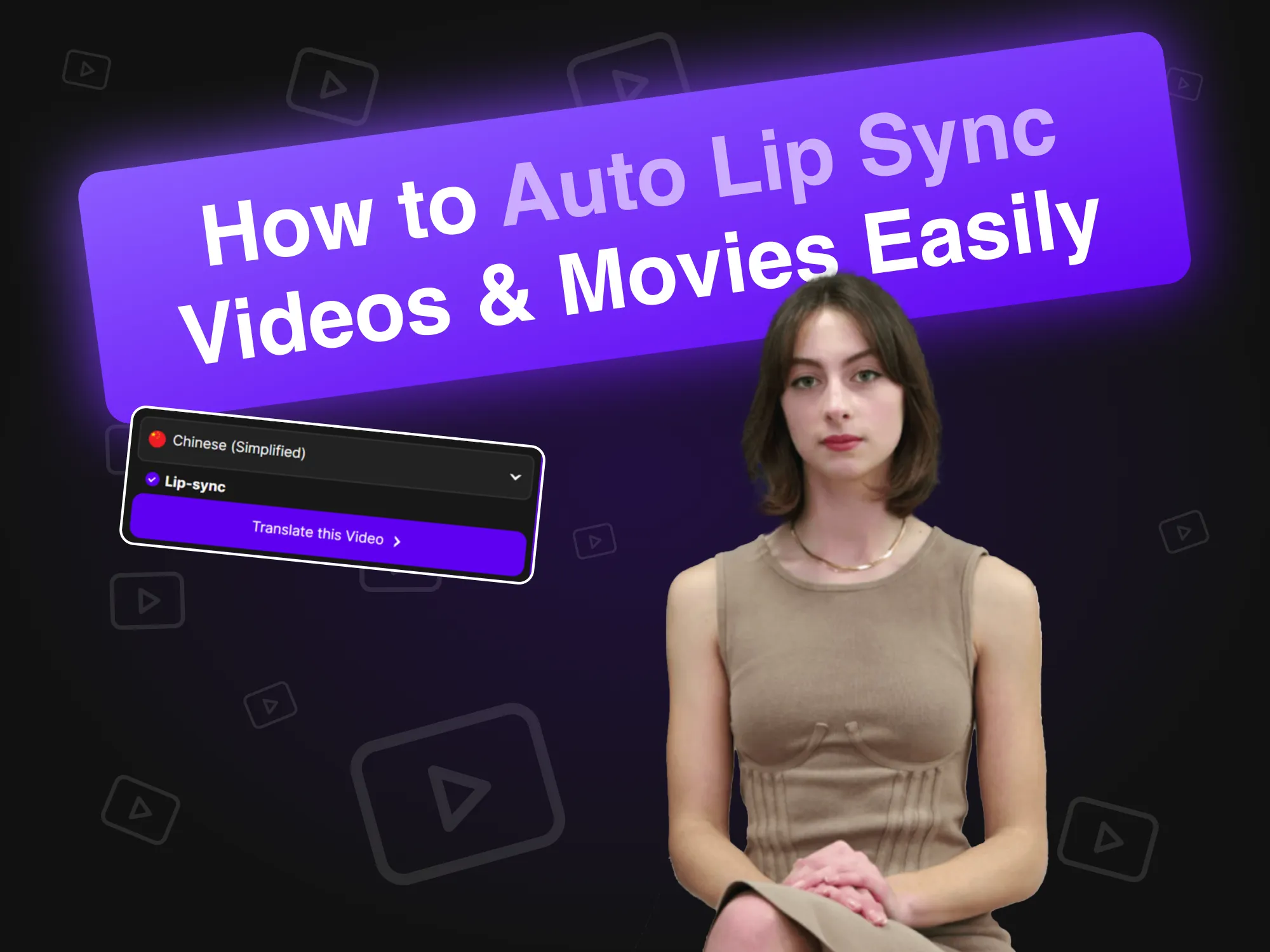
動画や映画を簡単に自動リップシンクする方法
2024年4月19日
オートリップシンク技術は、AIアバターの口の動きをオーディオとシームレスに同期させることで、ビデオ制作を革新します。 この記事では、ブランドがこの革新的なツールをどのように活用して、効率的なコンテンツ制作を実現し、スポークスパーソンビデオでのエンゲージメントとリアリズムを向上させるかを説明します。最終的には、プロセスを効率化し、さまざまなプラットフォームでの視聴者とのインタラクションを改善する方法について紹介します。

Synthesia の代替品 (機能の比較)
2024年4月11日
SynthesiaのAIビデオ作成の代替ツールを徹底比較します。 この記事では、AKOOLをはじめとするさまざまなプラットフォームを比較し、それぞれのユニークな特徴や使いやすいインターフェースを強調します。これにより、ビジネスが効率的かつ効果的にアバター駆動のコンテンツを制作する手助けをします。どのツールが自分のニーズに最適かを見つけてください!

AI を使ってカスタム ゲーム アバターを作成する方法
2024年3月20日
AIを使用してカスタムゲームアバターを作成することで、プレイヤーは自分の個性を表現し、ゲーム体験をさらに充実させることができます。このガイドでは、AKOOLの高度な画像生成ツールを活用して、TwitchやDiscordなどのプラットフォームで目立つユニークなアバターを作成する方法を紹介します。これにより、活気あふれるゲームコミュニティで認識を高め、個性をアピールすることができます。

AIビデオとカスタムアバターのHeyGen代替品
2024年3月17日
HeyGenのAIビデオ作成およびカスタムアバターの最良の代替手段を探るこのアーティクルでは、AKOOLを主要な競合として紹介します。AKOOLは、アバターのカスタマイズやテキストからビデオを作成するための使いやすいツールを提供し、その柔軟な従量課金制の価格設定は、初心者やカジュアルユーザーが創造力を解放するのに最適です。

最高の音声クローンソフトウェア
2024年11月2日
トップのオーディオクローンソフトウェアを紹介するこの記事では、AKOOLやResemble AIを取り上げ、それぞれの特徴、価格、最適な使用事例をレビューします。これにより、あなたのニーズに合ったリアルなオーディオコンテンツを作成するための最適なツールを選ぶ手助けをします。

最高の従業員研修ビデオの例
2024年10月8日
この記事では、最も効果的な社員トレーニングビデオの例を紹介し、組織内で学習とエンゲージメントを強化するための効果的な手法と戦略を取り上げています。これらのビデオがどのようにトレーニング成果を向上させ、生産的な職場文化を促進できるかを探ります。

最高の AI テキスト音声変換ツール
2024年11月5日
この記事では、テキストを自然なオーディオに変換することでコンテンツ作成を強化するトップのAI Text-to-Voice ツールを紹介します。AKOOLをはじめとするさまざまなプラットフォームの特長と機能をレビューし、ビデオ、ポッドキャスト、インタラクティブメディア向けの高品質なボイスオーバーを作成するためのツールの能力に焦点を当てています。

最高の AI テキスト動画ジェネレーター
2024年7月8日
この記事では、マーケティング担当者向けにビデオ制作を簡素化する最高のAIテキスト・トゥ・ビデオジェネレーターを紹介します。AKOOLをはじめとするトッププラットフォームの特長、カスタマイズオプション、コスト効率をレビューし、専門的なスキルがなくても迅速かつ効率的に魅力的なコンテンツを作成できる方法を探ります。

AIを使用して商品写真の背景を変更する方法
2024年6月10日
AKOOLのAI背景編集ツールは、製品写真の撮影方法を革新します。ユーザーは、背景を簡単に変更およびカスタマイズでき、この技術により、時間を節約し、視覚的な魅力を高め、整合性を保つことができます。これにより、企業はプロフェッショナル品質の画像を作成し、エンゲージメントを向上させ、効果的に売上を促進できます。

写真用のベスト フェイス スワップ ツール 7 選: リアルなスワップを簡単に作成
2024年11月23日
AKOOLは、写真編集体験を向上させる革新的なフェイススワップツールを提供しており、ユーザーが簡単に楽しく魅力的なコンテンツを作成できるようにします。

リアルで素早いグループ編集ができる、複数の顔を入れ替えるベストアプリ 7 選
2024年11月22日
複数の顔交換アプリのベスト7を紹介し、ユーザーが楽しく魅力的なコンテンツを作成できる方法を解説します。この記事では、AKOOLの顔交換機能と、その使いやすさを強調し、写真やビデオを簡単に変換できる特徴を紹介します。これらのクリエイティブツールを使って、ソーシャルメディアでの存在感を高めましょう!

写真をアニメーション化するのに最適なアプリ
2024年11月8日
AKOOLは、精密に写真をアニメーション化できる強力で使いやすいアプリで、ソーシャルメディアや個人プロジェクトのために素晴らしいビジュアルを作成できます。その直感的なインターフェースとさまざまなオーバーレイオプションにより、初心者からプロフェッショナルまで、画像を簡単に強化したい人に最適です。

動画に最適な顔交換アプリ
2024年11月3日
AKOOLは、ユーザーがビデオで素晴らしくリアルなフェイススワップを作成できる最先端のアプリです。直感的なインターフェースと高度なAI技術を備え、初心者からプロフェッショナルまで幅広いユーザーに対応しており、クリエイティブで効果的にビデオコンテンツを強化したい方に最適な選択肢です。

最高のAI写真アプリ
2024年10月31日
ビデオ向けのトップフェイススワップアプリを発見しましょう。コンテンツクリエイターやソーシャルメディア愛好者に最適なツールを紹介するこの記事では、AKOOLをはじめ、さまざまなアプリのユニークな機能や能力をレビューします。これらのツールを使うことで、ユーザーは創造的なプロジェクトを強化しながら、魅力的で楽しいビデオコンテンツを簡単に作成できるようになります。

ランキング: HeyGenのトップ競合企業
2024年8月1日
この記事では、HeyGenの主要な競合をランキング形式で紹介し、AKOOLを最良の代替案として取り上げています。機能、ユーザー体験、パフォーマンスを比較し、AI生成コンテンツ作成における優れたツールと効率性を提供する理由を明確にしています。マーケティングニーズに最適な選択肢を発見してください!

動画に最適なフェイススワップツール
2024年7月26日
この記事では、AKOOLやRefaceなどの主要なフェイススワップツールを比較し、ビデオマーケティング戦略を強化するための方法を紹介します。これらの革新的なツールを活用することで、パーソナライズされた魅力的なコンテンツを作成し、オーディエンスを惹きつけ、コンバージョンを促進する方法を学べます。ビデオマーケティングをよりダイナミックで効果的にするためのヒントを発見してください!

どの AI 顔交換ツールがマーケティング ROI を向上させるのでしょうか?
2024年5月11日
この記事では、AIフェイススワップツールがマーケティングROIをどのように向上させるかを探ります。主な機能、成功事例、および効果測定のための実践的なステップについて詳しく解説し、企業がこれらの革新的なツールを活用してパーソナライズされた魅力的な広告キャンペーンを展開し、結果を生み出し、オーディエンスとのつながりを強化する方法を紹介します。

AKOOL の AI 顔ジェネレーターを使用して、自分に似た写真を生成します
2024年4月18日
AKOOLのAIフェイスジェネレーターは、ユーザーがリアルな似顔写真を簡単に作成できるツールです。この記事では、その機能、利点、活用方法について詳しく解説し、わずか数クリックで個別化された高品質な結果を提供し、個人およびプロフェッショナルなコンテンツ作成のプロセスをどのように革新するかを紹介します。

バッチ顔スワップ: グループ写真で複数の顔を交換する方法
2024年4月17日
バッチフェイススワップ技術は、グループ写真で複数の顔を入れ替えるプロセスを簡素化し、時間を節約しながら創造性を高めます。この記事では、AKOOLのツールがどのように効率的な顔の入れ替えを可能にし、写真家、マーケティング担当者、コンテンツクリエイターがワークフローを効率化しながら、高品質な結果を簡単に達成できるかを紹介します。

リアルな顔の入れ替えに最適なディープフェイクアプリ 12 選
2024年4月13日
この記事では、リアルなフェイススワップができるトップ5のディープフェイクアプリを紹介します。それぞれのユニークな機能、使いやすさ、マーケティングやエンターテインメントにおける活用方法を探りながら、ディープフェイク技術に関する倫理的な考慮も考慮します。これらのツールを使うことで、ユーザーはコンテンツを簡単に魅力的に作成でき、同時にディープフェイク技術の倫理面にも配慮することができます。

フェイススワップ動画の作り方
2024年4月12日
AKOOLのフェイススワップツールを使用して、ビデオ内の顔を簡単に変更する方法を学びましょう。この記事では、ステップバイステップのガイドとリアルな結果を得るためのヒントを提供し、ビデオ編集におけるAI技術の利点を強調します。初心者からプロフェッショナルまで、コンテンツ作成を向上させたい方々にとって、非常に便利で効果的なツールです。

B2C およびエンタープライズ マーケティング チーム向けの最高の AI ビデオ フェイス スワップ ツール
2024年3月28日
この記事では、マーケティングに最適なAIビデオフェイススワップツールを紹介します。AKOOLの最先端のプラットフォームを9つの競合と比較し、その優れた品質、リアリズム、使いやすい機能を強調しています。これにより、オーディエンスを魅了し、売上を効果的に促進する魅力的な広告やソーシャルメディアコンテンツの作成に最適な選択肢となります。

無料でオンラインで写真の性別を変更する方法
2024年3月27日
AKOOLのフェイススワップ機能を使用して、オンラインで簡単に写真の性別を変更する方法を学びましょう。このガイドでは、画像を変換するためのステップバイステップの手順を提供し、さまざまな性別表現を試して、AI技術を活用して創造性を高める方法を紹介します。

マーケティングにおける危機管理の対処方法
2024年3月26日
AKOOLは、危機管理に役立つ革新的なツールを提供しています。特に、顔交換技術を活用することで、ブランドは論争の際に迅速にプロモーション素材を適応させ、評判を守り、消費者の信頼を効果的に維持することができます。

Aで話す顔のアニメーションを作成する方法
2024年3月18日
AI技術を活用して魅力的なトーキングフェイスアニメーションを作成する方法を学びましょう。この記事では、AKOOLのプラットフォームを使用したステップバイステップガイドを提供し、ユーザーがデジタルマーケティングやストーリーテリングを強化するリアルなアバターを作成できるようにします。これにより、技術的な専門知識がなくてもコンテンツ作成が簡単で効率的に行えるようになります。

ディープフェイク動画の作り方
2024年3月18日
この記事では、AKOOLを使用してディープフェイクビデオを作成するためのステップバイステップガイドを提供します。必須ツールとテクニックを解説し、責任ある使用のための倫理的配慮に重点を置いています。

AI 生成グラフィック デザインでマーケティング コストを削減する方法
2024年6月10日
AIによるグラフィックデザインは、迅速かつ手頃な価格で魅力的なビジュアルを作成できるようになり、マーケティングを革新しています。この記事では、AKOOLのようなプラットフォームがどのようにコスト削減、効率向上、デザインの民主化を実現し、企業が広範なデザインチームや専門的なスキルなしで高品質なマーケティング素材を制作できるようになるかを探ります。

AI が生成した製品画像が驚異的なマーケティング キャンペーンを実現
2024年6月1日
AI生成の製品画像は、迅速かつ手頃な価格で魅力的なビジュアルを提供することにより、eコマースマーケティングに革命をもたらしています。この記事では、ブランドがAKOOLを活用して、カスタマイズ可能で高品質な画像を作成し、エンゲージメントを高め、ワークフローを効率化し、最終的に売上を促進する方法を探り、デジタル環境における従来の写真撮影手法を変革する方法を紹介します。
%20-%20Akool%20Blog%20Banner.png-p-500.webp)
AI アートに最適なプロンプト (例とインスピレーション)
2024年3月19日
AKOOLの画像生成ツールを使用して、素晴らしいAIアートを作成するための最適なプロンプトを発見しましょう。この記事では、創造性を高めるための例とヒントを提供し、誰でも芸術的なスキルレベルに関係なく、ユニークなビジュアルを簡単にかつ効果的に作成できる方法を紹介します。

このビデオマーケティング自動化ツールで大規模なカスタムメッセージを作成しましょう
2024年9月6日
ビデオマーケティングの自動化は、パーソナライズされたビデオコンテンツの作成と配信を簡素化し、マーケティング担当者が規模に応じて効率的にリードを惹きつけることを可能にします。この記事では、AKOOLのツールを紹介し、ROIの向上、エンゲージメントの強化、ワークフローの効率化といった利点を強調します。これにより、ターゲットに合わせたメッセージングを通じて、リードを忠実な顧客に変えることが容易になります。

リード生成と ROI を加速させる AI ツールトップ 5
2024年6月24日
AIリードジェネレーションツールがどのようにマーケティング戦略を強化するかを発見しましょう。この記事では、AKOOLを含むトップ5のツールを紹介し、ワークフローの簡素化、コスト削減、リードの質の向上といった利点を強調します。最終的に、ROIの向上と、リードを効率的に忠実な顧客に変換する手助けをします。

最高の写真歌唱アプリ
2024年11月8日
静止画を歌うパフォーマンスに変換するベストな写真歌唱アプリを紹介します。この記事では、AKOOLを含むさまざまなプラットフォームをレビューし、静止画を活気のある音楽コンテンツに変えるための特徴や使いやすさを強調しています。これらのツールがどのようにして、あなたの写真を楽しいインタラクティブな音楽ビデオに変えることができるかを探索しましょう!
ニュースで

ライブ AI ビデオは次世代の Zoom になるか?
May 29, 2025

AIが現実世界へ:リアルタイムの人間プレゼンスの未来
June 16, 2025

Techcrunch - Building a Gen AI Unicorn with Global Resources, Innovation, and Efficiency: The AKOOL Way
Feb 28, 2025

G2 - 9 Best Generative AI Tools I Use: Which One Leads Today?
Feb 10, 2025

Microsoft - 5 key marketing tips for early-stage business startup founders
Dec 17, 2024
AKOOL Introduces AMD-Advanced Technology, Revolutionizing Digital Experiences with Simplified In-Device Avatars
Jan 3, 2025

AKOOL Achieves $40M in Invoiced ARR, Accelerating Growth in AI-Driven Content Creation for Diverse Industries
Nov 13, 2024

AKOOL Unveils Enhanced Streaming Avatars with Seamless LLM Integration to Revolutionize Human-Machine Interactions
Feb 26, 2025

AKOOL Announces Strategic Bollywood Partnership to Revolutionize AI in Digital Immersion and Video Markets
Nov 25, 2024

AKOOLがGen Alアバターの新クラスを導入し、自己表現の新たな基準を確立することができました。
April 12, 2024

Akoolのジェネレーティブ AI プラットフォームがブランドエンゲージメントの新たな基準を確立いたしました。
Nov 30, 2023
さらに詳しくAI搭載ツール
画像作成、動画制作、アバターデザインのためのAIツールを完備したスイートで、Akoolのポテンシャルを最大限に引き出しましょう。マーケティングコンテンツの作成、eラーニングの拡張、コミュニケーションのパーソナライズなど、Akoolはあらゆる段階で戦略を強化します。


