Seedream 5.5 AI Image Generator & Editor
Seedream 5.5: Advanced AI Image Generator & Editor
Bring your creative ideas to life with Seedream 5.5. Generate stunning 4K images, refine details through multi-round editing, create transparent assets, and work with editable image layers.


Seedream 5.5: Advanced AI Image Generator & Editor
Bring your creative ideas to life with Seedream 5.5. Generate stunning 4K images, refine details through multi-round editing, create transparent assets, and work with editable image layers.
Seedream 5.5: Smarter AI Image Generation & Precision Editing
Create, edit, and refine images with greater flexibility.

Precise Multi-Round AI Image Editing
Refine images through 80+ editing rounds while maintaining visual consistency. Adjust objects, colors, and details without rebuilding your entire design.

Transparent Backgrounds & Editable Layers
Generate transparent or semi-transparent images, separate up to 100 layers, and edit text elements for more flexible design and compositing.

Realistic 4K Image Generation
Create detailed 4K visuals with improved photorealism, natural lighting, balanced colors, and more accurate typography for professional creative projects.
3 Langkah Sederhana untuk Membuat

1
Pilih model dan hasilkan templat.
Akool bermitra dengan penyedia model teratas dunia, memberi Anda akses ke model terbaru, terluas, dan paling terjangkau yang tersedia.
2
Input your prompt
Type in the prompt you desire for the image
3
Generate image
Click generate to create your final image!Mengapa Memilih Akool?
Diffusion-based Image-to-Video Synthesis
Instant Professional Rendering
Generate polished video assets from images in seconds using diffusion-based synthesis, neural frame interpolation, and high-fidelity visual rendering.
Konsistensi Temporal dalam Identitas Karakter
Ketahanan Identitas Tanpa Batas
Maintain consistent faces, expressions, and identity attributes across frames using computer vision models optimized for high-fidelity video continuity.
API-driven Creative Exploration
Neural Workflow Inspiration
Explore community-generated examples to discover production patterns, diffusion-based video workflows, and scalable generative content ideas.
Lihat Semua Model
Grok Imagine Image 2
Qwen Image
Recraft
Seedream
Flux
Nano Banana
GPT
Akool
Grok Imagine Image 2
Qwen Image
Recraft
Seedream
Flux
Nano Banana
GPT
Akool
Grok Imagine Image 2
Qwen Image
Recraft
Seedream
Flux
Nano Banana
GPT
Akool
Grok Imagine Image 2
Qwen Image
Recraft
Seedream
Flux
Nano Banana
GPT
Akool
Grok Imagine Image 2
Qwen Image
Recraft
Seedream
Flux
Nano Banana
GPT
Akool
Grok Imagine Image 2
Qwen Image
Recraft
Seedream
Flux
Nano Banana
GPT
Akool
Grok Imagine Image 2
Qwen Image
Recraft
Seedream
Flux
Nano Banana
GPT
Akool
Grok Imagine Image 2
Qwen Image
Recraft
Seedream
Flux
Nano Banana
GPT
Akool
Apa Kata Pengguna Kami
Ethan Parker
I've been using Seedream 5.5 for product images lately, and the editing is really convenient. I can change the background or tweak small details without messing up the whole picture. Saves me a lot of back and forth.
Sophie Mitchell
The transparent background feature in Seedream 5.5 is a huge help for my design work. I make a lot of product graphics, and not having to manually cut everything out saves so much time.
Daniel Brooks
Tried Seedream 5.5 for a few marketing visuals. The results look great, especially the lighting and textures. I did have to regenerate a couple of images to get the composition right, but overall I'm happy with it.
Olivia Bennett
What I like most about Seedream 5.5 is that I can keep editing the same image instead of starting over every time. Really useful when clients keep asking for tiny changes.
Marcus Hill
The 4K images from Seedream 5.5 look fantastic on my website. Details are sharp, and the colors come out nicely. I've been using it mostly for banners and product shots.
Emily Carter
Seedream 5.5 does a surprisingly good job with realistic portraits. Skin tones and lighting look natural in most of my tests. Hands can still be a little tricky sometimes, but that's not a dealbreaker for me.
Ryan Foster
I was curious about the layer separation feature, so I tried it on a promotional poster. It's pretty handy being able to work with different parts of the image. Makes editing much less frustrating.
Isabella Reed
Been experimenting with Seedream 5.5 for Instagram content this week. Some images came out exactly how I wanted, others needed a few extra prompts. Good image quality, but there's still a bit of trial and error.
Nathan Cooper
Seedream 5.5 has become one of my go-to tools for testing ad concepts. I can try different product colors and backgrounds without setting up another photoshoot. That's a pretty big deal for a small team like ours.
Chloe Anderson
The text rendering is noticeably better than what I'm used to with AI image generators. Seedream 5.5 handled a simple promotional graphic really well. Longer text still needed some fixing, though.
Ethan Parker
I've been using Seedream 5.5 for product images lately, and the editing is really convenient. I can change the background or tweak small details without messing up the whole picture. Saves me a lot of back and forth.
Sophie Mitchell
The transparent background feature in Seedream 5.5 is a huge help for my design work. I make a lot of product graphics, and not having to manually cut everything out saves so much time.
Daniel Brooks
Tried Seedream 5.5 for a few marketing visuals. The results look great, especially the lighting and textures. I did have to regenerate a couple of images to get the composition right, but overall I'm happy with it.
Olivia Bennett
What I like most about Seedream 5.5 is that I can keep editing the same image instead of starting over every time. Really useful when clients keep asking for tiny changes.
Marcus Hill
The 4K images from Seedream 5.5 look fantastic on my website. Details are sharp, and the colors come out nicely. I've been using it mostly for banners and product shots.
Emily Carter
Seedream 5.5 does a surprisingly good job with realistic portraits. Skin tones and lighting look natural in most of my tests. Hands can still be a little tricky sometimes, but that's not a dealbreaker for me.
Ryan Foster
I was curious about the layer separation feature, so I tried it on a promotional poster. It's pretty handy being able to work with different parts of the image. Makes editing much less frustrating.
Isabella Reed
Been experimenting with Seedream 5.5 for Instagram content this week. Some images came out exactly how I wanted, others needed a few extra prompts. Good image quality, but there's still a bit of trial and error.
Nathan Cooper
Seedream 5.5 has become one of my go-to tools for testing ad concepts. I can try different product colors and backgrounds without setting up another photoshoot. That's a pretty big deal for a small team like ours.
Chloe Anderson
The text rendering is noticeably better than what I'm used to with AI image generators. Seedream 5.5 handled a simple promotional graphic really well. Longer text still needed some fixing, though.
Ethan Parker
I've been using Seedream 5.5 for product images lately, and the editing is really convenient. I can change the background or tweak small details without messing up the whole picture. Saves me a lot of back and forth.
Sophie Mitchell
The transparent background feature in Seedream 5.5 is a huge help for my design work. I make a lot of product graphics, and not having to manually cut everything out saves so much time.
Daniel Brooks
Tried Seedream 5.5 for a few marketing visuals. The results look great, especially the lighting and textures. I did have to regenerate a couple of images to get the composition right, but overall I'm happy with it.
Olivia Bennett
What I like most about Seedream 5.5 is that I can keep editing the same image instead of starting over every time. Really useful when clients keep asking for tiny changes.
Marcus Hill
The 4K images from Seedream 5.5 look fantastic on my website. Details are sharp, and the colors come out nicely. I've been using it mostly for banners and product shots.
Emily Carter
Seedream 5.5 does a surprisingly good job with realistic portraits. Skin tones and lighting look natural in most of my tests. Hands can still be a little tricky sometimes, but that's not a dealbreaker for me.
Ryan Foster
I was curious about the layer separation feature, so I tried it on a promotional poster. It's pretty handy being able to work with different parts of the image. Makes editing much less frustrating.
Isabella Reed
Been experimenting with Seedream 5.5 for Instagram content this week. Some images came out exactly how I wanted, others needed a few extra prompts. Good image quality, but there's still a bit of trial and error.
Nathan Cooper
Seedream 5.5 has become one of my go-to tools for testing ad concepts. I can try different product colors and backgrounds without setting up another photoshoot. That's a pretty big deal for a small team like ours.
Chloe Anderson
The text rendering is noticeably better than what I'm used to with AI image generators. Seedream 5.5 handled a simple promotional graphic really well. Longer text still needed some fixing, though.
Ethan Parker
I've been using Seedream 5.5 for product images lately, and the editing is really convenient. I can change the background or tweak small details without messing up the whole picture. Saves me a lot of back and forth.
Sophie Mitchell
The transparent background feature in Seedream 5.5 is a huge help for my design work. I make a lot of product graphics, and not having to manually cut everything out saves so much time.
Daniel Brooks
Tried Seedream 5.5 for a few marketing visuals. The results look great, especially the lighting and textures. I did have to regenerate a couple of images to get the composition right, but overall I'm happy with it.
Olivia Bennett
What I like most about Seedream 5.5 is that I can keep editing the same image instead of starting over every time. Really useful when clients keep asking for tiny changes.
Marcus Hill
The 4K images from Seedream 5.5 look fantastic on my website. Details are sharp, and the colors come out nicely. I've been using it mostly for banners and product shots.
Emily Carter
Seedream 5.5 does a surprisingly good job with realistic portraits. Skin tones and lighting look natural in most of my tests. Hands can still be a little tricky sometimes, but that's not a dealbreaker for me.
Ryan Foster
I was curious about the layer separation feature, so I tried it on a promotional poster. It's pretty handy being able to work with different parts of the image. Makes editing much less frustrating.
Isabella Reed
Been experimenting with Seedream 5.5 for Instagram content this week. Some images came out exactly how I wanted, others needed a few extra prompts. Good image quality, but there's still a bit of trial and error.
Nathan Cooper
Seedream 5.5 has become one of my go-to tools for testing ad concepts. I can try different product colors and backgrounds without setting up another photoshoot. That's a pretty big deal for a small team like ours.
Chloe Anderson
The text rendering is noticeably better than what I'm used to with AI image generators. Seedream 5.5 handled a simple promotional graphic really well. Longer text still needed some fixing, though.
Lucas Thompson
Honestly impressed with the image quality. I used Seedream 5.5 to create a few lifestyle product shots, and some of them looked like actual studio photos. The reflections and materials were especially good.
Mia Collins
I love being able to generate transparent elements for my designs. Seedream 5.5 makes creating stickers and decorative graphics a lot easier. It's a small feature, but I use it constantly.
Adrian Walsh
Seedream 5.5 is good for quick concept work, but I wouldn't expect every image to be perfect on the first try. Complex scenes sometimes need multiple attempts. Still useful when I need ideas fast.
Grace Sullivan
I create a lot of social media graphics for clients, and Seedream 5.5 has been really helpful with layouts and colors. The images usually need just a little polishing before I use them.
Kevin Ramirez
The multi-round editing is probably my favorite part of Seedream 5.5. I kept adjusting a product image over several rounds, and it stayed pretty consistent. Much better than generating a completely new picture for every change.
Hannah Lewis
I tested Seedream 5.5 on some fashion visuals. Fabric textures came out really nicely, and the overall look was quite realistic. It struggled a little with a more complicated pose, but the final result was worth the extra attempts.
Jason Miller
Been using Seedream 5.5 to make images for our online store. The 4K quality is great, and being able to edit small details afterward makes the workflow much smoother. Definitely useful for e-commerce.
Natalie Evans
The layer editing sounds great on paper, and it does work well for simpler designs. With more crowded images, I still had to clean things up manually. I'd like to see that improve, but it's a good start.
Aaron Phillips
I really like how Seedream 5.5 handles lighting and colors. I made several versions of the same product ad, and they all looked pretty consistent. Great for comparing different creative directions.
Victoria Hayes
Seedream 5.5 makes image editing feel a lot less complicated. I can generate an image, make a few changes, and get something usable without switching between different tools all the time. Really happy with it so far.
Lucas Thompson
Honestly impressed with the image quality. I used Seedream 5.5 to create a few lifestyle product shots, and some of them looked like actual studio photos. The reflections and materials were especially good.
Mia Collins
I love being able to generate transparent elements for my designs. Seedream 5.5 makes creating stickers and decorative graphics a lot easier. It's a small feature, but I use it constantly.
Adrian Walsh
Seedream 5.5 is good for quick concept work, but I wouldn't expect every image to be perfect on the first try. Complex scenes sometimes need multiple attempts. Still useful when I need ideas fast.
Grace Sullivan
I create a lot of social media graphics for clients, and Seedream 5.5 has been really helpful with layouts and colors. The images usually need just a little polishing before I use them.
Kevin Ramirez
The multi-round editing is probably my favorite part of Seedream 5.5. I kept adjusting a product image over several rounds, and it stayed pretty consistent. Much better than generating a completely new picture for every change.
Hannah Lewis
I tested Seedream 5.5 on some fashion visuals. Fabric textures came out really nicely, and the overall look was quite realistic. It struggled a little with a more complicated pose, but the final result was worth the extra attempts.
Jason Miller
Been using Seedream 5.5 to make images for our online store. The 4K quality is great, and being able to edit small details afterward makes the workflow much smoother. Definitely useful for e-commerce.
Natalie Evans
The layer editing sounds great on paper, and it does work well for simpler designs. With more crowded images, I still had to clean things up manually. I'd like to see that improve, but it's a good start.
Aaron Phillips
I really like how Seedream 5.5 handles lighting and colors. I made several versions of the same product ad, and they all looked pretty consistent. Great for comparing different creative directions.
Victoria Hayes
Seedream 5.5 makes image editing feel a lot less complicated. I can generate an image, make a few changes, and get something usable without switching between different tools all the time. Really happy with it so far.
Lucas Thompson
Honestly impressed with the image quality. I used Seedream 5.5 to create a few lifestyle product shots, and some of them looked like actual studio photos. The reflections and materials were especially good.
Mia Collins
I love being able to generate transparent elements for my designs. Seedream 5.5 makes creating stickers and decorative graphics a lot easier. It's a small feature, but I use it constantly.
Adrian Walsh
Seedream 5.5 is good for quick concept work, but I wouldn't expect every image to be perfect on the first try. Complex scenes sometimes need multiple attempts. Still useful when I need ideas fast.
Grace Sullivan
I create a lot of social media graphics for clients, and Seedream 5.5 has been really helpful with layouts and colors. The images usually need just a little polishing before I use them.
Kevin Ramirez
The multi-round editing is probably my favorite part of Seedream 5.5. I kept adjusting a product image over several rounds, and it stayed pretty consistent. Much better than generating a completely new picture for every change.
Hannah Lewis
I tested Seedream 5.5 on some fashion visuals. Fabric textures came out really nicely, and the overall look was quite realistic. It struggled a little with a more complicated pose, but the final result was worth the extra attempts.
Jason Miller
Been using Seedream 5.5 to make images for our online store. The 4K quality is great, and being able to edit small details afterward makes the workflow much smoother. Definitely useful for e-commerce.
Natalie Evans
The layer editing sounds great on paper, and it does work well for simpler designs. With more crowded images, I still had to clean things up manually. I'd like to see that improve, but it's a good start.
Aaron Phillips
I really like how Seedream 5.5 handles lighting and colors. I made several versions of the same product ad, and they all looked pretty consistent. Great for comparing different creative directions.
Victoria Hayes
Seedream 5.5 makes image editing feel a lot less complicated. I can generate an image, make a few changes, and get something usable without switching between different tools all the time. Really happy with it so far.
Lucas Thompson
Honestly impressed with the image quality. I used Seedream 5.5 to create a few lifestyle product shots, and some of them looked like actual studio photos. The reflections and materials were especially good.
Mia Collins
I love being able to generate transparent elements for my designs. Seedream 5.5 makes creating stickers and decorative graphics a lot easier. It's a small feature, but I use it constantly.
Adrian Walsh
Seedream 5.5 is good for quick concept work, but I wouldn't expect every image to be perfect on the first try. Complex scenes sometimes need multiple attempts. Still useful when I need ideas fast.
Grace Sullivan
I create a lot of social media graphics for clients, and Seedream 5.5 has been really helpful with layouts and colors. The images usually need just a little polishing before I use them.
Kevin Ramirez
The multi-round editing is probably my favorite part of Seedream 5.5. I kept adjusting a product image over several rounds, and it stayed pretty consistent. Much better than generating a completely new picture for every change.
Hannah Lewis
I tested Seedream 5.5 on some fashion visuals. Fabric textures came out really nicely, and the overall look was quite realistic. It struggled a little with a more complicated pose, but the final result was worth the extra attempts.
Jason Miller
Been using Seedream 5.5 to make images for our online store. The 4K quality is great, and being able to edit small details afterward makes the workflow much smoother. Definitely useful for e-commerce.
Natalie Evans
The layer editing sounds great on paper, and it does work well for simpler designs. With more crowded images, I still had to clean things up manually. I'd like to see that improve, but it's a good start.
Aaron Phillips
I really like how Seedream 5.5 handles lighting and colors. I made several versions of the same product ad, and they all looked pretty consistent. Great for comparing different creative directions.
Victoria Hayes
Seedream 5.5 makes image editing feel a lot less complicated. I can generate an image, make a few changes, and get something usable without switching between different tools all the time. Really happy with it so far.
Kisah Sukses Pelanggan


Canon Pamerkan AI Photo Booth Bertenaga Akool di Acara Internal
Canon meluncurkan bilik foto AI generasi berikutnya di pameran internal baru-baru ini, yang didukung oleh teknologi pertukaran wajah dan pembuatan gambar canggih dari Akool. Dirancang untuk memberikan pengalaman foto yang instan dan personal, aktivasi ini memberi karyawan kesempatan untuk melihat langsung kemampuan AI Canon yang akan datang.


Akool dan Google Cloud Pamerkan Avatar AI Real-Time di NVIDIA GTC
AKOOL bermitra dengan Google Cloud untuk menghadirkan teknologi avatar real-time yang canggih di Konferensi Teknologi Global (GTC) NVIDIA. Demonstrasi langsung ini menunjukkan bagaimana avatar Akool—yang didukung oleh infrastruktur Google Cloud yang dapat diskalakan dan perangkat AI yang canggih—dapat mengubah cara perusahaan melibatkan pengguna di lingkungan real-time dengan lalu lintas tinggi.


Akool dan AWS Luncurkan Pengalaman Avatar AI Real-Time di AWS Summit India
AKOOL bermitra dengan Amazon Web Services (AWS) untuk menghadirkan pengalaman avatar langsung di AWS Summit India—acara inovasi TI dan cloud terkemuka di kawasan ini. Aktivasi ini menunjukkan bagaimana avatar Akool, yang terintegrasi sepenuhnya dengan AWS Bedrock dan dihosting di infrastruktur AWS, dapat berfungsi sebagai representasi merek yang cerdas dan real-time.


Bagaimana Teknologi Tukar Wajah AKOOL Mendukung Kampanye 'Petualangan AI' Qatar Airways
Qatar Airways partners with AKOOL to launch "AI Adventure," an innovative campaign using Face Swap technology, allowing viewers to star in their own airline commercial, enhancing customer engagement through personalized and immersive experiences.


Merevolusi Manajemen Acara: Bagaimana GPT DAO dan AKOOL, Didukung oleh LiveX AI, Meningkatkan Keterlibatan Peserta di GenAI Summit 2024
GPT DAO merevolusi manajemen acara untuk GenAI Summit dengan menerapkan teknologi avatar berbasis AI milik AKOOL. Solusi inovatif ini meningkatkan interaksi peserta, menyediakan dukungan dan informasi instan, sekaligus mengurangi biaya operasional dan kebutuhan staf, yang pada akhirnya mengubah pengalaman acara menjadi perjalanan yang lancar dan menarik bagi para peserta.

AKOOL dan Eros Digital Bermitra untuk Mengubah Pasar Video dan Imersi Digital
AKOOL bermitra dengan Eros Digital untuk merevolusi pasar video dan imersi digital, meningkatkan penyampaian konten dan keterlibatan pengguna melalui solusi teknologi inovatif. Temukan masa depan pengalaman digital imersif!


Permainan 'Ultimate You' dari Coca Cola
AKOOL Dukung Kampanye Pemasaran Interaktif Coca-Cola dengan League of Legends

Seri Seminar Daring Multibahasa Logitech untuk Produk Kamera Web dengan Terjemahan Video AKOOL
Seri seminar daring multibahasa Logitech untuk produk kamera web memanfaatkan terjemahan video AKOOL, meningkatkan aksesibilitas dan keterlibatan global, memastikan bahwa audiens yang beragam dapat terhubung dan belajar secara efektif.

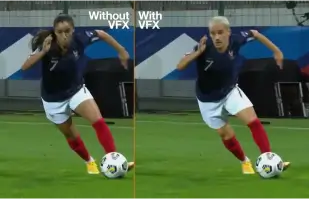
Orange Won the Top Prize for Entertainment for Sport for the MarcelParis, Campaign "WoMen's Football"
Orange's "WoMen's Football" won the top prize for Entertainment for Sport with AKOOL

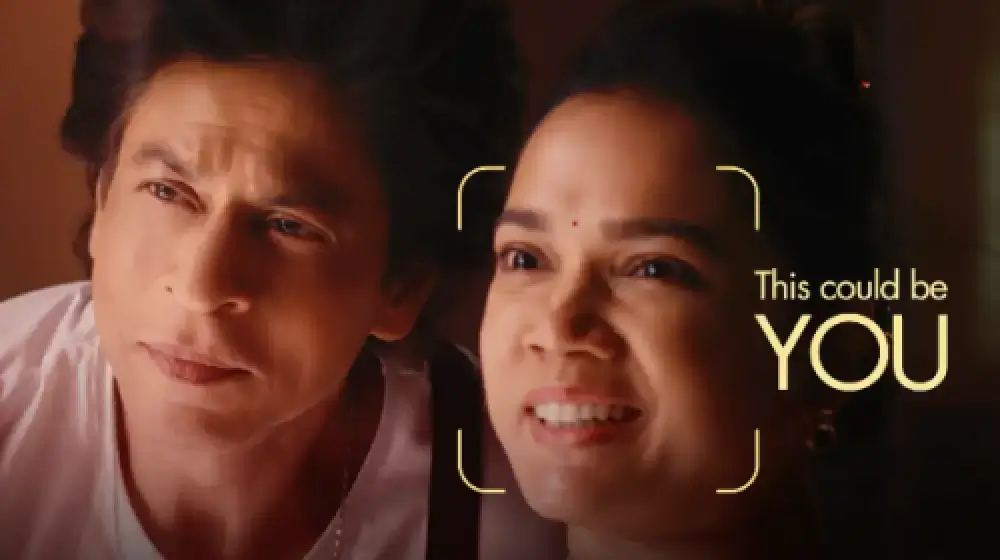
Mari Tampil di Iklan Kami bersama SRK!
Sunfeast Dark Fantasy menggunakan teknologi AKOOL untuk memungkinkan semua orang membintangi iklan bersama superstar Bollywood Shah Rukh Khan.

AKOOL dan Tata Consultancy Services Berkolaborasi untuk Mengubah Pemasaran Berbasis AI
AKOOL berkolaborasi dengan Tata Consultancy Services untuk mengubah pemasaran berbasis AI, meningkatkan strategi dan solusi yang meningkatkan keterlibatan pelanggan dan hasil bisnis.

Sunfeast Luncurkan Kue Cokelat Edisi Terbatas dengan Avatar Streaming AKOOL
Sunfeast memperkenalkan kue coklat edisi terbatas, memanfaatkan avatar streaming AKOOL untuk pemasaran yang menarik. Pendekatan inovatif ini meningkatkan interaksi merek dan mempromosikan produk baru secara efektif.

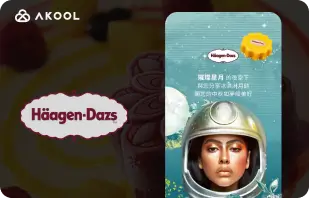
Kampanye Festival Pertengahan Musim Gugur Häagen-Dazs Taiwan dengan Alat Tukar Wajah AKOOL
Haagen-Dazs Taiwan memanfaatkan alat Tukar Wajah AKOOL untuk kampanye Festival Pertengahan Musim Gugur mereka, menciptakan konten yang menarik dan personal yang meningkatkan interaksi pelanggan dan merayakan semangat perayaan.


AI Berpadu dengan Kecantikan: Kesuksesan Vaseline Indonesia dengan AKOOL Avatar
Vaseline Indonesia bermitra dengan AKOOL untuk meningkatkan keterlibatan pengguna. Dengan menggunakan teknologi avatar virtual AKOOL, mereka menciptakan halaman arahan yang menampilkan Febby, avatar yang dipersonalisasi yang menyapa pengguna dengan namanya. Halaman tersebut menawarkan video dan opsi obrolan yang dapat disesuaikan dan diunduh, meningkatkan interaksi dan memperkuat hubungan antara merek dan konsumen.


Dampak AKOOL pada Kursus Pembuatan Film AI Curious Refuge
AKOOL secara signifikan meningkatkan kursus pembuatan film AI Curious Refuge, dengan menawarkan alat yang mudah digunakan seperti pertukaran wajah untuk penggambaran karakter yang konsisten. Kemitraan ini merevolusi pembuatan konten, menjadikan pembuatan film mudah diakses dan efektif bagi siswa dan pendidik.


Mempertahankan Konsistensi Karakter dalam Pembuatan Film dan Penceritaan Digital
Chrissie Pressman, seorang pembuat film, memanfaatkan AI generatif AKOOL untuk meningkatkan konsistensi karakter dalam proyeknya. Dengan menyeimbangkan visi kreatifnya dengan tantangan pribadi, dia menyederhanakan produksi dan memperoleh pengakuan atas penggunaan teknologi inovatifnya dalam penceritaan.

Deciem Luncurkan Asisten Manusia Digital untuk Pembersih Skualana dengan AKOOL
Deciem meluncurkan asisten manusia digital untuk pembersih skualana, didukung oleh AKOOL, meningkatkan keterlibatan pelanggan dan memberikan dukungan yang dipersonalisasi untuk pengalaman berbelanja yang lebih baik.

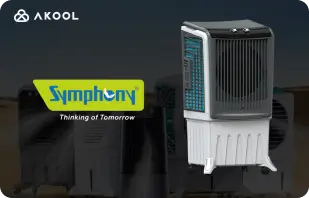
Symphony Coolers Menggunakan Avatar Siaran Langsung AKOOL untuk Meluncurkan Pendingin Udara Gurun Silenzo 100
Symphony Coolers memanfaatkan avatar siaran langsung AKOOL untuk meluncurkan pendingin udara gurun Silenzo 100, meningkatkan keterlibatan pelanggan dan memamerkan fitur-fitur inovatif secara efektif.

Avantis dan Universitas Anglia Ruskin Mengubah Kelas Anatomi Virtual dengan Avatar Siaran Langsung
Avantis dan Universitas Anglia Ruskin menyempurnakan kelas anatomi virtual menggunakan avatar siaran langsung AKOOL, meningkatkan keterlibatan siswa dan pengalaman belajar melalui alat pendidikan yang interaktif dan mendalam.

Off-White Menggunakan Avatar Siaran Langsung AKOOL untuk Meluncurkan Lini Mode Baru
Off-White memanfaatkan avatar siaran langsung AKOOL untuk meluncurkan lini mode baru, meningkatkan keterlibatan merek dan memamerkan desain inovatif melalui presentasi digital yang imersif.


Avatar AKOOL Mendukung Kebangkitan Il Fornaio dalam Visibilitas Daring
Dengan mengadopsi teknologi avatar virtual AKOOL, Il Fornaio, jaringan restoran Italia ternama, menciptakan avatar yang tampak nyata untuk tur virtual dan berbagi informasi. Hasilnya luar biasa, dengan video avatar Google Maps yang ditonton rata-rata 1,7 juta kali dan mendatangkan lebih banyak kunjungan.

Greenworks Tools Memperlancar Pemasaran Global dengan Terjemahan Video AI AKOOL
Greenworks Tools menyempurnakan pemasaran global dengan memanfaatkan terjemahan video AI AKOOL, menyederhanakan pelokalan konten, dan meningkatkan keterlibatan pemirsa di berbagai pasar. Temukan bagaimana AI mengubah strategi pemasaran!


Bagi Ruth's Chris Steak House, AKOOL telah terbukti lebih dari sekadar alat penghasil gambar.
Ruth's Chris Steak House meningkatkan strategi pemasarannya menggunakan pembangkitan gambar bertenaga AI milik AKOOL, yang menciptakan visual berkualitas tinggi yang disesuaikan secara efisien.

WPP Meningkatkan Kampanye Klien dengan Fitur Perubahan Latar Belakang AKOOL
WPP menyempurnakan kampanye klien menggunakan fitur perubahan latar belakang AKOOL, yang memungkinkan visual kreatif dan khusus yang meningkatkan keterlibatan dan efektivitas dalam strategi pemasaran.


Bagaimana Pictofable Menggunakan Teknologi Tukar Wajah AKOOL untuk Membuat Buku Cerita Anak yang Dipersonalisasi
Pictofable menawarkan buku cerita anak-anak yang dipersonalisasi menggunakan teknologi Tukar Wajah AKOOL, yang memungkinkan orang tua untuk mengintegrasikan foto anak mereka ke dalam buku cerita yang menarik.


Anshul Joshi's Award-Winning AI Film "Tamara" Using AKOOL
Anshul Joshi's award-winning AI film "Tamara" showcases the power of AKOOL's tools in modern filmmaking, enabling rapid creation and multilingual dubbing, ultimately transforming the creative process for filmmakers and enhancing audience engagement. Discover how AI is revolutionizing the film industry through innovative projects like "Tamara"!


Perjalanan Peeps.xyz bersama AKOOL untuk Festival Sains Cheltenham
Richard Norton, salah satu pendiri Peeps.xyz, memanfaatkan platform AI generatif AKOOL untuk Festival Sains Cheltenham, menciptakan kampanye pemasaran yang menarik dengan menampilkan kepribadian deepfake. Terkesan dengan efektivitasnya, dia menantikan proyek-proyek mendatang, yang menyoroti potensi AI untuk merevolusi strategi pemasaran dan meningkatkan keterlibatan pemirsa.


Membuat Konten, Pemasaran, dan Iklan Anda Lebih Menarik dan Personal.
Vishal Singh memanfaatkan teknologi Tukar Wajah dari AKOOL untuk meningkatkan konten video melalui pertukaran wajah selebriti, yang menekankan keunggulannya untuk strategi pemasaran yang dipersonalisasi. Dia menyoroti antarmuka platform yang mudah digunakan sekaligus menyarankan peningkatan kecepatan pemrosesan untuk kinerja yang lebih baik dan aplikasi yang lebih luas dalam pembuatan konten.

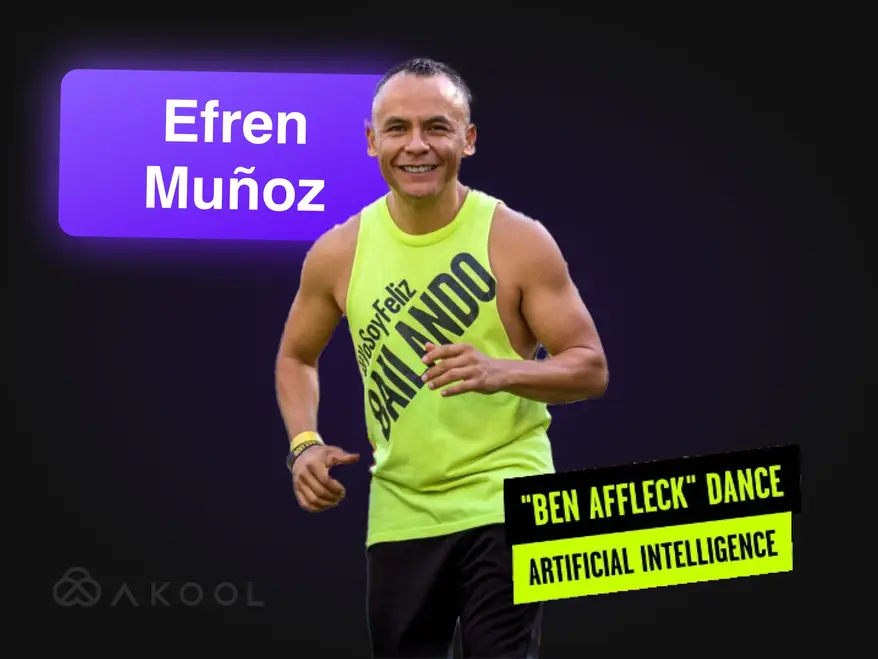
Ubah Video Pemasaran Anda menjadi Sensasi Viral dengan Zumba!
Efren Munoz, seorang influencer tari dari Meksiko, memanfaatkan AKOOL untuk meningkatkan kehadiran daringnya dan memasarkan kelasnya secara efektif. Dengan membuat konten yang menarik, termasuk video tari viral dan materi promosi, dia meningkatkan visibilitas dan kehadiran kelasnya secara signifikan, yang menunjukkan kekuatan transformatif AI dalam pemasaran.

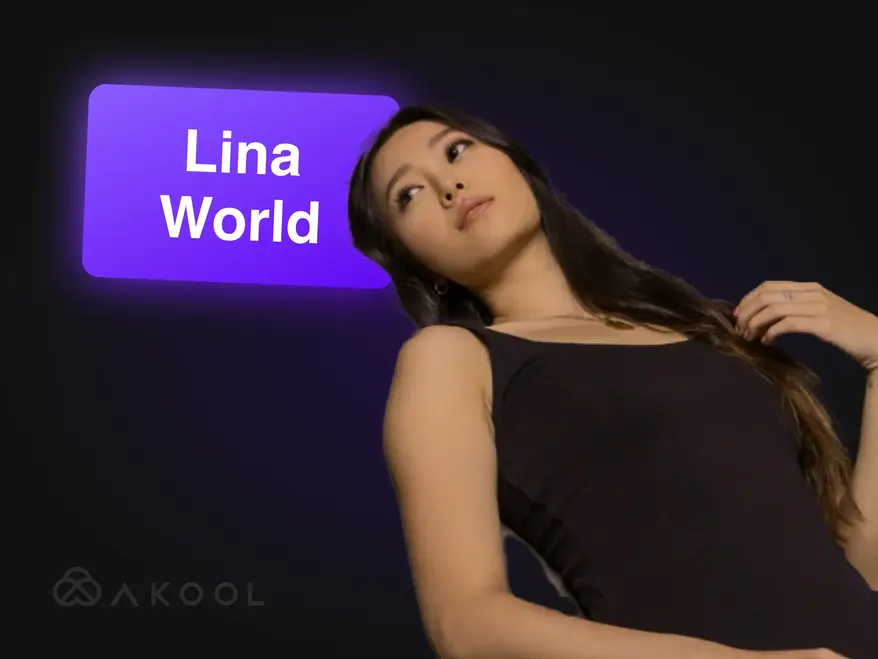
Membangun Lina World dengan AKOOL
Temui Lina: Pemengaruh Virtual yang Memikat Sejuta Penggemar dengan AKOOL!

Docety Meningkatkan Pengalaman Seminar dengan Jarvis dari AKOOL untuk Moderasi Percakapan
Docety meningkatkan pengalaman seminar dengan memanfaatkan Jarvis AKOOL untuk moderasi percakapan, meningkatkan keterlibatan, dan memastikan diskusi terorganisasi untuk lingkungan acara yang lebih produktif. Temukan keuntungan dari moderasi yang digerakkan oleh AI!
Artikel Terkait

60+ Alat AI Teratas Untuk Dicoba pada tahun 2025
29 Mei 2025
Ikuti terus perkembangan alat AI terbaru yang mengubah dunia digital. Dari pembuatan konten hingga analisis data, jelajahi bagaimana aplikasi cerdas ini dapat mempermudah kehidupan kerja Anda sehari-hari.

Contoh Video Korporat Terbaik & Cara Membuatnya
14 Mei 2025
Temukan contoh video korporat terbaik dan pelajari cara membuat video yang menarik dan profesional untuk merek Anda. Dapatkan kiat dan inspirasi dari para ahli!

Alat Avatar Siaran Langsung Terbaik: Libatkan Persona Digital Secara Langsung
22 Mei 2025
Temukan alat avatar streaming teratas untuk tahun 2024 dan pelajari cara membuat avatar digital yang dinamis dan menarik yang menyempurnakan konten langsung Anda dan memikat pemirsa.

Pembuat Video Produk Menggunakan AI untuk Skalabilitas—Begini Caranya
5 September 2024
Pembuat video produk AI merevolusi perdagangan elektronik dengan menciptakan konten yang dapat diskalakan dan dipersonalisasi secara efisien. Artikel ini membahas bagaimana alat inovatif AKOOL menyederhanakan produksi video, memungkinkan merek untuk meningkatkan keterlibatan dan mempertahankan kualitas sambil memenuhi permintaan konsumen yang terus meningkat dalam lanskap yang kompetitif. Temukan masa depan pemasaran video hari ini!

Alat AI Terbaik untuk Menarik Konten Media Sosial
6 Agustus 2024
Temukan bagaimana perangkat AI merevolusi pembuatan konten media sosial. Artikel ini membahas platform terbaik untuk menghasilkan postingan yang menarik, menyoroti kemampuan AKOOL dalam menyederhanakan produksi video dan meningkatkan interaksi pemirsa, yang pada akhirnya membantu merek terhubung dengan konsumen secara lebih efektif dan efisien.

Alat Pemasaran Video untuk Pembuat Konten dan Tim Perusahaan
3 Agustus 2024
Artikel ini mengulas alat pemasaran video penting bagi kreator dan tim perusahaan, menyoroti manfaatnya dalam meningkatkan kesadaran dan keterlibatan merek. Artikel ini menampilkan AKOOL, Synthesia, dan HeyGen, yang menekankan kemampuan AI yang menyederhanakan pembuatan video, menghemat waktu dan biaya, serta mempromosikan pencitraan merek yang konsisten di berbagai platform.

Berikut 6 Alat AI Generatif Teratas Untuk Memaksimalkan Generasi Permintaan
24 Juni 2024
Temukan alat AI generatif terbaik untuk meningkatkan permintaan. Artikel ini menyoroti bagaimana konten video yang dipersonalisasi dapat meningkatkan keterlibatan, rasio konversi, dan loyalitas merek, yang menampilkan AKOOL sebagai platform terkemuka untuk menciptakan pengalaman pemasaran yang disesuaikan secara efisien.

Cara Membuat Iklan dengan Alat Pemasaran AI
10 Juni 2024
Pelajari cara membuat iklan berkelas profesional menggunakan alat AI seperti AKOOL. Artikel ini membahas manfaat AI dalam produksi komersial, termasuk penghematan biaya, efisiensi, dan pembuatan konten yang dipersonalisasi, yang memberdayakan bisnis dari semua ukuran untuk menghasilkan iklan yang menarik dengan cepat dan efektif.

Pengalaman Merek yang Berpusat pada Manusia dalam Dunia Pemasaran AI
21 Mei 2024
Jelajahi bagaimana AI mengubah pengalaman merek dengan menciptakan interaksi yang berpusat pada manusia dan bersifat personal. Artikel ini membahas pentingnya mengintegrasikan alat AI seperti AKOOL untuk meningkatkan keterlibatan, menyederhanakan pembuatan konten, dan menjaga konsistensi merek, yang pada akhirnya membantu bisnis agar dapat menonjol di lanskap digital yang ramai.

Bagaimana AI Generatif Merevolusi Industri Mode
16 April 2024
AI Generatif mengubah industri mode dengan memungkinkan desain yang cepat, meningkatkan pengalaman pelanggan, dan mengurangi limbah. Artikel ini membahas bagaimana merek memanfaatkan AI untuk belanja yang dipersonalisasi, produksi yang efisien, dan kreasi pakaian yang inovatif, sekaligus mengatasi tantangan seperti hak cipta dan dampak terhadap tenaga kerja.

Cara Membangun Strategi Pemasaran Lokal yang Efektif
25 Maret 2024
Pelajari cara membangun strategi pemasaran lokal yang efektif yang mengadaptasi pencitraan merek dan kampanye untuk pasar tertentu. Artikel ini membahas langkah-langkah penting, termasuk riset audiens dan memanfaatkan alat AI seperti AKOOL untuk penerjemahan dan pertukaran wajah, untuk meningkatkan keterlibatan dan meningkatkan penjualan secara global. Temukan betapa hebatnya lokalisasi!

Program Afiliasi Pengeditan Video Terbaik untuk Bergabung
7 November 2024
Jelajahi program afiliasi penyuntingan video terbaik untuk meningkatkan pendapatan Anda. Artikel ini menyoroti opsi terbaik, termasuk AKOOL, yang menawarkan komisi kompetitif dan sumber daya pemasaran yang berharga, membantu kreator konten memonetisasi platform mereka secara efektif sekaligus meningkatkan keterlibatan pemirsa melalui alat penyuntingan video berkualitas.

Alat Avatar Siaran Langsung Terbaik: Libatkan Persona Digital Secara Langsung
24 November 2024
Jelajahi alat avatar siaran langsung terbaik yang meningkatkan pembuatan konten langsung. Artikel ini mengulas platform teratas, menyoroti fitur yang meningkatkan keterlibatan pemirsa dan meningkatkan kualitas siaran langsung bagi kreator.

Manfaat Utama Robot Asisten AI bagi Perusahaan dan Pelanggan
8 November 2024
Temukan manfaat utama robot asisten AI bagi bisnis dan pelanggan. Artikel ini menyoroti bagaimana mengintegrasikan robot asisten AI agar dapat meningkatkan layanan pelanggan, menyederhanakan operasi, mengurangi biaya, dan meningkatkan kepuasan karyawan, yang pada akhirnya mengubah cara perusahaan berinteraksi dengan klien mereka dan meningkatkan efisiensi secara keseluruhan.

Manfaat Utama Robot Asisten AI bagi Perusahaan dan Pelanggan
6 November 2024
Robot asisten AI dengan avatar dapat mengubah layanan pelanggan dengan menyediakan interaksi personal dan secara waktu nyata. Artikel ini membahas bagaimana organisasi dapat memanfaatkan alat canggih ini untuk meningkatkan kepuasan pelanggan, mengurangi biaya, dan menyederhanakan operasi, yang pada akhirnya meningkatkan keterlibatan dan efisiensi di berbagai industri.

Kami Mencoba 3 Alat Avatar Siaran Langsung Waktu Nyata-Inilah Yang Kami Temukan
8 September 2024
Artikel ini mengulas tiga alat avatar siaran langsung waktu nyata terkemuka, dengan fokus pada fitur dan aplikasinya bagi kreator konten media sosial. Artikel ini menyoroti penyesuaian superior, kemampuan interaktif, dan kinerja keseluruhan AKOOL, yang membantu pengguna memilih platform terbaik untuk meningkatkan keterlibatan pemirsa dan menyederhanakan pembuatan konten secara efektif.

Cara Membuat Video YouTube Menggunakan Teknologi AI
7 September 2024
Teknologi AI mengubah pembuatan video YouTube, yang memungkinkan kreator menghasilkan konten berkualitas tinggi secara efisien. Artikel ini membahas bagaimana alat AKOOL menyederhanakan penulisan skrip, penyesuaian avatar, dan penyuntingan, yang memungkinkan pengguna meningkatkan keterlibatan dan mengoptimalkan kinerja video sekaligus menyederhanakan proses produksi untuk interaksi dan pertumbuhan pemirsa yang lebih baik.

Penerjemah Video Bahasa Spanyol ke Bahasa Inggris: Ubah Bahasa dengan Cepat
10 November 2024
Alat penerjemah video dari bahasa Spanyol ke bahasa Inggris sangat penting untuk memperluas jangkauan konten dan menarik minat khalayak global. Artikel ini membahas manfaatnya, dengan menyoroti bagaimana penerjemah berbasis AI seperti AKOOL menghemat waktu dan uang sekaligus meningkatkan aksesibilitas dan keterlibatan dalam upaya pemasaran.

Penerjemah Video Bahasa Hindi ke Bahasa Inggris: Ubah Bahasa dengan Cepat
9 November 2024
Ubah strategi pemasaran Anda dengan alat penerjemahan video bahasa Hindi ke bahasa Inggris dari AKOOL. Artikel ini menjelaskan bagaimana penerjemahan berbasis AI meningkatkan aksesibilitas bagi bisnis yang berbahasa Hindi, sehingga memungkinkan mereka menjangkau pemirsa berbahasa Inggris dengan cepat dan hemat biaya sambil mempertahankan konten berkualitas tinggi.

Aplikasi Penerjemahan Video Terbaik
7 November 2024
Temukan aplikasi penerjemahan video terbaik yang membantu mengatasi kendala bahasa dan meningkatkan keterlibatan pemirsa global. Artikel ini mengulas berbagai alat terbaik, termasuk AKOOL, VEED.io, dan Kapwing, yang menyoroti fitur-fiturnya untuk membuat konten multibahasa secara efisien dan efektif. Ubah video Anda menjadi pengalaman yang mudah diakses oleh pemirsa di seluruh dunia!

Penerjemah Video Bahasa Jepang ke Bahasa Inggris: Ubah Bahasa dengan Cepat
6 Oktober 2024
Menerjemahkan konten video dari bahasa Jepang ke bahasa Inggris kini lebih mudah dengan teknologi AI. Artikel ini membahas bagaimana penerjemah video AKOOL menyederhanakan proses, menghemat waktu dan biaya sambil tetap mempertahankan nuansa budaya, sehingga memungkinkan bisnis untuk menjangkau khalayak global secara efektif dengan kampanye pemasaran lokal. Temukan manfaat penerjemahan berbasis AI!

Bagaimana Tim Perusahaan Menggunakan AI untuk Orientasi
3 September 2024
Alat orientasi AI menyederhanakan proses integrasi karyawan dengan membuat materi yang menarik dan relevan secara budaya dengan cepat dan hemat biaya. Artikel ini membahas bagaimana bisnis dapat memanfaatkan AI untuk meningkatkan pengalaman orientasi, meningkatkan retensi, dan memastikan kepatuhan di seluruh tenaga kerja yang beragam, yang pada akhirnya mendorong lingkungan tempat kerja yang lebih efektif dan inklusif.

Alat Penerjemahan AI Terbaik untuk Perjalanan dan Pariwisata
17 Juli 2024
Jelajahi bagaimana AI mengubah pemasaran perjalanan dan pariwisata. Artikel ini membahas dampak perangkat AI, seperti AKOOL, dalam menciptakan kampanye multibahasa, meningkatkan keterlibatan pelanggan, dan memungkinkan perusahaan yang lebih kecil untuk bersaing secara global, yang pada akhirnya merevolusi cara bisnis terhubung dengan wisatawan di pasar yang semakin digital.

Video Pelatihan AI: Bagaimana Alat Penerjemahan Menyederhanakan Pengembangan Tenaga Kerja Global
19 Mei 2024
Video pelatihan AI merevolusi pengembangan tenaga kerja dengan menyediakan solusi pelatihan yang dapat diskalakan, disesuaikan, dan menarik. Artikel ini membahas bagaimana AI dan alat penerjemahan meningkatkan upaya pelatihan global, memastikan aksesibilitas dan konsistensi sekaligus mengatasi kendala bahasa, yang pada akhirnya menyederhanakan proses pelatihan untuk berbagai kelompok karyawan di berbagai wilayah.

Cara Menerjemahkan Video YouTube dalam Hitungan Menit
24 Maret 2024
Pelajari cara menerjemahkan video YouTube secara efisien menggunakan alat AI canggih AKOOL. Artikel ini menyediakan panduan langkah demi langkah untuk membuat konten lokal berkualitas tinggi, meningkatkan keterlibatan pemirsa dalam berbagai bahasa sekaligus menyederhanakan proses produksi video Anda untuk jangkauan internasional yang lebih baik.

Aplikasi Teks ke Ucapan Terbaik dengan Klona Suara
23 Maret 2024
Temukan aplikasi teks ke ucapan terbaik dengan kemampuan klona suara dalam artikel ini. Jelajahi alat-alat terbaik seperti AKOOL, yang menawarkan suara realistis dan fitur-fitur canggih, yang meningkatkan pembuatan konten dan personalisasi untuk berbagai aplikasi. Temukan bagaimana teknologi inovatif ini dapat mengubah pengalaman audio Anda dan meningkatkan keterlibatan di seluruh platform!
%20-%20Akool%20Blog%20Banner-p-500.webp)
Alat Sulih Suara Video AI Daring Terbaik (Gratis)
22 Maret 2024
Temukan alat sulih suara video AI daring terbaik yang menyederhanakan pembuatan konten multibahasa. Artikel ini mengulas berbagai platform, termasuk AKOOL, yang menyoroti fitur dan kemampuan mereka untuk meningkatkan aksesibilitas dan keterlibatan video, sehingga memudahkan kreator untuk menjangkau pemirsa global secara efisien dan efektif.
Lokalisasi Video: Cara Melakukannya secara Efektif dan Mudah
21 Maret 2024
Lokalisasi video menghubungkan bisnis dengan khalayak global dengan mengadaptasi konten untuk berbagai budaya dan bahasa. Artikel ini menguraikan strategi efektif untuk menerjemahkan video, menggunakan alat seperti penerjemah video AKOOL, untuk meningkatkan visibilitas dan keterlibatan merek di berbagai pasar.

Membuat Patokan Perangkat Lunak Pengeditan Video AI Terbaik
2 Agustus 2024
Temukan perangkat lunak penyuntingan video AI terbaik yang tersedia saat ini. Artikel ini mengulas berbagai alat terkemuka, termasuk AKOOL, yang menyoroti fitur-fiturnya yang mudah digunakan dan hemat biaya, yang memungkinkan pemasar dan kreator untuk menghasilkan video berkualitas profesional dengan cepat dan efisien, serta mengubah lanskap penyuntingan video untuk semua tingkat keterampilan.

5 Alat Produksi Video AI Teratas untuk Tim Pemasaran
8 Juli 2024
Alat produksi video AI sangat penting untuk strategi pemasaran modern, yang memungkinkan tim membuat video berkualitas tinggi dengan cepat dan efisien. Artikel ini mengulas lima alat teratas, termasuk AKOOL, yang menyoroti manfaat, fitur, dan efektivitas biayanya, yang membantu bisnis meningkatkan upaya pemasaran video mereka dan melibatkan pemirsa secara lebih efektif.

7 API Pemasaran Video Teratas untuk Meningkatkan Keterlibatan Merek Anda
25 November 2024
Temukan tujuh API pemasaran video teratas yang meningkatkan pembuatan dan distribusi konten. Artikel ini menyoroti fitur, manfaat, dan cara API AKOOL dapat meningkatkan strategi pemasaran video Anda secara efektif.

API Lokalisasi Terbaik untuk Konten Video: Jangkauan Multibahasa yang Sempurna
21 November 2024
Jelajahi API pelokalan terbaik untuk video guna meningkatkan jangkauan global. Artikel ini mengulas API AKOOL yang meningkatkan aksesibilitas dan keterlibatan, memastikan konten Anda diterima dengan beragam pemirsa secara efektif.

API Avatar Instan Terbaik: Buat Identitas Digital secara Instan
20 November 2024
Jelajahi API avatar instan terbaik yang tersedia, yang memungkinkan pengembang membuat avatar yang dipersonalisasi dengan cepat dan mudah. Artikel ini menyoroti opsi-opsi utama, termasuk AKOOL, yang memamerkan fitur dan manfaatnya untuk meningkatkan keterlibatan pengguna di berbagai aplikasi.

Alat Moderasi Konten AI Terbaik
5 Oktober 2024
Jelajahi alat moderasi konten AI terbaik untuk meningkatkan manajemen komunitas daring. Artikel ini mengulas platform teratas, termasuk Jarvis dari AKOOL, yang menyoroti keakuratan, kustomisasi, dan skalabilitasnya untuk membantu bisnis menjaga integritas merek dan menumbuhkan lingkungan digital yang aman secara efektif.

Moderasi Konten AI: Memahami Cara Kerjanya
4 Oktober 2024
Moderasi konten AI AKOOL membantu organisasi mengelola banyaknya konten buatan pengguna di media sosial, memastikan kepatuhan terhadap pedoman komunitas. Artikel ini menjelaskan manfaatnya, termasuk efektivitas biaya dan skalabilitas, sekaligus menyoroti bagaimana alat AI dapat meningkatkan keamanan dan keterlibatan pengguna dengan memilah konten yang tidak pantas secara efisien.

API Baru Membantu Perusahaan Meningkatkan Keterlibatan Pelanggan dengan Alat AI Generatif
13 Mei 2024
Alat AI Generatif mengubah pemasaran perusahaan dengan menyederhanakan pembuatan konten, meningkatkan keterlibatan audiens, dan mengotomatiskan proses. Artikel ini membahas bagaimana API Gen AI AKOOL memberdayakan bisnis untuk berinovasi dalam strategi pemasaran dan meningkatkan efisiensi, memastikan mereka tetap kompetitif dalam lanskap yang berkembang pesat.

Ubah Konten Anda dengan Generator Animasi Sinkronisasi Bibir Kami
24 April 2024
Temukan bagaimana generator animasi sinkronisasi bibir AKOOL mengubah kreasi konten dengan menyinkronkan gerakan mulut karakter dengan audio secara mulus. Artikel ini membahas aplikasinya di berbagai industri, meningkatkan keterlibatan dan penceritaan melalui animasi dinamis yang beresonansi secara emosional dengan pemirsa, menjadikannya alat penting bagi pemasar, pendidik, dan penghibur.

Cara Membuat Video Sinkronisasi Bibir yang Mengubah Pemasaran Anda dan Meningkatkan Keterlibatan
23 April 2024
Pelajari cara membuat video sinkronisasi bibir yang menarik menggunakan AKOOL. Artikel ini menyediakan panduan langkah demi langkah, yang menyoroti manfaat sinkronisasi bibir otomatis untuk pemasaran, keterlibatan pemirsa, dan pembuatan konten yang efisien di berbagai platform.

Hilangkan Kendala Bahasa dengan Teknologi AI Sinkronisasi Bibir
14 April 2024
Lip Sync API memungkinkan bisnis membuat video lokal dengan cepat dan terjangkau, sehingga menghilangkan kendala bahasa. Artikel ini membahas manfaatnya, termasuk peningkatan keterlibatan, efektivitas biaya, dan kemampuan untuk menghasilkan konten yang sangat realistis bagi khalayak global, yang mengubah strategi pemasaran dan proses pembuatan konten.

Generator Avatar AI Terbaik
1 November 2024
Jelajahi dunia inovatif generator avatar AI yang memungkinkan pengguna membuat avatar digital yang dipersonalisasi untuk pembuatan konten yang menarik. Artikel ini menyoroti platform terbaik, termasuk AKOOL, yang menawarkan kustomisasi tingkat lanjut dan interaksi yang nyata. Temukan bagaimana alat ini dapat meningkatkan strategi pemasaran, layanan pelanggan, dan media sosial secara efektif.

Membuat Patokan Sumber Daya Avatar AI Terbaik
8 Juli 2024
Temukan kekuatan generator avatar AI dalam meningkatkan strategi pemasaran. Artikel ini mengulas berbagai alat terbaik yang tersedia, termasuk AKOOL, yang menawarkan kustomisasi tangguh dan fitur yang mudah digunakan, yang memungkinkan merek untuk membuat konten yang menarik dan interaktif yang menarik minat khalayak dan meningkatkan upaya pemasaran mereka secara efektif.
%20-%20Akool%20Blog%20Banner.webp)
Buat Demo Interaktif dengan Foto dan Naskah (Biarkan AI Melakukan Sisanya!)
10 Juni 2024
Pelajari cara membuat demo interaktif yang menarik menggunakan alat AI seperti AKOOL. Panduan ini menguraikan proses mengubah foto dan naskah menjadi presentasi yang imersif, meningkatkan edukasi pengguna dan pemahaman produk sekaligus menghemat waktu dan tenaga dalam pembuatan demo. Temukan masa depan konten interaktif hari ini!

Tim Pemasaran Kreatif MENCINTAI Avatar Instan … Jangan Sampai Tertinggal
19 Mei 2024
Avatar instan mengubah strategi pemasaran dengan memungkinkan merek membuat konten yang menarik dan dipersonalisasi dengan cepat. Artikel ini membahas bagaimana alat serbaguna ini dapat meningkatkan interaksi pemirsa dan mendorong konversi, membantu bisnis menonjol dalam lanskap yang kompetitif sekaligus menyederhanakan proses pembuatan konten mereka secara efektif.

Alat Avatar Instan Terbaik untuk Konten Video
18 Mei 2024
Alat avatar AI merevolusi pemasaran dengan memungkinkan bisnis membuat konten yang dipersonalisasi dan menarik secara efisien. Artikel ini membahas alat avatar terbaik yang tersedia, menyoroti potensinya untuk meningkatkan interaksi pelanggan dan menyederhanakan proses pembuatan konten. Temukan bagaimana inovasi ini dapat mengubah strategi pemasaran Anda hari ini!

Bagaimana AI Generatif Mempermudah Video Orientasi Karyawan
13 Mei 2024
Video orientasi karyawan sangat penting untuk memperkenalkan karyawan baru pada budaya dan nilai-nilai perusahaan. Artikel ini membahas bagaimana AI generatif menyederhanakan pembuatan video, meningkatkan keterlibatan dan efisiensi sekaligus menumbuhkan rasa keberadaan, yang pada akhirnya menyederhanakan proses orientasi dan meningkatkan pengalaman karyawan secara keseluruhan.
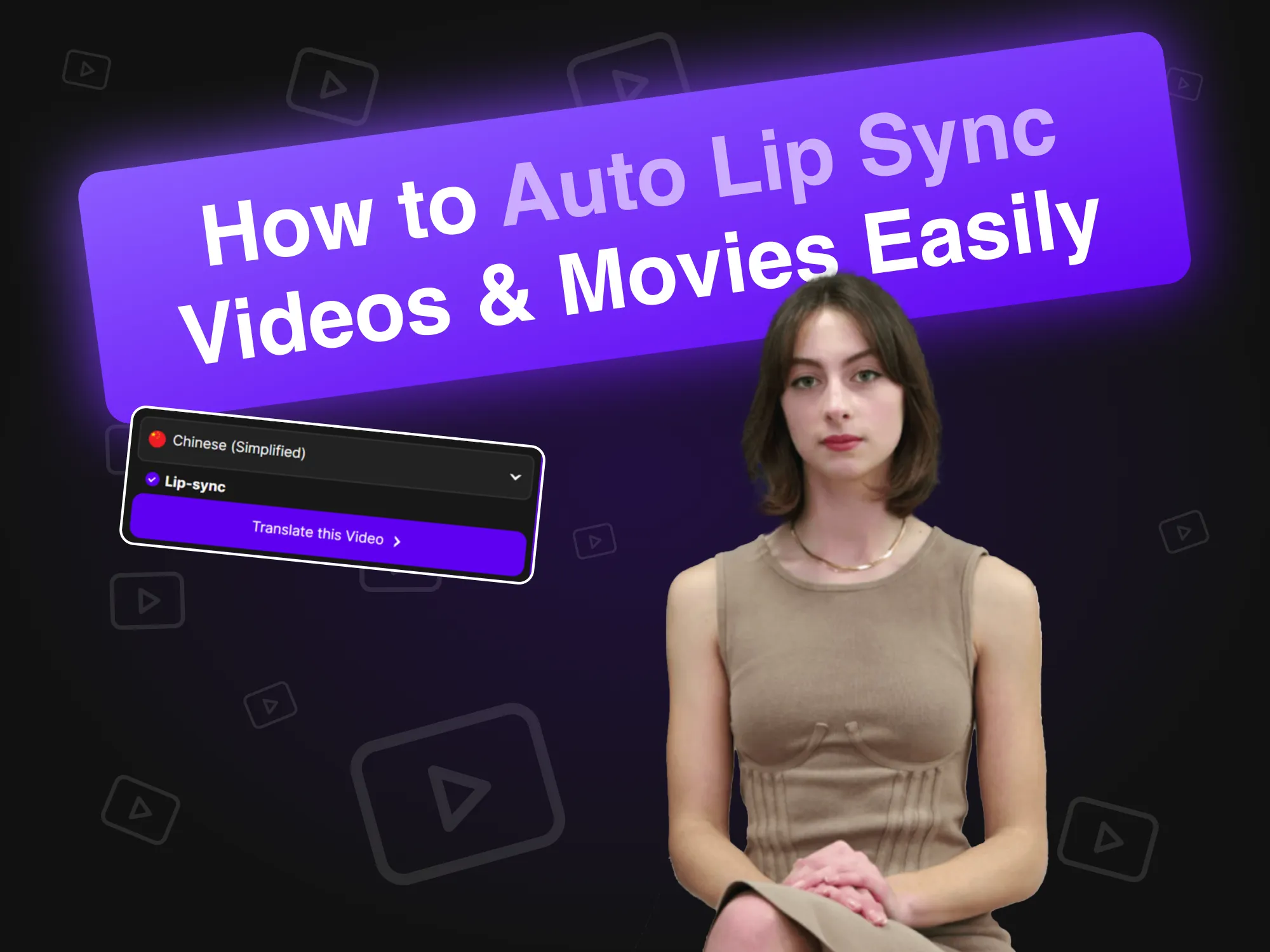
Cara Mudah Membuat Video dan Film dengan Sinkronisasi Bibir Otomatis
19 April 2024
Teknologi sinkronisasi bibir otomatis merevolusi pembuatan video dengan menyinkronkan gerakan bibir avatar AI dengan audio secara mulus. Artikel ini menjelaskan bagaimana merek dapat memanfaatkan alat inovatif ini untuk produksi konten yang efisien, meningkatkan keterlibatan dan realisme dalam video juru bicara, yang pada akhirnya menyederhanakan proses dan meningkatkan interaksi pemirsa di berbagai platform.

Alternatif Synthesia (Perbandingan Fitur secara Berdampingan)
11 April 2024
Jelajahi alternatif terbaik untuk Synthesia untuk pembuatan video AI. Artikel ini membandingkan berbagai platform, termasuk AKOOL, yang menyoroti fitur unik dan antarmuka yang mudah digunakan, sehingga memudahkan bisnis untuk menghasilkan konten yang menarik dan berbasis avatar secara efisien dan efektif. Temukan alat mana yang paling sesuai dengan kebutuhan Anda!

Cara Membuat Penyesuaian Avatar Gim Menggunakan AI
20 Maret 2024
Membuat avatar game khusus menggunakan AI memungkinkan pemain mengekspresikan individualitas mereka dan meningkatkan pengalaman bermain game mereka. Panduan ini membahas cara memanfaatkan generator gambar canggih AKOOL untuk membuat avatar unik yang menonjol di platform seperti Twitch dan Discord, sehingga meningkatkan pengakuan di komunitas game yang dinamis.

Alternatif HeyGen untuk Video AI dan Penyesuaian Avatar
17 Maret 2024
Temukan alternatif terbaik untuk HeyGen untuk pembuatan video AI dan avatar kustom. Artikel ini menyoroti AKOOL sebagai pesaing utama, yang menampilkan alat yang mudah digunakan untuk kustomisasi avatar dan kemampuan mengubah teks menjadi video. Dengan harga bayar sesuai pemakaian yang fleksibel, AKOOL sangat cocok untuk pemula dan pengguna biasa yang ingin melepaskan kreativitas mereka.

Perangkat Lunak Klona Suara Terbaik
2 November 2024
Jelajahi perangkat lunak kloning suara terbaik yang tersedia, termasuk AKOOL dan Resemble AI. Artikel ini mengulas fitur, harga, dan kasus penggunaan terbaiknya, membantu Anda memilih alat yang ideal untuk membuat konten audio realistis yang disesuaikan dengan kebutuhan Anda.

Contoh Video Pelatihan Karyawan Terbaik
8 Oktober 2024
Artikel ini menampilkan contoh-contoh terbaik video pelatihan karyawan, yang menyoroti teknik dan strategi efektif untuk meningkatkan pembelajaran dan keterlibatan dalam organisasi. Temukan bagaimana video-video ini dapat meningkatkan hasil pelatihan dan menumbuhkan budaya tempat kerja yang produktif.

Alat Teks ke Suara AI Terbaik
5 November 2024
Jelajahi alat AI teks ke suara teratas yang menyempurnakan pembuatan konten dengan mengubah teks menjadi ucapan yang terdengar alami. Artikel ini mengulas berbagai platform, termasuk AKOOL, yang menyoroti fitur dan kemampuan unik mereka untuk menghasilkan sulih suara berkualitas tinggi untuk video, podcast, dan media interaktif.

Generator Teks ke Video AI Terbaik
8 Juli 2024
Temukan generator teks ke video AI terbaik yang menyederhanakan produksi video bagi para pemasar. Artikel ini mengulas platform-platform teratas, termasuk AKOOL, yang menyoroti fitur-fiturnya, opsi penyesuaian, dan efektivitas biaya, yang memungkinkan bisnis untuk membuat konten yang menarik dengan cepat dan efisien tanpa memerlukan keterampilan khusus.

Cara Mengubah Latar Belakang Foto Produk Menggunakan AI
10 Juni 2024
Alat penyuntingan latar belakang AI AKOOL merevolusi fotografi produk dengan memungkinkan pengguna mengubah dan menyesuaikan latar belakang dengan mudah. Teknologi ini menghemat waktu, meningkatkan daya tarik visual, dan memastikan konsistensi, sehingga memungkinkan bisnis menciptakan gambar berkualitas profesional yang meningkatkan keterlibatan dan mendorong penjualan secara efektif.

7 Alat Penukar Wajah Terbaik untuk Foto: Ciptakan Tukar Wajah Realistis dengan Mudah
23 November 2024
AKOOL menawarkan alat penukar wajah inovatif yang meningkatkan pengalaman penyuntingan foto, memungkinkan pengguna membuat konten yang menyenangkan dan menarik dengan mudah.

7 Aplikasi Penukar Wajah Ganda Terbaik untuk Pengeditan Grup yang Realistis dan Cepat
22 November 2024
Temukan tujuh aplikasi tukar wajah ganda terbaik yang memungkinkan pengguna membuat konten yang menyenangkan dan menarik. Artikel ini mengulas opsi-opsi terbaik, menyoroti fitur-fitur tukar wajah AKOOL dan kemudahan penggunaan untuk mengubah foto dan video dengan mudah. Jelajahi alat-alat kreatif ini untuk meningkatkan kehadiran Anda di media sosial!

Aplikasi Terbaik untuk Menganimasikan Foto
8 November 2024
AKOOL adalah aplikasi yang hebat dan mudah digunakan yang menganimasikan foto dengan presisi, sehingga pengguna dapat membuat visual yang memukau untuk media sosial dan proyek pribadi. Antarmukanya yang intuitif dan berbagai opsi overlay membuatnya ideal bagi pemula dan profesional yang ingin menyempurnakan gambar mereka dengan mudah.

Aplikasi Penukar Wajah Terbaik untuk Video
3 November 2024
AKOOL adalah aplikasi tukar wajah terkemuka yang memungkinkan pengguna membuat tukar wajah yang memukau dan realistis dalam video. Dengan antarmuka yang intuitif dan teknologi AI yang canggih, AKOOL melayani baik pemula maupun profesional, menjadikannya pilihan ideal bagi siapa pun yang ingin menyempurnakan konten video mereka secara kreatif dan efektif.

Aplikasi Foto AI Terbaik
31 Oktober 2024
Temukan aplikasi tukar wajah terbaik untuk video yang ditujukan bagi kreator konten dan penggemar media sosial. Artikel ini mengulas berbagai alat, termasuk AKOOL, yang menyoroti fitur dan kemampuan uniknya, yang memungkinkan pengguna membuat konten video yang menarik dan menghibur dengan mudah sambil menyempurnakan proyek kreatif mereka.

Peringkat: Pesaing HeyGen Teratas
1 Agustus 2024
Artikel ini memeringkat pesaing teratas HeyGen, dengan menyorot AKOOL sebagai alternatif terdepan. Artikel ini membandingkan fitur, pengalaman pengguna, dan kinerja, serta menunjukkan alasan bisnis beralih ke AKOOL karena perangkatnya yang unggul dan efisiensinya dalam pembuatan konten yang dihasilkan AI. Temukan opsi terbaik untuk kebutuhan pemasaran Anda!

Alat Penukar Wajah Terbaik untuk Video
26 Juli 2024
Temukan alat tukar wajah terbaik untuk video dalam artikel ini, yang membandingkan opsi teratas seperti AKOOL dan Reface. Pelajari bagaimana alat inovatif ini dapat meningkatkan strategi pemasaran Anda dengan membuat konten yang dipersonalisasi dan menarik yang memikat audiens dan mendorong konversi, menjadikan pemasaran video lebih dinamis dan efektif.

Alat Penukar Wajah AI Mana yang Mendorong ROI Pemasaran?
11 Mei 2024
Temukan bagaimana alat tukar wajah AI dapat meningkatkan ROI pemasaran. Artikel ini membahas fitur-fitur utama, studi kasus yang berhasil, dan langkah-langkah yang dapat ditindaklanjuti untuk mengukur efektivitas, membantu bisnis memanfaatkan alat-alat inovatif ini untuk kampanye iklan yang dipersonalisasi dan menarik yang mendorong hasil dan meningkatkan hubungan dengan pemirsa.

Hasilkan Foto Mirip Diri Anda Menggunakan Generator Wajah AI AKOOL
18 April 2024
Pembuat Wajah AI dari AKOOL memungkinkan pengguna membuat foto yang mirip dengan aslinya dengan mudah. Artikel ini membahas fitur, manfaat, dan aplikasinya, serta menyoroti bagaimana aplikasi ini mengubah pembuatan konten untuk penggunaan pribadi dan profesional sekaligus memastikan hasil berkualitas tinggi dan personal hanya dengan beberapa klik.

Tukar Wajah Kelompok: Cara Menukar Beberapa Wajah dalam Foto Grup
17 April 2024
Teknologi pertukaran wajah secara per kelompok menyederhanakan proses pertukaran beberapa wajah dalam foto grup, menghemat waktu, dan meningkatkan kreativitas. Artikel ini membahas bagaimana alat AKOOL memungkinkan penggantian wajah yang efisien, sehingga ideal bagi fotografer, pemasar, dan kreator konten yang ingin menyederhanakan alur kerja mereka sekaligus memperoleh hasil berkualitas tinggi dengan mudah.

12 Aplikasi Deepfake Terbaik untuk Tukar Wajah yang Realistis
13 April 2024
Temukan lima aplikasi deepfake teratas untuk pertukaran wajah yang realistis dalam artikel ini. Jelajahi fitur-fitur uniknya, kemudahan penggunaan, dan aplikasinya dalam pemasaran dan hiburan, membantu pengguna membuat konten yang menarik dengan mudah sambil memahami pertimbangan etis seputar teknologi deepfake.

Cara Membuat Video Tukar Wajah
12 April 2024
Pelajari cara mudah mengubah wajah dalam video menggunakan alat tukar wajah AKOOL. Artikel ini menyediakan panduan langkah demi langkah, kiat untuk hasil yang realistis, dan menyoroti manfaat teknologi AI dalam penyuntingan video, sehingga dapat diakses baik oleh pemula maupun profesional yang ingin meningkatkan kreasi konten mereka.

Alat Tukar Wajah Video AI Terbaik Untuk Tim Pemasaran B2C dan Perusahaan
28 Maret 2024
Temukan alat tukar wajah video AI terbaik untuk pemasaran dalam artikel ini. Artikel ini mengevaluasi platform canggih AKOOL terhadap sembilan pesaing, menyoroti kualitasnya yang unggul, realisme, dan fitur yang mudah digunakan, sehingga menjadikannya ideal untuk membuat iklan menarik dan konten media sosial yang memikat pemirsa dan mendorong penjualan secara efektif.

Cara Mengganti Jenis Kelamin Foto Anda secara Daring dan Gratis
27 Maret 2024
Pelajari cara mudah menukar gender pada foto Anda secara daring menggunakan fitur tukar wajah AKOOL. Panduan ini menyediakan petunjuk langkah demi langkah untuk mengubah gambar, yang memungkinkan Anda menjelajahi berbagai ekspresi gender dan meningkatkan kreativitas Anda dengan teknologi AI.

Cara Menangani Manajemen Krisis dalam Pemasaran
26 Maret 2024
AKOOL menyediakan peralatan inovatif untuk manajemen krisis dalam pemasaran, termasuk teknologi pertukaran wajah yang membantu merek dengan cepat menyesuaikan materi promosi selama kontroversi, menjaga reputasi dan mempertahankan kepercayaan konsumen secara efektif.

Cara Membuat Animasi Wajah Berbicara dengan A
18 Maret 2024
Pelajari cara membuat animasi wajah bicara yang menarik menggunakan teknologi AI. Artikel ini menyediakan panduan langkah demi langkah dengan platform AKOOL, yang memungkinkan pengguna untuk menghasilkan avatar realistis yang meningkatkan pemasaran dan penceritaan digital, menjadikan pembuatan konten mudah diakses dan efisien bagi semua orang, terlepas dari keahlian teknis.

Cara Membuat Video Deepfake
18 Maret 2024
Artikel ini memberikan panduan langkah demi langkah tentang cara membuat video deepfake dengan AKOOL, mencakup alat dan teknik penting sekaligus menekankan pertimbangan etis untuk penggunaan yang bertanggung jawab.

Bagaimana Desain Grafis Berbasis AI Dapat Memotong Biaya Pemasaran Anda
10 Juni 2024
Desain grafis yang dihasilkan AI mengubah pemasaran dengan memungkinkan pengguna membuat visual yang memukau dengan cepat dan terjangkau. Artikel ini membahas bagaimana platform seperti AKOOL mengurangi biaya, meningkatkan efisiensi, dan mendemokratisasi desain, sehingga memungkinkan bisnis menghasilkan materi pemasaran berkualitas tinggi tanpa memerlukan tim desain yang besar atau keterampilan khusus.

Gambar Produk Buatan AI Menghasilkan Kampanye Pemasaran yang Luar Biasa
1 Juni 2024
Gambar produk yang dihasilkan AI merevolusi pemasaran perdagangan elektronik dengan menyediakan visual yang memukau dengan cepat dan terjangkau. Artikel ini membahas bagaimana merek dapat memanfaatkan AKOOL untuk menciptakan gambar berkualitas tinggi yang dapat disesuaikan yang meningkatkan keterlibatan, menyederhanakan alur kerja, dan pada akhirnya mendorong penjualan, serta mengubah praktik fotografi tradisional dalam lanskap digital.
%20-%20Akool%20Blog%20Banner.png-p-500.webp)
Prompt Terbaik untuk Seni AI (Contoh dan Inspirasi)
19 Maret 2024
Temukan petunjuk terbaik untuk menghasilkan seni AI yang memukau dengan generator gambar AKOOL. Artikel ini menyediakan contoh dan kiat untuk meningkatkan kreativitas Anda, sehingga siapa pun dapat membuat visual unik dengan mudah dan efektif, apa pun tingkat keterampilan artistiknya.

Buat Pesan Kustom dalam Skala Besar dengan Alat Otomatisasi Pemasaran Video Ini
6 September 2024
Otomatisasi pemasaran video menyederhanakan pembuatan dan pendistribusian konten video yang dipersonalisasi, sehingga memungkinkan pemasar untuk melibatkan prospek secara efisien dalam skala besar. Artikel ini membahas berbagai alat AKOOL, yang menyoroti berbagai manfaat seperti peningkatan ROI, peningkatan keterlibatan, dan alur kerja yang efisien, sehingga memudahkan konversi prospek menjadi pelanggan setia melalui pesan yang disesuaikan.

5 Alat AI Teratas untuk Meningkatkan Generasi Prospek dan ROI Anda
24 Juni 2024
Temukan bagaimana alat pembangkit prospek AI dapat meningkatkan strategi pemasaran Anda. Artikel ini menyoroti lima alat teratas, termasuk AKOOL, yang menyederhanakan alur kerja, mengurangi biaya, dan meningkatkan kualitas prospek, yang pada akhirnya meningkatkan ROI Anda dan membantu Anda mengubah prospek menjadi pelanggan setia secara efisien.

Aplikasi Foto Bernyanyi Terbaik
8 November 2024
Temukan aplikasi foto bernyanyi terbaik yang menganimasikan gambar untuk menciptakan pertunjukan bernyanyi yang menarik. Artikel ini mengulas berbagai platform, termasuk AKOOL, yang menyoroti fitur dan kemudahan penggunaan untuk mengubah foto statis menjadi konten musikal yang hidup, cocok untuk media sosial dan proyek pribadi.
Dalam berita

Mungkinkah Video AI Langsung Menjadi Zoom Berikutnya?
May 29, 2025

Saat AI Beroperasi: Masa Depan Kehadiran Manusia Secara Real-Time
June 16, 2025

Techcrunch - Building a Gen AI Unicorn with Global Resources, Innovation, and Efficiency: The AKOOL Way
Feb 28, 2025

G2 - 9 Best Generative AI Tools I Use: Which One Leads Today?
Feb 10, 2025

Microsoft - 5 key marketing tips for early-stage business startup founders
Dec 17, 2024
AKOOL Introduces AMD-Advanced Technology, Revolutionizing Digital Experiences with Simplified In-Device Avatars
Jan 3, 2025

AKOOL Achieves $40M in Invoiced ARR, Accelerating Growth in AI-Driven Content Creation for Diverse Industries
Nov 13, 2024

AKOOL Unveils Enhanced Streaming Avatars with Seamless LLM Integration to Revolutionize Human-Machine Interactions
Feb 26, 2025

AKOOL Announces Strategic Bollywood Partnership to Revolutionize AI in Digital Immersion and Video Markets
Nov 25, 2024

AKOOL Memperkenalkan Kelas Baru Avatar Gen Al, Menetapkan Standar Baru untuk Mengekspresikan Diri Sendiri
April 12, 2024

Platform AI Generatif Akool Menetapkan Standar Baru untuk Keterlibatan Merek
Nov 30, 2023
Jelajahi Lebih Lanjut Didukung AI Peralatan
Maksimalkan potensi Akool dengan rangkaian lengkap perangkat AI untuk pembuatan gambar, produksi video, dan desain avatar. Baik Anda sedang membangun konten pemasaran, meningkatkan skala pembelajaran daring, atau mempersonalisasi komunikasi, Akool memberdayakan strategi Anda di setiap langkah.


