Seedance 2.0 : Meilleur générateur vidéo IA multimodal avec cohérence des caractères
Seedance 2.0 : Contrôle au niveau du directeur avec une précision multimodale
Maîtrisez la narration cinématographique grâce à des références d'une précision pixel parfaite et une stabilité de scène inégalée.
Seedance 2.0 : Contrôle au niveau du directeur avec une précision multimodale
Maîtrisez la narration cinématographique grâce à des références d'une précision pixel parfaite et une stabilité de scène inégalée.
Seedance 2.0 : Génération vidéo professionnelle par IA pour une création cohérente et cinématographique
Système de référence multimodal de niveau professionnel avec une cohérence révolutionnaire
Génération vidéo par IA multimodale avancée basée sur des références
Importez jusqu'à 9 images, 3 vidéos et 3 fichiers audio dans un seul projet (12 fichiers mixtes maximum). Seedance 2.0 analyse avec précision la composition visuelle, la fluidité des mouvements, les déplacements de caméra, le timing et le rythme à partir de vos éléments de référence.
Cohérence des personnages et des scènes à la pointe de l'industrie
Préservez la stabilité des visages, des personnages, des vêtements et du style visuel même dans les plans longs et les vidéos à scènes multiples. Seedance 2.0 résout les problèmes courants de l'IA en vidéo, tels que la dérive d'identité et le scintillement des scènes.
Montage vidéo intelligent par IA et extensions vidéo illimitées
Créez de nouvelles vidéos ou modifiez des séquences existantes avec une maîtrise créative professionnelle. Remplacez facilement des personnages, ajoutez ou supprimez des éléments, étendez des scènes ou reliez des clips à l'aide d'instructions textuelles.
Community Creations
3 étapes simples pour créer

1
Sélectionnez un modèle et générez des gabarits.
Akool s'associe aux meilleurs fournisseurs de modèles au monde, vous donnant accès aux modèles les plus récents, les plus variés et les plus abordables du marché.
2
Ajouter une image
Téléchargez ou générez une image pour démarrer votre génération.3
Obtenir la vidéo
Cliquez sur « Générer » pour créer votre vidéo finale !Pourquoi choisir Akool ?
Diffusion-based Image-to-Video Synthesis
Instant Professional Rendering
Generate polished video assets from images in seconds using diffusion-based synthesis, neural frame interpolation, and high-fidelity visual rendering.
Cohérence temporelle de l'identité du personnage
Persistance d'identité sans faille
Maintain consistent faces, expressions, and identity attributes across frames using computer vision models optimized for high-fidelity video continuity.
API-driven Creative Exploration
Neural Workflow Inspiration
Explore community-generated examples to discover production patterns, diffusion-based video workflows, and scalable generative content ideas.
Voir tous les modèles
Wan
Gemini
OpenAI
Sora
Seedance
Hailuo
Kling
Veo
GPT
Vidu Q3
PixVerse
HappyHorse
Grok
Wan
Gemini
OpenAI
Sora
Seedance
Hailuo
Kling
Veo
GPT
Vidu Q3
PixVerse
HappyHorse
Grok
Wan
Gemini
OpenAI
Sora
Seedance
Hailuo
Kling
Veo
GPT
Vidu Q3
PixVerse
HappyHorse
Grok
Wan
Gemini
OpenAI
Sora
Seedance
Hailuo
Kling
Veo
GPT
Vidu Q3
PixVerse
HappyHorse
Grok
Wan
Gemini
OpenAI
Sora
Seedance
Hailuo
Kling
Veo
GPT
Vidu Q3
PixVerse
HappyHorse
Grok
Wan
Gemini
OpenAI
Sora
Seedance
Hailuo
Kling
Veo
GPT
Vidu Q3
PixVerse
HappyHorse
Grok
Wan
Gemini
OpenAI
Sora
Seedance
Hailuo
Kling
Veo
GPT
Vidu Q3
PixVerse
HappyHorse
Grok
Wan
Gemini
OpenAI
Sora
Seedance
Hailuo
Kling
Veo
GPT
Vidu Q3
PixVerse
HappyHorse
Grok
Ce que disent nos utilisateurs
Marcus Thorne
The multimodal reference system is a game-changer. I uploaded 5 character sketches and a reference video for the camera movement, and Seedance 2.0 nailed the composition perfectly. It's finally more about directing than just prompting.
Elena Rodriguez
I've tried every AI video tool out there, but the character consistency in Seedance 2.0 is on another level. I ran a 15-second sequence and the protagonist's face didn't flicker once. Truly breakthrough stuff.
David Chen
The native audio sync is surprisingly good. I used a custom audio track for a product reveal, and the visual transitions matched the beat perfectly. It saves so much time in post-production.
Sarah Jenkins
Being able to upload 9 images as references is huge for my workflow. I can lock in the environment, the character, and the lighting all at once. Seedance 2.0 is definitely the most precise tool I've used.
Liam O'Connor
I used the video extension feature to "continue shooting" a scene I started last week. The transition was seamless, and it kept the outfit and lighting exactly the same. Best AI for storytelling right now.
Aisha Khan
The multilingual text rendering is actually accurate! I needed a poster with both English and Chinese text for a global campaign, and Seedance 2.0 rendered the characters without any weird artifacts.
Thomas Miller
I replaced a character in an existing video using the intelligent editing tool. It was so much easier than reshooting. The motion stayed fluid and the new character blended in naturally.
Sophia Rossi
1080p output looks crisp. Most AI video generators still feel a bit blurry, but Seedance 2.0 has that cinematic clarity that makes it usable for professional client work.
James Wilson
The physics accuracy is what impressed me most. I did a scene with falling fabric and it behaved exactly like real silk. No more weird AI "melting" effects.
Isabella Garcia
I love the director-level control. Using a reference video for camera movement meant I could get that specific "dolly zoom" effect without fighting with the prompt for hours.
Marcus Thorne
The multimodal reference system is a game-changer. I uploaded 5 character sketches and a reference video for the camera movement, and Seedance 2.0 nailed the composition perfectly. It's finally more about directing than just prompting.
Elena Rodriguez
I've tried every AI video tool out there, but the character consistency in Seedance 2.0 is on another level. I ran a 15-second sequence and the protagonist's face didn't flicker once. Truly breakthrough stuff.
David Chen
The native audio sync is surprisingly good. I used a custom audio track for a product reveal, and the visual transitions matched the beat perfectly. It saves so much time in post-production.
Sarah Jenkins
Being able to upload 9 images as references is huge for my workflow. I can lock in the environment, the character, and the lighting all at once. Seedance 2.0 is definitely the most precise tool I've used.
Liam O'Connor
I used the video extension feature to "continue shooting" a scene I started last week. The transition was seamless, and it kept the outfit and lighting exactly the same. Best AI for storytelling right now.
Aisha Khan
The multilingual text rendering is actually accurate! I needed a poster with both English and Chinese text for a global campaign, and Seedance 2.0 rendered the characters without any weird artifacts.
Thomas Miller
I replaced a character in an existing video using the intelligent editing tool. It was so much easier than reshooting. The motion stayed fluid and the new character blended in naturally.
Sophia Rossi
1080p output looks crisp. Most AI video generators still feel a bit blurry, but Seedance 2.0 has that cinematic clarity that makes it usable for professional client work.
James Wilson
The physics accuracy is what impressed me most. I did a scene with falling fabric and it behaved exactly like real silk. No more weird AI "melting" effects.
Isabella Garcia
I love the director-level control. Using a reference video for camera movement meant I could get that specific "dolly zoom" effect without fighting with the prompt for hours.
Marcus Thorne
The multimodal reference system is a game-changer. I uploaded 5 character sketches and a reference video for the camera movement, and Seedance 2.0 nailed the composition perfectly. It's finally more about directing than just prompting.
Elena Rodriguez
I've tried every AI video tool out there, but the character consistency in Seedance 2.0 is on another level. I ran a 15-second sequence and the protagonist's face didn't flicker once. Truly breakthrough stuff.
David Chen
The native audio sync is surprisingly good. I used a custom audio track for a product reveal, and the visual transitions matched the beat perfectly. It saves so much time in post-production.
Sarah Jenkins
Being able to upload 9 images as references is huge for my workflow. I can lock in the environment, the character, and the lighting all at once. Seedance 2.0 is definitely the most precise tool I've used.
Liam O'Connor
I used the video extension feature to "continue shooting" a scene I started last week. The transition was seamless, and it kept the outfit and lighting exactly the same. Best AI for storytelling right now.
Aisha Khan
The multilingual text rendering is actually accurate! I needed a poster with both English and Chinese text for a global campaign, and Seedance 2.0 rendered the characters without any weird artifacts.
Thomas Miller
I replaced a character in an existing video using the intelligent editing tool. It was so much easier than reshooting. The motion stayed fluid and the new character blended in naturally.
Sophia Rossi
1080p output looks crisp. Most AI video generators still feel a bit blurry, but Seedance 2.0 has that cinematic clarity that makes it usable for professional client work.
James Wilson
The physics accuracy is what impressed me most. I did a scene with falling fabric and it behaved exactly like real silk. No more weird AI "melting" effects.
Isabella Garcia
I love the director-level control. Using a reference video for camera movement meant I could get that specific "dolly zoom" effect without fighting with the prompt for hours.
Marcus Thorne
The multimodal reference system is a game-changer. I uploaded 5 character sketches and a reference video for the camera movement, and Seedance 2.0 nailed the composition perfectly. It's finally more about directing than just prompting.
Elena Rodriguez
I've tried every AI video tool out there, but the character consistency in Seedance 2.0 is on another level. I ran a 15-second sequence and the protagonist's face didn't flicker once. Truly breakthrough stuff.
David Chen
The native audio sync is surprisingly good. I used a custom audio track for a product reveal, and the visual transitions matched the beat perfectly. It saves so much time in post-production.
Sarah Jenkins
Being able to upload 9 images as references is huge for my workflow. I can lock in the environment, the character, and the lighting all at once. Seedance 2.0 is definitely the most precise tool I've used.
Liam O'Connor
I used the video extension feature to "continue shooting" a scene I started last week. The transition was seamless, and it kept the outfit and lighting exactly the same. Best AI for storytelling right now.
Aisha Khan
The multilingual text rendering is actually accurate! I needed a poster with both English and Chinese text for a global campaign, and Seedance 2.0 rendered the characters without any weird artifacts.
Thomas Miller
I replaced a character in an existing video using the intelligent editing tool. It was so much easier than reshooting. The motion stayed fluid and the new character blended in naturally.
Sophia Rossi
1080p output looks crisp. Most AI video generators still feel a bit blurry, but Seedance 2.0 has that cinematic clarity that makes it usable for professional client work.
James Wilson
The physics accuracy is what impressed me most. I did a scene with falling fabric and it behaved exactly like real silk. No more weird AI "melting" effects.
Isabella Garcia
I love the director-level control. Using a reference video for camera movement meant I could get that specific "dolly zoom" effect without fighting with the prompt for hours.
Robert Taylor
Seedance 2.0 is fast. I got a high-quality 10-second clip in under two minutes. For the level of detail it provides, the speed is pretty incredible.
Chloe Bennett
The scene stability is a massive improvement. I did a multi-scene narrative and the background didn't shift or morph between shots. It feels like a real movie.
Daniel Lee
I used the audio-driven creation to sync a character's movement to a specific rhythm. It's a bit of a learning curve to get the @ mentions right, but the results are worth it.
Mia Thompson
Finally, an AI that understands "pacing." By referencing a video for the edit rhythm, I got a montage that felt professionally cut right out of the box.
Alexander Wright
The identity preservation is solid. I used my own photo as a reference and the AI version of me actually looked like me throughout the entire 12-second clip.
Grace Dumont
I'm using Seedance 2.0 for UI mockups. The ability to render clean text and stable layouts makes it a great tool for presenting app concepts to stakeholders.
Samuel Jackson
The "continue shooting" capability is addictive. I started with a simple walk and ended up with a full 45-second short film by extending the clips. Consistency stayed 10/10.
Olivia Martinez
I had some trouble with very complex audio files, but for standard background music and sound effects, the native audio generation is a lifesaver.
Benjamin Scott
The multimodal precision is what sets this apart. It's not just guessing what I want; it's looking at my references and actually following them. Huge win for creators.
Natalie Fisher
Seedance 2.0 has replaced three other tools in my stack. Having editing, extension, and high-fidelity generation in one engine is just more efficient.
Robert Taylor
Seedance 2.0 is fast. I got a high-quality 10-second clip in under two minutes. For the level of detail it provides, the speed is pretty incredible.
Chloe Bennett
The scene stability is a massive improvement. I did a multi-scene narrative and the background didn't shift or morph between shots. It feels like a real movie.
Daniel Lee
I used the audio-driven creation to sync a character's movement to a specific rhythm. It's a bit of a learning curve to get the @ mentions right, but the results are worth it.
Mia Thompson
Finally, an AI that understands "pacing." By referencing a video for the edit rhythm, I got a montage that felt professionally cut right out of the box.
Alexander Wright
The identity preservation is solid. I used my own photo as a reference and the AI version of me actually looked like me throughout the entire 12-second clip.
Grace Dumont
I'm using Seedance 2.0 for UI mockups. The ability to render clean text and stable layouts makes it a great tool for presenting app concepts to stakeholders.
Samuel Jackson
The "continue shooting" capability is addictive. I started with a simple walk and ended up with a full 45-second short film by extending the clips. Consistency stayed 10/10.
Olivia Martinez
I had some trouble with very complex audio files, but for standard background music and sound effects, the native audio generation is a lifesaver.
Benjamin Scott
The multimodal precision is what sets this apart. It's not just guessing what I want; it's looking at my references and actually following them. Huge win for creators.
Natalie Fisher
Seedance 2.0 has replaced three other tools in my stack. Having editing, extension, and high-fidelity generation in one engine is just more efficient.
Robert Taylor
Seedance 2.0 is fast. I got a high-quality 10-second clip in under two minutes. For the level of detail it provides, the speed is pretty incredible.
Chloe Bennett
The scene stability is a massive improvement. I did a multi-scene narrative and the background didn't shift or morph between shots. It feels like a real movie.
Daniel Lee
I used the audio-driven creation to sync a character's movement to a specific rhythm. It's a bit of a learning curve to get the @ mentions right, but the results are worth it.
Mia Thompson
Finally, an AI that understands "pacing." By referencing a video for the edit rhythm, I got a montage that felt professionally cut right out of the box.
Alexander Wright
The identity preservation is solid. I used my own photo as a reference and the AI version of me actually looked like me throughout the entire 12-second clip.
Grace Dumont
I'm using Seedance 2.0 for UI mockups. The ability to render clean text and stable layouts makes it a great tool for presenting app concepts to stakeholders.
Samuel Jackson
The "continue shooting" capability is addictive. I started with a simple walk and ended up with a full 45-second short film by extending the clips. Consistency stayed 10/10.
Olivia Martinez
I had some trouble with very complex audio files, but for standard background music and sound effects, the native audio generation is a lifesaver.
Benjamin Scott
The multimodal precision is what sets this apart. It's not just guessing what I want; it's looking at my references and actually following them. Huge win for creators.
Natalie Fisher
Seedance 2.0 has replaced three other tools in my stack. Having editing, extension, and high-fidelity generation in one engine is just more efficient.
Robert Taylor
Seedance 2.0 is fast. I got a high-quality 10-second clip in under two minutes. For the level of detail it provides, the speed is pretty incredible.
Chloe Bennett
The scene stability is a massive improvement. I did a multi-scene narrative and the background didn't shift or morph between shots. It feels like a real movie.
Daniel Lee
I used the audio-driven creation to sync a character's movement to a specific rhythm. It's a bit of a learning curve to get the @ mentions right, but the results are worth it.
Mia Thompson
Finally, an AI that understands "pacing." By referencing a video for the edit rhythm, I got a montage that felt professionally cut right out of the box.
Alexander Wright
The identity preservation is solid. I used my own photo as a reference and the AI version of me actually looked like me throughout the entire 12-second clip.
Grace Dumont
I'm using Seedance 2.0 for UI mockups. The ability to render clean text and stable layouts makes it a great tool for presenting app concepts to stakeholders.
Samuel Jackson
The "continue shooting" capability is addictive. I started with a simple walk and ended up with a full 45-second short film by extending the clips. Consistency stayed 10/10.
Olivia Martinez
I had some trouble with very complex audio files, but for standard background music and sound effects, the native audio generation is a lifesaver.
Benjamin Scott
The multimodal precision is what sets this apart. It's not just guessing what I want; it's looking at my references and actually following them. Huge win for creators.
Natalie Fisher
Seedance 2.0 has replaced three other tools in my stack. Having editing, extension, and high-fidelity generation in one engine is just more efficient.
Témoignage client


Canon présente son photomaton IA optimisé par Akool lors d'un événement interne
Lors d'une récente présentation interne, Canon a dévoilé sa cabine photo IA de nouvelle génération, basée sur la technologie avancée d'échange de visages et de génération d'images d'Akool. Conçue pour offrir des expériences photo instantanées et personnalisées, cette démonstration a permis aux employés de découvrir en avant-première les futures fonctionnalités d'IA de Canon.


Akool et Google Cloud présentent des avatars IA en temps réel lors de la conférence NVIDIA GTC.
AKOOL s'est associé à Google Cloud pour présenter une technologie d'avatars en temps réel de pointe lors de la conférence technologique mondiale (GTC) de NVIDIA. Cette démonstration en direct a montré comment les avatars d'Akool, grâce à l'infrastructure évolutive et aux outils d'IA avancés de Google Cloud, peuvent transformer la manière dont les entreprises interagissent avec les utilisateurs dans des environnements à fort trafic et en temps réel.


Akool et AWS lancent une expérience d'avatar IA en temps réel lors du sommet AWS en Inde.
AKOOL s'est associé à Amazon Web Services (AWS) pour proposer une expérience immersive avec des avatars en direct lors de l'AWS Summit India, le principal événement régional dédié à l'innovation dans les technologies de l'information et le cloud. Cette activation a démontré comment les avatars d'Akool, entièrement intégrés à AWS Bedrock et hébergés sur l'infrastructure AWS, peuvent servir de représentants de marque intelligents et en temps réel.


Comment la technologie d'échange de visages d'AKOOLs a alimenté la campagne « AI Adventure » de Qatar Airways
Qatar Airways partners with AKOOL to launch "AI Adventure," an innovative campaign using Face Swap technology, allowing viewers to star in their own airline commercial, enhancing customer engagement through personalized and immersive experiences.


Révolutionner la gestion d'événements : comment GPT DAO et AKOOL, optimisés par l'IA de LiveX, ont amélioré l'engagement des participants au GenAI Summit 2024
GPT DAO révolutionne la gestion de l'événement GenAI Summit grâce à la mise en œuvre de la technologie d'avatars basée sur l'IA d'AKOOL. Cette solution innovante améliore les interactions entre les participants en leur fournissant une assistance et des informations instantanées, tout en réduisant les coûts opérationnels et les besoins en personnel. Elle transforme ainsi l'expérience de l'événement en un parcours fluide et captivant.

AKOOL et Eros Digital s'associent pour transformer les marchés de l'immersion numérique et de la vidéo.
AKOOL s'associe à Eros Digital pour révolutionner les marchés de l'immersion numérique et de la vidéo, en optimisant la diffusion de contenu et l'engagement des utilisateurs grâce à des solutions technologiques innovantes. Découvrez l'avenir des expériences numériques immersives !


Le jeu « Ultimate You » de Coca-Cola
AKOOL dynamise la campagne marketing interactive de Coca-Cola grâce à League of Legends


Série de webinaires multilingues de Logitech sur les webcams avec traduction vidéo d'AKOOL
La série de webinaires multilingues de Logitech pour ses webcams utilise la traduction vidéo d'AKOOL, améliorant ainsi l'accessibilité et l'engagement à l'échelle mondiale et permettant à des publics divers de se connecter et d'apprendre efficacement.

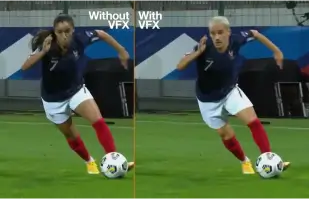
Orange Won the Top Prize for Entertainment for Sport for the MarcelParis, Campaign "WoMen's Football"
Orange's "WoMen's Football" won the top prize for Entertainment for Sport with AKOOL

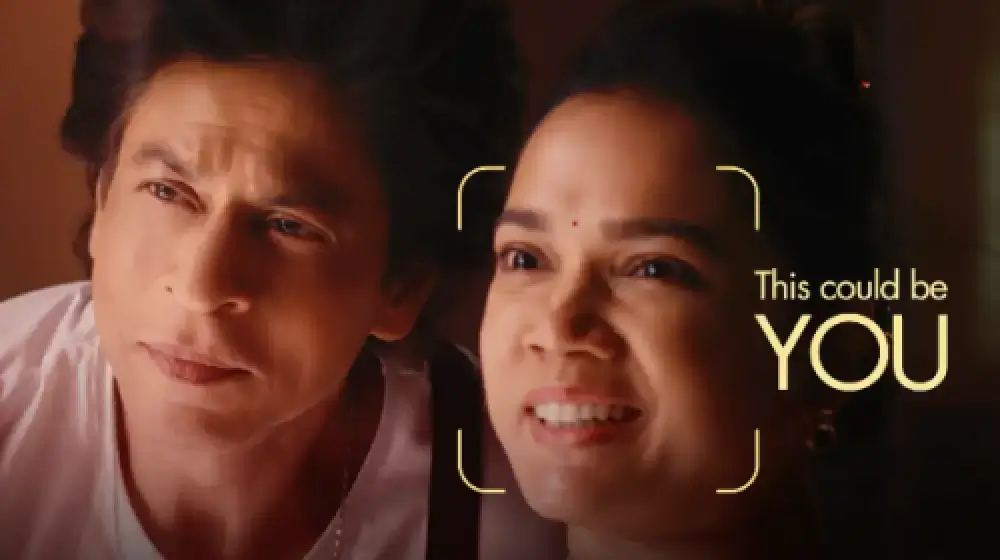
Faites-vous figurer dans notre publicité avec SRK !
Sunfeast Dark Fantasy utilise la technologie d'AKOOL pour permettre à tous de figurer dans des publicités aux côtés de la superstar de Bollywood, Shah Rukh Khan.

AKOOL et Tata Consultancy Services collaborent pour transformer le marketing piloté par l'IA
AKOOL collabore avec Tata Consultancy Services pour transformer le marketing piloté par l'IA, en améliorant les stratégies et les solutions qui optimisent l'engagement client et les résultats commerciaux.

Sunfeast lance une édition limitée de biscuits au chocolat avec les avatars en streaming d'AKOOL
Sunfeast lance une édition limitée de biscuits au chocolat, utilisant les avatars en streaming d'AKOOL pour un marketing interactif. Cette approche novatrice renforce l'interaction avec la marque et assure une promotion efficace du nouveau produit.

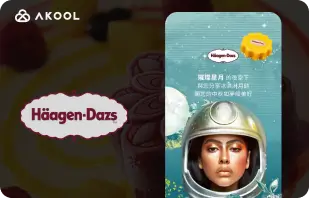
Campagne du Festival de la Lune de Häagen-Dazs Taïwan avec l'outil FaceSwap d'AKOOL
Haagen-Dazs Taiwan utilise l'outil FaceSwap d'AKOOL pour sa campagne du Festival de la Lune, créant un contenu attrayant et personnalisé qui améliore l'interaction avec les clients et célèbre l'esprit festif.


L'intelligence artificielle au service de la beauté : le succès de Vaseline Indonésie avec AKOOL Avatar
Vaseline Indonésie s'est associée à AKOOL pour optimiser l'engagement des utilisateurs. Grâce à la technologie d'avatars virtuels d'AKOOL, une page d'accueil a été créée, mettant en scène Febby, un avatar personnalisé qui accueillait les utilisateurs par leur nom. Cette page proposait des vidéos personnalisables et téléchargeables, ainsi qu'une messagerie instantanée, stimulant ainsi l'interaction et renforçant le lien entre la marque et le consommateur.


L'impact d'AKOOL sur les cours de réalisation de films par IA de Curious Refuge
AKOOL enrichit considérablement les cours de réalisation de films par intelligence artificielle de Curious Refuge, en proposant des outils conviviaux comme l'échange de visages pour une représentation cohérente des personnages. Ce partenariat révolutionne la création de contenu, rendant la réalisation de films accessible et efficace pour les étudiants comme pour les enseignants.


Maintenir la cohérence des personnages dans la réalisation de films et la narration numérique
La réalisatrice Chrissie Pressman utilise l'IA générative d'AKOOL pour améliorer la cohérence des personnages dans ses projets. Conciliant sa vision créative et ses difficultés personnelles, elle optimise sa production et se fait remarquer pour son utilisation novatrice de la technologie dans la narration.

Deciem lance un assistant humain numérique pour son nettoyant au squalane avec AKOOL.
Deciem lance un assistant humain numérique pour son nettoyant au squalane, développé par AKOOL, améliorant ainsi l'engagement client et offrant un support personnalisé pour une meilleure expérience d'achat.

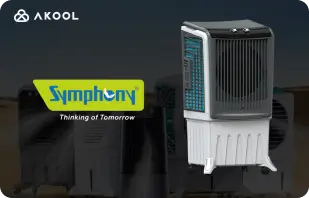
Symphony Coolers utilise les avatars de streaming d'AKOOL pour lancer le refroidisseur d'air Silenzo 100 Desert.
Symphony Coolers utilise les avatars de streaming d'AKOOL pour lancer le refroidisseur d'air désertique Silenzo 100, améliorant ainsi l'engagement client et présentant efficacement des fonctionnalités innovantes.


Avantis et l'Université Anglia Ruskin transforment les cours d'anatomie virtuels grâce aux avatars en streaming.
Avantis et l'Université Anglia Ruskin enrichissent les cours d'anatomie virtuelle grâce aux avatars en streaming AKOOL, améliorant ainsi l'engagement des étudiants et leurs expériences d'apprentissage grâce à des outils pédagogiques interactifs et immersifs.

Off-White utilise les avatars en streaming d'AKOOL pour lancer une nouvelle ligne de vêtements
Off-White utilise les avatars en streaming d'AKOOL pour lancer une nouvelle ligne de vêtements, renforçant ainsi l'engagement envers la marque et présentant des créations innovantes grâce à des présentations numériques immersives.


AKOOL Avatar alimente l'augmentation de la visibilité en ligne d'Il Fornaio
En adoptant la technologie d'avatars virtuels d'AKOOL, Il Fornaio, une chaîne de restaurants italiens renommée, a créé des avatars plus vrais que nature pour les visites virtuelles et le partage d'informations. Les résultats ont été remarquables : les vidéos d'avatars sur Google Maps ont totalisé en moyenne 1,7 million de vues et ont généré une augmentation significative du trafic.

Greenworks Tools simplifie son marketing international grâce à la traduction vidéo par IA d'AKOOL.
Greenworks Tools optimise le marketing international grâce à la traduction vidéo IA d'AKOOL, simplifiant la localisation des contenus et renforçant l'engagement des audiences sur différents marchés. Découvrez comment l'IA transforme les stratégies marketing !


Pour Ruth's Chris Steak House, AKOOL s'est avéré être bien plus qu'un simple outil de génération d'images.
Ruth's Chris Steak House améliore sa stratégie marketing grâce à la génération d'images par IA d'AKOOL, créant ainsi efficacement des visuels sur mesure et de haute qualité.

WPP améliore les campagnes de ses clients grâce à la fonctionnalité de changement d'arrière-plan d'AKOOL.
WPP améliore les campagnes de ses clients grâce à la fonctionnalité de changement d'arrière-plan d'AKOOL, permettant ainsi des visuels créatifs et personnalisés qui renforcent l'engagement et l'efficacité des stratégies marketing.


Comment Pictofable utilise la technologie d'échange de visages d'AKOOL pour créer des livres d'histoires personnalisés pour enfants
Pictofable propose des livres d'histoires personnalisés pour enfants grâce à la technologie Face Swap d'AKOOL, permettant aux parents d'intégrer la photo de leur enfant dans des histoires captivantes.


Anshul Joshi's Award-Winning AI Film "Tamara" Using AKOOL
Anshul Joshi's award-winning AI film "Tamara" showcases the power of AKOOL's tools in modern filmmaking, enabling rapid creation and multilingual dubbing, ultimately transforming the creative process for filmmakers and enhancing audience engagement. Discover how AI is revolutionizing the film industry through innovative projects like "Tamara"!


Le voyage de Peeps.xyz avec AKOOL pour le festival des sciences de Cheltenham
Richard Norton, cofondateur de Peeps.xyz, a utilisé la plateforme d'IA générative d'AKOOL pour le Festival des sciences de Cheltenham, créant ainsi une campagne marketing captivante mettant en scène un personnage créé par deepfake. Impressionné par son efficacité, il se réjouit de collaborer à de futurs projets, soulignant le potentiel de l'IA pour révolutionner les stratégies marketing et renforcer l'engagement du public.


Rendre votre contenu, votre marketing et vos publicités plus attrayants et personnalisés.
Vishal Singh utilise la technologie Faceswap d'AKOOL pour enrichir les contenus vidéo grâce à des échanges de visages de célébrités, soulignant sa supériorité pour les stratégies marketing personnalisées. Il met en avant l'interface intuitive de la plateforme tout en suggérant des améliorations de la vitesse de traitement pour optimiser les performances et élargir ses applications dans la création de contenu.

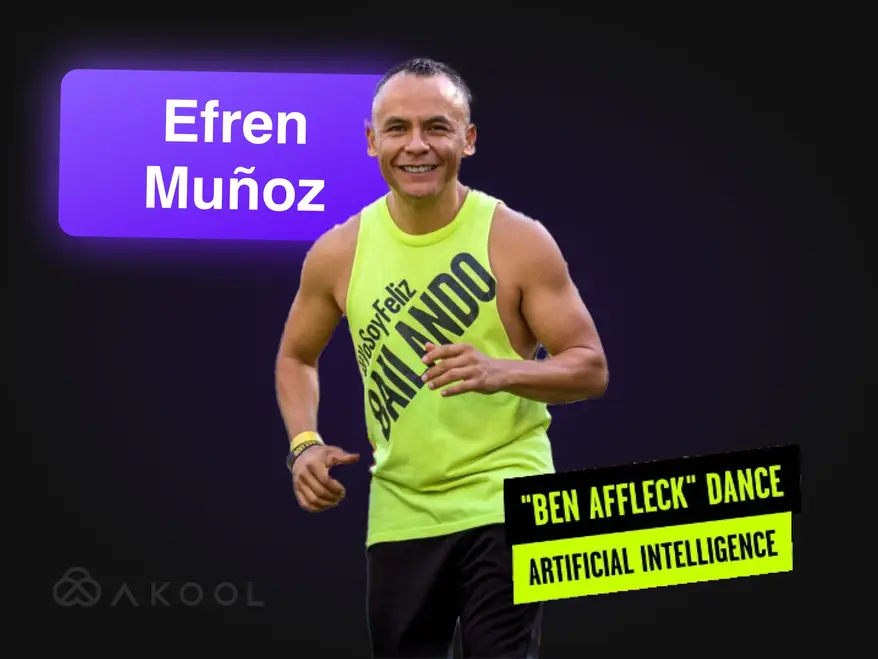
Transformez votre vidéo marketing en un phénomène viral grâce à la Zumba !
Efren Munoz, influenceur de danse mexicain, a utilisé AKOOL pour développer sa présence en ligne et promouvoir efficacement ses cours. Grâce à la création de contenus attrayants, notamment des vidéos de danse virales et des supports promotionnels, il a considérablement augmenté sa visibilité et la fréquentation de ses cours, démontrant ainsi le pouvoir transformateur de l'IA en marketing.

Construire le monde de Lina avec AKOOL
Découvrez Lina : l'influenceuse virtuelle qui a conquis un million de fans avec AKOOL !

Docety améliore l'expérience des séminaires grâce à Jarvis d'AKOOL pour la modération des conversations.
Docety améliore l'expérience des séminaires grâce à Jarvis d'AKOOL, qui modère les conversations, renforce l'engagement et garantit des discussions structurées pour un environnement plus productif. Découvrez les avantages de la modération pilotée par l'IA !
Articles connexes

Plus de 60 outils d'IA à essayer en 2025
29 mai 2025
Restez à la pointe des outils d'IA qui transforment le monde numérique. De la création de contenu à l'analyse de données, découvrez comment ces applications intelligentes peuvent simplifier votre quotidien professionnel.

Exemples de vidéos d'entreprise et comment créer la vôtre
14 mai 2025
Découvrez les meilleurs exemples de vidéos d'entreprise et apprenez à créer une vidéo professionnelle et attrayante pour votre marque. Bénéficiez de conseils d'experts et d'inspiration !

Meilleurs outils d'avatars pour le streaming : interagissez avec les personnalités numériques en direct
22 mai 2025
Découvrez les meilleurs outils d'avatars pour le streaming en 2024 et apprenez à créer des avatars numériques dynamiques et attrayants qui enrichissent votre contenu en direct et captivent les spectateurs.

Les créateurs de vidéos produits utilisent l'IA pour se développer : voici comment
5 septembre 2024
Les créateurs de vidéos produits basés sur l'IA révolutionnent le e-commerce en permettant de créer efficacement des contenus personnalisés et évolutifs. Cet article explique comment les outils innovants d'AKOOL simplifient la production vidéo, permettant aux marques d'améliorer l'engagement et de maintenir la qualité tout en répondant aux exigences croissantes des consommateurs dans un contexte concurrentiel. Découvrez dès aujourd'hui l'avenir du marketing vidéo !

Les meilleurs outils d'IA pour créer du contenu engageant sur les réseaux sociaux
6 août 2024
Découvrez comment les outils d'IA révolutionnent la création de contenu sur les réseaux sociaux. Cet article explore les meilleures plateformes pour produire des publications engageantes, en mettant en lumière les capacités d'AKOOL pour simplifier la production vidéo et améliorer l'interaction avec l'audience, permettant ainsi aux marques de communiquer plus efficacement avec les consommateurs.

Outils de marketing vidéo pour les créateurs et les équipes d'entreprise
3 août 2024
Cet article passe en revue les outils essentiels du marketing vidéo pour les créateurs et les équipes d'entreprise, en soulignant leurs avantages pour renforcer la notoriété et l'engagement de la marque. Il présente AKOOL, Synthesia et HeyGen, en mettant l'accent sur leurs capacités d'IA qui simplifient la création vidéo, permettent de gagner du temps et de réduire les coûts, et favorisent une image de marque cohérente sur différentes plateformes.

Voici les 6 meilleurs outils d'IA générative pour maximiser la génération de la demande
24 juin 2024
Découvrez les meilleurs outils d'IA générative pour optimiser la génération de leads. Cet article met en lumière comment le contenu vidéo personnalisé peut booster l'engagement, les taux de conversion et la fidélité à la marque, et présente AKOOL comme une plateforme de référence pour créer efficacement des expériences marketing sur mesure.

Comment créer une publicité avec des outils de marketing IA
10 juin 2024
Découvrez comment créer des publicités de qualité professionnelle grâce à des outils d'IA comme AKOOL. Cet article explore les avantages de l'IA dans la production publicitaire, notamment les économies de coûts, l'efficacité et la création de contenu personnalisé, permettant ainsi aux entreprises de toutes tailles de produire rapidement et efficacement des publicités captivantes.

Des expériences de marque centrées sur l'humain dans le monde du marketing IA
21 mai 2024
Découvrez comment l'IA transforme l'expérience de marque en créant des interactions personnalisées et centrées sur l'humain. Cet article aborde l'importance d'intégrer des outils d'IA comme AKOOL pour renforcer l'engagement, simplifier la création de contenu et garantir la cohérence de la marque, permettant ainsi aux entreprises de se démarquer dans un environnement numérique saturé.

Comment l'IA générative révolutionne l'industrie de la mode
16 avril 2024
L'intelligence artificielle générative révolutionne l'industrie de la mode en accélérant la conception, en améliorant l'expérience client et en réduisant le gaspillage. Cet article explore comment les marques tirent parti de l'IA pour un shopping personnalisé, une production efficace et la création de vêtements innovants, tout en abordant des problématiques telles que le droit d'auteur et l'impact sur la main-d'œuvre.

Comment élaborer une stratégie de marketing localisée efficace
25 mars 2024
Découvrez comment élaborer une stratégie marketing localisée efficace qui adapte votre image de marque et vos campagnes aux spécificités de chaque marché. Cet article explore les étapes essentielles, notamment l'étude d'audience et l'utilisation d'outils d'IA comme AKOOL pour la traduction et le remplacement de visages, afin d'améliorer l'engagement et de booster vos ventes à l'international. Découvrez la puissance de la localisation !

Meilleurs programmes d'affiliation de montage vidéo à rejoindre
7 novembre 2024
Explorez les meilleurs programmes d'affiliation de montage vidéo pour booster vos revenus. Cet article met en lumière les options les plus intéressantes, notamment AKOOL, qui propose des commissions attractives et des ressources marketing précieuses, permettant aux créateurs de contenu de monétiser efficacement leurs plateformes tout en renforçant l'engagement de leur audience grâce à des outils de montage vidéo de qualité.

Meilleurs outils d'avatars pour le streaming : interagissez avec les personnalités numériques en direct
24 novembre 2024
Découvrez les meilleurs outils d'avatars pour le streaming, conçus pour optimiser la création de contenu en direct. Cet article passe en revue les principales plateformes et met en lumière les fonctionnalités qui stimulent l'engagement du public et améliorent la qualité du streaming pour les créateurs.

Principaux avantages des chatbots IA pour les entreprises et les clients
8 novembre 2024
Découvrez les principaux avantages des chatbots IA pour les entreprises et leurs clients. Cet article explique comment l'intégration de chatbots IA peut améliorer le service client, rationaliser les opérations, réduire les coûts et accroître la satisfaction des employés, transformant ainsi la relation client et optimisant l'efficacité globale.

Principaux avantages des chatbots IA pour les entreprises et les clients
6 novembre 2024
Les chatbots IA avec avatars révolutionnent le service client en offrant des interactions personnalisées en temps réel. Cet article explore comment les entreprises peuvent tirer parti de ces outils avancés pour améliorer la satisfaction client, réduire les coûts et optimiser leurs opérations, contribuant ainsi à une meilleure implication et à une efficacité accrue dans divers secteurs.

Nous avons testé 3 outils de streaming d'avatars en temps réel : voici nos conclusions
8 septembre 2024
Cet article passe en revue trois outils de streaming d'avatars en temps réel parmi les plus performants, en mettant l'accent sur leurs fonctionnalités et leurs applications pour les créateurs de contenu sur les réseaux sociaux. Il souligne les atouts d'AKOOL en matière de personnalisation, d'interactivité et de performance globale, aidant ainsi les utilisateurs à choisir la plateforme la plus adaptée pour optimiser l'engagement de leur audience et simplifier la création de contenu.

Comment créer des vidéos YouTube grâce à l'intelligence artificielle
7 septembre 2024
L'intelligence artificielle révolutionne la création de vidéos sur YouTube, permettant aux créateurs de produire efficacement du contenu de haute qualité. Cet article explique comment les outils d'AKOOL simplifient l'écriture de scripts, la personnalisation des avatars et le montage, permettant ainsi aux utilisateurs d'améliorer l'engagement et d'optimiser les performances vidéo tout en simplifiant le processus de production pour une meilleure interaction avec l'audience et une croissance accrue.

Traducteur vidéo espagnol-anglais : changez de langue rapidement
10 novembre 2024
Les outils de traduction vidéo espagnol-anglais sont essentiels pour élargir la portée des contenus et fidéliser un public international. Cet article explore leurs avantages, en soulignant comment les traducteurs basés sur l'IA, tels qu'AKOOL, permettent de gagner du temps et de l'argent tout en améliorant l'accessibilité et l'engagement dans les actions marketing.

Traducteur vidéo hindi-anglais : changez de langue rapidement
9 novembre 2024
Transformez votre stratégie marketing grâce à l'outil de traduction vidéo hindi-anglais d'AKOOL. Cet article explique comment les traductions automatisées par IA améliorent l'accessibilité pour les entreprises hindiophones, leur permettant d'atteindre rapidement et à moindre coût un public anglophone tout en préservant la qualité de leur contenu.

Meilleures applications de traduction vidéo
7 novembre 2024
Découvrez les meilleures applications de traduction vidéo pour surmonter les barrières linguistiques et optimiser l'engagement de votre audience internationale. Cet article passe en revue les outils les plus performants, tels que AKOOL, VEED.io et Kapwing, en mettant en lumière leurs fonctionnalités pour créer du contenu multilingue de manière efficace et performante. Offrez à vos spectateurs du monde entier des expériences accessibles avec vos vidéos !

Traducteur vidéo japonais-anglais : changez de langue rapidement
6 octobre 2024
La traduction de contenu vidéo du japonais vers l'anglais est désormais simplifiée grâce à l'intelligence artificielle. Cet article explique comment le traducteur vidéo d'AKOOL optimise le processus, permettant des gains de temps et d'argent tout en préservant les nuances culturelles. Les entreprises peuvent ainsi toucher efficacement un public international grâce à des campagnes marketing localisées. Découvrez les avantages de la traduction assistée par l'IA !

Comment les équipes en entreprise utilisent l'IA pour l'intégration des nouveaux employés
3 septembre 2024
Les outils d'intégration basés sur l'IA simplifient le processus d'intégration des nouveaux employés en créant rapidement et à moindre coût des supports attrayants et adaptés à la culture d'entreprise. Cet article explique comment les entreprises peuvent tirer parti de l'IA pour améliorer l'expérience d'intégration, fidéliser les employés et garantir la conformité au sein d'effectifs diversifiés, contribuant ainsi à un environnement de travail plus efficace et inclusif.

Meilleurs outils de traduction IA pour le voyage et le tourisme
17 juillet 2024
Découvrez comment l'IA transforme le marketing du voyage et du tourisme. Cet article analyse l'impact d'outils d'IA, tels qu'AKOOL, sur la création de campagnes multilingues, l'amélioration de l'engagement client et la capacité des petites entreprises à être compétitives à l'échelle mondiale, révolutionnant ainsi la manière dont les entreprises interagissent avec les voyageurs sur un marché de plus en plus numérique.

Vidéos de formation en IA : Comment les outils de traduction simplifient le développement de la main-d’œuvre mondiale
19 mai 2024
Les vidéos de formation basées sur l'IA révolutionnent le développement des compétences en proposant des solutions de formation évolutives, personnalisables et attrayantes. Cet article explore comment l'IA et les outils de traduction optimisent les efforts de formation à l'échelle mondiale, garantissant l'accessibilité et la cohérence tout en surmontant les barrières linguistiques, et en simplifiant ainsi le processus de formation pour des groupes d'employés diversifiés dans différentes régions.

Comment traduire une vidéo YouTube en quelques minutes
24 mars 2024
Découvrez comment traduire efficacement vos vidéos YouTube grâce aux outils d'IA avancés d'AKOOL. Cet article vous guide pas à pas dans la création de contenu localisé de haute qualité, renforçant ainsi l'engagement de votre audience multilingue et optimisant votre processus de production vidéo pour une meilleure visibilité internationale.

Les meilleures applications de synthèse vocale avec clonage vocal
23 mars 2024
Découvrez dans cet article les meilleures applications de synthèse vocale avec clonage vocal. Explorez des outils de pointe comme AKOOL, qui offre des voix réalistes et des fonctionnalités avancées, améliorant ainsi la création et la personnalisation de contenu pour diverses applications. Découvrez comment ces technologies innovantes peuvent transformer votre expérience audio et optimiser l'engagement sur toutes les plateformes !
%20-%20Akool%20Blog%20Banner-p-500.webp)
Meilleurs outils de doublage vidéo IA en ligne (gratuits)
22 mars 2024
Découvrez les meilleurs outils de doublage vidéo en ligne basés sur l'IA, qui simplifient la création de contenu multilingue. Cet article passe en revue différentes plateformes, dont AKOOL, en mettant en lumière leurs fonctionnalités et leurs capacités pour améliorer l'accessibilité et l'engagement des vidéos, permettant ainsi aux créateurs d'atteindre plus facilement et efficacement un public international.
Localisation vidéo : comment procéder efficacement et facilement
21 mars 2024
La localisation vidéo permet aux entreprises de toucher un public international en adaptant leurs contenus aux différentes cultures et langues. Cet article présente des stratégies efficaces pour traduire des vidéos, notamment grâce à des outils comme le traducteur vidéo d'AKOOL, afin d'améliorer la visibilité et l'engagement des marques sur divers marchés.

Comparaison des meilleurs logiciels de montage vidéo IA
2 août 2024
Découvrez les meilleurs logiciels de montage vidéo IA disponibles aujourd'hui. Cet article passe en revue les outils phares, dont AKOOL, en soulignant leur convivialité et leur rapport qualité-prix. Grâce à eux, les professionnels du marketing et les créateurs peuvent produire rapidement et efficacement des vidéos de qualité professionnelle, transformant ainsi le paysage du montage vidéo pour tous les niveaux de compétence.

Les 5 meilleurs outils de production vidéo IA pour les équipes marketing
8 juillet 2024
Les outils de production vidéo basés sur l'IA sont essentiels aux stratégies marketing modernes, permettant aux équipes de créer rapidement et efficacement des vidéos de haute qualité. Cet article passe en revue les cinq meilleurs outils, dont AKOOL, en soulignant leurs avantages, leurs fonctionnalités et leur rapport qualité-prix, afin d'aider les entreprises à optimiser leurs efforts de marketing vidéo et à mieux interagir avec leur public.

Les 7 meilleures API de marketing vidéo pour booster l'engagement de votre marque
25 novembre 2024
Découvrez les sept meilleures API de marketing vidéo pour optimiser la création et la diffusion de contenu. Cet article met en lumière les fonctionnalités et les avantages de l'API AKOOL, et explique comment elle peut renforcer efficacement votre stratégie de marketing vidéo.

Meilleures API de localisation pour le contenu vidéo : portée multilingue sans faille
21 novembre 2024
Découvrez les meilleures API de localisation vidéo pour étendre votre portée internationale. Cet article présente l'API AKOOL, qui améliore l'accessibilité et l'engagement, garantissant ainsi que votre contenu trouve un écho auprès de publics variés.

Meilleures API d'avatars instantanés : Créez des identités numériques instantanément
20 novembre 2024
Découvrez les meilleures API d'avatars instantanés disponibles, permettant aux développeurs de créer rapidement et facilement des avatars personnalisés. Cet article présente les meilleures options, notamment AKOOL, en détaillant leurs fonctionnalités et leurs avantages pour améliorer l'engagement des utilisateurs dans diverses applications.

Meilleurs outils de modération de contenu par IA
5 octobre 2024
Découvrez les meilleurs outils de modération de contenu par IA pour optimiser la gestion de vos communautés en ligne. Cet article passe en revue les principales plateformes, dont Jarvis d'AKOOL, en soulignant leur précision, leurs options de personnalisation et leur capacité d'adaptation afin d'aider les entreprises à préserver l'intégrité de leur marque et à garantir un environnement numérique sûr.

Modération de contenu par IA : comprendre son fonctionnement
4 octobre 2024
La modération de contenu par IA d'AKOOL aide les organisations à gérer le volume considérable de contenu généré par les utilisateurs sur les réseaux sociaux, en garantissant le respect des règles communautaires. Cet article explique ses avantages, notamment son rapport coût-efficacité et son adaptabilité, tout en soulignant comment les outils d'IA peuvent améliorer la sécurité et l'engagement des utilisateurs en filtrant efficacement les contenus inappropriés.

Une nouvelle API aide les entreprises à développer l'engagement client grâce à des outils d'IA générative.
13 mai 2024
Les outils d'IA générative transforment le marketing d'entreprise en simplifiant la création de contenu, en renforçant l'engagement du public et en automatisant les processus. Cet article explique comment l'API Gen AI d'AKOOL permet aux entreprises d'innover dans leurs stratégies marketing et d'améliorer leur efficacité, garantissant ainsi leur compétitivité dans un environnement en constante évolution.

Transformez votre contenu grâce à notre générateur d'animations de synchronisation labiale
24 avril 2024
Découvrez comment le générateur d'animations de synchronisation labiale d'AKOOL révolutionne la création de contenu en synchronisant parfaitement les mouvements de la bouche des personnages avec l'audio. Cet article explore ses applications dans divers secteurs, améliorant l'engagement et la narration grâce à des animations dynamiques qui touchent le public et en font un outil indispensable pour les spécialistes du marketing, les enseignants et les artistes.

Comment créer des vidéos en playback qui transforment votre marketing et stimulent l'engagement
23 avril 2024
Découvrez comment créer des vidéos de synchronisation labiale captivantes avec AKOOL. Cet article vous guide pas à pas et met en lumière les avantages de la synchronisation labiale automatisée pour le marketing, l'engagement du public et la création de contenu efficace sur différentes plateformes.

Brisez les barrières linguistiques grâce à la technologie de synchronisation labiale par IA
14 avril 2024
L'API de synchronisation labiale permet aux entreprises de créer rapidement et à moindre coût des vidéos localisées, en s'affranchissant des barrières linguistiques. Cet article explore ses avantages, notamment l'engagement accru, la rentabilité et la possibilité de produire un contenu hyperréaliste pour un public international, transformant ainsi les stratégies marketing et les processus de création de contenu.

Meilleurs générateurs d'avatars IA
1er novembre 2024
Explorez l'univers innovant des générateurs d'avatars IA qui permettent de créer des avatars numériques personnalisés pour une création de contenu captivante. Cet article présente les meilleures plateformes, dont AKOOL, qui offre une personnalisation avancée et des interactions ultra-réalistes. Découvrez comment ces outils peuvent optimiser efficacement vos stratégies marketing, de service client et de médias sociaux.

Analyse comparative des meilleures ressources en matière d'avatars IA
8 juillet 2024
Découvrez la puissance des générateurs d'avatars IA pour optimiser vos stratégies marketing. Cet article passe en revue les meilleurs outils disponibles, notamment AKOOL, qui offre une personnalisation poussée et une interface intuitive, permettant aux marques de créer des contenus engageants et interactifs qui trouvent un écho auprès de leur public et renforcent l'efficacité de leurs actions marketing.
%20-%20Akool%20Blog%20Banner.webp)
Créez des démos interactives avec une photo et un script (laissez l'IA faire le reste !)
10 juin 2024
Apprenez à créer des démos interactives captivantes grâce à des outils d'IA comme AKOOL. Ce guide décrit le processus de transformation de photos et de scripts en présentations immersives, améliorant ainsi la formation des utilisateurs et la compréhension du produit, tout en optimisant le temps et les efforts de création des démos. Découvrez dès aujourd'hui l'avenir du contenu interactif !

Les équipes marketing créatives ADORENT les avatars instantanés… Ne vous laissez pas distancer !
19 mai 2024
Les avatars instantanés révolutionnent les stratégies marketing en permettant aux marques de créer rapidement des contenus personnalisés et engageants. Cet article explore comment ces outils polyvalents peuvent améliorer l'interaction avec l'audience et générer des conversions, aidant ainsi les entreprises à se démarquer dans un environnement concurrentiel tout en optimisant leur processus de création de contenu.

Meilleurs outils d'avatar instantanés pour le contenu vidéo
18 mai 2024
Les outils d'avatars IA révolutionnent le marketing en permettant aux entreprises de créer efficacement des contenus personnalisés et engageants. Cet article présente les meilleurs outils d'avatars disponibles et met en lumière leur potentiel pour améliorer l'interaction client et optimiser les processus de création de contenu. Découvrez comment ces innovations peuvent transformer votre stratégie marketing dès aujourd'hui !

Comment l'IA générative simplifie la création de vidéos d'intégration des employés
13 mai 2024
Les vidéos d'intégration sont essentielles pour familiariser les nouveaux employés avec la culture et les valeurs de l'entreprise. Cet article explore comment l'IA générative simplifie la création de ces vidéos, améliorant ainsi l'engagement et l'efficacité, tout en favorisant un sentiment d'appartenance. Il en résulte une simplification du processus d'intégration et une amélioration globale de l'expérience employé.
Comment synchroniser automatiquement les lèvres des vidéos et des films facilement
19 avril 2024
La technologie de synchronisation labiale automatique révolutionne la création vidéo en synchronisant parfaitement les mouvements des lèvres des avatars IA avec l'audio. Cet article explique comment les marques peuvent tirer parti de cet outil innovant pour une production de contenu efficace, renforçant l'engagement et le réalisme des vidéos de porte-parole, et ainsi simplifier le processus et améliorer l'interaction avec le public sur différentes plateformes.

Alternatives à Synthesia (Comparaison des fonctionnalités côte à côte)
11 avril 2024
Découvrez les meilleures alternatives à Synthesia pour la création de vidéos IA. Cet article compare différentes plateformes, dont AKOOL, en mettant en avant leurs fonctionnalités uniques et leurs interfaces intuitives. Il permet aux entreprises de produire plus facilement et efficacement des contenus captivants, animés par des avatars. Trouvez l'outil qui correspond le mieux à vos besoins !

Comment créer un avatar de jeu personnalisé à l'aide de l'IA
20 mars 2024
Créer un avatar de jeu personnalisé grâce à l'IA permet aux joueurs d'exprimer leur individualité et d'enrichir leur expérience de jeu. Ce guide explique comment utiliser le générateur d'images avancé d'AKOOL pour concevoir des avatars uniques qui se démarquent sur des plateformes comme Twitch et Discord, favorisant ainsi la reconnaissance au sein de communautés de joueurs dynamiques.

Alternatives à HeyGen pour les vidéos IA et les avatars personnalisés
17 mars 2024
Découvrez les meilleures alternatives à HeyGen pour la création de vidéos IA et d'avatars personnalisés. Cet article met en lumière AKOOL, un concurrent de premier plan, grâce à ses outils intuitifs de personnalisation d'avatars et à sa fonctionnalité de conversion de texte en vidéo. Avec son modèle de paiement flexible à l'utilisation, AKOOL est idéal pour les débutants et les utilisateurs occasionnels souhaitant exprimer leur créativité.

Meilleur logiciel de clonage vocal
2 novembre 2024
Découvrez les meilleurs logiciels de clonage vocal disponibles, notamment AKOOL et Resemble AI. Cet article passe en revue leurs fonctionnalités, leurs tarifs et leurs cas d'utilisation les plus courants, afin de vous aider à choisir l'outil idéal pour créer du contenu audio réaliste et adapté à vos besoins.

Exemples des meilleures vidéos de formation des employés
8 octobre 2024
Cet article présente les meilleurs exemples de vidéos de formation pour les employés, mettant en lumière des techniques et des stratégies efficaces pour optimiser l'apprentissage et l'engagement au sein des organisations. Découvrez comment ces vidéos peuvent améliorer les résultats de la formation et favoriser une culture d'entreprise productive.

Meilleurs outils de conversion texte-voix par IA
5 novembre 2024
Découvrez les meilleurs outils de synthèse vocale par IA qui enrichissent la création de contenu en convertissant le texte en parole naturelle. Cet article passe en revue différentes plateformes, dont AKOOL, en soulignant leurs fonctionnalités et capacités uniques pour la production de voix off de haute qualité pour les vidéos, les podcasts et les médias interactifs.

Les meilleurs générateurs de texte en vidéo par IA
8 juillet 2024
Découvrez les meilleurs outils de création de vidéos par IA qui simplifient la production vidéo pour les spécialistes du marketing. Cet article passe en revue les principales plateformes, dont AKOOL, en mettant en lumière leurs fonctionnalités, leurs options de personnalisation et leur rapport qualité-prix, permettant ainsi aux entreprises de créer rapidement et efficacement du contenu captivant sans compétences spécialisées.

Comment modifier l'arrière-plan des photos de produits grâce à l'IA
10 juin 2024
Les outils de retouche d'arrière-plan par IA d'AKOOL révolutionnent la photographie de produits en permettant aux utilisateurs de modifier et de personnaliser facilement les arrière-plans. Cette technologie permet un gain de temps, améliore l'attrait visuel et garantit une cohérence visuelle, permettant ainsi aux entreprises de créer des images de qualité professionnelle qui stimulent l'engagement et augmentent efficacement les ventes.

7 des meilleurs outils d'échange de visages pour photos : créez facilement des échanges réalistes.
23 novembre 2024
AKOOL propose des outils innovants d'échange de visages qui améliorent l'expérience de retouche photo, permettant aux utilisateurs de créer sans effort du contenu amusant et attrayant.

7 des meilleures applications d'échange de visages multiples pour des montages de groupe réalistes et rapides
22 novembre 2024
Découvrez les sept meilleures applications d'échange de visages pour créer du contenu amusant et captivant. Cet article passe en revue les meilleures options, en mettant en avant les fonctionnalités d'AKOOL et sa simplicité d'utilisation pour transformer photos et vidéos sans effort. Explorez ces outils créatifs pour dynamiser votre présence sur les réseaux sociaux !

Meilleure application pour animer des photos
8 novembre 2024
AKOOL est une application puissante et intuitive qui anime les photos avec précision, permettant ainsi de créer des visuels époustouflants pour les réseaux sociaux et les projets personnels. Son interface intuitive et ses nombreuses options de superposition la rendent idéale aussi bien pour les débutants que pour les professionnels souhaitant sublimer leurs images sans effort.

Meilleures applications d'échange de visages pour les vidéos
3 novembre 2024
AKOOL est une application de remplacement de visages de premier plan qui permet aux utilisateurs de créer des échanges de visages saisissants et réalistes dans leurs vidéos. Grâce à son interface intuitive et à sa technologie d'IA avancée, AKOOL s'adresse aussi bien aux débutants qu'aux professionnels, ce qui en fait le choix idéal pour tous ceux qui souhaitent enrichir leurs contenus vidéo de manière créative et efficace.

Meilleures applications photo IA
31 octobre 2024
Découvrez les meilleures applications d'échange de visages pour vidéos, conçues pour les créateurs de contenu et les passionnés des réseaux sociaux. Cet article passe en revue différents outils, dont AKOOL, en soulignant leurs fonctionnalités uniques et leurs capacités, permettant aux utilisateurs de créer facilement des vidéos captivantes et divertissantes tout en enrichissant leurs projets créatifs.

Classement : Principaux concurrents de HeyGen
1er août 2024
Cet article classe les principaux concurrents de HeyGen et met en avant AKOOL comme une alternative de premier plan. Il compare les fonctionnalités, l'expérience utilisateur et les performances, démontrant ainsi pourquoi les entreprises se tournent vers AKOOL pour ses outils performants et son efficacité dans la création de contenu généré par l'IA. Découvrez les solutions les mieux adaptées à vos besoins marketing !

Meilleurs outils de remplacement de visage pour les vidéos
26 juillet 2024
Découvrez dans cet article les meilleurs outils de remplacement de visage pour vos vidéos, qui comparent des solutions de pointe comme AKOOL et Reface. Apprenez comment ces outils innovants peuvent optimiser vos stratégies marketing en créant du contenu personnalisé et captivant qui fidélise votre audience et génère des conversions, pour un marketing vidéo plus dynamique et performant.

Quel outil d'échange de visages par IA génère le meilleur retour sur investissement marketing ?
11 mai 2024
Découvrez comment les outils de remplacement de visage par IA peuvent optimiser le retour sur investissement marketing. Cet article présente les fonctionnalités clés, des études de cas réussies et des pistes concrètes pour mesurer l'efficacité de ces outils innovants et aider les entreprises à les exploiter pour des campagnes publicitaires personnalisées et engageantes, génératrices de résultats et renforçant le lien avec leur audience.

Générez des photos ressemblant à vous-même grâce au générateur de visages IA d'AKOOL
18 avril 2024
Le générateur de visages IA d'AKOOL permet de créer facilement des photos de sosies réalistes. Cet article explore ses fonctionnalités, ses avantages et ses applications, et montre comment il révolutionne la création de contenu pour un usage personnel et professionnel, tout en garantissant des résultats personnalisés et de haute qualité en quelques clics.

Échange de visages par lots : comment échanger plusieurs visages sur des photos de groupe
17 avril 2024
La technologie de remplacement de visages par lots simplifie l'échange de plusieurs visages sur les photos de groupe, permettant un gain de temps et une créativité accrue. Cet article explique comment les outils d'AKOOL facilitent le remplacement efficace des visages, ce qui en fait la solution idéale pour les photographes, les spécialistes du marketing et les créateurs de contenu souhaitant optimiser leurs flux de travail tout en obtenant des résultats de haute qualité sans effort.

Les 12 meilleures applications de deepfake pour des échanges de visages réalistes
13 avril 2024
Découvrez dans cet article les cinq meilleures applications deepfake pour des échanges de visages réalistes. Explorez leurs fonctionnalités uniques, leur facilité d'utilisation et leurs applications en marketing et divertissement, permettant aux utilisateurs de créer facilement du contenu captivant tout en tenant compte des enjeux éthiques liés à la technologie deepfake.

Comment réaliser des vidéos d'échange de visages
12 avril 2024
Découvrez comment modifier facilement les visages dans vos vidéos grâce à l'outil d'échange de visages d'AKOOL. Cet article vous propose un guide pas à pas, des conseils pour des résultats réalistes et met en lumière les avantages de l'intelligence artificielle dans le montage vidéo, la rendant accessible aussi bien aux débutants qu'aux professionnels souhaitant enrichir leurs créations.

Le meilleur outil d'échange de visages vidéo par IA pour les équipes marketing B2C et entreprises
28 mars 2024
Découvrez dans cet article les meilleurs outils de remplacement de visages par IA pour le marketing vidéo. La plateforme de pointe d'AKOOL y est comparée à neuf concurrents, et son excellente qualité, son réalisme et sa simplicité d'utilisation en font la solution idéale pour créer des publicités et des contenus pour les réseaux sociaux captivants qui stimulent les ventes.

Comment changer le genre de votre photo en ligne gratuitement
27 mars 2024
Découvrez comment inverser facilement le genre de vos photos en ligne grâce à la fonction d'échange de visages d'AKOOL. Ce guide vous fournit des instructions étape par étape pour transformer vos images, vous permettant ainsi d'explorer différentes expressions de genre et de développer votre créativité grâce à l'intelligence artificielle.

Comment gérer une crise en marketing
26 mars 2024
AKOOL fournit des outils innovants pour la gestion de crise en marketing, notamment une technologie d'échange de visages qui aide les marques à adapter rapidement leurs supports promotionnels en cas de controverse, préservant ainsi leur réputation et maintenant efficacement la confiance des consommateurs.

Comment créer une animation de visage parlant avec un
18 mars 2024
Découvrez comment créer des animations de visages parlants captivantes grâce à l'intelligence artificielle. Cet article vous guide pas à pas avec la plateforme AKOOL, permettant de produire des avatars réalistes qui enrichissent le marketing digital et la narration, rendant ainsi la création de contenu accessible et efficace pour tous, quel que soit leur niveau de compétences techniques.

Comment créer une vidéo deepfake
18 mars 2024
Cet article propose un guide étape par étape pour créer des vidéos deepfake avec AKOOL, en abordant les outils et techniques essentiels tout en soulignant les considérations éthiques pour une utilisation responsable.

Comment la conception graphique générée par l'IA peut réduire vos coûts marketing
10 juin 2024
La conception graphique générée par l'IA révolutionne le marketing en permettant aux utilisateurs de créer rapidement et à moindre coût des visuels percutants. Cet article explore comment des plateformes comme AKOOL réduisent les coûts, améliorent l'efficacité et démocratisent le design, permettant ainsi aux entreprises de produire des supports marketing de haute qualité sans avoir besoin d'équipes de conception importantes ni de compétences spécialisées.

Les images de produits générées par l'IA permettent de réaliser des campagnes marketing incroyables.
1er juin 2024
Les images de produits générées par l'IA révolutionnent le marketing e-commerce en offrant des visuels exceptionnels rapidement et à moindre coût. Cet article explique comment les marques peuvent tirer parti d'AKOOL pour créer des images personnalisables et de haute qualité qui renforcent l'engagement, optimisent les flux de travail et, au final, stimulent les ventes, transformant ainsi les pratiques photographiques traditionnelles dans l'univers numérique.
%20-%20Akool%20Blog%20Banner.png-p-500.webp)
Les meilleures idées pour l'art IA (exemples et inspiration)
19 mars 2024
Découvrez les meilleures techniques pour générer des œuvres d'art IA époustouflantes avec le générateur d'images d'AKOOL. Cet article propose des exemples et des conseils pour stimuler votre créativité et permettre à chacun de créer des visuels uniques facilement et efficacement, quel que soit son niveau artistique.

Créez des messages personnalisés à grande échelle grâce à cet outil d'automatisation du marketing vidéo
6 septembre 2024
L'automatisation du marketing vidéo simplifie la création et la diffusion de contenus vidéo personnalisés, permettant aux spécialistes du marketing d'interagir efficacement avec les prospects à grande échelle. Cet article présente les outils d'AKOOL et met en lumière leurs avantages, tels qu'un meilleur retour sur investissement, un engagement accru et des flux de travail rationalisés, facilitant ainsi la conversion des prospects en clients fidèles grâce à des messages sur mesure.

Les 5 meilleurs outils d'IA pour booster votre génération de leads et votre retour sur investissement
24 juin 2024
Découvrez comment les outils de génération de leads basés sur l'IA peuvent optimiser votre stratégie marketing. Cet article présente les cinq meilleurs outils, dont AKOOL, qui simplifient les processus, réduisent les coûts et améliorent la qualité des leads, augmentant ainsi votre retour sur investissement et vous aidant à convertir efficacement les prospects en clients fidèles.

Meilleure application de chant avec photos
8 novembre 2024
Découvrez les meilleures applications de chant à partir de photos animées pour créer des performances vocales captivantes. Cet article passe en revue différentes plateformes, dont AKOOL, en soulignant leurs fonctionnalités et leur facilité d'utilisation pour transformer des photos statiques en contenu musical dynamique, idéal pour les réseaux sociaux et les projets personnels.
Dans l'actualité

La vidéo en direct par IA pourrait-elle devenir le prochain Zoom ?
May 29, 2025

Quand l'IA entre en fonction : l'avenir de la présence humaine en temps réel
June 16, 2025

Techcrunch - Building a Gen AI Unicorn with Global Resources, Innovation, and Efficiency: The AKOOL Way
Feb 28, 2025

G2 - 9 Best Generative AI Tools I Use: Which One Leads Today?
Feb 10, 2025

Microsoft - 5 key marketing tips for early-stage business startup founders
Dec 17, 2024
AKOOL Introduces AMD-Advanced Technology, Revolutionizing Digital Experiences with Simplified In-Device Avatars
Jan 3, 2025

AKOOL Achieves $40M in Invoiced ARR, Accelerating Growth in AI-Driven Content Creation for Diverse Industries
Nov 13, 2024

AKOOL Unveils Enhanced Streaming Avatars with Seamless LLM Integration to Revolutionize Human-Machine Interactions
Feb 26, 2025

AKOOL Announces Strategic Bollywood Partnership to Revolutionize AI in Digital Immersion and Video Markets
Nov 25, 2024

AKOOL présente une nouvelle classe d'avatars Gen AI, établissant une nouvelle norme en matière d'expression de soi.
April 12, 2024

La plateforme d'IA générative d'Akool établit une nouvelle norme en matière d'engagement de marque
Nov 30, 2023
Explorez davantage Alimenté par l'IA Outils
Exploitez pleinement le potentiel d'Akool grâce à une suite complète d'outils d'IA pour la création d'images, la production vidéo et la conception d'avatars. Que vous développiez du contenu marketing, étendiez vos formations en ligne ou personnalisiez vos communications, Akool renforce votre stratégie à chaque étape.


