Kling 2.6: Cinematic AI Video Generator with Native Audio & Immersive Sound Effects
Generate AI Video and Audio Together
Kling 2.6 introduces Native Audio, transforming your workflow from silent visuals to complete, immersive audio-visual experiences in a single, seamless step.
Generate AI Video and Audio Together
Kling 2.6 introduces Native Audio, transforming your workflow from silent visuals to complete, immersive audio-visual experiences in a single, seamless step.
Kling 2.6 Major Update
Native Audio Precision: Perfectly Matched Sound for Every Frame
Text-to-Audio-Visual in a Single Click
Simply type a prompt and receive a full, sound-rich scene. Go from a single sentence to a complete narrative, perfect for Vlogs, Product Demos, and Social Media Ads.
Image-to-Audio-Visual: Bring Stills to Life
Upload any static image and instantly generate dynamic video content complete with synchronized, high-fidelity audio. The fastest way to enhance existing assets.
Immersive "What You See Is What You Hear"
Kling deep semantic alignment ensures the audio perfectly matches the on-screen action, delivering a professional, captivating viewing experience for multi-character dialogues, music performances, and creative scenes.
Community Creations
3 sencillos pasos para crear

1
Seleccione un modelo y genere plantillas.
Akool se asocia con los principales proveedores de modelos del mundo, brindándote acceso a los modelos más nuevos, más amplios y más asequibles disponibles.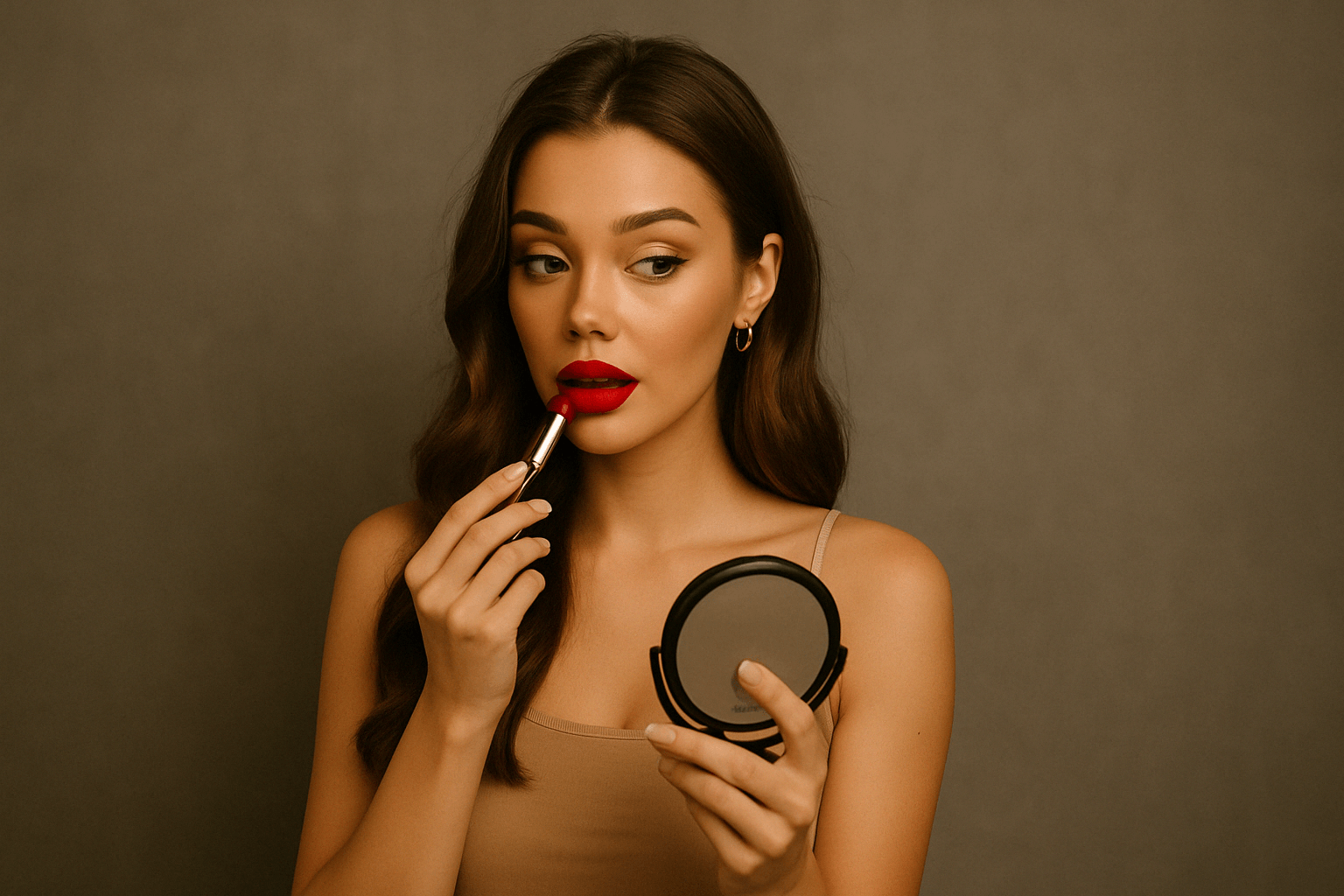
2
Agregar imagen
Sube o genera una imagen para comenzar tu generación.3
Obtén el video
¡Haz clic en generar para crear tu vídeo final!¿Por qué elegir Akool?
Diffusion-based Image-to-Video Synthesis
Instant Professional Rendering
Generate polished video assets from images in seconds using diffusion-based synthesis, neural frame interpolation, and high-fidelity visual rendering.
Consistencia temporal en la identidad del personaje
Persistencia de identidad sin fisuras
Maintain consistent faces, expressions, and identity attributes across frames using computer vision models optimized for high-fidelity video continuity.
API-driven Creative Exploration
Neural Workflow Inspiration
Explore community-generated examples to discover production patterns, diffusion-based video workflows, and scalable generative content ideas.
Ver todos los modelos
Wan
Gemini
OpenAI
Sora
Seedance
Hailuo
Kling
Veo
GPT
Vidu Q3
PixVerse
HappyHorse
Grok
Wan
Gemini
OpenAI
Sora
Seedance
Hailuo
Kling
Veo
GPT
Vidu Q3
PixVerse
HappyHorse
Grok
Wan
Gemini
OpenAI
Sora
Seedance
Hailuo
Kling
Veo
GPT
Vidu Q3
PixVerse
HappyHorse
Grok
Wan
Gemini
OpenAI
Sora
Seedance
Hailuo
Kling
Veo
GPT
Vidu Q3
PixVerse
HappyHorse
Grok
Wan
Gemini
OpenAI
Sora
Seedance
Hailuo
Kling
Veo
GPT
Vidu Q3
PixVerse
HappyHorse
Grok
Wan
Gemini
OpenAI
Sora
Seedance
Hailuo
Kling
Veo
GPT
Vidu Q3
PixVerse
HappyHorse
Grok
Wan
Gemini
OpenAI
Sora
Seedance
Hailuo
Kling
Veo
GPT
Vidu Q3
PixVerse
HappyHorse
Grok
Wan
Gemini
OpenAI
Sora
Seedance
Hailuo
Kling
Veo
GPT
Vidu Q3
PixVerse
HappyHorse
Grok
Lo que dicen nuestros usuarios
Sarah Johnson
Just tried Kling 2.6 and the native audio sync is a game-changer! No more post-production fiddling with dialogue. The characters' mouth shapes match the script perfectly. This is a massive leap forward for creating talking heads and narrative clips.
David Klein
Kling 2.6 is a game-changer for my social media content. The Image-to-Video feature is flawless—it animated my photo while keeping the person's identity and style intact. Plus, the speed is incredible for a 1080p output. Definitely recommend giving it a shot.
Alex Miller
It's good, but the 10-second limit is a real constraint for my longer projects. I have to chain clips, which adds time. I'm using Kling 2.6 for professional work, so every minute counts. The character consistency is beautiful, though.
Jessica Lee
The new cinematic camera control in Kling 2.6 is amazing! Being able to fine-tune the pans, zooms, and tracking shots makes a massive difference in the final look. This is what I've been waiting for in an image-to-video tool to get that professional feel.
Michael Brown
Solid update. Kling 2.6 delivers on its promise of better realism, especially with the physics-accurate motion. My animated objects move so much more naturally now. Still hoping for longer clip lengths in the future, but I'm happy with this.
Emily Rose
I'm a total beginner, and Kling 2.6 was so easy to pick up. I used the Text-to-Video feature to build an entirely new scene, and the natural ambience sound effects were generated automatically. Five stars for the all-in-one generation!
Chris Peterson
Okay, so I compared Kling 2.6 with another leading AI. While the other one had slightly better facial detail, Kling 2.6 absolutely crushed it on consistent identity, the outfit and face stayed the same across the whole 10-second clip. The video just feels more stable and less 'flickery.'
Laura Green
The Multi-image guidance feature in Kling 2.6 is subtle but powerful. I used four reference images to lock in the style and props, and the final video was exactly what I envisioned. It's a significant step up in creative control.
Sarah Johnson
Just tried Kling 2.6 and the native audio sync is a game-changer! No more post-production fiddling with dialogue. The characters' mouth shapes match the script perfectly. This is a massive leap forward for creating talking heads and narrative clips.
David Klein
Kling 2.6 is a game-changer for my social media content. The Image-to-Video feature is flawless—it animated my photo while keeping the person's identity and style intact. Plus, the speed is incredible for a 1080p output. Definitely recommend giving it a shot.
Alex Miller
It's good, but the 10-second limit is a real constraint for my longer projects. I have to chain clips, which adds time. I'm using Kling 2.6 for professional work, so every minute counts. The character consistency is beautiful, though.
Jessica Lee
The new cinematic camera control in Kling 2.6 is amazing! Being able to fine-tune the pans, zooms, and tracking shots makes a massive difference in the final look. This is what I've been waiting for in an image-to-video tool to get that professional feel.
Michael Brown
Solid update. Kling 2.6 delivers on its promise of better realism, especially with the physics-accurate motion. My animated objects move so much more naturally now. Still hoping for longer clip lengths in the future, but I'm happy with this.
Emily Rose
I'm a total beginner, and Kling 2.6 was so easy to pick up. I used the Text-to-Video feature to build an entirely new scene, and the natural ambience sound effects were generated automatically. Five stars for the all-in-one generation!
Chris Peterson
Okay, so I compared Kling 2.6 with another leading AI. While the other one had slightly better facial detail, Kling 2.6 absolutely crushed it on consistent identity, the outfit and face stayed the same across the whole 10-second clip. The video just feels more stable and less 'flickery.'
Laura Green
The Multi-image guidance feature in Kling 2.6 is subtle but powerful. I used four reference images to lock in the style and props, and the final video was exactly what I envisioned. It's a significant step up in creative control.
Sarah Johnson
Just tried Kling 2.6 and the native audio sync is a game-changer! No more post-production fiddling with dialogue. The characters' mouth shapes match the script perfectly. This is a massive leap forward for creating talking heads and narrative clips.
David Klein
Kling 2.6 is a game-changer for my social media content. The Image-to-Video feature is flawless—it animated my photo while keeping the person's identity and style intact. Plus, the speed is incredible for a 1080p output. Definitely recommend giving it a shot.
Alex Miller
It's good, but the 10-second limit is a real constraint for my longer projects. I have to chain clips, which adds time. I'm using Kling 2.6 for professional work, so every minute counts. The character consistency is beautiful, though.
Jessica Lee
The new cinematic camera control in Kling 2.6 is amazing! Being able to fine-tune the pans, zooms, and tracking shots makes a massive difference in the final look. This is what I've been waiting for in an image-to-video tool to get that professional feel.
Michael Brown
Solid update. Kling 2.6 delivers on its promise of better realism, especially with the physics-accurate motion. My animated objects move so much more naturally now. Still hoping for longer clip lengths in the future, but I'm happy with this.
Emily Rose
I'm a total beginner, and Kling 2.6 was so easy to pick up. I used the Text-to-Video feature to build an entirely new scene, and the natural ambience sound effects were generated automatically. Five stars for the all-in-one generation!
Chris Peterson
Okay, so I compared Kling 2.6 with another leading AI. While the other one had slightly better facial detail, Kling 2.6 absolutely crushed it on consistent identity, the outfit and face stayed the same across the whole 10-second clip. The video just feels more stable and less 'flickery.'
Laura Green
The Multi-image guidance feature in Kling 2.6 is subtle but powerful. I used four reference images to lock in the style and props, and the final video was exactly what I envisioned. It's a significant step up in creative control.
Sarah Johnson
Just tried Kling 2.6 and the native audio sync is a game-changer! No more post-production fiddling with dialogue. The characters' mouth shapes match the script perfectly. This is a massive leap forward for creating talking heads and narrative clips.
David Klein
Kling 2.6 is a game-changer for my social media content. The Image-to-Video feature is flawless—it animated my photo while keeping the person's identity and style intact. Plus, the speed is incredible for a 1080p output. Definitely recommend giving it a shot.
Alex Miller
It's good, but the 10-second limit is a real constraint for my longer projects. I have to chain clips, which adds time. I'm using Kling 2.6 for professional work, so every minute counts. The character consistency is beautiful, though.
Jessica Lee
The new cinematic camera control in Kling 2.6 is amazing! Being able to fine-tune the pans, zooms, and tracking shots makes a massive difference in the final look. This is what I've been waiting for in an image-to-video tool to get that professional feel.
Michael Brown
Solid update. Kling 2.6 delivers on its promise of better realism, especially with the physics-accurate motion. My animated objects move so much more naturally now. Still hoping for longer clip lengths in the future, but I'm happy with this.
Emily Rose
I'm a total beginner, and Kling 2.6 was so easy to pick up. I used the Text-to-Video feature to build an entirely new scene, and the natural ambience sound effects were generated automatically. Five stars for the all-in-one generation!
Chris Peterson
Okay, so I compared Kling 2.6 with another leading AI. While the other one had slightly better facial detail, Kling 2.6 absolutely crushed it on consistent identity, the outfit and face stayed the same across the whole 10-second clip. The video just feels more stable and less 'flickery.'
Laura Green
The Multi-image guidance feature in Kling 2.6 is subtle but powerful. I used four reference images to lock in the style and props, and the final video was exactly what I envisioned. It's a significant step up in creative control.
Robert Harris
I'm still getting artifacts on high-motion scenes, especially when trying to simulate complex physics. It's better than 2.5, but not perfect. Kling 2.6 needs to work on improving the motion realism for fast action. For simple pans and zooms, it's fantastic.
Sophia White
My biggest issue is the credit system. I love the quality of Kling 2.6, but I burn through credits too fast, especially since it generates both video and audio now. Maybe offer a better subscription tier for heavy users? The perfect lip-sync is worth it, but the cost adds up quickly.
Daniel Flores
I've been using AI video tools since the beginning, and Kling 2.6 is the first one that genuinely feels like a professional tool. The bilingual audio support for both English and Chinese is a huge plus for my international clients. The attention to detail in the lighting and shadow work is incredible.
Olivia Chen
Has anyone tried the singing generation feature? The video from Kling 2.6 is perfect, but when I try to make a character sing, the lip-sync is almost perfect but not quite there yet. It's probably user error, but a quick fix or tutorial would be great! Otherwise, the visual output is stunning.
Ethan Smith
Just a quick note to say that Kling 2.6 is the best AI tool I've used this year. The quality-to-speed ratio is unmatched, and the fact that it generates 1080p output in one go is fantastic. Keep up the great work, team!
Mia Thompson
The community tutorials for Kling 2.6 are really helpful. I was struggling with prompt engineering, but after watching a few videos, I'm getting much better results, especially with specifying the dialogue and sound effects. The tool itself is powerful, but the learning curve for getting perfect results is still there.
Noah Zimmerman
I'm skeptical of all these AI tools, but Kling 2.6 actually impressed me. I used a very old, low-resolution image, and the resulting video was surprisingly clean and high-def. It's not just animating the image; it's intelligently upscaling and enhancing it while maintaining consistent identity. Color me converted. This is a powerful piece of software.
Robert Harris
I'm still getting artifacts on high-motion scenes, especially when trying to simulate complex physics. It's better than 2.5, but not perfect. Kling 2.6 needs to work on improving the motion realism for fast action. For simple pans and zooms, it's fantastic.
Sophia White
My biggest issue is the credit system. I love the quality of Kling 2.6, but I burn through credits too fast, especially since it generates both video and audio now. Maybe offer a better subscription tier for heavy users? The perfect lip-sync is worth it, but the cost adds up quickly.
Daniel Flores
I've been using AI video tools since the beginning, and Kling 2.6 is the first one that genuinely feels like a professional tool. The bilingual audio support for both English and Chinese is a huge plus for my international clients. The attention to detail in the lighting and shadow work is incredible.
Olivia Chen
Has anyone tried the singing generation feature? The video from Kling 2.6 is perfect, but when I try to make a character sing, the lip-sync is almost perfect but not quite there yet. It's probably user error, but a quick fix or tutorial would be great! Otherwise, the visual output is stunning.
Ethan Smith
Just a quick note to say that Kling 2.6 is the best AI tool I've used this year. The quality-to-speed ratio is unmatched, and the fact that it generates 1080p output in one go is fantastic. Keep up the great work, team!
Mia Thompson
The community tutorials for Kling 2.6 are really helpful. I was struggling with prompt engineering, but after watching a few videos, I'm getting much better results, especially with specifying the dialogue and sound effects. The tool itself is powerful, but the learning curve for getting perfect results is still there.
Noah Zimmerman
I'm skeptical of all these AI tools, but Kling 2.6 actually impressed me. I used a very old, low-resolution image, and the resulting video was surprisingly clean and high-def. It's not just animating the image; it's intelligently upscaling and enhancing it while maintaining consistent identity. Color me converted. This is a powerful piece of software.
Robert Harris
I'm still getting artifacts on high-motion scenes, especially when trying to simulate complex physics. It's better than 2.5, but not perfect. Kling 2.6 needs to work on improving the motion realism for fast action. For simple pans and zooms, it's fantastic.
Sophia White
My biggest issue is the credit system. I love the quality of Kling 2.6, but I burn through credits too fast, especially since it generates both video and audio now. Maybe offer a better subscription tier for heavy users? The perfect lip-sync is worth it, but the cost adds up quickly.
Daniel Flores
I've been using AI video tools since the beginning, and Kling 2.6 is the first one that genuinely feels like a professional tool. The bilingual audio support for both English and Chinese is a huge plus for my international clients. The attention to detail in the lighting and shadow work is incredible.
Olivia Chen
Has anyone tried the singing generation feature? The video from Kling 2.6 is perfect, but when I try to make a character sing, the lip-sync is almost perfect but not quite there yet. It's probably user error, but a quick fix or tutorial would be great! Otherwise, the visual output is stunning.
Ethan Smith
Just a quick note to say that Kling 2.6 is the best AI tool I've used this year. The quality-to-speed ratio is unmatched, and the fact that it generates 1080p output in one go is fantastic. Keep up the great work, team!
Mia Thompson
The community tutorials for Kling 2.6 are really helpful. I was struggling with prompt engineering, but after watching a few videos, I'm getting much better results, especially with specifying the dialogue and sound effects. The tool itself is powerful, but the learning curve for getting perfect results is still there.
Noah Zimmerman
I'm skeptical of all these AI tools, but Kling 2.6 actually impressed me. I used a very old, low-resolution image, and the resulting video was surprisingly clean and high-def. It's not just animating the image; it's intelligently upscaling and enhancing it while maintaining consistent identity. Color me converted. This is a powerful piece of software.
Robert Harris
I'm still getting artifacts on high-motion scenes, especially when trying to simulate complex physics. It's better than 2.5, but not perfect. Kling 2.6 needs to work on improving the motion realism for fast action. For simple pans and zooms, it's fantastic.
Sophia White
My biggest issue is the credit system. I love the quality of Kling 2.6, but I burn through credits too fast, especially since it generates both video and audio now. Maybe offer a better subscription tier for heavy users? The perfect lip-sync is worth it, but the cost adds up quickly.
Daniel Flores
I've been using AI video tools since the beginning, and Kling 2.6 is the first one that genuinely feels like a professional tool. The bilingual audio support for both English and Chinese is a huge plus for my international clients. The attention to detail in the lighting and shadow work is incredible.
Olivia Chen
Has anyone tried the singing generation feature? The video from Kling 2.6 is perfect, but when I try to make a character sing, the lip-sync is almost perfect but not quite there yet. It's probably user error, but a quick fix or tutorial would be great! Otherwise, the visual output is stunning.
Ethan Smith
Just a quick note to say that Kling 2.6 is the best AI tool I've used this year. The quality-to-speed ratio is unmatched, and the fact that it generates 1080p output in one go is fantastic. Keep up the great work, team!
Mia Thompson
The community tutorials for Kling 2.6 are really helpful. I was struggling with prompt engineering, but after watching a few videos, I'm getting much better results, especially with specifying the dialogue and sound effects. The tool itself is powerful, but the learning curve for getting perfect results is still there.
Noah Zimmerman
I'm skeptical of all these AI tools, but Kling 2.6 actually impressed me. I used a very old, low-resolution image, and the resulting video was surprisingly clean and high-def. It's not just animating the image; it's intelligently upscaling and enhancing it while maintaining consistent identity. Color me converted. This is a powerful piece of software.
Caso de éxito de un cliente


Canon presenta una cabina de fotos con inteligencia artificial de Akool en un evento interno
Canon presentó su cabina de fotos con IA de última generación en una reciente presentación interna, impulsada por la tecnología avanzada de intercambio de rostros y generación de imágenes de Akool. Diseñada para ofrecer experiencias fotográficas instantáneas y personalizadas, la activación ofreció a los empleados una vista previa práctica de las próximas capacidades de IA de Canon.


Akool y Google Cloud presentan avatares de IA en tiempo real en NVIDIA GTC
AKOOL se asoció con Google Cloud para presentar tecnología de avatares de vanguardia en tiempo real en la Conferencia Global de Tecnología (GTC) de NVIDIA. Esta demostración en vivo mostró cómo los avatares de Akool, impulsados por la infraestructura escalable y las herramientas avanzadas de IA de Google Cloud, pueden transformar la forma en que las empresas interactúan con los usuarios en entornos de alto tráfico en tiempo real.


Akool y AWS lanzan una experiencia de avatar con IA en tiempo real en AWS Summit India
AKOOL se asoció con Amazon Web Services (AWS) para ofrecer una experiencia de avatar en vivo en AWS Summit India, el principal evento de innovación en TI y la nube de la región. La activación demostró cómo los avatares de Akool, totalmente integrados con AWS Bedrock y alojados en la infraestructura de AWS, pueden actuar como representantes inteligentes de la marca en tiempo real.


Cómo la tecnología Face Swap de AKOOL impulsó la campaña "AI Adventure" de Qatar Airways
Qatar Airways partners with AKOOL to launch "AI Adventure," an innovative campaign using Face Swap technology, allowing viewers to star in their own airline commercial, enhancing customer engagement through personalized and immersive experiences.


Revolucionando la gestión de eventos: cómo GPT DAO y AKOOL, con tecnología LiveX AI, mejoraron la participación de los asistentes en la GenAI Summit 2024
GPT DAO está revolucionando la gestión de eventos para la Cumbre GenAI al implementar la tecnología de avatares basada en IA de AKOOL. Esta innovadora solución optimiza la interacción de los asistentes, brindando soporte e información al instante, a la vez que reduce los costos operativos y las necesidades de personal, transformando la experiencia del evento en una experiencia fluida y atractiva para los participantes.

AKOOL y Eros Digital se asocian para transformar los mercados de inmersión digital y vídeo
AKOOL se asocia con Eros Digital para revolucionar los mercados de la inmersión digital y el vídeo, mejorando la distribución de contenido y la interacción del usuario mediante soluciones tecnológicas innovadoras. ¡Descubre el futuro de las experiencias digitales inmersivas!


El juego 'Ultimate You' de Coca Cola
AKOOL impulsa la campaña de marketing interactivo de Coca-Cola con League of Legends

Serie de seminarios web multilingües de Logitech para productos de cámara web con traducción de video de AKOOL
La serie de seminarios web multilingües de Logitech para productos de cámara web utiliza la traducción de video de AKOOL, lo que mejora la accesibilidad y la participación global, y garantiza que diversas audiencias puedan conectarse y aprender de manera efectiva.

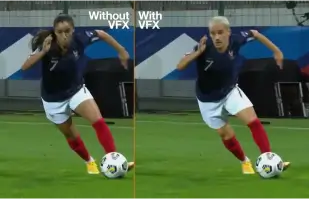
Orange Won the Top Prize for Entertainment for Sport for the MarcelParis, Campaign "WoMen's Football"
Orange's "WoMen's Football" won the top prize for Entertainment for Sport with AKOOL


¡Vamos a incluirlo en nuestro anuncio con SRK!
Sunfeast Dark Fantasy utiliza la tecnología de AKOOL para permitir que todos protagonicen anuncios junto a la superestrella de Bollywood Shah Rukh Khan.

AKOOL y Tata Consultancy Services colaboran para transformar el marketing impulsado por IA
AKOOL colabora con Tata Consultancy Services para transformar el marketing impulsado por IA, mejorando estrategias y soluciones que mejoran la participación del cliente y los resultados comerciales.

Sunfeast lanza galletas de chocolate de edición limitada con los avatares de AKOOL
Sunfeast presenta galletas de chocolate de edición limitada, utilizando los avatares de AKOOL para una estrategia de marketing atractiva. Este enfoque innovador mejora la interacción con la marca y promociona el nuevo producto eficazmente.

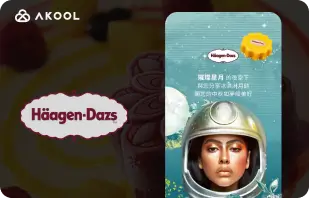
Campaña del Festival de la Luna de Häagen-Dazs Taiwán con la herramienta FaceSwap de AKOOL
Haagen-Dazs Taiwán utiliza la herramienta FaceSwap de AKOOL para su campaña Moon Festival, creando contenido atractivo y personalizado que mejora la interacción con el cliente y celebra el espíritu festivo.


La IA se une a la belleza: el éxito de Vaseline Indonesia con AKOOL Avatar
Vaseline Indonesia se asoció con AKOOL para mejorar la interacción de los usuarios. Utilizando la tecnología de avatar virtual de AKOOL, crearon una landing page con Febby, un avatar personalizado que saludaba a los usuarios por su nombre. La página ofrecía vídeos descargables y personalizables, así como opciones de chat, lo que impulsó la interacción y fortaleció la conexión entre la marca y el consumidor.


El impacto de AKOOL en los cursos de cine con inteligencia artificial de Curious Refuge
AKOOL mejora significativamente los cursos de cine con IA de Curious Refuge, ofreciendo herramientas intuitivas como el intercambio de rostros para una representación consistente de los personajes. Esta colaboración revoluciona la creación de contenido, haciendo que la cinematografía sea accesible y eficaz tanto para estudiantes como para educadores.


Mantener la coherencia de los personajes en la producción cinematográfica y la narración digital
La cineasta Chrissie Pressman aprovecha la IA generativa de AKOOL para mejorar la coherencia de los personajes en sus proyectos. Al equilibrar su visión creativa con los desafíos personales, optimiza la producción y obtiene reconocimiento por su uso innovador de la tecnología en la narrativa.

Deciem lanza un asistente humano digital para el limpiador de escualano con AKOOL
Deciem lanza un asistente humano digital para su limpiador de escualano, impulsado por AKOOL, que mejora la participación del cliente y brinda asistencia personalizada para una mejor experiencia de compra.
Symphony Coolers utiliza los avatares de streaming de AKOOL para lanzar el enfriador de aire Silenzo 100 Desert
Symphony Coolers utiliza los avatares de transmisión de AKOOL para lanzar el enfriador de aire desértico Silenzo 100, mejorando la participación del cliente y mostrando características innovadoras de manera efectiva.

Avantis y la Universidad Anglia Ruskin transforman las clases virtuales de anatomía con avatares en streaming
Avantis y la Universidad Anglia Ruskin mejoran las clases virtuales de anatomía utilizando avatares de transmisión AKOOL, mejorando la participación de los estudiantes y las experiencias de aprendizaje a través de herramientas educativas interactivas e inmersivas.

Off-White usa los avatares de streaming de AKOOL para lanzar una nueva línea de moda
Off-White utiliza los avatares de streaming de AKOOL para lanzar una nueva línea de moda, mejorando la participación de la marca y mostrando diseños innovadores a través de presentaciones digitales inmersivas.


AKOOL Avatar impulsa el aumento de la visibilidad en línea de Il Fornaio
Al adoptar la tecnología de avatares virtuales de AKOOL, Il Fornaio, una reconocida cadena de restaurantes italiana, creó avatares realistas para recorridos virtuales y compartir información. Los resultados fueron extraordinarios: los videos de avatares de Google Maps promediaron 1,7 millones de visualizaciones y generaron más visitas.

Greenworks Tools optimiza el marketing global con la traducción de video con inteligencia artificial de AKOOL
Greenworks Tools optimiza el marketing global utilizando la traducción de video con IA de AKOOL, optimizando la localización de contenido y mejorando la interacción con la audiencia en diversos mercados. ¡Descubre cómo la IA transforma las estrategias de marketing!


Para Ruth’s Chris Steak House, AKOOL ha demostrado ser mucho más que una simple herramienta para generar imágenes.
Ruth's Chris Steak House mejora su estrategia de marketing utilizando la generación de imágenes impulsada por IA de AKOOL, creando imágenes personalizadas y de alta calidad de manera eficiente.

WPP mejora las campañas de sus clientes con la función de cambio de fondo de AKOOL
WPP mejora las campañas de sus clientes utilizando la función de cambio de fondo de AKOOL, lo que permite imágenes creativas y personalizadas que aumentan la participación y la eficacia en las estrategias de marketing.


Cómo Pictofable utiliza la tecnología de intercambio de caras de AKOOL para crear cuentos infantiles personalizados
Pictofable ofrece libros de cuentos infantiles personalizados utilizando la tecnología Face Swap de AKOOL, lo que permite a los padres integrar la foto de su hijo en un atractivo libro de cuentos.


Anshul Joshi's Award-Winning AI Film "Tamara" Using AKOOL
Anshul Joshi's award-winning AI film "Tamara" showcases the power of AKOOL's tools in modern filmmaking, enabling rapid creation and multilingual dubbing, ultimately transforming the creative process for filmmakers and enhancing audience engagement. Discover how AI is revolutionizing the film industry through innovative projects like "Tamara"!


El viaje de Peeps.xyz con AKOOL para el Festival de Ciencias de Cheltenham
Richard Norton, cofundador de Peeps.xyz, utilizó la plataforma de IA generativa de AKOOL para el Festival de Ciencias de Cheltenham, creando una atractiva campaña de marketing con una personalidad deepfake. Impresionado por su eficacia, espera con interés futuros proyectos, destacando el potencial de la IA para revolucionar las estrategias de marketing y mejorar la interacción con el público.


Cómo hacer que su contenido, marketing y anuncios sean más atractivos y personalizados.
Vishal Singh utiliza la tecnología Faceswap de AKOOL para mejorar el contenido de video mediante el intercambio de rostros de celebridades, destacando su superioridad para estrategias de marketing personalizadas. Destaca la interfaz intuitiva de la plataforma y sugiere mejoras en la velocidad de procesamiento para un mejor rendimiento y una mayor variedad de aplicaciones en la creación de contenido.

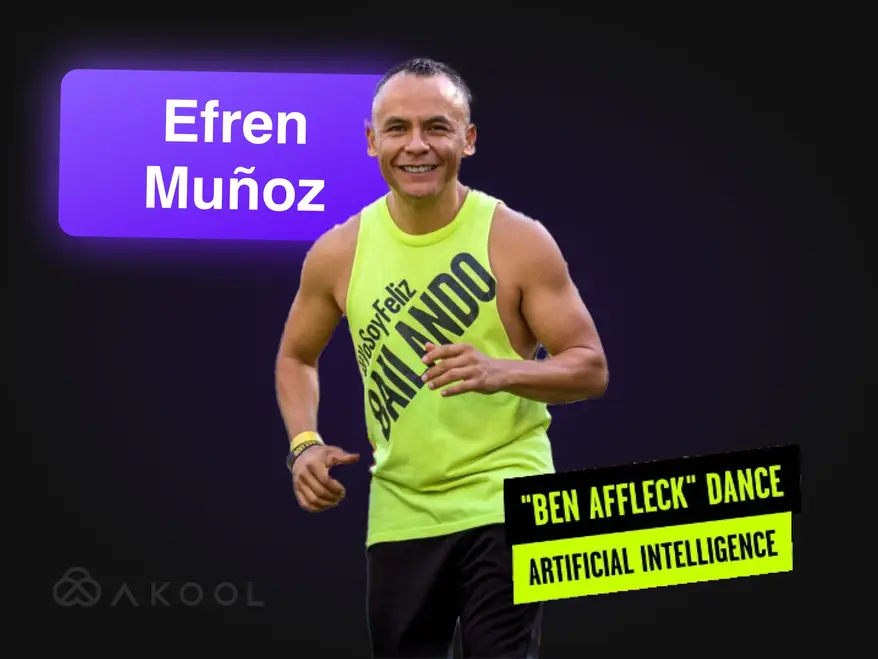
¡Transforma tu vídeo de marketing en una sensación viral con Zumba!
Efrén Muñoz, influencer de baile mexicano, aprovechó AKOOL para mejorar su presencia en línea y promocionar sus clases eficazmente. Al crear contenido atractivo, incluyendo videos de baile virales y materiales promocionales, aumentó significativamente su visibilidad y la asistencia a clases, demostrando el poder transformador de la IA en el marketing.

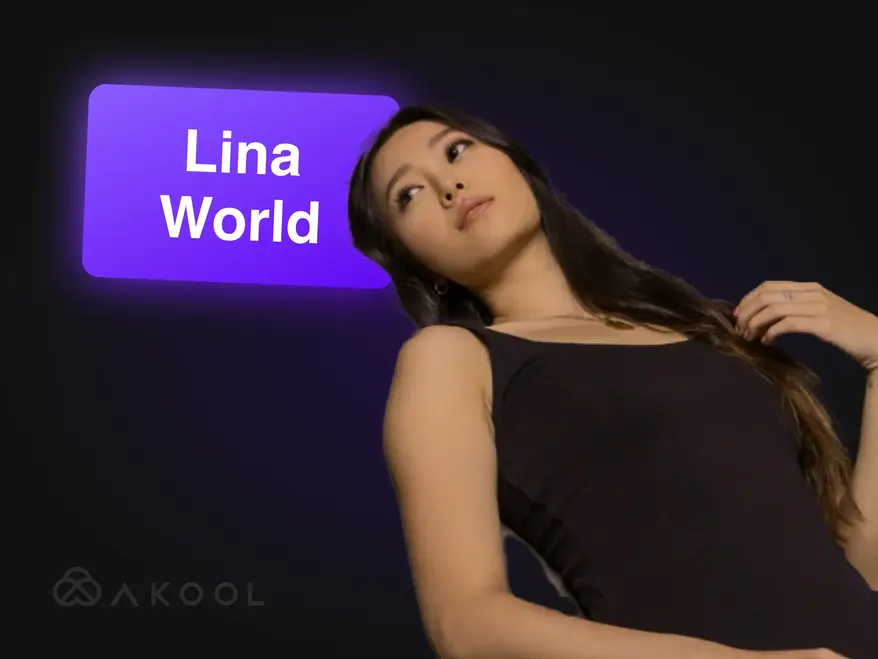
Construyendo Lina World con AKOOL
Conoce a Lina: ¡la influencer virtual que cautivó a un millón de fanáticos con AKOOL!

Docety mejora la experiencia del seminario con Jarvis de AKOOL para la moderación de conversaciones
Docety mejora la experiencia en seminarios utilizando Jarvis de AKOOL para moderar conversaciones, lo que mejora la participación y garantiza debates organizados para un entorno de evento más productivo. ¡Descubre las ventajas de la moderación basada en IA!
Artículos relacionados

Las mejores 60 herramientas de IA para probar en 2025
29 de mayo de 2025
Manténgase al día con las últimas herramientas de IA que transforman el mundo digital. Desde la creación de contenido hasta el análisis de datos, descubra cómo estas aplicaciones inteligentes pueden simplificar su día a día laboral.

Los mejores ejemplos de vídeos corporativos y cómo crear el tuyo
14 de mayo de 2025
Descubre los mejores ejemplos de vídeos corporativos y aprende a crear un vídeo atractivo y profesional para tu marca. ¡Recibe consejos de expertos e inspiración!

Las mejores herramientas para crear avatares en streaming: interactúa con personas digitales en vivo
22 de mayo de 2025
Descubra las mejores herramientas de avatar de transmisión para 2024 y aprenda a crear avatares digitales dinámicos y atractivos que mejoren su contenido en vivo y cautiven a los espectadores.

Los creadores de videos de productos están usando IA para escalar: aquí te mostramos cómo
5 de septiembre de 2024
Los creadores de videos de producto con IA están revolucionando el comercio electrónico al crear contenido escalable y personalizado de forma eficiente. Este artículo explora cómo las innovadoras herramientas de AKOOL optimizan la producción de videos, permitiendo a las marcas mejorar la interacción y mantener la calidad, a la vez que satisfacen las crecientes demandas de los consumidores en un entorno competitivo. ¡Descubre el futuro del video marketing hoy mismo!

Las mejores herramientas de IA para generar contenido atractivo en redes sociales
6 de agosto de 2024
Descubre cómo las herramientas de IA están revolucionando la creación de contenido en redes sociales. Este artículo explora las mejores plataformas para crear publicaciones atractivas, destacando las capacidades de AKOOL para optimizar la producción de video y mejorar la interacción con la audiencia, ayudando así a las marcas a conectar con los consumidores de forma más eficaz y eficiente.

Herramientas de marketing de vídeo para creadores y equipos empresariales
3 de agosto de 2024
Este artículo analiza herramientas esenciales de video marketing para creadores y equipos empresariales, destacando sus beneficios para mejorar el conocimiento y la interacción de marca. Presenta a AKOOL, Synthesia y HeyGen, destacando las capacidades de IA que simplifican la creación de videos, ahorran tiempo y costos, y promueven una imagen de marca consistente en diversas plataformas.

Estas son las 6 mejores herramientas de IA generativa para maximizar la generación de demanda
24 de junio de 2024
Descubra las mejores herramientas de IA generativa para optimizar la generación de demanda. Este artículo destaca cómo el contenido de vídeo personalizado puede impulsar la interacción, las tasas de conversión y la fidelidad a la marca, destacando a AKOOL como una plataforma líder para crear experiencias de marketing personalizadas de forma eficiente.

Cómo hacer un anuncio con herramientas de marketing de IA
10 de junio de 2024
Aprenda a crear anuncios de calidad profesional con herramientas de IA como AKOOL. Este artículo explora los beneficios de la IA en la producción de anuncios, como el ahorro de costes, la eficiencia y la creación de contenido personalizado, lo que permite a empresas de todos los tamaños producir anuncios atractivos de forma rápida y eficaz.

Experiencias de marca centradas en el ser humano en el mundo del marketing de IA
21 de mayo de 2024
Descubra cómo la IA está transformando las experiencias de marca al crear interacciones personalizadas y centradas en el usuario. Este artículo analiza la importancia de integrar herramientas de IA como AKOOL para mejorar la interacción, optimizar la creación de contenido y mantener la coherencia de la marca, ayudando así a las empresas a destacar en un panorama digital saturado.

Cómo la IA generativa está revolucionando la industria de la moda
16 de abril de 2024
La IA generativa está transformando la industria de la moda al permitir un diseño rápido, mejorar la experiencia del cliente y reducir el desperdicio. Este artículo explora cómo las marcas aprovechan la IA para la compra personalizada, la producción eficiente y la creación de prendas innovadoras, a la vez que abordan desafíos como los derechos de autor y el impacto en la fuerza laboral.

Cómo crear una estrategia de marketing local eficaz
25 de marzo de 2024
Aprenda a crear una estrategia de marketing local eficaz que adapte su marca y campañas a mercados específicos. Este artículo explora los pasos esenciales, como la investigación de audiencia y el uso de herramientas de IA como AKOOL para la traducción y el intercambio de rostros, para mejorar la interacción e impulsar las ventas a nivel global. ¡Descubra el poder de la localización!

Los mejores programas de afiliados de edición de video a los que unirse
7 de noviembre de 2024
Explora los mejores programas de afiliados de edición de video para aumentar tus ingresos. Este artículo destaca las mejores opciones, incluyendo AKOOL, que ofrece comisiones competitivas y valiosos recursos de marketing, ayudando a los creadores de contenido a monetizar sus plataformas eficazmente y a mejorar la interacción con la audiencia mediante herramientas de edición de video de calidad.

Las mejores herramientas para crear avatares en streaming: interactúa con personas digitales en vivo
24 de noviembre de 2024
Explora las mejores herramientas de avatar para streaming que optimizan la creación de contenido en vivo. Este artículo analiza las principales plataformas, destacando las funciones que impulsan la interacción de la audiencia y mejoran la calidad de la transmisión para los creadores.

Principales beneficios de los chatbots de IA para empresas y clientes
8 de noviembre de 2024
Descubra los principales beneficios de los chatbots de IA para empresas y clientes. Este artículo destaca cómo la integración de chatbots de IA puede mejorar la atención al cliente, optimizar las operaciones, reducir costes y mejorar la satisfacción de los empleados, transformando así la forma en que las empresas interactúan con sus clientes y aumentando la eficiencia general.

Principales beneficios de los chatbots de IA para empresas y clientes
6 de noviembre de 2024
Los chatbots de IA con avatares están transformando la atención al cliente al ofrecer interacciones personalizadas en tiempo real. Este artículo explora cómo las organizaciones pueden aprovechar estas herramientas avanzadas para mejorar la satisfacción del cliente, reducir costos y optimizar las operaciones, mejorando así la interacción y la eficiencia en diversos sectores.

Probamos tres herramientas de avatares con transmisión en tiempo real: esto es lo que encontramos
8 de septiembre de 2024
Este artículo analiza tres herramientas líderes de avatares en tiempo real, centrándose en sus características y aplicaciones para creadores de contenido en redes sociales. Destaca la personalización superior, las capacidades interactivas y el rendimiento general de AKOOL, lo que ayuda a los usuarios a elegir la mejor plataforma para mejorar la interacción con la audiencia y optimizar la creación de contenido de forma eficaz.

Cómo crear vídeos de YouTube con tecnología de IA
7 de septiembre de 2024
La tecnología de IA está transformando la creación de videos en YouTube, permitiendo a los creadores producir contenido de alta calidad de forma eficiente. Este artículo explora cómo las herramientas de AKOOL optimizan la creación de guiones, la personalización de avatares y la edición, permitiendo a los usuarios mejorar la interacción y optimizar el rendimiento del video, a la vez que simplifican el proceso de producción para una mejor interacción y crecimiento de la audiencia.

Traductor de vídeo de español a inglés: cambia de idioma rápidamente
10 de noviembre de 2024
Las herramientas de traducción de video de español a inglés son esenciales para ampliar el alcance del contenido y conectar con audiencias globales. Este artículo explora sus beneficios, destacando cómo los traductores basados en IA como AKOOL ahorran tiempo y dinero, a la vez que mejoran la accesibilidad y la interacción en las estrategias de marketing.

Traductor de vídeo de hindi a inglés: cambia de idioma rápidamente
9 de noviembre de 2024
Transforme su estrategia de marketing con la herramienta de traducción de videos del hindi al inglés de AKOOL. Este artículo explica cómo las traducciones basadas en IA mejoran la accesibilidad para las empresas de habla hindi, permitiéndoles llegar al público angloparlante de forma rápida y rentable, manteniendo un contenido de alta calidad.

Las mejores aplicaciones de traducción de vídeos
7 de noviembre de 2024
Descubre las mejores apps de traducción de vídeo que te ayudan a superar las barreras lingüísticas y a mejorar la interacción con tu audiencia global. Este artículo analiza las mejores herramientas, como AKOOL, VEED.io y Kapwing, y destaca sus funciones para crear contenido multilingüe de forma eficiente y eficaz. ¡Transforma tus vídeos en experiencias accesibles para espectadores de todo el mundo!

Traductor de vídeo de japonés a inglés: cambia de idioma rápidamente
6 de octubre de 2024
Traducir contenido de video del japonés al inglés ahora es más fácil con la tecnología de IA. Este artículo explora cómo el traductor de video de AKOOL agiliza el proceso, ahorrando tiempo y costos, a la vez que conserva los matices culturales, permitiendo a las empresas llegar eficazmente a audiencias globales con campañas de marketing localizadas. ¡Descubre los beneficios de la traducción basada en IA!

Cómo los equipos corporativos utilizan la IA para la incorporación
3 de septiembre de 2024
Las herramientas de onboarding con IA agilizan el proceso de integración de empleados mediante la creación de materiales atractivos y culturalmente relevantes de forma rápida y rentable. Este artículo explora cómo las empresas pueden aprovechar la IA para optimizar las experiencias de onboarding, mejorar la retención y garantizar el cumplimiento normativo en plantillas diversas, fomentando así un entorno laboral más eficaz e inclusivo.

Las mejores herramientas de traducción de IA para viajes y turismo
17 de julio de 2024
Descubra cómo la IA está transformando el marketing de viajes y turismo. Este artículo analiza el impacto de herramientas de IA, como AKOOL, en la creación de campañas multilingües, la mejora de la interacción con el cliente y la posibilidad de que las pequeñas empresas compitan a nivel global, revolucionando así la forma en que las empresas conectan con los viajeros en un mercado cada vez más digital.

Vídeos de formación en IA: Cómo las herramientas de traducción simplifican el desarrollo de la fuerza laboral global
19 de mayo de 2024
Los videos de capacitación en IA están revolucionando el desarrollo de la fuerza laboral al ofrecer soluciones de capacitación escalables, personalizables y atractivas. Este artículo explora cómo la IA y las herramientas de traducción optimizan las iniciativas de capacitación global, garantizando la accesibilidad y la coherencia, a la vez que superan las barreras lingüísticas y, en última instancia, optimizando el proceso de capacitación para diversos grupos de empleados en diversas regiones.

Cómo traducir un vídeo de YouTube en minutos
24 de marzo de 2024
Aprende a traducir videos de YouTube de forma eficiente con las herramientas avanzadas de IA de AKOOL. Este artículo te ofrece una guía paso a paso para crear contenido localizado de alta calidad, mejorar la interacción de tu audiencia en varios idiomas y optimizar tu proceso de producción de videos para un mayor alcance internacional.

Las mejores aplicaciones de texto a voz con clonación de voz
23 de marzo de 2024
Descubre las mejores apps de texto a voz con capacidad de clonación de voz en este artículo. Explora herramientas destacadas como AKOOL, que ofrece voces realistas y funciones avanzadas que optimizan la creación y personalización de contenido para diversas aplicaciones. ¡Descubre cómo estas innovadoras tecnologías pueden transformar tu experiencia de audio y mejorar la interacción en todas las plataformas!
%20-%20Akool%20Blog%20Banner-p-500.webp)
Las mejores herramientas de doblaje de video con IA en línea (gratis)
22 de marzo de 2024
Descubre las mejores herramientas de doblaje de vídeo online con IA que simplifican la creación de contenido multilingüe. Este artículo analiza diversas plataformas, como AKOOL, y destaca sus funciones para mejorar la accesibilidad y la interacción con los vídeos, facilitando a los creadores llegar a audiencias globales de forma eficiente y eficaz.
Localización de vídeos: cómo hacerlo de forma eficaz y sencilla
21 de marzo de 2024
La localización de vídeos conecta a las empresas con audiencias globales al adaptar el contenido a diferentes culturas e idiomas. Este artículo describe estrategias eficaces para traducir vídeos, utilizando herramientas como el traductor de vídeo de AKOOL, para mejorar la visibilidad y la interacción de la marca en diversos mercados.

Evaluación comparativa del mejor software de edición de vídeo con IA
2 de agosto de 2024
Descubre el mejor software de edición de video con IA disponible hoy. Este artículo analiza herramientas líderes, como AKOOL, destacando su facilidad de uso y su rentabilidad. Esto permite a profesionales del marketing y creadores producir videos de calidad profesional de forma rápida y eficiente, transformando el panorama de la edición de video para todos los niveles.

Las 5 mejores herramientas de producción de vídeo con IA para equipos de marketing
8 de julio de 2024
Las herramientas de producción de video con IA son esenciales para las estrategias de marketing modernas, ya que permiten a los equipos crear videos de alta calidad de forma rápida y eficiente. Este artículo analiza las cinco herramientas principales, incluyendo AKOOL, destacando sus beneficios, características y rentabilidad, lo que ayuda a las empresas a optimizar sus estrategias de video marketing y a conectar con el público de forma más eficaz.

Las 7 mejores API de marketing de vídeo para potenciar la interacción con tu marca
25 de noviembre de 2024
Descubre las siete mejores API de video marketing que optimizan la creación y distribución de contenido. Este artículo destaca las características y beneficios de las API de AKOOL, y cómo pueden optimizar tu estrategia de video marketing de forma eficaz.

Las mejores API de localización para contenido de vídeo: alcance multilingüe sin interrupciones
21 de noviembre de 2024
Explora las mejores API de localización de vídeo para ampliar tu alcance global. Este artículo analiza la API de AKOOL, que mejora la accesibilidad y la interacción, garantizando así que tu contenido conecte eficazmente con públicos diversos.

Las mejores API de avatares instantáneos: cree identidades digitales al instante
20 de noviembre de 2024
Explora las mejores API de avatares instantáneos disponibles, que permiten a los desarrolladores crear avatares personalizados de forma rápida y sencilla. Este artículo destaca las mejores opciones, incluyendo AKOOL, y muestra sus características y beneficios para mejorar la interacción del usuario en diversas aplicaciones.

Las mejores herramientas de moderación de contenido con IA
5 de octubre de 2024
Explora las mejores herramientas de moderación de contenido con IA para optimizar la gestión de comunidades online. Este artículo analiza las principales plataformas, incluyendo Jarvis de AKOOL, destacando su precisión, personalización y escalabilidad para ayudar a las empresas a mantener la integridad de su marca y fomentar un entorno digital seguro de forma eficaz.

Moderación de contenido con IA: cómo funciona
4 de octubre de 2024
La moderación de contenido con IA de AKOOL ayuda a las organizaciones a gestionar el enorme volumen de contenido generado por los usuarios en redes sociales, garantizando así el cumplimiento de las normas de la comunidad. Este artículo explica sus beneficios, como la rentabilidad y la escalabilidad, y destaca cómo las herramientas de IA pueden mejorar la seguridad y la interacción de los usuarios filtrando eficazmente el contenido inapropiado.

Una nueva API ayuda a las empresas a escalar la interacción con los clientes con herramientas de IA generativa
13 de mayo de 2024
Las herramientas de IA generativa están transformando el marketing empresarial al optimizar la creación de contenido, mejorar la interacción con la audiencia y automatizar los procesos. Este artículo explora cómo la API de IA generativa de AKOOL permite a las empresas innovar sus estrategias de marketing y mejorar su eficiencia, asegurándose de mantenerse competitivas en un panorama en constante evolución.

Transforme su contenido con nuestro generador de animaciones de sincronización de labios
24 de abril de 2024
Descubre cómo el generador de animaciones de sincronización labial de AKOOL transforma la creación de contenido al sincronizar a la perfección los movimientos de la boca de los personajes con el audio. Este artículo explora sus aplicaciones en diferentes sectores, mejorando la interacción y la narración mediante animaciones dinámicas que conectan emocionalmente con el público, convirtiéndolo en una herramienta esencial para profesionales del marketing, la educación y el entretenimiento.

Cómo crear vídeos de sincronización de labios que transformen tu marketing y aumenten la interacción
23 de abril de 2024
Aprende a crear vídeos de sincronización labial atractivos con AKOOL. Este artículo ofrece una guía paso a paso que destaca los beneficios de la sincronización labial automatizada para el marketing, la interacción con la audiencia y la creación eficiente de contenido en diversas plataformas.

Rompa las barreras del idioma con la tecnología de sincronización labial con IA
14 de abril de 2024
La API Lip Sync permite a las empresas crear vídeos localizados de forma rápida y económica, superando las barreras lingüísticas. Este artículo explora sus beneficios, como una mayor interacción, la rentabilidad y la capacidad de producir contenido hiperrealista para audiencias globales, transformando así las estrategias de marketing y los procesos de creación de contenido.

Los mejores generadores de avatares de IA
1 de noviembre de 2024
Explora el innovador mundo de los generadores de avatares con IA, que permiten a los usuarios crear avatares digitales personalizados para crear contenido atractivo. Este artículo destaca las mejores plataformas, como AKOOL, que ofrece personalización avanzada e interacciones realistas. Descubre cómo estas herramientas pueden optimizar eficazmente tus estrategias de marketing, atención al cliente y redes sociales.

Evaluación comparativa de los mejores recursos de avatares de IA
8 de julio de 2024
Descubra el poder de los generadores de avatares con IA para optimizar sus estrategias de marketing. Este artículo analiza las mejores herramientas disponibles, incluyendo AKOOL, que ofrece una sólida personalización y funciones intuitivas, lo que permite a las marcas crear contenido atractivo e interactivo que conecta con el público y potencia eficazmente sus estrategias de marketing.
%20-%20Akool%20Blog%20Banner.webp)
Cree demostraciones interactivas con una foto y un guión (¡deje que la IA haga el resto!)
10 de junio de 2024
Aprende a crear demostraciones interactivas atractivas con herramientas de IA como AKOOL. Esta guía describe el proceso de transformar fotos y guiones en presentaciones inmersivas, mejorando la formación del usuario y la comprensión del producto, a la vez que ahorras tiempo y esfuerzo en la creación de demostraciones. ¡Descubre hoy el futuro del contenido interactivo!

A los equipos de marketing creativo les encantan los avatares instantáneos… ¡No te quedes atrás!
19 de mayo de 2024
Los avatares instantáneos están transformando las estrategias de marketing al permitir a las marcas crear contenido atractivo y personalizado con rapidez. Este artículo explora cómo estas versátiles herramientas pueden mejorar la interacción con la audiencia e impulsar las conversiones, ayudando a las empresas a destacar en un entorno competitivo y agilizando eficazmente su proceso de creación de contenido.

Las mejores herramientas de avatar instantáneo para contenido de vídeo
18 de mayo de 2024
Las herramientas de avatar con IA están revolucionando el marketing al permitir a las empresas crear contenido personalizado y atractivo de forma eficiente. Este artículo explora las mejores herramientas de avatar disponibles, destacando su potencial para mejorar la interacción con el cliente y optimizar los procesos de creación de contenido. ¡Descubre cómo estas innovaciones pueden transformar tu estrategia de marketing hoy mismo!

Cómo la IA generativa facilita la creación de vídeos de incorporación de empleados
13 de mayo de 2024
Los videos de incorporación de empleados son esenciales para presentar a los nuevos empleados la cultura y los valores de la empresa. Este artículo explora cómo la IA generativa simplifica la creación de videos, mejorando la participación y la eficiencia, a la vez que fomenta el sentido de pertenencia, optimizando así el proceso de incorporación y mejorando la experiencia general del empleado.
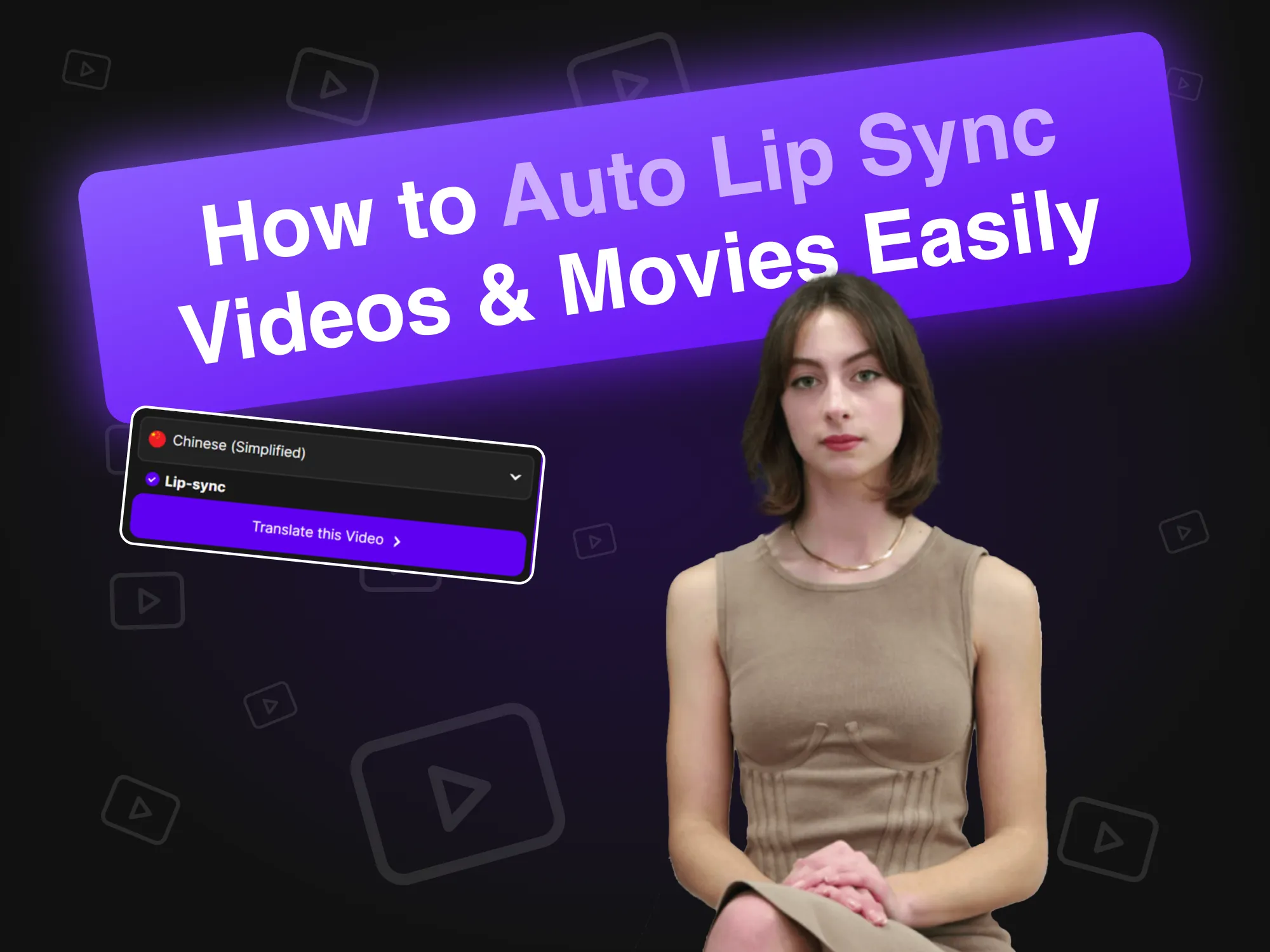
Cómo sincronizar los labios de vídeos y películas fácilmente
19 de abril de 2024
La tecnología de sincronización labial automática revoluciona la creación de videos al sincronizar a la perfección los movimientos labiales de los avatares de IA con el audio. Este artículo explica cómo las marcas pueden aprovechar esta innovadora herramienta para una producción de contenido eficiente, mejorando la interacción y el realismo en los videos de portavoces, agilizando el proceso y mejorando la interacción de la audiencia en diversas plataformas.

Alternativas a Synthesia (comparación de características en paralelo)
11 de abril de 2024
Explora las mejores alternativas a Synthesia para la creación de videos con IA. Este artículo compara varias plataformas, incluyendo AKOOL, destacando sus características únicas e interfaces intuitivas, lo que facilita a las empresas la producción de contenido atractivo basado en avatares de forma eficiente y eficaz. ¡Descubre qué herramienta se adapta mejor a tus necesidades!

Cómo crear un avatar de juego personalizado usando IA
20 de marzo de 2024
Crear un avatar de juego personalizado con IA permite a los jugadores expresar su individualidad y mejorar su experiencia de juego. Esta guía explora cómo usar el generador de imágenes avanzado de AKOOL para crear avatares únicos que destaquen en plataformas como Twitch y Discord, fomentando así el reconocimiento en comunidades de juego vibrantes.

Alternativas a HeyGen para vídeos de IA y avatares personalizados
17 de marzo de 2024
Descubre las mejores alternativas a HeyGen para crear videos con IA y avatares personalizados. Este artículo destaca a AKOOL como un competidor destacado, con herramientas intuitivas para personalizar avatares y funciones de conversión de texto a video. Con su precio flexible de pago por uso, AKOOL es perfecto para principiantes y usuarios ocasionales que buscan dar rienda suelta a su creatividad.

El mejor software de clonación de voz
2 de noviembre de 2024
Explora los mejores programas de clonación de voz disponibles, como AKOOL y Resemble AI. Este artículo analiza sus características, precios y mejores casos de uso, para ayudarte a elegir la herramienta ideal para crear contenido de audio realista y adaptado a tus necesidades.

Los mejores ejemplos de vídeos de formación para empleados
8 de octubre de 2024
El artículo presenta los mejores ejemplos de videos de capacitación para empleados, destacando técnicas y estrategias efectivas para mejorar el aprendizaje y la participación en las organizaciones. Descubra cómo estos videos pueden mejorar los resultados de la capacitación y fomentar una cultura laboral productiva.

Las mejores herramientas de texto a voz con IA
5 de noviembre de 2024
Explora las mejores herramientas de IA para la conversión de texto a voz que optimizan la creación de contenido al convertir el texto en voz natural. Este artículo analiza diversas plataformas, incluyendo AKOOL, y destaca sus características y capacidades únicas para producir voces en off de alta calidad para videos, podcasts y medios interactivos.

Los mejores generadores de texto a vídeo con IA
8 de julio de 2024
Descubre los mejores generadores de texto a video con IA que simplifican la producción de video para profesionales del marketing. Este artículo analiza las principales plataformas, incluyendo AKOOL, destacando sus características, opciones de personalización y rentabilidad, lo que permite a las empresas crear contenido atractivo de forma rápida y eficiente sin necesidad de conocimientos especializados.

Cómo cambiar el fondo de las fotos de productos con IA
10 de junio de 2024
Las herramientas de edición de fondos con IA de AKOOL revolucionan la fotografía de productos al permitir a los usuarios cambiar y personalizar los fondos fácilmente. Esta tecnología ahorra tiempo, mejora el atractivo visual y garantiza la consistencia, permitiendo a las empresas crear imágenes de calidad profesional que impulsan la interacción e impulsan las ventas eficazmente.

Las 7 mejores herramientas para intercambiar caras en fotos: crea intercambios realistas fácilmente
23 de noviembre de 2024
AKOOL ofrece innovadoras herramientas de intercambio de caras que mejoran las experiencias de edición de fotografías, permitiendo a los usuarios crear contenido divertido y atractivo sin esfuerzo.

Las 7 mejores apps de intercambio de caras para ediciones grupales realistas y rápidas
22 de noviembre de 2024
Descubre las siete mejores apps para intercambiar múltiples caras que permiten crear contenido divertido y atractivo. Este artículo analiza las mejores opciones, destacando las funciones de intercambio de caras de AKOOL y su facilidad de uso para transformar fotos y videos sin esfuerzo. ¡Explora estas herramientas creativas para mejorar tu presencia en redes sociales!

La mejor aplicación para animar fotos
8 de noviembre de 2024
AKOOL es una aplicación potente e intuitiva que anima fotos con precisión, lo que permite crear imágenes impactantes para redes sociales y proyectos personales. Su interfaz intuitiva y sus diversas opciones de superposición la hacen ideal tanto para principiantes como para profesionales que buscan mejorar sus imágenes sin esfuerzo.

Las mejores aplicaciones para intercambiar caras en vídeos
3 de noviembre de 2024
AKOOL es una app líder de intercambio de caras que permite a los usuarios crear impresionantes y realistas intercambios de caras en sus videos. Con su interfaz intuitiva y tecnología avanzada de IA, AKOOL es ideal tanto para principiantes como para profesionales, lo que la convierte en la opción ideal para quienes buscan mejorar su contenido de video de forma creativa y eficaz.

Las mejores aplicaciones de fotografía con IA
31 de octubre de 2024
Descubre las mejores apps de intercambio de caras para vídeos, ideales para creadores de contenido y entusiastas de las redes sociales. Este artículo analiza diversas herramientas, como AKOOL, destacando sus características y capacidades únicas, que permiten a los usuarios crear vídeos atractivos y entretenidos sin esfuerzo y, al mismo tiempo, enriquecer sus proyectos creativos.

Clasificación: Principales competidores de HeyGen
1 de agosto de 2024
Este artículo clasifica a los principales competidores de HeyGen, destacando a AKOOL como una alternativa líder. Compara las características, la experiencia de usuario y el rendimiento, y muestra por qué las empresas están optando por AKOOL por sus herramientas superiores y su eficiencia en la creación de contenido generado por IA. ¡Descubre las mejores opciones para tus necesidades de marketing!

Las mejores herramientas para intercambiar caras en vídeos
26 de julio de 2024
Descubre las mejores herramientas de intercambio de caras para videos en este artículo, que compara opciones destacadas como AKOOL y Reface. Descubre cómo estas innovadoras herramientas pueden mejorar tus estrategias de marketing creando contenido personalizado y atractivo que cautiva al público e impulsa las conversiones, haciendo que el video marketing sea más dinámico y efectivo.

¿Qué herramienta de intercambio de caras con IA impulsa el ROI (retorno de la inversión) en marketing?
11 de mayo de 2024
Descubra cómo las herramientas de IA para el intercambio de rostros pueden mejorar el ROI del marketing. Este artículo explora características clave, casos prácticos de éxito y pasos prácticos para medir la eficacia, ayudando a las empresas a aprovechar estas herramientas innovadoras para crear campañas publicitarias personalizadas y atractivas que generen resultados y mejoren la conexión con la audiencia.

Genera fotos tuyas similares usando el generador de rostros con IA de AKOOL
18 de abril de 2024
El Generador de Rostros con IA de AKOOL permite crear fotos realistas sin esfuerzo. Este artículo explora sus características, beneficios y aplicaciones, destacando cómo transforma la creación de contenido para uso personal y profesional, garantizando resultados personalizados y de alta calidad con solo unos clics.

Intercambio de caras por lotes: Cómo intercambiar varias caras en fotos grupales
17 de abril de 2024
La tecnología de intercambio de rostros por lotes simplifica el proceso de intercambiar varios rostros en fotos grupales, ahorrando tiempo y potenciando la creatividad. Este artículo explora cómo las herramientas de AKOOL permiten un reemplazo de rostros eficiente, lo que las hace ideales para fotógrafos, profesionales del marketing y creadores de contenido que buscan optimizar sus flujos de trabajo y obtener resultados de alta calidad sin esfuerzo.

Las 12 mejores apps de deepfake para intercambiar rostros de forma realista
13 de abril de 2024
Descubre las cinco mejores apps deepfake para intercambios de rostros realistas en este artículo. Explora sus características únicas, facilidad de uso y aplicaciones en marketing y entretenimiento, ayudando a los usuarios a crear contenido atractivo sin esfuerzo y a comprender las consideraciones éticas que rodean la tecnología deepfake.

Cómo hacer vídeos de intercambio de caras
12 de abril de 2024
Aprende a cambiar fácilmente las caras en tus videos con la herramienta de AKOOL. Este artículo ofrece una guía paso a paso, consejos para obtener resultados realistas y destaca los beneficios de la IA en la edición de video, haciéndola accesible tanto para principiantes como para profesionales que buscan mejorar su creación de contenido.

La mejor herramienta de intercambio de rostros con IA para equipos de marketing B2C y empresariales
28 de marzo de 2024
Descubra las mejores herramientas de intercambio de rostros con IA para marketing en este artículo. Compara la plataforma de vanguardia de AKOOL con nueve competidores, destacando su calidad superior, realismo y facilidad de uso, lo que la hace ideal para crear anuncios atractivos y contenido para redes sociales que cautiva al público e impulsa las ventas eficazmente.

Cómo cambiar el género de tu foto online gratis
27 de marzo de 2024
Aprende a cambiar fácilmente el género de tus fotos online con la función de cambio de rostro de AKOOL. Esta guía te ofrece instrucciones paso a paso para transformar imágenes, permitiéndote explorar diferentes expresiones de género y potenciar tu creatividad con IA.

Cómo gestionar las crisis en marketing
26 de marzo de 2024
AKOOL ofrece herramientas innovadoras para la gestión de crisis en marketing, incluida una tecnología de intercambio de caras que ayuda a las marcas a adaptar rápidamente los materiales promocionales durante las controversias, preservando la reputación y manteniendo la confianza del consumidor de manera eficaz.

Cómo crear una animación de cara parlante con A
18 de marzo de 2024
Aprende a crear animaciones atractivas de caras parlantes con tecnología de IA. Este artículo ofrece una guía paso a paso con la plataforma de AKOOL, que permite a los usuarios crear avatares realistas que mejoran el marketing digital y la narración, haciendo que la creación de contenido sea accesible y eficiente para todos, independientemente de su experiencia técnica.

Cómo hacer un vídeo deepfake
18 de marzo de 2024
El artículo proporciona una guía paso a paso sobre cómo crear videos deepfake con AKOOL, cubriendo herramientas y técnicas esenciales y enfatizando consideraciones éticas para un uso responsable.

Cómo el diseño gráfico generado por IA puede reducir sus costos de marketing
10 de junio de 2024
El diseño gráfico generado por IA está transformando el marketing al permitir a los usuarios crear imágenes impactantes de forma rápida y económica. Este artículo explora cómo plataformas como AKOOL reducen costes, mejoran la eficiencia y democratizan el diseño, permitiendo a las empresas producir materiales de marketing de alta calidad sin necesidad de grandes equipos de diseño ni habilidades especializadas.

Las imágenes de productos generadas por IA están creando campañas de marketing increíbles
1 de junio de 2024
Las imágenes de producto generadas por IA están revolucionando el marketing de comercio electrónico al ofrecer imágenes impactantes de forma rápida y económica. Este artículo explora cómo las marcas pueden aprovechar AKOOL para crear imágenes personalizables y de alta calidad que fomentan la interacción, optimizan los flujos de trabajo y, en última instancia, impulsan las ventas, transformando las prácticas fotográficas tradicionales en el panorama digital.
%20-%20Akool%20Blog%20Banner.png-p-500.webp)
Las mejores sugerencias para el arte con IA (ejemplos e inspiración)
19 de marzo de 2024
Descubre las mejores sugerencias para crear arte de IA impactante con el generador de imágenes de AKOOL. Este artículo ofrece ejemplos y consejos para potenciar tu creatividad, permitiendo que cualquier persona cree imágenes únicas de forma sencilla y eficaz, independientemente de su nivel artístico.

Cree mensajes personalizados a gran escala con esta herramienta de automatización de marketing de video
6 de septiembre de 2024
La automatización del marketing de vídeo simplifica la creación y distribución de contenido de vídeo personalizado, lo que permite a los profesionales del marketing captar clientes potenciales de forma eficiente y a gran escala. Este artículo explora las herramientas de AKOOL, destacando beneficios como un mejor retorno de la inversión (ROI), una mayor interacción y flujos de trabajo optimizados, lo que facilita la fidelización de clientes potenciales mediante mensajes personalizados.

Las 5 mejores herramientas de IA para impulsar la generación de leads y el ROI
24 de junio de 2024
Descubra cómo las herramientas de generación de leads con IA pueden optimizar su estrategia de marketing. Este artículo destaca las cinco herramientas principales, incluyendo AKOOL, que optimizan los flujos de trabajo, reducen costes y mejoran la calidad de los leads, lo que aumenta su ROI y le ayuda a fidelizarlos de forma eficiente.

La mejor aplicación para cantar en fotos
8 de noviembre de 2024
Descubre las mejores apps de canto con fotos que animan imágenes para crear actuaciones de canto atractivas. Este artículo analiza varias plataformas, incluyendo AKOOL, y destaca sus funciones y facilidad de uso para transformar fotos estáticas en contenido musical vibrante, perfecto para redes sociales y proyectos personales.
En las noticias

¿Podría el video con inteligencia artificial en vivo convertirse en el próximo Zoom?
May 29, 2025

Cuando la IA se pone en marcha: el futuro de la presencia humana en tiempo real
June 16, 2025

Techcrunch - Building a Gen AI Unicorn with Global Resources, Innovation, and Efficiency: The AKOOL Way
Feb 28, 2025

G2 - 9 Best Generative AI Tools I Use: Which One Leads Today?
Feb 10, 2025

Microsoft - 5 key marketing tips for early-stage business startup founders
Dec 17, 2024
AKOOL Introduces AMD-Advanced Technology, Revolutionizing Digital Experiences with Simplified In-Device Avatars
Jan 3, 2025

AKOOL Achieves $40M in Invoiced ARR, Accelerating Growth in AI-Driven Content Creation for Diverse Industries
Nov 13, 2024

AKOOL Unveils Enhanced Streaming Avatars with Seamless LLM Integration to Revolutionize Human-Machine Interactions
Feb 26, 2025

AKOOL Announces Strategic Bollywood Partnership to Revolutionize AI in Digital Immersion and Video Markets
Nov 25, 2024

AKOOL presenta una nueva clase de avatares de la Generación Al, estableciendo un nuevo estándar para la autoexpresión.
April 12, 2024

La plataforma de inteligencia artificial generativa de Akool establece un nuevo estándar para la interacción con la marca
Nov 30, 2023
Explora más Impulsado por IA Herramientas
Aprovecha todo el potencial de Akool con un conjunto completo de herramientas de IA para la creación de imágenes, la producción de videos y el diseño de avatares. Ya sea que estés creando contenido de marketing, expandiendo tu aprendizaje electrónico o personalizando la comunicación, Akool potencia tu estrategia en cada paso.


