Seedance 2.0: Der beste multimodale KI-Videogenerator mit konsistenter Charakterdarstellung
Seedance 2.0: Steuerung auf Direktorenebene mit multimodaler Präzision
Meistern Sie filmisches Storytelling mit pixelgenauen Referenzen und unübertroffener Szenenstabilität.
Seedance 2.0: Steuerung auf Direktorenebene mit multimodaler Präzision
Meistern Sie filmisches Storytelling mit pixelgenauen Referenzen und unübertroffener Szenenstabilität.
Seedance 2.0: Professionelle KI-Videogenerierung für konsistente und kinoreife Ergebnisse
Multimodales Referenzsystem auf Profi-Niveau mit bahnbrechender Konsistenz
Erweiterte multimodale referenzbasierte KI-Videogenerierung
Laden Sie bis zu 9 Bilder, 3 Videos und 3 Audiodateien in ein einzelnes Projekt hoch (maximal 12 gemischte Dateien). Seedance 2.0 analysiert präzise Bildkomposition, Bewegungsfluss, Kamerabewegung, Timing und Rhythmus Ihrer Referenzmaterialien.
Branchenführende Charakter- und Szenenkonsistenz
Gesichter, Charaktere, Kleidung und visueller Stil bleiben auch in langen Einstellungen und Videos mit mehreren Szenen stabil. Seedance 2.0 behebt häufige KI-Videoprobleme wie Identitätsdrift und Szenenflimmern.
Intelligente KI-Videobearbeitung und unbegrenzte Videoerweiterung
Erstellen Sie neue Videos oder bearbeiten Sie vorhandenes Material mit professioneller kreativer Kontrolle. Ersetzen Sie Charaktere, fügen Sie Elemente hinzu oder entfernen Sie sie, verlängern Sie Szenen oder verbinden Sie Clips mithilfe von Textanweisungen.
Community Creations
3 einfache Schritte zur Erstellung

1
Wählen Sie ein Modell aus und generieren Sie Vorlagen.
Akool arbeitet mit den weltweit führenden Modellanbietern zusammen und bietet Ihnen so Zugang zu den neuesten, vielseitigsten und günstigsten Modellen.
2
Bild hinzufügen
Laden Sie ein Bild hoch oder generieren Sie ein Bild, um die Bildgenerierung zu starten.3
Video ansehen
Klicken Sie auf „Generieren“, um Ihr fertiges Video zu erstellen!Warum Akool wählen?
Diffusion-based Image-to-Video Synthesis
Instant Professional Rendering
Generate polished video assets from images in seconds using diffusion-based synthesis, neural frame interpolation, and high-fidelity visual rendering.
Zeitliche Konsistenz der Charakteridentität
Nahtlose Identitätspersistenz
Maintain consistent faces, expressions, and identity attributes across frames using computer vision models optimized for high-fidelity video continuity.
API-driven Creative Exploration
Neural Workflow Inspiration
Explore community-generated examples to discover production patterns, diffusion-based video workflows, and scalable generative content ideas.
Alle Modelle anzeigen
Wan
Gemini
OpenAI
Sora
Seedance
Hailuo
Kling
Veo
GPT
Vidu Q3
PixVerse
HappyHorse
Grok
Wan
Gemini
OpenAI
Sora
Seedance
Hailuo
Kling
Veo
GPT
Vidu Q3
PixVerse
HappyHorse
Grok
Wan
Gemini
OpenAI
Sora
Seedance
Hailuo
Kling
Veo
GPT
Vidu Q3
PixVerse
HappyHorse
Grok
Wan
Gemini
OpenAI
Sora
Seedance
Hailuo
Kling
Veo
GPT
Vidu Q3
PixVerse
HappyHorse
Grok
Wan
Gemini
OpenAI
Sora
Seedance
Hailuo
Kling
Veo
GPT
Vidu Q3
PixVerse
HappyHorse
Grok
Wan
Gemini
OpenAI
Sora
Seedance
Hailuo
Kling
Veo
GPT
Vidu Q3
PixVerse
HappyHorse
Grok
Wan
Gemini
OpenAI
Sora
Seedance
Hailuo
Kling
Veo
GPT
Vidu Q3
PixVerse
HappyHorse
Grok
Wan
Gemini
OpenAI
Sora
Seedance
Hailuo
Kling
Veo
GPT
Vidu Q3
PixVerse
HappyHorse
Grok
Was unsere Nutzer sagen
Marcus Thorne
The multimodal reference system is a game-changer. I uploaded 5 character sketches and a reference video for the camera movement, and Seedance 2.0 nailed the composition perfectly. It's finally more about directing than just prompting.
Elena Rodriguez
I've tried every AI video tool out there, but the character consistency in Seedance 2.0 is on another level. I ran a 15-second sequence and the protagonist's face didn't flicker once. Truly breakthrough stuff.
David Chen
The native audio sync is surprisingly good. I used a custom audio track for a product reveal, and the visual transitions matched the beat perfectly. It saves so much time in post-production.
Sarah Jenkins
Being able to upload 9 images as references is huge for my workflow. I can lock in the environment, the character, and the lighting all at once. Seedance 2.0 is definitely the most precise tool I've used.
Liam O'Connor
I used the video extension feature to "continue shooting" a scene I started last week. The transition was seamless, and it kept the outfit and lighting exactly the same. Best AI for storytelling right now.
Aisha Khan
The multilingual text rendering is actually accurate! I needed a poster with both English and Chinese text for a global campaign, and Seedance 2.0 rendered the characters without any weird artifacts.
Thomas Miller
I replaced a character in an existing video using the intelligent editing tool. It was so much easier than reshooting. The motion stayed fluid and the new character blended in naturally.
Sophia Rossi
1080p output looks crisp. Most AI video generators still feel a bit blurry, but Seedance 2.0 has that cinematic clarity that makes it usable for professional client work.
James Wilson
The physics accuracy is what impressed me most. I did a scene with falling fabric and it behaved exactly like real silk. No more weird AI "melting" effects.
Isabella Garcia
I love the director-level control. Using a reference video for camera movement meant I could get that specific "dolly zoom" effect without fighting with the prompt for hours.
Marcus Thorne
The multimodal reference system is a game-changer. I uploaded 5 character sketches and a reference video for the camera movement, and Seedance 2.0 nailed the composition perfectly. It's finally more about directing than just prompting.
Elena Rodriguez
I've tried every AI video tool out there, but the character consistency in Seedance 2.0 is on another level. I ran a 15-second sequence and the protagonist's face didn't flicker once. Truly breakthrough stuff.
David Chen
The native audio sync is surprisingly good. I used a custom audio track for a product reveal, and the visual transitions matched the beat perfectly. It saves so much time in post-production.
Sarah Jenkins
Being able to upload 9 images as references is huge for my workflow. I can lock in the environment, the character, and the lighting all at once. Seedance 2.0 is definitely the most precise tool I've used.
Liam O'Connor
I used the video extension feature to "continue shooting" a scene I started last week. The transition was seamless, and it kept the outfit and lighting exactly the same. Best AI for storytelling right now.
Aisha Khan
The multilingual text rendering is actually accurate! I needed a poster with both English and Chinese text for a global campaign, and Seedance 2.0 rendered the characters without any weird artifacts.
Thomas Miller
I replaced a character in an existing video using the intelligent editing tool. It was so much easier than reshooting. The motion stayed fluid and the new character blended in naturally.
Sophia Rossi
1080p output looks crisp. Most AI video generators still feel a bit blurry, but Seedance 2.0 has that cinematic clarity that makes it usable for professional client work.
James Wilson
The physics accuracy is what impressed me most. I did a scene with falling fabric and it behaved exactly like real silk. No more weird AI "melting" effects.
Isabella Garcia
I love the director-level control. Using a reference video for camera movement meant I could get that specific "dolly zoom" effect without fighting with the prompt for hours.
Marcus Thorne
The multimodal reference system is a game-changer. I uploaded 5 character sketches and a reference video for the camera movement, and Seedance 2.0 nailed the composition perfectly. It's finally more about directing than just prompting.
Elena Rodriguez
I've tried every AI video tool out there, but the character consistency in Seedance 2.0 is on another level. I ran a 15-second sequence and the protagonist's face didn't flicker once. Truly breakthrough stuff.
David Chen
The native audio sync is surprisingly good. I used a custom audio track for a product reveal, and the visual transitions matched the beat perfectly. It saves so much time in post-production.
Sarah Jenkins
Being able to upload 9 images as references is huge for my workflow. I can lock in the environment, the character, and the lighting all at once. Seedance 2.0 is definitely the most precise tool I've used.
Liam O'Connor
I used the video extension feature to "continue shooting" a scene I started last week. The transition was seamless, and it kept the outfit and lighting exactly the same. Best AI for storytelling right now.
Aisha Khan
The multilingual text rendering is actually accurate! I needed a poster with both English and Chinese text for a global campaign, and Seedance 2.0 rendered the characters without any weird artifacts.
Thomas Miller
I replaced a character in an existing video using the intelligent editing tool. It was so much easier than reshooting. The motion stayed fluid and the new character blended in naturally.
Sophia Rossi
1080p output looks crisp. Most AI video generators still feel a bit blurry, but Seedance 2.0 has that cinematic clarity that makes it usable for professional client work.
James Wilson
The physics accuracy is what impressed me most. I did a scene with falling fabric and it behaved exactly like real silk. No more weird AI "melting" effects.
Isabella Garcia
I love the director-level control. Using a reference video for camera movement meant I could get that specific "dolly zoom" effect without fighting with the prompt for hours.
Marcus Thorne
The multimodal reference system is a game-changer. I uploaded 5 character sketches and a reference video for the camera movement, and Seedance 2.0 nailed the composition perfectly. It's finally more about directing than just prompting.
Elena Rodriguez
I've tried every AI video tool out there, but the character consistency in Seedance 2.0 is on another level. I ran a 15-second sequence and the protagonist's face didn't flicker once. Truly breakthrough stuff.
David Chen
The native audio sync is surprisingly good. I used a custom audio track for a product reveal, and the visual transitions matched the beat perfectly. It saves so much time in post-production.
Sarah Jenkins
Being able to upload 9 images as references is huge for my workflow. I can lock in the environment, the character, and the lighting all at once. Seedance 2.0 is definitely the most precise tool I've used.
Liam O'Connor
I used the video extension feature to "continue shooting" a scene I started last week. The transition was seamless, and it kept the outfit and lighting exactly the same. Best AI for storytelling right now.
Aisha Khan
The multilingual text rendering is actually accurate! I needed a poster with both English and Chinese text for a global campaign, and Seedance 2.0 rendered the characters without any weird artifacts.
Thomas Miller
I replaced a character in an existing video using the intelligent editing tool. It was so much easier than reshooting. The motion stayed fluid and the new character blended in naturally.
Sophia Rossi
1080p output looks crisp. Most AI video generators still feel a bit blurry, but Seedance 2.0 has that cinematic clarity that makes it usable for professional client work.
James Wilson
The physics accuracy is what impressed me most. I did a scene with falling fabric and it behaved exactly like real silk. No more weird AI "melting" effects.
Isabella Garcia
I love the director-level control. Using a reference video for camera movement meant I could get that specific "dolly zoom" effect without fighting with the prompt for hours.
Robert Taylor
Seedance 2.0 is fast. I got a high-quality 10-second clip in under two minutes. For the level of detail it provides, the speed is pretty incredible.
Chloe Bennett
The scene stability is a massive improvement. I did a multi-scene narrative and the background didn't shift or morph between shots. It feels like a real movie.
Daniel Lee
I used the audio-driven creation to sync a character's movement to a specific rhythm. It's a bit of a learning curve to get the @ mentions right, but the results are worth it.
Mia Thompson
Finally, an AI that understands "pacing." By referencing a video for the edit rhythm, I got a montage that felt professionally cut right out of the box.
Alexander Wright
The identity preservation is solid. I used my own photo as a reference and the AI version of me actually looked like me throughout the entire 12-second clip.
Grace Dumont
I'm using Seedance 2.0 for UI mockups. The ability to render clean text and stable layouts makes it a great tool for presenting app concepts to stakeholders.
Samuel Jackson
The "continue shooting" capability is addictive. I started with a simple walk and ended up with a full 45-second short film by extending the clips. Consistency stayed 10/10.
Olivia Martinez
I had some trouble with very complex audio files, but for standard background music and sound effects, the native audio generation is a lifesaver.
Benjamin Scott
The multimodal precision is what sets this apart. It's not just guessing what I want; it's looking at my references and actually following them. Huge win for creators.
Natalie Fisher
Seedance 2.0 has replaced three other tools in my stack. Having editing, extension, and high-fidelity generation in one engine is just more efficient.
Robert Taylor
Seedance 2.0 is fast. I got a high-quality 10-second clip in under two minutes. For the level of detail it provides, the speed is pretty incredible.
Chloe Bennett
The scene stability is a massive improvement. I did a multi-scene narrative and the background didn't shift or morph between shots. It feels like a real movie.
Daniel Lee
I used the audio-driven creation to sync a character's movement to a specific rhythm. It's a bit of a learning curve to get the @ mentions right, but the results are worth it.
Mia Thompson
Finally, an AI that understands "pacing." By referencing a video for the edit rhythm, I got a montage that felt professionally cut right out of the box.
Alexander Wright
The identity preservation is solid. I used my own photo as a reference and the AI version of me actually looked like me throughout the entire 12-second clip.
Grace Dumont
I'm using Seedance 2.0 for UI mockups. The ability to render clean text and stable layouts makes it a great tool for presenting app concepts to stakeholders.
Samuel Jackson
The "continue shooting" capability is addictive. I started with a simple walk and ended up with a full 45-second short film by extending the clips. Consistency stayed 10/10.
Olivia Martinez
I had some trouble with very complex audio files, but for standard background music and sound effects, the native audio generation is a lifesaver.
Benjamin Scott
The multimodal precision is what sets this apart. It's not just guessing what I want; it's looking at my references and actually following them. Huge win for creators.
Natalie Fisher
Seedance 2.0 has replaced three other tools in my stack. Having editing, extension, and high-fidelity generation in one engine is just more efficient.
Robert Taylor
Seedance 2.0 is fast. I got a high-quality 10-second clip in under two minutes. For the level of detail it provides, the speed is pretty incredible.
Chloe Bennett
The scene stability is a massive improvement. I did a multi-scene narrative and the background didn't shift or morph between shots. It feels like a real movie.
Daniel Lee
I used the audio-driven creation to sync a character's movement to a specific rhythm. It's a bit of a learning curve to get the @ mentions right, but the results are worth it.
Mia Thompson
Finally, an AI that understands "pacing." By referencing a video for the edit rhythm, I got a montage that felt professionally cut right out of the box.
Alexander Wright
The identity preservation is solid. I used my own photo as a reference and the AI version of me actually looked like me throughout the entire 12-second clip.
Grace Dumont
I'm using Seedance 2.0 for UI mockups. The ability to render clean text and stable layouts makes it a great tool for presenting app concepts to stakeholders.
Samuel Jackson
The "continue shooting" capability is addictive. I started with a simple walk and ended up with a full 45-second short film by extending the clips. Consistency stayed 10/10.
Olivia Martinez
I had some trouble with very complex audio files, but for standard background music and sound effects, the native audio generation is a lifesaver.
Benjamin Scott
The multimodal precision is what sets this apart. It's not just guessing what I want; it's looking at my references and actually following them. Huge win for creators.
Natalie Fisher
Seedance 2.0 has replaced three other tools in my stack. Having editing, extension, and high-fidelity generation in one engine is just more efficient.
Robert Taylor
Seedance 2.0 is fast. I got a high-quality 10-second clip in under two minutes. For the level of detail it provides, the speed is pretty incredible.
Chloe Bennett
The scene stability is a massive improvement. I did a multi-scene narrative and the background didn't shift or morph between shots. It feels like a real movie.
Daniel Lee
I used the audio-driven creation to sync a character's movement to a specific rhythm. It's a bit of a learning curve to get the @ mentions right, but the results are worth it.
Mia Thompson
Finally, an AI that understands "pacing." By referencing a video for the edit rhythm, I got a montage that felt professionally cut right out of the box.
Alexander Wright
The identity preservation is solid. I used my own photo as a reference and the AI version of me actually looked like me throughout the entire 12-second clip.
Grace Dumont
I'm using Seedance 2.0 for UI mockups. The ability to render clean text and stable layouts makes it a great tool for presenting app concepts to stakeholders.
Samuel Jackson
The "continue shooting" capability is addictive. I started with a simple walk and ended up with a full 45-second short film by extending the clips. Consistency stayed 10/10.
Olivia Martinez
I had some trouble with very complex audio files, but for standard background music and sound effects, the native audio generation is a lifesaver.
Benjamin Scott
The multimodal precision is what sets this apart. It's not just guessing what I want; it's looking at my references and actually following them. Huge win for creators.
Natalie Fisher
Seedance 2.0 has replaced three other tools in my stack. Having editing, extension, and high-fidelity generation in one engine is just more efficient.
Kundenerfolgsgeschichte


Canon präsentiert KI-Fotokabine mit Akool-Technologie auf interner Veranstaltung
Canon präsentierte kürzlich intern seine KI-Fotokabine der nächsten Generation, die auf der fortschrittlichen Gesichtstausch- und Bildgenerierungstechnologie von Akool basiert. Die Präsentation, die sofortige, personalisierte Fotoerlebnisse ermöglicht, bot den Mitarbeitern einen ersten Einblick in die zukünftigen KI-Funktionen von Canon.


Akool und Google Cloud präsentieren KI-Avatare in Echtzeit auf der NVIDIA GTC
AKOOL präsentierte in Zusammenarbeit mit Google Cloud auf der Global Technology Conference (GTC) von NVIDIA seine innovative Echtzeit-Avatar-Technologie. Die Live-Demonstration zeigte, wie die Avatare von Akool – basierend auf der skalierbaren Infrastruktur und den fortschrittlichen KI-Tools von Google Cloud – die Nutzerinteraktion von Unternehmen in stark frequentierten Echtzeitumgebungen revolutionieren können.


Akool und AWS präsentieren KI-Avatar-Erlebnis in Echtzeit auf dem AWS Summit in Indien
AKOOL kooperierte mit Amazon Web Services (AWS), um auf dem AWS Summit India – der führenden IT- und Cloud-Innovationsveranstaltung der Region – ein interaktives Avatar-Erlebnis zu bieten. Die Präsentation demonstrierte, wie die Avatare von Akool, die vollständig in AWS Bedrock integriert und auf der AWS-Infrastruktur gehostet werden, als intelligente Markenbotschafter in Echtzeit fungieren können.


Wie die Face-Swap-Technologie von AKOOL die „KI-Abenteuer“-Kampagne von Qatar Airways ermöglichte
Qatar Airways partners with AKOOL to launch "AI Adventure," an innovative campaign using Face Swap technology, allowing viewers to star in their own airline commercial, enhancing customer engagement through personalized and immersive experiences.


Revolutionierung des Eventmanagements: Wie GPT DAO und AKOOL, unterstützt von LiveX AI, das Teilnehmerengagement auf dem GenAI Summit 2024 verbesserten
GPT DAO revolutioniert das Eventmanagement des GenAI Summit durch den Einsatz der KI-gestützten Avatar-Technologie von AKOOL. Diese innovative Lösung verbessert die Interaktion der Teilnehmenden, bietet sofortige Unterstützung und Informationen und reduziert gleichzeitig Betriebskosten und Personalbedarf. So wird das Eventerlebnis zu einer nahtlosen und fesselnden Erfahrung für alle Teilnehmenden.

AKOOL und Eros Digital kooperieren, um die Märkte für digitale Immersion und Video zu transformieren.
AKOOL und Eros Digital revolutionieren gemeinsam die Märkte für digitale Erlebnisse und Videos und verbessern die Inhaltsbereitstellung und Nutzerinteraktion durch innovative Technologielösungen. Entdecken Sie die Zukunft immersiver digitaler Erlebnisse!


Das „Ultimate You“-Spiel von Coca-Cola
AKOOL unterstützt Coca-Colas interaktive Marketingkampagne mit League of Legends

Logitechs mehrsprachige Webinar-Reihe für Webcam-Produkte mit AKOOLs Videoübersetzung
Die mehrsprachige Webinarreihe von Logitech für Webcam-Produkte nutzt die Videoübersetzung von AKOOL, wodurch die globale Zugänglichkeit und das Engagement verbessert werden und sichergestellt wird, dass unterschiedliche Zielgruppen effektiv miteinander in Kontakt treten und lernen können.

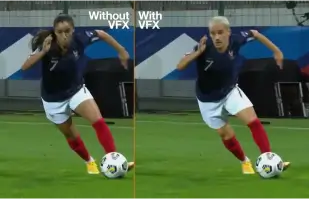
Orange Won the Top Prize for Entertainment for Sport for the MarcelParis, Campaign "WoMen's Football"
Orange's "WoMen's Football" won the top prize for Entertainment for Sport with AKOOL


Wir präsentieren Sie in unserer Werbung mit SRK!
Sunfeast Dark Fantasy nutzt die Technologie von AKOOL, um jedem die Möglichkeit zu geben, in Werbespots an der Seite von Bollywood-Superstar Shah Rukh Khan mitzuwirken.

AKOOL und Tata Consultancy Services kooperieren, um KI-gesteuertes Marketing zu transformieren
AKOOL arbeitet mit Tata Consultancy Services zusammen, um KI-gestütztes Marketing zu transformieren und Strategien und Lösungen zu verbessern, die die Kundenbindung und die Geschäftsergebnisse steigern.

Sunfeast bringt limitierte Schoko-Cookies mit AKOOLs Streaming-Avataren auf den Markt
Sunfeast präsentiert limitierte Schokoladenkekse und nutzt dafür die Streaming-Avatare von AKOOL für ein ansprechendes Marketing. Dieser innovative Ansatz fördert die Markeninteraktion und bewirbt das neue Produkt effektiv.

Häagen-Dazs Taiwans Mondfest-Kampagne mit AKOOLs FaceSwap-Tool
Haagen-Dazs Taiwan nutzt das FaceSwap-Tool von AKOOL für seine Mondfest-Kampagne und erstellt so ansprechende und personalisierte Inhalte, die die Kundeninteraktion verbessern und die festliche Stimmung zelebrieren.


KI trifft auf Schönheit: Vaseline Indonesiens Erfolg mit AKOOL Avatar
Vaseline Indonesia kooperierte mit AKOOL, um die Nutzerbindung zu stärken. Mithilfe der virtuellen Avatar-Technologie von AKOOL wurde eine Landingpage mit Febby erstellt, einem personalisierten Avatar, der die Nutzer namentlich begrüßte. Die Seite bot individuell anpassbare, herunterladbare Videos und Chat-Optionen, wodurch die Interaktion gefördert und die Bindung zwischen Marke und Konsument gestärkt wurde.


AKOOLs Einfluss auf die KI-Filmkurse von Curious Refuge
AKOOL erweitert die KI-Filmkurse von Curious Refuge erheblich und bietet benutzerfreundliche Tools wie den Gesichtstausch für eine konsistente Charakterdarstellung. Diese Partnerschaft revolutioniert die Content-Erstellung und macht Filmemachen für Studierende und Lehrende gleichermaßen zugänglich und effektiv.


Charakterkonsistenz in Filmproduktion und digitalem Storytelling wahren
Die Filmemacherin Chrissie Pressman nutzt die generative KI von AKOOL, um die Charakterkonsistenz in ihren Projekten zu verbessern. Indem sie ihre kreative Vision mit persönlichen Herausforderungen in Einklang bringt, optimiert sie die Produktion und erntet Anerkennung für ihren innovativen Einsatz von Technologie im Storytelling.

Deciem bringt mit AKOOL einen digitalen menschlichen Assistenten für Squalan-Reiniger auf den Markt.
Deciem bringt einen digitalen menschlichen Assistenten für seinen Squalan-Reiniger auf den Markt, der von AKOOL unterstützt wird und die Kundenbindung verbessert sowie personalisierte Unterstützung für ein besseres Einkaufserlebnis bietet.

Symphony Coolers nutzt AKOOLs Streaming-Avatare für die Markteinführung des Silenzo 100 Desert Air Coolers.
Symphony Coolers nutzt die Streaming-Avatare von AKOOL, um den Wüstenluftkühler Silenzo 100 einzuführen, die Kundenbindung zu stärken und innovative Funktionen wirkungsvoll zu präsentieren.


Avantis und die Anglia Ruskin University revolutionieren virtuelle Anatomiekurse mit gestreamten Avataren.
Avantis und die Anglia Ruskin University verbessern virtuelle Anatomiekurse mithilfe von AKOOL-Streaming-Avataren und steigern so die Beteiligung der Studierenden sowie die Lernerfahrung durch interaktive und immersive Lehrmittel.

Off-White nutzt AKOOLs Streaming-Avatare, um eine neue Modelinie zu lancieren
Off-White nutzt die Streaming-Avatare von AKOOL, um eine neue Modelinie zu lancieren, die Markenbindung zu stärken und innovative Designs durch immersive digitale Präsentationen vorzustellen.


AKOOL Avatar unterstützt den Aufstieg von Il Fornaio in der Online-Sichtbarkeit
Durch den Einsatz der virtuellen Avatar-Technologie von AKOOL erstellte die renommierte italienische Restaurantkette Il Fornaio lebensechte Avatare für virtuelle Rundgänge und die Informationsvermittlung. Die Ergebnisse waren bemerkenswert: Die Avatar-Videos auf Google Maps erzielten durchschnittlich 1,7 Millionen Aufrufe und führten zu mehr Restaurantbesuchen.

Greenworks Tools optimiert das globale Marketing mit der KI-Videoübersetzung von AKOOL.
Greenworks Tools optimiert das globale Marketing durch den Einsatz der KI-Videoübersetzung von AKOOL, vereinfacht die Content-Lokalisierung und verbessert die Zielgruppenansprache in verschiedenen Märkten. Entdecken Sie, wie KI Marketingstrategien revolutioniert!


Für Ruth's Chris Steak House hat sich AKOOL als viel mehr als nur ein Bildgenerierungswerkzeug erwiesen.
Ruth's Chris Steak House optimiert seine Marketingstrategie durch den Einsatz der KI-gestützten Bildgenerierung von AKOOL und erstellt so effizient maßgeschneiderte, hochwertige visuelle Inhalte.

WPP optimiert Kundenkampagnen mit der Hintergrundänderungsfunktion von AKOOL.
WPP optimiert Kundenkampagnen mithilfe der Hintergrundänderungsfunktion von AKOOL und ermöglicht so kreative und individuelle Visualisierungen, die das Engagement und die Effektivität von Marketingstrategien steigern.


Wie Pictofable die Face-Swap-Technologie von AKOOL nutzt, um personalisierte Kindergeschichten zu erstellen
Pictofable bietet personalisierte Kinderbücher mithilfe der Face-Swap-Technologie von AKOOL an, die es Eltern ermöglicht, das Foto ihres Kindes in ein ansprechendes Bilderbuch zu integrieren.


Anshul Joshi's Award-Winning AI Film "Tamara" Using AKOOL
Anshul Joshi's award-winning AI film "Tamara" showcases the power of AKOOL's tools in modern filmmaking, enabling rapid creation and multilingual dubbing, ultimately transforming the creative process for filmmakers and enhancing audience engagement. Discover how AI is revolutionizing the film industry through innovative projects like "Tamara"!


Peeps.xyz' Reise mit AKOOL für das Cheltenham Science Festival
Richard Norton, Mitbegründer von Peeps.xyz, nutzte die generative KI-Plattform von AKOOL für das Cheltenham Science Festival und entwickelte eine fesselnde Marketingkampagne mit einer Deepfake-Persönlichkeit. Beeindruckt von deren Effektivität, freut er sich auf zukünftige Projekte und unterstreicht damit das Potenzial von KI, Marketingstrategien zu revolutionieren und die Publikumsbindung zu stärken.


Gestalten Sie Ihre Inhalte, Ihr Marketing und Ihre Anzeigen ansprechender und persönlicher.
Vishal Singh nutzt die Faceswap-Technologie von AKOOL, um Videoinhalte durch Gesichtstausch mit Prominenten aufzuwerten und hebt deren Überlegenheit für personalisierte Marketingstrategien hervor. Er betont die benutzerfreundliche Oberfläche der Plattform und schlägt gleichzeitig Verbesserungen der Verarbeitungsgeschwindigkeit für eine bessere Performance und breitere Anwendungsmöglichkeiten in der Content-Erstellung vor.

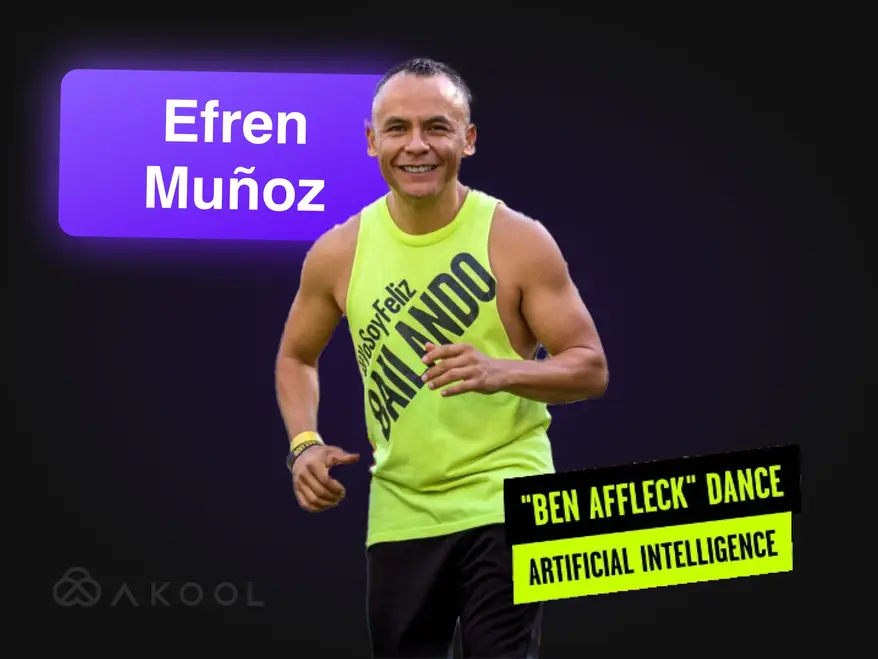
Verwandeln Sie Ihr Marketingvideo mit Zumba in eine virale Sensation!
Efren Munoz, ein Tanz-Influencer aus Mexiko, nutzte AKOOL, um seine Online-Präsenz zu stärken und seine Kurse effektiv zu vermarkten. Durch die Erstellung ansprechender Inhalte, darunter virale Tanzvideos und Werbematerialien, konnte er seine Sichtbarkeit und die Teilnehmerzahlen seiner Kurse deutlich steigern und so das transformative Potenzial von KI im Marketing unter Beweis stellen.

Erschaffe Lina World mit AKOOL
Lernen Sie Lina kennen: Die virtuelle Influencerin, die mit AKOOL eine Million Fans begeisterte!

Docety verbessert das Seminarerlebnis mit AKOOLs Jarvis für Gesprächsmoderation
Docety optimiert Seminare durch den Einsatz von AKOOLs Jarvis zur Gesprächsmoderation, steigert die Interaktion und sorgt für strukturierte Diskussionen – für ein produktiveres Veranstaltungsumfeld. Entdecken Sie die Vorteile KI-gestützter Moderation!
Verwandte Artikel

Die über 60 besten KI-Tools, die Sie 2025 ausprobieren sollten
29. Mai 2025
Bleiben Sie auf dem Laufenden über die neuesten KI-Tools, die die digitale Welt verändern. Von der Content-Erstellung bis zur Datenanalyse – entdecken Sie, wie diese intelligenten Anwendungen Ihren Arbeitsalltag erleichtern können.

Die besten Beispiele für Unternehmensvideos und wie Sie Ihr eigenes erstellen
14. Mai 2025
Entdecken Sie die besten Beispiele für Unternehmensvideos und erfahren Sie, wie Sie ein ansprechendes, professionelles Video für Ihre Marke erstellen. Holen Sie sich Expertentipps und Inspiration!

Die besten Streaming-Avatar-Tools: Digitale Personas live einbinden
22. Mai 2025
Entdecken Sie die besten Streaming-Avatar-Tools für 2024 und erfahren Sie, wie Sie dynamische, ansprechende digitale Avatare erstellen, die Ihre Live-Inhalte aufwerten und die Zuschauer fesseln.

Produktvideo-Produzenten nutzen KI, um zu wachsen – so funktioniert es
5. September 2024
KI-gestützte Produktvideo-Erstellung revolutioniert den E-Commerce durch die effiziente Produktion skalierbarer, personalisierter Inhalte. Dieser Artikel zeigt, wie die innovativen Tools von AKOOL die Videoproduktion optimieren und Marken dabei unterstützen, die Kundenbindung zu stärken und die Qualität zu sichern, während sie gleichzeitig den steigenden Kundenerwartungen im Wettbewerbsumfeld gerecht werden. Entdecken Sie noch heute die Zukunft des Videomarketings!

Die besten KI-Tools für ansprechende Social-Media-Inhalte
6. August 2024
Erfahren Sie, wie KI-Tools die Erstellung von Social-Media-Inhalten revolutionieren. Dieser Artikel stellt die besten Plattformen für die Produktion ansprechender Beiträge vor und hebt die Möglichkeiten von AKOOL hervor, die Videoproduktion zu optimieren und die Interaktion mit dem Publikum zu verbessern. So können Marken effektiver und effizienter mit ihren Kunden in Kontakt treten.

Video-Marketing-Tools für Kreative und Unternehmensteams
3. August 2024
Dieser Artikel stellt wichtige Videomarketing-Tools für Kreative und Unternehmensteams vor und hebt deren Vorteile für die Steigerung von Markenbekanntheit und Nutzerbindung hervor. Im Fokus stehen AKOOL, Synthesia und HeyGen, wobei insbesondere die KI-Funktionen betont werden, die die Videoerstellung vereinfachen, Zeit und Kosten sparen und ein einheitliches Branding über verschiedene Plattformen hinweg fördern.

Hier sind die 6 besten generativen KI-Tools zur Maximierung der Nachfragegenerierung
24. Juni 2024
Entdecken Sie die besten KI-Tools zur Steigerung der Nachfragegenerierung. Dieser Artikel zeigt, wie personalisierte Videoinhalte Engagement, Konversionsraten und Markentreue verbessern können und präsentiert AKOOL als führende Plattform für die effiziente Erstellung individueller Marketingerlebnisse.

Wie man mit KI-Marketing-Tools einen Werbespot erstellt
10. Juni 2024
Erfahren Sie, wie Sie mit KI-Tools wie AKOOL professionelle Werbespots erstellen. Dieser Artikel beleuchtet die Vorteile von KI in der Werbefilmproduktion, darunter Kosteneinsparungen, Effizienzsteigerungen und die Erstellung personalisierter Inhalte. So können Unternehmen jeder Größe schnell und effektiv ansprechende Werbespots produzieren.

Menschenzentrierte Markenerlebnisse in der Welt des KI-Marketings
21. Mai 2024
Erfahren Sie, wie KI Markenerlebnisse durch personalisierte, nutzerzentrierte Interaktionen revolutioniert. Dieser Artikel beleuchtet die Bedeutung der Integration von KI-Tools wie AKOOL, um das Engagement zu steigern, die Content-Erstellung zu optimieren und die Markenkonsistenz zu wahren – und Unternehmen so letztendlich dabei zu helfen, sich in der digitalen Welt abzuheben.

Wie generative KI die Modebranche revolutioniert
16. April 2024
Generative KI revolutioniert die Modebranche durch schnelles Design, verbesserte Kundenerlebnisse und weniger Abfall. Dieser Artikel untersucht, wie Marken KI für personalisiertes Shopping, effiziente Produktion und innovative Bekleidungsentwürfe nutzen und gleichzeitig Herausforderungen wie Urheberrecht und Auswirkungen auf die Belegschaft bewältigen.

Wie man eine effektive lokale Marketingstrategie entwickelt
25. März 2024
Erfahren Sie, wie Sie eine effektive, lokalisierte Marketingstrategie entwickeln, die Branding und Kampagnen an spezifische Märkte anpasst. Dieser Artikel beleuchtet wichtige Schritte, darunter Zielgruppenanalyse und der Einsatz von KI-Tools wie AKOOL für Übersetzung und Gesichtstausch, um die Interaktion zu steigern und den Umsatz weltweit zu erhöhen. Entdecken Sie die Kraft der Lokalisierung!

Die besten Affiliate-Programme für Videobearbeitung, denen Sie beitreten sollten
7. November 2024
Entdecken Sie die besten Affiliate-Programme für Videobearbeitung und steigern Sie Ihre Einnahmen. Dieser Artikel stellt die besten Optionen vor, darunter AKOOL, das attraktive Provisionen und wertvolle Marketingressourcen bietet und Content-Erstellern hilft, ihre Plattformen effektiv zu monetarisieren und gleichzeitig die Interaktion mit ihrem Publikum durch hochwertige Videobearbeitungstools zu verbessern.

Die besten Streaming-Avatar-Tools: Digitale Personas live einbinden
24. November 2024
Entdecken Sie die besten Tools für Streaming-Avatare, die die Erstellung von Live-Inhalten optimieren. Dieser Artikel stellt die führenden Plattformen vor und hebt Funktionen hervor, die die Interaktion mit dem Publikum steigern und die Streaming-Qualität für Content-Ersteller verbessern.

Die wichtigsten Vorteile von KI-Chatbots für Unternehmen und Kunden
8. November 2024
Entdecken Sie die wichtigsten Vorteile von KI-Chatbots für Unternehmen und Kunden. Dieser Artikel zeigt, wie die Integration von KI-Chatbots den Kundenservice verbessert, Abläufe optimiert, Kosten senkt und die Mitarbeiterzufriedenheit steigert. So wird die Interaktion von Unternehmen mit ihren Kunden grundlegend verändert und die Gesamteffizienz erhöht.

Die wichtigsten Vorteile von KI-Chatbots für Unternehmen und Kunden
6. November 2024
KI-Chatbots mit Avataren revolutionieren den Kundenservice durch personalisierte Interaktionen in Echtzeit. Dieser Artikel untersucht, wie Unternehmen diese fortschrittlichen Tools nutzen können, um die Kundenzufriedenheit zu steigern, Kosten zu senken und Abläufe zu optimieren – und letztendlich Engagement und Effizienz in verschiedenen Branchen zu verbessern.

Wir haben 3 Echtzeit-Streaming-Avatar-Tools getestet – hier sind unsere Ergebnisse.
8. September 2024
Dieser Artikel vergleicht drei führende Tools für Echtzeit-Streaming-Avatare und konzentriert sich dabei auf deren Funktionen und Anwendungsmöglichkeiten für Social-Media-Content-Ersteller. Er hebt die überlegenen Anpassungsmöglichkeiten, interaktiven Funktionen und die Gesamtleistung von AKOOL hervor und hilft Nutzern so, die beste Plattform für eine stärkere Einbindung ihrer Zielgruppe und eine effizientere Content-Erstellung zu finden.

Wie man YouTube-Videos mithilfe von KI-Technologie erstellt
7. September 2024
KI-Technologie revolutioniert die YouTube-Videoproduktion und ermöglicht es Kreativen, effizient hochwertige Inhalte zu erstellen. Dieser Artikel zeigt, wie die Tools von AKOOL das Schreiben von Skripten, die Avatar-Anpassung und die Bearbeitung vereinfachen. So können Nutzer die Interaktion mit ihrem Publikum steigern und die Videoperformance optimieren, während der Produktionsprozess für eine bessere Publikumsbindung und mehr Reichweite vereinfacht wird.

Spanisch-Englisch-Videoübersetzer: Schnell die Sprache wechseln
10. November 2024
Videoübersetzer-Tools für Spanisch-Englisch sind unerlässlich, um die Reichweite von Inhalten zu erhöhen und ein globales Publikum anzusprechen. Dieser Artikel beleuchtet ihre Vorteile und zeigt auf, wie KI-gestützte Übersetzer wie AKOOL Zeit und Kosten sparen und gleichzeitig die Zugänglichkeit und das Engagement in Marketingmaßnahmen verbessern.

Hindi-Englisch-Videoübersetzer: Schnell die Sprache wechseln
9. November 2024
Optimieren Sie Ihre Marketingstrategie mit dem Hindi-Englisch-Videoübersetzungstool von AKOOL. Dieser Artikel erklärt, wie KI-gestützte Übersetzungen die Zugänglichkeit für Hindi-sprachige Unternehmen verbessern und es ihnen ermöglichen, englischsprachige Zielgruppen schnell und kostengünstig zu erreichen – bei gleichbleibend hoher Inhaltsqualität.

Die besten Videoübersetzungs-Apps
7. November 2024
Entdecken Sie die besten Videoübersetzungs-Apps, die Sprachbarrieren überwinden und die Interaktion mit einem globalen Publikum fördern. Dieser Artikel stellt führende Tools wie AKOOL, VEED.io und Kapwing vor und hebt deren Funktionen für die effiziente und effektive Erstellung mehrsprachiger Inhalte hervor. Machen Sie Ihre Videos zu barrierefreien Erlebnissen für Zuschauer weltweit!

Japanisch-Englisch-Videoübersetzer: Schnell die Sprache wechseln
6. Oktober 2024
Die Übersetzung von Videoinhalten aus dem Japanischen ins Englische ist dank KI-Technologie jetzt einfacher. Dieser Artikel zeigt, wie der Videoübersetzer von AKOOL den Prozess optimiert, Zeit und Kosten spart und gleichzeitig kulturelle Nuancen bewahrt. So können Unternehmen mit lokalisierten Marketingkampagnen effektiv globale Zielgruppen erreichen. Entdecken Sie die Vorteile KI-gestützter Übersetzung!

Wie Unternehmensteams KI für das Onboarding nutzen
3. September 2024
KI-gestützte Onboarding-Tools optimieren den Integrationsprozess neuer Mitarbeiter, indem sie schnell und kostengünstig ansprechende und kulturell relevante Materialien erstellen. Dieser Artikel untersucht, wie Unternehmen KI nutzen können, um das Onboarding zu verbessern, die Mitarbeiterbindung zu erhöhen und die Einhaltung von Richtlinien in diversen Belegschaften sicherzustellen – und so letztendlich ein effektiveres und inklusiveres Arbeitsumfeld zu schaffen.

Die besten KI-Übersetzungstools für Reise und Tourismus
17. Juli 2024
Erfahren Sie, wie KI das Marketing im Reise- und Tourismussektor verändert. Dieser Artikel beleuchtet die Auswirkungen von KI-Tools wie AKOOL auf die Erstellung mehrsprachiger Kampagnen, die Verbesserung der Kundenbindung und die Ermöglichung des globalen Wettbewerbs für kleinere Unternehmen. Letztendlich revolutioniert er die Art und Weise, wie Unternehmen in einem zunehmend digitalen Markt mit Reisenden in Kontakt treten.

KI-Schulungsvideos: Wie Übersetzungstools die globale Personalentwicklung vereinfachen
19. Mai 2024
KI-gestützte Schulungsvideos revolutionieren die Personalentwicklung durch skalierbare, individualisierbare und ansprechende Trainingslösungen. Dieser Artikel untersucht, wie KI und Übersetzungstools globale Schulungsmaßnahmen verbessern, Zugänglichkeit und Konsistenz gewährleisten und gleichzeitig Sprachbarrieren überwinden. So wird der Schulungsprozess für unterschiedliche Mitarbeitergruppen in verschiedenen Regionen optimiert.

Wie man ein YouTube-Video in wenigen Minuten übersetzt
24. März 2024
Erfahren Sie, wie Sie mit den fortschrittlichen KI-Tools von AKOOL effizient YouTube-Videos übersetzen. Dieser Artikel bietet eine Schritt-für-Schritt-Anleitung zur Erstellung hochwertiger, lokalisierter Inhalte, zur Steigerung der Publikumsbindung in verschiedenen Sprachen und zur Optimierung Ihres Videoproduktionsprozesses für eine größere internationale Reichweite.

Die besten Text-zu-Sprache-Apps mit Sprachklonung
23. März 2024
Entdecken Sie in diesem Artikel die besten Text-to-Speech-Apps mit Stimmklonfunktion. Erfahren Sie mehr über Top-Tools wie AKOOL, das realistische Stimmen und fortschrittliche Funktionen bietet und so die Content-Erstellung und Personalisierung für verschiedene Anwendungen optimiert. Entdecken Sie, wie diese innovativen Technologien Ihr Audioerlebnis revolutionieren und die Interaktion auf verschiedenen Plattformen verbessern können!
%20-%20Akool%20Blog%20Banner-p-500.webp)
Die besten Online-KI-Tools für Videosynchronisation (kostenlos)
22. März 2024
Entdecken Sie die besten Online-Tools für KI-gestützte Videosynchronisation, die die Erstellung mehrsprachiger Inhalte vereinfachen. Dieser Artikel stellt verschiedene Plattformen, darunter AKOOL, vor und hebt deren Funktionen und Möglichkeiten zur Verbesserung der Videozugänglichkeit und -interaktion hervor. So erreichen Kreative effizienter und effektiver ein globales Publikum.
Videolokalisierung: Wie es effektiv und einfach geht
21. März 2024
Videolokalisierung verbindet Unternehmen mit einem globalen Publikum, indem Inhalte an verschiedene Kulturen und Sprachen angepasst werden. Dieser Artikel beschreibt effektive Strategien zur Videoübersetzung mithilfe von Tools wie dem Videoübersetzer von AKOOL, um die Markenbekanntheit und das Engagement in unterschiedlichen Märkten zu steigern.

Vergleich der besten KI-Videobearbeitungssoftware
2. August 2024
Entdecken Sie die beste KI-Videobearbeitungssoftware, die derzeit erhältlich ist. Dieser Artikel stellt führende Tools wie AKOOL vor und hebt deren benutzerfreundliche Funktionen und Kosteneffizienz hervor. So können Marketer und Kreative schnell und effizient Videos in professioneller Qualität erstellen und die Videobearbeitung für alle Erfahrungsstufen revolutionieren.

Die 5 besten KI-Videoproduktionstools für Marketingteams
8. Juli 2024
KI-gestützte Videoproduktionstools sind für moderne Marketingstrategien unerlässlich und ermöglichen es Teams, schnell und effizient hochwertige Videos zu erstellen. Dieser Artikel stellt die fünf besten Tools, darunter AKOOL, vor und beleuchtet deren Vorteile, Funktionen und Kosteneffizienz. So können Unternehmen ihre Videomarketing-Aktivitäten optimieren und ihre Zielgruppen effektiver erreichen.

Die 7 besten Video-Marketing-APIs zur Steigerung des Engagements Ihrer Marke.
25. November 2024
Entdecken Sie die sieben besten Video-Marketing-APIs, die die Erstellung und Verbreitung von Inhalten optimieren. Dieser Artikel beleuchtet die Funktionen und Vorteile der AKOOL-API und zeigt, wie sie Ihre Video-Marketing-Strategie effektiv verbessern kann.

Die besten Lokalisierungs-APIs für Videoinhalte: Nahtlose mehrsprachige Reichweite
21. November 2024
Entdecken Sie die besten Lokalisierungs-APIs für Videos, um Ihre globale Reichweite zu erhöhen. Dieser Artikel stellt die AKOOL-API vor, die die Zugänglichkeit und das Engagement verbessert und sicherstellt, dass Ihre Inhalte bei unterschiedlichen Zielgruppen effektiv Anklang finden.

Die besten APIs für Sofort-Avatare: Digitale Identitäten im Handumdrehen erstellen
20. November 2024
Entdecken Sie die besten verfügbaren Instant-Avatar-APIs, mit denen Entwickler schnell und einfach personalisierte Avatare erstellen können. Dieser Artikel stellt die Top-Optionen vor, darunter AKOOL, und zeigt deren Funktionen und Vorteile zur Steigerung der Nutzerinteraktion in verschiedenen Anwendungen auf.

Die besten KI-Tools zur Inhaltsmoderation
5. Oktober 2024
Entdecken Sie die besten KI-gestützten Tools zur Inhaltsmoderation für ein optimiertes Online-Community-Management. Dieser Artikel stellt führende Plattformen vor, darunter AKOOLs Jarvis, und hebt deren Genauigkeit, Anpassbarkeit und Skalierbarkeit hervor. So können Unternehmen ihre Markenintegrität wahren und ein sicheres digitales Umfeld effektiv fördern.

KI-gestützte Inhaltsmoderation: So funktioniert sie
4. Oktober 2024
Die KI-gestützte Inhaltsmoderation von AKOOL unterstützt Unternehmen bei der Bewältigung der enormen Menge an nutzergenerierten Inhalten in sozialen Medien und gewährleistet die Einhaltung der Community-Richtlinien. Dieser Artikel erläutert die Vorteile, darunter Kosteneffizienz und Skalierbarkeit, und zeigt auf, wie KI-Tools die Sicherheit und das Engagement der Nutzer durch das effiziente Filtern unangemessener Inhalte verbessern können.

Neue API hilft Unternehmen dabei, die Kundenbindung mithilfe generativer KI-Tools zu skalieren
13. Mai 2024
Generative KI-Tools revolutionieren das Unternehmensmarketing, indem sie die Content-Erstellung optimieren, die Interaktion mit der Zielgruppe verbessern und Prozesse automatisieren. Dieser Artikel zeigt, wie die Gen AI API von AKOOL Unternehmen dabei unterstützt, ihre Marketingstrategien zu innovieren und ihre Effizienz zu steigern, um in einem sich rasant verändernden Umfeld wettbewerbsfähig zu bleiben.

Verwandeln Sie Ihre Inhalte mit unserem Lippensynchronisationsanimationsgenerator.
24. April 2024
Entdecken Sie, wie der Lippensynchronisations-Animationsgenerator von AKOOL die Content-Erstellung revolutioniert, indem er die Mundbewegungen von Charakteren nahtlos mit dem Ton synchronisiert. Dieser Artikel beleuchtet die branchenübergreifenden Anwendungsmöglichkeiten und zeigt, wie dynamische Animationen, die das Publikum emotional berühren, die Interaktion und das Storytelling verbessern. Damit ist der Generator ein unverzichtbares Werkzeug für Marketer, Pädagogen und Entertainer.

Wie Sie Lippensynchronisationsvideos erstellen, die Ihr Marketing verändern und das Engagement steigern
23. April 2024
Lerne, wie du mit AKOOL ansprechende Lippensynchronisationsvideos erstellst. Dieser Artikel bietet eine Schritt-für-Schritt-Anleitung und zeigt die Vorteile der automatisierten Lippensynchronisation für Marketing, Publikumsbindung und effiziente Content-Erstellung auf verschiedenen Plattformen auf.

Überwinden Sie Sprachbarrieren mit KI-Lippensynchronisationstechnologie
14. April 2024
Die Lip Sync API ermöglicht es Unternehmen, schnell und kostengünstig lokalisierte Videos zu erstellen und so Sprachbarrieren zu überwinden. Dieser Artikel beleuchtet ihre Vorteile, darunter gesteigertes Engagement, Kosteneffizienz und die Möglichkeit, hyperrealistische Inhalte für ein globales Publikum zu produzieren. Dadurch werden Marketingstrategien und Content-Erstellungsprozesse grundlegend verändert.

Die besten KI-Avatar-Generatoren
1. November 2024
Entdecken Sie die innovative Welt der KI-Avatargeneratoren, mit denen Sie personalisierte digitale Avatare für ansprechende Inhalte erstellen können. Dieser Artikel stellt die besten Plattformen vor, darunter AKOOL, das fortschrittliche Anpassungsmöglichkeiten und lebensechte Interaktionen bietet. Erfahren Sie, wie diese Tools Ihre Marketing-, Kundenservice- und Social-Media-Strategien effektiv optimieren können.

Benchmarking der besten KI-Avatar-Ressourcen
8. Juli 2024
Entdecken Sie das Potenzial von KI-Avatargeneratoren zur Optimierung Ihrer Marketingstrategien. Dieser Artikel stellt die besten verfügbaren Tools vor, darunter AKOOL. AKOOL bietet umfassende Anpassungsmöglichkeiten und benutzerfreundliche Funktionen, mit denen Marken ansprechende und interaktive Inhalte erstellen können, die ihre Zielgruppen erreichen und ihre Marketingaktivitäten effektiv unterstützen.
%20-%20Akool%20Blog%20Banner.webp)
Erstellen Sie interaktive Demos mit einem Foto und einem Skript (den Rest erledigt die KI!).
10. Juni 2024
Lernen Sie, wie Sie mit KI-Tools wie AKOOL fesselnde interaktive Demos erstellen. Dieser Leitfaden beschreibt, wie Sie Fotos und Texte in immersive Präsentationen verwandeln, die das Nutzerwissen und das Produktverständnis verbessern und gleichzeitig Zeit und Aufwand bei der Demo-Erstellung sparen. Entdecken Sie schon heute die Zukunft interaktiver Inhalte!

Kreative Marketingteams lieben Instant-Avatare … Verpassen Sie nicht den Anschluss!
19. Mai 2024
Sofort-Avatare revolutionieren Marketingstrategien, indem sie Marken die schnelle Erstellung ansprechender, personalisierter Inhalte ermöglichen. Dieser Artikel untersucht, wie diese vielseitigen Tools die Interaktion mit der Zielgruppe verbessern und die Conversion-Rate steigern können. So helfen sie Unternehmen, sich im Wettbewerbsumfeld abzuheben und gleichzeitig ihren Content-Erstellungsprozess effektiv zu optimieren.

Die besten Tools für sofortige Avatare für Videoinhalte
18. Mai 2024
KI-Avatar-Tools revolutionieren das Marketing, indem sie Unternehmen die effiziente Erstellung personalisierter und ansprechender Inhalte ermöglichen. Dieser Artikel stellt die besten verfügbaren Avatar-Tools vor und zeigt deren Potenzial zur Verbesserung der Kundeninteraktion und zur Optimierung der Content-Erstellung auf. Entdecken Sie, wie diese Innovationen Ihre Marketingstrategie verändern können!

Wie generative KI die Erstellung von Onboarding-Videos für Mitarbeiter vereinfacht
13. Mai 2024
Onboarding-Videos sind unerlässlich, um neue Mitarbeiter mit der Unternehmenskultur und den Unternehmenswerten vertraut zu machen. Dieser Artikel untersucht, wie generative KI die Videoerstellung vereinfacht, die Interaktion und Effizienz steigert und gleichzeitig ein Zugehörigkeitsgefühl fördert. Dadurch wird der Onboarding-Prozess optimiert und die gesamte Mitarbeitererfahrung verbessert.
So synchronisieren Sie Videos und Filme automatisch – ganz einfach
19. April 2024
Die automatische Lippensynchronisationstechnologie revolutioniert die Videoproduktion, indem sie die Lippenbewegungen von KI-Avataren nahtlos mit dem Ton synchronisiert. Dieser Artikel erklärt, wie Marken dieses innovative Tool für eine effiziente Content-Produktion nutzen können, um die Interaktion und den Realismus in Sprechervideos zu steigern und so den gesamten Prozess zu optimieren und die Publikumsinteraktion auf verschiedenen Plattformen zu verbessern.

Alternativen zu Synthesia (Funktionsvergleich im direkten Vergleich)
11. April 2024
Entdecken Sie die besten Alternativen zu Synthesia für die KI-gestützte Videoerstellung. Dieser Artikel vergleicht verschiedene Plattformen, darunter AKOOL, und hebt deren einzigartige Funktionen und benutzerfreundliche Oberflächen hervor. So können Unternehmen auf einfache und effektive Weise ansprechende, avatarbasierte Inhalte erstellen. Finden Sie heraus, welches Tool am besten zu Ihren Bedürfnissen passt!

Wie man mithilfe von KI einen individuellen Gaming-Avatar erstellt
20. März 2024
Die Erstellung eines individuellen Gaming-Avatars mithilfe von KI ermöglicht es Spielern, ihre Individualität auszudrücken und ihr Spielerlebnis zu verbessern. Dieser Leitfaden erklärt, wie man den fortschrittlichen Bildgenerator von AKOOL nutzt, um einzigartige Avatare zu erstellen, die auf Plattformen wie Twitch und Discord auffallen und in lebendigen Gaming-Communities Anerkennung finden.

HeyGen-Alternativen für KI-Videos und benutzerdefinierte Avatare
17. März 2024
Entdecken Sie die besten Alternativen zu HeyGen für KI-gestützte Videoerstellung und individuelle Avatare. Dieser Artikel stellt AKOOL als einen der Top-Konkurrenten vor. AKOOL bietet benutzerfreundliche Tools zur Avatar-Anpassung und Text-zu-Video-Funktionen. Dank flexibler Pay-as-you-go-Preisgestaltung ist AKOOL ideal für Einsteiger und Gelegenheitsnutzer, die ihrer Kreativität freien Lauf lassen möchten.

Beste Software zum Klonen von Stimmen
2. November 2024
Entdecken Sie die besten verfügbaren Sprachkopierprogramme, darunter AKOOL und Resemble AI. Dieser Artikel bietet einen Überblick über Funktionen, Preise und Anwendungsfälle und hilft Ihnen so, das ideale Tool für die Erstellung realistischer, auf Ihre Bedürfnisse zugeschnittener Audioinhalte zu finden.

Beispiele für die besten Mitarbeiterschulungsvideos
8. Oktober 2024
Der Artikel präsentiert die besten Beispiele für Mitarbeiterschulungsvideos und hebt effektive Techniken und Strategien zur Steigerung von Lernerfolg und Engagement in Unternehmen hervor. Erfahren Sie, wie diese Videos die Schulungsergebnisse verbessern und eine produktive Arbeitsplatzkultur fördern können.

Die besten KI-Text-zu-Sprache-Tools
5. November 2024
Entdecken Sie die besten KI-gestützten Text-to-Speech-Tools, die die Content-Erstellung durch die Umwandlung von Text in natürlich klingende Sprache verbessern. Dieser Artikel stellt verschiedene Plattformen, darunter AKOOL, vor und hebt deren einzigartige Funktionen und Möglichkeiten zur Produktion hochwertiger Voiceovers für Videos, Podcasts und interaktive Medien hervor.

Die besten KI-Text-zu-Video-Generatoren
8. Juli 2024
Entdecken Sie die besten KI-Text-zu-Video-Generatoren, die die Videoproduktion für Marketer vereinfachen. Dieser Artikel stellt führende Plattformen wie AKOOL vor und beleuchtet deren Funktionen, Anpassungsmöglichkeiten und Kosteneffizienz. So können Unternehmen schnell und effizient ansprechende Inhalte erstellen – ganz ohne spezielle Kenntnisse.

So ändern Sie den Hintergrund von Produktfotos mithilfe von KI
10. Juni 2024
Die KI-gestützten Hintergrundbearbeitungswerkzeuge von AKOOL revolutionieren die Produktfotografie, indem sie Nutzern die mühelose Änderung und Anpassung von Hintergründen ermöglichen. Diese Technologie spart Zeit, verbessert die visuelle Wirkung und sorgt für Konsistenz. So können Unternehmen professionelle Bilder erstellen, die die Kundenbindung stärken und den Umsatz effektiv steigern.

Die 7 besten Tools für Gesichtstausch auf Fotos: Realistische Gesichtstausche ganz einfach erstellen
23. November 2024
AKOOL bietet innovative Gesichtstausch-Tools, die das Fotobearbeitungserlebnis verbessern und es den Nutzern ermöglichen, mühelos unterhaltsame und ansprechende Inhalte zu erstellen.

Die 7 besten Apps für den schnellen und realistischen Gesichtstausch mehrerer Personen in Gruppenbearbeitungen
22. November 2024
Entdecke die sieben besten Apps zum Gesichtstausch, mit denen du lustige und ansprechende Inhalte erstellen kannst. Dieser Artikel stellt die Top-Optionen vor und hebt die Gesichtstausch-Funktionen von AKOOL sowie die einfache Bedienung hervor, mit der du Fotos und Videos mühelos verändern kannst. Nutze diese kreativen Tools, um deine Social-Media-Präsenz zu optimieren!

Die beste App zum Animieren von Fotos
8. November 2024
AKOOL ist eine leistungsstarke und benutzerfreundliche App, die Fotos präzise animiert und es Nutzern ermöglicht, beeindruckende Grafiken für soziale Medien und private Projekte zu erstellen. Dank der intuitiven Benutzeroberfläche und der vielfältigen Overlay-Optionen ist sie ideal für Anfänger und Profis, die ihre Bilder mühelos optimieren möchten.

Die besten Apps zum Gesichtstausch für Videos
3. November 2024
AKOOL ist eine führende App zum Gesichtstausch, mit der Nutzer beeindruckende, realistische Gesichtstausche in Videos erstellen können. Dank der intuitiven Benutzeroberfläche und der fortschrittlichen KI-Technologie eignet sich AKOOL sowohl für Anfänger als auch für Profis und ist somit die ideale Wahl für alle, die ihre Videoinhalte kreativ und effektiv aufwerten möchten.

Die besten KI-Foto-Apps
31. Oktober 2024
Entdecken Sie die besten Apps zum Gesichtstausch für Videos, die sich an Content-Ersteller und Social-Media-Fans richten. Dieser Artikel stellt verschiedene Tools, darunter AKOOL, vor und hebt deren einzigartige Funktionen und Möglichkeiten hervor. So können Nutzer mühelos ansprechende und unterhaltsame Videoinhalte erstellen und ihre kreativen Projekte bereichern.

Rangliste: Die Top-Konkurrenten von HeyGen
1. August 2024
Dieser Artikel vergleicht die wichtigsten Konkurrenten von HeyGen und hebt AKOOL als führende Alternative hervor. Er vergleicht Funktionen, Benutzerfreundlichkeit und Leistung und zeigt auf, warum Unternehmen aufgrund der überlegenen Tools und der Effizienz bei der KI-generierten Inhaltserstellung auf AKOOL umsteigen. Entdecken Sie die beste Lösung für Ihre Marketingbedürfnisse!

Die besten Tools zum Gesichtstausch für Videos
26. Juli 2024
Entdecken Sie in diesem Artikel die besten Tools zum Gesichtstausch für Videos. Wir vergleichen Top-Anbieter wie AKOOL und Reface. Erfahren Sie, wie diese innovativen Tools Ihre Marketingstrategien optimieren, indem Sie personalisierte, ansprechende Inhalte erstellen, die Ihr Publikum fesseln und die Conversion-Rate steigern. So wird Videomarketing dynamischer und effektiver.

Welches KI-Gesichtstausch-Tool erzielt den höchsten Marketing-ROI?
11. Mai 2024
Erfahren Sie, wie KI-gestützte Gesichtstausch-Tools Ihren Marketing-ROI steigern können. Dieser Artikel beleuchtet wichtige Funktionen, erfolgreiche Fallstudien und praktische Schritte zur Erfolgsmessung. So können Unternehmen diese innovativen Tools für personalisierte und ansprechende Werbekampagnen nutzen, die messbare Ergebnisse liefern und die Kundenbindung verbessern.

Erstelle mit dem KI-Gesichtsgenerator von AKOOL täuschend echte Fotos von dir selbst.
18. April 2024
Der KI-Gesichtsgenerator von AKOOL ermöglicht es Nutzern, mühelos realistische Fotos zu erstellen, die ihrem Gegenüber ähneln. Dieser Artikel beleuchtet seine Funktionen, Vorteile und Anwendungsbereiche und zeigt, wie er die Content-Erstellung für private und berufliche Zwecke revolutioniert und mit wenigen Klicks hochwertige und personalisierte Ergebnisse liefert.

Stapelweiser Gesichtstausch: So tauschen Sie mehrere Gesichter in Gruppenfotos aus
17. April 2024
Die Technologie zum Stapel-Gesichtstausch vereinfacht das Austauschen mehrerer Gesichter in Gruppenfotos, spart Zeit und fördert die Kreativität. Dieser Artikel zeigt, wie die Tools von AKOOL einen effizienten Gesichtsaustausch ermöglichen und sich damit ideal für Fotografen, Marketingfachleute und Content-Ersteller eignen, die ihre Arbeitsabläufe optimieren und gleichzeitig mühelos hochwertige Ergebnisse erzielen möchten.

12 der besten Deepfake-Apps für realistische Gesichtstausche
13. April 2024
Entdecken Sie in diesem Artikel die fünf besten Deepfake-Apps für realistische Gesichtstausche. Erfahren Sie mehr über ihre einzigartigen Funktionen, ihre Benutzerfreundlichkeit und ihre Einsatzmöglichkeiten in Marketing und Unterhaltung. So können Nutzer mühelos ansprechende Inhalte erstellen und gleichzeitig die ethischen Aspekte der Deepfake-Technologie berücksichtigen.

Wie man Videos zum Gesichtstausch erstellt
12. April 2024
Lerne, wie du mit dem Gesichtstausch-Tool von AKOOL ganz einfach Gesichter in Videos austauschst. Dieser Artikel bietet eine Schritt-für-Schritt-Anleitung, Tipps für realistische Ergebnisse und hebt die Vorteile der KI-Technologie in der Videobearbeitung hervor. So wird sie sowohl für Anfänger als auch für Profis zugänglich, die ihre Content-Erstellung verbessern möchten.

Bestes KI-Tool zum Gesichtstausch in Videos für B2C- und Enterprise-Marketingteams
28. März 2024
Entdecken Sie in diesem Artikel die besten KI-gestützten Video-Gesichtstausch-Tools für Marketingzwecke. Die innovative Plattform von AKOOL wird mit neun Konkurrenzprodukten verglichen. Dabei werden die überlegene Qualität, der Realismus und die benutzerfreundlichen Funktionen hervorgehoben. Damit eignet sich AKOOL ideal für die Erstellung ansprechender Werbeanzeigen und Social-Media-Inhalte, die das Publikum fesseln und den Umsatz effektiv steigern.

So können Sie Ihr Geschlecht auf Ihrem Foto online kostenlos ändern
27. März 2024
Lerne, wie du mit der Gesichtstausch-Funktion von AKOOL ganz einfach online das Geschlecht deiner Fotos ändern kannst. Diese Anleitung bietet dir Schritt-für-Schritt-Anweisungen zur Bildtransformation. So kannst du verschiedene Geschlechtsausdrücke ausprobieren und deine Kreativität mithilfe von KI-Technologie entfalten.

Wie man Krisenmanagement im Marketing bewältigt
26. März 2024
AKOOL bietet innovative Tools für das Krisenmanagement im Marketing, darunter eine Technologie zum Gesichtstausch, die Marken dabei hilft, Werbematerialien in Kontroversen schnell anzupassen und so ihren Ruf zu wahren und das Vertrauen der Verbraucher effektiv aufrechtzuerhalten.

Wie man eine sprechende Gesichtsanimation mit A erstellt
18. März 2024
Erfahren Sie, wie Sie mithilfe von KI-Technologie ansprechende, sprechende Gesichtsanimationen erstellen. Dieser Artikel bietet eine Schritt-für-Schritt-Anleitung mit der AKOOL-Plattform. So können Nutzer realistische Avatare erstellen, die digitales Marketing und Storytelling verbessern und die Content-Erstellung für jeden zugänglich und effizient machen – unabhängig von technischen Vorkenntnissen.

Wie man ein Deepfake-Video erstellt
18. März 2024
Der Artikel bietet eine Schritt-für-Schritt-Anleitung zur Erstellung von Deepfake-Videos mit AKOOL und behandelt dabei wichtige Werkzeuge und Techniken sowie ethische Überlegungen für eine verantwortungsvolle Nutzung.

Wie KI-generiertes Grafikdesign Ihre Marketingkosten senken kann
10. Juni 2024
KI-generiertes Grafikdesign revolutioniert das Marketing, indem es Nutzern ermöglicht, schnell und kostengünstig beeindruckende Grafiken zu erstellen. Dieser Artikel untersucht, wie Plattformen wie AKOOL Kosten senken, die Effizienz steigern und Design demokratisieren. So können Unternehmen hochwertige Marketingmaterialien produzieren, ohne auf große Designteams oder spezielle Fachkenntnisse angewiesen zu sein.

KI-generierte Produktbilder ermöglichen unglaubliche Marketingkampagnen.
1. Juni 2024
KI-generierte Produktbilder revolutionieren das E-Commerce-Marketing, indem sie schnell und kostengünstig beeindruckende Bilder liefern. Dieser Artikel zeigt, wie Marken AKOOL nutzen können, um individualisierbare, hochwertige Bilder zu erstellen, die das Engagement steigern, Arbeitsabläufe optimieren und letztendlich den Umsatz ankurbeln. So werden traditionelle Fotografiepraktiken in der digitalen Welt transformiert.
%20-%20Akool%20Blog%20Banner.png-p-500.webp)
Die besten Anregungen für KI-Kunst (Beispiele & Inspiration)
19. März 2024
Entdecken Sie die besten Anregungen für beeindruckende KI-Grafiken mit dem Bildgenerator von AKOOL. Dieser Artikel bietet Beispiele und Tipps, um Ihre Kreativität zu fördern und es jedem zu ermöglichen, mühelos und effektiv einzigartige Grafiken zu erstellen – unabhängig von seinen künstlerischen Fähigkeiten.

Erstellen Sie individuelle Nachrichten in großem Umfang mit diesem Video-Marketing-Automatisierungstool
6. September 2024
Videomarketing-Automatisierung vereinfacht die Erstellung und Verbreitung personalisierter Videoinhalte und ermöglicht es Marketern, Leads effizient und in großem Umfang anzusprechen. Dieser Artikel stellt die Tools von AKOOL vor und hebt Vorteile wie einen verbesserten ROI, gesteigertes Engagement und optimierte Arbeitsabläufe hervor, die es erleichtern, Leads durch maßgeschneiderte Botschaften in treue Kunden zu verwandeln.

Die 5 besten KI-Tools zur Steigerung Ihrer Leadgenerierung und Ihres ROI
24. Juni 2024
Erfahren Sie, wie KI-gestützte Leadgenerierungstools Ihre Marketingstrategie optimieren können. Dieser Artikel stellt die fünf besten Tools vor, darunter AKOOL, die Arbeitsabläufe vereinfachen, Kosten senken und die Leadqualität verbessern. So steigern Sie Ihren ROI und gewinnen Leads effizient als treue Kunden.

Die beste Foto-Gesangs-App
8. November 2024
Entdecken Sie die besten Apps für animierte Fotos, mit denen Sie mitreißende Gesangsdarbietungen erstellen können. Dieser Artikel stellt verschiedene Plattformen, darunter AKOOL, vor und hebt deren Funktionen und Benutzerfreundlichkeit hervor. So verwandeln Sie statische Fotos in lebendige, musikalische Inhalte – perfekt für soziale Medien und private Projekte.
In den Nachrichten

Könnte Live-KI-Video das nächste Zoom werden?
May 29, 2025

Wenn KI live geht: Die Zukunft der menschlichen Präsenz in Echtzeit
June 16, 2025

Techcrunch - Building a Gen AI Unicorn with Global Resources, Innovation, and Efficiency: The AKOOL Way
Feb 28, 2025

G2 - 9 Best Generative AI Tools I Use: Which One Leads Today?
Feb 10, 2025

Microsoft - 5 key marketing tips for early-stage business startup founders
Dec 17, 2024
AKOOL Introduces AMD-Advanced Technology, Revolutionizing Digital Experiences with Simplified In-Device Avatars
Jan 3, 2025

AKOOL Achieves $40M in Invoiced ARR, Accelerating Growth in AI-Driven Content Creation for Diverse Industries
Nov 13, 2024

AKOOL Unveils Enhanced Streaming Avatars with Seamless LLM Integration to Revolutionize Human-Machine Interactions
Feb 26, 2025

AKOOL Announces Strategic Bollywood Partnership to Revolutionize AI in Digital Immersion and Video Markets
Nov 25, 2024

AKOOL stellt eine neue Klasse von Gen-KI-Avataren vor und setzt damit einen neuen Standard für Selbstausdruck.
April 12, 2024

Die generative KI-Plattform von Akool setzt neue Maßstäbe für Markenbindung
Nov 30, 2023
Mehr entdecken KI-gestützt Werkzeuge
Schöpfen Sie das volle Potenzial von Akool mit einer umfassenden Suite von KI-Tools für Bildbearbeitung, Videoproduktion und Avatar-Design aus. Ob Sie Marketinginhalte erstellen, E-Learning skalieren oder die Kommunikation personalisieren – Akool unterstützt Ihre Strategie in jedem Schritt.


