



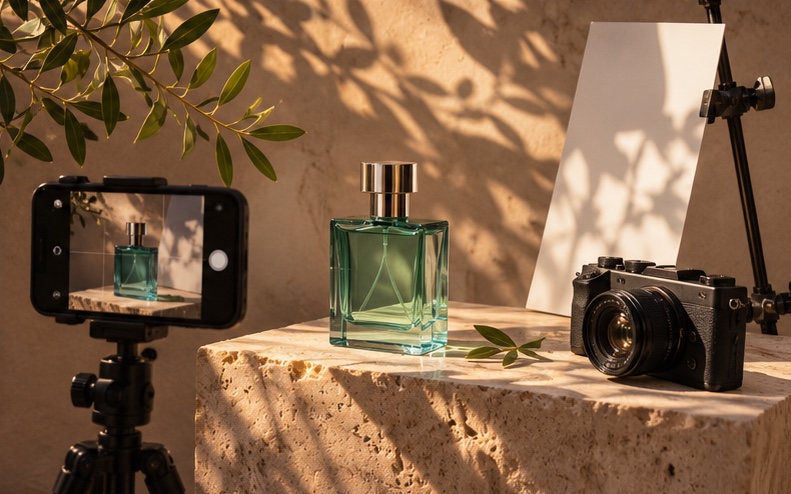



Content repurposing with AI means taking the assets you already have, like product photos, a hero video or a presenter recording, and using AI image and video generation to turn them into many channel-ready pieces. A single product shoot can become short-form video, animated stills, presenter explainers and localized versions without booking another day in the studio.
Key takeaways
- Plan the content calendar before the shoot so you capture clean, well-lit stills and short clips that AI tools can extend.
- Use image-to-video for motion from still product photos, and AI avatars for explainers and announcements.
- Build one master version, then create aspect ratio, length and language variants from it.
- Keep a brand checklist for color, logo placement, product accuracy and claims, and review every AI output against it.
- Localize your best performers first instead of translating everything.
Why Do Marketing Teams Run Out of Content?
Most brands now publish across Instagram, TikTok, YouTube Shorts, LinkedIn, paid social, email and their own site. Each channel wants a different format, length and tone, and most audiences expect new posts several times a week. A traditional shoot produces a fixed set of assets. Once those are used, the team either reshoots or reposts the same files.
AI video changes the math. Instead of treating the shoot as the finished output, you treat it as source material. Every still, clip and voiceover can become the starting point for new pieces, generated in minutes rather than scheduled weeks out.
What Can You Create from One Product Shoot?
Here is what a typical one-day product shoot can turn into with AKOOL:
- Animated product stills: Turn hero photos into short motion clips with AKOOL Image-to-Video, such as a slow camera push, fabric moving in the wind or steam rising from a cup.
- New scenes and backgrounds: Place the product in seasonal or regional settings with AI image models such as Seedream 5.5 or Nano Banana 2, then animate them.
- Cinematic B-roll: Generate atmosphere shots with video models like Seedance 2.5, Kling 4.0 or Google Veo to cut between real product footage.
- Presenter explainers: Turn a product script into a spokesperson video with AKOOL Talking Avatar, without booking talent for every update.
- Localized versions: Translate and lip-sync your best videos with AKOOL Video Translation for each market you sell in.
How to Plan a Month of Content from One Shoot: Step by Step
Step 1: Map the Calendar Before the Shoot
List the posts you need for the month by channel and goal: launch teasers, product details, how-to tips, social proof and promotions. For each one, note the format (9:16, 1:1 or 16:9), length and whether it needs a person on screen. This tells your photographer exactly which angles and clips to capture.
Step 2: Shoot for AI, Not Just for the Final Edit
AI tools work best with clean inputs. Capture each product on a neutral background, from several angles, with even lighting and some empty space around it. Add a few short clips of hands using the product. These become the anchors that keep AI outputs accurate to the real item.
Step 3: Build Your Master Assets
Pick three to five hero assets for the month, such as a launch video, a product explainer and a lifestyle montage. Create these first with the most care, because every variant will come from them.
Step 4: Generate Motion and New Scenes
Use image-to-video to animate stills, and test the same prompt across more than one model. Different models handle motion, physics and texture differently, so comparing outputs side by side helps you pick the strongest clip. AKOOL gives you access to multiple video and image models in one workspace, so you can compare without switching tools.
Step 5: Add a Presenter Where It Helps
Product education, feature walkthroughs and announcements often perform better with a person on screen. An AI avatar lets you publish these quickly and update them when pricing or features change. If you use a likeness of a real employee or ambassador, get written consent first.
Step 6: Create Format and Length Variants
Cut each master into a 6 to 15 second hook version for paid social, a 30 to 60 second version for organic feeds and a longer version for YouTube or your site. Reframe for vertical, square and horizontal placements.
Step 7: Localize What Works
After the first week, check which pieces are performing, then translate those into your priority languages. This keeps localization spend focused on proven content.
What Results Have Brands Seen?
- Calvin Klein used AKOOL talking avatars to create multilingual winter coat videos in 10 languages and lifted customer interaction by 17%. Read the case study.
- Havas used the AKOOL AI image generator to create on-brand campaign visuals at scale, cutting image creation time by 42% and costs by 28%. Read the case study.
- Greenworks Tools cut video turnaround from three days to under one and localized videos into nine languages. Read the case study.
- Fliption used AKOOL face swap to create model-based visuals without photo shoots and approve concepts in hours. Read the case study.
How Do You Keep AI Content On Brand?
- Protect the product. Compare every output against the real item. Check color, shape, labels and packaging text, which AI models can distort.
- Keep claims human-reviewed. AI can draft scripts, but a person should approve product claims, pricing and legal copy.
- Use a short brand checklist. Fonts, logo placement, color palette and tone of voice should be checked before anything is published.
- Disclose where it matters. If a video shows a realistic AI person or a scene that did not happen, consider a clear AI label, and follow platform rules and the laws in your markets.
What Common Mistakes Should You Avoid?
- Generating content with no calendar, which leads to many clips that do not fit any slot.
- Using low-resolution or cluttered source photos.
- Posting the same cut on every channel instead of adapting length and framing.
- Translating every asset before you know which ones perform.
- Skipping product accuracy checks on AI-generated scenes.
Conclusion: Treat the Shoot as Source Material
The fastest-moving marketing teams no longer measure a shoot by the number of finished files it produces. They measure it by how much content it can feed. With AI image and video generation, avatars and translation in one place, one well-planned shoot can keep your channels full for weeks. Start with AKOOL Image-to-Video and turn your next product photo into motion.
Related Use Cases
Frequently Asked Questions
Can AI turn product photos into videos?
Yes. Image-to-video tools animate still photos into short clips with camera movement and motion. Clean, high-resolution photos on simple backgrounds give the most accurate results.
How much content can one product shoot produce with AI?
It depends on your channels and goals, but a well-planned shoot can feed weeks of posts. The keys are capturing several angles and building a few strong master assets that you then vary by format, length and language.
Which AI video model is best for product content?
No single model wins every shot. Some handle realistic motion better, others are stronger with textures or stylized looks. Testing the same prompt across a few models, such as Seedance, Kling and Veo on AKOOL, is the most reliable way to choose.
Do I need to label AI-generated marketing content?
Rules vary by platform and country. Many social platforms ask creators to label realistic AI content, and some laws require disclosure of AI-generated or manipulated media. Check the requirements for your markets and channels.
Can I localize social videos without reshooting?
Yes. AI video translation can translate speech, clone the voice and lip-sync the speaker, so one video can be released in many languages. Have a native speaker review key terms before publishing.