

Set a generative video revision budget around approved scope, accepted shots and explicit spending checkpoints. Separate first-pass generation, planned revisions and later scope changes. Use a reserve worksheet and a stop, revise or simplify decision log to control spending before repeated attempts consume the allowance for finishing and delivery.
What belongs in a revision budget?
A revision budget pays for reaching an agreed result, not simply producing files. An attempt is one submitted generation task. An accepted shot is output that passes its defined checks. A final deliverable combines accepted material with the necessary finishing work. A post-approval change alters an already agreed requirement.
Track those categories separately. A shot may need several attempts, and an accepted clip may still require trimming, controlled lettering or audio finishing. A new request after approval should not disappear into the allowance intended to fix the original brief.
Define the deliverable, shot count, retained duration, acceptance criteria and approving owner before estimating spend. Include a revision reserve and a separate scope-change contingency. These are management allocations you create; they are not claims about built-in AKOOL spending controls.
How do you estimate the first production pass?
Start with a shot inventory. For each shot, list the approved references, required action, output settings, target retained seconds, known difficulty and first-pass attempt allowance. Distinguish generation duration from the seconds you expect to keep.
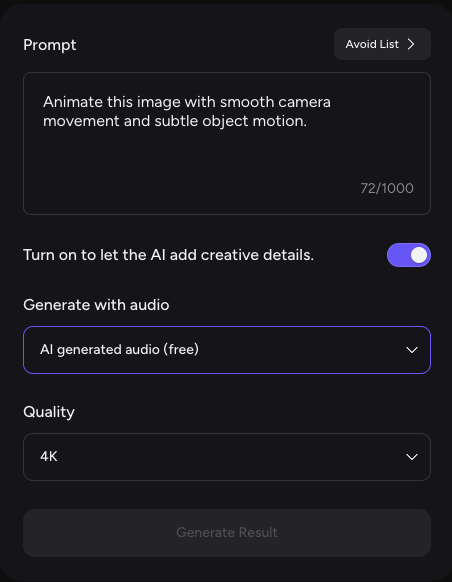
Use the AKOOL capability and estimate guidance to check the selected task. It recommends reviewing the credit estimate before generating; controls and availability vary by model, version and account. Record the displayed units and settings with the estimate date. Do not substitute a platform-wide per-second rate.
Build the first-pass estimate from the sum of each shot’s planned attempts multiplied by its current task estimate. Add setup and finishing labor separately. If task estimates are in credits, retain that unit until you can reconcile the relevant allowance or purchase with your project cost allocation.
Check current AKOOL plan terms for the commitment and usage context. Separate the subscription amount assigned to this project from additional cash you would spend to complete it.
How large should a revision reserve be?
Set the reserve from named risks and planned corrective work. There is no universal percentage that fits every shot or approval process. A difficult action, strict product detail or late reviewer availability may justify a different allowance from a simple atmospheric scene.
| Reserve input | Planning assumption | Your entry |
|---|---|---|
| Shot difficulty | What could prevent acceptance? | [ ] |
| First-pass allowance | Attempts by shot × current task estimate | [ ] |
| Planned revisions | Additional attempts by shot × current task estimate | [ ] |
| Acceptance assumption | Expected accepted shots; label as estimated until observed | [ ] |
| Finishing labor | Hours × rate, separated from generation | [ ] |
| Scope-change contingency | Amount held for newly approved requests | [ ] |
| Spending owner | Person authorized to release the next allowance | [ ] |
Classify each change before assigning money. A factual correction fixes a failure against the approved brief. A creative preference chooses another acceptable treatment. A scope change adds or alters a requirement. Record the reason and owner so a new concept does not masquerade as routine correction.
Protect finishing money from repeated generation. Otherwise, the project can accumulate attractive clips without enough budget to assemble a usable delivery. Release the reserve in stages, with a defined amount available at each checkpoint.
Where no acceptance history exists, enter assumptions explicitly. Do not present an expected attempt count as a benchmark. Replace it with observed data after the project, and retain uncertainty for future work with different requirements.
When should a producer pause another attempt?
Set checkpoints after concept approval, after a representative sample and before batch generation. At each point, compare accepted material, completed attempts, committed spend and the remaining allowance. Include pending commitments when assessing how much budget remains available.
Follow AKOOL pending-job guidance before resubmitting: check the status and retain the task ID. A pending task is not a completed failure. Investigate an error before treating another submission as the appropriate correction.
| Decision | Evidence required | Next action |
|---|---|---|
| Revise | Defect identified; specific input change; allowance remains | Authorize a bounded attempt and record the change |
| Simplify | Repeated defect; core message can survive reduced complexity | Approve revised shot requirements before spending |
| Stop and review | Allowance exhausted, unresolved requirement or uncertain task status | Resolve the issue or authorize a documented scope decision |
Use one decision-log row per checkpoint: shot ID, observed defect, completed attempts, accepted outputs, spend to date, pending commitment, remaining allowance, proposed change and approving owner. Add the date and next review point.
A further attempt needs a reason to expect a different result: corrected input, reduced complexity or another documented change. “Try again” is not an adequate budget decision when it provides no new information about the defect.
How do you compare budget scenarios fairly?
Hold scope and acceptance constant while varying retry assumptions. The example below is wholly hypothetical, in USD excluding tax. It is not an AKOOL rate, measured acceptance benchmark or savings claim. It assumes four accepted shots, each retaining five seconds, and an invented $5 attributable charge per attempt.
| Planning input | Low retries | Expected retries | High retries |
|---|---|---|---|
| Accepted shots / retained seconds | 4 / 20 | 4 / 20 | 4 / 20 |
| First-pass attempts | 4 | 4 | 4 |
| Additional attempts | 2 | 6 | 12 |
| Total attempt cost at fictional $5 | 30 | 50 | 80 |
| Finishing: hours × fictional $25 | 2 × 25 = 50 | 3 × 25 = 75 | 5 × 25 = 125 |
| Allocated subscription cost | 20 | 20 | 20 |
| Total attributable cost | 100 | 145 | 225 |
| Cost per accepted shot | $25.00 | $36.25 | $56.25 |
| Cost per retained second | $5.00 | $7.25 | $11.25 |
The fictional attempt charge represents additional spend beyond an allocated subscription, so it does not duplicate included usage. For your project, count actual top-ups once and record included credit consumption separately. Enter your own shot count, retained seconds, task estimates, revision allowance, finishing hours and allocation rule.
These scenarios assume all four shots eventually pass. If a case falls short, show its accepted shot count and retained seconds honestly. Compare the incomplete scope separately rather than describing a smaller delivery as equivalent. Hold scope-change contingency outside the base total until released for an authorized change.
What should the final budget review record?
Close the project with an attempt log linked to accepted shots. Retain the shot ID, input version, settings, task estimate, billed outcome, status, acceptance result, retained seconds, rework reason and scope-change reference. Reconcile pending tasks before treating the financial record as final.
Compare estimated and actual attempts, generation spend and finishing hours. Explain whether variance came from technical failure, factual correction, creative preference or changed scope. Record both total attributable cost and incremental cash spend, using the same currency and tax treatment as the plan.
For the next cycle, update assumptions only where the work is comparable. A successful simple shot does not establish an acceptance rate for complex scenes. Record unresolved defects and the simplifications that worked.
If you capture a task-estimate screenshot, remove account details and retain its date and settings. No estimate screenshot or measured project result is supplied here. Check an AKOOL generation estimate, then define the next spending checkpoint before authorizing production.