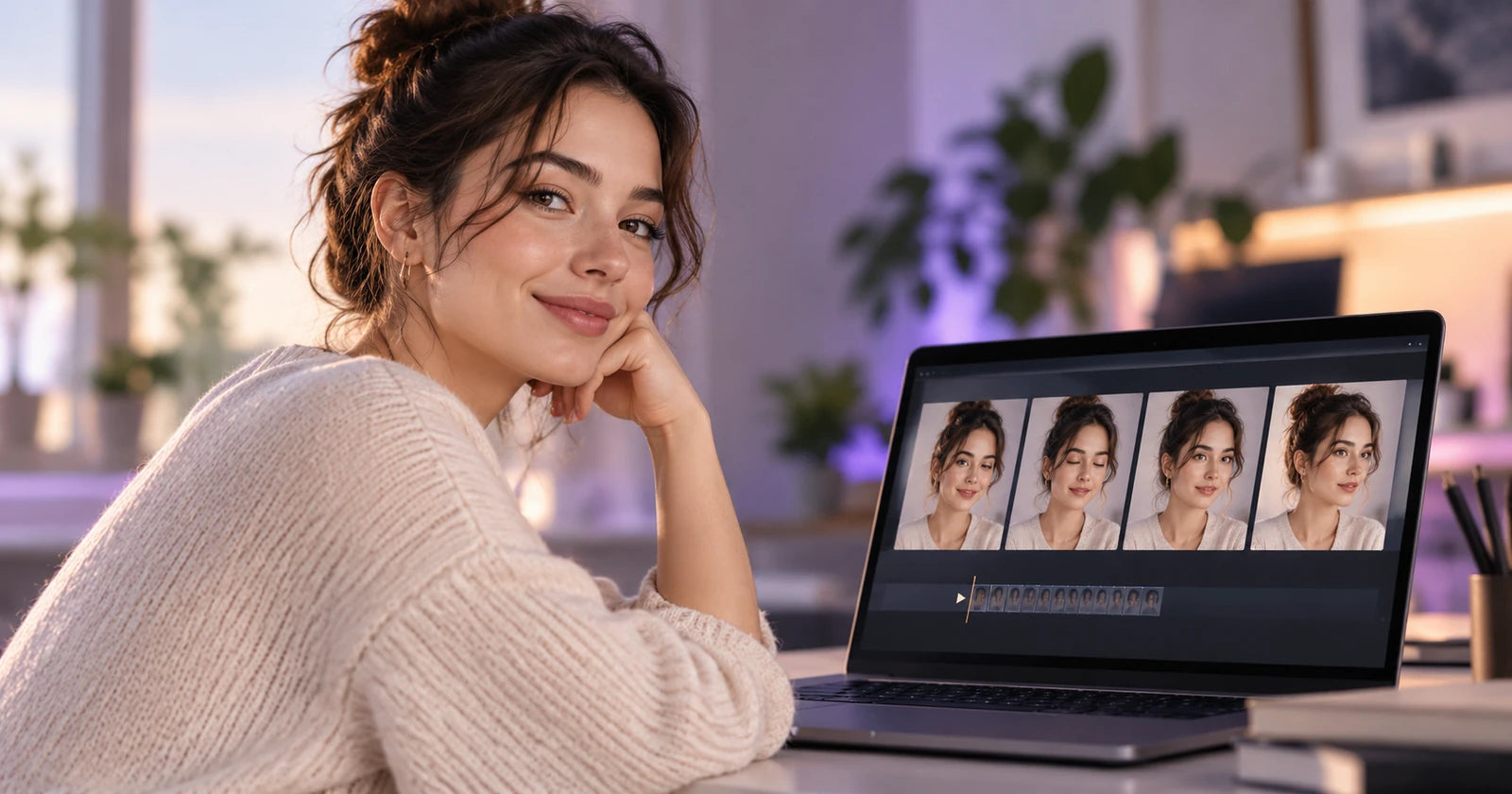

An AI avatar video generator turns a script into a video of a digital presenter who speaks it, with matching lip movement, voice, and on-screen layout. No camera, studio, or on-camera talent is needed. In 2026 these tools are used for training modules, product explainers, sales outreach, localized marketing, and even live, interactive presenters that answer questions in real time.
The field has matured fast. Most platforms now offer stock avatars, custom avatars built from your own footage or a single photo, voice cloning, and translation with lip-sync into dozens or even hundreds of languages. The differences are in realism, how custom avatars are created and protected, pricing models, and which workflows each tool is built around. This guide compares seven talking-avatar and digital-human video tools, with facts checked against each vendor's own site in October 2026.
Pricing in this category changes often and is usually credit- or minute-based. Treat every price below as a snapshot and check the vendor's pricing page before you buy.
Quick comparison
| Tool | Best for | Free option | Custom avatars | Languages (vendor claim) |
|---|---|---|---|---|
| AKOOL | Avatar video plus real-time streaming avatars and translation | Free plan, watermarked | Photo, Instant, Studio, Ultra | 150+ for avatars, 155+ for video translation |
| HeyGen | Marketing, social, and personalized outreach | 3 videos a month, up to 1 minute, watermarked | Digital Twin, Photo Avatars | 175+ on paid plans |
| Synthesia | Enterprise training and internal comms | 10 minutes a month, watermarked | Personal avatars from video or photo | 140+ |
| Colossyan | L&D teams and interactive training | Free Starter plan | Instant and Studio avatars | 120+ |
| D-ID | Animating a single photo, interactive agents | 14-day trial | Photo upload, generated portraits | 119 in Studio |
| Elai.io | Budget-friendly course and explainer videos | 1 minute free | Selfie and Studio avatars (paid add-ons) | 75+ |
| AI Studios (DeepBrain AI) | Large avatar library and news-style presenters | 3 videos up to 1 minute, 720p | Custom avatar from short video | 150+ voiceover languages |
1. AKOOL
What it is: AKOOL is an AI video platform with several avatar tools under one account. Avatar Video creates presenter videos from a script without a camera, Talking Avatar handles rewriting, redubbing, voice cloning, and lip-sync, Talking Photo animates a still image, and Streaming Avatar powers real-time avatar conversations by voice, text, or camera. Disclosure: AKOOL publishes this blog.
Best for: Teams that want pre-recorded avatar videos, real-time interactive avatars, and video translation in the same place, plus API access for automation.
Pros:
- Four custom avatar tiers: Photo Avatar (from a description or an image), Instant Avatar (AKOOL says generation takes between 1 and 60 minutes), Studio Avatar (fine-tuned per user), and Ultra Avatar (human-in-the-loop, with gesture and emotion support, via sales).
- 500+ voices, voice cloning, and audio uploads, according to the Avatar Video page.
- AKOOL states avatars can speak in over 150 languages, and its video translation tool claims 155+ languages with an optional lip-sync model.
- Real-time streaming avatars in 1080p and 4K, with gestures and emotions supported, plus an API for embedding avatars in your own product.
- Script-based editing, 100+ templates, and PPT/PDF to video conversion.
Limits: The free plan has a full-screen watermark, 720p avatar output, and slower processing. Studio Avatars are limited to the Business plan and above, and Ultra Avatars require contacting sales. Video credit costs vary by model and length, so estimate usage before committing. AKOOL's FAQ says you must have the rights to any images used to create an avatar.
Pricing note: At the time of writing, AKOOL's pricing page lists a free plan and paid plans from $12 per seat per month on annual billing (Starter, shown as a limited-time offer), with Pro, Pro Max, Business, and custom Enterprise tiers. Avatar video resolution goes up to 4K from the Pro plan. Check current pricing before buying.
2. HeyGen
What it is: HeyGen is one of the most widely used avatar video platforms, known for a fast editor, a large stock avatar library, and Digital Twins built from your own footage.
Best for: Marketers, creators, and sales teams producing short-form videos, personalized outreach, and localized ads.
Pros:
- 700+ stock avatars on paid plans, plus Custom Video Avatars and Photo Avatars.
- HeyGen lists 175+ languages and dialects on paid plans.
- Pro adds Cinematic Avatars, which place an avatar in text-prompted scenes.
- A clear consent process for Digital Twins: the person in the footage records a short consent video at the same time, reading a provided script.
Limits: The free plan allows 3 watermarked videos a month, up to 1 minute each, with 30+ languages. Plans are credit-based, so heavy users of premium avatar models can burn through credits faster than expected.
Pricing note: HeyGen's pricing page lists Free, Creator at $29 per month ($24 per month billed annually), Pro from $49 per month, Business from $149 per month plus $20 per extra seat, and Enterprise on request.
3. Synthesia
What it is: Synthesia is an enterprise-focused AI video platform built around presenter-style videos for training, onboarding, and internal communication.
Best for: Large organizations that need consistent, brand-safe training content at scale, with governance and collaboration.
Pros:
- Synthesia lists 140+ languages and voices, with AI dubbing into 70+ languages on self-serve plans and 140+ on Enterprise.
- Personal avatars can be created from a recorded video or a photo, and Pro includes 5 personal avatars.
- A strict consent flow: consent must be recorded live with an on-screen passcode by the person the avatar represents, and their voice is cloned during the same process.
- Stock avatar library grows by tier, from 125+ on Starter to 240+ on Enterprise.
Limits: The free Basic plan includes only 9 avatars and carries a watermark. Personal avatars usually take about one business day to generate. Paid minutes are capped per plan, so long courses can require an upper tier.
Pricing note: Synthesia's pricing page lists Basic at $0 (10 minutes of video a month), Starter at $29 per month billed monthly, Pro at $89 per month billed monthly, and custom Enterprise pricing.
4. Colossyan
What it is: Colossyan is an AI video platform aimed squarely at learning and development teams, with interactive video features and LMS exports.
Best for: Training and compliance content where you need quizzes, branching, translations, and SCORM packages.
Pros:
- 300+ stock avatars and 700+ stock voices, per the pricing page.
- Instant custom avatars are included in any active plan.
- Auto-translation and interactive videos are available even on the free Starter plan, within monthly limits.
- SCORM exports on Professional (5 per month) and unlimited on Enterprise.
Limits: Studio custom avatars, filmed on green screen, are a paid add-on outside Enterprise. Colossyan's own pages list both 100+ and 120+ languages, so confirm the languages you need before you commit.
Pricing note: Colossyan lists a free Starter plan (no credit card required), Professional at $59 per month on yearly billing plus $30 per month per extra member, and Enterprise on request.
5. D-ID
What it is: D-ID specializes in animating a single facial image into a talking video. Its Creative Reality Studio lets you pick a stock presenter, upload a face, or generate a portrait from text, and the company also offers interactive AI Agents.
Best for: Quick talking-head clips from a photo, personalized video campaigns, and conversational agents on a website.
Pros:
- Works from one image (JPEG, JPG, or PNG up to 10 MB), so you do not need recorded footage to create a presenter.
- D-ID says the Studio supports 119 languages, plus video translation with adapted lip movement.
- Voice cloning requires the speaker to record a consent statement as part of the submitted audio.
- API and streaming options for developers.
Limits: Studio videos are limited to 5 minutes, Premium presenters are not available on the Lite plan, and trial videos carry a watermark. Photo-based animation shows less body movement than footage-based avatars.
Pricing note: D-ID offers a 14-day free trial and Lite, Pro, Advanced, and Enterprise Studio plans, with separate API plans. We could not verify current Studio prices on D-ID's site, so check current pricing.
6. Elai.io
What it is: Elai.io is a text-to-video platform with avatar presenters, aimed at e-learning, explainers, and corporate content.
Best for: Smaller teams that want predictable minute-based pricing and optional custom avatars.
Pros:
- 80+ avatars and 75+ languages on every plan.
- Two custom avatar routes: a Selfie Avatar from a phone video, or a Studio Avatar from studio footage.
- Voice cloning available as an add-on or included on Team and Enterprise annual plans.
Limits: The free plan includes just 1 minute of video. Custom avatars and voice cloning are paid add-ons on lower tiers (Selfie Avatar $199 per year, Studio Avatar $500 per year, voice clone $200 per year, per the pricing page). Elai's pricing page does not describe a consent process, so ask before uploading anyone else's likeness.
Pricing note: Elai lists Free (1 minute), Creator at $29 per month ($23 billed annually, 15 minutes), Team at $125 per month ($100 billed annually), and custom Enterprise plans.
7. AI Studios by DeepBrain AI
What it is: AI Studios is DeepBrain AI's avatar video platform, with a very large avatar catalog, dubbing, and a separate interactive avatar product.
Best for: Teams that want lots of stock presenter options, news or announcer-style videos, and dubbing.
Pros:
- The pricing page cites 2,000+ AI-generated avatars and 1,000+ AI voices.
- 150+ voiceover languages and accents on paid plans, with dubbing into 73 languages.
- Custom avatars from a short video and voice recording, including 1 on the free plan.
- Separate interactive avatar plans for real-time use.
Limits: The free plan allows up to 3 videos of 1 minute each, exported in 720p. Longer videos require Personal (30-minute max) or Team (60-minute max).
Pricing note: AI Studios lists Free, Personal at $24 per month, Team at $55 per seat per month, and Enterprise on request, with interactive avatar plans priced separately.
A note on Hour One
Hour One, an early player in virtual-human video, was acquired by Wix in May 2025. Its technology is being folded into Wix products, so if you are evaluating it as a standalone tool, confirm current availability and plans directly with the company.
Realism, languages, lip-sync, custom avatars, and consent
Feature lists look similar across vendors. These are the areas where the tools actually differ, and where you should test before you buy.
Realism
Realism depends on the avatar type more than the brand. Footage-based custom avatars (Digital Twins, Studio Avatars, personal avatars) usually look the most natural because the model learns real head movement and expression. Photo-based avatars are faster and cheaper but tend to show less body motion. Watch for three tells in any trial: stiff or repetitive head movement, eye contact that drifts, and hands that freeze while the voice continues. Premium tiers, such as AKOOL's Ultra Avatar with gesture and emotion support, aim to close that gap but usually cost more.
Languages and lip-sync
Every vendor claims dozens to hundreds of languages, but there are two different numbers to watch: text-to-speech languages for new scripts, and dubbing or translation languages for existing videos. They are often not the same list. Lip-sync quality also varies by language, and most tools work best with a single speaker facing the camera. Test your top two or three target languages, including any with very different mouth shapes from English, before you commit to a plan.
Custom avatars
Custom avatars come in roughly three levels:
- Photo avatars: created from one image, ready in minutes, best for quick clips.
- Instant or selfie avatars: created from a short webcam or phone recording, usually ready in minutes to hours.
- Studio or fine-tuned avatars: created from higher-quality footage and trained per person, often taking a day or more and costing extra.
Good source footage matters more than the tier: even lighting, a steady camera, a plain background, and natural speech with pauses.
Consent and rights
Creating a digital copy of a real person carries legal and ethical weight. Several vendors build consent into the workflow: HeyGen requires a consent video from the person in the footage, Synthesia requires a live consent recording with a passcode, and D-ID requires a recorded consent statement for voice cloning. AKOOL's FAQ puts the responsibility on you to hold the rights to any images used. Whatever tool you choose:
- Get written permission before creating an avatar or voice clone of anyone other than yourself, and define how long and where it can be used.
- Never create avatars of public figures or private individuals without authorization.
- Disclose AI-generated presenters to viewers where your industry or local law expects it.
- Check who owns the avatar and the output if the employee or actor leaves, and how to delete their data.
How to choose an AI avatar video generator
- Start with the use case. Training and compliance teams usually need SCORM export, collaboration, and governance (Synthesia, Colossyan). Marketing and social teams usually need speed, templates, and short-form formats (HeyGen, AKOOL). Real-time support or sales demos need streaming avatars (AKOOL Streaming Avatar, D-ID Agents, AI Studios interactive avatars).
- Count your minutes. Estimate monthly video output and compare it with each plan's minutes or credits. Credit-based plans can cost more than expected with premium avatar models or 4K output.
- Test custom avatar quality. If a branded presenter matters, create one on a trial and judge the result on your own footage.
- Check languages, not just counts. Confirm your exact target languages for both voice and lip-synced translation.
- Review consent and data terms. Make sure the vendor's process meets your legal team's requirements for likeness and voice data.
- Look at integrations. If you plan to automate, compare API access and which plans include it.
For a broader look beyond avatars, see our guide to the best AI video generators, or start with our roundup of free AI video generators if budget comes first.
Frequently asked questions
What is an AI avatar video generator?
It is software that turns a script or audio track into a video of a digital presenter who speaks it with synchronized lip movement. You choose a stock avatar or build a custom one, pick a voice, and the platform renders the video without a camera or studio.
Can I create an avatar of myself?
Yes. Most tools in this list support custom avatars from a short recording, and some also work from a single photo. Expect to record a consent statement on platforms such as HeyGen and Synthesia, and to have clear, well-lit footage for the best result.
Is it legal to make an AI avatar of someone else?
Only with that person's permission, and laws on likeness and voice rights vary by country and state. Get written consent that covers how and where the avatar will be used, and follow each vendor's consent process. Do not create avatars of anyone without authorization.
How realistic are AI avatars in 2026?
Footage-based custom avatars can be very convincing in short, front-facing clips. Weak spots still include long takes, strong emotion, hand movement, and some languages. Test with your own script and target language before scaling up.
Which AI avatar generator supports the most languages?
Vendor claims range from 75+ (Elai.io) to 175+ (HeyGen paid plans), with AKOOL, Synthesia, and AI Studios all claiming 140 to 155 or more. The right answer depends on whether you need text-to-speech, dubbing, or lip-synced translation, so check each list for your specific languages.
Is there a free AI avatar video generator?
Several tools offer free tiers or trials, including AKOOL, HeyGen, Synthesia, Colossyan, Elai.io, and AI Studios, and D-ID offers a 14-day trial. Free outputs are usually watermarked and limited in length or resolution.
Can AI avatars be used in live, real-time conversations?
Yes. Real-time or streaming avatars can respond to users by voice or text during a session. AKOOL Streaming Avatar, D-ID Agents, and AI Studios interactive avatars all target this use case, typically with session-time limits by plan.
Start creating with AKOOL
If you want to try script-to-video presenters, custom avatars, and real-time streaming avatars in one workspace, you can start on AKOOL's free plan without a credit card. Create your first AI avatar video with AKOOL.