


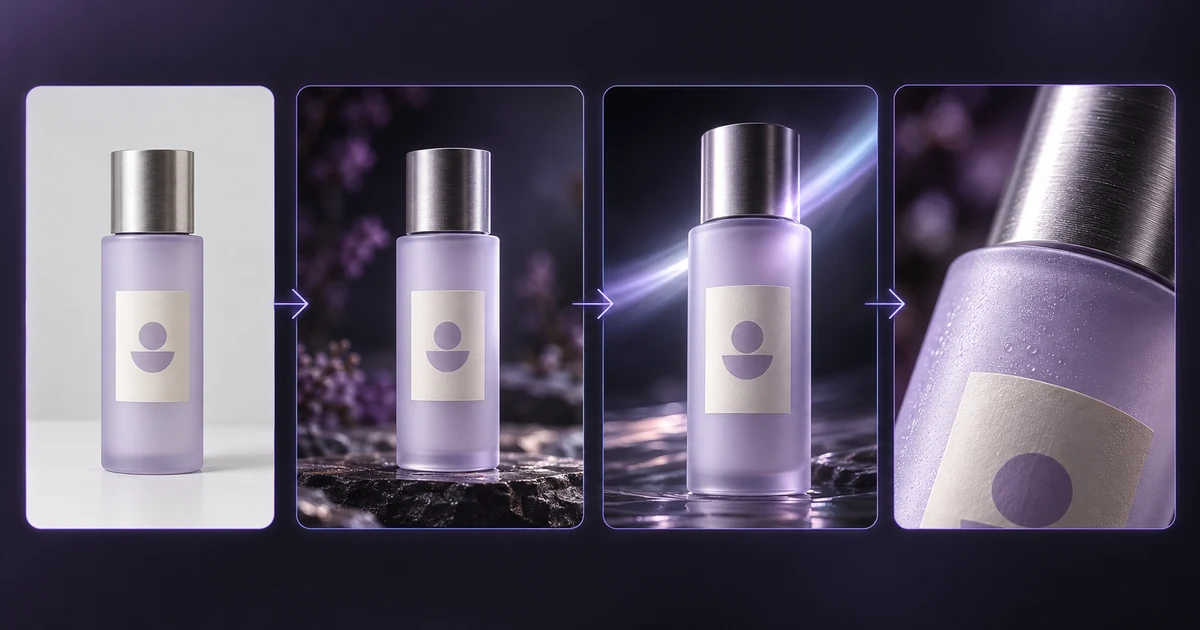

A start frame sets the first image of an AI-generated clip, while an end frame defines the intended final image. The video model generates the motion between them. Results depend on the model, prompt, image compatibility, and available controls, so supplying two frames does not guarantee perfect object or character continuity.
What are start and end frames in AI video?
Start and end frames are two visual anchors that tell an AI video model how a shot should begin and approximately where it should finish. The model then generates the intermediate motion needed to connect those states.
Think of the workflow like this:
Start frame → generated motion → end frame
For example:
- Start frame: a closed black product box on a table
- End frame: the same box open with the product visible
- Prompt: slowly pull the camera backward as the lid opens, keeping the box and logo unchanged
The model is not simply fading between two pictures. It tries to create a plausible sequence of intermediate frames.
Google calls this interpolation in its Veo 3.1 documentation. The first image is supplied as the initial frame and the last image as the final-frame constraint. Google AI for Developers
That is different from asking a model in text to “finish on an open box.” Text can describe an ending. A true start/end-frame workflow supplies the actual final image.
How are start and end frames different from image-to-video?
Image-to-video normally anchors the beginning of a clip with one image. Start/end-frame generation anchors both ends of the transition.
| Workflow | Required input | What you control | Main continuity advantage | Common failure |
|---|---|---|---|---|
| Single-image image-to-video | One image + prompt | Starting appearance and motion direction | Strong first-frame identity | Ending can drift |
| Start + end frames | Two images + prompt | Beginning, intended ending, and transition direction | Both compositions are visually constrained | Middle can morph unnaturally |
| Video extension | Existing clip + prompt | Continuation after the existing endpoint | Carries motion forward | New section may drift |
| Video Reference | Reference clip + target asset | Motion/camera/style behavior | Better motion guidance | Target may inherit unwanted reference behavior |
AKOOL's standard AI video generator already supports image-to-video across multiple model families. The important distinction is whether the specific selected model and current mode expose a second frame input.
Do not call a text instruction such as “end on this composition” start/end-frame control. The second image must actually be supplied as a frame constraint.
How do you choose two frames that transition smoothly?
The closer your start and end images are in subject identity, camera position, composition, lighting, and aspect ratio, the less visual information the model has to invent between them.
Five factors matter most.
Keep the subject consistent
If the first image shows a blue bottle and the second shows a slightly different bottle shape, the model has to decide whether the product transforms or whether the discrepancy should be ignored.
Use the same character, product, clothing, materials, and key details in both images.
Match camera angle and framing
A small framing change can imply a believable camera move.
A front-facing close-up transitioning into a slightly wider front-facing shot is relatively straightforward.
A close-up from the front transitioning into an overhead shot requires the model to reconstruct unseen surfaces and invent a much larger camera path.
Keep lighting compatible
Day-to-night transitions are possible precisely because lighting is meant to change.
But if you want only a character pose change, large unrelated lighting differences add another problem for the model to solve.
Use the same aspect ratio
Create both images in the same final composition whenever possible. Stretching or cropping one endpoint changes where subjects appear in frame.
Avoid impossible pose changes
If a person begins seated facing camera and the final image shows them standing with their back toward camera in a completely different room, the model must invent a large amount of movement and unseen visual detail.
Simpler transitions usually preserve identity better.
How can you create a start-to-end-frame video with AKOOL?
Use a model whose current AKOOL workflow exposes both start and end frames. AKOOL's public documentation currently describes start/end-frame support for Kling 3.0 and Wan 2.7, but the exact controls visible in your account should still be checked before generation.
AKOOL's current Kling 3.0 page states that its multi-reference workflow can use start/end frames for precise motion.
AKOOL's Wan 2.7 page separately documents Start and End Frame Control for defining a shot's motion arc.
A practical workflow is:
- Open the AKOOL AI video generator.
- Select a model that currently exposes start/end-frame inputs.
- Upload the first image.
- Upload the intended final image into the end-frame field.
- Write a prompt that describes how the transition should happen, not what the two images already show.
- Match the output aspect ratio to both input frames.
- Generate and inspect the middle of the clip as closely as the beginning and ending.
The two images constrain the endpoints. The prompt explains the path.
If your selected model does not expose two-frame input, use its supported image-to-video mode instead. Do not simulate the feature by merely describing an ending in text.
For more complex camera or action guidance, AKOOL's Video Reference guide explains how an existing clip can guide movement and style.
What prompt patterns work with start and end frames?
Product reveal
Use a start/end pair when the product must arrive at a specific final hero composition.
Start frame: sealed product box, close framing.
End frame: open box with product centered.
Start on the supplied close-up of the sealed box. Move the camera back slowly as the lid opens. End at the supplied clean hero frame of the product. Keep the logo shape, package geometry, and product color stable. One continuous shot.
What to inspect: watch the logo, lid hinges, product dimensions, and moment the interior becomes visible.
Failure fix: reduce the amount of camera movement and ask for the lid to open in one simple continuous action.
Day-to-night transition
This pattern works when the composition stays fixed and environmental conditions change.
Start frame: street during daylight.
End frame: matching street at night.
Transition gradually from the supplied daytime street frame to the matching night frame. Keep all buildings, road geometry, and camera position fixed while the sky darkens and window lights turn on gradually. No cuts.
What to inspect: buildings should not move while illumination changes.
Failure fix: explicitly lock architecture and remove moving cars or crowds if they introduce unwanted spatial changes.
Camera move
Use two matching compositions to suggest a controlled push, pull, or partial orbit.
Start frame: medium product shot.
End frame: closer three-quarter product view.
Move smoothly from the supplied medium composition to the final three-quarter close-up. Use a slow clockwise camera move at constant height. Keep product proportions, logo, materials, and background unchanged.
What to inspect: the transition should feel like camera motion rather than product morphing.
Failure fix: reduce the angle difference between the two source frames.
Character pose change
Small pose changes are easier than dramatic body transformations.
Start frame: person standing with arms relaxed.
End frame: same person holding a cup near chest level.
Keep the character's face, clothing, hairstyle, and body proportions unchanged. The right arm lifts naturally to pick up the cup and reaches the supplied final pose. Camera remains fixed. No change to lighting or background.
What to inspect: fingers, arm length, face identity, cup position, and clothing folds.
Failure fix: simplify hand interaction or use a larger object with less fine finger articulation.
Scene change
A start/end pair can guide a stylized environmental transformation, but large scene changes carry the highest morphing risk.
Start frame: empty futuristic plaza.
End frame: same plaza covered in snow.
Keep the camera position, architecture, and plaza layout fixed. Snow gradually begins falling and accumulating until the scene matches the supplied winter frame. Buildings must not change shape. No cut or camera movement.
What to inspect: architecture should remain fixed while surfaces transform.
Failure fix: separate lighting/weather changes from architectural changes. Avoid asking the model to transform both the environment and camera simultaneously.
What can go wrong with start and end frames?
The endpoints can be correct while the generated middle still fails. Most problems come from asking the model to reconcile frames that differ in too many ways.
| Problem | What it looks like | Likely cause | Practical fix |
|---|---|---|---|
| Morphing | Product or face melts between states | Frames differ too much | Use more similar endpoints |
| Sudden cut | Video jumps to final frame | Transition is too difficult | Reduce pose/camera difference |
| Subject drift | Face, logo, or product changes | Identity constraints are weak | Match references more closely |
| Geometry changes | Buildings or objects stretch | Model must invent unseen surfaces | Simplify camera move |
| Wrong motion | Model reaches the end frame through odd action | Prompt does not define the path | Describe one physical action |
| Lighting flicker | Exposure changes unpredictably | Frame lighting conflicts | Match lighting or explicitly describe transition |
| End mismatch | Final generated frames only resemble target | Model treats endpoint as constraint, not guaranteed pixel copy | Leave room for an edit or use a stronger compatible model |
The most important limitation is simple:
Two supplied frames constrain the transition. They do not guarantee that every object will remain identical between them.
Which AKOOL models currently document start and end frames?
The table below reflects currently published AKOOL documentation, not a claim that I directly tested your account's live UI on October 1.
| Model | Publicly documented start/end-frame support | What the documentation says |
|---|---|---|
| Kling 3.0 | Yes | AKOOL says its multi-reference controls include start/end frames for precise motion. Akool |
| Wan 2.7 | Yes | AKOOL explicitly lists Start and End Frame Control among its director-level controls. Akool |
| Kling 2.5 | Yes | AKOOL's published Kling 2.5 guide describes separate Start Frame and End Frame uploads. Akool |
| Veo 3.1 | Supported by the model provider | Google's current API supports first-and-last-frame interpolation. AKOOL also offers Veo 3.1, but confirm that your current AKOOL mode exposes the second-frame input before relying on it. Google AI for Developers |
AKOOL's broader model comparison also lists start/end-frame capability for Kling 3.0 and Kling 2.5, and notes first/last-frame support for Veo 3.1 at the model level.
Do not assume the same mode, duration, resolution, or input combination is available across every plan or model revision.

