



Quick guide: 10 AI video platforms for marketers and creators
- AKOOL: The leading multi-model platform for marketing teams needing text-to-video, image-to-video, face swap, and video translation in one place
- Runway: A creative tool with text-to-video and video editing features for filmmakers
- Magic Hour: AI-powered video creation platform
- HeyGen: An avatar-focused platform for personalized video messages
- Pika: A video effects tool for short-form social content
- Synthesia: An avatar video creator for corporate training and learning
- D-ID: A talking avatar solution for customer engagement
- Kling: A motion-focused model for realistic scene generation
- Veo: A Google-powered model for cinematic video output
- Minimax Hailuo: A video model with motion and character continuity
How we chose the AI video platforms with multiple models
Finding the right AI video platform can feel overwhelming when every tool promises studio-quality results. We focused on platforms that give you real flexibility, not just one model locked behind a subscription.
Here's what we looked for:
- Multi-model access: You should be able to switch between different AI video models without jumping between platforms
- Text-to-video and image-to-video support: Both input types matter for different workflows, from script-based ads to product photo animation
- Output quality: Native 1080p or 4K generation, with sharp visuals and smooth motion
- Marketing-ready features: Face swap, video translation, avatar creation, and voice cloning expand what you can do with each video
- API availability: Teams that need to scale content production require programmatic access
- Workflow integration: The tool should fit into your existing tech stack, not force you to rebuild around it
- Enterprise trust signals: SOC 2 compliance, privacy controls, and Fortune 500 adoption indicate reliability
The 10 AI video platforms with multiple models for text-to-video and image-to-video
1. AKOOL: The leading multi-model platform for marketing teams
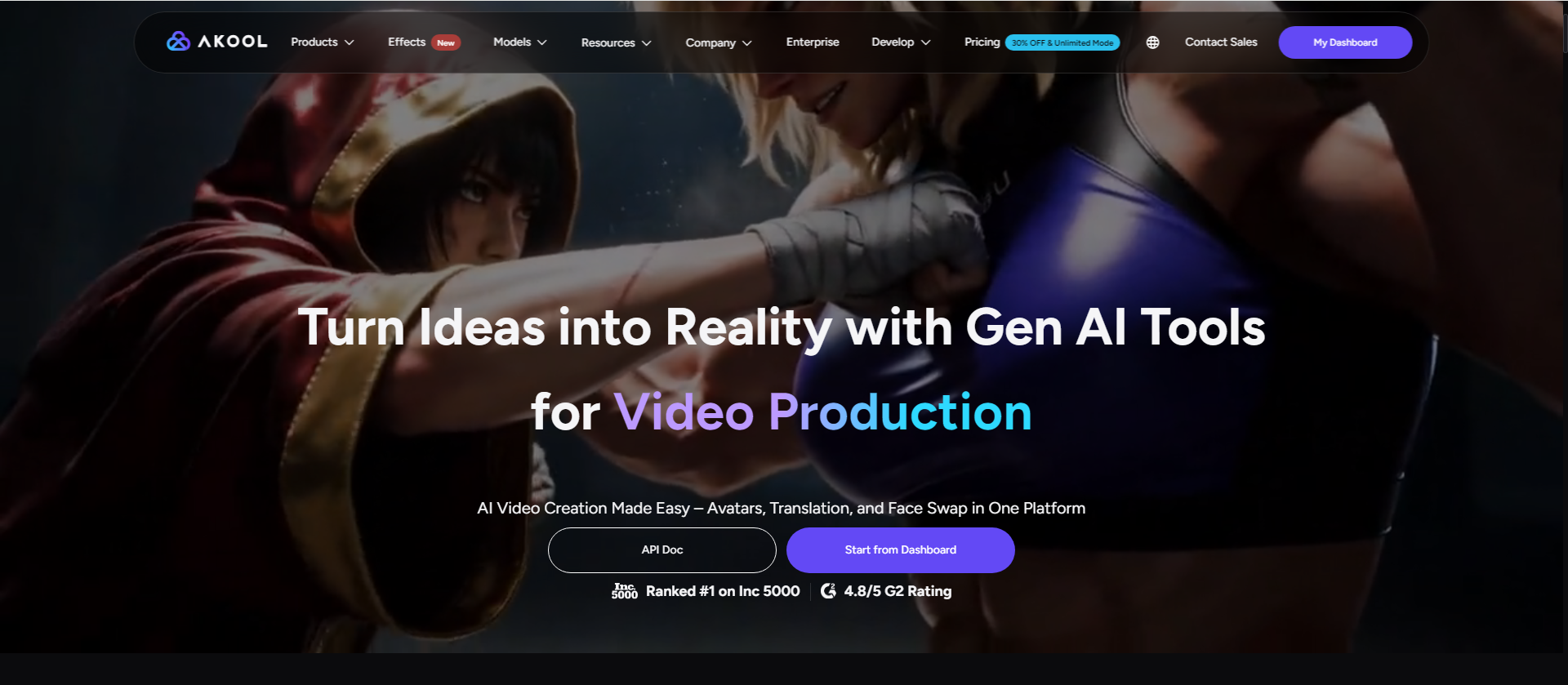
AKOOL gives you access to multiple AI video models in one place, including Kling 3.0, Wan 2.7, Veo 3.1, Sora, Seedance 2.0, and Minimax Hailuo. You can switch between models based on your creative needs without managing separate subscriptions or learning new interfaces.
The platform goes beyond basic video generation. AKOOL combines image-to-video conversion with face swap technology, video translation into 155+ languages, streaming avatars, and realistic talking photos. Marketing teams can produce localized campaigns, personalized ads, and product videos from a single dashboard.
What makes AKOOL different is the integration depth. You can take a product image, generate a video using Kling or Wan, add a translated voiceover with lip sync, and swap in a regional spokesperson—all without leaving the platform. Enterprise users trust AKOOL for campaigns with Coca-Cola, Canon, Google Cloud, and Qatar Airways.
AKOOL features
- Native 4K rendering: Generate videos at four times the pixel density of standard HD for production-ready output
- Multi-model selection: Choose from PixVerse, Kling, Wan, Seedance, Minimax, Sora, and Veo based on your scene requirements
- Neural lip-sync: The platform's proprietary diffusion models align mouth movements with translated audio for natural localization
- Real-time streaming avatars: Deploy interactive AI presenters that respond in real time for customer support, training, or live events
- Character-consistent face swap: Replace faces while preserving expressions, lighting, and skin tones across entire videos
- Enterprise API: Scale video production programmatically with documented endpoints for batch processing
AKOOL pros and cons
Pros:
- Access to more AI video models than any single competitor, giving you creative options for different project types
- All-in-one workflow from generation to translation to face swap reduces tool switching
- SOC 2 compliant with enterprise-grade security, validated by Fortune 500 adoption
Cons:
- Processing time varies depending on video length and selected model—longer clips take more time
- Some advanced customization options require familiarity with the full toolset
- Multi-language processing continues to expand with new regional dialects being added
2. Runway: A creative tool with AI video editing
Runway offers text-to-video, image-to-video, and video-to-video generation through its Gen-4 and Aleph 2.0 models. The platform also includes premier models from other providers like Seedance 2.0, Kling 3.0, and Veo 3.1 within its interface.
The editing capabilities set Runway apart from generation-only tools. You can relight scenes, swap backdrops, and add or remove objects from existing footage using text prompts. Studios like Lionsgate and brands like Salomon have used Runway for production work.
Runway features
- Multiple model access: Switch between Gen-4.5, Aleph 2.0, and third-party models based on your output needs
- Video editing with AI: Change lighting, time of day, and backdrops on existing footage
- Dialogue and music generation: Add AI-generated sound to videos during or after generation
Runway pros and cons
Pros:
- Combines generation and editing in one platform for iterative creative work
- Character consistency features help maintain identity across multiple shots
- Commercial use is permitted on all plans including the free tier
Cons:
- Requires chaining multiple generations for longer video sequences
- The interface has a learning curve for users new to AI video tools
- Model recommendations may not match your specific creative vision
3. Magic Hour: AI-powered video creation platform
Magic Hour is an AI video creation platform designed for generating, editing, and transforming videos with AI. The platform brings together AI video generation, image-to-video, face swap, lip sync, and other creative tools in one workspace, making it easier to produce short-form content without complex editing workflows.
Creators, marketers, and businesses can use Magic Hour for social media content, advertising creatives, product videos, and visual experiments. Its browser-based workflow makes AI video creation accessible without requiring advanced video production skills.
Magic Hour features
- AI video generation: Turn text prompts and images into engaging AI-generated videos for creative and marketing content
- Image-to-video generation: Animate still images with AI-generated motion, helping creators turn static visuals into dynamic video content
- AI creative tools: Access features such as face swap, lip sync, and video transformation for creating and customizing AI-powered content
Magic Hour pros and cons
Pros:
- Wide range of AI video and image tools available from a single platform
- Simple browser-based workflow makes AI video creation accessible to beginners
- Useful for social media content, marketing creatives, and rapid visual experimentation
Cons:
- Output quality can vary depending on the selected AI model and input
- Advanced users may want more detailed controls over video generation and editing
- Higher-volume generation requires a paid plan
4. HeyGen: An avatar platform with digital twin technology
HeyGen focuses on avatar-based video creation, with its Avatar V model learning your appearance, expressions, gestures, and motion patterns from a 15-second webcam recording. The platform supports 175+ languages with phoneme-level lip sync accuracy.
Sales teams, L&D departments, and executives use HeyGen for personalized outreach, training content, and internal communications. The character consistency holds across long-form videos without identity drift.
HeyGen features
- Avatar V digital twins: The model separates identity from appearance, letting you change outfits and settings while keeping your motion patterns
- 175+ language support: Lip sync accuracy maintained across different languages for localization
- Multi-angle generation: Create wide shots, medium frames, and close-ups from a single recording
HeyGen pros and cons
Pros:
- Character consistency holds across long videos and multiple scenes
- Quick avatar creation from webcam without studio recording requirements
- Strong localization support with accurate lip sync in many languages
Cons:
- Focused on avatar-based content rather than general video generation
- Advanced features require higher subscription tiers
- Less flexibility for cinematic scene generation compared to multi-model platforms
5. Pika: A video effects tool for short-form content
Pika specializes in creative video effects and short-form content, with features like "squish," "melt," and "cake-ify" transformations for photos. The platform targets social media creators looking for scroll-stopping visual effects.
The Pika 2.5 model offers improved resolution and longer clip support compared to earlier versions. The new API Club provides access to generation models at reduced pricing for developers.
Pika features
- Creative effects: Transform photos into reality-bending videos with one-tap effects
- Pika Agent: Collaborate with an AI creative partner through conversation
- MCP integration: Give existing agents creative abilities through Pika's model access
Pika pros and cons
Pros:
- Unique visual effects that stand out on social platforms
- Simple interface designed for fast content creation
- AI Trendmaker lets users participate in viral video trends
Cons:
- Focus on effects rather than full video production workflows
- Less suited for professional marketing content compared to enterprise platforms
- Model options more limited than multi-model aggregators
6. Synthesia: An avatar creator for enterprise learning
Synthesia targets corporate training and internal communications with its Express-2 avatars that gesture based on your script. The platform includes AI Playground access to Veo 3.1, FLUX.2, and Nano Banana Pro models.
The one-click translation feature converts videos into 80+ languages, while AI Dubbing preserves the speaker's voice with lip sync. Fortune 100 companies use Synthesia for scalable video production across departments.
Synthesia features
- Express-2 avatars: AI presenters that wave, point, and clap based on your script content
- Personal avatars: Create a digital version of yourself that speaks 30+ languages
- Interactive video elements: Add quizzes, CTAs, and branching scenarios to increase engagement
Synthesia pros and cons
Pros:
- Strong compliance and security features for enterprise adoption
- Built-in interactivity makes videos more engaging for training use cases
- Brand kits help maintain visual consistency across teams
Cons:
- Enterprise-only features require higher tier subscriptions
- Avatar style oriented toward professional presentations rather than creative content
- Less flexibility for non-avatar video generation workflows
7. D-ID: A talking avatar solution for visual AI agents
D-ID creates talking avatar videos from images and builds real-time visual AI agents that respond to users. The platform includes video translation with automatic voice cloning and lip sync for localization.
Enterprise features include self-hosting options, ElevenLabs Conversational AI integration, and MCP support for AI-powered development tools. D-ID targets customer engagement, marketing, and internal communications use cases.
D-ID features
- Visual AI agents: Build two-way experiences where users speak directly with expressive digital humans
- Agentic videos: Let viewers ask questions during or after video playback
- Knowledge grounding: Connect approved documents and websites so agents provide context-aware answers
D-ID pros and cons
Pros:
- Real-time visual agents add interactive capabilities to avatar videos
- Canva integration makes video creation accessible within design workflows
- Self-hosting option gives enterprises infrastructure control
Cons:
- Focused on avatar and agent use cases rather than general video generation
- Interactive features require additional configuration compared to simple video creation
- Enterprise features priced for larger organizations
8. Kling: A motion-focused AI video model
Kling specializes in physical accuracy and motion control, with smoother transitions, sharper detail, and scene consistency. The model is available through platforms like AKOOL, Runway, and Luma AI rather than as a standalone product.
The Kling 2.5 and 3.0 versions deliver realistic storytelling and cinematic content. Full scene motion includes camera movement, physics, and environmental dynamics.
Kling features
- Physical accuracy: Realistic motion that follows real-world physics for believable output
- Scene consistency: Maintains visual coherence across frames for continuous shots
- High-fidelity detail: Sharp visuals even in complex scenes with multiple elements
Kling pros and cons
Pros:
- Motion quality ranks among the highest available for AI video
- Available on multiple platforms, giving you flexibility in how you access it
- Strong for product demos and realistic scene generation
Cons:
- Not available as a standalone platform with its own interface
- Feature access depends on which aggregator platform you use
- Credits and pricing vary by platform rather than direct model access
9. Veo: A Google-powered cinematic video model
Veo, developed by Google, offers advanced spatial awareness, longer scene generation, and natural world physics. Veo 3.1 is the current version available through platforms like AKOOL, Luma AI, and Synthesia.
The model excels at cinematic storytelling with coherent extended scenes. Creators seeking lifelike realism use Veo for product videos, brand content, and visual effects.
Veo features
- Extended scene generation: Longer continuous shots compared to typical AI video models
- Spatial awareness: Understands 3D space for realistic camera movements and object relationships
- Natural physics: Motion follows real-world physics for believable output
Veo pros and cons
Pros:
- Google's research backing brings technical depth to the model
- Scene coherence holds across longer generations than many competitors
- Available through multiple platforms for flexible access
Cons:
- Requires access through partner platforms rather than direct Google interface
- Premium model with credit costs reflecting its capabilities
- Learning curve for prompt optimization to get intended results
10. Minimax Hailuo: A video model with character continuity
Minimax Hailuo offers video generation with attention to character consistency and motion fluidity. The model is available through aggregator platforms like AKOOL for image-to-video and text-to-video workflows.
Hailuo 2.3 delivers improved visual quality with smooth animations. Content creators use the model for social media clips, product animations, and marketing videos.
Minimax Hailuo features
- Character continuity: Maintains consistent identity across generated frames
- Motion fluidity: Smooth animations without the jitter common in AI video
- Visual quality: Sharp output at HD resolution for social media and marketing use
Minimax Hailuo pros and cons
Pros:
- Character consistency helps with branded content and product videos
- Smooth motion quality reduces obvious AI artifacts
- Available through platforms with competitive per-video pricing
Cons:
- Access limited to aggregator platforms rather than direct use
- Documentation and community resources less extensive than larger models
- Feature updates depend on platform integration timelines
Comparison table: AI video platforms with multiple models
| Platform | Multi-Model Access | Video Translation | Face Swap | Real-Time Avatars |
|---|---|---|---|---|
| AKOOL | ✓ (8+ models) | ✓ (155+ languages) | ✓ | ✓ |
| Runway | ✓ (5+ models) | ✗ | ✓ | ✗ |
| Magichour | ✓ (5+ models) | ✗ | ✗ | ✗ |
| HeyGen | ✗ | ✓ (175+ languages) | ✗ | ✗ |
| Pika | ✗ | ✗ | ✗ | ✗ |
| Synthesia | ✓ (3+ models) | ✓ (80+ languages) | ✗ | ✗ |
| D-ID | ✗ | ✓ | ✗ | ✓ |
| Kling | ✗ (single model) | ✗ | ✗ | ✗ |
| Veo | ✗ (single model) | ✗ | ✗ | ✗ |
| Minimax Hailuo | ✗ (single model) | ✗ | ✗ | ✗ |
What features should you look for in a multi-model AI video platform?
Choosing a platform with multiple AI video models gives you flexibility, but the models are only part of the equation. You also need to consider how those models fit into your workflow.
Start with your primary use case. If you need talking head videos for training, avatar quality matters more than cinematic scene generation. If you're creating product videos for e-commerce, image-to-video conversion and face swap capabilities become more valuable.
Consider these factors when evaluating platforms:
- Model variety: More models mean more options when one doesn't match your vision
- Complementary tools: Video translation, face swap, and avatar creation expand what you can produce
- Output resolution: 4K support matters for ads and marketing content displayed on large screens
- API access: Teams producing content at scale need programmatic integration
- Enterprise features: SOC 2 compliance and workspace controls help larger organizations adopt the tool
How do text-to-video and image-to-video workflows differ?
Text-to-video starts from scratch. You describe your scene in words, and the AI generates visuals based on that description. This works well when you want creative freedom or don't have existing assets to work from.
Image-to-video starts with a visual reference. You upload a photo, and the AI animates it with motion, effects, or scene changes. This approach gives you more control over the final look because you're starting with established visual elements.
Many marketing workflows combine both. You might generate a background scene from text, then use image-to-video to animate your product photo on top of it. AKOOL supports both approaches within the same project, letting you mix generation methods based on what each shot requires.
Why AKOOL is the leading AI video platform for marketing teams
When you need multiple AI video models, localization into dozens of languages, face swap technology, and streaming avatars, AKOOL brings everything into one platform. You avoid managing separate subscriptions, learning different interfaces, and exporting between tools.
The model selection alone sets AKOOL apart. Access to Kling, Wan, Veo, Sora, Seedance, and Minimax Hailuo means you can match the right model to each project. Need realistic motion? Use Kling. Want cinematic quality? Try Veo. The choice is yours without switching platforms.
Beyond generation, AKOOL delivers the marketing-specific features that turn raw video into campaign-ready content. The video translation tool handles 155+ languages with neural lip sync. The face swap technology integrates regional spokespeople without reshoots. And the streaming avatars power interactive experiences for events and customer support.
Fortune 500 companies including Coca-Cola, Canon, and Google Cloud have deployed AKOOL for campaigns reaching millions. The SOC 2 compliant infrastructure and enterprise API give teams confidence to scale. When your marketing strategy requires AI video that performs across channels and regions, AKOOL gives you the complete toolkit to make it happen.

