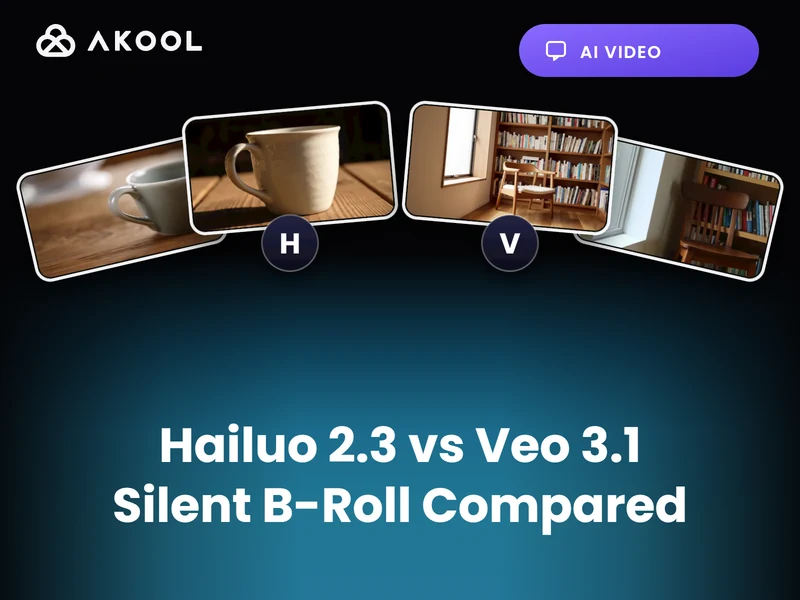

When you need extra footage for narration or an edit, you want clips that follow your direction and hold together through the shot. Camera movement, composition, and visual consistency all affect how easily you can use the result. This Hailuo 2.3 vs Veo 3.1 comparison focuses on those practical differences with sound muted, helping you decide which model to try for the supporting footage your next video needs.
Hailuo 2.3 vs Veo 3.1 at a Glance
B-roll supports your main footage by establishing a setting, illustrating a detail, or covering an edit. “Silent” here means evaluating visuals without sound. Mute playback, or disable audio generation if available. This does not describe either model's audio capabilities. Veo 3.1 supports native audio generation, which was excluded from this comparison.
| Shot | Hailuo 2.3 Observation | Veo 3.1 Observation |
|---|---|---|
| Interior | Stable close framing; limited depth change | Clearer relative movement and foreground reveal |
| Mug | Stable shape; opening crop; no visible people | Stable shape; almost stationary framing; background people |
| Courtyard | Fixed framing with localized foliage and fabric movement | Coherent structures, but gradual push-in despite the fixed-camera request |
We generated one clip per scene and model; another prompt or attempt may produce different results. Human acting, sound synchronization, and pricing were outside scope.
Test Methodology: Three Matched Shots With Common Settings
We generated one clip per model for each of three prompts in the AKOOL AI video generator. We retained all six outputs, including departures from the requested scene or camera movement.
Shared Settings and Generation Records
| Test Detail | Recorded Setting |
|---|---|
| Test date | 2026-11-20 |
| Models | Minimax Hailuo 2.3; Google Veo 3.1 |
| Platform | AKOOL |
| Requested settings | 1080P, 6 seconds |
| Attempts | Single Attempt: one generation per model per prompt; six total; no retries |
| Verified exports | All files: 1920×1080, 16:9, 24 fps |
| Actual picture duration | Hailuo: 5.875 seconds each; Veo: 6.000 seconds each |
We watched all six original exports at normal speed with sound muted and inspected every frame for shapes, surface details, overlaps, and relative positions. We applied no stabilization, cropping, upscaling, interpolation, or speed adjustment. We did not document separate negative-prompt, reference-input, seed, audio-generation, or automatic prompt-enhancement settings.
Exact Prompts for the Three Shots
We used the same prompt for both models in each scene, without model-specific wording changes. Each brief uses specific camera instructions to distinguish subject movement from camera movement.
Interior: An empty reading corner with a wooden chair in the foreground, a bookshelf behind it, and a rectangular window on the left. Soft daylight. The camera slowly tracks right, revealing part of the bookshelf behind the chair. One continuous shot. No people, no cuts.
Object Close-Up: A close-up of an unbranded glazed ceramic mug with a curved handle on a wooden table. Soft side lighting. The camera slowly tracks right while the mug stays stationary. Keep the rim, handle, glaze highlights, and wood grain visible. One continuous shot. No people, no cuts.
Environment: An empty courtyard with a rigid pergola, potted plants, and a hanging fabric shade. A light breeze gently moves the leaves and fabric while the architecture stays still. Fixed camera, steady afternoon daylight, subtle natural movement. One continuous shot. No people, no cuts.
Score the Full Clip, Not the Best Frame
Scores combine complete playback and frame inspection. A 3 means no obvious issue affecting that visual dimension; 2 means minor issues; 1 means obvious issues leave only some usable footage; 0 means severe issues prevent the intended use. N/A marks an aspect the shot did not adequately test. Occlusion means objects hiding and revealing one another. Prompt Compliance separately records how closely each clip followed the scene and camera instructions.
| Clip | Geometry | Parallax | Occlusion | Surfaces | Reflections | Geometry Drift | Prompt Compliance |
|---|---|---|---|---|---|---|---|
| H-I-01 | 3 | N/A | N/A | 3 | N/A | 3 | Partial: limited camera tracking |
| V-I-01 | 3 | 3 | 3 | 3 | N/A | 3 | Pass |
| H-O-01 | 3 | N/A | N/A | 3 | N/A | 3 | Partial: initial crop |
| V-O-01 | 3 | N/A | N/A | 3 | N/A | 3 | Fail: unwanted people and insufficient tracking |
| H-E-01 | 3 | N/A | 3 | 3 | N/A | 3 | Pass |
| V-E-01 | 3 | N/A | 3 | 3 | N/A | 3 | Partial: unrequested push-in |
Scores cover 0 to 5.875 seconds for H clips and 0 to 6.000 seconds for V clips. Limited viewpoint changes left parallax insufficiently tested in H-I-01 and both mug clips; the fixed-camera courtyard task did not require it. Geometry Drift tracks unintended changes in object shape or position within the scene, excluding coherent camera movement. Prompt Compliance separately assesses framing, unwanted subjects, and camera instructions.
Does the Room Hold Together as the Camera Moves?
Both interior clips played without obvious dynamic issues. The useful difference was how clearly each revealed depth.
Geometry and Parallax
Across H-I-01's 5.875 seconds, Hailuo 2.3 kept window, chair back, and shelf shapes consistent. The chair and background shifted sideways by similar amounts, giving little evidence of depth.
Parallax is the relative movement of objects at different distances from the camera.
V-I-01 showed clearer depth. From approximately 1.50 to 5.96 seconds, the nearby bookshelf entered from the right as the chair shifted against the shelving behind it.
Occlusion and Revealed Space
Veo's foreground boundaries and newly revealed areas remained consistent across successive frames. H-I-01 exposed less new space behind the chair, so it gave little evidence of how hidden shelf details would reappear.
Consider Hailuo's tighter composition for a detail cutaway and Veo's for establishing room depth.
Do Close-Up Materials Stay Consistent Throughout the Shot?
Both mug clips played without obvious dynamic issues. Their useful differences were framing, camera movement, and unwanted background figures.
Shape and Surface Stability
In H-O-01, the inspected frames showed no obvious change to the rim, handle attachments, or base. The visible wood grain and glaze pattern showed no obvious replacement or sliding. Hailuo 2.3 initially placed part of the right rim outside the frame; approximately 2.00 to 5.875 seconds showed a more complete mug composition.
V-O-01 also maintained its mug shape and visible texture across the frames. However, framing stayed almost stationary. Background people appeared at approximately 0.60 to 3.10 seconds and again around 5.30 to 6.00 seconds, despite “No people.” These figures conflicted with the people-free brief.
Reflections and Occlusion
Neither output changed viewpoint enough to show how highlights or handle/body overlap would respond to a clear angle change. Framing and unwanted background content provide more useful reasons to choose between these samples.
In V-O-01, approximately 3.20 to 5.20 seconds showed no visible people. That interval is a candidate for a static insert, but it still lacks the requested lateral tracking.
Can Subtle Ambient Motion Avoid Background Drift?
Both courtyard clips showed natural-looking leaf and fabric movement at normal speed, with no obvious dynamic abnormalities.
Across H-E-01's 5.875-second frame sequence, the posts, wall joints, pot bases, and ground positions stayed in place. Leaf clusters and the fabric's lower edge changed position while the cloth remained attached to its supports. In this sample, Hailuo 2.3 followed the fixed-camera brief more closely.
In V-E-01, the front beams, posts, and pots progressively enlarged from the opening frame to about 5.96 seconds, creating a push-in effect. Their shapes remained broadly consistent; the composition advanced instead of staying fixed.
For a locked-off atmosphere shot, H-E-01 remained the closer match. Choose V-E-01 when a slowly advancing courtyard view fits your edit.
Choose by the Evidence Your Edit Needs
Use framing, depth cues, and prompt compliance to choose a candidate for your edit. For an interior establishing shot, V-I-01 provided clearer depth. For a people-free mug detail, H-O-01 showed a complete composition after about two seconds. For a stationary courtyard atmosphere shot, H-E-01 matched the camera request more closely.
Veo's mug sample is worth considering if a static insert fits your edit and you can cut around the background figures. Its courtyard sample fits an advancing camera intention. Preview your chosen interval at normal speed in the timeline before deciding where to cut.
Test the Shot You Actually Need in AKOOL
In these six clips, Veo 3.1 was the stronger choice for showing interior depth. Hailuo 2.3 matched the fixed-camera courtyard better, while its people-free mug sample offered a complete composition after about two seconds. Both models played without obvious dynamic issues, so framing and camera instructions made the difference. Choose the version available in AKOOL that fits your shot's purpose, then check the complete output against the composition and movement your edit needs. These observations come from one generation per model for each scene, so another prompt or attempt may produce different results.