


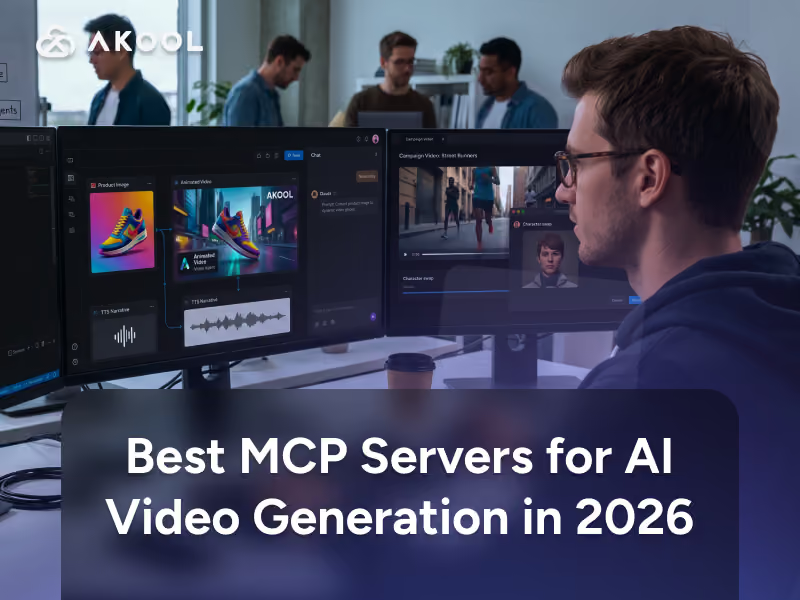
AI agents are moving beyond research and coding. With the right integrations, they can now generate images, create videos, synthesize speech, manipulate existing media, and coordinate multi-step creative workflows without requiring you to manually switch between applications.
MCP servers are becoming an important part of that workflow. Model Context Protocol (MCP) gives applications such as Claude, ChatGPT, Cursor, and coding agents a standardized way to discover and invoke external tools. For creative teams, that means an AI agent can potentially move from interpreting a brief to producing media through the same conversation.
This guide explains what is an MCP server, why MCP matters for AI agent video generation, and how current options including AKOOL, Runway, Replicate, and ComfyUI differ.
What Is an MCP Server?
An MCP server is a program that exposes tools, data, or workflows to AI applications through the Model Context Protocol (MCP), an open standard for connecting systems such as Claude and ChatGPT to external capabilities. For video generation, it lets an agent discover and invoke media-generation tools through standardized schemas instead of custom integrations.
The official Model Context Protocol documentation describes MCP as an open-source standard connecting AI applications to external data, tools, and workflows. Its ecosystem includes AI assistants such as Claude and ChatGPT as well as developer tools including Visual Studio Code and Cursor.
An MCP server does not replace an AI video API or the underlying generation model. It sits between the agent and that backend.
For example, instead of writing application-specific code that says “call this image-to-video endpoint using these parameters,” an MCP server can expose a tool such as video_image2video_create. The agent discovers the tool's schema, determines when it is appropriate, submits the required inputs, and handles the result.
MCP therefore standardizes the connection. The media platform still performs the actual generation.
Why AI Agents Need MCP Servers for Video/Image Generation
AI agents need MCP servers because language models can understand creative intent but cannot automatically access every external video, image, voice, or editing service. MCP gives those agents a standardized interface for discovering and using external creative tools.
Without MCP, developers commonly build custom function definitions and integration logic for every combination of agent and service.
That creates duplicated work. If your team wants the same creative backend available from Claude, Cursor, a coding agent, and another MCP-compatible application, each proprietary integration becomes another system to maintain.
MCP changes the architecture:
User request → AI agent → MCP server → media service/API → generated result
This is especially useful for video because generation is often asynchronous. The agent may submit a job, receive an ID, check its status, retrieve the finished asset, and then use that output as input to another creative step.
AKOOL's MCP documentation explicitly notes that many of its tools work asynchronously and that assistants can call result tools to poll until generation completes.
For developers deciding whether MCP or direct integration better fits their architecture, AKOOL's guide to AI video APIs for developers provides the closely related API-level comparison.
Top MCP Servers for AI Video & Image Generation (Compared)
The best server depends on whether you want a managed creative platform, access to many hosted models, or control over your own generation infrastructure.
| MCP Server | Video/Image Approach | Notable Capabilities | Deployment | Best Fit |
|---|---|---|---|---|
| AKOOL MCP | Creative production toolkit | Image generation, image-to-video, face/character swap, TTS, avatars, model discovery | Remote HTTP | Marketing, avatars, generative video workflows |
| Runway MCP | Managed generative media | Video/image generation across Runway and supported models | Remote managed server | Creative teams wanting minimal setup |
| Replicate MCP | Large hosted-model ecosystem | Search, select, run, and monitor models through Replicate API | Remote or local | Developers wanting broad model flexibility |
| Comfy MCP | ComfyUI workflow execution | Run custom local or cloud image/video pipelines | Local stdio or Comfy Cloud | Technical teams needing maximum workflow control |
AKOOL
AKOOL now provides an official MCP server that connects its AI capabilities directly to MCP-compatible clients. The documentation specifically lists Claude Code, Claude Desktop, Cursor, Windsurf, OpenAI Codex, and Kiro, while describing the server more broadly as compatible with MCP clients.
Its current tool catalog goes considerably beyond basic generation.
Documented MCP tools include:
- text/reference image generation and image upscaling;
- image-to-video creation and video effects;
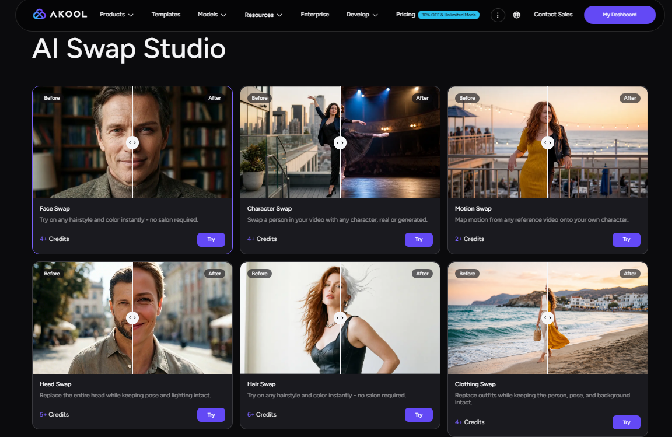
- image and video face swap;
- enhanced multi-face swap and live face swap;
- character swap;
- avatar discovery;
- text-to-speech (TTS);
- face detection;
- account credit and model discovery.
That breadth is the main differentiator. An agent could, for example, create an image, animate it into video, generate narration, or execute a character/face workflow without integrating several separate services.
AKOOL's broader platform also provides access to multiple video model families, while the MCP server exposes an account_models tool for discovering models available to an account. It is worth being precise, however: the current public MCP documentation specifically documents image-to-video as its generative-video creation tool; it does not state that every AKOOL platform video model or endpoint is already exposed as a dedicated MCP tool.
Authentication uses the same Client ID and Client Secret credentials as AKOOL's developer tooling. The public documentation also warns developers not to commit those credentials to source control. AKOOL MCP documentation
AKOOL already approaches creative work from an agent perspective elsewhere in the platform. The Akool Canvas AI Agent handles planning and multimodal creation within Canvas, while MCP extends agent access outward to compatible external clients.
Other notable servers
Runway MCP provides a managed remote MCP connection for direct image and video generation. Runway officially supports Claude, ChatGPT, Cursor, Replit, and other compatible applications. Its MCP can access models including Gen-4.5, Kling, Veo, Seedance, GPT Image, and other options depending on the user's plan. Authentication is handled by signing into a Runway account rather than manually providing an API key.
This makes Runway one of the simplest options when the goal is straightforward generative-media access with minimal infrastructure work.
Replicate MCP takes a more developer-oriented approach. Its official MCP server exposes operations from Replicate's HTTP API, letting agents search for models, compare them, inspect metadata, run predictions, and fetch results. Replicate offers both a hosted remote server and a local replicate-mcp package.
The advantage is model breadth. Instead of committing to one creative suite, an agent can discover an appropriate model in Replicate's ecosystem and execute it.
Comfy MCP is better suited to teams that already work with ComfyUI. Comfy-Org's official server lets Claude, Cursor, and other MCP-capable agents control a local ComfyUI installation. Comfy also provides a remote Comfy Cloud MCP option for GPU execution without maintaining local infrastructure.
The tradeoff is complexity. You gain detailed control over nodes, models, workflows, and local infrastructure, but you also take on more configuration than with a managed server such as AKOOL or Runway.
How to Set Up an MCP Server for AI Video Generation
Setting up an MCP server typically requires choosing a generation service, connecting its server to an MCP-compatible client, configuring credentials, confirming available tools, and testing a small generation workflow before enabling broader agent automation.
1. Choose your media backend
First decide what your agent needs to do.
For image-to-video, avatars, TTS, face swap, and character workflows, AKOOL provides these capabilities through one MCP connection. Runway emphasizes managed image/video generation, Replicate emphasizes model access, and Comfy MCP emphasizes custom workflows.
2. Choose an MCP-compatible client
Claude, Cursor, OpenAI Codex, and other clients support MCP in different ways. ChatGPT also supports MCP-powered custom apps, although full write/action capabilities currently depend on plan and workspace settings.
Do not assume setup instructions are identical between applications.
3. Add the server and authenticate
For AKOOL, obtain your Client ID and Client Secret from your AKOOL dashboard, then configure the remote MCP endpoint and authentication headers according to the official documentation.
AKOOL explicitly recommends keeping credentials in environment variables rather than committing them to a repository.
4. Inspect available tools
Once connected, confirm which MCP tools your agent can actually see.
For AKOOL, these may include image_create, video_image2video_create, audio_tts, faceswap_video, character_swap_create, and supporting status/result tools.
This tool-discovery step matters because it prevents your agent from assuming capabilities that the server does not expose.
5. Test one controlled workflow
Start with something simple:
Generate an image for a product campaign, then turn that image into a short video.
Review model choice, credit use, generation time, file handling, and output quality before automating larger workflows.
6. Add controls for autonomous use
If an agent can trigger paid inference, define boundaries.
Set rules around model selection, resolution, number of generations, concurrency, credit consumption, and whether a human must approve expensive operations. MCP's own specification recommends keeping meaningful user control around tool execution.
If your needs exceed an existing tool catalog, learning how to build an MCP server lets you expose additional API functions using the same standardized tool architecture.
Use Cases: Generating Product Ads, Social Content, and Avatars from an AI Agent
The strongest MCP video use cases are workflows in which the agent must plan content and then execute several media operations without repeated manual handoffs.
For product ads, an agent could analyze a campaign brief, generate a product-oriented key visual, animate it into video, synthesize voiceover, and return several concepts for human review.
For social content, the agent could turn one campaign direction into multiple visual assets, short video variants, and voice treatments. This is where MCP becomes more useful than a single generation button: it connects generation to the reasoning and orchestration layer.
For avatar workflows, an agent can discover available digital avatars, generate speech, create character-based media, and coordinate supporting assets. For larger repeatable pipelines, AKOOL Video Agents can already automate video production end-to-end across scripting, scenes, avatars, voices, editing, and final formatting.
Interactive workflows also make inference speed relevant. AKOOL's real-time inference engine is designed for fast generation and real-time streaming, including interactive avatar applications.
The key point is that MCP does not improve the underlying video model by itself. It improves access and orchestration: the agent can decide which creative operation comes next and invoke it through a common protocol.


