


Building video into your application used to mean complex encoding pipelines, rendering farms, and weeks of integration work. AI video generation APIs have changed that equation entirely. AKOOL gives developers a unified API that covers avatar video, face swap, video translation, and image-to-video generation in one integration point.
This guide compares the top AI video APIs for developers in 2026, evaluating each for text-to-video capabilities, avatar support, image-to-video workflows, and production readiness. You'll find the right API for your specific use case.
Quick guide: 6 AI video APIs for developers
- AKOOL: Unified API with avatar video, face swap, video translation, and multiple AI model access
- Runway: Creative video editing with Gen-4 model access
- Luma AI: Ray3.2 model for cinematic image-to-video generation
- Synthesia: Script-to-avatar video generation focused on corporate training
- HeyGen: Avatar-based video creation with template workflows
- Pika: Text-to-video generation with motion control features
How we chose the top AI video APIs for developers
Selecting the right video generation API means looking beyond marketing claims. You need to understand what each platform actually delivers when you're writing code against it.
We evaluated these APIs based on criteria that matter when building production applications:
- API architecture: RESTful design, authentication patterns, and request/response formats that fit modern development workflows
- Model variety: Access to multiple generation models (text-to-video, image-to-video, avatar) through a single integration
- Avatar capabilities: Support for talking avatars, streaming avatars, and custom avatar creation for interactive applications
- Video translation: Native lip-sync and dubbing support for multilingual video production
- Documentation quality: Clear examples, SDKs, and support resources that reduce integration time
- Production readiness: Rate limits, uptime SLAs, and enterprise security features for real-world deployment
The 6 AI video APIs for developers building production applications
1. AKOOL: Top AI video API for marketing teams and developers
AKOOL stands apart by offering an entire suite of AI video tools through one API integration. Instead of patching together multiple providers for different video generation tasks, you get streaming avatars, face swap, video translation, and image-to-video generation from a single endpoint. This architecture reduces both integration complexity and ongoing maintenance.
The platform connects you to multiple AI models including Seedance, Kling, Wan, MiniMax, Sora, and Google Veo. You can switch between models based on your specific requirements for quality, speed, or cost without changing your integration code. AKOOL's API documentation includes Postman collections and JavaScript SDK support, making initial setup straightforward.
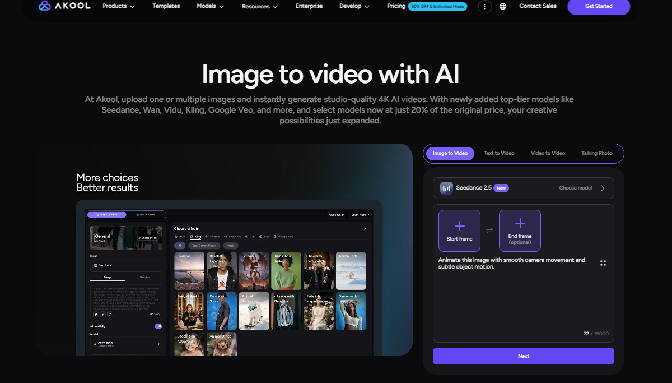
Enterprise teams particularly benefit from AKOOL's avatar video capabilities. You can create photorealistic talking avatars that maintain consistent identity across frames, with natural lip synchronization to any audio track. The streaming avatar feature enables real-time interactions, opening possibilities for customer service bots, interactive training, and live event experiences.
AKOOL features
- Multi-model access: Generate videos using Seedance, Kling, Wan, MiniMax, or Google Veo through one API, letting you match model capabilities to project requirements
- Streaming avatars: Deploy real-time interactive avatars that respond conversationally, integrated with AWS Bedrock for LLM-powered conversations
- Video translation: Translate existing videos into multiple languages with automatic lip-sync, supporting 175+ languages and 900+ voices
- Face swap: Perform high-fidelity face replacement at scale with multi-face detection and natural blending for localized ad campaigns
- Native 4K output: Generate videos at 4K resolution with enterprise-grade diffusion-based synthesis for production-ready quality
- Character consistency: Maintain strict temporal consistency across frames with computer vision models that keep identity stable throughout videos
AKOOL pros and cons
Pros:
- Single API integration covers avatar, face swap, translation, and video generation workflows
- Access to multiple AI models lets you optimize for quality, speed, or cost per project
- Streaming avatars enable real-time interactive applications with LLM integration
Cons:
- The breadth of features requires time to explore all available endpoints
- Processing time varies based on video length and selected model
- Some advanced avatar customization options require enterprise plans
2. Runway: API for creative video editing workflows
Runway's API focuses on giving developers access to their Gen-4 model family for text-to-video and image-to-video generation. The platform has built a reputation in the creative community for its visual quality and artistic flexibility.
The developer portal includes SDKs for Node.js and Python, plus model routers that automatically select between models based on your preferences for cost, latency, or quality. Video generation happens asynchronously, with webhook callbacks when processing completes.
Runway features
- Gen-4 model access: Generate videos from text or images with outputs up to 720p resolution
- Model routing: Automatic model selection based on cost, latency, or quality preferences
- Video editing: Edit existing clips, restyle footage, and extend scenes through the API
Runway pros and cons
Pros:
- Well-documented SDKs for Node.js and Python simplify integration
- Model router feature automates cost optimization across requests
- Established presence in creative workflows with mature tooling
Cons:
- Does not include native avatar generation or face swap capabilities
- Video translation requires separate integration with another provider
- Maximum resolution at 720p for standard Gen-4 outputs
3. Luma AI: API for cinematic image-to-video generation
Luma AI's Ray3.2 model delivers cinema-grade image-to-video generation with features built for professional production workflows. The API includes multi-keyframe control that lets you direct up to 16 keyframes per clip.
HDR generation and 16-bit EXR export make Ray3.2 outputs suitable for compositing alongside live-action footage in tools like DaVinci Resolve or Nuke. The platform positions itself for post-production workflows where color accuracy matters.
Luma AI features
- Multi-keyframe control: Set up to 16 keyframes in a single clip for precise storyboard execution
- HDR and EXR export: Native 16-bit output for professional color grading pipelines
- Video-to-video editing: Modify existing clips with reframing and style transfer up to 20 seconds
Luma AI pros and cons
Pros:
- Cinema-grade output quality suitable for professional post-production
- Multi-keyframe control enables precise creative direction
- HDR export integrates with professional editing software
Cons:
- No avatar or talking head generation capabilities
- Video translation and lip-sync require separate providers
- HDR reframe requests are not supported through the API
4. Synthesia: API for corporate training video automation
Synthesia built its API around avatar-driven video generation for corporate communications and training content. The platform includes a library of stock avatars and supports creating custom avatars from recorded footage.
The API accepts scripts and returns rendered avatar videos with lip-synced speech. This makes it suitable for automating internal communications, onboarding videos, and e-learning content at scale.
Synthesia features
- Stock avatar library: Access pre-built avatars for immediate video generation
- Custom avatar creation: Build personalized avatars from recorded video footage
- Script-based generation: Submit text scripts and receive rendered avatar videos
Synthesia pros and cons
Pros:
- Purpose-built for corporate video automation with template support
- Custom avatar creation allows branded spokesperson videos
- Straightforward script-to-video workflow for training content
Cons:
- Text-to-video and image-to-video generation are not core capabilities
- Real-time streaming avatar interactions are not available
- Face swap functionality requires using a different platform
5. HeyGen: API for template-based avatar videos
HeyGen offers an API focused on avatar-based video creation with an emphasis on templates and pre-built workflows. The platform includes a library of avatars and supports custom avatar training.
The API accepts video creation requests with avatar selection, script text, and template parameters. HeyGen positions itself for marketing teams creating product videos and personalized outreach at scale.
HeyGen features
- Avatar library: Select from pre-built avatars or create custom ones
- Template system: Use pre-designed templates for faster video creation
- Multi-language output: Generate avatar videos in multiple languages with lip-sync
HeyGen pros and cons
Pros:
- Template-based workflow accelerates video production for marketing teams
- Avatar library includes diverse representation options
- Multi-language lip-sync supports international campaigns
Cons:
- Image-to-video and text-to-video generation are limited
- Real-time streaming avatars for interactive applications are not available
- Face swap capabilities are handled by other platforms
6. Pika: API for text-to-video generation
Pika Labs offers an API centered on text-to-video generation with motion control features. The platform emphasizes creative video generation from prompts with control over movement and style.
Access is available through third-party providers like fal.ai, which handle the API infrastructure. This approach gives developers flexibility in how they consume the model.
Pika features
- Text-to-video generation: Create videos from text prompts with motion control
- Style control: Direct visual style and movement characteristics
- Third-party access: Available through API aggregators for flexible integration
Pika pros and cons
Pros:
- Motion control features enable creative direction over generated videos
- Third-party API access options add deployment flexibility
- Active model development with regular capability updates
Cons:
- No native avatar generation or talking photo capabilities
- Video translation requires integration with a separate service
- Enterprise support depends on which third-party provider you use
Comparison table: AI video APIs for developers
| Feature | AKOOL | Runway | Luma AI | Synthesia | HeyGen | Pika |
|---|---|---|---|---|---|---|
| Multi-model access | ✓ | ✓ | ✗ | ✗ | ✗ | ✗ |
| Streaming avatars | ✓ | ✗ | ✗ | ✗ | ✗ | ✗ |
| Video translation | ✓ | ✗ | ✗ | ✗ | ✓ | ✗ |
| Face swap | ✓ | ✗ | ✗ | ✗ | ✗ | ✗ |
| 4K output | ✓ | ✗ | ✓ | ✗ | ✗ | ✗ |
What should you consider when choosing an AI video API?
Your choice depends on which video generation capabilities your application actually needs. If you're building marketing automation, you need face swap and video translation in addition to basic generation.
Consider whether you need real-time interaction. Streaming avatars that respond conversationally require different architecture than batch video generation. AKOOL's streaming avatar API integrates with LLM infrastructure, enabling applications where avatars can hold actual conversations.
Multi-model access matters for production applications. Being able to switch between Kling, Seedance, and other models lets you optimize for different scenarios without rewriting integration code. A promotional video might need higher visual quality, while social content might prioritize faster generation.
How do AI video APIs handle avatar generation differently?
Avatar capabilities vary dramatically across platforms. Some APIs only generate pre-recorded avatar videos from scripts. Others, like AKOOL, offer real-time streaming avatars that can interact dynamically.
The technical difference matters for your application architecture. Script-based avatars work well for training videos and marketing content where you know the dialogue in advance. Streaming avatars enable customer service bots, interactive product demos, and live event experiences where responses happen in real-time.
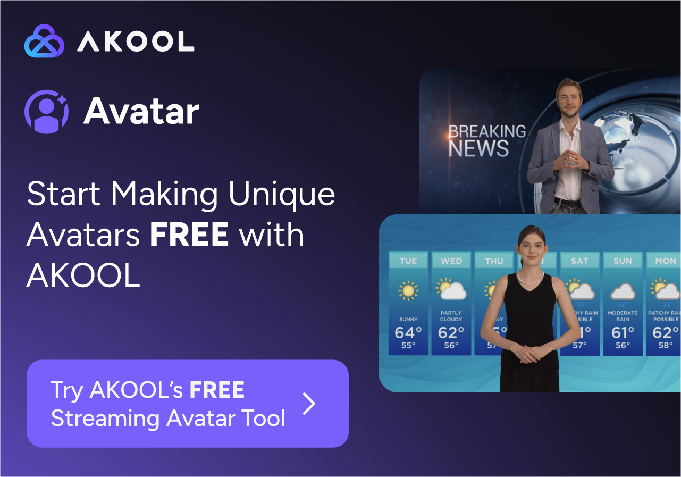
Character consistency is another consideration. Maintaining the same avatar identity across multiple videos requires temporal consistency in the underlying model. AKOOL's computer vision models maintain strict identity coherence across frames, which matters when you're creating video series with recurring characters.
Why AKOOL is the top AI video API for developer workflows
Building production video applications means integrating multiple capabilities: generation, avatars, translation, and face swap. AKOOL consolidates these into one API, reducing both initial integration effort and ongoing maintenance burden. You authenticate once and access the full suite.
The multi-model architecture gives you flexibility other platforms cannot match. Access Seedance, Kling, Wan, MiniMax, Sora, and Google Veo through the same endpoints. Switch models based on project requirements without touching your integration code. This approach future-proofs your application as new models become available.
AKOOL's streaming avatars open possibilities that static video generation cannot address. Real-time interactive avatars with LLM integration enable entirely new application categories: conversational customer service, personalized video experiences, and live virtual presenters. Fortune 500 companies including Coca-Cola and Canon have deployed AKOOL's technology for interactive marketing campaigns.
Start building with AKOOL's API today to access the most complete AI video toolkit for developers.


