



TL;DR
- AI video tools are used both to generate new footage and to transform footage you already have.
- Common jobs include ads, social clips, product animation, explainers, training, localization, avatars, B-roll, concept testing, and content repurposing.
- The right workflow depends on your input. Text, images, existing footage, scripts, references, and consent each lead to different results.
- AI video is not the right choice for every job. Accurate demonstrations, regulated claims, verified testimonials, and long narrative work may still need real footage.
AI video generators are commonly used for ads, social content, product animation, explainers, training, localization, avatar videos, personalized variants, B-roll, concept visualization, property visuals, and repurposing. Some workflows create new footage from text or images, while others transform existing footage through translation, editing, dubbing, swapping, or reformatting.
What is an AI video generator used for?
An AI video tool generally does one of two jobs.
The first is generation. You create footage that did not exist before using a prompt, image, reference asset, script, or combination of inputs. This includes text to video, image to video, B-roll generation, visual concepts, and synthetic presenters. AKOOL currently supports multiple text, image, reference, and video-based generation workflows across different video models.
The second is transformation. You already have footage and use AI to translate it, dub it, change a face or character, restyle it, edit it, or turn one long recording into different outputs.
That distinction is useful because “AI video” does not describe one workflow. The input determines what the system can realistically control.
The 12 use cases
1. Product and ecommerce ads
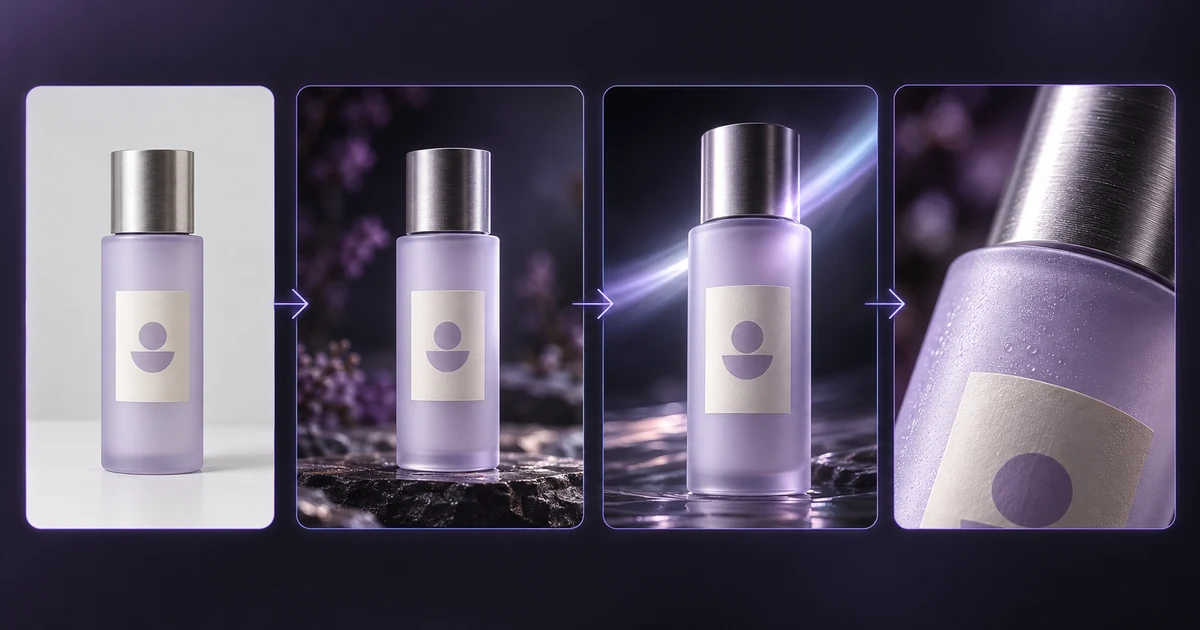
AI can turn product assets and campaign ideas into short ad concepts without requiring a new shoot for every variation.
Who uses it: ecommerce teams, performance marketers, small businesses, and agencies.
What you need: product photos or renders, campaign copy, reference visuals, and a clear claim or CTA.
Workflow:
- Upload a product image or describe the product scene.
- Define motion, setting, camera, and ad format.
- Generate several short versions.
- Edit the usable shots and add verified copy, logo, and CTA.
Realistic limit: AI should not invent product capabilities, packaging details, or regulated claims. If a demonstration must show exactly how a product behaves, real footage may be safer.
Illustrative example: animate a brand-owned sneaker photo into a six-second lifestyle shot, then add the actual offer in post.
2. Social short-form content: Reels, Shorts, and TikTok
AI video is useful for producing fast visual hooks and multiple short-form creative variations.
Who uses it: creators, social teams, agencies, and brand marketers.
What you need: a hook, format, subject, reference assets, and platform-specific aspect ratio.
Workflow:
- Define one short idea.
- Generate a hook or visual scene.
- Create variations in 9:16 or other required formats.
- Finish captions, pacing, music, and CTA in an editor.
AKOOL's text to video workflow is explicitly designed for short-form formats including 9:16, 1:1, and 16:9.
Realistic limit: generation does not replace editorial judgment. A usable Reel still needs a clear hook, timing, and reason to watch.
3. Product photo animation: image to video
Image-to-video tools turn a still product, portrait, render, or campaign image into a moving shot.
Who uses it: ecommerce brands, designers, photographers, and ad teams.
What you need: a high-quality source image plus a motion instruction.
Workflow:
- Upload an approved image.
- Choose an image to video model.
- Describe the subject motion and camera movement.
- Generate and review the product, face, and background frame by frame.
AKOOL's current image-to-video workflow supports models including Seedance, Kling, Sora, Wan, MiniMax, and Google Veo, depending on current model availability.
Realistic limit: the system can alter small product details while inventing motion. Do not assume the animated version is an exact technical representation.
4. Explainer and educational videos
AI can convert a script, lesson, or concept into visual scenes without filming every explanation.
Who uses it: educators, content teams, SaaS marketers, and subject-matter experts.
What you need: an accurate script, visual outline, and any required diagrams or source assets.
Workflow:
- Break the script into short sections.
- Assign one visual idea to each section.
- Generate scenes or a presenter-led version.
- Edit the sequence around the narration.
Realistic limit: AI can visualize information, but it does not verify whether your explanation is factually correct. Human review is still required for technical, medical, financial, or other high-stakes material.
5. Training, onboarding, and internal communications
Businesses can turn policies, process updates, onboarding scripts, and training material into repeatable video formats.
Who uses it: L&D, HR, sales enablement, operations, and internal communications teams.
What you need: approved source material, a script, branding, and optionally an avatar or voice.
Workflow:
- Start from the approved document or script.
- Divide the material into short modules.
- Generate presenter or supporting visual content.
- Review terminology and distribute through the required channel.
AKOOL's text-to-video product explicitly lists internal training and corporate communication as supported scenarios.
Realistic limit: policy or compliance content must remain faithful to the approved source. Do not let generation paraphrase legally significant wording without review.
6. Localization: translation, dubbing, and lip sync
AI can adapt an existing video into other languages without reshooting the original speaker.
Who uses it: global marketing, training, education, customer success, and international communications teams.
What you need: the original video, clear audio, target languages, and the rights to reproduce the speaker's voice and likeness.
Workflow:
- Upload the source footage.
- Choose a target language.
- Generate translated speech and optional lip sync.
- Proofread the translation and correct timing or subtitles.
AKOOL video translation currently supports 155+ languages, voice cloning, subtitle editing, proofreading, multi-speaker detection, and optional lip synchronization.
https://www.youtube.com/watch?v=oikZN7Fz-vM
Realistic limit: translation needs human review when terminology, brand language, legal wording, humor, or cultural nuance matters.
7. Presenter and spokesperson videos: avatars
AI avatars let you create presenter-led videos from scripts or audio without recording a new human performance each time.
Who uses it: marketing, learning, sales, support, and internal communications teams.
What you need: a script, approved avatar or source identity, voice, and presentation style.
Workflow:
- Select or create an avatar video presenter.
- Add the script or audio.
- Choose the voice and visual treatment.
- Review pronunciation, lip sync, pacing, and claims.
AKOOL's current Avatar Video workflow supports template-based or from-scratch production using scripts, voices, and talking avatars.
Realistic limit: a synthetic presenter should not be used to imply a real person's endorsement, experience, or presence without appropriate consent.
8. Personalized and variant video at scale
AI can reuse a core creative structure while changing characters, language, visual assets, offers, or other approved variables.
Who uses it: agencies, ecommerce teams, CRM teams, and organizations managing many campaign variants.
What you need: a master creative, controlled variable data, brand assets, and rights to any faces or voices.
Workflow:
- Lock the elements that must stay consistent.
- Define the variables that can change.
- Generate or transform each version.
- Run brand and legal review before distribution.
A face swap tool can be part of a controlled transformation workflow when you have the necessary permission for the identities involved. AKOOL currently supports face, character, motion, head, hair, and related swap modes.
https://www.youtube.com/watch?v=owvrzi8Gjus
Realistic limit: personalization does not remove consent, licensing, disclosure, or brand-review requirements.
9. B-roll, backgrounds, and atmospheric elements
AI is useful for creating short supporting shots that establish place, mood, weather, movement, or visual texture.
Who uses it: filmmakers, marketers, agencies, editors, and social teams.
What you need: a shot description, reference image if needed, aspect ratio, and visual direction.
Workflow:
- Define the editorial purpose of the shot.
- Choose text, image, or reference input.
- Generate several short options.
- Select the shot that cuts naturally with your real or generated footage.
Realistic limit: background material can look convincing while containing subtle physical or continuity errors. Inspect details before using it in factual or documentary contexts.
10. Concept tests, storyboards, and pitch visuals
AI can visualize an idea before you spend money producing the final version.
Who uses it: creative directors, filmmakers, agencies, product teams, and founders.
What you need: a concept, rough script, shot list, product assets, or visual references.
Workflow:
- Describe the intended scene.
- Create representative stills or short clips.
- Compare different directions.
- Use the strongest version to communicate the idea to stakeholders.
Illustrative example: generate three visual treatments for the same proposed commercial before choosing which one to shoot conventionally.
Realistic limit: a concept visualization is not proof that the exact shot can be produced physically or reproduced identically in later generations.
11. Real estate, travel, and property walkthrough visuals
AI can add motion and atmosphere to approved property images or create conceptual destination visuals.
Who uses it: real estate marketers, hospitality teams, travel brands, architects, and property developers.
What you need: real property imagery when factual accuracy matters, plus clear instructions about permitted transformations.
Workflow:
- Begin with verified property or destination assets.
- Add controlled camera movement or environmental motion.
- Keep factual property features unchanged.
- Label conceptual or generated scenes where necessary.
Realistic limit: do not use generated footage to invent a view, amenity, room size, building feature, or travel experience and present it as factual. Real estate and travel content often depends on accurate representation.
12. Repurposing long video into short clips
AI-assisted editing can help turn long recordings into shorter assets for different channels.
Who uses it: marketers, podcasters, webinar teams, educators, and social producers.
What you need: existing footage, publishing goals, target format, and permission to reuse the material.
Workflow:
- Upload the full recording.
- Identify the strongest sections.
- Edit, resize, caption, or supplement them with AI-generated assets.
- Review each short clip in context before publishing.
An AI video editor can support editing and asset-generation tasks around existing footage.
Realistic limit: automatic clipping does not know your audience strategy. A human still needs to decide whether a segment has enough context to stand alone.
Which use cases need which inputs?
This table separates what you need to provide from what the tool can reasonably return.
| Use case | Input needed | Typical output length | Main limit |
|---|---|---|---|
| Product ads | Text + product image/reference | 5 to 30 sec assembled | Product accuracy |
| Social short-form | Prompt/script + optional references | 5 to 30 sec assembled | Hook and pacing still need judgment |
| Product photo animation | Image + motion prompt | Usually short clip | Fine details can drift |
| Explainers | Script + references | Multi-scene | Factual accuracy |
| Training/onboarding | Approved script/content | Multi-scene | Must preserve approved wording |
| Localization | Existing footage + voice/likeness rights | Same as source or adapted | Translation and pronunciation |
| Avatar presenter | Script/audio + avatar/consent | Short to multi-minute | Natural delivery and disclosure |
| Personalized variants | Master + variable assets/data | Varies | QA at scale |
| B-roll/backgrounds | Text/image/reference | Usually short clip | Continuity and factual context |
| Concept/pitch visuals | Brief + references | Short sequence | Not a production guarantee |
| Property/travel visuals | Real images/footage + prompt | Short sequence | Must not misrepresent reality |
| Repurposing | Existing long-form footage | Short clips | Context selection |
“Typical output length” describes the finished use case, not necessarily a single model generation. Many longer pieces are assembled from multiple generated or transformed clips.
When should you not use an AI video generator?
Use real footage when the evidence of what actually happened matters more than production convenience.
A few cases deserve particular caution.
Precise product demonstrations: if viewers need to see exactly how a physical mechanism, interface, medical device, or product behaves, film the real operation.
Regulated or high-stakes claims: healthcare, finance, legal, safety, and compliance content needs reliable evidence and expert review. Generated visuals should not create proof that does not exist.
Real customer testimonials: if a customer is claiming personal experience, record the actual customer. Do not generate a synthetic person to imply firsthand experience.
Verified human presence: journalism, documentary evidence, events, inspections, and other cases where “this person was actually here” is part of the message need authentic capture.
Long-form narrative: AI can contribute shots, previs, inserts, or sequences, but long-form work still has persistent challenges around character continuity, timing, performance, story memory, and editorial control.
AI works best when the brief matches its current strengths rather than when production is forced into an AI workflow.
What do you need before you start?
You need rights to your inputs, consent for recognizable faces or voices, a plan that permits your intended use, and any disclosure required by the platform or jurisdiction.
Do not assume that uploading something means you are allowed to transform it.
Before commercial work, confirm image and footage rights, music licences, scripts, trademarks, voice and likeness consent, and the terms that apply to the exact tool and plan. AKOOL's guide to what to check before commercial use covers these layers in detail.
For sourced examples rather than hypothetical customer claims, refer to the AKOOL case studies.
How do you pick a model for your use case?
Choose by input type and control requirements, not by one overall model ranking.
Start with three questions:
- Do you need native audio or will you add audio later? A dialogue scene and a silent product shot do not require the same model capabilities.
- Do you need references? Character, product, motion, or style consistency often benefits from image, video, or other reference inputs.
- How long does one continuous shot need to be? A 5-second insert and a longer narrative take place different demands on temporal consistency.
AKOOL currently groups video creation across text-to-video, image-to-video, reference-to-video, and video-to-video modes, with support varying by model. You can compare the models available instead of repeating every changing model specification here.

