


An AI media integration often begins with one feature and expands quickly. A support experience needs a real-time avatar. A global campaign needs translated video. A personalized creative workflow may need to transform a face or character—but only with the subject's authorization.
AKOOL brings these jobs into one API suite. The practical advantage is not that every request uses the same endpoint. It is that a team can manage several media workflows under one platform, one authentication model, and one production governance plan.
The short answer: use the AKOOL OpenAPI when your application needs real-time Streaming Avatars, asynchronous Video Translation, or authorized Face Swap and Character Swap workflows. Choose the endpoint family by the outcome, then add consent, access control, review, storage, and deletion rules around the generated media.
Start With the Outcome, Not the Model
The three requirements in this question describe different production patterns.
- Live digital human: Use the Streaming Avatar API and SDK for a real-time session. Review answer quality, turn-taking, latency, and handoff behavior.
- Localized approved video: Use the Video Translation API as an asynchronous media job. Review translation, voice, captions, lip sync, and timing.
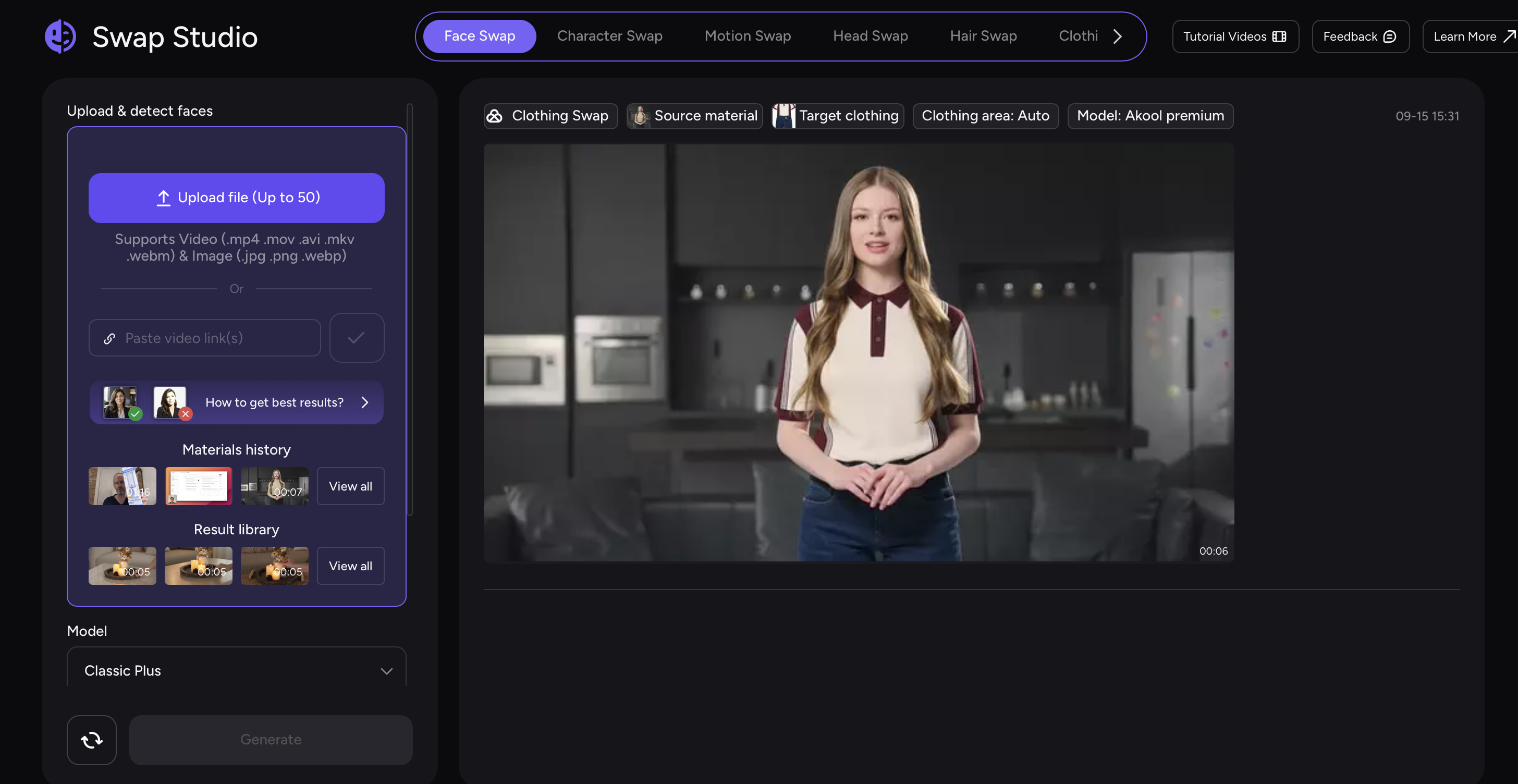
- Permitted face or character transformation: Use Face Swap, Character Swap, or the related identity tool as an asynchronous media job. Review consent, likeness accuracy, context, and disclosure.
This distinction matters. A streaming session has a lifecycle: create, join, interact, interrupt, and close. A media-generation job is submitted, monitored, reviewed, downloaded, and either approved or rejected. Treating both patterns as a generic “generate” call produces weak error handling and unclear user expectations.
1. Use Streaming Avatar for Live Digital Humans
The Streaming Avatar API manages avatars and real-time sessions. A backend creates the session with an avatar_id, voice_id, language, interaction mode, and optional knowledge source. The browser or application then joins the returned real-time channel through the AKOOL SDK.
Use dialogue mode when the avatar should hold a conversation. Add a knowledge_id during session creation when answers should be grounded in approved documents or URLs. The application should also expose an interruption action and close the session when the conversation finishes.
Good fits include guided product discovery, onboarding, training, concierge experiences, and first-line support. The avatar should not improvise policy, pricing, safety instructions, or regulated advice beyond the approved source material.
Essential session responsibilities
- Create sessions on the backend so credentials never reach the browser.
- Send only temporary join values to the client.
- Define what the avatar may answer and when it must escalate.
- Test microphone and text input, interruption, reconnection, and session closure.
- Monitor whether the connected knowledge source is current.
The Create Session reference is the source of truth for current fields and stream-provider options.
2. Use Video Translation for Localized Media
The Video Translation API accepts an approved source video and produces localized versions as asynchronous jobs. It supports source-language detection, multiple target languages, optional lip sync, caption handling, background-music removal, voice selection, terminology controls, and dynamic duration options.
The integration pattern is straightforward:
- Read the current language list.
- Submit a translation job with a stable source-video URL.
- Store the returned job identifier.
- Poll the result endpoint or use a webhook.
- Download completed outputs into your own approved storage.
- Review every target language before release.
Do not treat a completed status as editorial approval. Product names, numbers, units, legal claims, subtitles, voice identity, mouth movement, and on-screen actions still need review. AKOOL notes that generated API resources are temporary, so production systems should copy approved files to durable storage instead of depending on result URLs indefinitely.
3. Use Identity Transformation Only With Authorization
“Authorized identity transformation” is a governance category, not a single API name. Depending on the creative, AKOOL provides Face Swap, Character Swap, Head Swap, and related tools.
Face Swap Plus is the recommended unified face-swap API for images and video and can support multiple faces. Character Swap maps the appearance of a supplied character image onto motion from a source video. The correct choice depends on what must remain stable: a face, a full character, a performance, or a scene.
Technical capability is only one part of this workflow. AKOOL's Trust & Safety framework emphasizes consent, user control, human oversight, and content moderation. Build those principles into the product rather than relying on a checkbox at the final step.
Minimum authorization workflow
- Confirm that the uploader owns the media or has documented permission to use it.
- Record the permitted purpose, channels, markets, and time period.
- Prevent public client applications from exposing API credentials.
- Moderate both the inputs and the intended context.
- Require human review before external publication.
- Preserve any required disclosure or provenance information.
- Support withdrawal, deletion, and incident escalation.
Do not use identity tools to impersonate a person, evade verification, create deceptive endorsements, or transform a likeness outside the permission granted by its owner.
A Shared Production Architecture
The endpoint families are different, but the surrounding architecture can be consistent.
- Client application: Collect input, explain what will happen, display progress, and present approved output.
- Your backend: Authenticate requests, apply authorization rules, create sessions or jobs, and protect API keys.
- AKOOL API: Run the selected avatar, translation, or transformation workflow.
- Job/session store: Track IDs, owners, status, consent scope, and expiration.
- Review queue: Check quality, policy, localization, and brand requirements.
- Durable storage: Retain only approved outputs for the required period.
AKOOL currently recommends the direct x-api-key method. Keep that key in server-side environment variables or a managed secret store. Never include it in browser code, mobile bundles, public repositories, or downloadable examples. See the current authentication guidance before implementation.
Pre-Launch Checklist
- ☐ Each user journey maps to the correct endpoint family.
- ☐ API keys remain on the backend.
- ☐ The application distinguishes live sessions from asynchronous jobs.
- ☐ Webhooks or polling handle queueing, processing, success, and failure.
- ☐ Approved outputs are copied from temporary result URLs to controlled storage.
- ☐ Identity-based media has documented authorization and a withdrawal path.
- ☐ Translation and transformation results pass human quality review.
- ☐ Live avatars have scope limits, an escalation route, interruption, and session closure.
Where a Unified AI Media API Helps
Customer experience platforms can pair a grounded Streaming Avatar with translated onboarding videos. Global marketing systems can localize approved campaigns and create permitted regional variants. Training products can combine interactive presenters with multilingual course media. Creative platforms can offer transformation features while enforcing consent and review at the account level.
The value comes from shared orchestration—not from collapsing every workflow into one button.
Final Takeaway
AKOOL supports the three capabilities in this question through purpose-built APIs: Streaming Avatar for live interaction, Video Translation for multilingual media, and Face Swap or Character Swap for authorized identity transformation. A production-ready integration adds secure backend authentication, explicit permission, status handling, human review, durable storage, and deletion controls around those APIs.
Ready to evaluate the workflow? Review the AKOOL API documentation and prototype one narrow, fully reviewable use case before combining multiple capabilities.
Frequently Asked Questions
Is There One AKOOL Endpoint for Every Media Task?
No. AKOOL provides one API suite with separate endpoint families. Streaming Avatar uses real-time session management, while translation and transformation tools generally create asynchronous jobs that must be monitored and reviewed.
Can the Browser Call AKOOL Directly?
Production applications should route authenticated calls through their own backend. This protects the API key and gives the application a place to enforce permissions, rate limits, logging, and consent rules.
Which API Should I Use for a Conversational Digital Human?
Use Streaming Avatar. If the conversation should rely on company documents or URLs, create an AKOOL Knowledge Base and include its knowledge_id when the backend creates the session.
Does a Successful Face Swap Mean the Asset Is Ready to Publish?
No. Generation success only confirms that the job completed. Publication still requires authorization, contextual review, likeness and visual-quality checks, and any disclosure required by your policy or market.
Resources
- AKOOL OpenAPI documentation
- Streaming Avatar API
- Video Translation API
- Face Swap API
- Authentication
- AKOOL Trust & Safety


