


Introduction
Most teams don’t struggle to generate “one decent asset.” The real challenge is shipping high volume content that stays consistent across formats, channels, and deadlines. That’s why agentic canvas workflows are taking over: instead of isolated “generate” buttons, an AI agent helps you execute a full creative workflow, from brief to variations to final assets, all in one visual workspace.
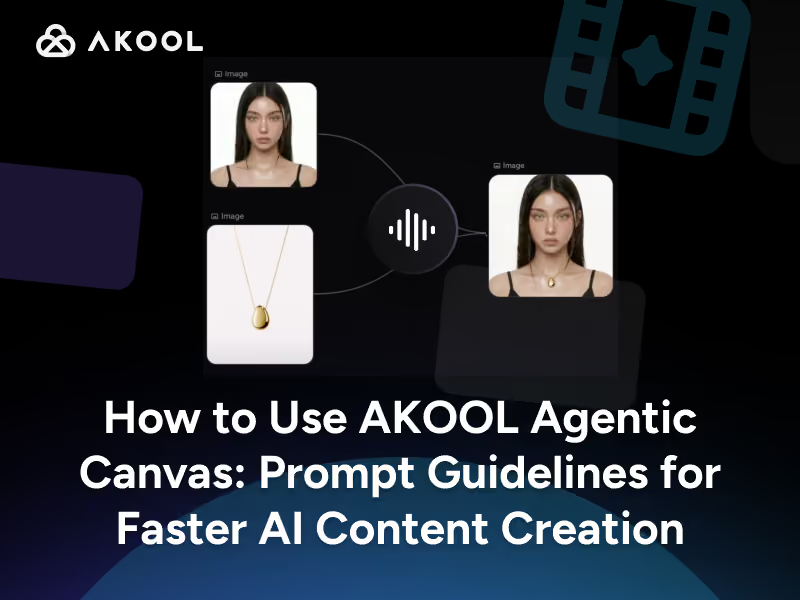
With AKOOL Agentic Canvas, you can create in a single canvas environment that supports multi format content building, including layered editing and fast iteration.
What is AKOOL Agentic Canvas
AKOOL Agentic Canvas is designed to move you from a goal (for example, “launch a new product ad set”) to production-ready creative outputs using an on-canvas assistant, the Akool Canvas AI Agent.
Instead of generating assets in isolation and stitching them together later, the idea is to generate and assemble inside the canvas, using a multi modal workspace with layers and drag-and-drop organization.
The AKOOL Agentic Canvas workflow (simple and repeatable)
AKOOL’s recommended flow is straightforward: start with a clear outcome, provide your inputs, choose how much control you want, then generate, iterate, and export.
Use this as your baseline workflow:
- Start with a goal (what you want to ship)
- Add inputs and context (assets, direction, required messaging)
- Choose review-first or speed-first execution (guided vs fast mode)
- Generate and assemble inside the canvas (variants, layouts, formats)
- Iterate quickly (swap elements, adjust layout, regenerate versions)
- Export and publish
Prompt guidelines (the AKOOL Agentic Canvas “brief format”)
A canvas AI agent performs best when you give it a structured brief, not a vague idea. AKOOL’s own prompt guidance for generation emphasizes being literal and specific, using clear nouns and verbs, and adding style details (colors, textures, patterns) to reduce ambiguity.
It also notes that word order can change results, so put the most important elements first.
Use this template inside Akool Canvas AI Agent:
Copy-paste prompt template (Agentic Canvas Brief)
- Goal: What are we creating, and why
- Audience: Who it’s for (region, persona, intent)
- Channel + Format: TikTok/Reels/YouTube, 9:16 or 16:9, image or video
- Inputs: Assets to use (images, clips, logos, key points)
- Creative Direction: Mood, style, lighting, pacing, references
- Message: Hook, offer, CTA, required on-screen text
- Constraints: Must keep, must avoid, compliance notes
- Deliverables: Number of variants + naming (V1–V10) + export needs
The most effective “agent style” instruction
If you want predictable output, tell the AI Agent how to behave:
Review-first mode prompt (more control)
“First propose a 5 step plan and a list of outputs. Wait for my approval before generating.”
Speed-first mode prompt (more momentum)
“Generate the full set now. Optimize for fast iteration and give me variants grouped by angle.”
This matches the common “guided vs auto” pattern described in agentic creation workflows.
Example: prompts that work for creators and marketers
Here are three plug-and-play instructions you can reuse.
1) Ad variation pack (fast testing)
“Create a campaign creative pack.
Goal: 10 variants for A/B testing.
Audience: first-time buyers, mobile-first.
Format: 9:16 and 1:1 versions.
Style: clean commercial, bright lighting, modern.
Message: 3 hooks + 2 CTAs, readable on mobile.
Deliverables: 10 variants grouped by hook, plus a short summary of what changed per version.”
2) Social content pack (weekly production)
“Build a weekly social content set.
Goal: 5 posts + 3 short video concepts.
Theme: product education + light humor.
Style: bold typography, high contrast, minimal clutter.
Deliverables: organize the outputs as a set, ready for review.”
3) 15 second promo storyboard (video planning)
“Create a 15 second storyboard draft with 5 scenes.
For each scene: describe visuals, motion, on-screen text, and voiceover line.
Keep pacing snappy and consistent.”
Quick troubleshooting (prompt fixes)
- If results feel generic: add one concrete visual detail (setting, prop, wardrobe, lighting) and one specific style constraint.
- If the focus is wrong: reorder the prompt so the most important subject appears first.
- If you need stable motion or style in video: use reference driven guidance where reference controls the “how” (motion/style) and text controls the “what” (subject/scene).
Conclusion
AKOOL Agentic Canvas is built for modern content production: an AI agent that helps you go from goal to variations to final outputs inside one visual workspace, with faster iteration and cleaner organization.Try AKOOL Agentic Canvas and the Akool Canvas AI Agent now to speed up AI content creation, creative automation, and high volume marketing output.


