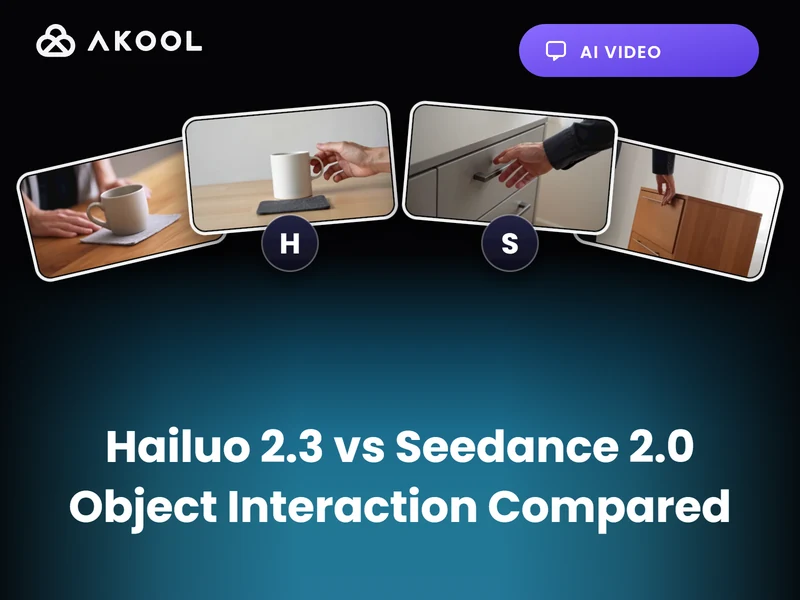

A hand can look convincing while the object barely moves. A cup can be lifted successfully and still land in the wrong place. If you are creating a close-up of someone handling an object, those details decide how much of the clip you can use. This Hailuo 2.3 vs Seedance 2.0 comparison follows three everyday interactions from contact through release, helping you choose a model for a visible cup transfer, a tabletop push, or a simple drawer-opening shot.
Hailuo 2.3 vs Seedance 2.0: A Quick Answer From Our Tests
Overall, Seedance 2.0 had an edge in task completion and prompt compliance in this 12-clip test: five of its six reviewed outputs matched the requested interaction sequence, compared with three of six for Hailuo 2.3. It matched the cup-transfer and drawer-ending instructions in both clips for each task, while each model produced one matching side-push clip. We reviewed only two outputs per model per task, so these findings apply to this specific test.
Both models’ qualifying clips showed the main contact-and-release steps. Differences in starting position, contact method, and extra gestures determined which full clips fit the requested shots.
Test Methodology: Matched Prompts and Repeated Attempts
We compared MiniMax Hailuo 2.3 and Seedance 2.0 on AKOOL on 2026-11-20. We reviewed two clips from each model for each of three tasks, totaling 12 clips.
One Complete Interaction per Matched Prompt
Both models received the same task prompts, reproduced below. Contact, movement, and release form one interaction. Each prompt requests a continuous shot with a fixed camera.
Cup: “Single continuous shot with a fixed camera and clear, even lighting. One adult sits at a table with an opaque ceramic mug and a small mat beside it. The right hand begins away from the mug, approaches it, grips the handle, lifts the mug, places it on the mat, releases the handle, and withdraws. Keep the hand, mug, mat, and contact area visible throughout. Hold the final position briefly.”
Box: “Single continuous shot with a fixed camera and clear, even lighting. One adult sits at a table with a small cardboard box. The right hand begins away from the box, approaches it, contacts its side, pushes it a short distance along the tabletop, stops pushing, and withdraws. The box stays at its new position. Keep the hand, box, tabletop, and contact area visible throughout. Hold the final position briefly.”
Drawer: “Single continuous shot with a fixed camera and clear, even lighting. One adult stands beside a cabinet with a closed drawer. The right hand begins away from the handle, approaches it, grips it, pulls the drawer open, releases the handle, and withdraws. The drawer remains open. Keep the hand, handle, drawer, and cabinet visible throughout. Hold the final position briefly.”
Settings, Review Method, and Limits
We generated the clips through the AKOOL AI video generator and reviewed the 1920 × 1080 exports in 16:9. Hailuo files lasted approximately 5.875 seconds; Seedance files lasted approximately 6.042 seconds.
We inspected frame sequences at 0.2-second intervals, enlarging contact areas to check hand position, object movement, and separation. Timestamps are approximate. We excluded audio and did not rate real-time smoothness or flicker. All 12 clips were included. IDs use H/S for the model, C/B/D for cup/box/drawer, and 1/2 for the clip number.
The test notes did not document negative prompts, prompt enhancement, seeds, quality tiers, subvariant labels, or additional retry history. This comparison covers the 12 recorded clips. With two clips per model per task, results may vary with another scene or generation.
First Contact: Does the Hand Establish a Believable Grip?
A grip needs to explain the object’s movement. Follow the transition from an approaching hand to contact and then lifting.
H-C2 showed contact before the mug left the table and moved onto the adjacent mat. The Seedance cup clips also showed fingers closing around the handle before the lift. S-C1 established its grip around 0.4-1.2 seconds; S-C2 did so around 1.2-2.2 seconds.
H-C1 showed a lift and release, but the mug was already on the mat in the opening frame. Around 2.8-3.4 seconds, it was lifted and returned to the mat.
H-C1 therefore offers a lift-and-return shot with visible contact and separation. For a transfer onto a separate target, Hailuo 2.3’s H-C2 is the matching clip.
During Movement: Does Contact Stay Connected?
Contact should lead to readable object movement. Check what happens after the hand reaches the surface, using the table or cabinet as a position reference.
Sliding a Box Across a Surface
H-B1 showed a small sideways shift around 2.4-3.6 seconds. The hand later separated, leaving the box on the tabletop. That short travel meets the prompt, although it may be hard to read in a fast edit.
H-B2 mainly showed the hand resting against the box. From approximately 0.8-5.0 seconds, no clear tabletop slide developed. The missing movement makes this an unsuccessful push.
S-B1 showed side contact followed by visible sliding around 2.2-3.4 seconds. S-B2 also moved the box, using its top surface. The latter shows movement with contact but does not match the specified side-push setup.
Pulling a Drawer Along Its Track
All four drawer clips showed opening followed by release. H-D2 opened around 3.2-4.0 seconds; S-D1 opened around 1.6-3.8 seconds. In both clips, the drawer front moved away from the cabinet as the hand pulled the handle. The main pulling action therefore gives both models a workable example.
At Release: Does the Interaction Actually Finish?
Separation and the final state decide how the shot ends. Look for the object staying where requested after the fingers leave it.
H-C2 left the mug on its target mat after separation around 4.4-5.4 seconds. S-C1 released around 4.8-5.4 seconds, and S-C2 around 4.4-5.0 seconds. Both Seedance mugs remained on their mats.
The drawer clips also stayed open. H-D1 released the handle around 3.4 seconds, then moved the hand toward and into the opening around 3.8-5.4 seconds before withdrawing.
Its opening and initial release succeeded. The extra reach changes the requested ending, so the full clip does not qualify for a single pull-and-withdraw shot.
Task Completion and Prompt Compliance in the Reviewed Batch
For this review, a task-compliant clip shows the requested starting state, contact method, movement, release, and final state in the sampled frames, without an extra hand action. The table identifies clips that missed a requested stage or instruction.
| Model | Task | Task-Compliant / Reviewed | Not Task-Compliant / Reviewed | Observation |
|---|---|---|---|---|
| Hailuo | Cup transfer | 1/2 | 1/2 | H-C2 completes the transfer. H-C1 lifts and returns a cup already on the mat. |
| Seedance | Cup transfer | 2/2 | 0/2 | Both clips show the cup being transferred onto the mat and released. |
| Hailuo | Side push | 1/2 | 1/2 | H-B1 shows small displacement and separation. H-B2 lacks a clear slide. |
| Seedance | Side push | 1/2 | 1/2 | S-B1 matches the requested push. S-B2 moves the box through top contact. |
| Hailuo | Drawer opening | 1/2 | 1/2 | H-D2 matches the ending. H-D1 adds a reach after release. |
| Seedance | Drawer opening | 2/2 | 0/2 | Both clips open the drawer, release, and withdraw the hand. |
These counts reflect task completion and prompt compliance based on sampled frames. Final editorial usability requires reviewing motion continuity, flicker, and pacing at normal playback speed. Clips that miss an instruction may still contain useful contact or release footage, as H-C1, S-B2, and H-D1 demonstrate.
Choose by the Interaction Your Scene Requires
For a cup deliberately moved onto a target, try Seedance first based on this round. Hailuo 2.3 also provided a matching transfer in H-C2; its other clip suits an in-place lift-and-return.
For a side push, compare H-B1 and S-B1. Seedance makes the travel easier to see. S-B2 becomes an option if your scene allows a top-down push, outside this test’s specified contact method.
For a simple drawer-opening shot, both models produced an example that matched the requested sequence. H-D2, S-D1, and S-D2 fit the requested ending. H-D1 needs a different scene or an edit to accommodate its extra reach.
Test the Interaction Your Next Video Needs
Choose one operation from your next scene and keep its contact area visible. Confirm the exact versions available in AKOOL AI Video Generator, reuse a shared prompt, and record every attempt with its settings. Inspect the entire contact-to-release sequence before choosing footage for your edit. Keep interaction quality and missed instructions in separate notes. For your final selection, prioritize a complete clip that performs the requested movement, reaches the correct destination, and ends with the hand withdrawing as your scene requires.