



If you create visuals for a living—social posts, ad creatives, landing pages—you’ve probably felt the pressure to “make more, faster.”
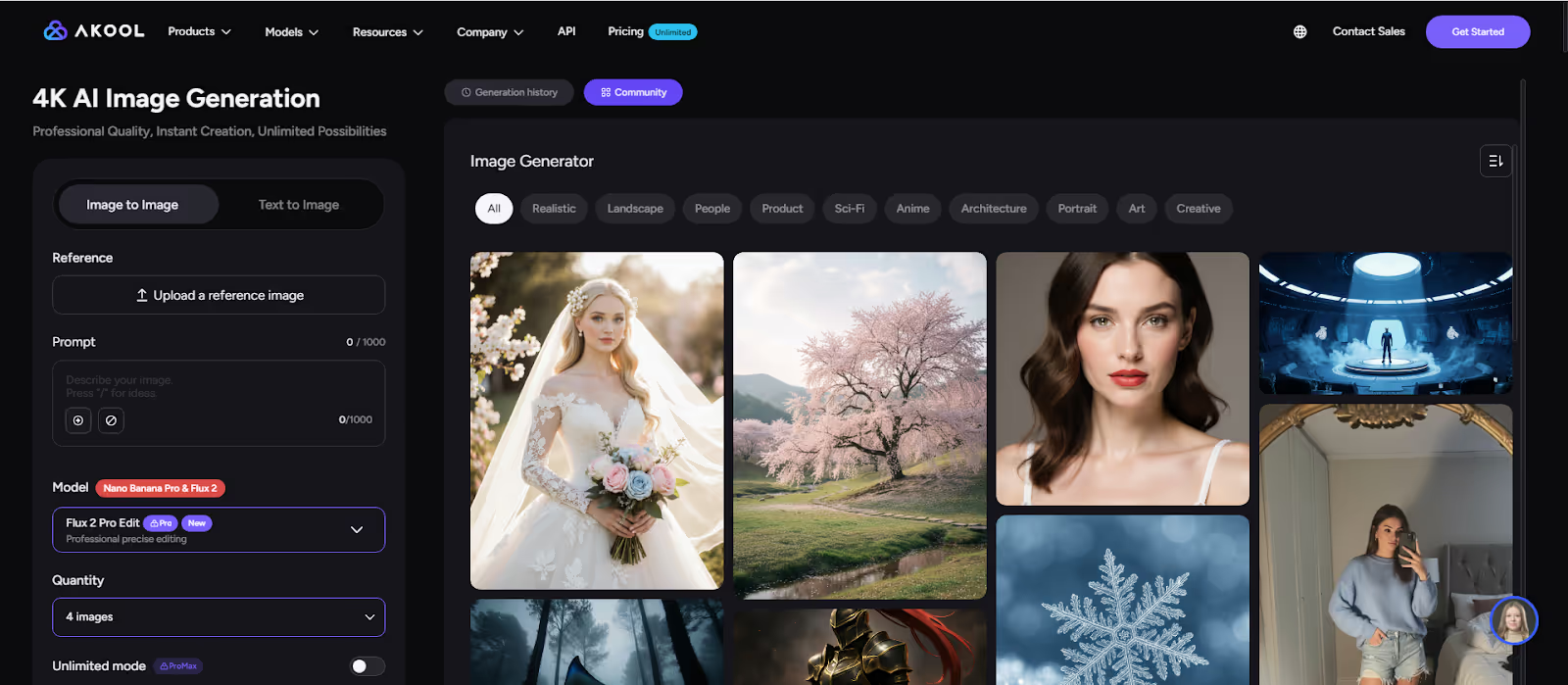
Now there’s help: FLUX.2, one of the most advanced AI image generation models, is now integrated into Akool.
Instead of fighting with complicated tools or spending days on revisions, you can use FLUX.2 on Akool to turn ideas into polished images in minutes—without needing to be a designer or a prompt guru.
In this guide, we’ll walk through what FLUX.2 is, what’s new, and (most importantly) what it can do for you.
What’s New in FLUX.2
You don’t need the technical details, but it helps to know what’s actually improved. At a high level, FLUX.2 brings:
- Higher resolution & realism
Images look cleaner and more detailed, even when used large (hero images, banners, slide backgrounds). - Better control from your prompts
It “listens” more closely when you specify layout, mood, lighting, or number of people/objects. - Improved text inside images
Things like mock UI screens, dashboards, posters, or simple text labels look more readable and usable. - More reliable structure
Fewer broken hands, faces, or strange shapes—so you can trust more images right out of the model.
All of that is wrapped in Akool’s easier, visual interface—so you get the power of FLUX.2 without needing to be technical.
Why FLUX.2 Matters
As a creator, you care about three things: quality, speed, and control. FLUX.2 on Akool helps with all three:
- Better visual quality
Sharper details, more realistic lighting, and fewer weird artifacts. Your images look clean enough to use in ads, thumbnails, and hero sections. - More consistent style
Need a whole series of images in the same vibe—same character, same brand feel? FLUX.2 is much better at keeping things consistent across multiple prompts. - Smarter prompt understanding
You can be specific: “wide shot,” “close‑up,” “soft studio lighting,” “bold brand colors.” FLUX.2 follows those instructions more reliably than older models. - Built‑in editing
Don’t like part of an image? On Akool, you can use FLUX.2 to edit instead of regenerate from scratch—change a background, adjust colors, tweak objects, while keeping the rest.
Result: you spend less time wrestling with the tool and more time actually creating.
How to Use FLUX.2 on Akool
Here’s what a typical workflow looks like:
- Start a new image project in Akool
Choose a template that fits your use case (ad creative, social post, thumbnail, etc.). - Describe what you want
Type a clear prompt, for example:
“A clean, minimal product shot of wireless earbuds on a matte background, soft lighting, modern tech brand feel.” - Generate with FLUX.2
Akool sends your prompt to FLUX.2 and returns several options. Pick the one closest to your vision. - Refine and edit
- Adjust the prompt for small changes
- Use editing tools to tweak colors, backgrounds, or specific areas
- Generate a few variations for testing
- Export for your channel
Download the image in the right size/format for your ad platform, social network, or website.
You don’t need design software or a big team to ship high‑quality visuals regularly.
Example Use Cases You Can Try Today
Here are practical ideas you can test right away with FLUX.2 on Akool:
- Social media post series
A week‑long campaign around a new product, each post sharing a different angle or use case—same style, same brand feel. - Performance ad creatives
5–10 versions of a single ad concept, changing the background, color scheme, or composition to find the best‑performing layout. - Launch visuals
Hero image for your landing page, matching social teaser graphics, and newsletter banner—all generated from one visual concept. - Brand moodboards
Explore new visual directions for your brand—different moods, color palettes, and styles—without hiring a studio.
Conclusion
If you’re a content creator or marketer, this is the perfect moment to see what next‑gen AI image generation can do for your workflow.
Instead of starting from a blank canvas every time, let the model handle the heavy lifting while you focus on ideas and strategy.Try FLUX.2 on Akool today and start turning your concepts into high‑impact images in minutes.


