Inc. 5000 list company
Ranked #5 on G2’s 2026

AI Video Generator

Create AI videos from text, images, or reference clips. Compare Kling, Veo, and Seedance in Akool to find the right look for product ads, social videos, and campaigns.

What Video Generator can make

See how reference images and a motion prompt shape each video.

Prompt

REFERENCE BINDINGS @image1 defines the open charging case, hinge, two wells and seated arrangement. @image2 defines the exact same case in its closed state. @image3 defines the left/right earbuds, graphite tips and brushed-silver grilles. Create a 10-second photoreal luxury audio spot. The charging case is the fixed center of an otherwise black set. Use a narrow cobalt rim and a moving white strip reflection to reveal the molded shell. The lens goes from a grazing macro to a clean overhead and lands on a stable packshot. COLOR GRADE Keep the pedestal and negative space near-black with a faint midnight-blue falloff immediately behind the case. The translucent shell stays rich cobalt, with narrow cool-cyan light confined to the rim and molded edges. Keep the moving strip reflection and the silver grille neutral white-silver. Let the moving reflection peak briefly on the grille during the orbit, then roll off softly so the perforations stay visible. Retain separation between the graphite tips and the dark cradle. Match the cobalt hue and black level through the overhead cut and final packshot. [00:00–00:02] Open with the cobalt case already visible in a low front-left three-quarter view. Skim right, millimeters above the black pedestal in apparent scale, keeping the front edge and white status light sharp. A narrow white reflection travels across the transparent seam. At about 1.2 seconds, the lid clicks open on its rear hinge; tilt up with the lid to reveal both earbuds seated inside. [00:02–00:06] On one low bass hit, exactly two earbuds lift straight out of their respective wells and hang upright, stems down. Accelerate into a short rightward camera orbit, then ease into a nearly still macro side view. The near earbud sweeps close to frame edge with strong parallax while the far earbud and open lid stay readable behind it. Pull focus onto the near silver grille as its perforations catch a thin line of light. Hold that sharp view for half a second. [00:06–00:08.5] Cut on the glint to a directly overhead shot, already aligned with both wells. The earbuds rotate slightly to align their stems and lower into the corresponding wells. Keep the two paths visible in the same frame and arrest the camera on the small magnetic seating snap. The case and lid stay still. [00:08.5–00:10] Cut on the seating click to a centered three-quarter hero packshot. The complete open case is in focus, both earbuds seated, with clean crop margins. A blue edge highlight rolls once across the shell, then the image holds. CONTINUITY Keep one rigid case, one fixed rear hinge and exactly two distinct mirrored earbuds. Preserve their geometry, shell translucency, cobalt tint, stem length and grille placement. Use camera acceleration only in the short orbit, followed by readable detail and a steady packshot. Keep the background black and the product unmarked. Use the lid click, short bass hit and magnetic snap. No dialogue or on-screen text.
Reference image 1
Reference image 2
Reference image 3

Prompt

REFERENCE BINDINGS @image 1 defines both women: the woman in the silver bomber on the platform and her identical-looking counterpart inside the carriage. @image 2 defines the platform geometry and rain. @image 3 defines the train exterior and its principal window. @image 4 defines the interior reverse angle of that same window. Create a 15-second live-action supernatural thriller. Give the exterior fast foreground parallax and wet steel reflections. Let the motion die as the two hands approach the glass. The last shot answers the question by holding both women on opposite sides of the same window. Cool rain outside, dim amber fluorescent light inside. COLOR GRADE Set the platform in charcoal and subdued petrol-green, with cool green-cyan fluorescent reflections on the wet steel, glass and puddles. Let shadow density increase away from the fixtures while keeping the tactile strip and brushed silver jacket readable. Confine dim amber to the train interior and the distant signal. At the hand match cut, keep the window and the exterior hand cool while the near face and jacket planes pick up muted amber. Keep both faces recognizably the same complexion, with natural lips and skin texture. Preserve the position and color of the light on each side of the glass across the reverse angle. [00:00–00:04] Start low over the wet platform at the yellow tactile line, camera safely on the platform side. Track parallel to the line as the train arrives on screen right. The near teal column briefly wipes the frame, revealing the silver-jacket woman waiting in a medium-wide view at screen left. As the train brakes, moving light bars streak across the wet steel and settle into a single fogged window opposite her. A still upright silhouette becomes visible in that pane. Hard braking hiss over light rain. [00:04–00:08] Cut to a tight tracking shot just behind her left shoulder. Push forward with her two steps. Nearby droplets and the window gasket streak sideways in the foreground while the silhouette barely shifts. Stop the camera as her step shortens. Her gaze fixes on the figure, she holds a breath, and her right hand comes up into the foreground. [00:08–00:12] Cut to a tight grazing side angle on the same glass. Her palm clears a small arc in the damp exterior. Rack focus from beads on the near surface to the silhouette's fingertips as they rise a fraction later on the far side. Push only a few inches toward the aligned hands, then stop before the glass. Let the train noise fall away to rain and a muted palm tap. [00:12–00:15] Match cut through the hand placement to the interior reverse angle in @image 4. The warmer inside woman is on the near side in three-quarter profile, with the cool-lit platform woman visible through the pane. Make a restrained lateral slide until both matching faces can be read clearly at once. The inside woman lowers her hand and blinks. The outside woman's palm stays raised. Stop the camera and hold the separation through the end. CONTINUITY Preserve the same window gasket, navy stripe, adjacent shut door and platform geography. Keep exactly two physical women, one on each side of the glass. Match both identities to @image 1, including the bob, mole and bomber. Use glass reflections primarily around the edges so the final two figures remain distinct. Keep the acting restrained. Rain, brakes and one glass tap. No dialogue, titles or audible music.
Reference image 1
Reference image 2
Reference image 3
Reference image 4

Prompt

REFERENCE BINDINGS @image 1 defines the same shopper's face, skin tone, microbraids, charcoal headband, hoop earrings, body proportions and opening casual outfit. @image 2 defines the first wardrobe change, the oxblood leather and ivory tailored outfit. @image 3 defines the designer corner store, checkout counter, printer and solid brushed-metal side of the chilled drinks display. @image 4 defines the second wardrobe change, the asymmetric cobalt top and charcoal tailored outfit. Use the wardrobe flat lays as garment references. Keep the shopper, her hair and her accessories consistent throughout. Create a 12-second vertical live-action street-style reel. One stylish neighborhood convenience store, one shopper and exactly two hidden-cut wardrobe changes. Start tight on the checkout, then use two separate full-frame foreground wipes. Show all three outfits in order: charcoal T-shirt and light-wash jeans, oxblood jacket and ivory trousers, cobalt asymmetric top and charcoal Bermuda shorts. Natural daylight from screen left and a crisp wide-angle street-photography feel. COLOR GRADE Keep milky glazed tiles, a butter-yellow counter edge and blue-gray terrazzo softly lit. Brushed steel has wide neutral reflections; the deep-green trim and packaging stay secondary. Preserve natural deep-brown skin tones. In the first reveal, the oxblood leather is the strongest warm color, with clearly separated ivory trouser pleats. In the second reveal, saturated cobalt is the strongest cool accent, with the charcoal wool and black boots clearly separated in tone. Keep daylight direction, exposure and white balance consistent through both wipes. [00:00–00:02] A close 24 mm-feel slide skims the brushed checkout edge toward the thermal printer. It feeds one long white receipt into a loose curve. Pull focus from the paper to the shopper beside the counter as she catches the free end with her right hand. Show her casual charcoal T-shirt, light-wash jeans and off-white sneakers clearly in the opening beat. [00:02–00:04] She sweeps the receipt diagonally upward across the lens. The camera whips upward-right with the gesture. The paper passes close and fills the entire image with soft white for a brief beat. Keep the casual outfit intact until the frame is fully covered; switch to the first look only under the paper. [00:04–00:06.5] Emerge from the paper at knee height and tilt from the black square-toe ankle boots up the ivory pleats to the cropped oxblood leather jacket over the black ribbed top. Catch window light along a curved leather seam. She lowers her right hand beside her thigh with the receipt still connected to the printer. Let the tilt finish on a clear head-to-toe view and give the first look a full beat of screen time. [00:06.5–00:08.5] Keep the shopper in the oxblood outfit as the camera slides sideways behind the nearby solid brushed-metal side panel of the chilled drinks display. The panel passes across the lens from right to left and briefly fills the entire image in soft gray, with no sharp mirror reflection. Hide the second clothing change only during this complete steel-panel coverage. The shopper stays in the open area beside the counter. [00:08.5–00:12] Continue the same lateral slide as the steel foreground clears. Reveal the same shopper already in the complete cobalt look: asymmetric one-sleeve draped top, charcoal tailored Bermuda shorts and tall black knee-high boots. Keep the checkout and drinks display visible to establish the same shop. She turns one shoulder slightly toward the window so the diagonal folds catch clean daylight, receipt held low beside her leg. Settle into a steady three-quarter full-body view with her head and boots fully readable. Hold the complete second reveal for the final second. CONTINUITY Exactly three outfits in sequence and exactly two wardrobe changes. Both switches happen under complete foreground coverage. The shopper's face, braids, headband, earrings and proportions stay consistent. Use one printer and one long receipt, held in the same right hand after the catch. The paper never tears or duplicates. Maintain the same counter, chilled display, floor seams and storefront light throughout. Use printer chatter, one paper swish, a short low transition hit on the second wipe and gentle store ambience. No dialogue, music or on-screen titles.
Reference image 1
Reference image 2
Reference image 3
Reference image 4

Prompt

REFERENCE BINDINGS @image 1 defines one short blue-gray lop-eared rabbit with a pale forelock, amber eyes, pink inner ears, ivory muzzle, pale-yellow headphones, navy varsity jacket with cream sleeves, pale-yellow tee, beige cargo shorts, orange crossbody bag with a carrot charm and chunky blue-and-cream sneakers. @image 2 defines the open under-counter fridge on screen right and the hallway doorway with its switch at back left. @image 3 defines the open caramel custard cup, peeled foil lid and small teaspoon. @image 4 defines one taller, slim anthropomorphic cat with a dark brown facial mask, bright blue eyes, long honey-blond braids, dark green headphones, burgundy mesh top over an off-white tee, black cargo shorts, cream socks, sneakers and a long brown tail. The close-up and full-body view in each character image represent the same individual. Use one rabbit and one cat, with each character's appearance assigned to its own reference. Create a 12-second realistic 3D character comedy. In a midnight kitchen, the rabbit sneaks a spoonful of pudding. The cat switches on the kitchen light and sees the evidence. Use a shelf-level tracking opener, a short push-in on the rabbit's reaction, and a quiet held two-shot for the punchline. Keep the cup on the fridge shelf, the rabbit near the front of the fridge, and the cat in the doorway at back left. COLOR GRADE Start in soft blue-gray refrigerator light with the rest of the kitchen in muted walnut-brown shadow. At the switch click, bring in warm cream overhead light and keep the fridge glow present at the shelf. Preserve the rabbit's cool blue-gray fur and yellow headphones. Keep the cat's fur mask dark brown, eyes bright blue, braids warm blond, headphones deep green and mesh top burgundy. A small pale vanilla smear against the rabbit's muzzle must read clearly in the warm light. [00:00–00:02] Glide sideways just outside the refrigerator shelf. Focus on the open custard cup and the little spoon. Rack focus to the rabbit crouched beside the fridge. It peeks toward the dim hallway, then curls its right paw around the spoon handle. Keep the cat out of the opening composition. [00:02–00:04.5] Cut to a tight three-quarter view of the rabbit and cup. Show one clear sequence: the spoon dips into the custard, lifts a small scoop, and reaches the rabbit's mouth. The rabbit visibly eats the bite, withdraws the spoon and gives a small satisfied blink. A tiny dab of custard is left at the right corner of its mouth. Keep the open cup upright on the shelf with one shallow scoop visible. [00:04.5–00:07] A switch clicks and the ceiling light comes on. Snap the camera in toward the rabbit's eyes and stop on the expression: eyes widen, shoulders freeze, spoon hangs in its right paw. Cut to a low two-shot with the cat in the back-left doorway, one paw dropping from the light switch. The cat looks from the spoon to the rabbit's mouth and raises one eyebrow. The rabbit tries a small, unconvincing innocent smile. [00:07–00:10] Hold the established screen positions. The cat lightly taps the corner of its own mouth to signal the custard stain. The rabbit looks up at the cat, then quickly wipes the left corner of its mouth with its free left paw. The pale smear at the right corner is still there. Keep the spoon visible in its right paw. The cat's mouth softens into an amused half-smile. CONTINUITY Keep the rabbit and cat clearly distinct in body scale, fur, eye color, ears, headphones and clothing. Keep their proportions and accessories tied to their respective references. One open cup stays on the same shelf, one peeled foil lid stays beside it and one spoon stays in the rabbit's right paw after the scoop. The single dab appears at the rabbit's right mouth corner after the bite and remains there after the wrong-side wipe. The left paw makes the wipe. Use fridge hum, one spoon scrape, one light-switch click and a short comic pause. No dialogue, titles or music.
Reference image 1
Reference image 2
Reference image 3
Reference image 4

Why Choose Akool Video Generator

Photorealistic 4K Rendering

Enterprise-grade Diffusion-based Synthesis

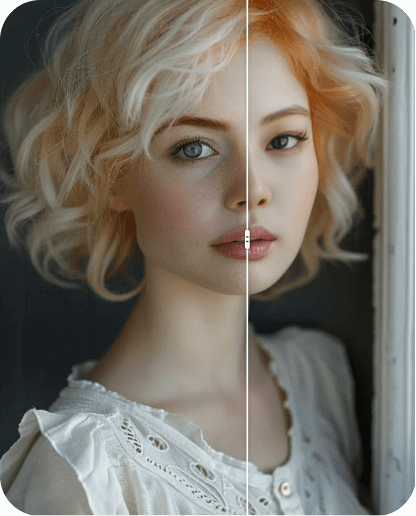
Generate high-fidelity 4K video assets using advanced diffusion-based architecture, with neural frame interpolation for fluid motion, sharper visual detail, and production-ready clarity.

Temporal Consistency in Character Identity

Seamless Identity Persistence

Akool's computer vision models maintain strict temporal consistency across frames, keeping character identity invariant while preserving neural-driven facial expressions.

Multi-modal Computer Vision Suite

Integrated API-driven Workflows

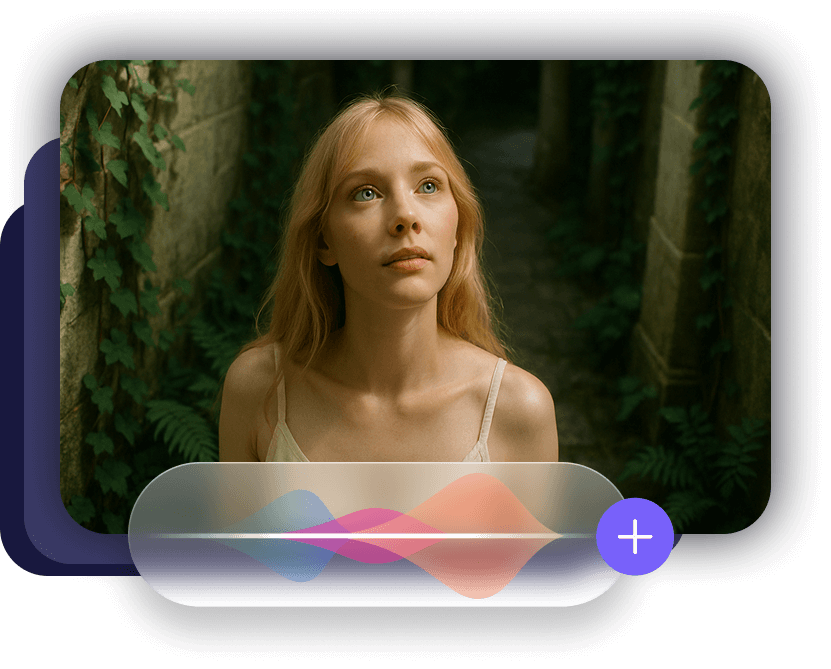
Power production with computer vision tools for low-latency identity transformation, neural voice synthesis, automated visual effects, and scalable creative automation.

Try These New Templates

Try Our Cutting-edge Models

Seedance 2.5Try Now
Seedance 2.5 · 2 / 11

How It Works

Choose a model or template, add your assets, and generate your final video.

  1. 1

    Choose a model or template

    Start from a model or template that fits your idea.

  2. 2

    Add your assets

    Upload images, videos, references, or frames based on the selected mode.

  3. 3

    Generate video

    Click Generate to create your final video.

Highlighted Features

Akool's AI Video Generator is more than just a generator; it's a creative toolkit designed to convert your pictures into stunning, dynamic content. Explore a range of powerful features helping you to bring your images to life, including:

Effortless Face Swap

Instantly Transform Faces into Any Content

AI-Generated Audio

Add Lifelike Audio to Bring Your Videos Alive

Trending Visual Effects

One-Click Creative Enhancements for Stunning Results

Creative Modes

More Creative Control with Start-to-End and Multi-Image Modes

Talking / Singing Video

Generate Ultra-Realistic Talking and Singing Videos from Portraits

Extended Narrative Video

Create Full Narrative Videos Over 20 Seconds

See the Power in Action

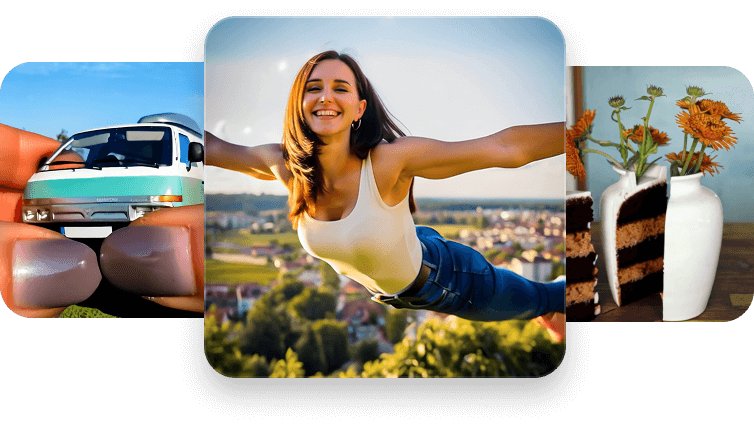
Turn static images into dynamic videos for social media in minutes. No filming, no editing — just upload and generate scroll-stopping content. Perfect for TikTok, Reels, and YouTube Shorts.

Pick Your Price

FAQ

Text to Video turns a written description into a video. Describe your subject, its movement and the scene you want to create.

Select Text to Video, choose a model and describe your scene. Select Next to review your settings and generate the video in the editor.

Generation time depends on the model, duration, resolution and current demand. You can follow the progress in the editor.

The available resolutions depend on your model and plan. Check the settings in the editor before generating, then download the finished video as an MP4.

Paid plans include a license for business use, such as ads and social media. Check your plan details and make sure you have rights to the material you upload.

Video generation uses credits. The cost depends on the model and settings you choose. Compare plans in Pick Your Price and check the credit cost in the editor.